360 Analytics for WooCommerce
360 Analytics for WooCommerce
Description
Gain full visibility over your store’s performance with 360 Analytics for WooCommerce. Designed for WooCommerce store owners who need actionable insights without bloated interfaces, this plugin provides a clean, modern, and high-performance reporting dashboard.
Track your revenue, analyze sales trends, monitor taxonomy performance (such as product categories, brands, or publishers), and get detailed tax breakdowns in real-time.
Key Features
- Modern Overview Dashboard: A professional KPI grid displaying Total Revenue, Lifetime Revenue, Orders Count, Items Sold, and Average Order Value, alongside an interactive Sales Evolution line chart.
- Interactive World Map: Visual geographical breakdown of sales and orders by country on the main dashboard.
- Period-over-Period Comparisons: Analyze revenue and sales velocity against previous periods or Year-over-Year (YoY) benchmarks.
- Real-time Order Data Sync: Instant data reflection on order placement, updates, status changes, or deletions.
- Stock Velocity & Inventory Forecasting: Smart low-stock alerts, sales velocity metrics, and product margin tracking.
- Product & ISBN Analytics: Detailed product performance metrics with support for ISBN metadata, attributes, and CSV exports.
- Category & Custom Taxonomy Analysis: Comprehensive breakdown for categories and custom taxonomies (e.g. Brands, Publishers, Tags) with percentage distribution panels and readable charts.
- Tax & Customer Insights: Track taxes collected per order, customer LTV, purchase frequency, and export enriched loyalty data to CSV.
- Quick CSV Exports: Export all reporting tables to CSV with one click for offline auditing.
Installation
- Ensure you have WooCommerce installed and activated on your store.
- Upload the plugin files to the
/wp-content/plugins/360-analytics-for-woocommercedirectory, or install the plugin through the WordPress plugins screen directly by uploading the.zipfile. - Activate the plugin through the ‘Plugins’ screen in WordPress.
- Navigate to 360 Analytics in your WordPress admin menu to access your new reporting dashboard.
Screenshots
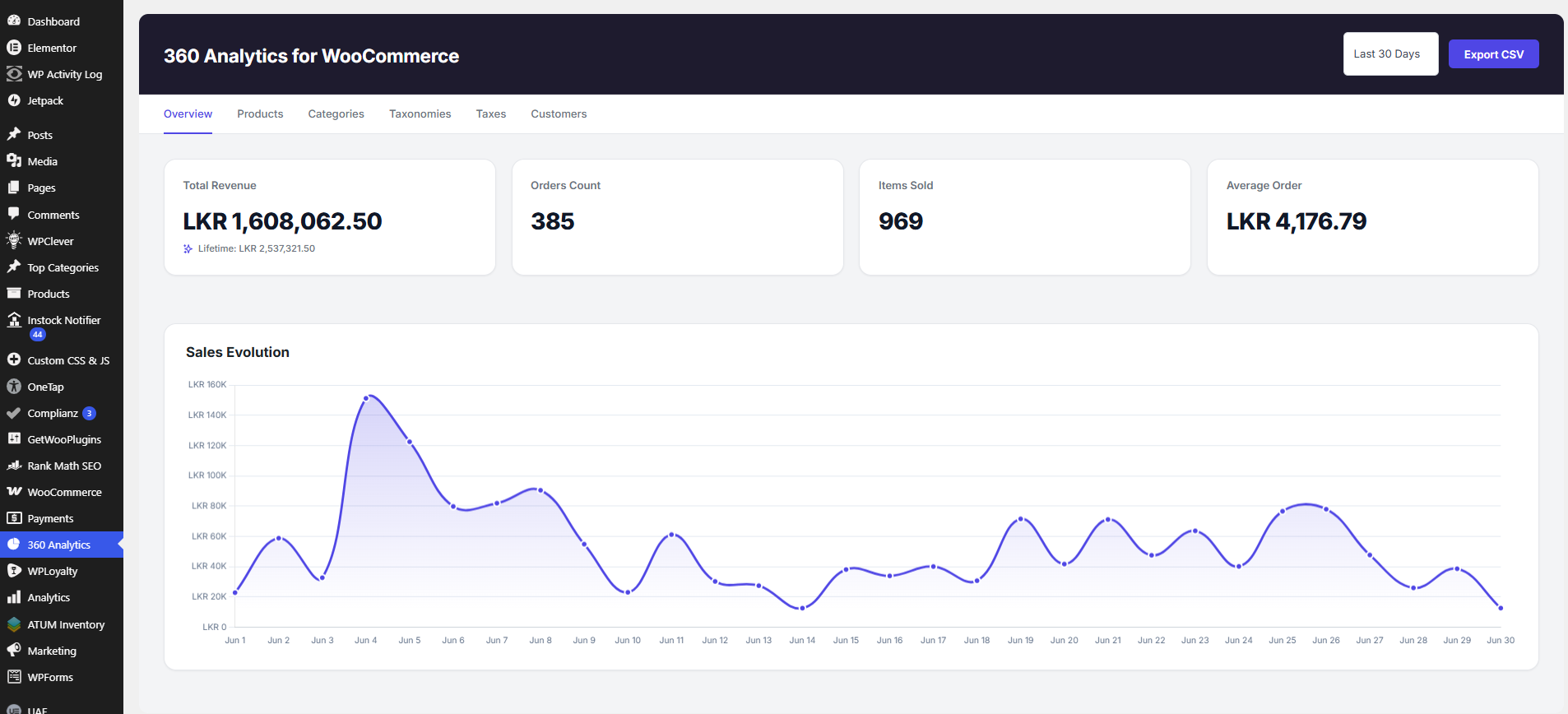
Overview dashboard with revenue, orders, items sold, and sales evolution chart.
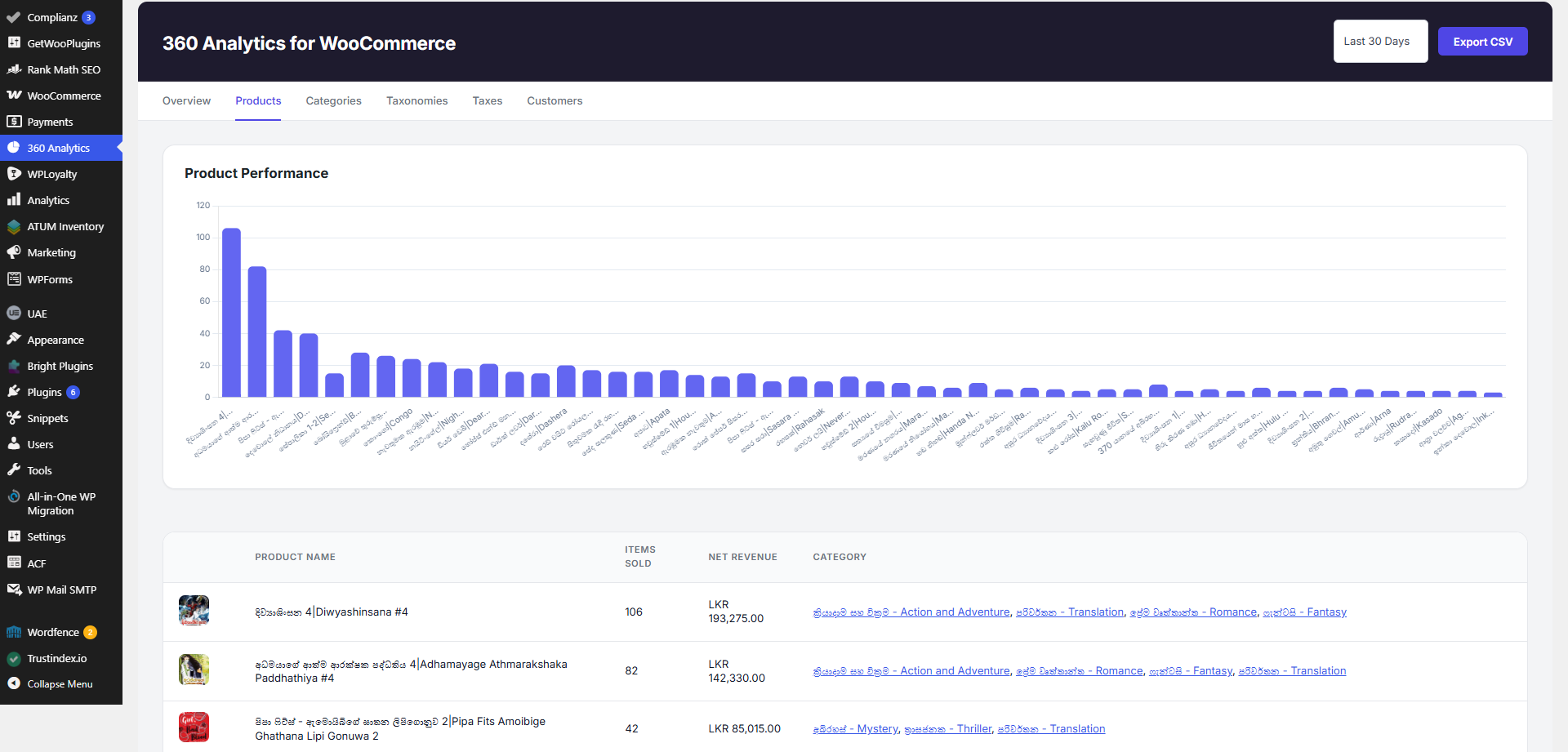
Product performance report with top-selling products.
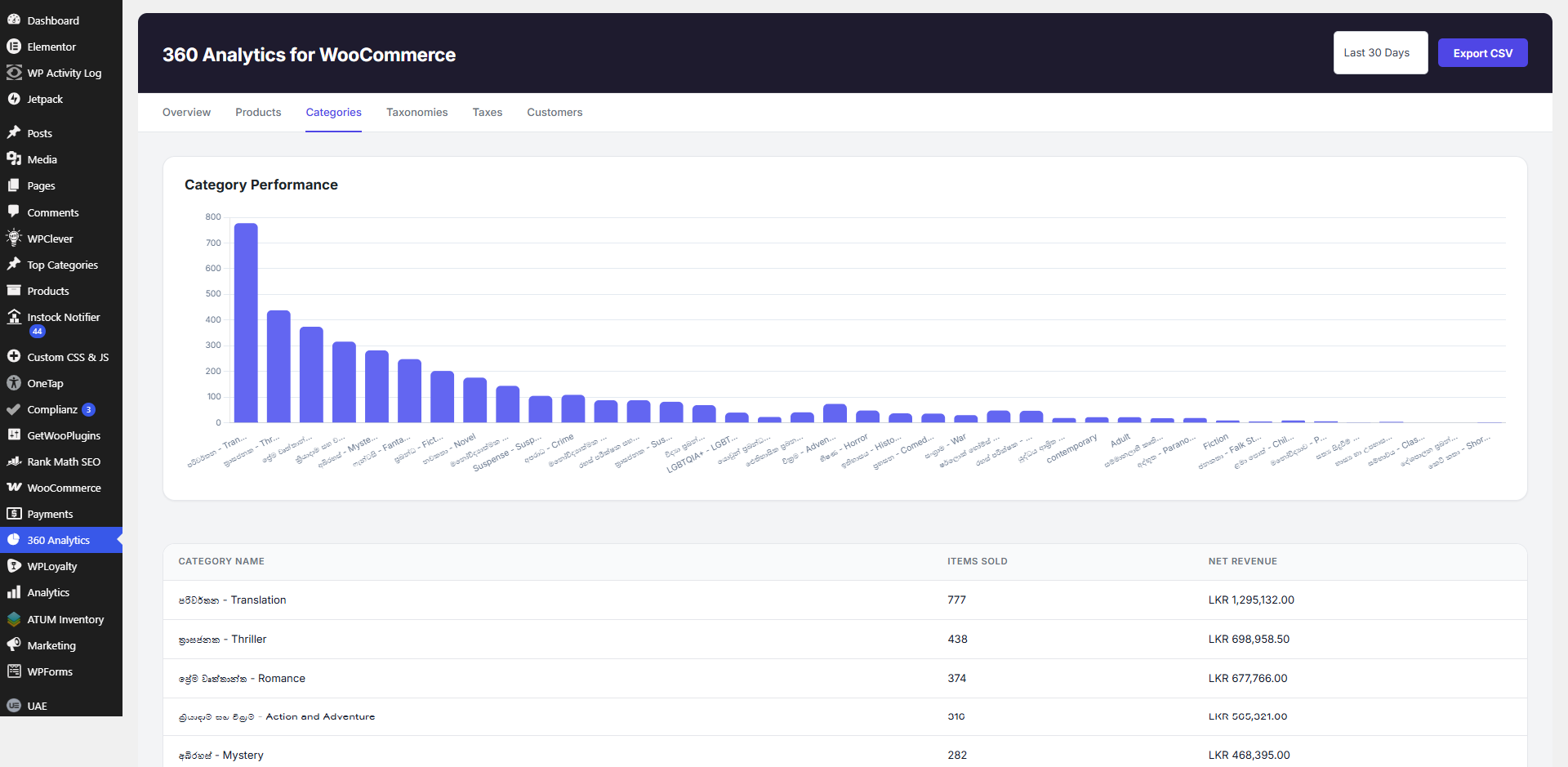
Category performance breakdown.
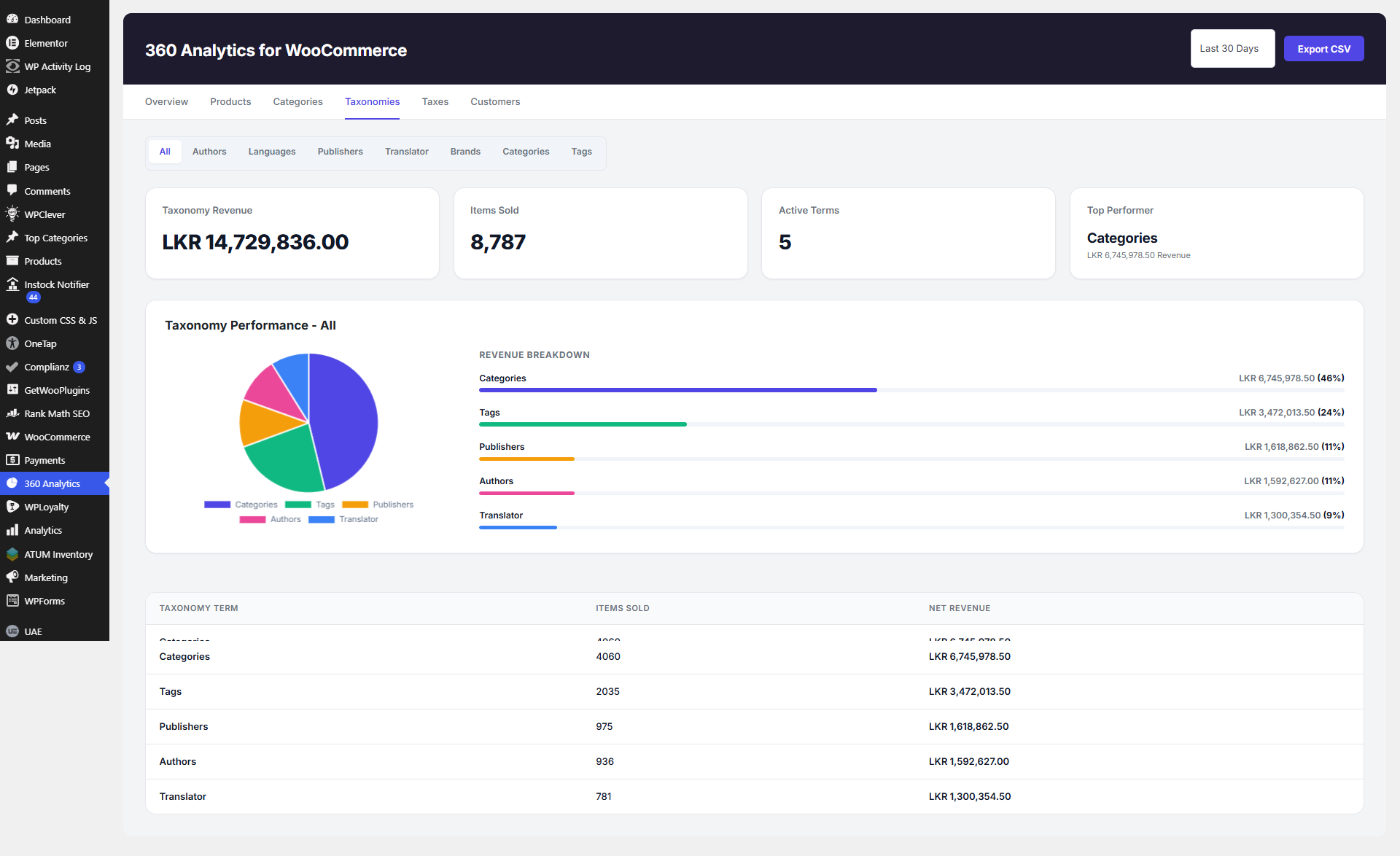
Taxonomy performance overview (all taxonomies combined).
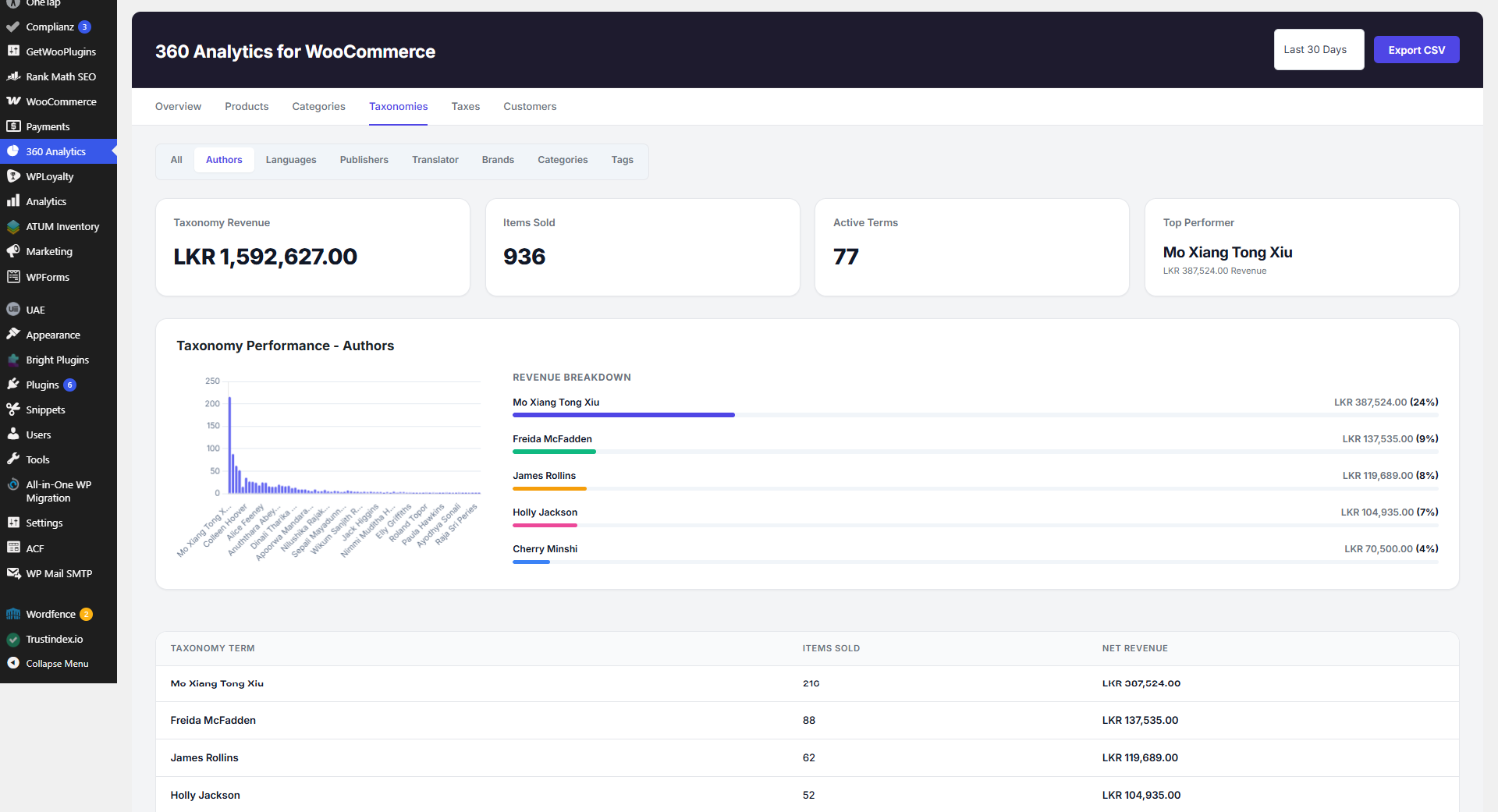
Author taxonomy performance report.
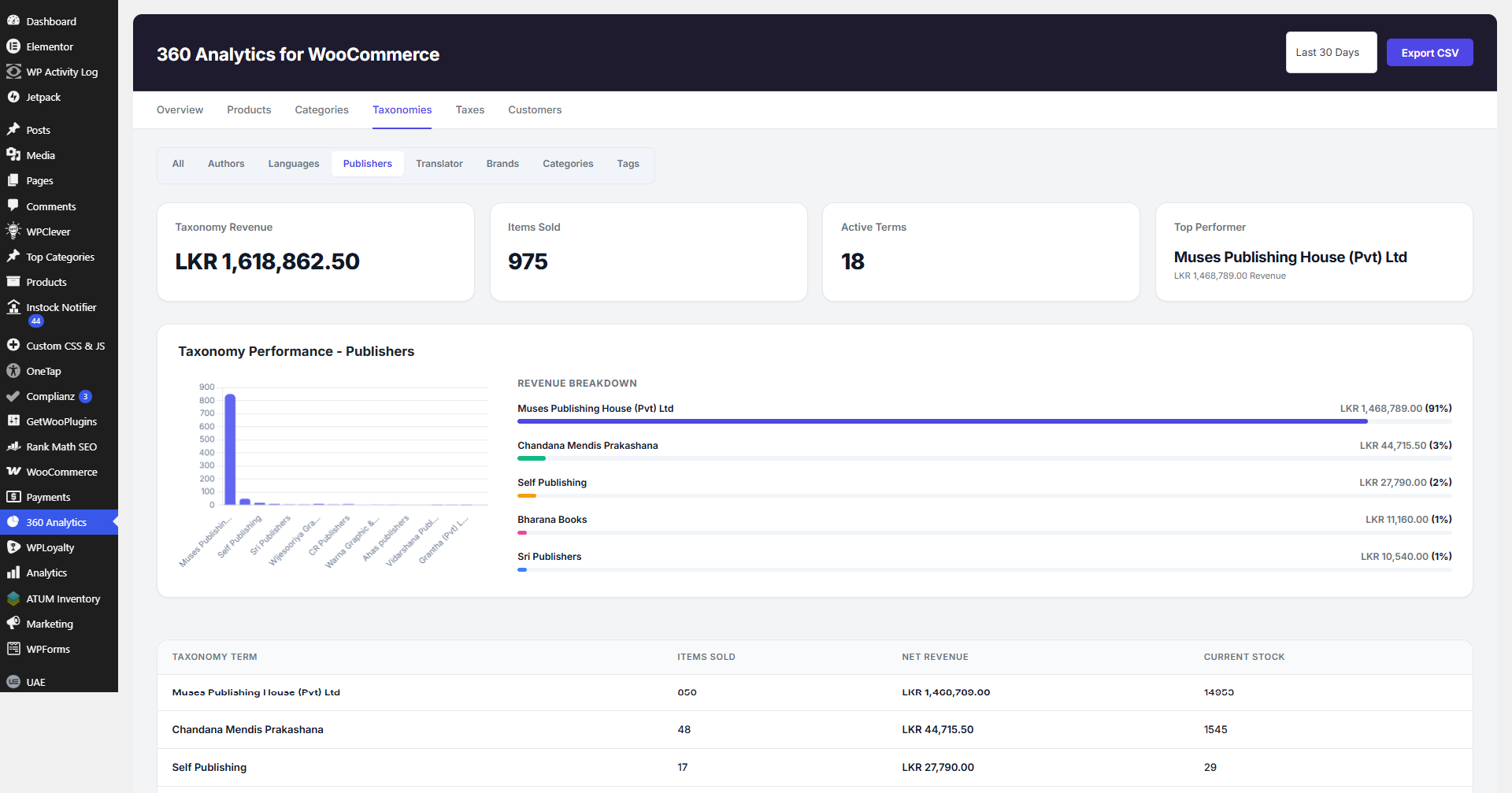
Publisher taxonomy performance report.
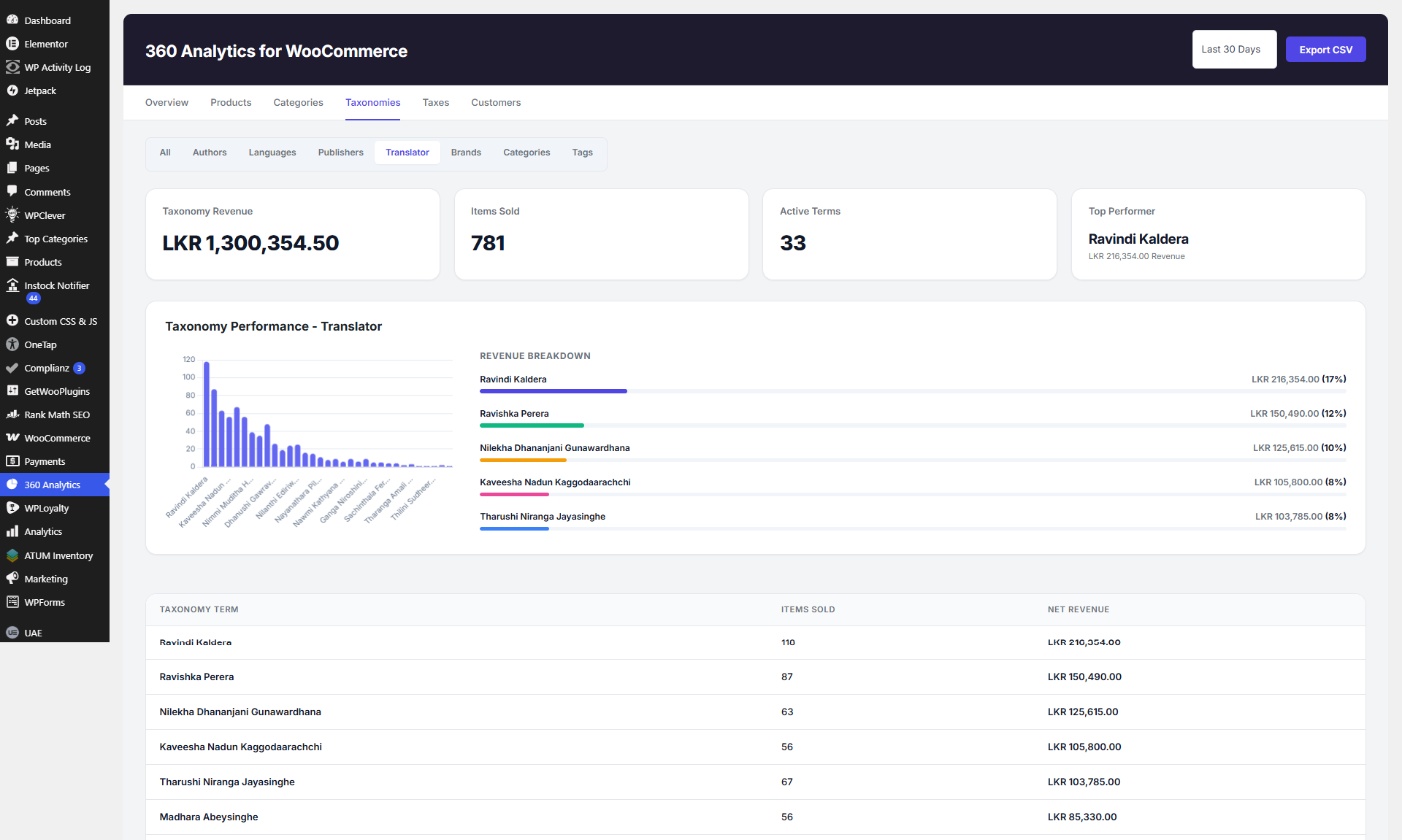
Translator taxonomy performance report.
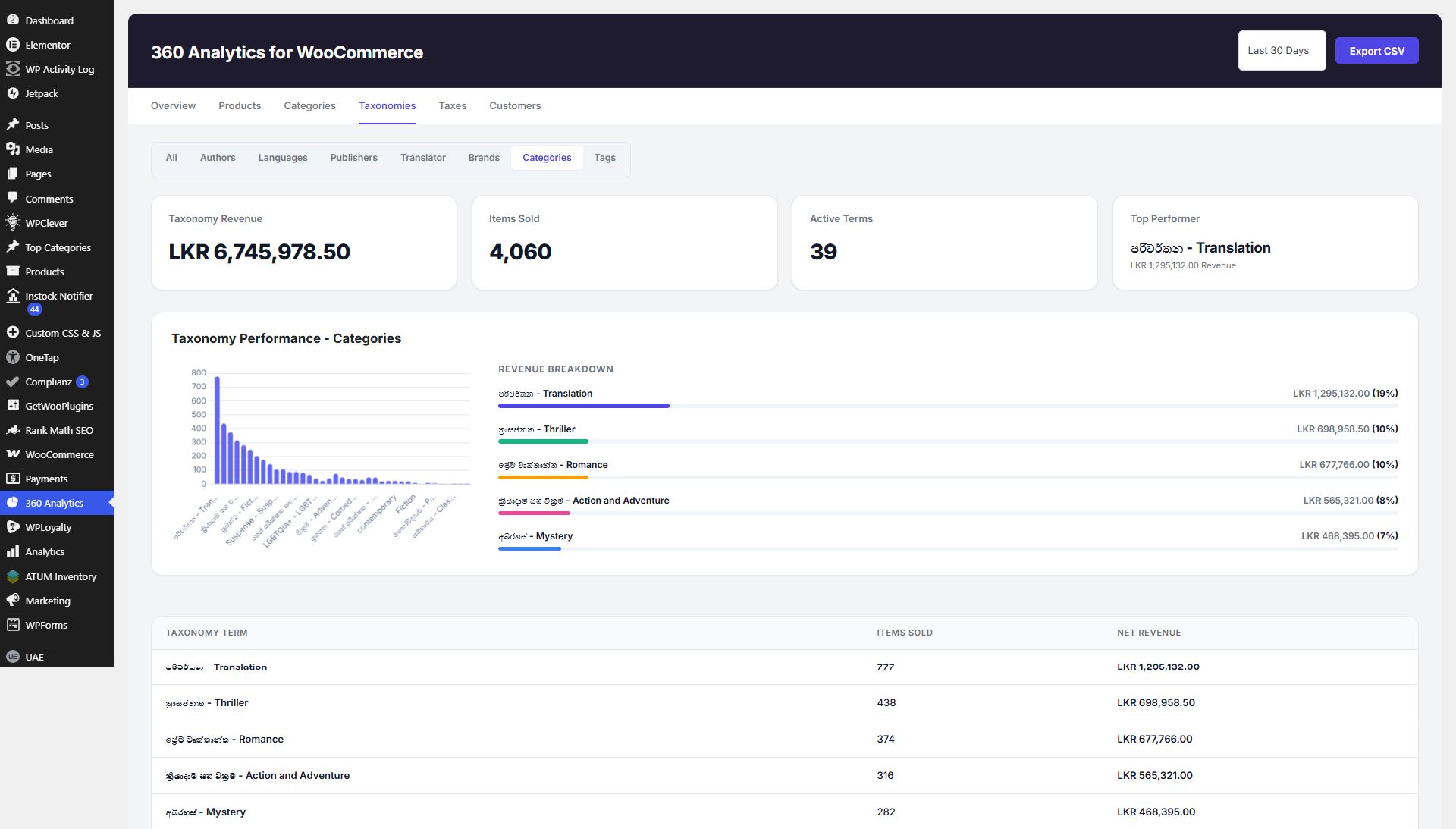
Category taxonomy performance report.
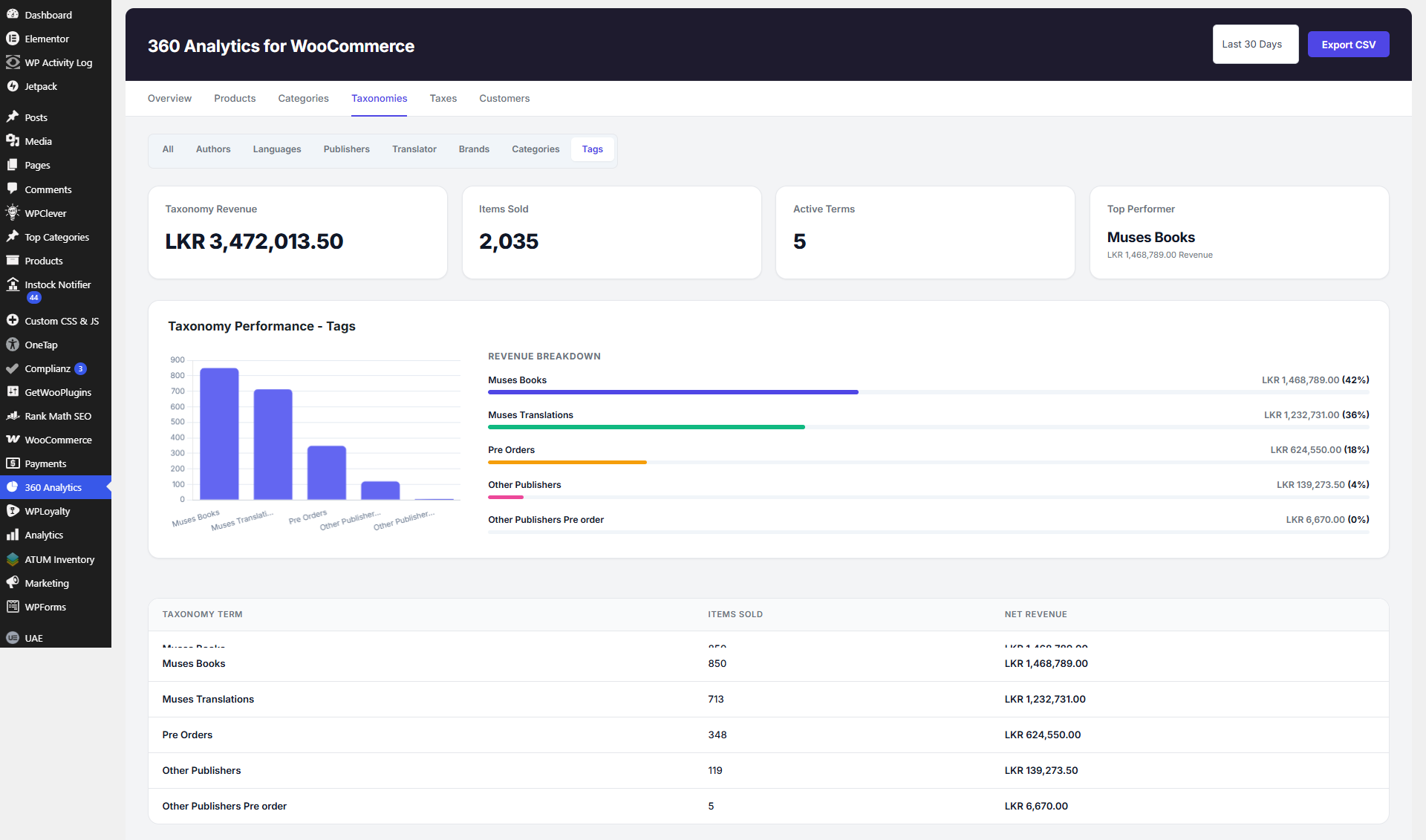
Tags taxonomy performance report.
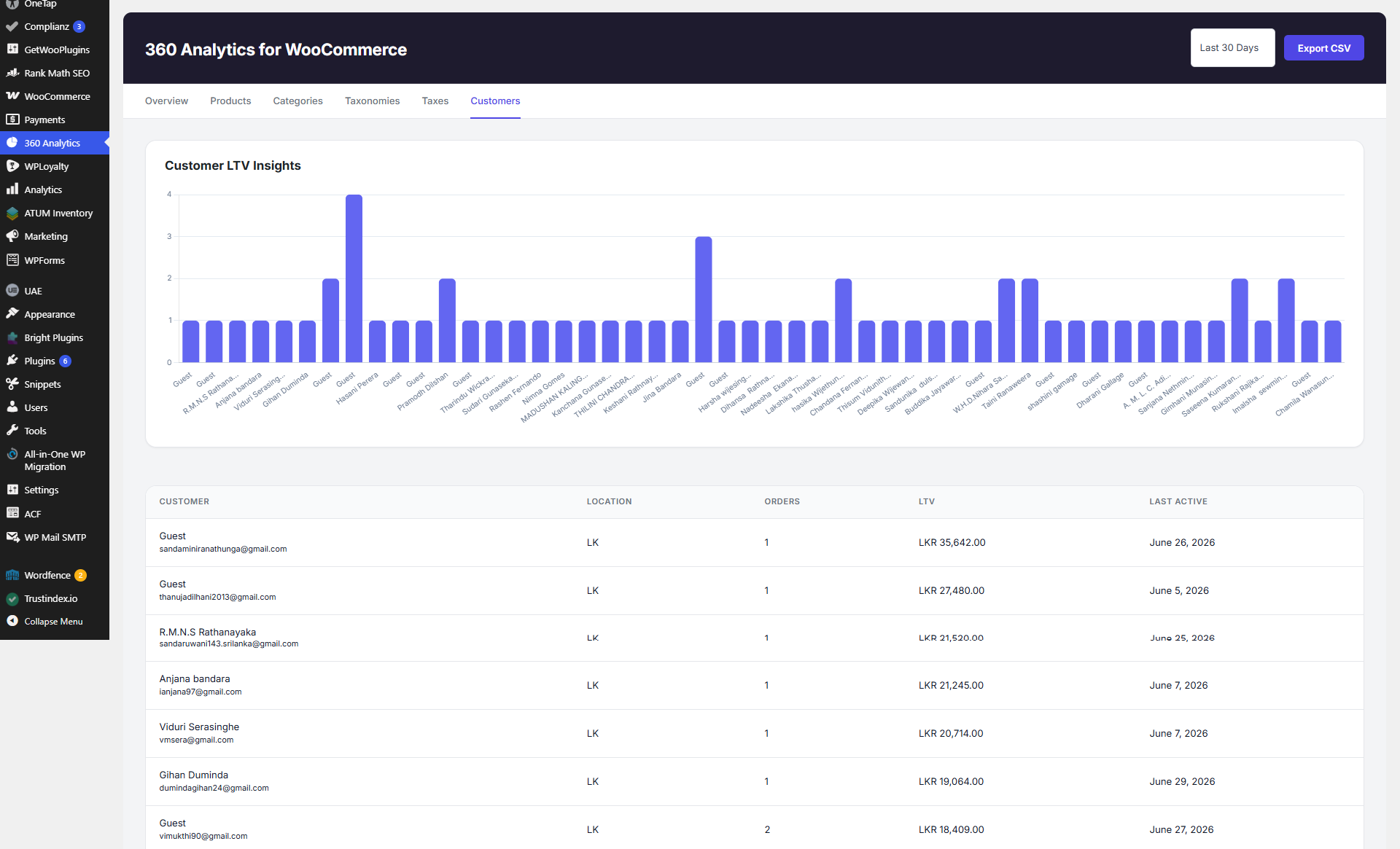
Customer LTV insights and customer table.
Faq
Yes. 360 Analytics for WooCommerce retrieves data directly from WooCommerce tables, so WooCommerce must be installed and active.
A new top-level menu item named “360 Analytics” will appear in your WordPress admin sidebar once the plugin is active.
Yes. Every report table (Products, Categories, Taxonomies, Taxes, Customers, etc.) features an “Export CSV” button to download data instantly.
Yes, it automatically detects and aggregates sales data for custom taxonomies like Brands or Publishers, displaying them in dedicated tabs.
No. The plugin is built with optimized custom database queries ($wpdb) and handles aggregation directly via the database, ensuring fast load times even with large volumes of orders without bloating your site.
No configuration is required! Just activate the plugin, and it will immediately start pulling in your existing WooCommerce order data.
Reviews
Best Sales Analytics Plugin ❤️
By 
Best Sales Analytics Plugin ❤️
Changelog
1.0.4
- Enhanced Product ISBN data resolution across CSV exports using robust multi-source fallbacks (post meta, attributes, taxonomies, and database search).
- Refined admin dashboard navigation UI, KPI card visual hierarchy, and micro-animations.
- General performance optimizations and bug fixes for real-time order statistics synchronization.
1.0.3
- Added real-time order data synchronization on order creation, updates, status changes, and deletions.
- Fixed taxonomy graph display issues, negative calculation bugs, and chart label truncation on X-axes.
1.0.2
- Performance and stability enhancements for order reporting.
1.0.1
- Added WooCommerce 7.0 minimum version requirement and compatibility headers.
- Declared High-Performance Order Storage (HPOS / Custom Order Tables) compatibility.
- Added version gate: plugin now shows a clear admin notice if WooCommerce < 7.0 is detected.
- Replaced direct call to internal
OrdersSchedulerclass with the publicwoocommerce_analytics_update_order_statsaction for safer cross-version compatibility. - Fixed deprecated
current_time('timestamp')usage — replaced withcurrent_time('U')(WP 5.3+). - Improved admin notice markup: uses
notice notice-errorclasses instead of legacyerrorclass.
1.0.0
- Initial release.