3D Viewer Block – Interactive 3D Model Display

3D Viewer Block – Interactive 3D Model Display
Description
Simple Yet Powerful 3D Viewer. Make your website look more interactive and visually appealing with 3D Viewer. This is a block plugin that will add a new block in the block (3D Viewer ) editor of WordPress. You can embed .glt, .gltF model file in post, page, and widget areas. It comes with everything you need to make the most out of 3D. advertise your products interestingly.
3D Viewer Block is a powerful and easy-to-use block plugin that allows you to display interactive 3D models in your WordPress posts and pages. With this plugin, you can embed 3D models in your content using the new Gutenberg editor, giving your users an engaging and immersive viewing experience.
With 3D Viewer Block, you can upload 3D models in various file formats, including OBJ, STL, and GLB, and customize their appearance with a range of settings, such as lighting, background color, and camera controls. You can also choose from different viewing modes, including orbit, pan, and zoom, to give your users the best possible 3D viewing experience.
The plugin includes an intuitive block interface that simplifies the process of adding 3D models to your content. Simply select the 3D Viewer Block from the Gutenberg block library, upload your model, customize the settings to your liking, and you’re done!
3D Viewer Block is optimized for mobile devices and supports touch controls, making it easy for your users to interact with your 3D content on their smartphones and tablets. The plugin is also compatible with WooCommerce, allowing you to showcase 3D models of your products in a stunning and engaging way.
Overall, 3D Viewer Block is a versatile and powerful block plugin that can help you showcase 3D content in your WordPress posts and pages with ease. Try it out today and take your content to the next level!
For whom
- Creative Designer and Agencies.
- Trainer / Course Creators
- E-commerce sites that want to display their products in 3D.
- Web designer/developer
- Real estate
Features
- Controls: Controls via mouse/touch
- Responsive: Works great with any device.
- External Source: Use models from other cloud storage.
How to use
- First, install the 3D Viewer Block plugin
- Add the 3D Viewer block from the block category called “Widgets” in the Gutenberg editor.
- You can change block settings from the right-side settings sidebar.
-
Enjoy!
-
For installation help click on Installation Tab
Feedback
- Did you like this plugin? Dislike it? Do you have a feature request? Please share your feedback with us
Check out the Parent Plugin of this plugin-
B Blocks – A blocks collection and page building tool for Gutenberg.
Check out our other WordPress Plugins-
Html5 Video Player – Display videos as single and playlist in multiple skins.
PDF Poster – Display/Embed PDF files with different styles.
Html5 Audio Player – Listen audios with awesome visuals.
StreamCast – Customizable radio player with different skins.
3D Viewer – Embed 3D models and 3D products with interaction.
Advanced Post Block – Show posts and custom posts in different layouts.
Installation
From Gutenberg Editor:
- Go to the WordPress Block/Gutenberg Editor
- Search For 3D Viewer
- Click on the 3D Viewer to add the block
Download & Upload:
- Download the 3D Viewer Block plugin (.zip file)
- In your admin area, go to the Plugins menu and click on Add New
- Click on Upload Plugin and choose the
3d-viewer-block.zipfile and click on Install Now - Activate the plugin and Enjoy!
Manually:
- Download and upload the 3D Viewer Block plugin to the
/wp-content/plugins/directory - Activate the plugin through the Plugins menu in WordPress
Screenshots
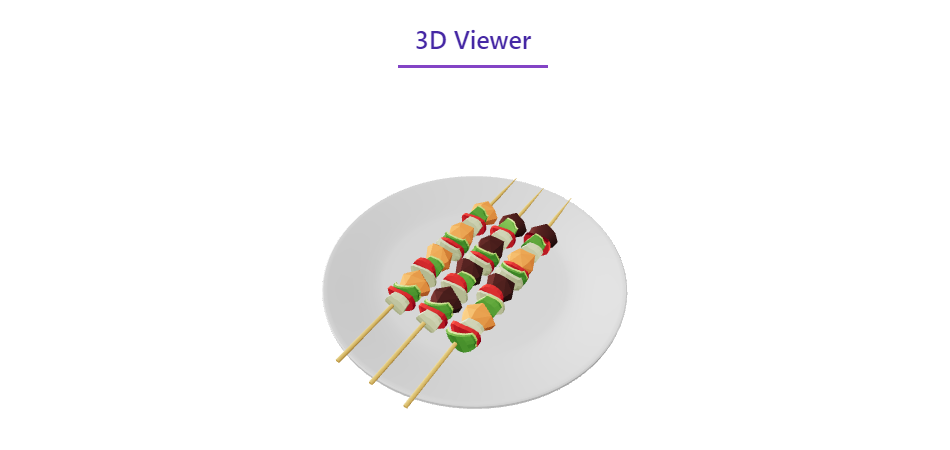
3D Viewer

Settings
Faq
Yes, 3D Viewer Block is a free Gutenberg block plugin.
Yes, it will work with any standard WordPress theme.
Yes, you can change block settings from the Gutenberg block editor’s right sidebar.
You can use unlimited times as you want.
You can post your questions on the support forum here
Please report security bugs found in the source code of the 3D Viewer Block – Display interactive 3D models on WP plugin through the Patchstack Vulnerability Disclosure Program. The Patchstack team will assist you with verification, CVE assignment, and notify the developers of this plugin.
Reviews
Good Work. This has potential love it! Blender Community will love it.
By 
Work great except first page.
By 
Changelog
1.0.8
- Fix issue
1.0.7
- Update Notice
1.0.6
- Class existing issue fixed.
1.0.5
- Change the file uploading system
1.0.4
- Add translate feature
1.0.3
- Reduce PHP Code
- Performance Improvement.
1.0.2
- Reduce PHP Code
1.0.1
- Performance upgrade.
1.0.0
- Initial Release.