Vertical Timeline Widget for Elementor
Vertical Timeline Widget for Elementor
Description
Vertical Timeline Widget for Elementor is a powerful plugin that helps you showcase your company history, achievements, personal journey, milestones, and more in a vertical timeline layout, directly inside the Elementor editor.
Simply drag, drop, and customize your timeline stories without writing a single line of code.
Key Features
-
Vertical Timeline Layouts: Display your timeline in a one-sided or both-sided vertical layout that alternates stories on the left and right side.
-
Add Images: Visually tell your timeline story by adding interactive images.
-
Timeline Customization: Customize your timeline’s colors, typography, icons, spacing, and more directly inside Elementor.
-
Story Direction: Choose how stories flow in the vertical timeline to match your content structure.
-
Compatible with all WordPress Themes: Vertical Timeline widget plugin is fully compatible with all WordPress themes.
-
Fully Responsive: This plugin is fully responsive, ensuring that your timeline displays perfectly on all screen sizes.
Upgrade to Pro Version
You have to upgrade to Timeline Widget Pro to unlock more advanced features like:
* Layout Options: Choose from Vertical, Horizontal, and more timeline layouts to match your design needs.
* Advanced Style Settings: Easily adjust text size, fonts, and colors for each story in your timeline.
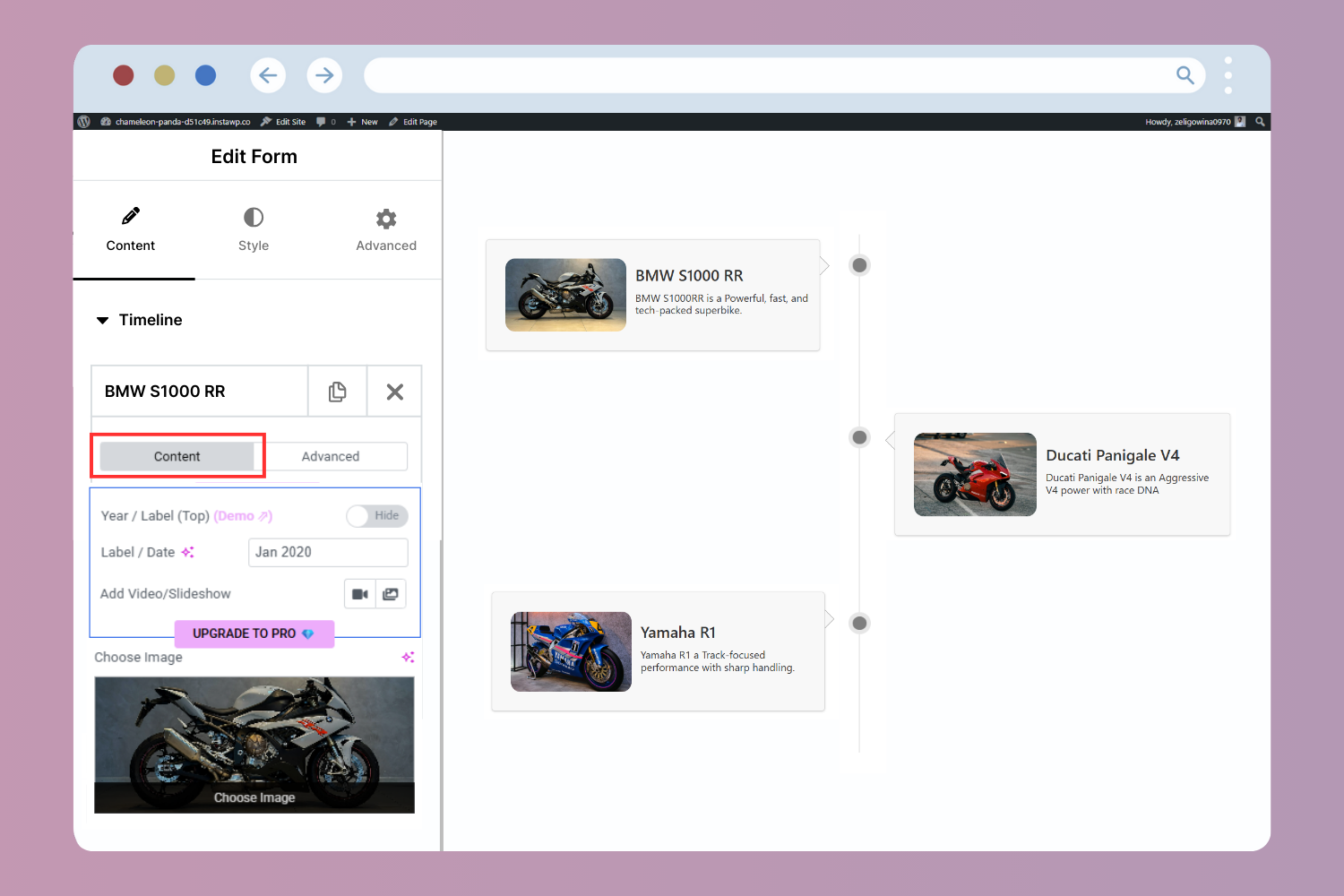
* Image/Video/Slideshow: Add images, videos, or slideshows to your timeline.
* Ajax Load More: Load more stories as users scroll down the timeline.
* Story Migration: You can easily migrate all your existing timeline stories to Timeline Widget Pro for Elementor without any data loss.
Check our other plugins demos
- Cool Timeline: Display your company’s history, product roadmaps, personal stories, or key events using the built-in block or via simple shortcode. View Demo
- Timeline Block For Gutenberg: Create interactive timelines directly within the WordPress Block Editor to display step-by-step tutorials, a company’s history, and a product roadmap. View Demo
- Timeline Module Pro For Divi: Showcase your personal story or company history using stunning vertical or horizontal timelines directly inside the Divi Builder. View Demo
Installation
- Ensure that you have installed and activated the Elementor and Vertical Timeline Widget for Elementor.
- Next, go to your Elementor editor, drag & drop the Timeline Widget, and create your timeline story.
- Use the settings to customize your timeline’s style, colors, animations, and more.
- Once your timeline is ready, publish it on your site to share your story with your visitors.
Screenshots
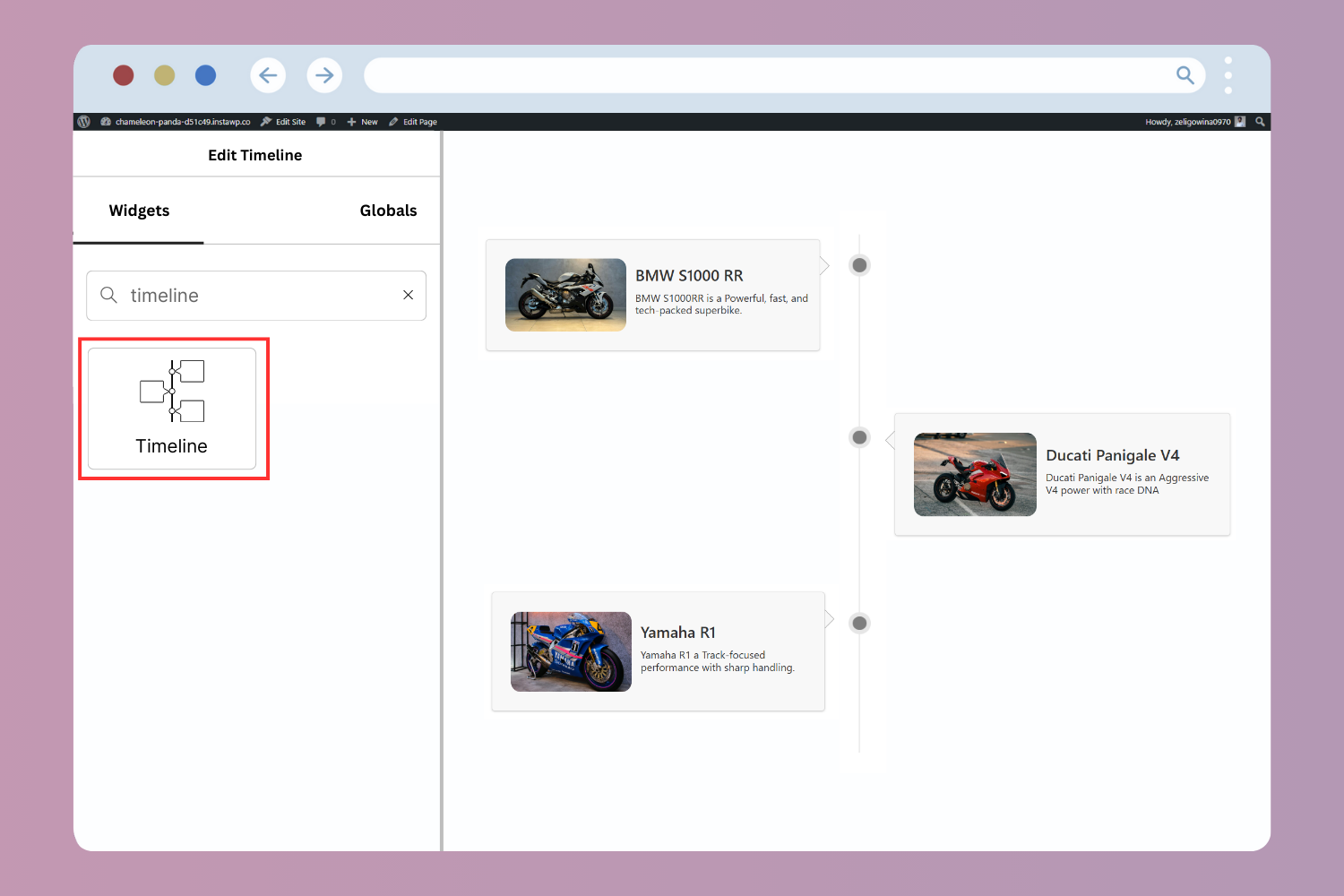
Vertical Timeline Widget Demo Preview
Both Sided Layout Preview
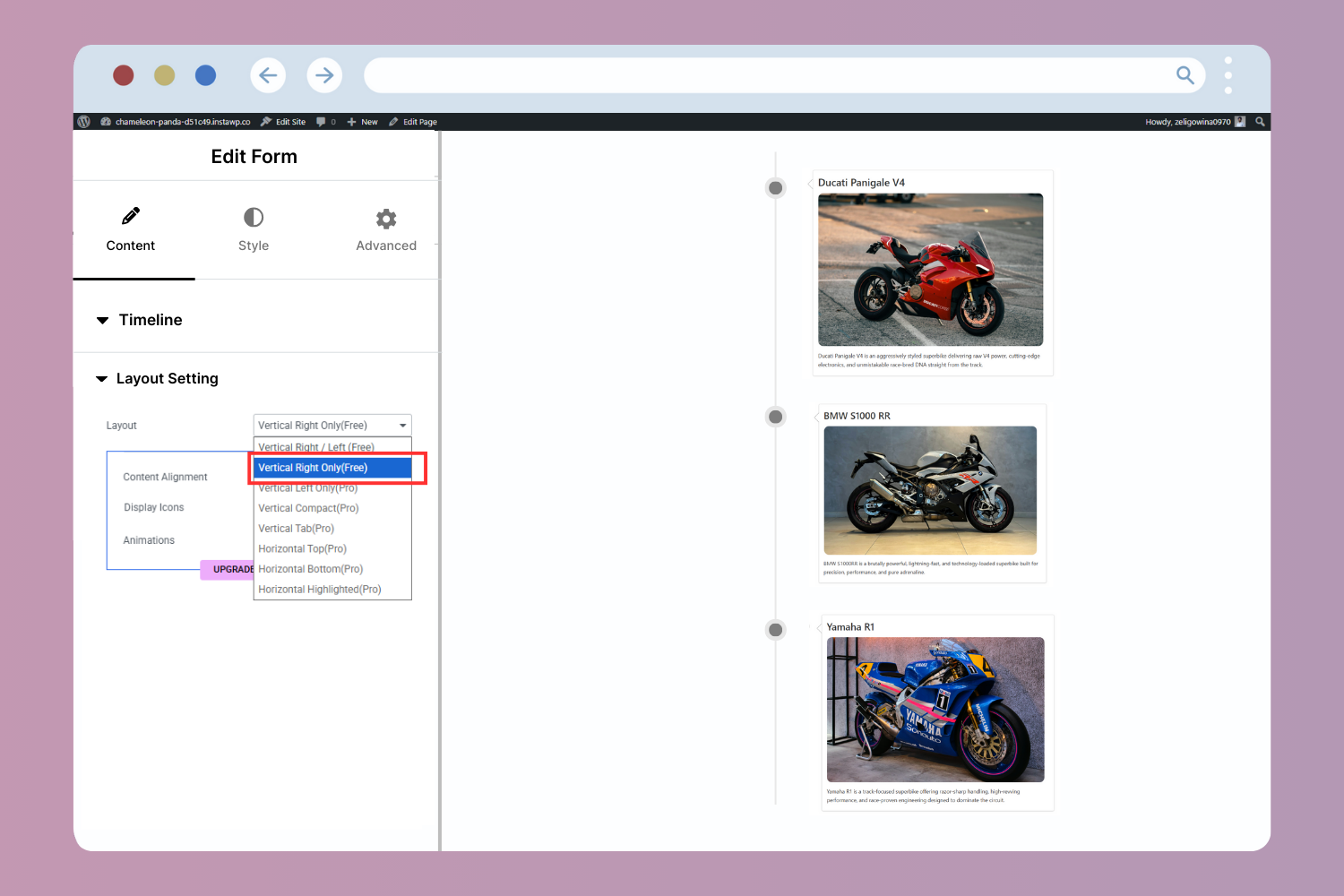
One Sided Layout Preview
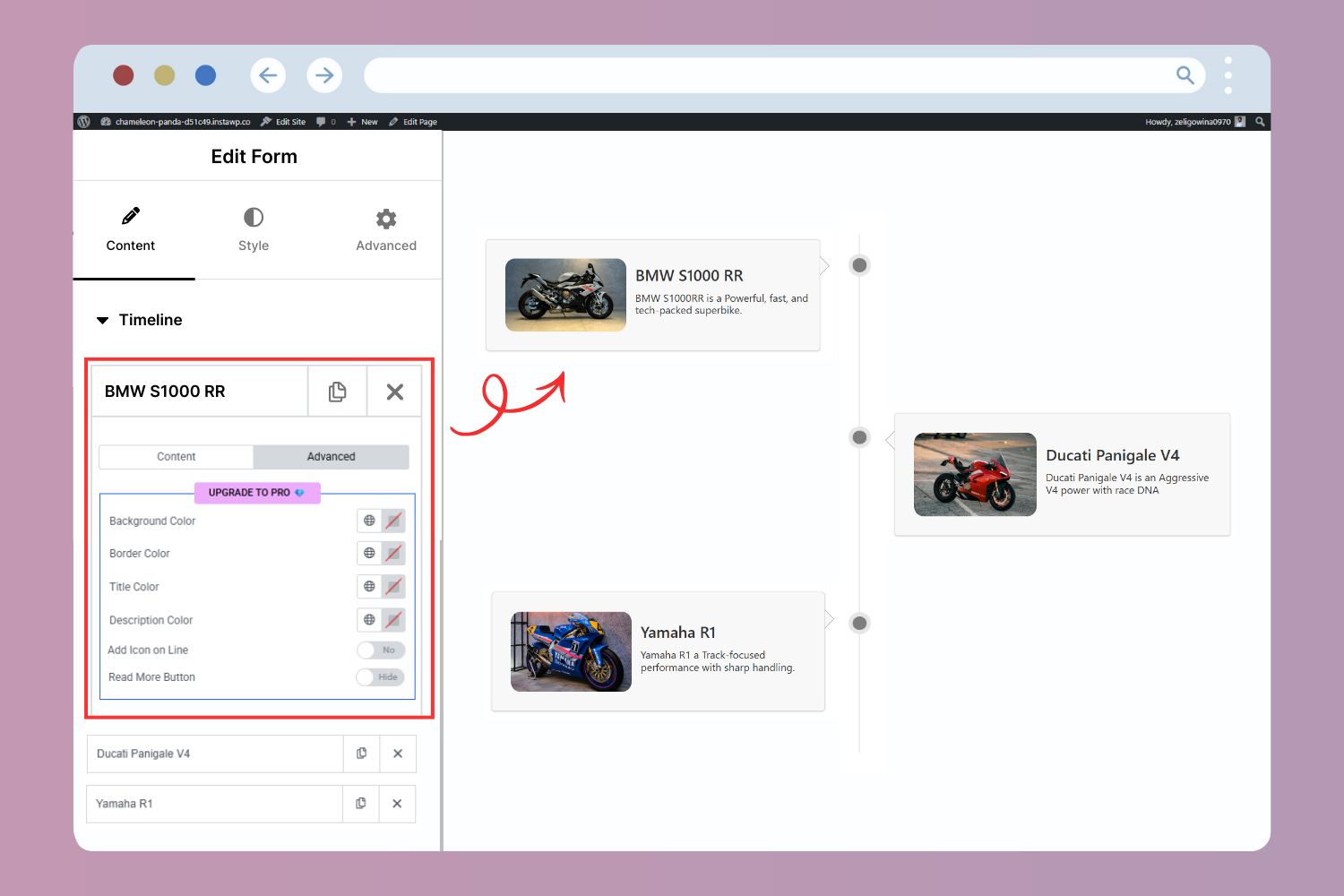
Timeline Item Content Settings
Faq
Yes. Vertical Timeline Widget for Elementor works perfectly with the free version of Elementor.
Yes. You can choose between a one-sided vertical layout or a both-sided layout for your timeline story.
Yes, you can add images to each timeline story, but to add videos and slideshows, you’ll need to upgrade to Timeline Widget Pro for Elementor.
No. Timeline Widget Pro for Elementor supports story migration with zero data loss.
Not at all. Everything is controlled through Elementor’s visual editor.
You can report security bugs through the Patchstack Vulnerability Disclosure Program. The Patchstack team helps validate, triage, and handle any security vulnerabilities. Report a security vulnerability.
Reviews
Thank you !
By 
I love elementor always
Best Plugin
By 
Easy and Best plugin for usage
Love it
By 
Easy to use, easy to adapt, easy to customize.
не отключается банер плагина на панеле
By 
good tool
By 
Great Plugin
By 
Very usefull and easy to use
By 
good plug in
By 
Excelente plugins
By 
It does what it promises
By 
Changelog
Version 2.7.3 | 1 April 2026
- **Tested up to Elementor 4.0.0.
- **Tested up to Elementor Pro 4.0.0.
Version 2.7.2 | 29 January 2026
- Fixed: Issues reported by “Plugin Check” plugin.
Version 2.7.1 | 19 December 2025
- Updated: Dashboard Links.
- Tested up to: Elementor 3.33.5
Version 2.7 | 19 December 2025
- New: Added One-Sided Timeline layout.
- Fix: Resolved various minor bugs and stability issues.
Version 2.6.3 | 10 December 2025
- Added helpful timeline plugin recommendations to make it easier for users to discover related features.
Version 2.6.2 | 02 December 2025
- Fixed an issue where the timeline was not visible on the front end.
Version 2.6.1 | 27 November 2025
- Transferred plugin ownership to Satinder Singh (Co-founder, Cool Plugins).
- Refreshed plugin icon and banner assets for a modern and consistent visual identity.
- Implemented several code optimizations to improve stability and maintainability.
- Renamed plugin to “Vertical Timeline Widget for Elementor” for better clarity and branding.
Version 2.5 | 14 July 2025
- Removed the Licensing/Trademark violation.
Version 2.4 | 04 May 2025
- Removed Elementor deprecated functions.
Version 2.3 | 21 March 2024
- Removed the “notice” folder due to vulnerability-related issues.
Version 2.2 | 17 March 2024
- Added heading tag option for the title.
- Rechecked vulnerability (CVSS: 5.4).
Version 2.1 | 10 December 2023
- Fixed medium-severity vulnerability (CVE-2023-49755).
- Vulnerability Type: Broken Access Control (CVSS: 5.4)
Version 2.0 | 02 January 2023
- Tested with WordPress 6.11.
- Tested with Elementor 3.9.2.
- Fixed several bugs.
Version 1.9 | 31 August 2022
- Tested with the latest WordPress version.
- Tested with the latest Elementor version.
- Fixed some bugs.
Version 1.8 | 24 April 2022
- Checked compatibility with WordPress 5.9.
- Checked compatibility with Elementor 3.6.4.
Version 1.6 | 08 September 2021
- Fixed front-end editing bug.
- Fixed Elementor deprecated function warnings.
- Checked compatibility with WordPress 5.8.
- Checked compatibility with Elementor 3.4.3.
Version 1.5 | 17 September 2020
- Fixed bugs.
Version 1.3 | 16 September 2020
- Added box direction.
- Organized widget controls.
- Fixed bugs.
Version 1.2 | 16 January 2019
- Added image option and image style tab.
- Added box style options.
- Enabled content updates without page refresh.
Version 1.1
- Added Style tab.
- Added title color, typography, and timeline color options.
Version 1.0 | 21 October 2018
- Initial release.