3task Doorman

3task Doorman
Description
3task Doorman decides who may use the REST API of your site: guests, roles, application passwords and AI agents. It shows every open door with the plugin, theme or core part that opened it, counts for two weeks what visitors really use, and then suggests rules that keep your contact forms and shops working.
Everything runs on your own WordPress. No external service, no account, no tracking.
Languages: English, German (formal and informal), Spanish, French and Italian are maintained on translate.wordpress.org and arrive as language packs through the normal WordPress update system.
Why
The REST API is public by default. Without any login, /wp-json/wp/v2/users lists the login names of your authors, and /wp-json/ lists every route, and with it most of your plugins. Newer WordPress versions also bring the Abilities API, and some plugins bring an MCP server along that lets AI agents work on your site. Many site owners do not know that these doors exist.
Doors
One click closes a door. The first four are closed after activation, because guests never need them:
- User list for guests:
/wp/v2/usersno longer reveals login names. The block editor keeps working. - Route directory for guests: the REST index and the root of every namespace stay closed for guests.
- Batch endpoint for guests:
/batch/v1runs several requests in one. Guests do not need it. Every request inside a batch is checked on its own as well. - Hide AI access from guests: MCP servers and the Abilities API are invisible to guests.
- Switch off all AI access: blocks MCP and Abilities for every machine login, you in the browser keep access.
- Application passwords: read only: apps and agents may read, but not write, delete or publish.
- Switch off application passwords, switch off XML-RPC, remove REST hints from the page head.
Who opened which door
The namespace overview lists every REST namespace with the plugin, theme or core part that registered it, the number of routes, what the current rules do with a guest request, and how often guests used it in the last 30 days.
Learning mode
Before you close the REST API for guests, the plugin counts which routes are really used: per day, route, method, kind of caller (guest, browser login, application password, other login) and outcome. No IP address, no user agent, no content. Counters older than 30 days are deleted. After two weeks the plugin suggests an allow list for guests that you can apply with one click.
Rules for guests and roles
- Open with a block list or closed with an allow list, for guests and for every role.
- One route per line. A route without
*also covers everything below it:contact-form-7/v1covers/contact-form-7/v1/contact-forms/5/feedback.*stands for any characters. - Administrators cannot be locked out by the role lists.
- Refusals answer with 401 or 403 and
Cache-Control: no-store. A closed route does not reveal parameter names, even when the request is invalid.
Caches
LiteSpeed Cache caches REST responses by default, WP REST Cache delivers them before plugins load, and W3 Total Cache can do it when switched on. A cached answer reaches the visitor before any rule runs. The plugin detects these caches, says so on the overview, empties them after every change and keeps refusals out of the LiteSpeed cache. In learning mode it warns that routes answered from the cache are not counted.
Moving from Disable REST API
When the settings of the plugin “Disable REST API” are found, the overview offers to take over its rules for guests and roles in one step.
Credits
Icons: Tabler Icons (https://tabler.io/icons), MIT license, embedded as inline SVG.
Installation
- Install and activate the plugin.
- Open Doorman in the admin menu. Four doors are already closed.
- Leave the learning mode on for about two weeks, then look at the suggestion under Learning mode.
Screenshots
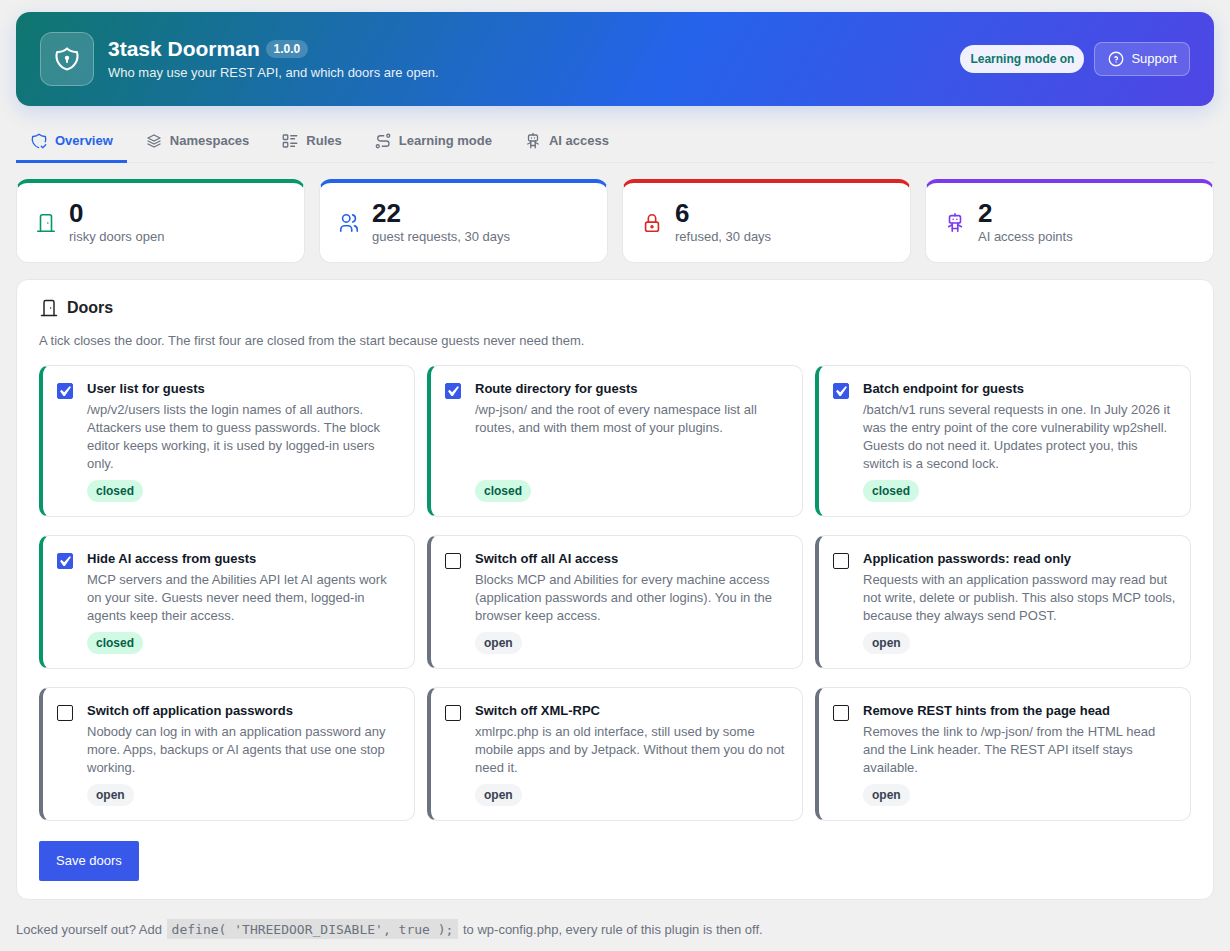
Overview with all doors and key figures.
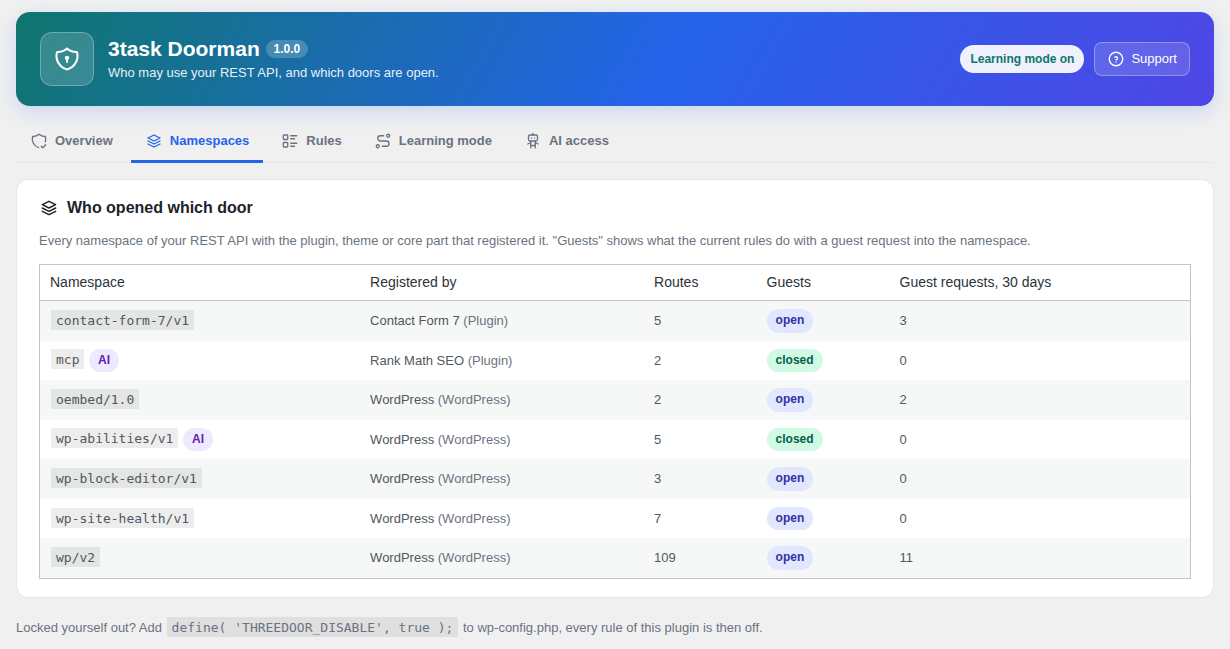
Every REST namespace with the plugin that registered it.
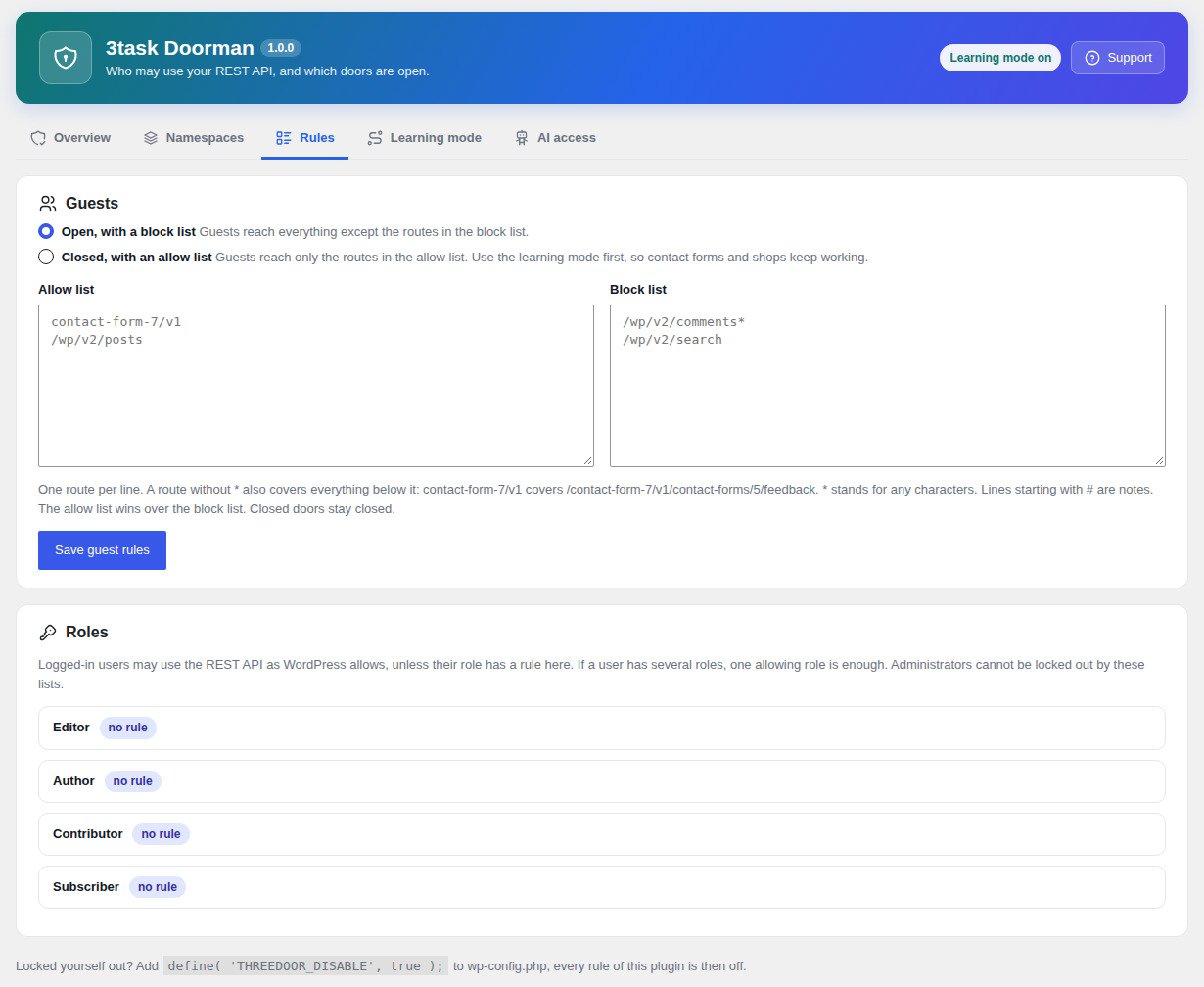
Rules for guests and roles.
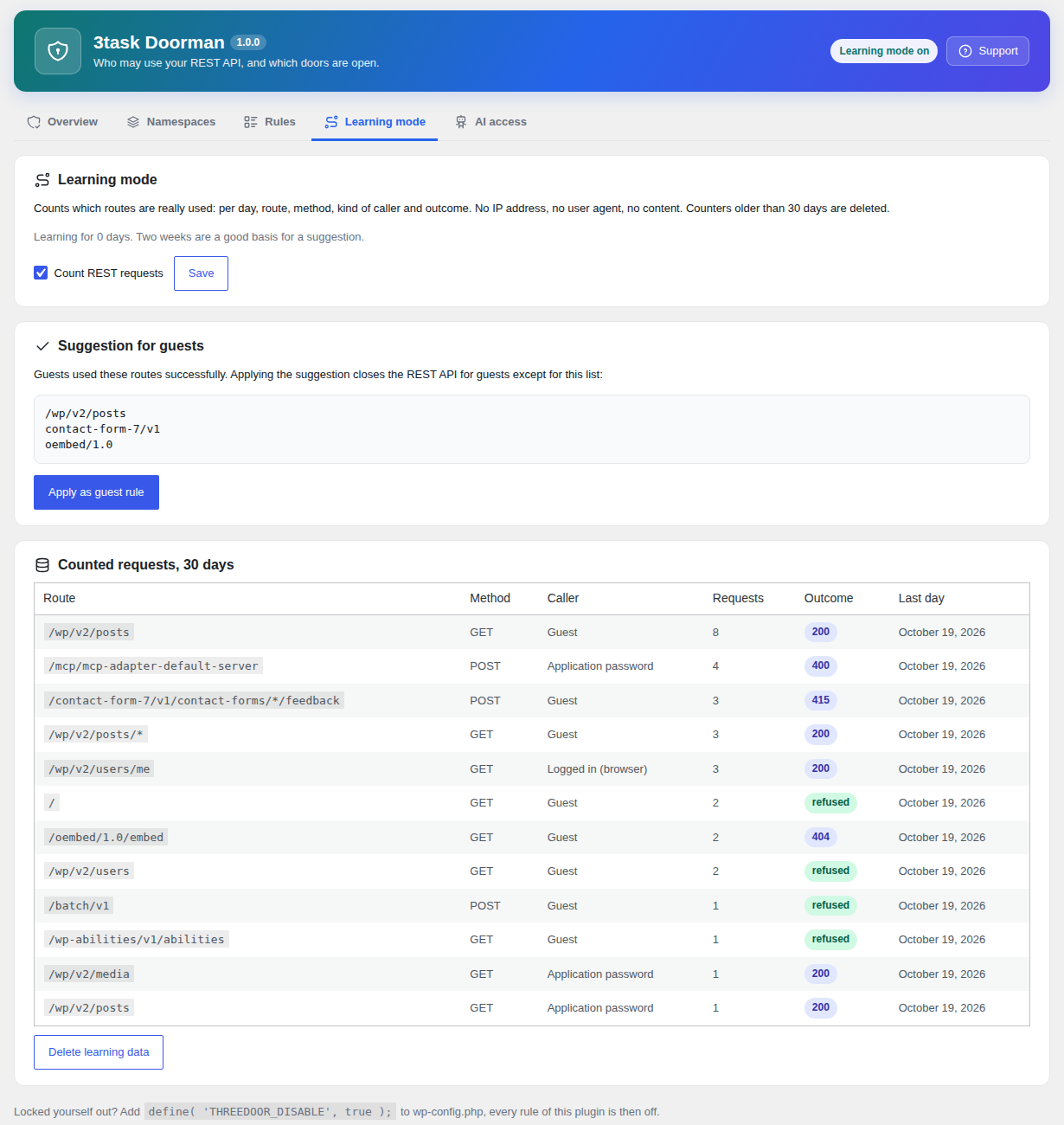
Learning mode with the suggestion for guests.
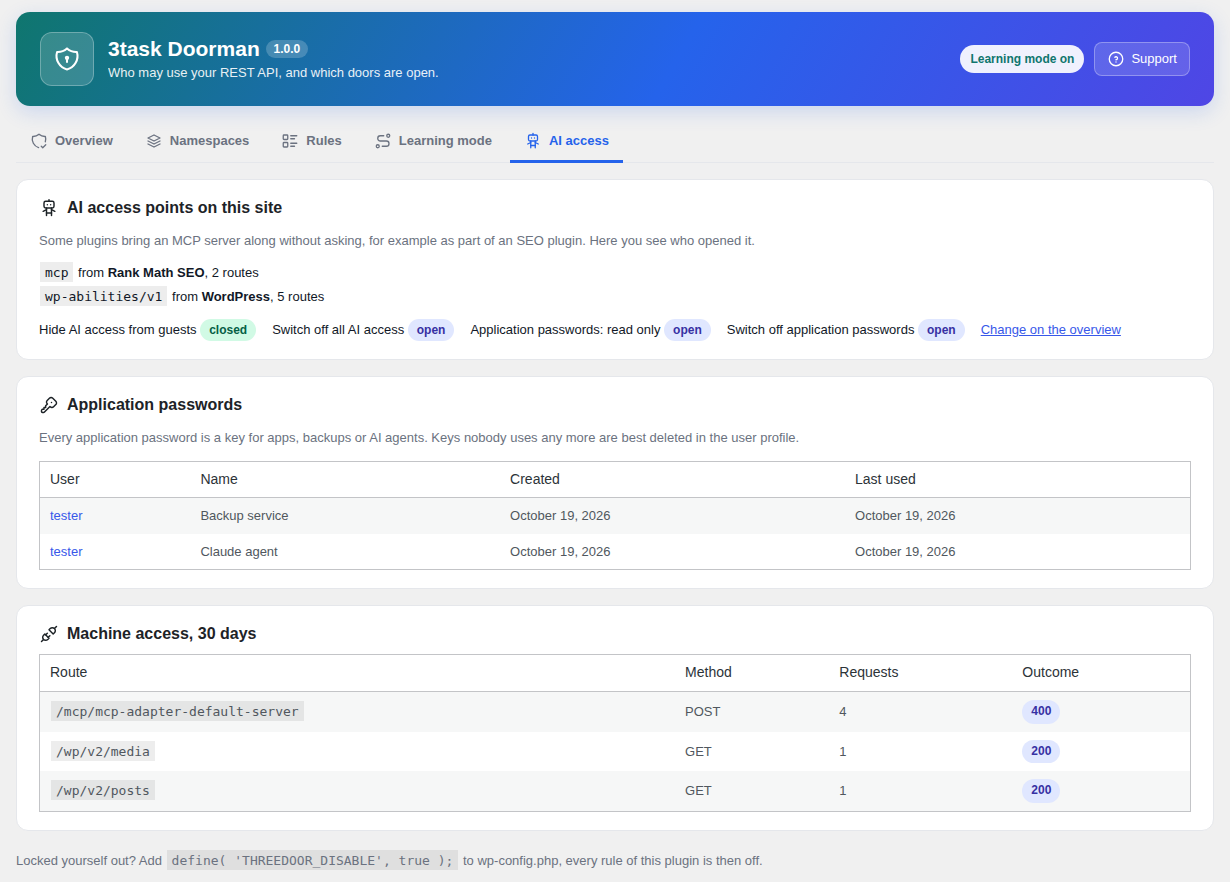
AI access points and application passwords.
Faq
Add define( 'THREEDOOR_DISABLE', true ); to wp-config.php. Every rule of the plugin is then off and you can correct the settings.
The doors closed after activation do not affect forms. If you switch guests to “closed, with an allow list”, use the learning mode first: forms like Contact Form 7 send to their own REST route, and the suggestion contains it once a visitor used it.
No. Updates fix vulnerabilities. Closing doors that nobody needs is a second lock.
No. That flaw is in PHP itself and is triggered before WordPress loads, so no plugin can close it. Only the PHP update from your host does (8.2.35, 8.3.36, 8.4.27, 8.5.12 or newer; some hosts backport the fix without changing the version number, ask them). The same is true for every WordPress plugin, whatever it promises.
Its settings and the daily counters of the learning mode (route, method, kind of caller, outcome, number). No IP addresses, no user agents, no request content. Uninstalling removes everything.
No.
WordPress itself registers the Abilities API (wp-abilities/v1). An MCP server (mcp) is added by plugins that bundle the WordPress MCP adapter, for example some SEO plugins. The namespace overview shows which one.
Reviews
Changelog
1.0.0
- First release.
- Translations: German (formal and informal), Spanish, French, Italian.