AAM Extension for MainWP

AAM Extension for MainWP
Description
This extension integrates Advanced Access Manager (AAM) with MainWP, enabling seamless synchronization of AAM security scan results with your MainWP dashboard.
With this initial release, you can effortlessly monitor security concerns across your managed network of sites, ensuring better visibility and control from a single interface.
We welcome your feedback and feature requests!
Your suggestions help shape future updates, and we’re committed to implementing them promptly. If you have any ideas or concerns, feel free to submit out contact form, and we’ll prioritize them for upcoming releases.
Installation
- Please install plugin “MainWP Dashboard” and active it before install AAM Extension for MainWP plugin (get the MainWP Dashboard plugin from url:https://mainwp.com/)
- Upload the
aam-extension-mainwpfolder to the/wp-content/plugins/directory - Activate the AAM Extension for MainWP plugin through the ‘Plugins’ menu in WordPress
Screenshots
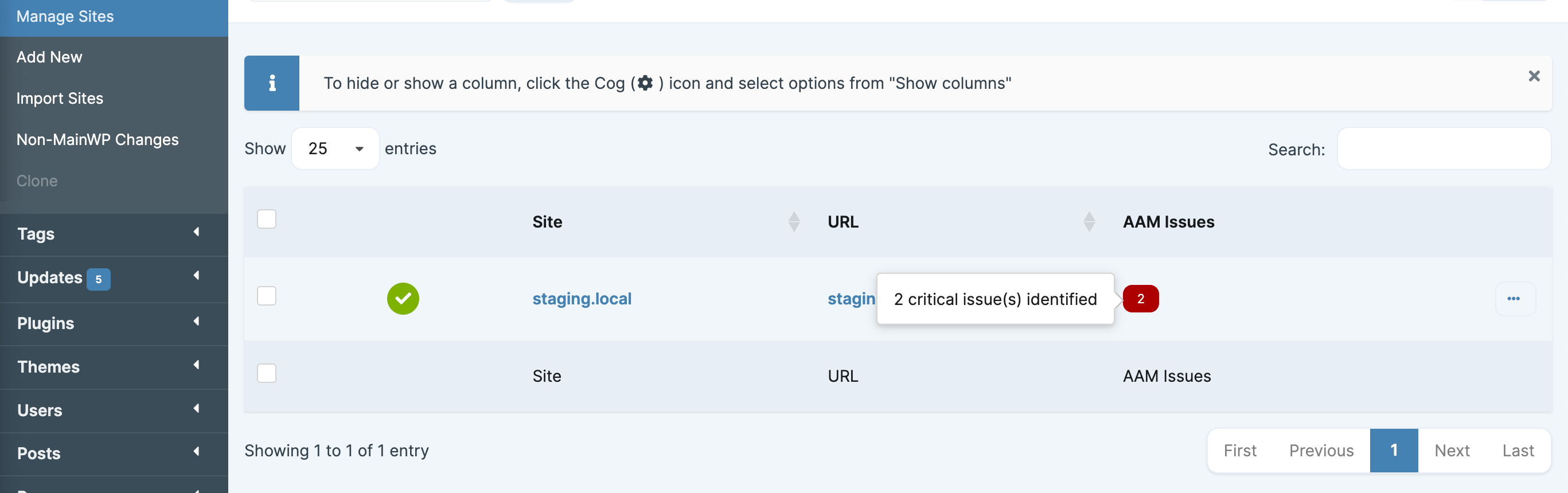
Identified AAM security scan issues on the "Manage Sites" screen.

AAM security scan results on the individual site "Overview" screen.
Reviews
Changelog
1.0.0
- Initial release