Accessible Docs
Accessible Docs
Description
Make your PDFs accessible with a single click
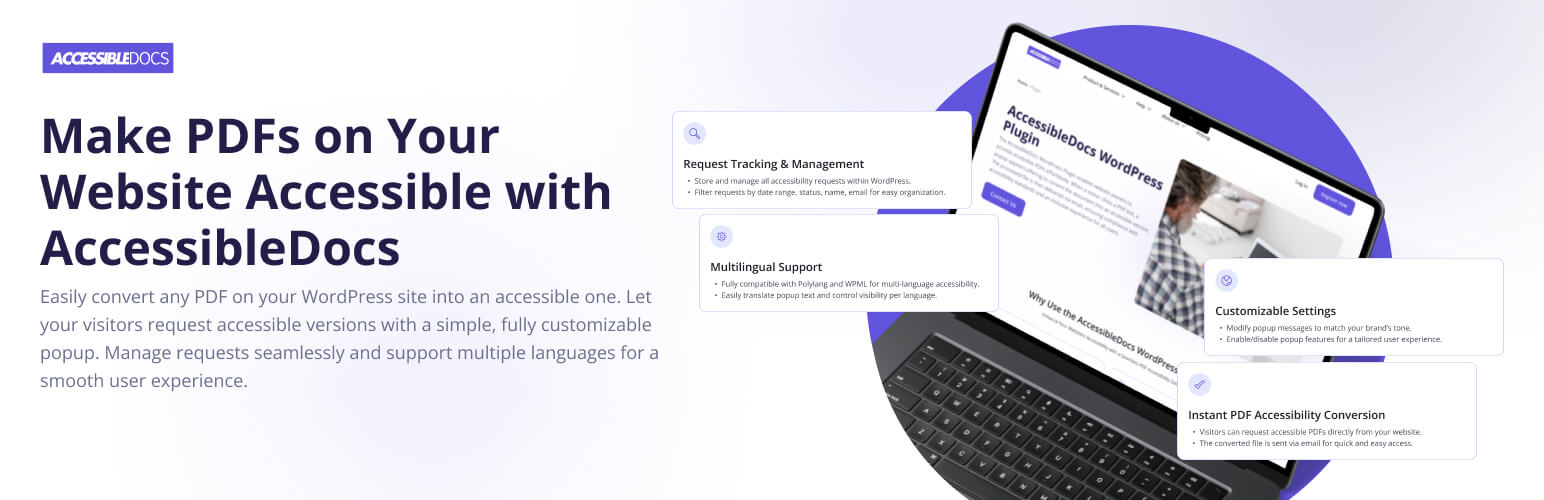
AccessibleDocs WordPress Plugin helps you deliver accessible PDFs in compliance with WCAG and ADA accessibility standards – right from your website. When visitors click on a PDF link, a customizable popup invites them to request an accessible version by email. Documents are processed by the AccessibleDocs platform and automatically delivered.
This ensures your digital content is screen reader friendly and inclusive for all users – without requiring manual file conversion.
Key Features
- Automatic PDF Accessibility Conversion
Turns your existing PDFs into accessible documents via the AccessibleDocs platform. - Email-Based Delivery
Users receive the accessible version directly to their inbox. - Request Logs for Admins
View all requests in the WordPress dashboard. Filter by file, user, or date. - Popup Customization
Modify texts, language, and behavior to fit your site’s tone and audience. - Multilingual Support
Full compatibility with Polylang and WPML. Enable or disable popup per language. - Accessibility Built-In
The popup is keyboard-accessible and works well with screen readers.
Real-World Usage Examples
- A university website allows students to request accessible syllabi and brochures.
- A government portal ensures all public PDFs are compliant and inclusive.
- A nonprofit site offers accessible reports to visually impaired donors and researchers.
- An e-commerce platform provides accessible product guides and manuals to all customers.
Who Is It For?
WordPress Website Administrators
Save time and legal risk – no need to convert PDFs manually. Gain visibility into document requests directly from your dashboard.
End Users / Visitors
Whether visually impaired or using assistive tech, users can request and receive accessible documents quickly and privately.
Accessibility Consultants & Agencies
Embed this tool in client websites to automate accessibility offerings without complex integrations.
External Services
This plugin connects to the AccessibleDocs platform for PDF processing and status tracking.
The following data is sent only when a user submits a request:
– User’s email address
– File identifier (attachment ID)
– File download link (publicly accessible)
Service provider:
– Terms of Use
– Privacy Policy
Accessibility Compliance
This plugin interface follows WCAG 2.1 success criteria:
- 1.1.1 – Non-text Content: All controls include text labels; PDFs can be labeled before request.
- 1.3.1 – Info and Relationships: Popup uses semantic HTML markup for clear hierarchy.
- 2.1.1 – Keyboard Accessible: All interactive elements are reachable and operable via keyboard.
- 4.1.2 – Name, Role, Value: Form inputs and buttons have programmatic labels and roles.
Note: The generated accessible PDFs are processed by the AccessibleDocs platform according to PDF/UA and WCAG 2.1 requirements.
Custom Styling
You can override popup styles via CSS in your theme:
.accessible-docs-popup {
    background-color: #fff;
    border-radius: 8px;
    padding: 2rem;
}
For advanced control, enqueue your styles via wp_enqueue_scripts in your theme or use inline styles with wp_add_inline_style.
Developer Notes
The plugin is built with extensibility in mind. While there are no public filters or actions yet, future updates will expose developer hooks for customizing popup behavior, validation, and request arguments.
Let us know via support if you’d like a specific filter added for integration needs.
Support
Visit https://accessible-docs.ai/contact-us/ for questions, bug reports, or feature requests.
Installation
- Upload the plugin folder to
/wp-content/plugins/accessible-docsor install via the WordPress Plugin Directory. - Activate Accessible Docs through the Plugins screen in WordPress.
- Go to Accessible Docs in the admin menu and enter your API credentials.
- Customize popup content and visibility in the plugin settings.
- Visitors can now request accessible PDFs automatically.
Screenshots

“Your Request is Being Processed” popup after clicking a PDF link.

“Make Your PDF Accessible!” form with email field and Submit button.

“Document is now accessible” email notification with download link.

Plugin settings screen (“Popup Settings”) in the WordPress admin.
Faq
No, the plugin does not store documents permanently. Files are sent to the AccessibleDocs platform for processing and stored in your account.
The plugin is free to install, but it requires an active AccessibleDocs subscription to process documents.
No, currently only local PDF links hosted on your WordPress website are supported.
Yes, the popup is designed to be keyboard-navigable and screen-reader friendly.
Yes. You can customize messages and appearance via plugin settings.
View all requests under Accessible Docs > Documents in the WordPress admin panel. Filter by status, date, file name, or email.
Yes, it’s fully compatible with WPML and Polylang. You can translate popup content per language.
Once processed, users receive an email with the accessible version or a status update.
Yes. Enable or disable per language or page via the settings.
Reviews
It's looks what I need a long time
By 
The AccessibleDocs plugin makes PDF accessibility effortless. With just one click, users can request accessible versions of PDFs via a sleek, customizable popup. Seamlessly integrated with WordPress, it ensures WCAG and ADA compliance by delivering converted files directly to users' emails. A smart, user-friendly tool for any site focused on accessibility.
Great plugin to make your website file accessible for everyone
By 
The AccessibleDocs WordPress Plugin offers an elegant solution to a critical issue: making PDFs accessible in compliance with WCAG and ADA standards—with just one click. It integrates seamlessly into any WordPress site, allowing users to request an accessible version of a PDF through a clean, customizable popup interface. The process is handled automatically through the AccessibleDocs platform, delivering results directly to the user's email.
Top accessible plugin
By 
works good, best way to make documents accessible to everyone 🙂
Simple, powerful, and accessibility-focused
By 
Accessible Docs is a fantastic plugin that solves a real accessibility challenge in a user-friendly way. With just a click, users can request an accessible version of a PDF — and it actually works seamlessly. The integration with multilingual plugins like WPML and Polylang is a big plus, especially for global websites.
The admin panel makes it easy to track and manage requests, and it's great to see that user data is only sent to the API when needed. Thoughtful, privacy-conscious, and mission-driven — highly recommended for anyone who wants to make their website more inclusive!
Great plugin for agencies managing accessibility
By 
We manage several websites for nonprofits and educational institutions, and this plugin has been a game-changer. Clients often need to meet accessibility standards, especially for public-facing documents.
With Accessible Docs, we don’t have to manually audit or convert every PDF. The automatic request flow and admin tracking make it easy for our clients to stay compliant and responsive to user needs.
It’s lightweight, easy to configure, and works seamlessly with both Polylang and WPML. Setup took less than 10 minutes. Support was responsive too. Looking forward to future updates!
Very useful thing!
By 
In some countries, this functionality is needed for client`s documentation. This plugin helped me a lot with this. Thanks to the author.
Solves accessibility compliance without effort
By 
We installed Accessible Docs on a government-related WordPress site with dozens of PDF reports. The plugin made it incredibly easy to offer accessible versions — all users have to do is click a link, and the rest is automatic.
The popup is clean, fully translatable, and works great with screen readers.
I really appreciate the ability to track document requests from the admin panel — it makes compliance reporting much easier.
Support for Polylang and WPML is a big bonus.
Highly recommended for any site that wants to meet accessibility standards (WCAG, ADA) without manual PDF conversions!
Changelog
1.0.2
- Fixed: [короткий опис багфікса]
1.0.1
- Added custom HTTP header
X-AccessibleDocs-Plugin: trueto all requests.
1.0.0
- Initial release — automatic PDF accessibility requests, admin tracking, popup customization.