Blocks for ACF Fields — Display Custom Fields in the Block Editor
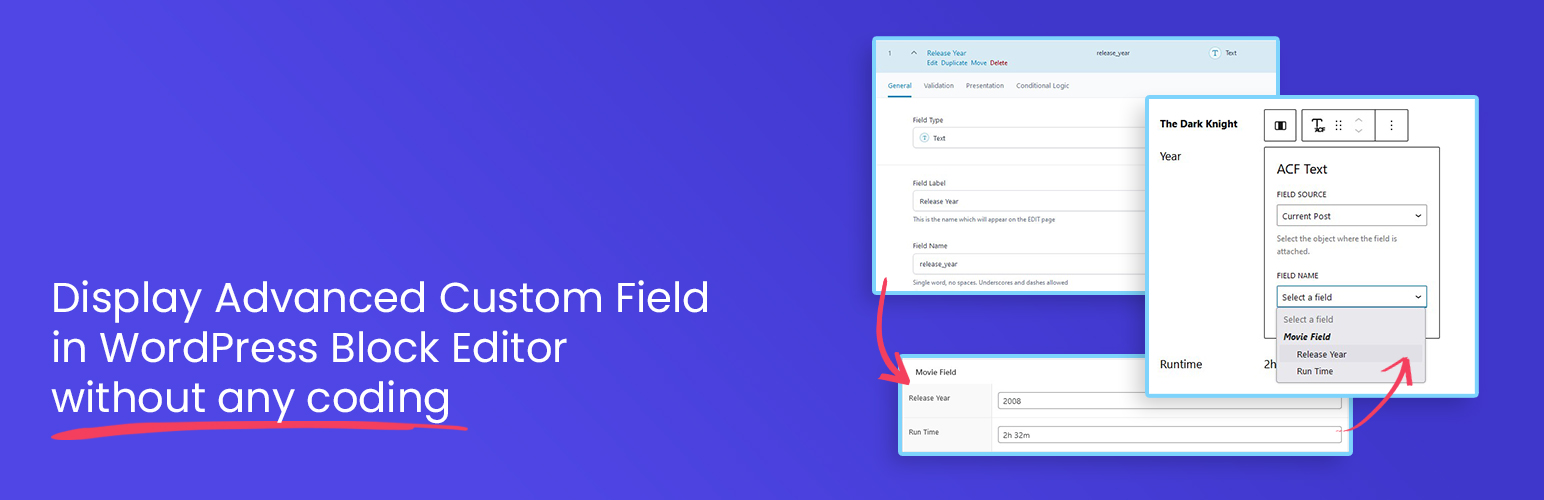
Blocks for ACF Fields — Display Custom Fields in the Block Editor
Description
Blocks for ACF Fields lets you effortlessly load and display Advanced Custom Fields (ACF) or Secure Custom Fields (SCF) inside the WordPress block editor using a single, flexible block. Whether you’re dealing with text, images, URLs, or complex field types, this plugin makes it simple — all without writing a single line of code.
How to Use it
Just create your custom fields with the ACF or SCF plugin, then open the WordPress block editor. Add the “ACF Field” block to your page or template, select the field you want to display from the dropdown, and you are done! Your custom field will now appear right inside the editor, exactly where you want it.
Want to see it in action? Watch the short demo video below to learn how it works in real time.
Features
- No Code Needed – Display your ACF & SCF fields directly in the editor without building a custom block.
- One Block for All Fields – Load almost any field type using just a single, versatile block.
- Smart Field Picker – No need to type field names. Choose from a dropdown that automatically shows only the ACF & SCF fields available for the post, page, or template you’re editing.
- Flexible Output Control – Style and format your field values directly in the editor, with output that always works correctly regardless of the field’s return setting.
- Supports Most ACF/SCF Field Types – Including text, image, post object, terms, users, and more.
- Supports All Field Locations – Works with post fields, options pages, term fields, and user fields.
- Full Site Editing Ready – Fully compatible with the WordPress Site Editor for building custom templates and theme parts.
- Dynamic Layouts Ready – Seamlessly works inside Query Loops and reusable patterns for dynamic layouts.
In addition to choosing which field to display, you also have control over how it appears. Text-based fields (including multiple-value fields like Select or Checkbox) can be shown as plain text or formatted with typography options. Image fields can be displayed as actual images with the same styling options as core Image blocks. For URL-return fields (such as Link or Post Object), you can render them as clickable buttons that automatically match your theme’s design.
With this flexibility, the plugin supports most commonly used field types right out of the box. Here’s the full list of supported fields:
- Text
- Text Area
- Number
- Range
- URL
- Password
- Image
- File
- WYSIWYG
- Select
- Checkbox
- Radio
- Button Group
- True/False
- Link
- Post Object
- Page Link
- Relationship
- Taxonomy
- User
- Date
- Date Time
- Time
- Color
In addition to the wide variety of field types, you also have control over where your fields are sourced from. This makes it easy to connect content dynamically based on the template you’re editing.
- Post (any post type) – Load fields attached to the post you’re currently editing, whether it’s a post, page, or any custom post type.
- Option – Pull global option fields, perfect for site-wide settings like logos, contact info, or social links.
- User – Display fields attached to a user profile. Available when editing author templates, making it easy to showcase author bios, avatars, or custom user data.
- Taxonomy – Load fields attached to taxonomy terms. Available when editing term archive templates, ideal for creating custom category, tag, or taxonomy layouts.
PRO Version – Unlock Advanced Field Support
Upgrade to the PRO version to extend your layouts even further with advanced field types. PRO not only adds support for complex field types but also introduces more advanced output options, giving you full control over how your content is displayed.
Additional supported field types in PRO:
- Repeater – Easily transform your repeater fields into repeatable content sections inside the block editor. Each sub field can be accessed and styled individually, giving you full flexibility to match your layout needs. You can display them as lists, grids, or carousels, with accordion layouts coming soon.
- Gallery – Display your gallery fields in multiple ways: as a grid, masonry, or interactive carousel. Fine-tune responsive layouts with options for different screen sizes, and choose whether images open in a lightbox or link to the full-size version for an engaging user experience.
- Group – Easily access and display sub fields inside group fields, no matter how deeply nested.
- Flexible Content (coming soon) – Take full advantage of flexible content fields by visually rendering layouts in the block editor. Each layout and its sub fields can be styled individually, making it easier than ever to build custom, dynamic page structures without touching code.
The PRO version doesn’t just add support for new field types, it also unlocks powerful new display options for fields already supported in the free plugin. These options let you loop through related content and build dynamic layouts directly in the block editor.
- Post Object & Relationship – Display these fields as dynamic post loops, similar to the Query Loop block, with the added ability to load custom fields within each post. Choose from list, grid, or carousel layouts, making it perfect for creating related posts sections or featured post displays.
- Taxonomy – Render taxonomy fields as term loops, with the ability to access and display custom fields attached to each term. Output them in list, grid, or carousel layouts for flexible category, tag, or custom taxonomy displays.
- User – Display user fields as user loops, complete with ability to show custom fields attached to each user. Layouts can be formatted as list, grid, or carousel. Ideal for building user directories, contributor listings, or team layouts.
From simple field displays to advanced, dynamic layouts, Blocks for ACF Fields gives you full control over how your content appears in the block editor. Start with the free version, and unlock even more powerful options with PRO when you’re ready to take your layouts further.
Installation
Automatic installation
Automatic installation is the easiest option as WordPress handles the file transfers itself and you don’t even need to leave your web browser.
- Go to your WordPress Plugin installation menu (Dashboard > Plugins > Add New)
- In the search field type Blocks for ACF Fields and press enter.
- \”Install Now\” and then click \”Active\”
Manual installation
For Manual installation, you download our product from WordPress directory uploading it to your web-server via your FTP or CPanel application.
- Download the plugin and unzip it
- Using an FTP program or CPanel upload the unzipped plugin folder to your WordPress installation’s wp-content/plugins/ directory.
- Activate the plugin from the Plugins menu (Dashboard > Plugins > Installed Plugins) within the WordPress admin.
Screenshots
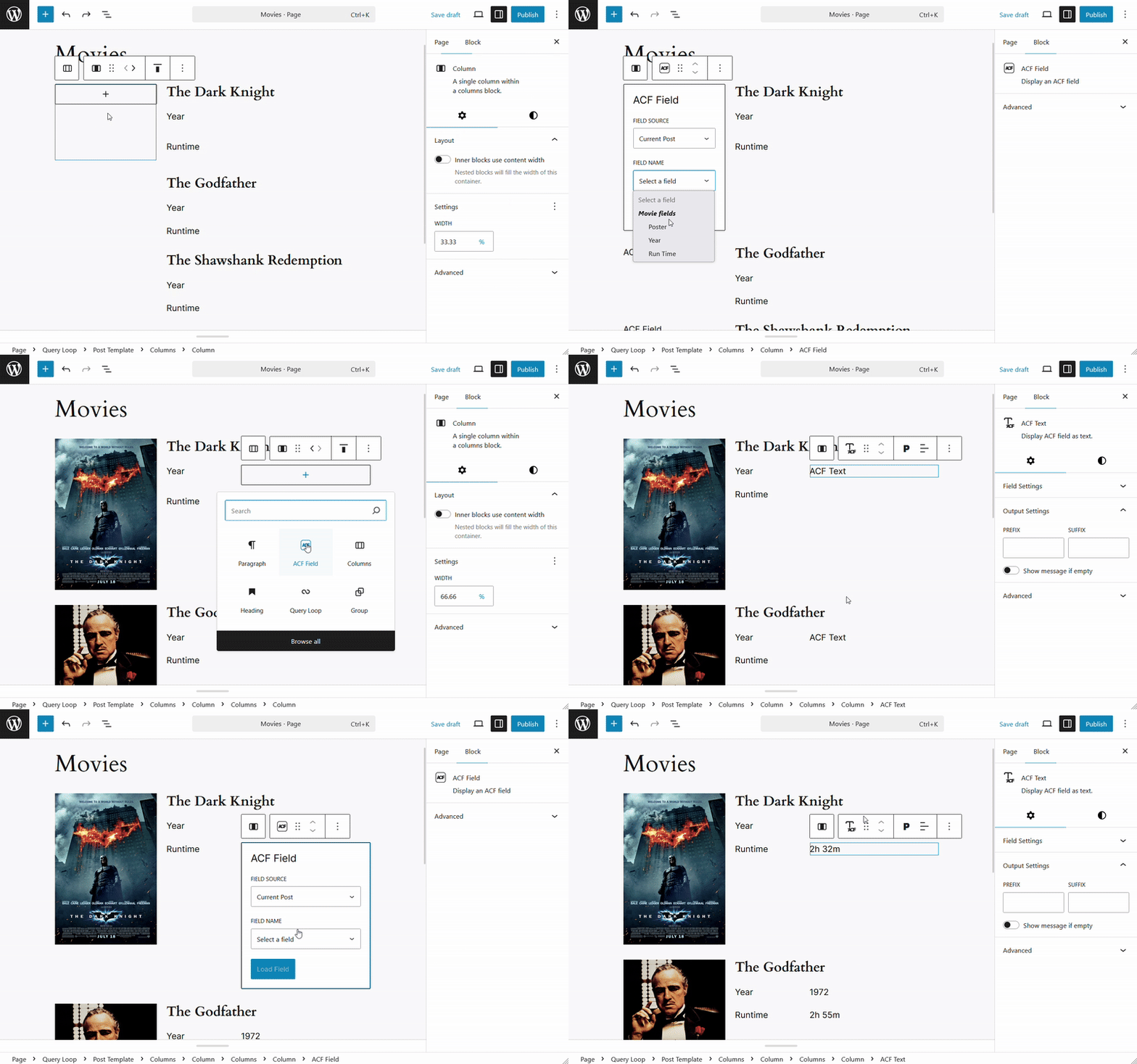
Load Fields Inside a Query Block
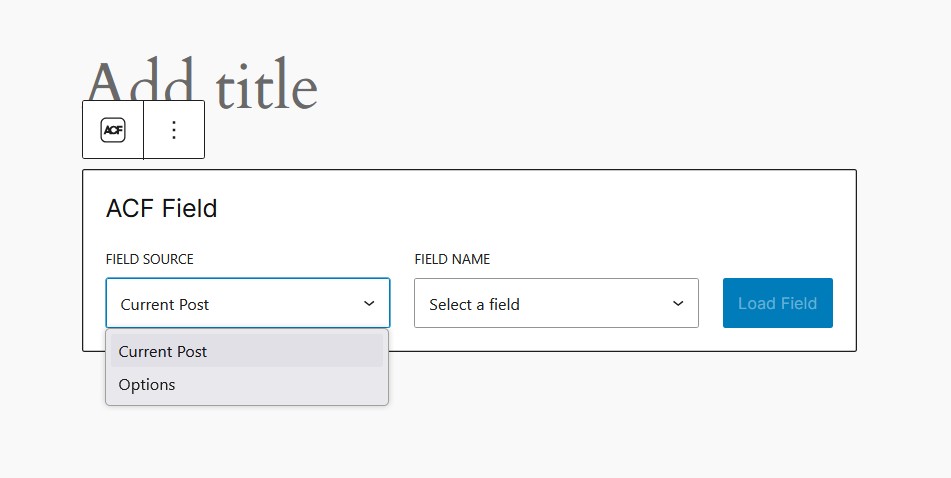
Select Field to Load

Field Settings
Faq
You need to have WordPress version 6.5+ and Advanced Custom Fields plugin version 6.1.0 or newer.
No, you can still use the free version of Advanced Custom Fields as long as it is version 6.1.0 or newer.
This plugin is built with developers in mind — perfect for those who want to save time without sacrificing flexibility. At the same time, it’s intuitive and easy enough for end users to use without technical knowledge.
This plugin supports most field types, including text, image, URL, true/false, select, date/time, and more. However, the following fields are not supported in the free version: Repeater, Group, Gallery, Google Maps, Icon, Flexible Content, and oEmbed.
No. This plugin is read-only — it’s designed solely to display ACF field values in the block editor. Creating or saving field data should be done through the ACF interface or other editing tools.
Yes, of course.
Reviews
One of my favorite plugins
By 
I developed my own themes for my two businesses from scratch using theme.json and FSE all the way. This plugin is awesome for that. Works perfectly with Gutenberg Blocks.
Exactly what I needed
By 
Straightforward, easy to implement and exactly what I needed to add custom fields to my custom posts. No fuss, no muss.
My Site Does So Much More Now
By 
I've built a few basic websites in the past, basically storefronts for local businesses.
But this one is creating events and different kinds of pages and the Blocks for ACF plugin has made it so much easier to get things to work and look the way I want them to. Highly recommend this plugin.
Works well with the block editor!
By 
It's an amazing plugin to add custom fields from ACF right in the block editor! Works within templates and query loops.
Great plugin!
By 
really great plugin, helps a lot!
Great Plugin!
By 
It works perfectly!
Changelog
1.2.7
Nov 8th, 2025
- FIX: “sprintf is not defined” on ACF Image
- [PRO Only] UPDATE: Set default item count when the value is empty for Post Object, Taxonomy, and User fields using grid layout, the default count now follows the Items per Row setting for consistent grid display
1.2.6
Oct 24th, 2025
- [PRO Only] FIX: Allow to add Content block inside ACF Posts List block
- [PRO Only] FIX: Store “acf-field-blocks/data” is already registered
- [PRO Only] UPDATE: Freemius SDK v2.12.2
1.2.5
Sep 15th, 2025
- NEW: Options to set field to display in user fields, user can choose between Display Name, User Email, User Login, User Nickname, and User URL
- NEW: Options to set field to display in taxonomy fields, user can choose between Name, Slug, and Description
1.2.4
Jul 6th, 2025
- [PRO Only] NEW: Display repeater fields as carousel
- [PRO Only] NEW: Display post fields as carousel
- [PRO Only] NEW: Display taxonomy fields as carousel
- [PRO Only] NEW: Display user fields as carousel
1.2.3
Jun 20th, 2025
- [PRO Only] NEW: Display gallery fields as masonry
- UPDATE: Add upgrade notify when selecting unsupported field type
- UPDATE: Add review notice
1.2.2
Jun 9th, 2025
- FIX: Calling to undefined get_current_screen from previous update
1.2.1
Jun 7th, 2025
- FIX: Broken style on several admin pages
1.2.0
May 12th, 2025
- PRO version initial release
1.1.4
May 3rd, 2025
- FIX: Class Fields not found
1.1.3
May 2nd, 2025
- FIX: Error on ACF Image from previous update
1.1.2
May 1st, 2025
- FIX: Hide ACF Button if the value is empty
- FIX: ACF Button was not loading the text correctly if using another field option
- UPDATE: Refactor some field helpers
1.1.1
Apr 23rd, 2025
- FIX: Error loading block in the Pattern editor
1.1.0
Apr 20th, 2025
- NEW: New block “ACF Field” to load any field type, previously type separated blocks are hidden from the inserter
- NEW: Hooks to filter the output of the fields
- UPDATE: Added shadow support for ACF Image block
- UPDATE: Added UL & OL as tag options to ACF Text block, expanding the customization options to display multiple-valued fields as a list
- UPDATE: Make sure all editor components updated to avoid deprecation warning
- UPDATE: Remove Open in New Tab option to linked email fields
- FIX: New lines was not rendered on Textarea
- FIX: Post Object & Relationship fields were not rendered correctly on the front side
- FIX: Date field value (Date, DateTime, Time) were not formatted according to the date format in the field settings.
1.0.0
Sep 17th, 2024
- Initial Release