ActiveLayer Anti-Spam: Spam Protection for Forms & Comments
ActiveLayer Anti-Spam: Spam Protection for Forms & Comments
Description
Anti-Spam Protection Without CAPTCHAs
ActiveLayer is an intelligent anti-spam solution that stops contact form spam, comment spam, and registration spam without CAPTCHAs, puzzles, or extra steps for your visitors. Your forms stay fast and frictionless while unwanted messages get caught automatically.
Your time and attention are expensive — stop spending them on spam. ActiveLayer protects popular form builders like WPForms, Contact Form 7, Gravity Forms, Elementor Forms, Fluent Forms, and WS Form, plus native WordPress comments, WooCommerce (product reviews and customer registration), AffiliateWP, MemberPress, and BuddyPress / BuddyBoss signup forms, all from a single plugin. With 16 integrations, you manage all your spam protection from one settings page.
Create a free account and get started
Zero Friction Spam Filtering
Most anti-spam tools either show visitors a CAPTCHA or make every form wait while the check runs. ActiveLayer takes a different approach. Async integrations complete immediately while background checks run through Action Scheduler; registration and inline-blocking integrations can run a synchronous check when spam must be stopped before an account, entry, or affiliate record is created.
This keeps normal form workflows fast while still allowing high-risk signup flows to block spam inline. If a submission is clean, notifications are sent as normal. If it is flagged, notifications are suppressed or the signup is blocked depending on the integration.
Intelligent Spam Detection
ActiveLayer analyzes submission patterns, content reputation, behavioral signals, and environment data to catch both automated bots and human bad actors with high accuracy. Unlike simple honeypot or keyword-blocklist approaches, ActiveLayer uses multiple signals to make smarter decisions about every submission.
Optional behavioral tracking monitors how users interact with your forms — keystrokes, mouse movements, touch events, and scroll patterns. Environment detection identifies headless browsers and automated tools. These client-side signals are sent alongside form data for deeper analysis.
Per-Form Control and Sync Mode
You decide exactly which forms to protect. ActiveLayer protects all supported forms and WooCommerce surfaces by default after your API key is connected — you can disable protection per form if needed. This gives you granular control over every contact form, registration form, or comment section on your site.
Sync Mode lets supported integrations wait for the API verdict before the submission completes, so spam can be blocked inline. By default, ActiveLayer runs checks asynchronously for maximum speed. Turn Sync Mode on when you prefer inline blocking and can tolerate a small added latency on submissions.
Fail-Safe by Design
If the ActiveLayer API is temporarily unavailable, your forms keep working. ActiveLayer is designed to fail open — it restores provider defaults, preserves every submission, and retries background checks automatically when connectivity returns. No lost submissions, no blocked emails, no broken forms.
Automatic retries handle transient failures. A built-in watchdog checks queue health every 15 minutes and shows admin notices when pending items build up or Action Scheduler is unavailable. You always know the status of your protection.
Full Visibility Dashboard
See exactly what is happening with your form protection at a glance. The ActiveLayer dashboard shows submission totals, spam caught, accuracy rates, queue health, and integration status — all in one place. Filter submissions by status or provider, and use bulk actions to recheck, mark as clean or junk, or trash items you no longer need.
Every submission is logged in a custom database table. You can review verdicts, recheck past submissions with a fresh API call, and override any decision. Debug logging (opt-in, PII-redacted) gives you even deeper insight when troubleshooting.
Who Is ActiveLayer For?
Small Business Websites
Protect your contact forms and inquiry forms without adding friction for potential customers. Async form submissions from real visitors go through instantly while junk gets caught behind the scenes.
Bloggers and Publishers
Stop comment spam on your posts without requiring readers to solve CAPTCHAs or prove they are human. ActiveLayer checks comments in the background and can auto-approve clean ones or auto-mark detected spam.
Agencies Managing Multiple Sites
One plugin covers WPForms, Contact Form 7, Gravity Forms, Elementor Forms, Fluent Forms, Formidable Forms, WooCommerce, and more — every integration managed from one settings page. No need to configure separate anti-spam tools for each form builder or WooCommerce surface your clients use.
E-commerce and Service Businesses
Keep inquiry and support forms clean while maintaining a fast, professional user experience. Async checks keep contact forms moving quickly, while registration gates can block spam accounts inline. WooCommerce stores get dedicated protection for product reviews and My Account customer registration — and the checkout itself is never gated, so spam protection can’t get in the way of a sale.
Membership Sites and Online Communities
Running a community on BuddyPress or BuddyBoss Platform? ActiveLayer hooks the public signup form and blocks spam registrations before they create fake accounts — no extra CAPTCHA in front of your real members, no manual moderation queue to babysit. The integration covers both free BuddyPress and BuddyBoss Platform with a dedicated admin toggle for each.
Full ActiveLayer Feature List
- Async processing – Background queue via Action Scheduler for supported async integrations
- No CAPTCHA required – Invisible protection with zero friction for visitors
- WPForms integration – Per-form enable, async checks with email replay, optional sync-save strategy
- Contact Form 7 integration – Synchronous checks, field mapping via activelayer:* tags, per-form control
- Gravity Forms integration – Entry-based spam detection with per-form control and notification management
- Elementor Forms integration – Protect Elementor Pro form widgets with per-form spam filtering
- Fluent Forms integration – Per-form spam detection with email notification handling
- Formidable Forms integration – Notification interception and replay, sync fallback option
- Forminator integration – Form submission interception with per-form toggles and notification management
- Ninja Forms integration – Email action capture, clean verdict replay, spam suppression
- SureForms integration – Spam protection for SureForms with per-form control
- WS Form integration – Synchronous spam blocking before WS Form saves entries or runs actions, with per-form control
- WordPress Comments protection – Auto-approve clean comments, auto-spam detected ones, fail-open restore
- WooCommerce Reviews protection – Score every product review on submission, with optional verified-owner bypass, logged-in-user bypass, and high-confidence auto-delete
- WooCommerce Registration protection – Block bot signups on the My Account registration form before the account is created (the checkout flow is never gated, so it can’t block a purchase)
- BuddyPress signup protection – Block spam registrations on the public
/register/page; sync check fires after BuddyPress’s own validation and writes the block message next to the username field - BuddyBoss Platform signup protection – Same sync gate against the BuddyBoss Platform signup form, with automatic xprofile-name fallback because BuddyBoss auto-generates the username from the email
- AffiliateWP registration protection – Block bot affiliate signups before the affiliate and WordPress user are created; sync check fires after AffiliateWP’s own validation
- MemberPress registration protection – Block bot membership signups before the account is created; free, free-trial, and fully-discounted signups are gated by default, while paid checkouts are never blocked (opt in to gate those too)
- Silent discard for high-confidence spam – Optional hard-delete of comments and WooCommerce reviews that exceed a configurable spam score threshold (default 95), skipping spam-folder storage entirely
- Per-form toggles – Protection enabled by default per form; disable on individual forms as needed
- Sync Mode – Optional synchronous spam checks for inline blocking on supported integrations
- Dashboard analytics – Submission totals, spam caught, accuracy rates, queue health at a glance
- Submissions management – Filter by status and provider, bulk recheck, mark clean or spam, trash
- Fail-open architecture – Forms keep working if the API is temporarily unavailable
- Automatic retries – Failed submissions are re-queued and retried automatically
- Queue watchdog – 15-minute health checks with admin notices for stalled queues
- Behavioral signal collection – Keystroke, mouse, touch, and scroll tracking for deeper analysis
- Environment detection – Identifies headless browsers and automated submission tools
- Debug logging – Opt-in ring buffer (last 200 entries), PII-redacted, view and clear in admin
- Bulk recheck – Re-queue past submissions for fresh API verdicts anytime
- Default protection – Forms protected by default after API connection; disable per form if needed. Sanitized logging, masked secrets, hashed emails
Integrations
- WPForms (Lite and Pro)
- Contact Form 7
- Gravity Forms
- Elementor Forms (Pro)
- Fluent Forms
- Formidable Forms
- Forminator
- Ninja Forms
- SureForms
- WS Form
- WordPress Comments (built-in)
- WooCommerce (product reviews and customer registration)
- BuddyPress (public signup form)
- BuddyBoss Platform (public signup form)
- AffiliateWP (affiliate registration form)
- MemberPress (membership registration form)
External services
This plugin connects to the ActiveLayer API to analyze form submissions and comments for spam. It is the core service that powers all spam detection — without it, the plugin cannot classify submissions.
ActiveLayer API
What it does: Provides spam detection verdicts (clean or spam) for form submissions and comments.
When data is sent: Each time a protected form submission, comment, review, or registration is checked, the submission data is sent to the API for analysis. Depending on the integration, this can happen through the background queue or during a synchronous inline-blocking check.
What data is sent:
* Submission content (name, email, message, URL if provided)
* IP address and user agent of the submitter
* Form metadata (form ID, form name, provider name)
* Site URL and WordPress locale
* Behavioral and environment signals (if enabled in settings)
Service provider: ActiveLayer (activelayer.com)
* Terms of Service
* Privacy Policy
Installation
- In your WordPress admin, go to Plugins Add New and search for “ActiveLayer”.
- Click “Install Now”, then “Activate”.
- Go to ActiveLayer Settings and paste your API key, or click Create Account to register and have the key saved automatically (one-click Connect).
- Click Verify Key to confirm your connection.
- Enable the integrations you need. Protection for all supported forms is enabled by default after your API key is verified.
Get your free API key at activelayer.com.
Screenshots
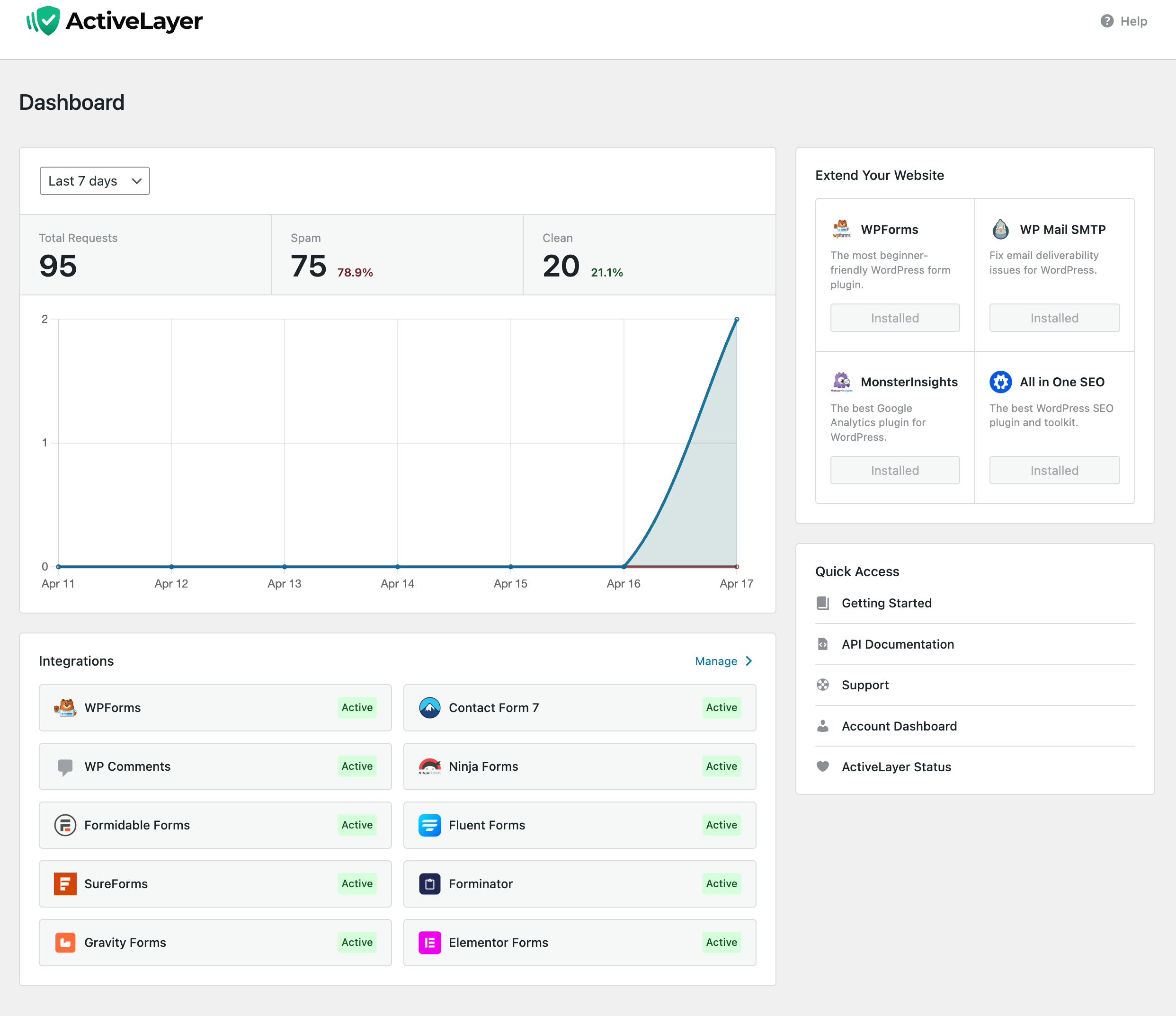
Dashboard overview with submission totals, spam vs. clean breakdown, daily activity chart, and live integration status at a glance.
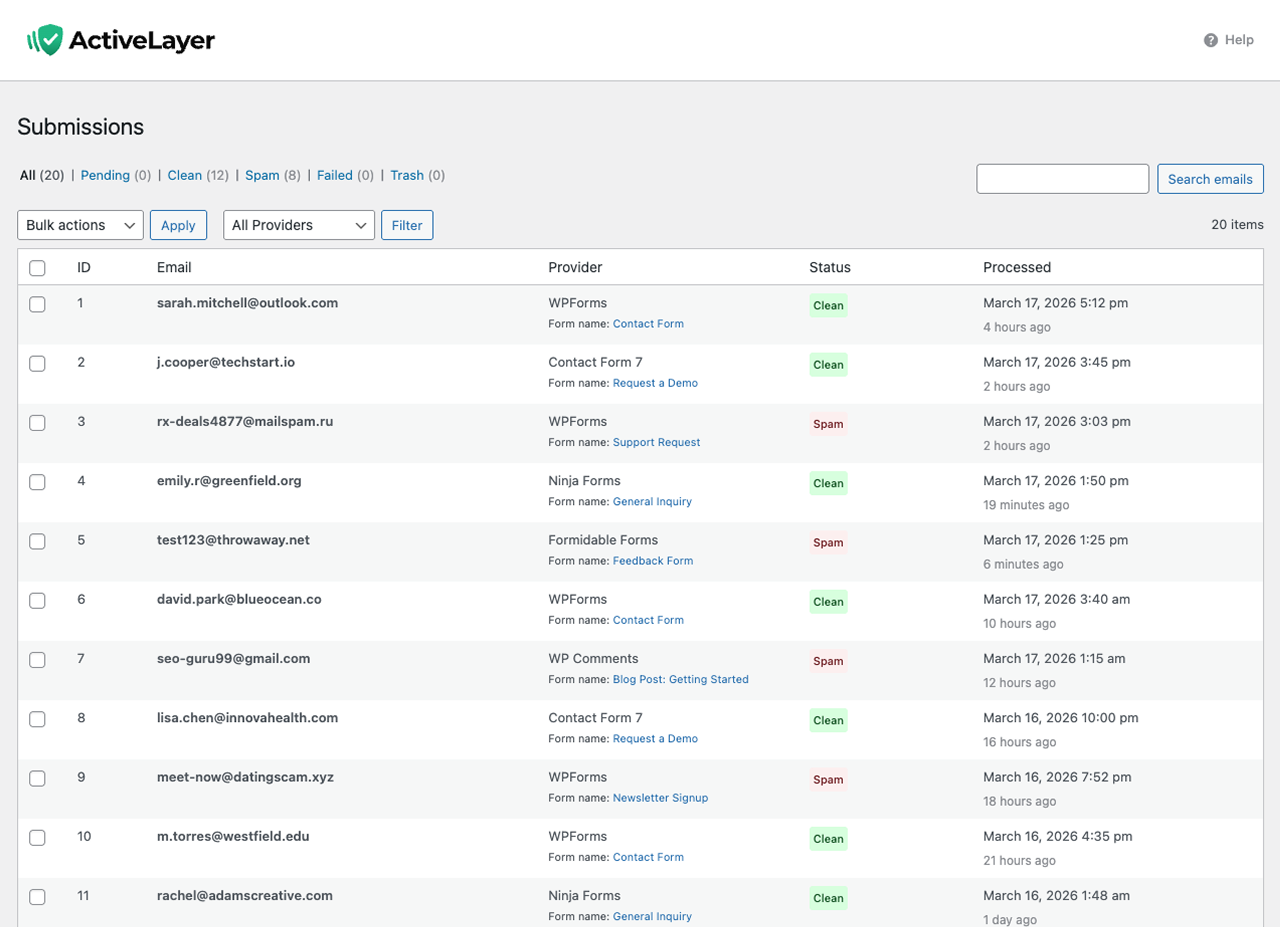
Submissions list with status filters, provider info, form name, processed timestamps, search, and bulk actions.
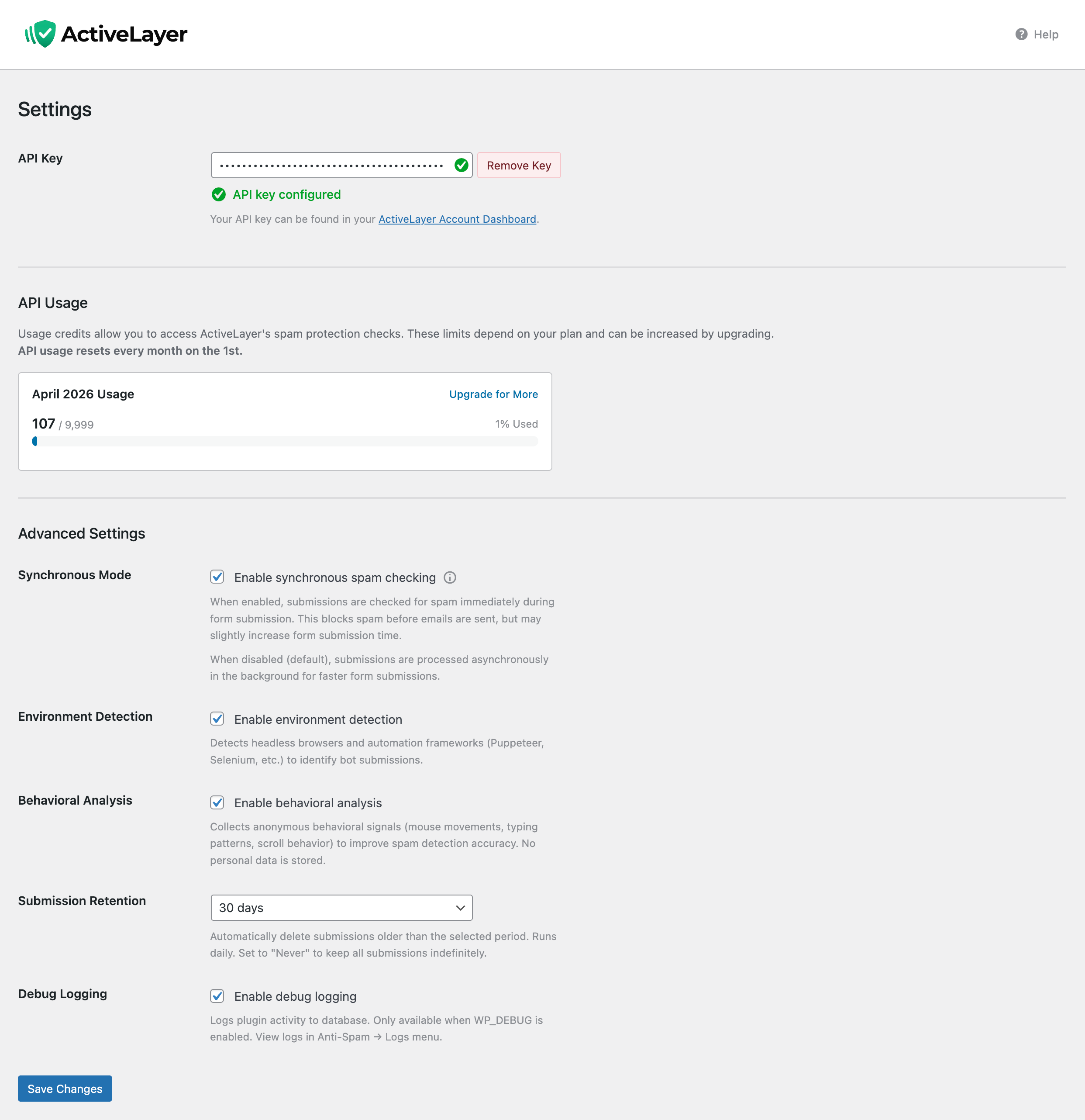
Settings page with API key verification, API usage meter, Sync Mode toggle, environment detection, behavioral analysis, submission retention, and debug logging controls.
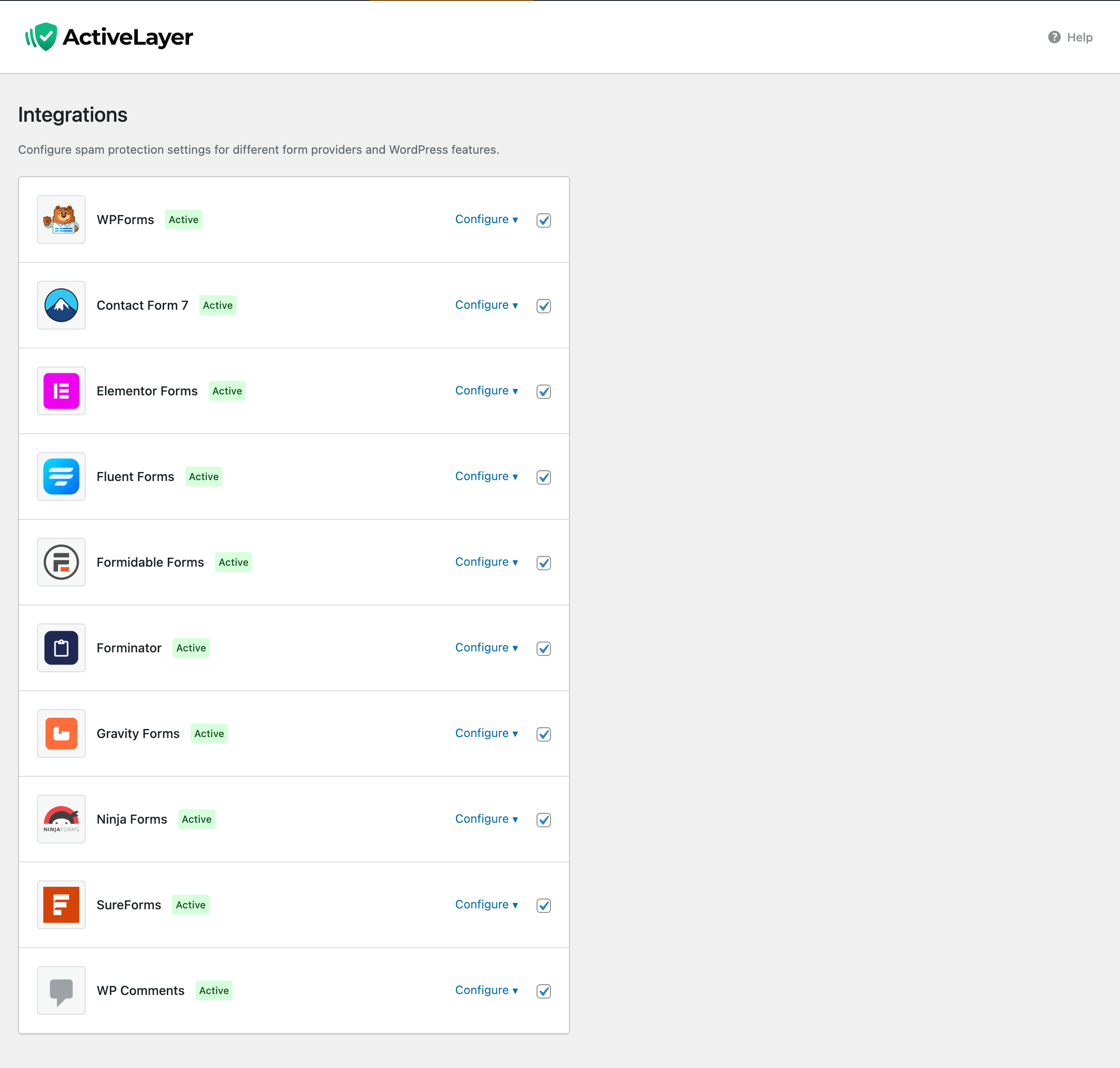
Integrations page listing all supported form providers and WordPress Comments with individual Configure toggles for per-form protection.
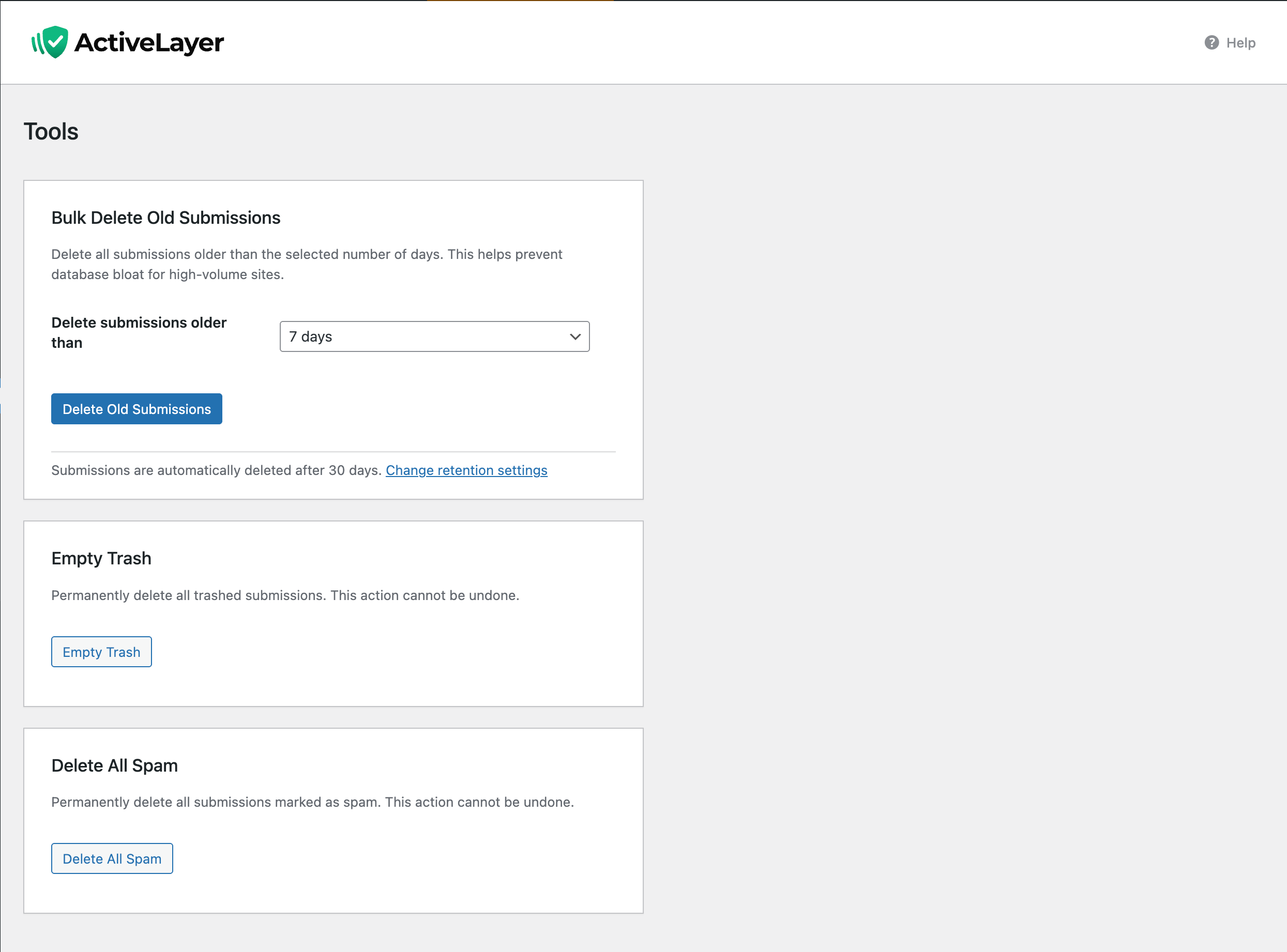
Tools page for maintenance — bulk delete old submissions by age, empty trash, and one-click removal of all spam entries.
Faq
No. ActiveLayer is a completely CAPTCHA-free anti-spam solution. Spam checks happen server-side in the background, so your visitors never see puzzles, challenges, or extra steps. Forms stay fast and frictionless.
ActiveLayer works with WPForms (Lite and Pro), Contact Form 7, Gravity Forms, Elementor Forms (Pro), Fluent Forms, Formidable Forms, Forminator, Ninja Forms, SureForms, WS Form, native WordPress comments, WooCommerce, BuddyPress / BuddyBoss Platform signup forms, AffiliateWP affiliate registration, and MemberPress membership registration — 16 integrations in total. All are managed from a single settings page with per-form control.
Usually no. Async integrations are queued and checked in the background via Action Scheduler, so the form or comment completes immediately. Integrations that must block account or entry creation, such as registration flows and some sync form providers, wait briefly for the API verdict and fail open if the API is unavailable.
Sync Mode makes supported integrations wait for the API verdict before the submission completes, allowing the plugin to block spam inline. By default, ActiveLayer uses async processing where possible for maximum speed. Some registration integrations are synchronous by design because spam must be blocked before an account, membership, or affiliate record is created.
ActiveLayer is designed to fail open. If the API cannot be reached, your forms keep working normally — notifications still send, comments are preserved with their original status, and background checks automatically retry when connectivity returns. No submissions are ever lost.
Yes. ActiveLayer offers a free tier. Create your account at activelayer.com to get your API key and start protecting your forms and comments from spam.
Absolutely. ActiveLayer protects all supported forms by default once your API key is connected. You can disable protection on individual forms through the form builder settings if preferred. Forms without an explicit disable setting remain protected.
ActiveLayer uses async queue processing where possible, plus synchronous gates where inline blocking is required. It also supports per-form toggles, optional Sync Mode for supported providers, and integrates with ten popular form builders, WordPress comments, WooCommerce, BuddyPress / BuddyBoss signup forms, AffiliateWP affiliate registrations, and MemberPress membership registrations from a single plugin. Unlike blocklist-based tools, ActiveLayer analyzes multiple signals for more accurate spam detection.
Yes. In ActiveLayer Submissions, use row actions or bulk actions to “Recheck with API”. Submissions are re-queued and updated when new verdicts return. This is useful after tuning your settings or when you want to re-evaluate older items.
In most cases, yes. ActiveLayer integrates cleanly with supported form builders and WordPress comments. If you run multiple anti-spam solutions, start with protection enabled on a single test form to verify there are no conflicts or double-filtering issues before rolling it out to the rest of your site.
Yes. ActiveLayer protects the public BuddyPress / BuddyBoss signup form (/register/) with a synchronous spam check that runs after BuddyPress’s own validation but before the pending signup record is created. Spam is blocked inline with a message rendered next to the username field (or next to the email field on BuddyBoss Platform, which doesn’t render a separate username input). Each platform has its own admin toggle in ActiveLayer Integrations so you only enable the one that matches your install.
Coverage is intentionally scoped to public signups. Activity stream posts, private messages, group updates, bbPress, and the BuddyBoss App REST signup endpoint are out of scope for this release.
ActiveLayer protects WooCommerce product reviews and the standalone My Account registration form ([woocommerce_my_account]). It intentionally does not gate registration during checkout — neither the classic [woocommerce_checkout] shortcode nor the block-based Cart/Checkout. A spam check there could abort the whole order, so a false positive would cost a sale; ActiveLayer keeps the path to purchase clear and leaves the checkout itself ungated.
Reviews
Changelog
1.4.1
- Improved: WooCommerce — account registration during checkout now completes smoothly without an inline spam check, keeping the purchase flow uninterrupted. The standalone My Account registration form stays protected.
- Improved: MemberPress — paid memberships complete signup without an inline spam check for a seamless checkout. Free memberships, free trials, and fully-discounted signups remain protected, with an optional setting to extend checks to paid signups.
1.4.0
- Added: AffiliateWP integration — synchronous protection for affiliate registration before the affiliate and WordPress user are created.
- Added: MemberPress integration — synchronous protection for membership registration before the WordPress user account and membership are created.
- Added: WS Form integration — synchronous spam blocking before WS Form saves entries or runs actions, with per-form protection controls.
- Added: New translations — Italian, Japanese, Dutch, Brazilian Portuguese, and Simplified Chinese.
- Fixed: Message body — links and line breaks in submitted messages are now preserved when sent to the spam API, improving detection accuracy.
- Fixed: WPForms — marking an entry as “Not Spam” in the admin no longer re-runs detection or reverts the entry.
- Fixed: Dashboard — the plugin recommendation now detects and activates an already-installed Pro variant instead of downloading the Lite version.
1.3.1
- Fixed: Internal plugin version constant was left at 1.2.0 in the 1.3.0 release, so browsers and page caches kept serving outdated CSS/JS assets after the update. Asset cache-busting now works correctly again.
1.3.0
- Changed: Form protection now enabled by default for all supported providers after API key connection. Existing forms with explicit disable setting remain disabled until re-saved.
- Added: BuddyPress and BuddyBoss integration — anti-spam protection for community signup (registration) forms. Blocked signups are labelled “Member” in the Submissions log.
- Added: One-click Connect — create and link your free account in one step, with the API key saved automatically on return.
- Fixed: PHP 8.4 compatibility — explicitly typed nullable constructor parameters to silence the new implicitly-nullable deprecation notice (behaviour unchanged on PHP 7.2+).
1.2.0
- Added: WooCommerce integration umbrella — full anti-spam coverage for the two highest-risk WooCommerce surfaces (Product Reviews and Customer Registration), managed from a single panel under ActiveLayer Integrations.
- Added: WooCommerce Reviews protection — every product review is scored on submission, with optional verified-owner bypass, logged-in-user bypass, and high-confidence auto-delete.
- Added: WooCommerce Registration protection — blocks bot signups on the My Account form, classic
[woocommerce_checkout], and the new Cart/Checkout Blocks (default since WooCommerce 8.3). The “Allow customers to create an account during checkout” setting is honoured in every flow. - Added: Silent-discard option for high-confidence spam comments and WooCommerce reviews — items at or above the configurable score threshold (default 95) are hard-deleted instead of moved to the spam folder. (#127)
- Added: Native moderation feedback for WordPress comments and WooCommerce product reviews — moderator decisions (approve / spam / trash) are sent back to the ActiveLayer API to improve detection accuracy.
- Fixed: Comments — moderator email notifications are now suppressed until ActiveLayer returns a verdict; deferred notification is dispatched correctly when a held comment is restored.
- Fixed: WooCommerce Reviews — moderator notifications are likewise suppressed while a review awaits classification.
- Fixed: Fluent Forms — abort message is now sent as a string to prevent a frontend TypeError when a blocking message is shown.
- Fixed: Submissions — the View Submission screen now surfaces the API error message for failed submissions instead of hiding the API Response panel entirely, making API outages easier to diagnose.
- Fixed: WPForms Pro — duplicate notification emails on failed-submission retries.
EmailReconstructor::allow_submission()is now idempotent: a persistent marker on the WPForms entry prevents the daily retry sweep from re-releasing already-sent notifications when the API is unavailable. (#154) - Fixed: Gravity Forms — admin notifications arrived with an empty body and stripped subject merge tags when ActiveLayer protection was enabled.
- Compatibility: Tested up to WordPress 7.0.
1.1.0
- Added: Gravity Forms integration with per-form control and notification management.
- Added: Elementor Forms integration for Elementor Pro form widgets.
- Added: Fluent Forms integration with per-form spam detection and email handling.
- Added: Forminator integration with per-form toggles and notification replay.
- Added: SureForms integration with per-form control.
- Added: Global Sync Mode setting for inline spam blocking on supported integrations.
- Added: Client-side behavioral analysis (keystrokes, mouse, touch, scroll).
- Added: Environment detection for headless browsers and automated tools.
- Added: Tools page with bulk delete of old submissions and retention controls.
- Added: Sync Save strategy for WPForms (full synchronous save with email replay).
- Added: Conditional frontend script loading — scripts load only on pages with protected forms.
- Added: API Status link in dashboard quick access.
- Added: Client signals output for Fluent Forms.
- Added: UTM tracking parameters on outbound links.
- Added:
activelayer_show_tracking_modefilter for advanced workflows. - Improved: Human-readable provider names throughout Submissions admin.
- Improved: WordPress timezone handling across analytics and cleanup routines.
- Improved: Atomic
reset_for_retry()to prevent race conditions on recheck. - Improved: Consolidated admin notices via
NoticeHelper. - Improved: Security hardening — output escaping,
$wpdb->prepare()coverage, input sanitization. - Improved: Deactivation and uninstall cleanup across all integrations and transients.
- Improved: Build pipeline with QA site deployment and asset rebuilds.
- Fixed: Comments integration now requires a valid API key before activating.
- Fixed: Graceful handling of null submissions in async worker.
- Fixed: Dashboard widget compatibility with WPForms Pro.
- Fixed: Ninja Forms SpamCheckAction edge cases.
- Fixed: Elementor Forms edit link uses
page_idinstead of element hash. - Fixed: Activation redirect slug and hook priority for first-time installs.
- Fixed: WPForms SYNC_SAVE now re-sends emails via
EmailReconstructor. - Fixed: Submission analytics — trash fallback,
wp_date()validation, DST edge cases. - Fixed: Gravity Forms email domain handling on cleanup.
- Changed: Removed per-form Tracking Mode in favor of Global Sync Mode.
- Changed: Reduced cyclomatic complexity in GravityForms and Forminator admin settings.
1.0.0
- Initial release.