CF7 to Airtable

CF7 to Airtable
Description
Connect the WordPress plugin Contact Form 7 to Airtable. This reliable add-on enables you to integrate your Contact Form 7 forms so that when users submit a form entry, the entries get directly added to Airtable. You can link any field type, including custom fields and add information to your Airtable table. Once the form is validated, the information entered will be added to the columns you have selected.
Features
Set up the connection with Airtable
- Enter your Airtable Access Token (only once)
- A new Airtable tab shows up in your form settings
Choose the destination where you want to send data
- The database and table linked to your Access Token are instantly detected
Map your Contact Form 7 fields with Airtable
- All major field types are supported
- Select the corresponding database field for each form field
User-friendly and helpful plugin interface
- Smart warnings to avoid mapping errors
- Many tooltips to make things easier
How does it work? How to use it?
-
Create a form with at least an e-mail field (don’t forget the consent field)
-
Go to Airtable tab and select your database and table
-
Save your settings
-
Map the fields of your Contact Form 7 form with your Airtable’s columns
-
Click on “Save settings”
Support
If you need support, open a ticket on the Support.
Troubleshooting
Make sure you have created your database and columns in Airtable before linking them to your form fields.
Supported Fields : Single line text, Email, URL, Phone number, Number, Date, Multiple select, Checkbox et Attachment
Installation
-
Upload plugin files to your plugins folder
-
Activate the plugin on your WordPress Back Office (Extensions)
-
Go to the Contact Form 7 settings page (under Contact > Integration > Airtable)
-
Enter the Airtable Access Token (personal key here)
-
Click Save Settings
-
Create your form then go to the tab Airtable
-
Follow on-screen instructions for integrating with Airtable.
Screenshots
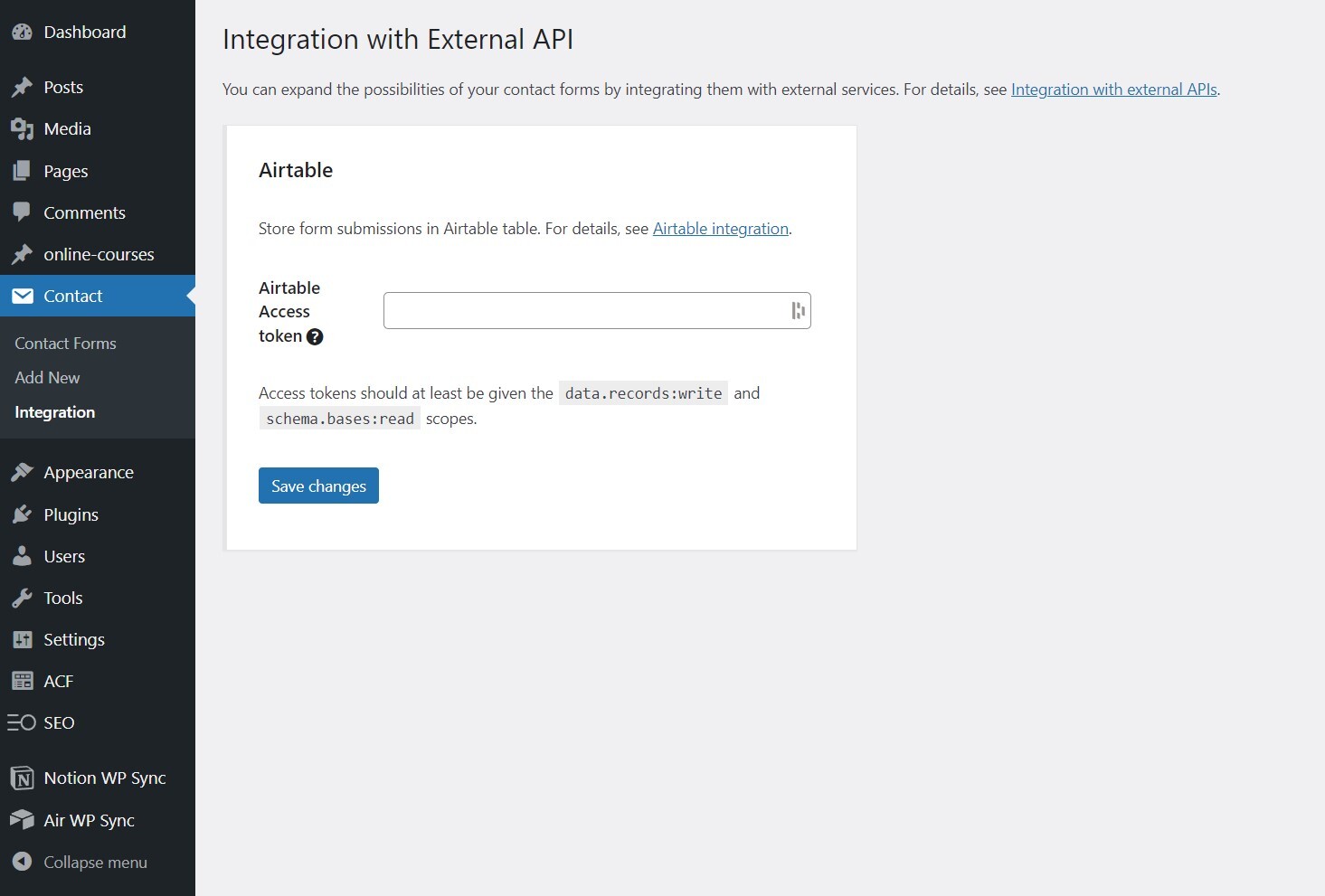
Setting up the Airtable Integration

Configuration of Contact Form 7 and Airtable table

Map the fields of Contact Form 7 form with Airtable\'s columns
Faq
Offered in SaaS mode, Airtable is a database tool that can be used to create a simple online form as well as a project management environment or even a custom CRM. Equipped with an automatic translation function, the tool manages multiple views: maps, calendars, Kanban boards, Gantt charts, etc.
The Contact Form 7 Airtable add-on uses the Airtable Access Token to link columns with fields and send data. Creating an account on Airtable is free. Once connected, you can get the Access Token key on this page.
The Contact Form 7 Airtable add-on is completly free.
Airtable offers a free plan for an unlimited number of databases and for small teams of up to 5 people. You will be able to add up to 1000 entries in each database and store up to 1 GB of attachments, but you will be limited to 1,000 API calls per workspace/per month.
Depending on your needs, several paid subscriptions allow you to unlock these limitations while giving access to more advanced features (see prices).
Before starting the mapping with your database please make sure you have setted up your integration. To do this, go directly to the Integration tab of Contact Form 7 and enter a valid Airtable Access token.
You don\’t have to do anything, the synchronization is automatic. Make sure you have created your databases and Airtable columns names before linking them to your form fields.
This add-on requires at least version 5.5.3 of Contact Form 7 and has recently been tested successfully up to version 5.7.5.
If you need some assistance, open a ticket on the Support.
Reviews
Effective and simple
By 
A joy of simplicity with maximum efficiency!
It works like a charm
By 
We had a small issue with the plugin after setting it up but the WPConnect team help us through everything and now all our forms are working beautifully. It's a great plugin but more importantly it's an awesome developer.
Integration is very simple and works OOTB
By 
I was able to connect my Contact Form 7 to AirTable in minutes. Thanks!
Works well
By 
Easy and very useful, works perfectly fine
By 
Excellent plugin!
By 
Easy to use
By 
Just what I needed
By 