Addon Elementor Container Link

Addon Elementor Container Link
Description
Addon Elementor Container Plugin extends the functionality of Elementor by introducing an anchor link field within container, section, inner sections or columns. After installing and activating the Addon Elementor Container Link plugin, navigate to your Elementor editor. When editing a section or container, you will find a new option labeled “Container Link” under the Layout tab. Upon activation, user can easily designate these elements as clickable, enhancing user experience and navigation on Elementor-powered websites.
This feature enriches the default capabilities of Elementor, providing users with greater control over interactivity and engagement.
Features
- Add link, custom url to make elementor container, section, inner sections and columns clickable.
- Enhance user experience by making containers elements clickable.
- Link ‘Open in new window’ link Options.
- Dynamic tags
- Compatible with Elementor version 3.29.2 and higher.
Note
Our plugin requires the installation of Elementor for full functionality. Access the anchor or custom URL field option in the Elementor edit page interface to unlock enhanced interactive features.
Installation
- Upload the plugin files to the
/wp-content/plugins/addon-elementor-container-linkdirectory, or install the plugin through the WordPress plugins screen directly. - Activate the plugin through the ‘Plugins’ screen in WordPress.
Screenshots
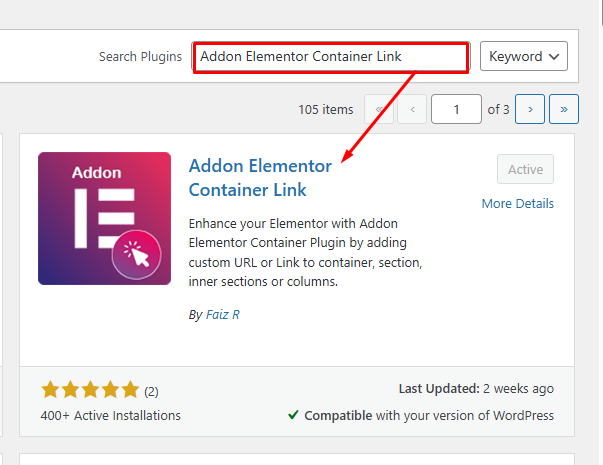
Add New Plugin Addon Elementor Container Link
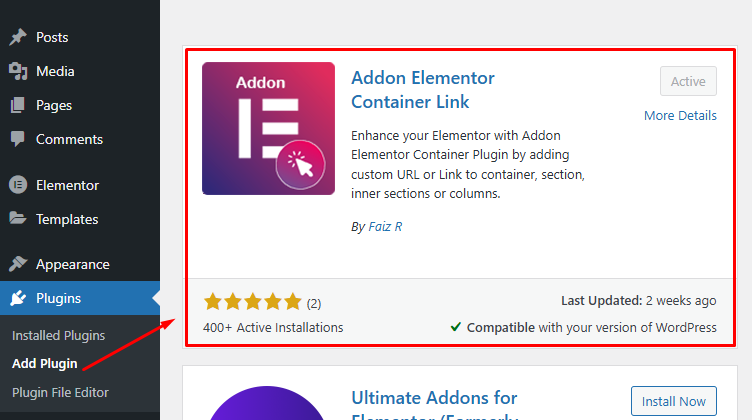
Activate Plugin Addon Elementor Container Link
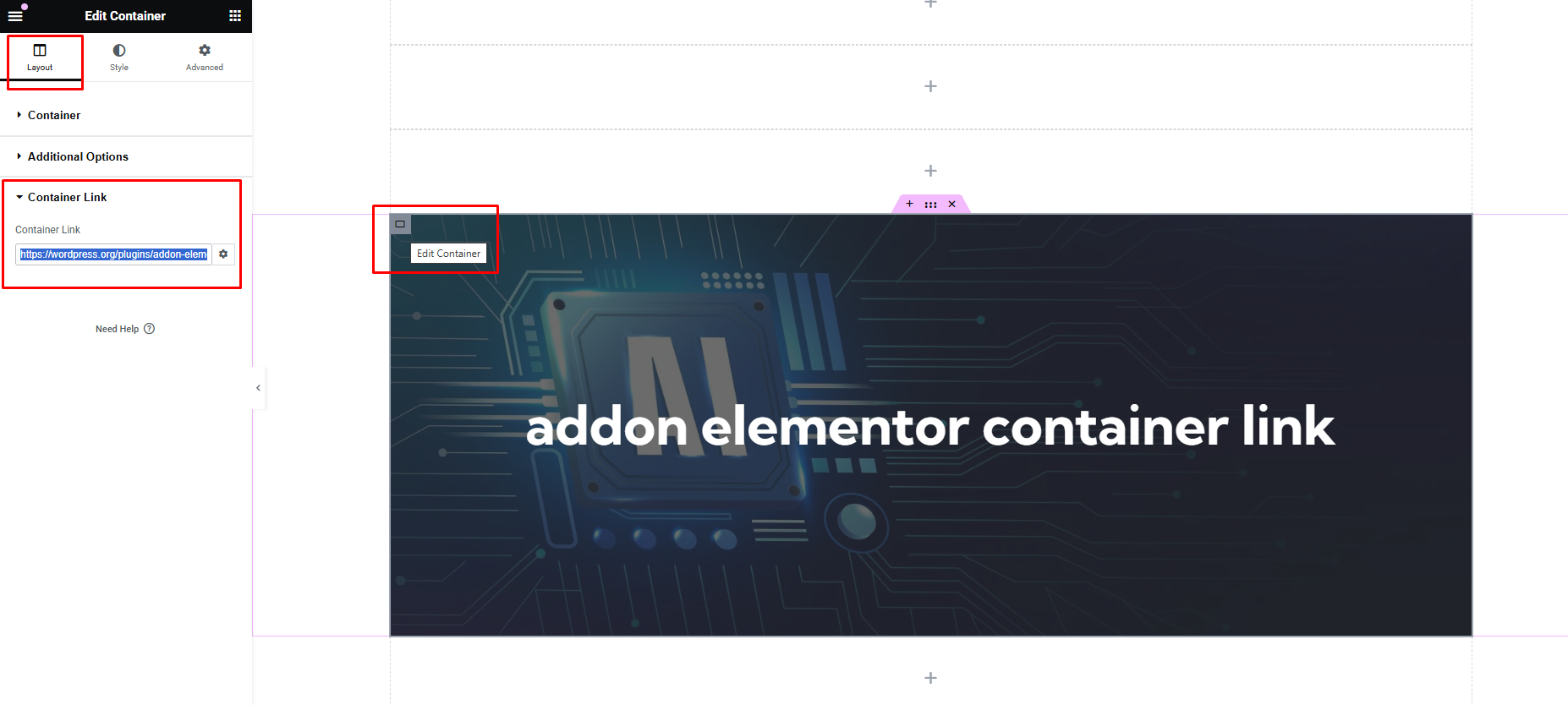
Edit Page in Elementor Page Builder-> Layout Tab -> Container Link
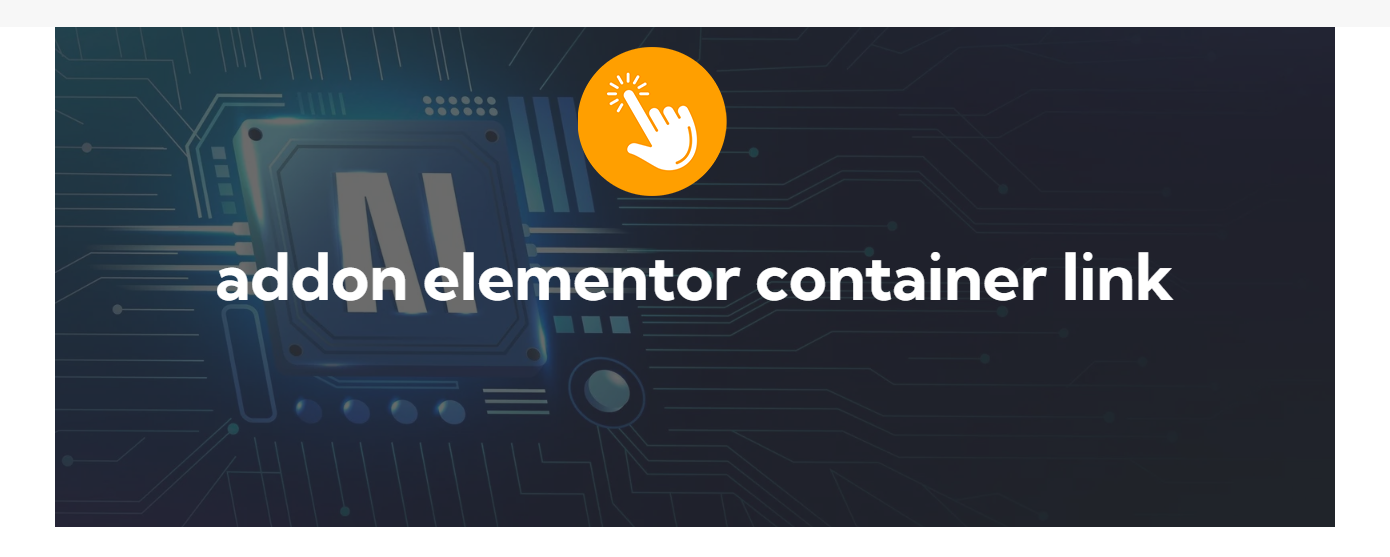
View the Page and Test the container Clickable now
Faq
After installing and activating the Addon Elementor Container Link plugin, navigate to your Elementor editor. When editing a section or container, you will find a new option labeled “Container Link” under the Layout tab. Enter the desired link URL in the provided field, and the container will become clickable on the frontend.
Yes, you can customize the appearance of the clickable containers using custom CSS. Since Elementor provides extensive styling options, you can use the built-in features to style the containers according to your preferences.
Reviews
Perfect addon
By 
Does what it ways, and intuitive enough to use. Thanks!
A Minimalist Approach to Container Links
By 
Minimalistic and straight to the point. An excellent solution if you don’t want to flood your WordPress with lots of widgets you’ll never use.
Yes it totally works 🙂
By 
Why does your plugin work much better than Elementors own solution? 🙂
Many Thanks for creating it 🙂
Btw to other people. The addon is on any container at the bottom of the layout tab.
Btw I created a user here just to be able to say thanks and let people know it works 🙂
Thank you so much
By 
Yours is the only plugin on the market that works my bro, thanks for your support
Changelog
1.1
- Tested with WordPress 6.8
- Tested with Elementor 3.28.3
- Fully tested on PHP 7.4, 8.0, 8.1
1.2
- Tested and Compatible with WordPress 6.8.1
- Tested and Compatible with Elementor 3.28.4
- Fully tested with PHP 7.4, 8.0, 8.1
- Added: Screenshots, thumbnails and icons
1.3
- Tested and Compatible with WordPress 6.8.1
- Tested and Compatible with Elementor 3.29.2
- Fully tested with PHP 7.4, 8.0, 8.1
- Added: Dynamic Tags ( will work with Elementor Pro)
- Fixed: Link ‘Open in new window’ link Options.