Admin User Messages

Admin User Messages
Description
With this plugin admins are able to communicate with their users. That is useful if you have a website where you don\’t want your users to talk with each other. Every term of the plugin is customizable, so you can translate it in your own language.
You will need to create some pages, to put following shortcodes in:
Inbox-Page: [admin_user_messages_inbox]
Sent-Messages-Page [admin_user_messages_sent_messages]
Write-Message-Page: [admin_user_messages_write_message]
Read-Message-Page [admin_user_read_message]
Answer-Message-Page [admin_user_answer_message]
Search-Page [admin_user_messages_search]
Update Notice
0.1.3
Update Notice
0.1.4 Secured function if another plugin uses same function, so it don’t has to be redeclared
Update Notice
0.1.5
– bugfix mysql error when someone calls sent messages and still no message is sent. See support forum read_message.php Error
– bugfix set dynamic term page on sent messages page. See support forum read_message.php Error
Update Notice
0.1.6
Big update! Now it is possible to search within the messages. That is usefull if you have many messages. It is a full text search in the messages and their subjects.
Installation
- Upload admin_user_messages to the /wp-content/plugins/ directory
- Activate the plugin through the \’Plugins\’ menu in WordPress.
- Create Pages, like described in Description
- Find the settings page \”Admin User Messages\” within the main settings section
- Customize your plugin
- Have fun!
Screenshots
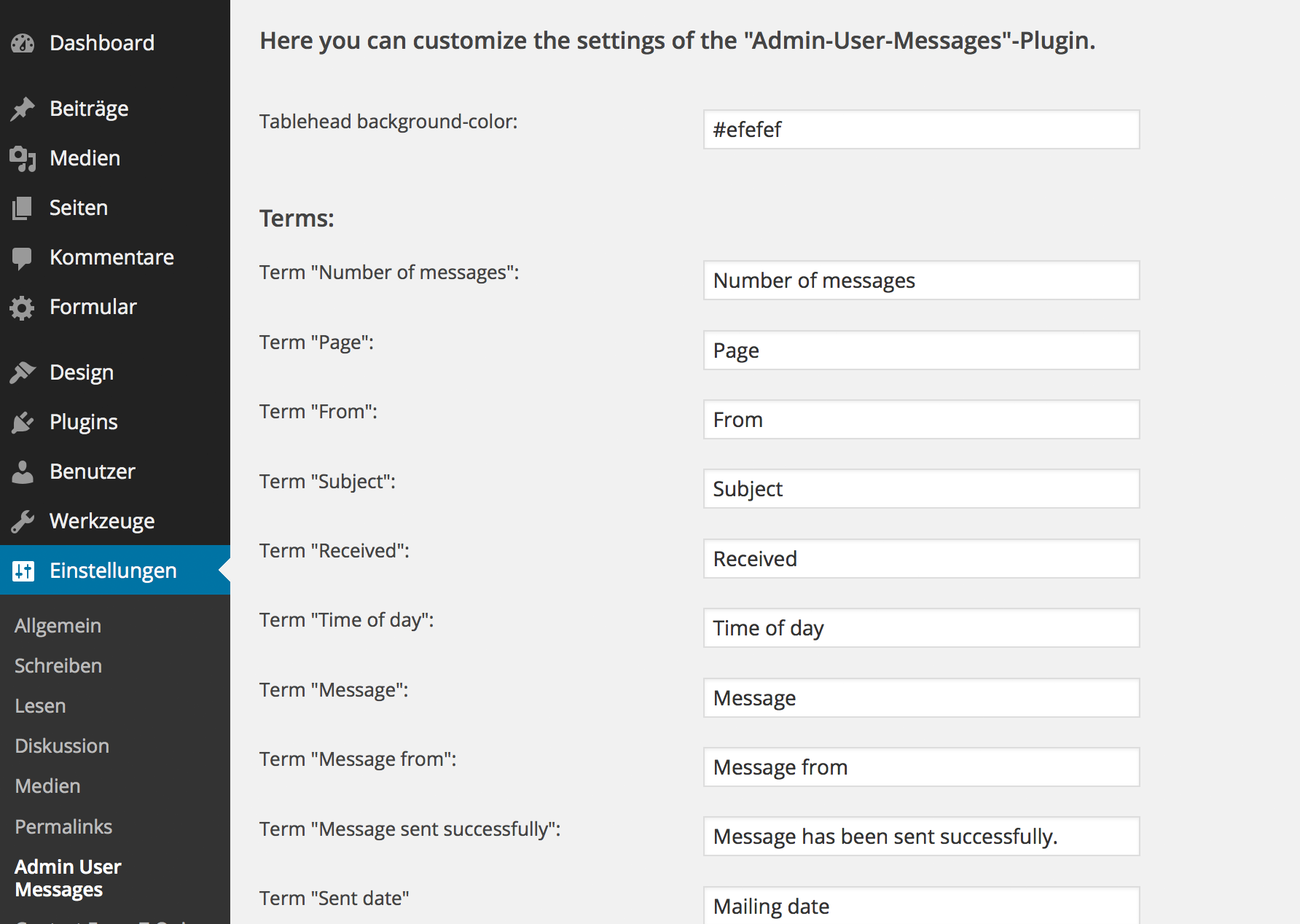
Translate the plugin into your language

Write E-Mails to your users.

Receive E-Mails from your users
Faq
Comming soon, when first FAQ are asked.
Reviews
Out of date? Does not work w WP 4.5
By 
I really wanted this to work and struggled with it for some time, but no go on anything.
No updates for over 2 years, only tested to WP 3.9 and the 5 star reviews are from 2 years ago.
Love the idea and can´t find another one like it, but you might be wasting your time.
If I´m wrong, I´d love to know how to make it work!
Broken on 4.4.2
By 
Shows these error messages on almost all the pages:
Warning: mysql_num_rows() expects parameter 1 to be resource, boolean given in [blog-location]\wp-content\plugins\admin-user-messages\admin_user_messages_settings.php on line 12
Warning: mysql_num_rows() expects parameter 1 to be resource, boolean given in [blog-location]\wp-content\plugins\admin-user-messages\admin_user_messages_inbox.php on line 33
Warning: mysql_num_rows() expects parameter 1 to be resource, boolean given in [blog-location]\wp-content\plugins\admin-user-messages\admin_user_messages_inbox.php on line 42
Changelog
0.1.2 Now it is possible to edit the javascript alerts when missing receiver, subject and message