Advanced GeoIP Redirect
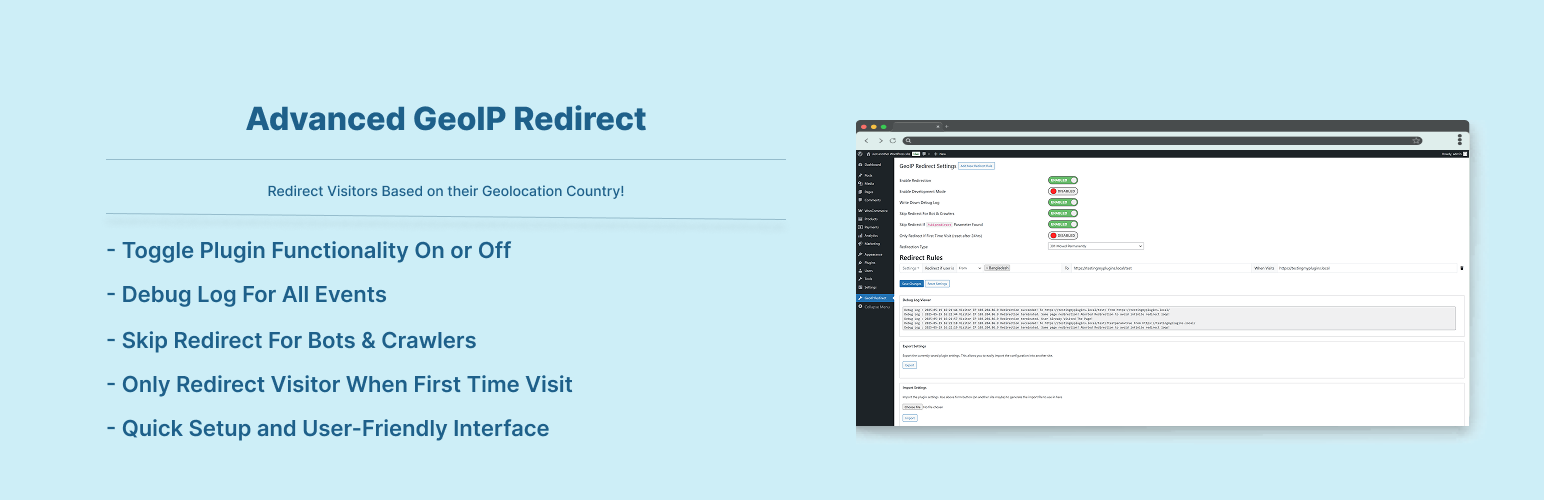
Advanced GeoIP Redirect
Description
Redirect your visitors according to their geographical (country) location. Using the Maxmind GeoIP (Lite) Database.
Features:
- Redirect Visitors Based on Visitor Country.
- Enable/Disable Redirection Anytime.
- Development Mode for Testing (Logged-in Users Only).
- Debug Log For All Events. Errors Logs At The Time Of Redirection, Redirect Completed Log.
- Debug Log Viewer In The Admin Side.
- Skip Redirect For Bots & Crawlers.
- Skip Redirect Using URL Parameter.
- Choose redirect type: 301 (Permanent) or 302 (Temporary).
- Only Redirect Visitor When First Time Visit, Any URL (reset after 24hrs).
- Only Redirect Visitor When First Time Visit, Global (reset after 24hrs).
- Unlimited redirect rules with advanced condition logic.
- Regex-based URL matching for granular control.
- Pass Current Have URL Parameters To Target URL
- Support for relative and absolute target URLs.
- Redirect by include or exclude country logic.
- Reset Plugin Settings.
- Import/Export plugin settings across sites.
Why Go Pro?
- Works with 25+ popular caching plugins and server-level caching.
- Uses advanced technology to bypass cache for accurate redirects.
- Access to advanced GeoIP2 database for higher accuracy.
- Device-based redirect rules (mobile, tablet, desktop) — e.g., redirect mobile visitors to your app page, or desktop visitors to a full-feature landing page.
- Detailed analytics: redirects by country, by source/destination URL, by hour, and by IP.
- Tabular debug log viewer inside WordPress admin.
- Priority email support and regular updates.
The most advanced way to redirect visitors based on their country and device — built to work seamlessly with 25+ caching plugins and provide actionable analytics. Advanced GeoIP Redirect Pro extends the free version of Advanced GeoIP Redirect with enterprise-grade features, full cache-plugin compatibility, advanced redirect controls, and detailed visitor analytics.
Using the MaxMind GeoIP2 Database, the plugin accurately detects visitor location and device type, then applies your custom redirect rules instantly — even on heavily cached websites. The Pro version also provides a full-featured debug log viewer and actionable analytics charts.
Pro Features
- ✅ Full cache-plugin compatibility (WP Rocket, LiteSpeed Cache, W3TC, NitroPack, Breeze, SiteGround Optimizer, and more).
- ✅ Faster and more accurate geolocation using MaxMind GeoIP2.
- ✅ Enable or disable individual rule sets.
- ✅ Add contextual notes to each rule set.
- ✅ Device-based redirects (mobile, tablet, desktop) — create rules such as:
- ✅ Redirect mobile visitors to an app download page.
- ✅ Send tablet users to a simplified layout.
- ✅ Direct desktop visitors to a full-feature landing page.
- ✅ Condition builder for creating complex redirect rules.
- ✅ Tabular debug log viewer with sortable columns, timestamps, status, and messages.
- ✅ Analytics dashboard with charts: Redirects Over Time, Top Source/Destination Pages, Redirects by Country, Peak Hours, and Top Visitor IPs.
- ✅ Developer-friendly hooks and filters for customization.
- ✅ Priority Pro support and regular updates.
Get access to all of these amazing features with our Basic Plans Professional Plans Business Plans.
Supported Cache Plugins in Pro Version:
- WP Rocket
- LiteSpeed Cache
- W3 Total Cache
- WP-Optimize
- WP Super Cache
- Super Page Cache
- WP Fastest Cache
- Redis Object Cache
- Breeze
- NitroPack
- Docket Cache
- SpeedyCache
- Cache Enabler
- GoDaddy Cache
- Kinsta Cache
- WPEngine Cache
- 10Web Booster
- Hummingbird Performance
- Comet Cache
- Aruba HiSpeed Cache
- Pantheon Advanced Page Cache
- Speed Optimizer (SiteGround)
- Jetpack
- Jetpack Boost
- Seraphinite Accelerator
- ezCache
- A2 Optimized WP
Installation
To add a WordPress Plugin using the built-in plugin installer:
Go to Plugins > Add New.
- Type in the name “Advanced GeoIP Redirect” in Search Plugins box
- Find the “Advanced GeoIP Redirect” Plugin to install.
- Click Install Now to begin the plugin installation.
- The resulting installation screen will list the installation as successful or note any problems during the install.
If successful, click Activate Plugin to activate it, or Return to Plugin Installer for further actions.
To add a WordPress Plugin from GitHub repo / plugin zip file :
1. Go to WordPress plugin page
2. Click Add New & Upload Plugin
3. Drag / Click upload the plugin zip file
4. The resulting installation screen will list the installation as successful or note any problems during the install.
If successful, click Activate Plugin to activate it, or Return to Plugin Installer for further actions.
Screenshots
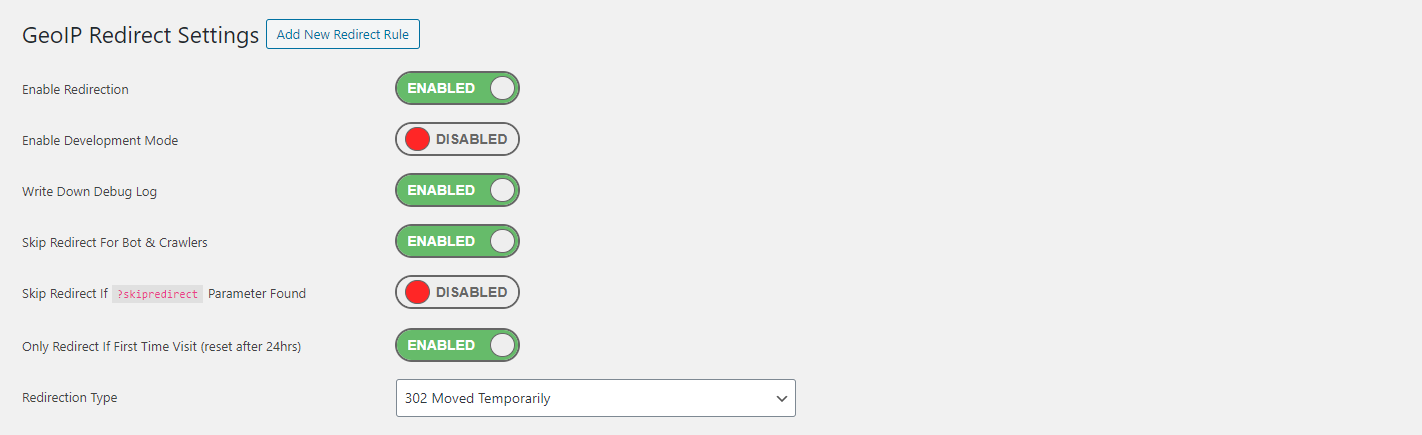
Settings panel for Advanced GeoIP Redirect Plugin.
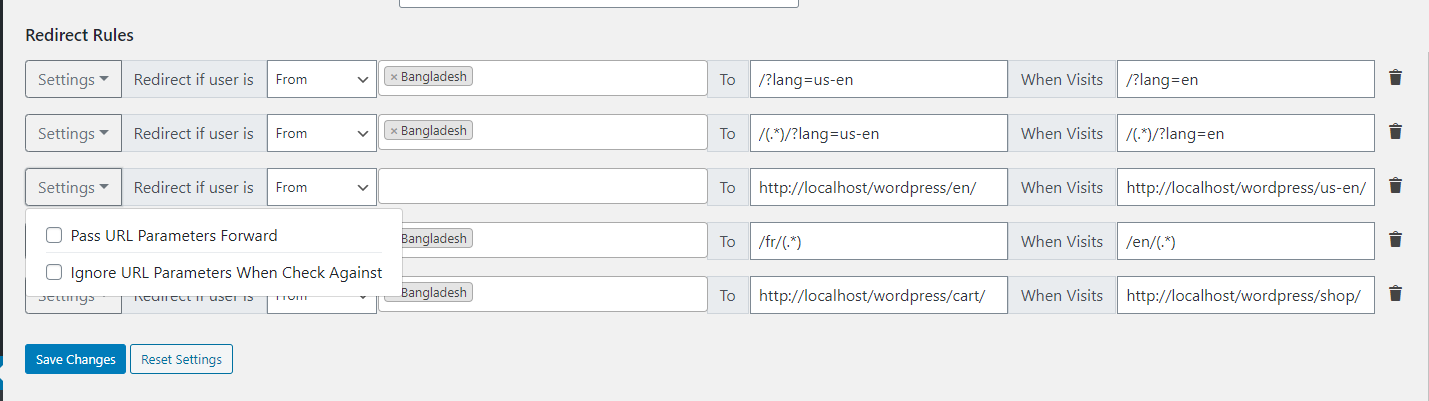
Redirect Rules List panel for Advanced GeoIP Redirect Plugin.
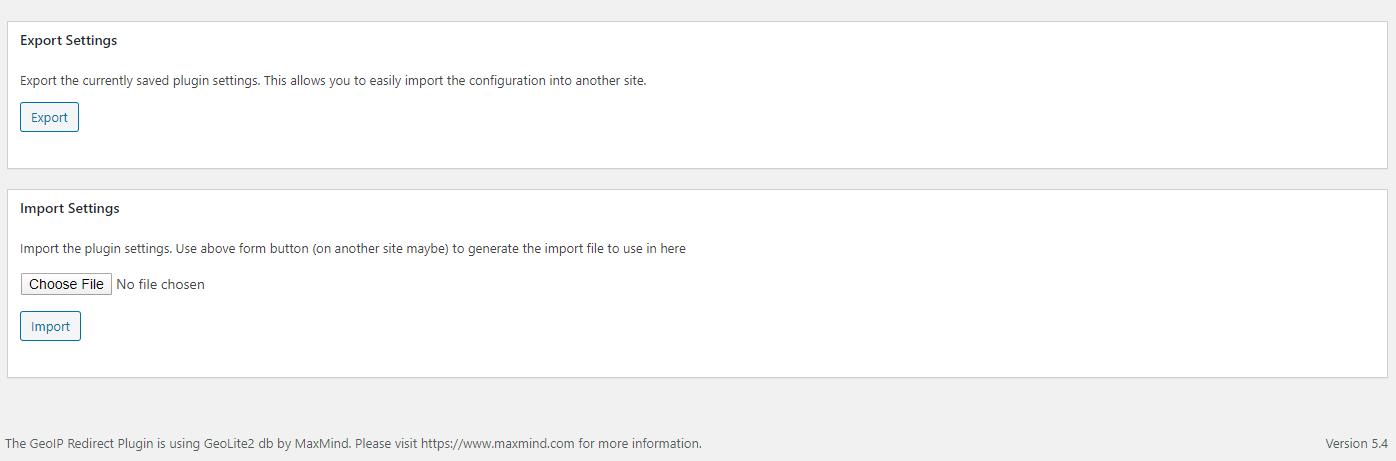
Import & Export Section
Faq
Just after installing Advanced GeoIP Redirect plugin, Go to Settings -> Advanced GeoIP Redirect & There Adjust Your Settings As Well As Add Your Redirect Rules. For Regex See Screenshots Examples.
Reviews
Great plug-in - well done!
By 
I had a bit of trouble with the plugin at first and couldn't get it to work. So, I reached out to Sajjad, the creator of the plugin, for help. He was incredibly responsive, replying to my emails within minutes, and quickly helped me get everything up and running. It turned out the issue was on my end. I had followed some online instructions that led me to install another plugin for geolocation based on IP addresses, which conflicted with Sajjad's plugin. The great advantage of Sajjad’s plugin is that it already has geolocation built-in, so there’s no need to connect or chain multiple plugins together. This feature made everything much simpler and more efficient. I’m really grateful for Sajjad’s help and for the quality of his plugin!
Doesn't seem to work on cached pages
By 
It works initially but then stops working onces the pages have been cached. Please update this! Or message me, its a great idea otherwise!
Good Plug. Job well done.
By 
Found this plugin after trying 4 others.
Other pluging drown themselves in the signup workflows, pricing plans or code insertions.
Its a pretty simple job and this plugin shines. I was all set in under a min.
Work Perfectly
By 
Good job
Doesn't Work
By 
Doesn't Work.
Nice - a plugin that actually does what it claims!
By 
Seems to be a rarity these days, a free plugin that actually does what it claims! Super simple to install and set up, and it just works, unlike the half dozen other IP redirect plugins that I've tried today. Thank you so much 🙂
Godsent
By 
I just want to add my review as this plugin was a godsent for me.
I implemented it with Conditional Menu for different countries with different languages!
I have WP version 6.2.2 with a Personal Theme.
Thank you
iR
Works Good
By 
Out of the box
By 
Great work once again (y)
By 
Changelog
2.0.8
- Added skipping redirection for any url first time visit.
2.0.7
- Geo Location Db updated to the last version.
2.0.6
- Fixed fatal error because of cache library.
2.0.5
- Fixed few bugs. Recommended to update to latest version.
2.0.4
- Geo Location Db updated to the last version.
2.0.3
- Geo Location Db updated to the last version. And Added a new column in the backend where you can see your IP information now
2.0.2
- Fixed a small bug when getting user ip address
2.0.1
- Checked for latest wp version 6.8
2.0.0
- Geo Location Db updated to the last version. Compatibility check for wp v6.7!
1.0.8
- Geo Location Db updated to the last version. Compatibility check for wp v6.7!
1.0.7
- Plugin crash fix for old PHP version. It will work now for php starting 7.2
1.0.6
- Geo Location Db updated to the last version.
- Compatibility check for wp v6.6!
1.0.5
- Geo Location Db updated to the last version.
- Compatibility check for wp v6.3!
1.0.4
- Fixed ‘Only Redirect If First Time Visit (reset after 24hrs)’ issue not working previously.
- Geo Location Db updated to the last version.
- Compatibility check for wp v6.2!
1.0.3
- Geo Location Db updated to the last version. Compatibility check for wp v6.0!
1.0.2
- Geo Location Db updated to the last version. Compatibility check for wp v6.0!
1.0.1
- Infinite Redirecting To the Same page issue is resolved
1.0.0
- Initial release.