Advance Portfolio Grid, Slider and Gallery – Showcase Projects, Images and Videos

Advance Portfolio Grid, Slider and Gallery – Showcase Projects, Images and Videos
Description
Advance Portfolio Grid plugin will add a responsive portfolio grid or slider to your WordPress site. Highly customizable. Option for choosing a custom post type for the portfolio.
Buy PRO Version | Free Demo | Pro Demo | Support | Pro Documentation
Video Documentation:
WPB Filterable Portfolio V 1.07:
Plugin Features:
- Responsive Portfolio Grid and slider.
- Portfolio column settings for different screen sizes.
- You can show your own custom post type items in the portfolio.
- Portfolio items exclude or include.
- Portfolio quick-view popup.
- Portfolio image size settings.
- Elementor support.
- Easy Shortcode System.
- Advance setting panel.
- All modern browser support.
- Gutenberg compatibility.
- Fully Translation ready, WPML, Polylang, GTranslate and all others multi-language plugin support..
Pro Version Features:
- Portfolio filterable grid and slider.
- Masonry support for the portfolio grid.
- Portfolio category filtering system with awesome effects.
- Portfolio category Ajax filtering.
- Ajax load more button for portfolio.
- Pagination for portfolio grid.
- Video support, both on the grid and quick view popup.
- The image gallery for each portfolio, gallery image slider in quick view popup.
- You can show your own custom post type and taxonomy for the portfolio grid and slider.
- WooCommerce support added for showing the products as the portfolio.
- Elementor and Visual composer support.
- Gutenberg compatibility.
- Portfolio column settings for different screen size.
- 7 different portfolio skins for showing portfolios in a different style.
- 4 different styles for portfolio filter.
- 6 different styles for portfolio quick view.
- External link for the portfolio.
- Work with any theme.
- 24/7 Dedicated Support.
- Pro Version Demo »
- Upgrade to the Pro Version Now!»
Credit: Bootstrap, Magnific Popup, Codrops.
Installation
-
Install it as a regular WordPress plugin
-
Add some post with feature images in Portfolio post type.
-
Then use the following shortcode for showing the portfolio.
[wpb-portfolio]
Shortcode Parameters
- type: Portfolio content type, Options: grid, slider. Default: grid.
- include: Comma separated portfolio category ids for showing only selected portfolios.
- exclude: Comma separated portfolio category ids for removing selected portfolio items.
- column: Portfolio column, accepted values – 2, 3, 4, 6
- orderby: Portfolio items order by. Default: date. Please visit this link for more details.
- order: Portfolio items order. Default: DESC. Accepted values – ASC, DESC.
- show_quickview_btn: Show quick-view icon or not, Options: on, off. Default: on.
- show_details_btn: Show details icon or not, Options: on, off. Default: on.
Basic Use
[wpb-portfolio]
Portfolio Exclude
[wpb-portfolio exclude="3,2"]
Portfolio Include
[wpb-portfolio include="3,2,4,5"]
Portfolio Column
[wpb-portfolio column="4"]
Portfolio Slider
[wpb-portfolio type="slider"]
Screenshots

Portfolio Grid
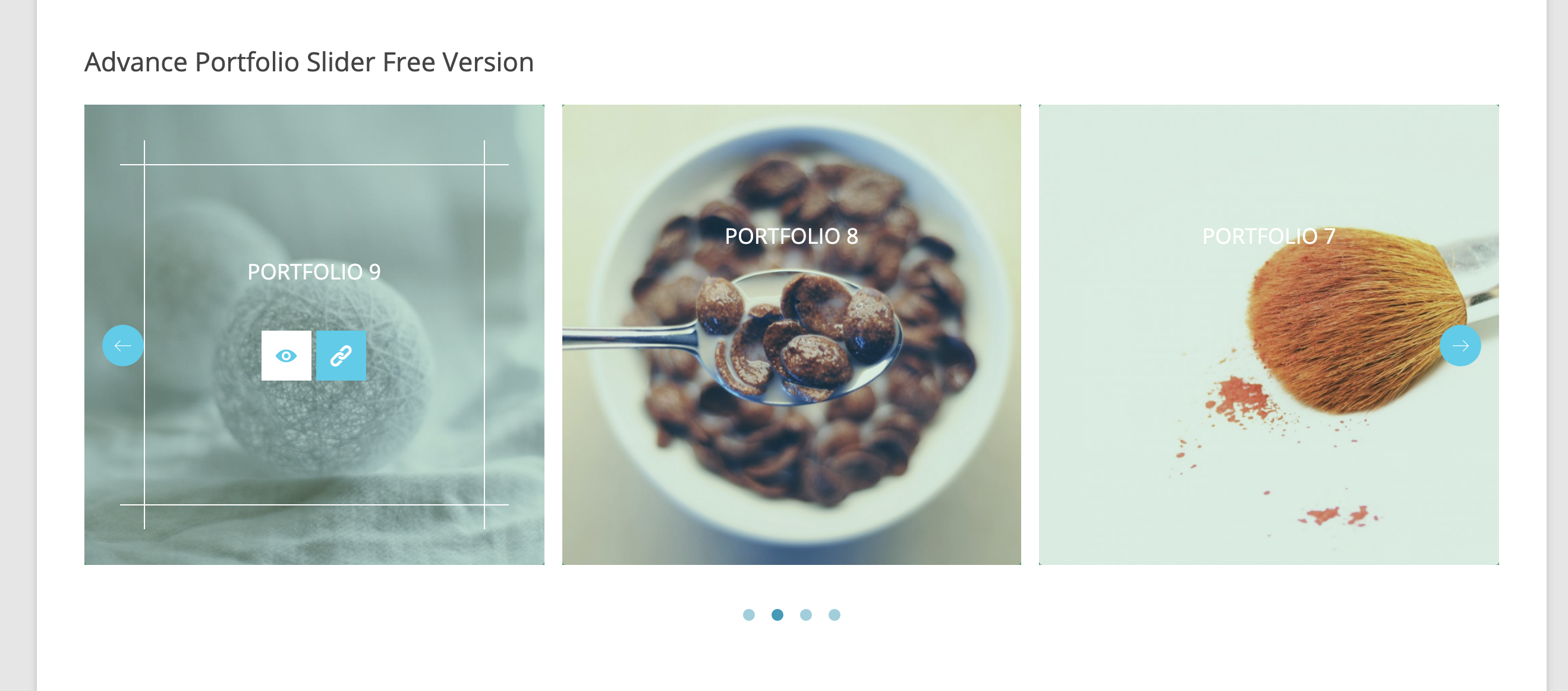
Portfolio Slider
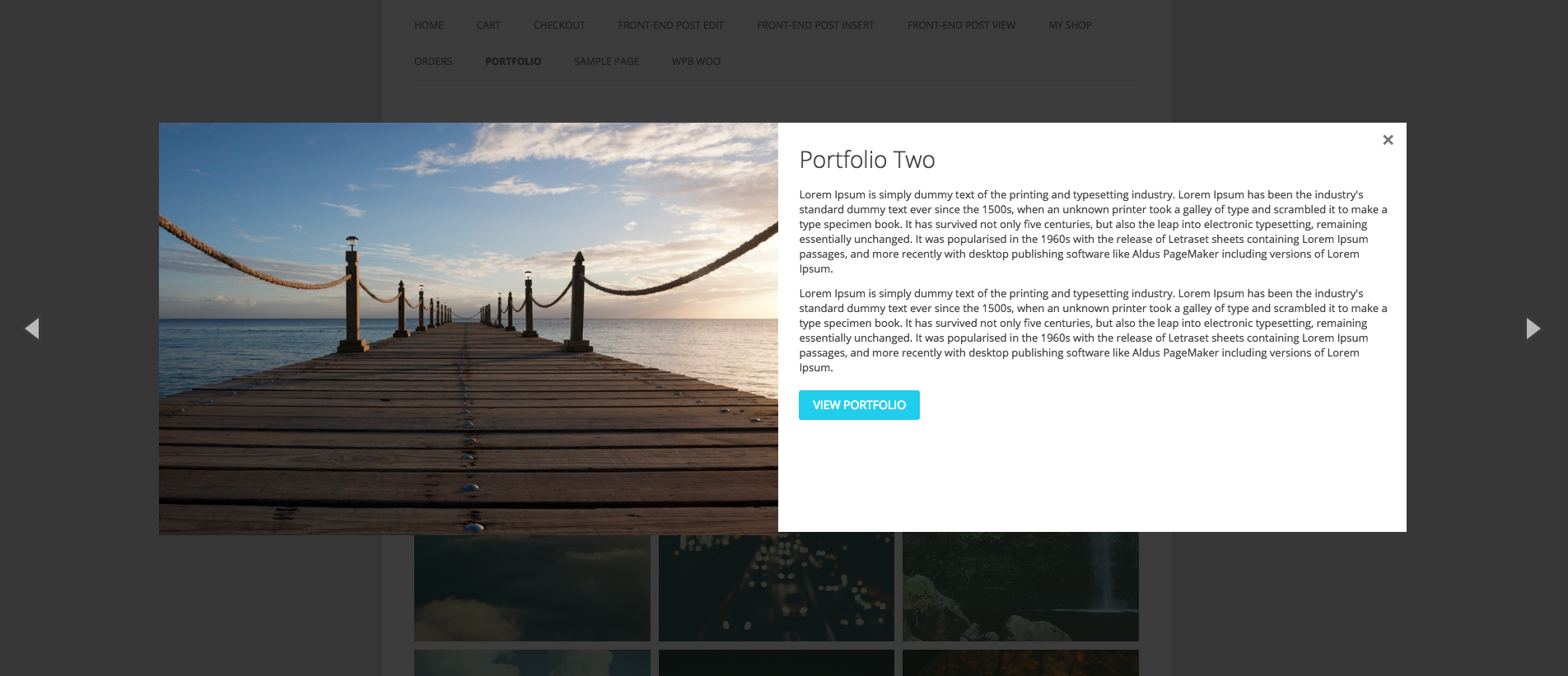
Portfolio Quick View Popup
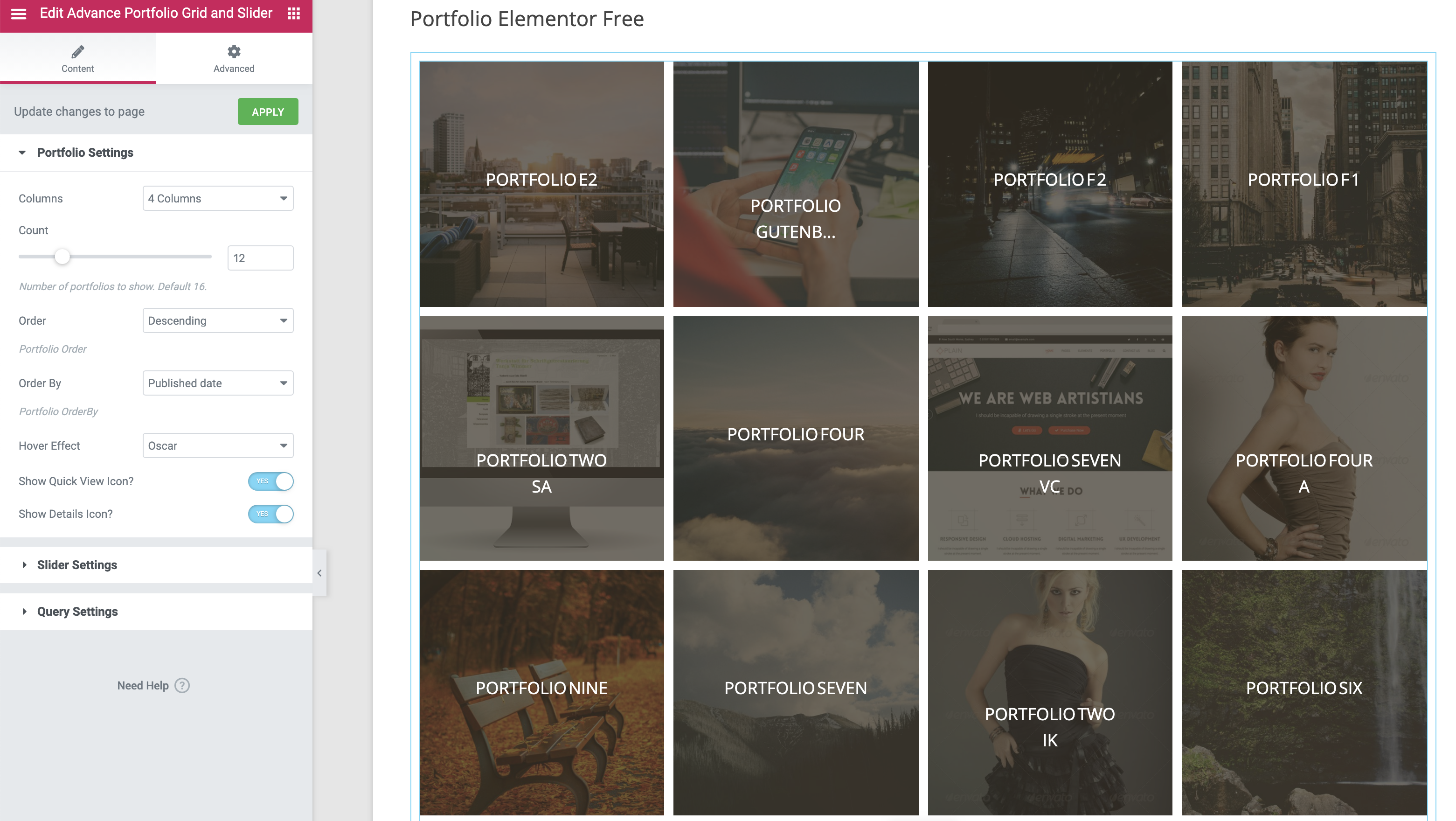
Elementor widget for the Portfolio
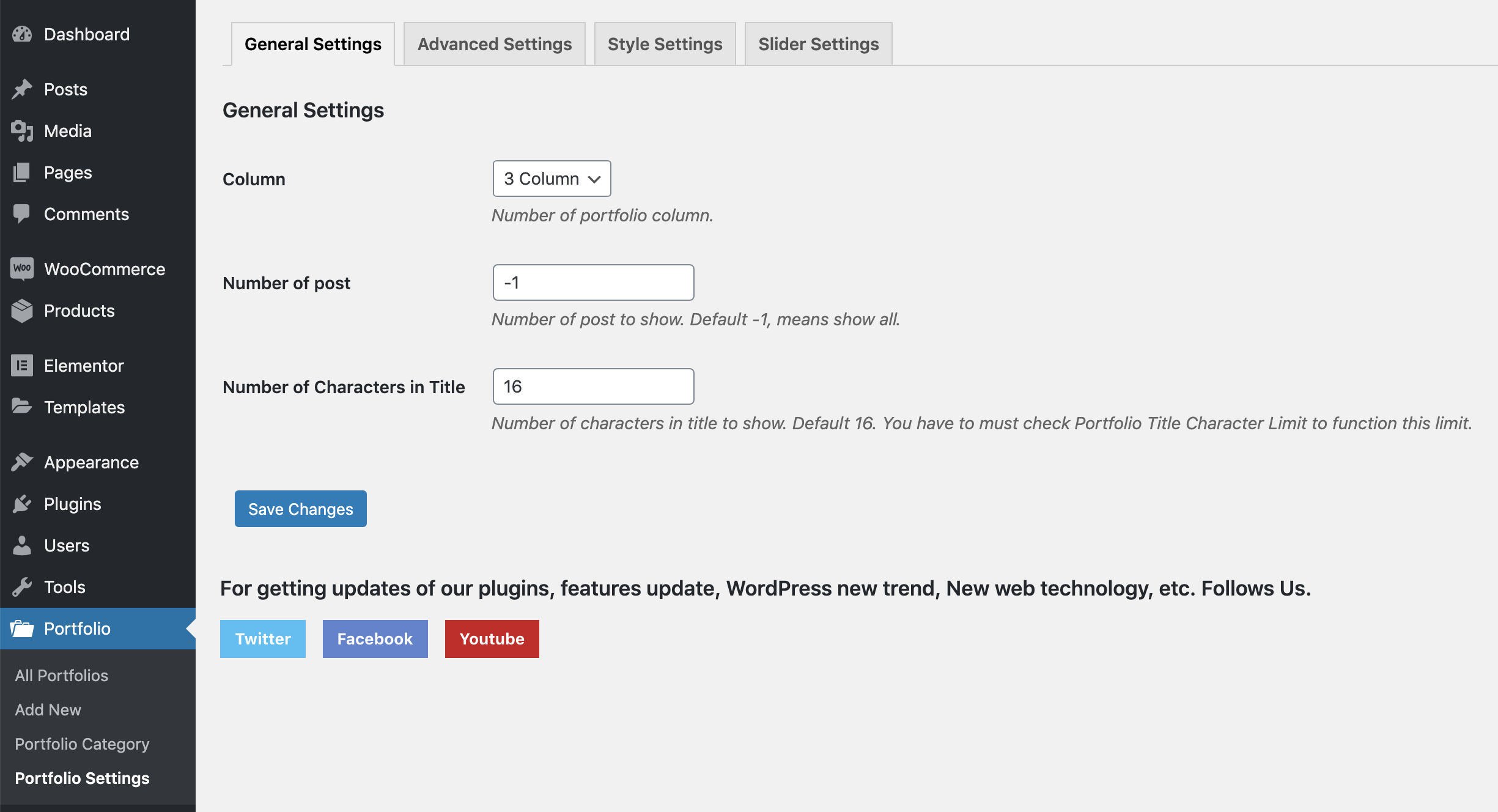
Portfolio Generel Settings.
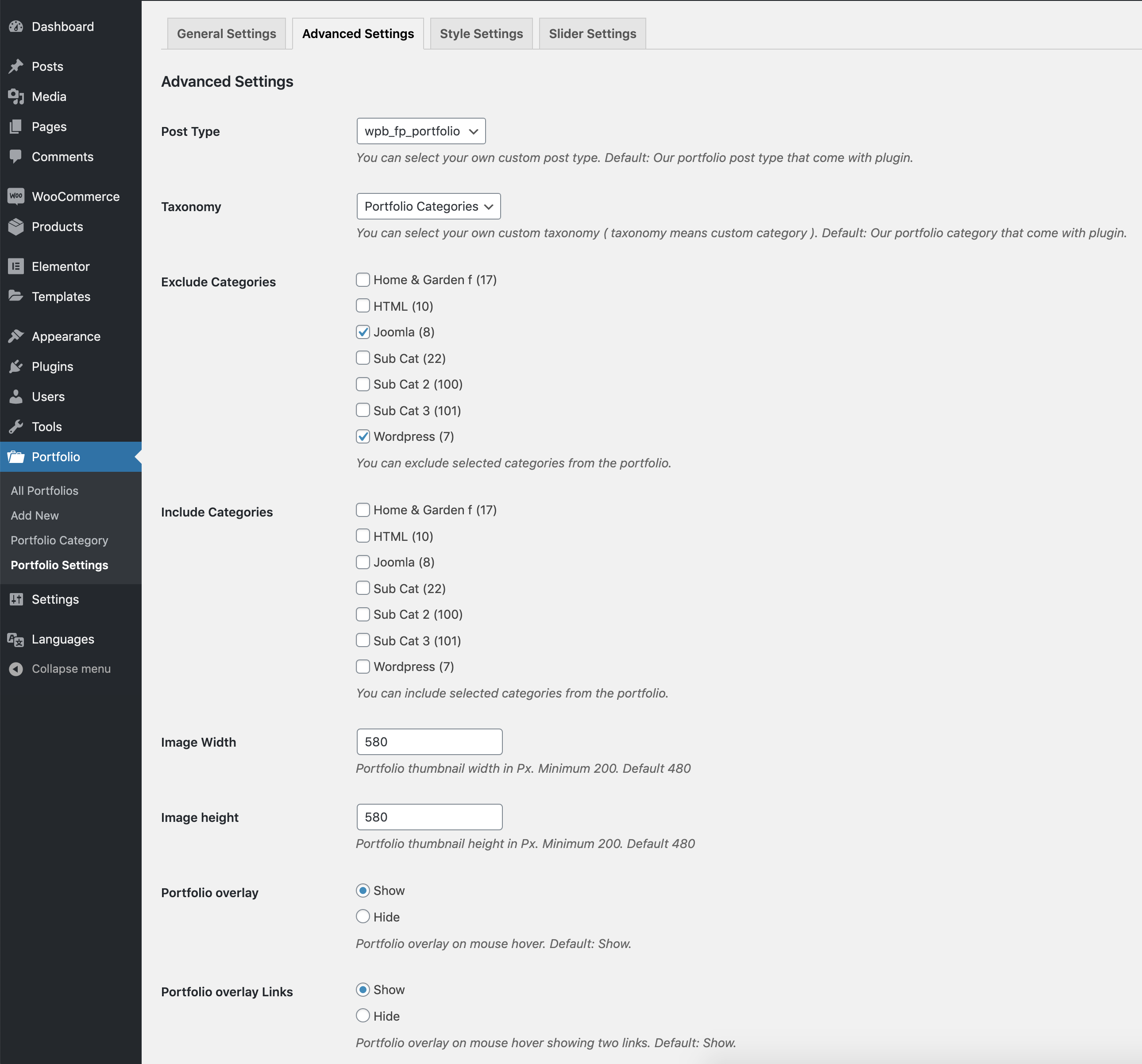
Portfolio Advanced Settings.
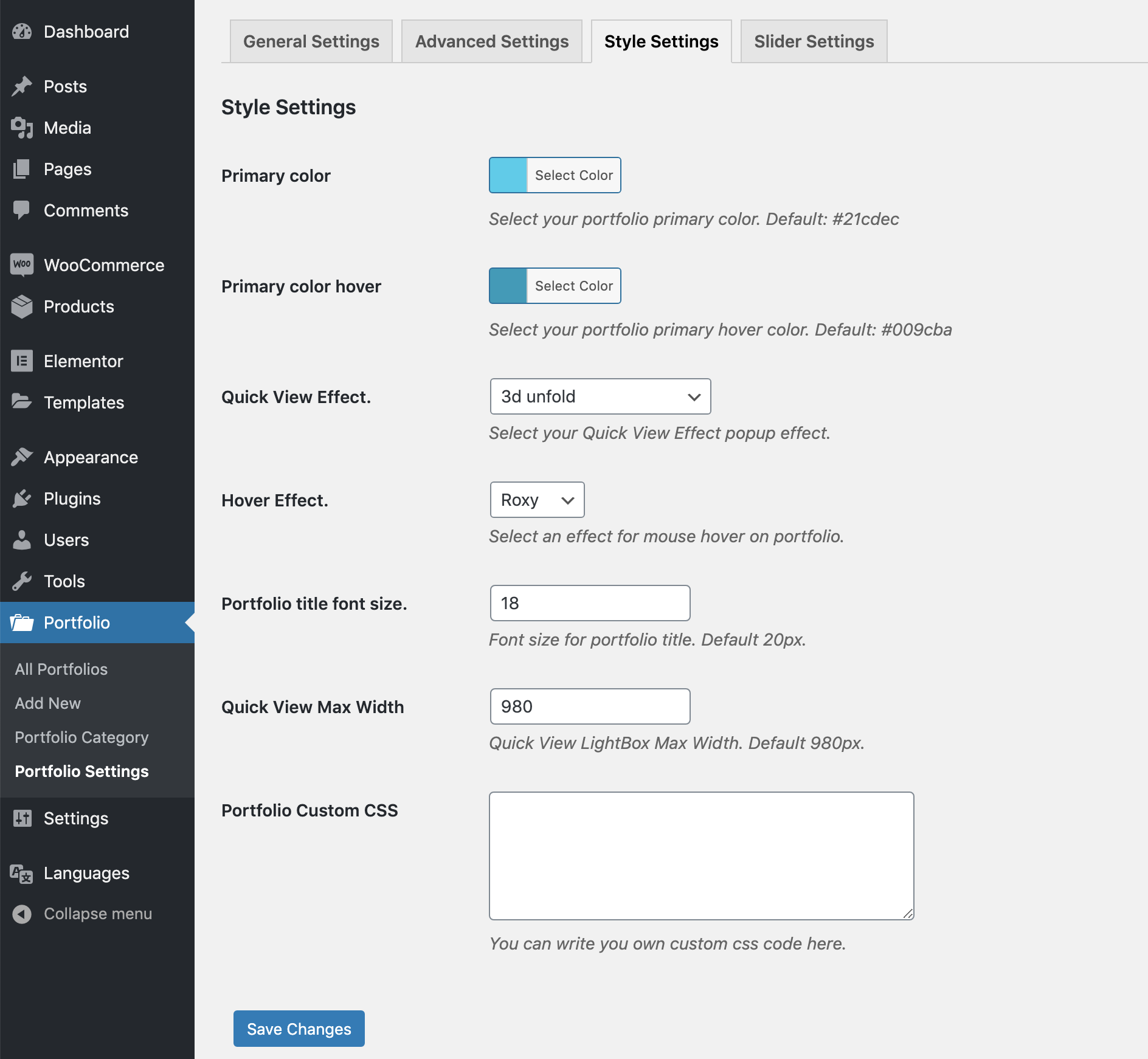
Portfolio Style Settings.
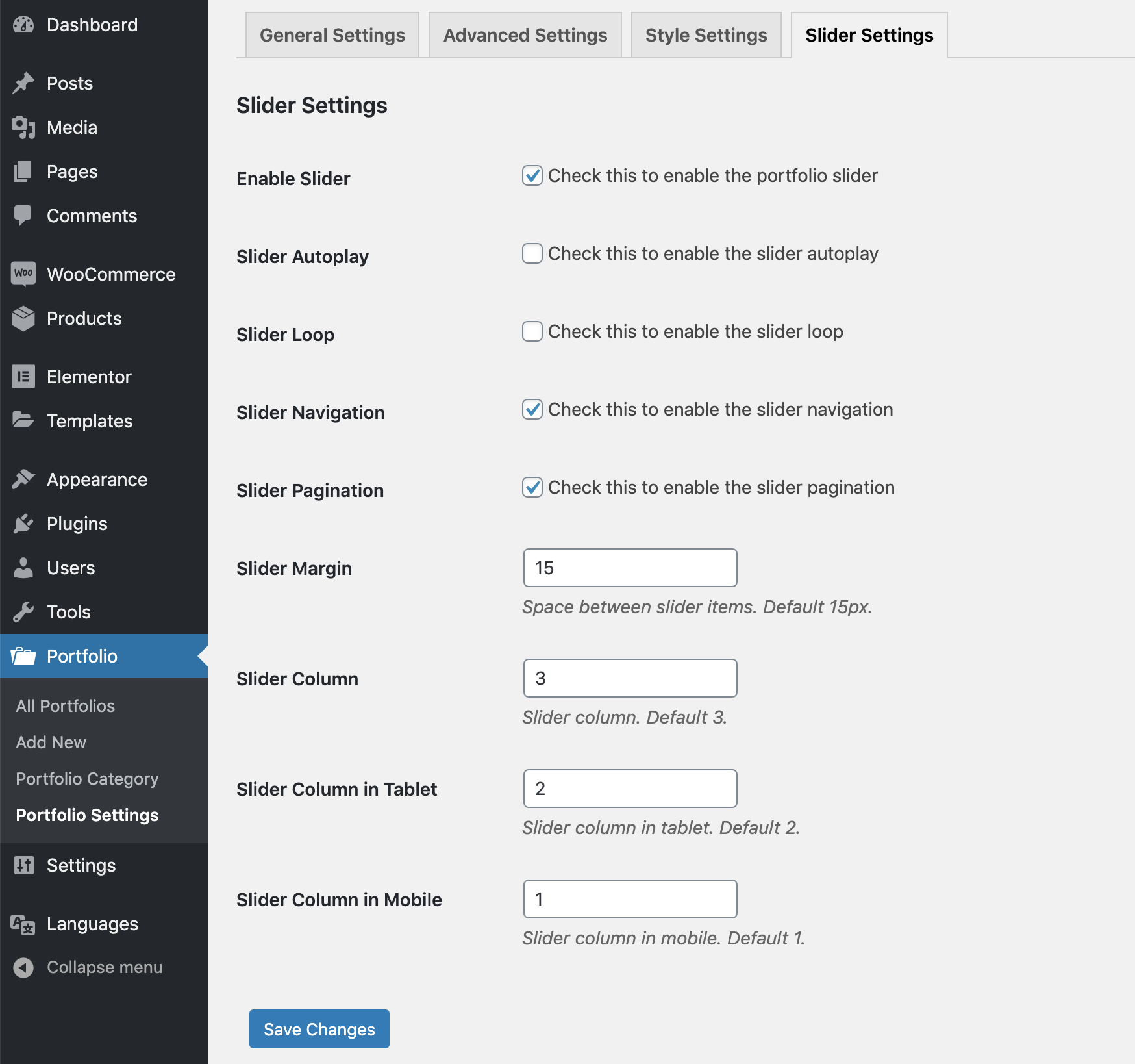
Portfolio Slider Settings.
Faq
We have an option in the plugin setting to define image width & height. Try to upload a larger size image than you define in the setting..
Go to Portfolio -> Portfolio Settings. Here you will find the option for choosing the portfolio column.
Reviews
No refunds even they promote "Money-Back Guarantee for 30 Days"
By 
Good plugin and support
By 
Outstanding pre-sales support!
By 
Best Support
By 
Great plugin and Great support!!
By 
Great PlugIn - Awesome Support
By 
totally recommended
By 
Works fine. Support fine too....
By 
Excellent support and great plugin
By 
Nice and easy plugin
By 
Changelog
version 1.0
- Initial release
version 1.01
- iPad issue fixed.
version 1.02
- Small CSS issue fixed.
version 1.03
- LightBox content filter added.
version 1.03.1
- Some style update in admin area.
version 1.03.2
- Added WordPress 4.7 support.
version 1.03.3
- Added WordPress 4.9 support.
version 1.03.4
- Added WordPress 4.9.6 support.
version 1.03.5
- Added WordPress 4.9.8 support.
version 1.03.6
- Added WordPress 5.0.2.
- Gutenberg compatibility added.
version 1.03.7
- Small language issue fixed.
version 1.03.8
- include, exclude, column parameter added to shortcode.
- Category include option added in the portfolio settings.
version 1.03.9
- Small tweak.
version 1.04.1
- Added WordPress 5.2 support.
version 1.04.2
- Added WordPress 5.2.1 support.
- Gutenberg compatibility added for portfolio post type.
version 1.04.3
- Portfolio order and order by freature added.
version 1.04.4
- New shortcode parameters added for elable/disable the portfolio icons
version 1.04.5
- Small issue fixed for Magnifig popup.
version 1.04.6
- Added WordPress 5.2.4 support.
version 1.04.7
- Added WordPress 5.3 support.
version 1.04.8
- Free and premium condition added.
version 1.04.9
- Added WordPress 5.3.1 support.
version 1.05.0
- Added WordPress 5.3.2 support.
version 1.05.1
- Added Portfolio slider.
version 1.05.2
- Banner and icon updated.
version 1.05.3
- Slider mobile column issue fixed.
version 1.05.4
- Elementor support added.
version 1.05.5
- Full Grid link to popup feature added.
version 1.05.6
- Background color disable feature added.
version 1.05.7
- Hover effect settings issue is fixed.
version 1.05.8
- Tested with WooCommerce 4.0.1
version 1.05.9
- Admin notice issue fixed.
version 1.06.1
- Portfolio slug filter added.
version 1.06.2
- Tested with WooCommerce 4.1.0 and WordPress 5.4.1
version 1.06.3
- Tested with WooCommerce 4.2.2 and WordPress 5.4.2
version 1.06.4
- View portfolio icon external link issue fixed.
version 1.06.5
- Tested with WooCommerce 4.8.0 and WordPress 5.6
version 1.06.6
- Tested with WooCommerce 5.0.0 and WordPress 5.6.1
version 1.06.7
- Regular Update.
version 1.06.8
- New settings added for the full grid link with permalink.
version 1.06.9
- Tested with WooCommerce 7.3.0 and WordPress 6.1.1
version 1.07.0
- WooCommerce cart issue fixed.
version 1.07.1
- Grid CSS updated to flex.
- New class added to the quick view icons.
version 1.07.2
- Tested with WooCommerce 8.3.1 and WordPress 6.4.1
version 1.07.3
- Added discount page.
version 1.07.4
- Tested with WordPress 6.7
version 1.07.5
- Tested with WordPress 6.7.1
version 1.07.6
- Tested with WordPress 6.8.1
version 1.07.7
- Code quality improved.
- Fixed some security issues.