Access Governance for WordPress (aka AAM)

Access Governance for WordPress (aka AAM)
Description
Advanced Access Manager (AAM) is an Access Governance platform for WordPress. It helps you understand and control how users, roles, applications, APIs, and other identities interact with your website.
WordPress security is not only about stopping attackers at the perimeter. Security also depends on what authenticated users, applications, integrations, and automated systems are allowed to do once they have access.
A user may have more capabilities than their job requires. An old account may still have administrative privileges. An Application Password may expose unnecessary API access. A plugin may introduce new capabilities or endpoints. An AI agent may be connected through an account with far more authority than it needs.
These are access governance problems.
AAM provides the tools to discover, define, enforce, and audit access across WordPress so you can reduce excessive privileges, prevent broken access controls, and build a security model based on the principle of least privilege.
Security starts from within.
What is Access Governance?
Access Governance is the continuous practice of answering four fundamental questions:
Who has access?
What can they access?
Why do they have that access?
Should they still have it?
In WordPress, the answers are rarely determined by a user’s role alone.
Effective access can be influenced by roles, capabilities, direct user permissions, content-level rules, plugins, authentication methods, API endpoints, Application Passwords, integrations, and custom application logic.
AAM brings these controls together so that WordPress access can be intentionally designed, consistently enforced, and periodically reviewed.
Access Governance with AAM
-
Discover Effective Access – Understand how roles, capabilities, inherited permissions, and access rules determine what an identity can actually do.
-
Enforce Least Privilege – Give users, applications, and integrations only the access required to perform their legitimate responsibilities.
-
Mitigate Broken Access Controls – Reduce the risk of unauthorized actions caused by excessive permissions, misconfigured roles, exposed endpoints, or inconsistent access rules.
-
Govern Users & Roles – Manage WordPress roles, capabilities, user permissions, and access inheritance with greater precision.
-
Protect WordPress Resources – Control access to posts, pages, media, taxonomies, custom post types, administrative areas, and other WordPress resources.
-
Govern API Access – Control access to REST API endpoints, XML-RPC functionality, and other programmatic interfaces.
-
Audit Access Continuously – Identify excessive privileges, risky configurations, unnecessary credentials, and other access-related security concerns before they become incidents.
-
Define Access as Policy – Use JSON Access Policies to describe portable, auditable, and automation-friendly access rules.
-
Build Custom Access Controls – Use the AAM PHP Framework and developer APIs to implement application-specific authorization and governance requirements.
Key Features
-
Security Audit – Evaluate WordPress for access-related security risks, configuration problems, excessive privileges, and other potential weaknesses.
-
Role & Capability Management – Create and manage roles and control WordPress capabilities beyond the default role system.
-
User-Level Access Controls – Refine access for individual users without creating unnecessary roles.
-
Content Access Governance – Control who can view, edit, publish, delete, or otherwise interact with WordPress content.
-
Backend Access Control – Restrict administrative functionality and control access to WordPress backend menus and features.
-
Frontend Access Control – Define access rules for visitors, authenticated users, roles, and individual accounts.
-
API Access Control – Govern access to REST API endpoints, XML-RPC, and programmatic WordPress functionality.
-
Authentication & Identity Controls – Manage authentication-related functionality and additional mechanisms for securely accessing WordPress.
-
JSON Access Policies – Define complex access requirements as structured, reusable policies.
-
Developer Framework – Extend AAM or build custom authorization logic using its PHP APIs, hooks, and services.
Beyond Roles and Capabilities
WordPress roles and capabilities are an important part of authorization, but they are only part of the complete access model.
Modern WordPress websites may expose functionality through the admin dashboard, frontend requests, REST APIs, XML-RPC, Application Passwords, plugins, integrations, automation platforms, and AI agents.
That means securing WordPress requires looking beyond the question:
“What role does this user have?”
The more important question is:
“What can this identity actually do?”
AAM is designed around this broader view of effective access.
Built for Modern WordPress Security
AAM is built for site owners, developers, agencies, and security professionals who need more than basic role management.
Use AAM to establish a repeatable access governance process:
Discover Evaluate Define Enforce Verify Audit
Whether you manage a single website or hundreds of client installations, the goal remains the same: maintain a clear, intentional, and defensible access model.
AAM is used on 150,000+ WordPress websites and has been developed specifically around WordPress authorization and access control for more than a decade.
Most core functionality is available for free, with advanced capabilities available through premium extensions.
No ads. No hidden tracking. No unnecessary data collection.
Just access controls you can understand, enforce, audit, and trust.
Installation
- Upload
advanced-access-managerfolder to the/wp-content/plugins/directory - Activate the plugin through the ‘Plugins’ menu in WordPress
Screenshots
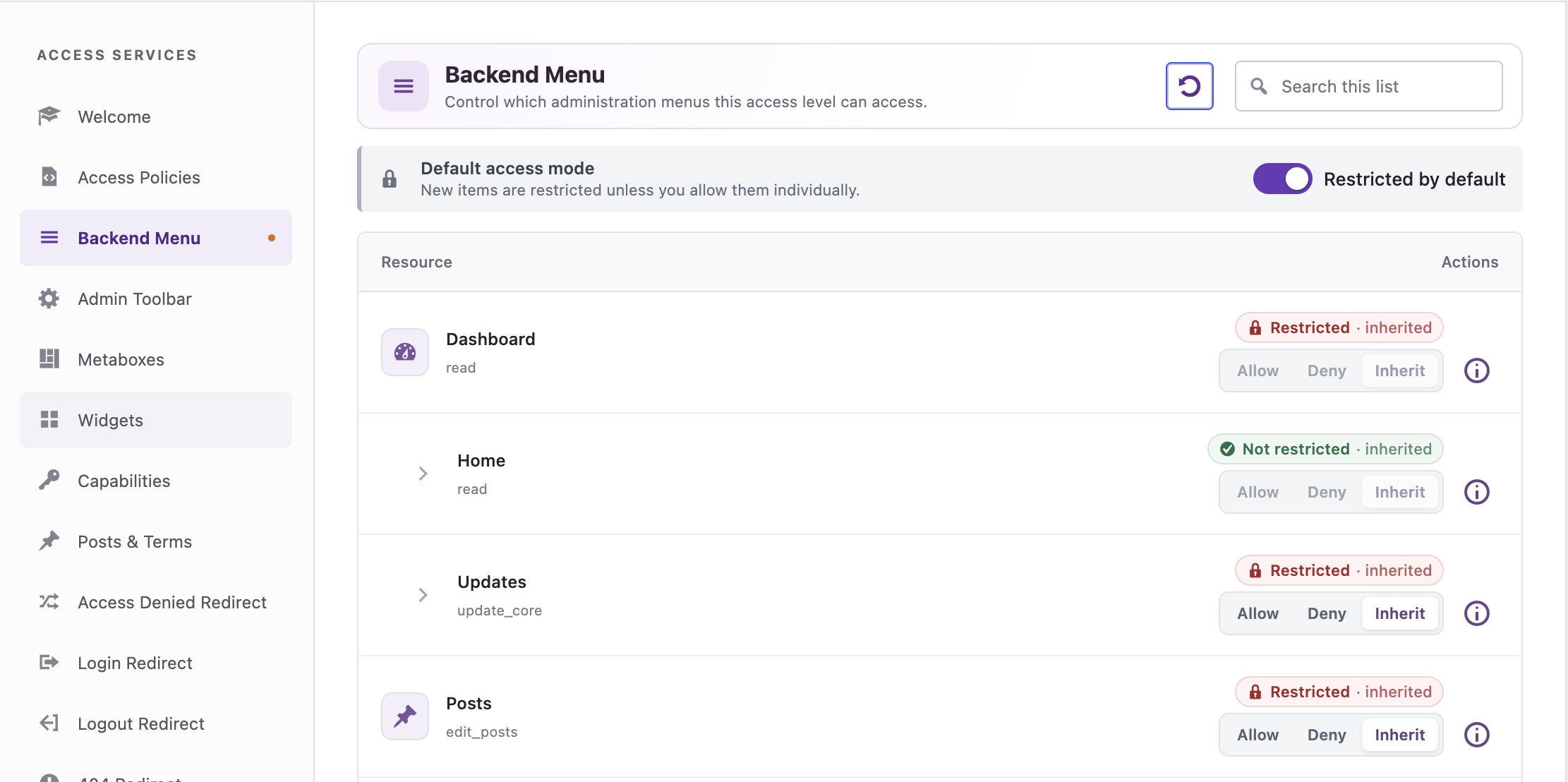
Manage access to backend menu
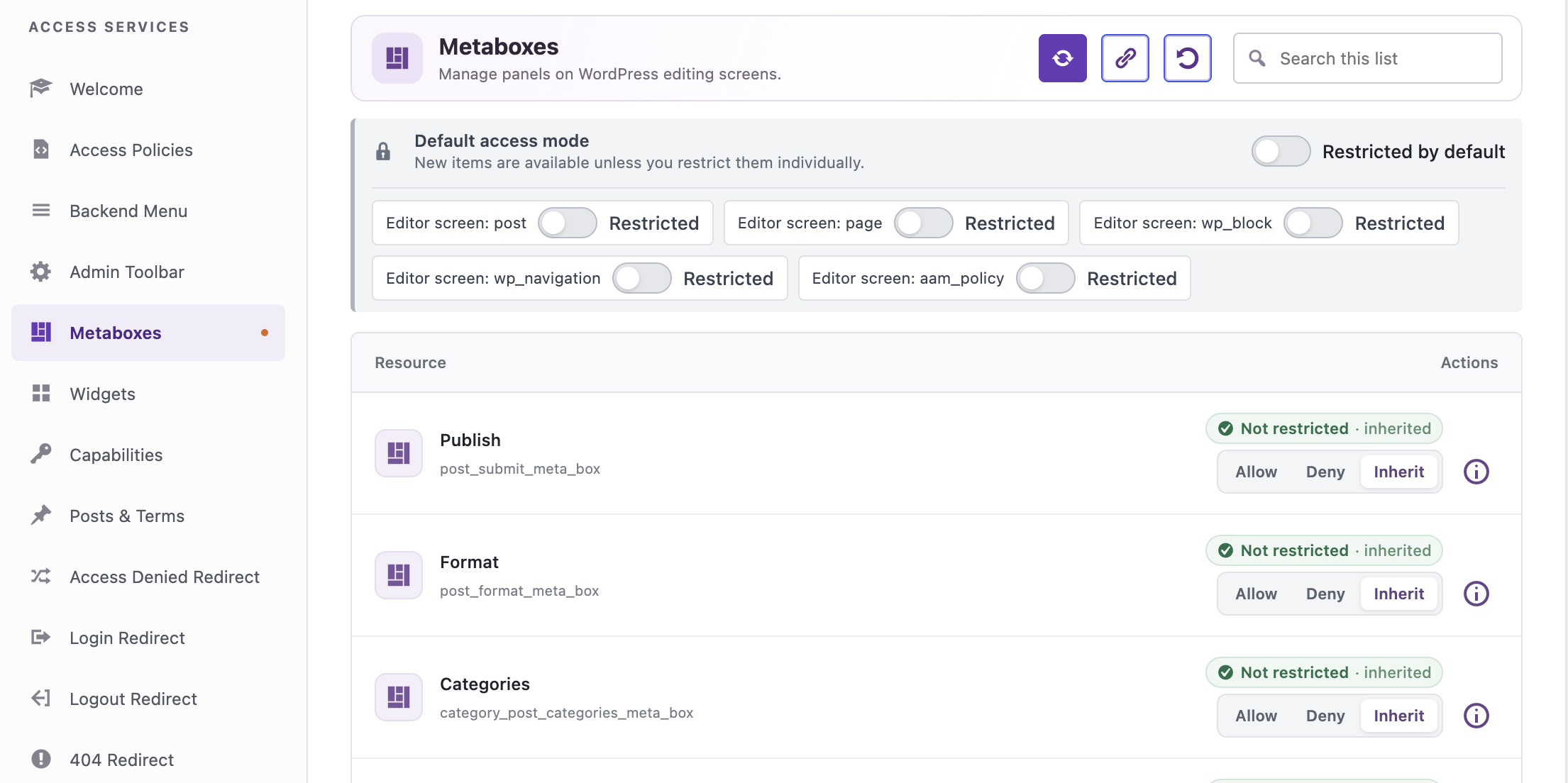
Manage access to metaboxes & widgets
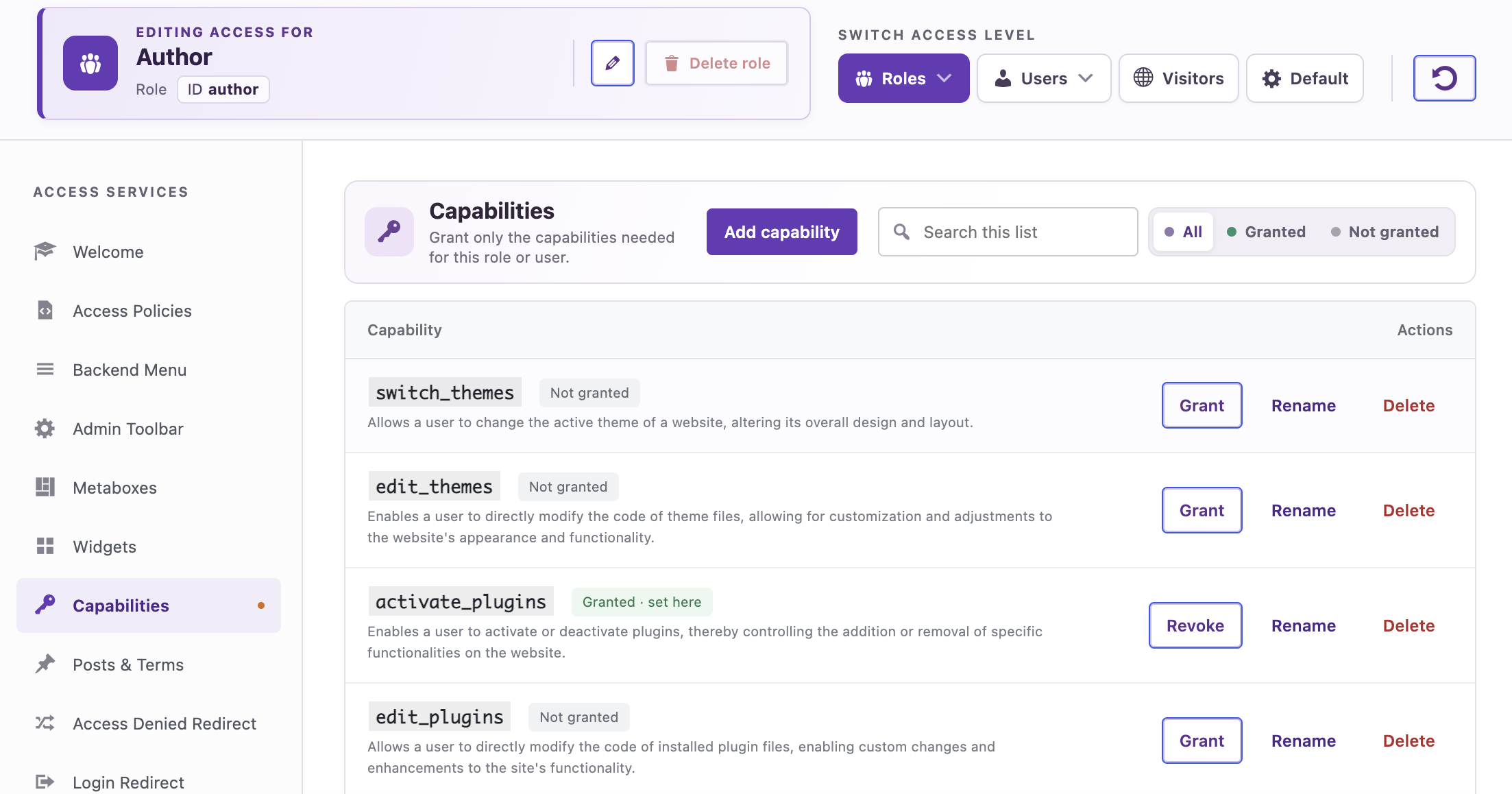
Manage capabilities for roles and users
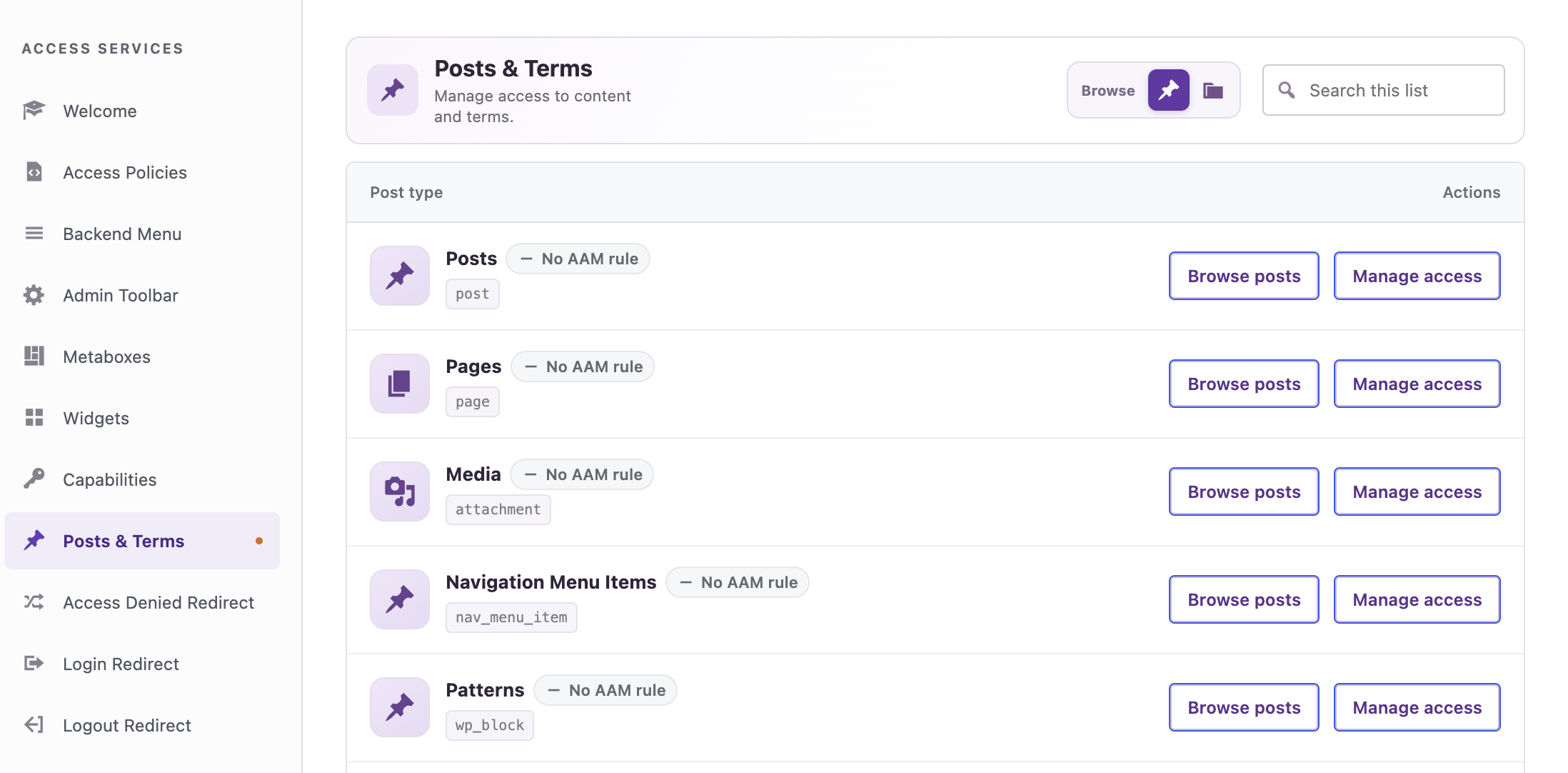
Manage access to posts, pages, media or custom post types
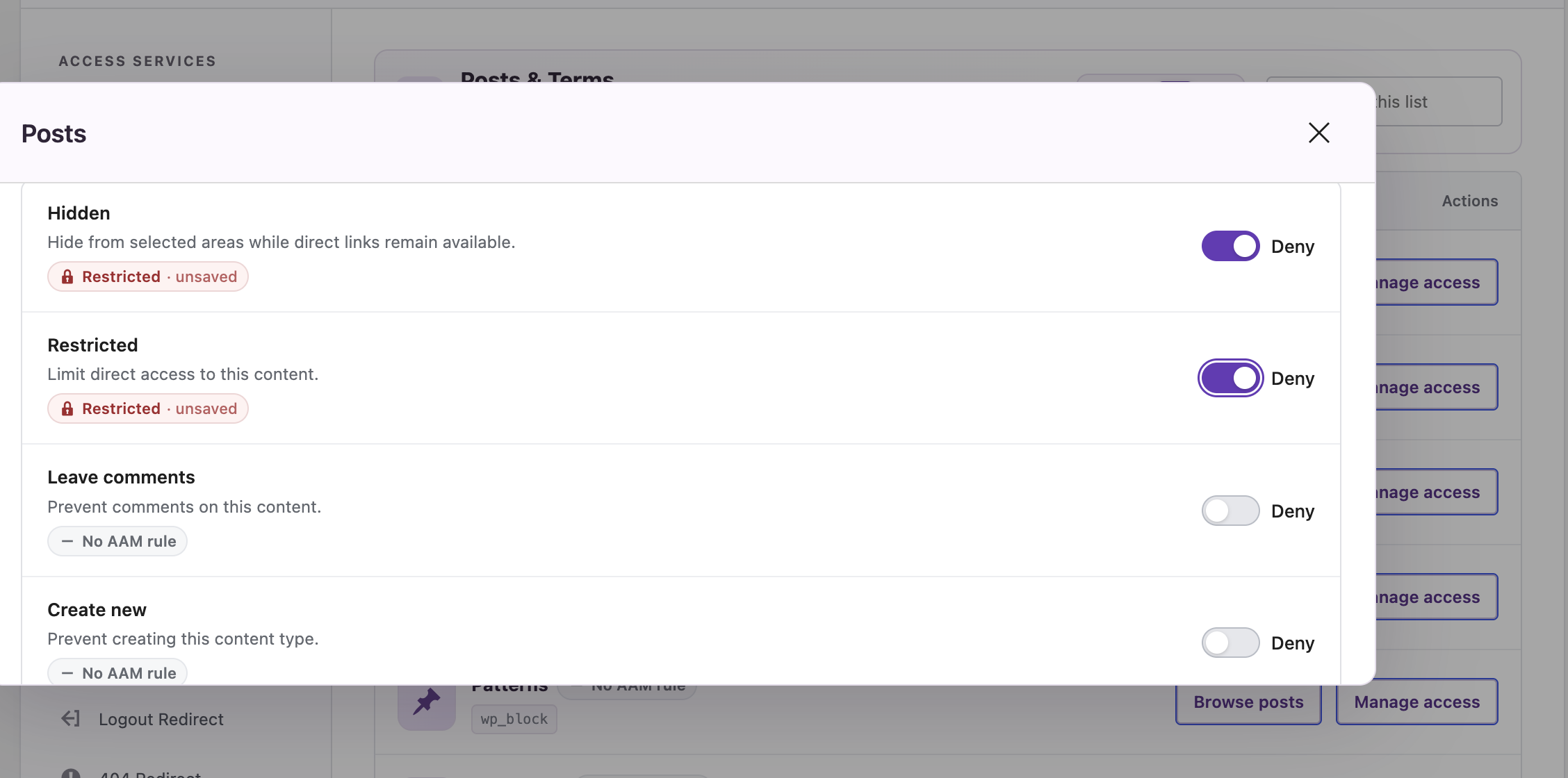
Posts and pages access options form
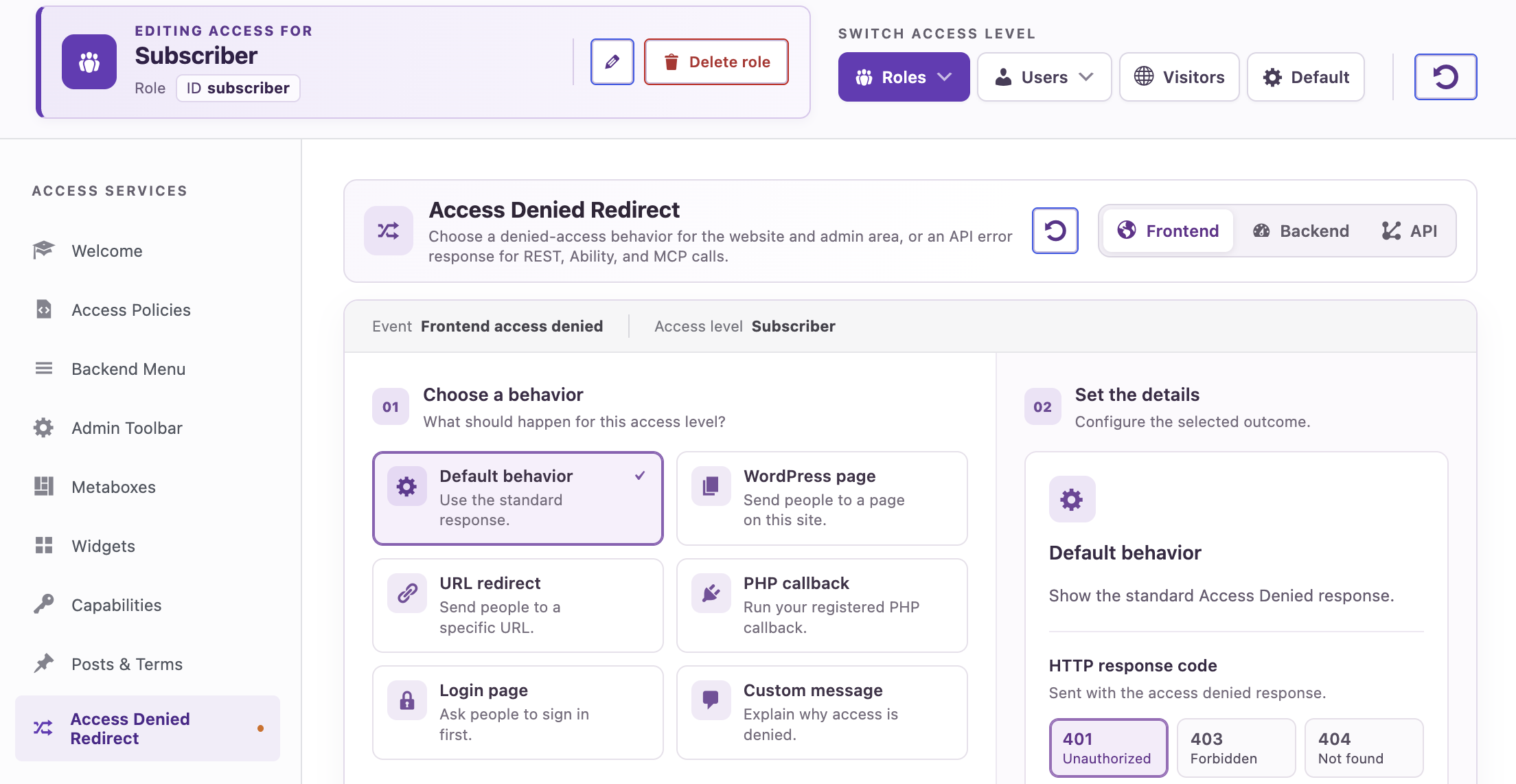
Manage access denied redirect rule
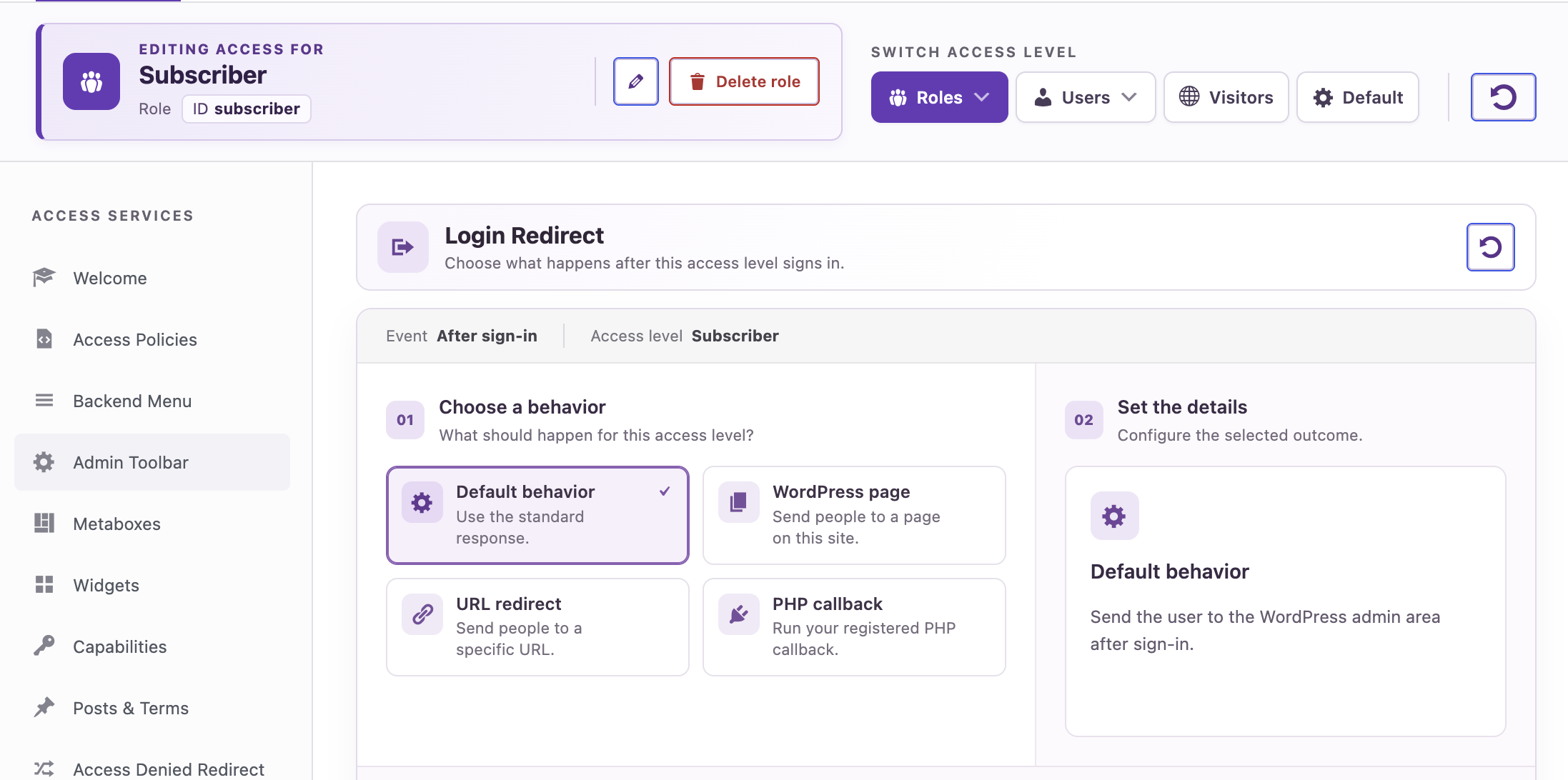
Manage user login redirect
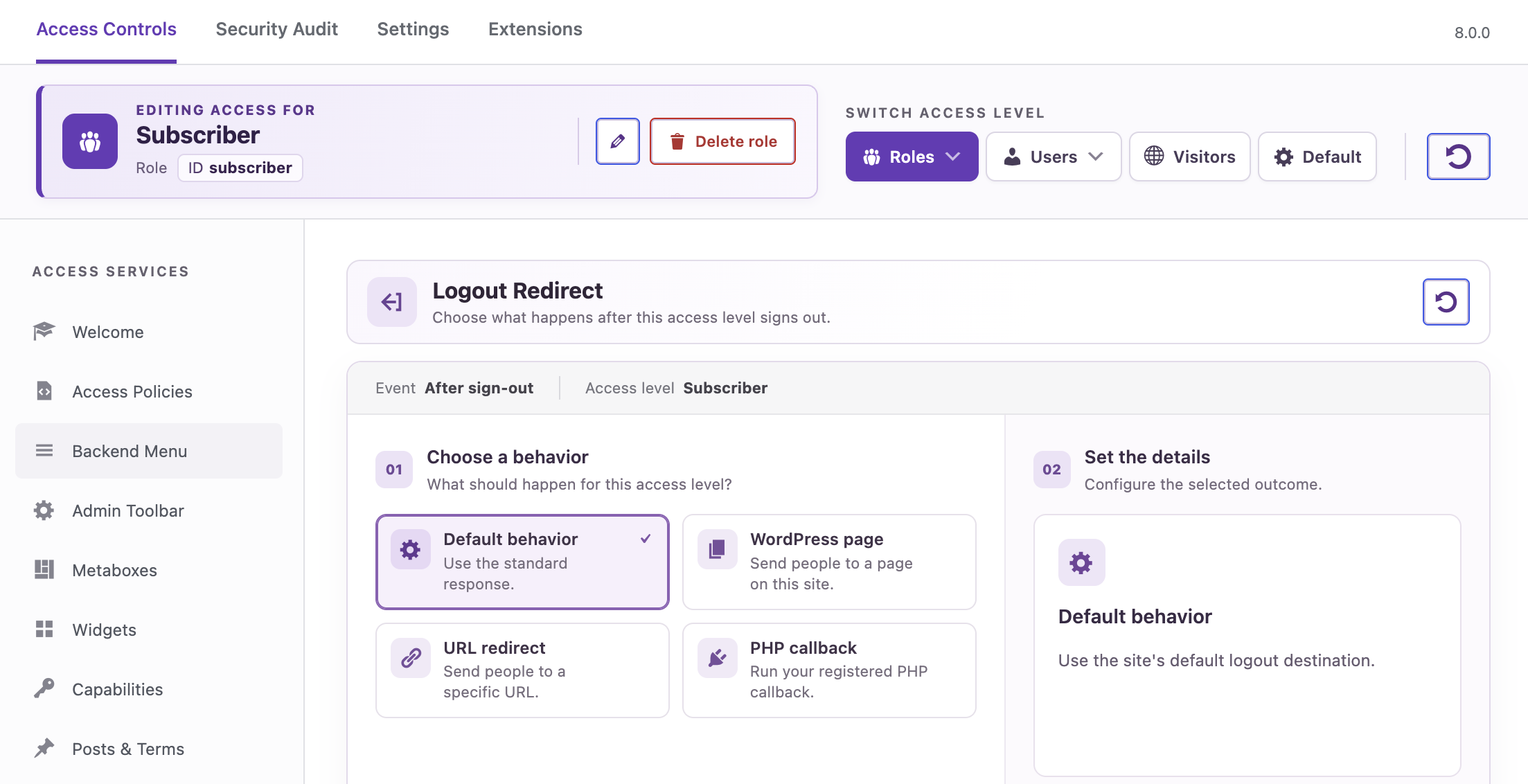
Manage user logout redirect
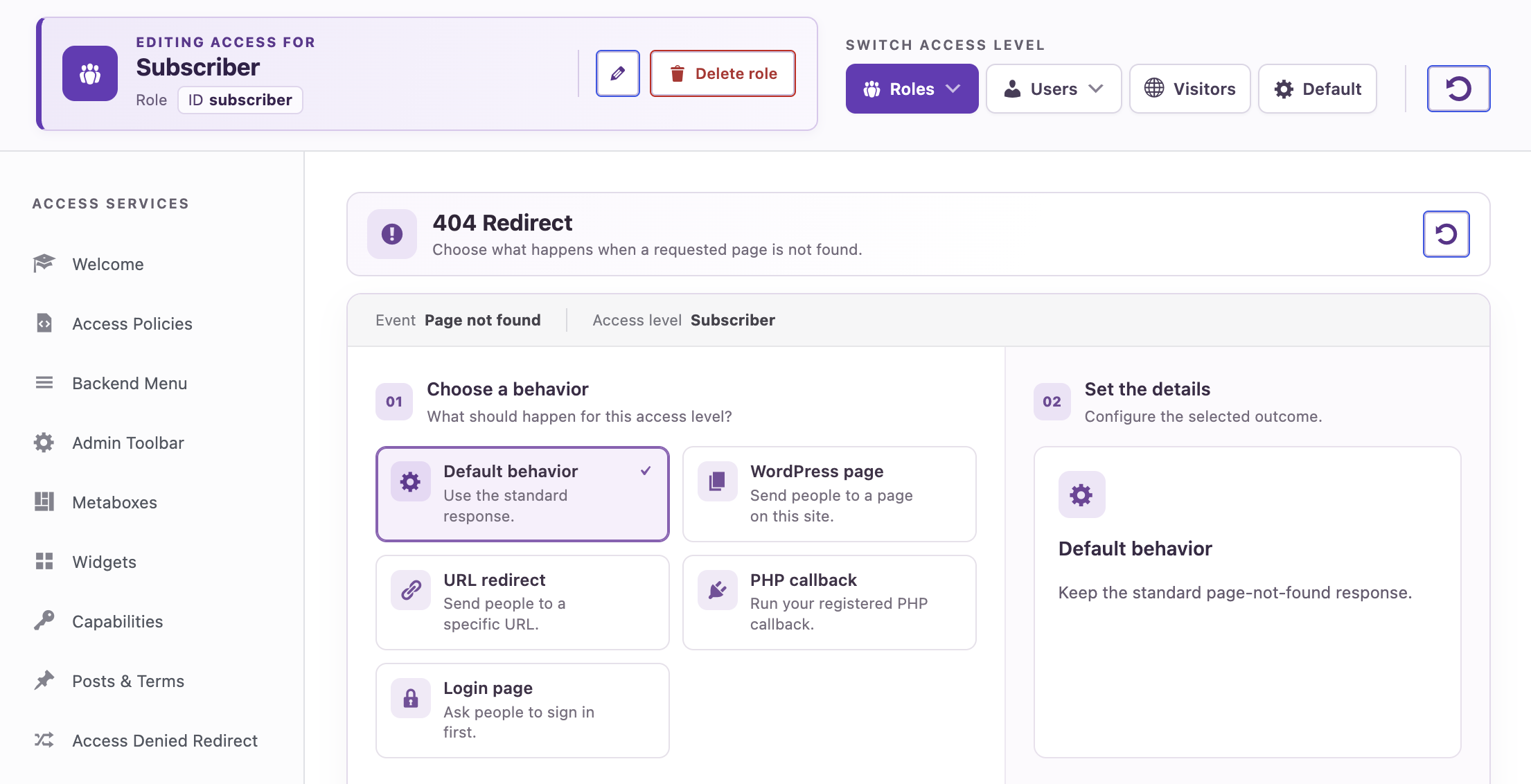
Manage 404 redirect
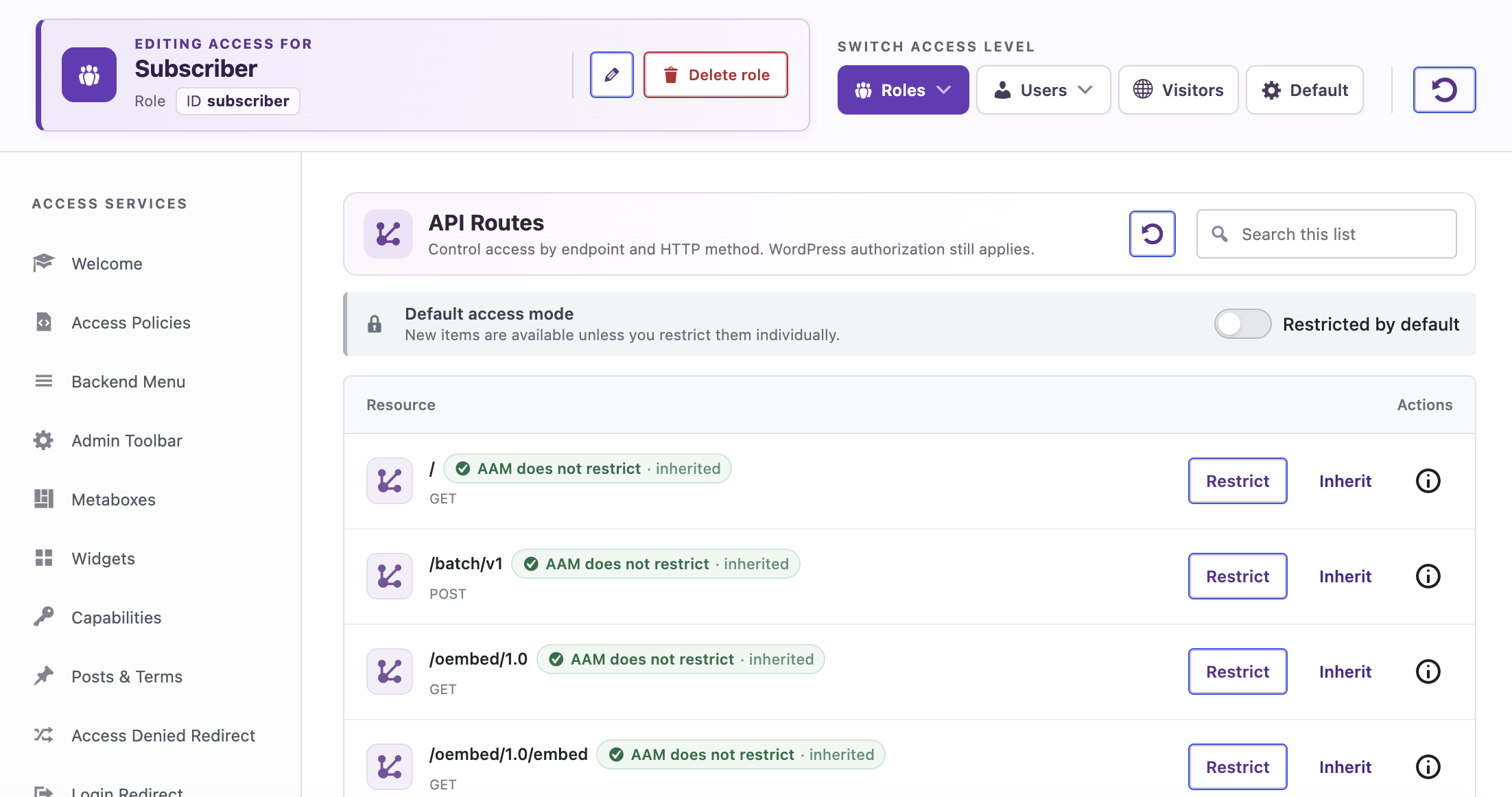
Manage access to API routes
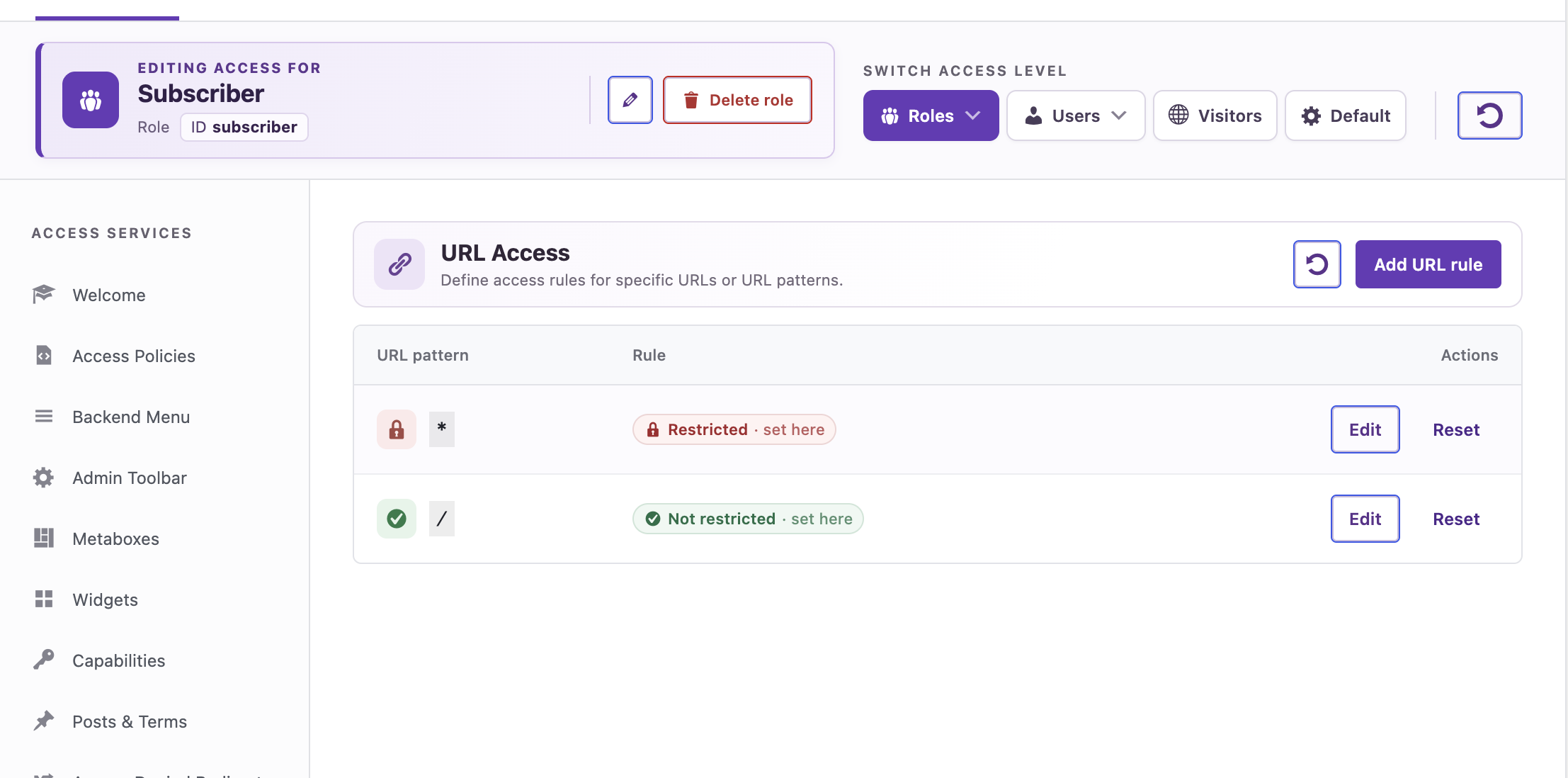
Manage access to any URL on your site
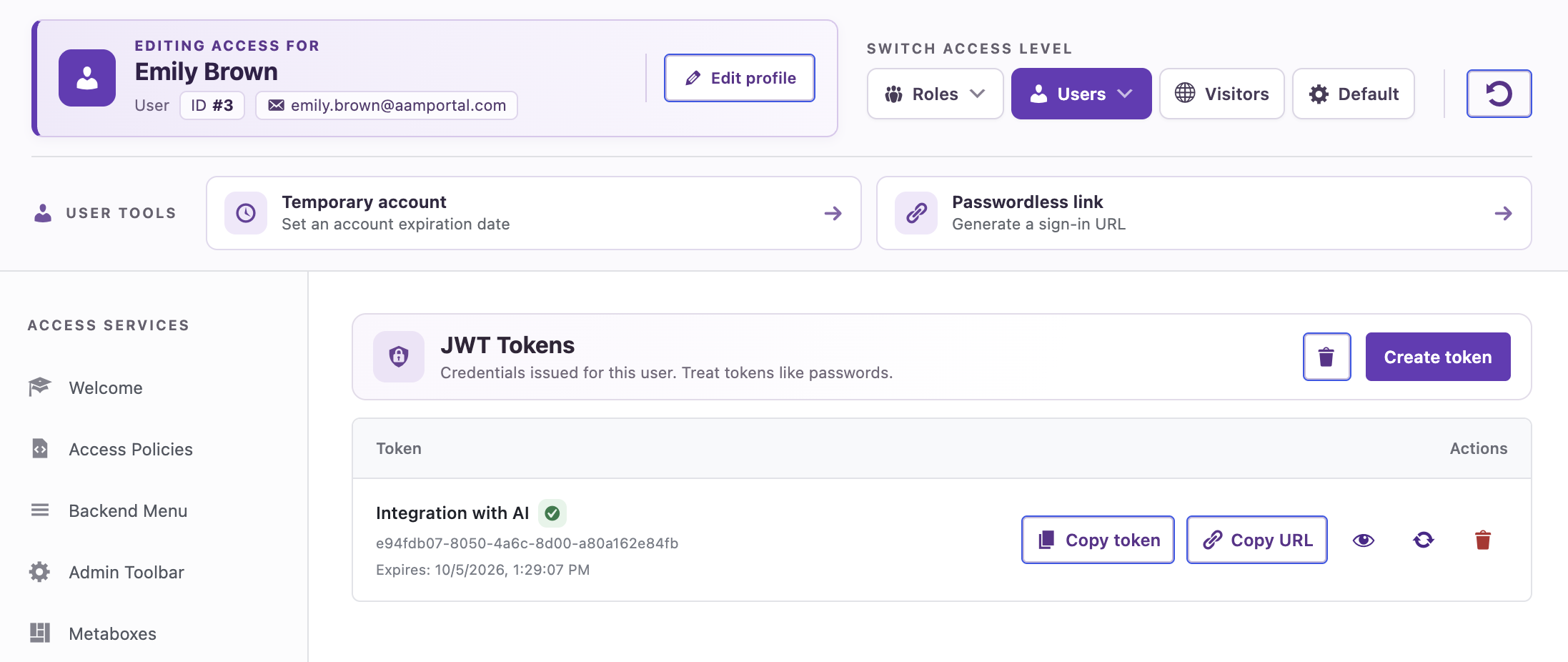
Manage JWT tokens for any user
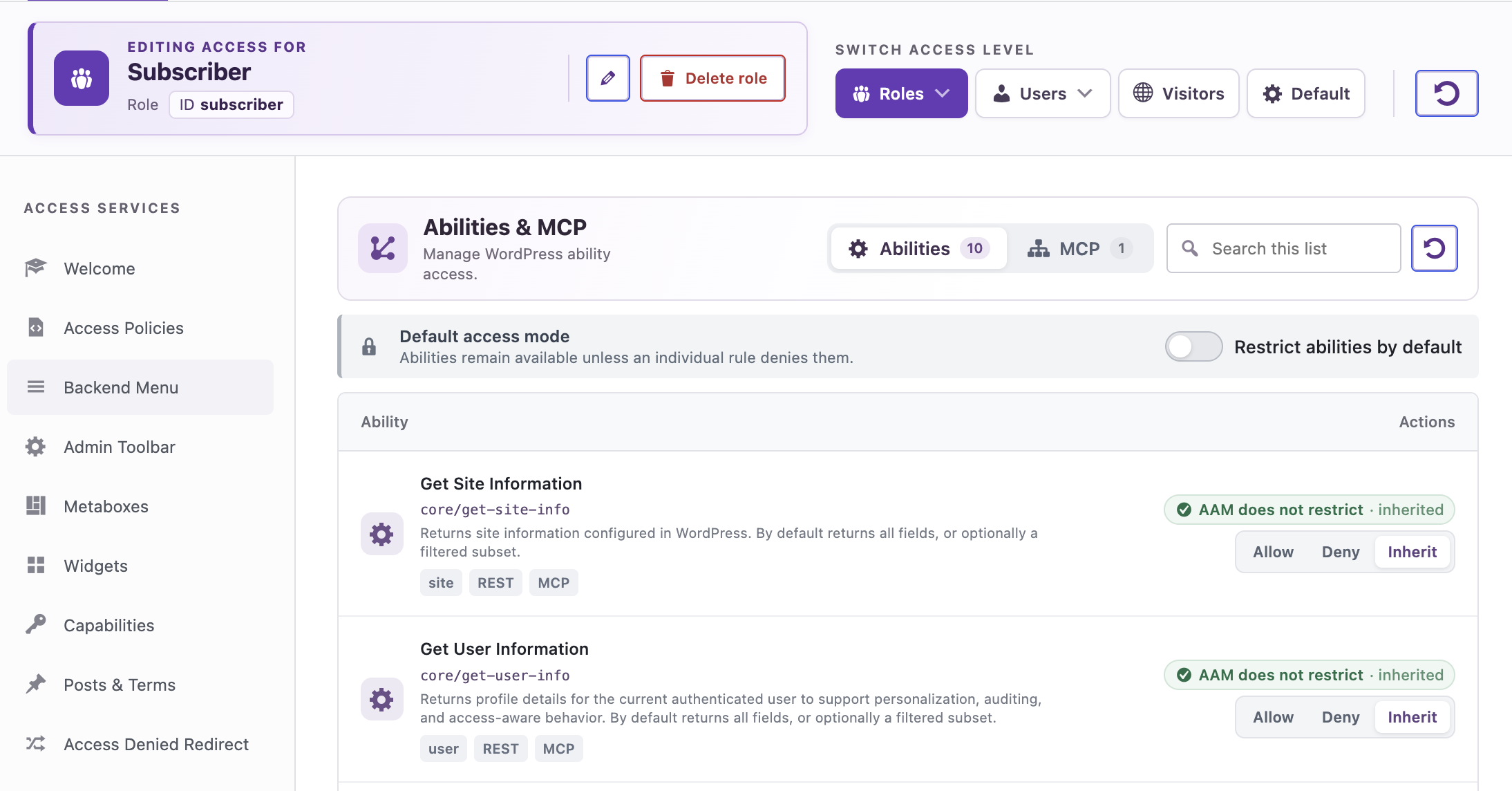
Manage access to WordPress abilities, MCP servers and MCP primitives
Reviews
Fantastic
By 
very good plugin.
Best in class
By 
I have been looking for a plugin to manage user access and AAM is by far the best of all. Highly recommended.
This is an incredible plugin
By 
This plugin is the best out there. I use it every time I have a client that needs to have access to the backend. I can easily make changes to permissions for every user role. 10 stars guys
Doesn't find all Plugin Toolbars
By 
When we started using this plugin a year or so ago it was good. But now it conflicts with many other plugins and misses out plugins like WPCode. It actually locked me out of the plugin as an administrator, so I had to uninstall AAM.
It is a shame because it was once a great plugin.
Metaboxes and Gutenberg
By 
I am looking to hide "metaboxes" in Gutenberg editors, but as far as I understand in the "Metaboxes and Widgets", in the "Articles" section, when I click hide (Comments, Slug...) .it does nothing.
Does it only work in classic editor ?
Awesome Plugin with Great Support
By 
Very comprehensive plugin that was able to do a lot of the things that I needed (especially in comparison to other ones out there when it comes to access management). Support was prompt, professional and very helpful and actually went above and beyond to help me out even after I had misunderstood some of the terms and conditions. They really know their stuff when it comes to WP so you are in good hands!
AAM é um ótimo plugin. Recomendo!
By 
Olá Equipe do Advance Access Manager,
Gostaria de expressar minha imensa satisfação com o AAM! Minha experiência com este plugin tem sido excelente, proporcionando um gerenciamento detalhado de usuários e acessos de forma intuitiva e fácil de compreender.
O AAM se destaca como o melhor plugin que já encontrei até hoje para lidar com as nuances do controle de usuários e permissões. A interface é amigável, facilitando a configuração e administração das permissões de acesso, tornando todo o processo extremamente eficiente.
Agradeço à equipe do Advance Access Manager pelo desenvolvimento de uma ferramenta tão poderosa e eficaz. Continuem o excelente trabalho!
Incredible support
By 
Really the quickest and best support I've had for any software, ever. Marvellous!
Best Member Administration Plugin for WordPress
By 
This is the Best User Administration Plugin for WordPress, manage private content, manage user access, EXCELLENT support. reliable, customizable and full featured.
Great AAM
By 
Great Access manager to control in details which menu/pages are accessible per user/groups. In my opnion, this a must plugin
Changelog
8.0.2
- Fixed: AAM does not list draft or private posts on Posts & Terms service https://github.com/aamplugin/advanced-access-manager/issues/520
- Fixed: Potential JWT Authorization Bypass in Advanced Access Manager ≤ 8.0.1 via Omitted access_level https://github.com/aamplugin/advanced-access-manager/issues/521
- New: Login Gutenberg Block https://github.com/aamplugin/advanced-access-manager/issues/522
8.0.1
- Fixed: The Brute force feature returns WP_Error but still attempts to find correct user name after reached attempts https://github.com/aamplugin/advanced-access-manager/issues/516
- Changed: Ability to turn off the frontend error handling https://github.com/aamplugin/advanced-access-manager/issues/517
- New: Track user’s last IP address and activity time https://github.com/aamplugin/advanced-access-manager/issues/518
8.0.0
- New: Completely new UI
- New: The Abilities & MCP service
- New: Security Audit implementation
7.1.3
- Fixed: Login redirect drops scheme and trailing slash, breaking sites behind a reverse proxy https://github.com/aamplugin/advanced-access-manager/issues/506
- Fixed: Duplicated role settings https://github.com/aamplugin/advanced-access-manager/issues/509
- Fixed: Undefined array key “user_id” warning in Service/Jwt.php line 224 https://github.com/aamplugin/advanced-access-manager/issues/510
- Fixed: PHP Notice: Cannot access non-public member WP_Admin_Bar::$nodes https://github.com/aamplugin/advanced-access-manager/issues/505
- Changed: Remove AAM Policy post type from REST API https://github.com/aamplugin/advanced-access-manager/issues/511
- New: Add the ability to track application passwords per user https://github.com/aamplugin/advanced-access-manager/issues/508
7.1.2
- Fixed: “Sorry, you are not allowed to give users that role.” when Multi-Role Support is enabled and default_role is not in get_editable_roles() https://github.com/aamplugin/advanced-access-manager/issues/501
- Fixed: Incorrectly handled aam_issue_refreshable_jwt capability https://github.com/aamplugin/advanced-access-manager/issues/503
- Fixed: The resource identifier is invalid on the users page https://github.com/aamplugin/advanced-access-manager/issues/502
7.1.1
- Fixed: Incorrectly handled URL with encoded characters https://github.com/aamplugin/advanced-access-manager/issues/500
- Fixed: Deprecated: Method ReflectionProperty::setAccessible() is deprecated since 8.5, as it has no effect since PHP 8.1 https://github.com/aamplugin/advanced-access-manager/issues/499
- Fixed: Super-Admin is unable to create users in WordPress Multisite –> subsites, when Multiple Roles Support is enabled https://github.com/aamplugin/advanced-access-manager/issues/498
7.1.0
- Fixed: Warning: Undefined array key “effect” in /../application/Framework/Utility/Misc.php on line 483 https://github.com/aamplugin/advanced-access-manager/issues/497
- Fixed: Can’t reset ConfigPress https://github.com/aamplugin/advanced-access-manager/issues/493
- Fixed: Incorrect aam_manage_jwts capability https://github.com/aamplugin/advanced-access-manager/issues/494
- Fixed: Null pointer in Content.php line 792 https://github.com/aamplugin/advanced-access-manager/issues/495
- Changed: Removing AAM Post List shortcode https://github.com/aamplugin/advanced-access-manager/issues/496
- New: Ability to add JWT token description https://github.com/aamplugin/advanced-access-manager/issues/492
7.0.11
- Fixed: Advanced Multi-Role setup fails to hide posts https://github.com/aamplugin/advanced-access-manager/issues/491
- Fixed: Security Audit References are incorrectly displayed after page refresh https://github.com/aamplugin/advanced-access-manager/issues/490
- Fixed: PHP warning when security audit fails due to unexpected error https://github.com/aamplugin/advanced-access-manager/issues/489
- Fixed: Can’t deselect a parent role https://github.com/aamplugin/advanced-access-manager/issues/488
7.0.10
- Fixed: Permalink has empty href when post is password protected https://github.com/aamplugin/advanced-access-manager/issues/487
- Fixed: Roles & Capabilities are not syncing in multisite https://github.com/aamplugin/advanced-access-manager/issues/485
7.0.9
- Fixed: PHP Parse error in php7.4 https://github.com/aamplugin/advanced-access-manager/issues/482
- Fixed: Uncaught OutOfRangeException: Cannot find user by identifier 0 in /../Framework/Utility/AccessLevels.php:198 https://github.com/aamplugin/advanced-access-manager/issues/481
7.0.8
- Changed: Move to PHP composer for vendor dependencies https://github.com/aamplugin/advanced-access-manager/issues/480
7.0.7
- Fixed: Uncaught Error: preg_match(): Argument #2 ($subject) must be of type string, array given in /…/Framework/Policy/Typecast.php on line 37 https://github.com/aamplugin/advanced-access-manager/issues/474
- Fixed: Uncaught Error: Call to a member function get_settings() on null in /…/application/Restful/Roles.php https://github.com/aamplugin/advanced-access-manager/issues/479
- New: New access policy marker AAM_API https://github.com/aamplugin/advanced-access-manager/issues/475
- New: Allow function expression anywhere within JSON policy xpath https://github.com/aamplugin/advanced-access-manager/issues/476
- New: Give the ability to define conditions based on user’s OS, device, browser, brand, model, etc. https://github.com/aamplugin/advanced-access-manager/issues/477
7.0.6
- Fixed: Incorrectly handling subpages with policies https://github.com/aamplugin/advanced-access-manager/issues/473
- Fixed: AAM removes slashes in JSON access policy https://github.com/aamplugin/advanced-access-manager/issues/472
- Fixed: URL Access service does not handle URLs with query params correctly https://github.com/aamplugin/advanced-access-manager/issues/470
- Fixed: The aam_backend_login widget is unavailable https://github.com/aamplugin/advanced-access-manager/issues/469
- Changes: Improve clarity around premium add-on status https://github.com/aamplugin/advanced-access-manager/issues/471
7.0.5
- Fixed: ConfigPress are not taken into consideration before init hook https://github.com/aamplugin/advanced-access-manager/issues/468
- Fixed: AAM does not display default terms pin anymore [https://github.com/aamplugin/advanced-access-manager/issues/467] (https://github.com/aamplugin/advanced-access-manager/issues/467)
- Fixed: Uncaught TypeError: array_key_exists(): Argument #2 ($array) must be of type array, null given in /../Framework/Service/Policies.php:661 https://github.com/aamplugin/advanced-access-manager/issues/466
7.0.4
- Change: Making sure that all AAM hooks are triggered only after init https://github.com/aamplugin/advanced-access-manager/issues/465
7.0.3
- Fixed: The Condition block is not handled properly when Operator is OR https://github.com/aamplugin/advanced-access-manager/issues/464
- Fixed: Can Not Edit Password Protected Block Pages https://github.com/aamplugin/advanced-access-manager/issues/463
- Fixed: Uncaught Error: Cannot use object of type WP_Post_Type as array in /../Metaboxes.php on line 383 https://github.com/aamplugin/advanced-access-manager/issues/461
- Feature Request: Re-introduce the “Unified Multisite Configuration Sync” option https://github.com/aamplugin/advanced-access-manager/issues/462
7.0.2
- Fixed: Restricted post with Teaser Message is not enforced https://github.com/aamplugin/advanced-access-manager/issues/460
- Fixed: The “Redirect to the login page” option does not persist https://github.com/aamplugin/advanced-access-manager/issues/459
- Fixed: The Reset All AAM settings button does not work https://github.com/aamplugin/advanced-access-manager/issues/457
- Fixed: Metaboxes for custom taxonomies have the same slug https://github.com/aamplugin/advanced-access-manager/issues/456
- Fixed: PHP Notice: AAM_Framework_Service_Widgets(): Invalid widget provided in /wp-includes/functions.php https://github.com/aamplugin/advanced-access-manager/issues/443
- Fixed: AAM labels quote escape https://github.com/aamplugin/advanced-access-manager/issues/455
- Fixed: List of backend menu items is empty on the Backend Menu tab https://github.com/aamplugin/advanced-access-manager/issues/454
- Fixed: Issue with clearing buffer https://github.com/aamplugin/advanced-access-manager/issues/453
- Fixed: Uncaught Error: Call to a member function list() on null in /../Framework/Manager.php:450 https://github.com/aamplugin/advanced-access-manager/issues/452
- Enhancement: Give the ability to control archive pages https://github.com/aamplugin/advanced-access-manager/issues/458
7.0.1
- Fixed: Access Denied message when aam_access_dashboard capability is created https://github.com/aamplugin/advanced-access-manager/issues/451
- Fixed: PHP Warning: array_diff(): Expected parameter 1 to be an array, string given in /…/Service/Identity.php on line 245 https://github.com/aamplugin/advanced-access-manager/issues/449
- Fixed: Framework Manager error handling https://github.com/aamplugin/advanced-access-manager/issues/448
- Fixed: Error type E_PARSE in …/Framework/Utility/Misc.php on line 292. Error message: syntax error, unexpected ‘…’ https://github.com/aamplugin/advanced-access-manager/issues/447
- Fixed: PHP Fatal error. undefined function get_user https://github.com/aamplugin/advanced-access-manager/issues/446
- Fixed: PHP Fatal error. undefined function wp_is_rest_endpoint https://github.com/aamplugin/advanced-access-manager/issues/445
- Fixed: v2 api broken https://github.com/aamplugin/advanced-access-manager/issues/444
- Changed: Default to WordPress default logout redirect https://github.com/aamplugin/advanced-access-manager/issues/450
7.0.0
- Official 7.0.0
6.9.51
- Fixed: PHP Notice: Function _load_textdomain_just_in_time https://github.com/aamplugin/advanced-access-manager/issues/442
- Fixed: The Access Manager Metabox does not initialize correctly https://github.com/aamplugin/advanced-access-manager/issues/441
- Fixed: Incorrectly invoked translation function https://github.com/aamplugin/advanced-access-manager/issues/440
- Fixed: Download audit report issue https://github.com/aamplugin/advanced-access-manager/issues/438
6.0.0
- Complete rewrite of the entire plugin. For more information, check this article
5.0
- Added ACCESS COUNTER option to Posts & Pages
- Added premium MONETIZE option to Posts & Pages
- Added ability to turn off “Secure Login” feature
- Added ability to toggle extension status (active/inactive)
- Added ability for AAM to filter out Admin Top Bar based on restricted admin menus
- Deprecated AAM Role Filter extension and merged it to the AAM core
- Deprecated AAM Payment extension and merged it with AAM E-Commerce extension
- Deprecated ConfigPress options that manage access to AAM UI. All is based on capabilities from now.
- Split UI to three areas: Access, Settings and Extensions
- Fixed over 25+ reported bugs and discovered during internal refactoring
- Removed deprecated “Security” feature. Replaced with Secure Login Widget
- Removed deprecated “Teaser” feature. Replaced with Teaser Message per post base
4.0
- Added link Access to category list
- Added shortcode [aam] to manage access to the post’s content
- Moved AAM Redirect extension to the basic AAM package
- Moved AAM Login Redirect extension to the basic AAM package
- Moved AAM Content Teaser extension to the basic AAM package
- Set single password for any post or posts in any category or post type
- Added two protection mechanism from login brute force attacks
- Added double authentication mechanism
- Few minor core bug fixings
- Improved multisite support
- Improved caching mechanism
3.0
- Brand new and much more intuitive user interface
- Fully responsive design
- Better, more reliable and faster core functionality
- Completely new extension handler
- Added “Manage Access” action to the list of user
- Tested against WP 3.8 and PHP 5.2.17 versions
2.0
- New UI
- Robust and completely new core functionality
- Over 3 dozen of bug fixed and improvement during 3 alpha & beta versions
- Improved Update mechanism
1.0
- Fixed issue with comment editing
- Implemented JavaScript error catching