Advanced Custom Fields: Markdown Field

Advanced Custom Fields: Markdown Field
Description
Adds a markdown-field, which is really just a textarea with some extra tools and features that makes writing markdown more visually appealing. Themes for the editor, the preview-mode and for syntax-highlighting is included and configurable in the field-group settings.
Compatibility
This ACF field type is compatible with:
- ACF 5
- ACF 4
GitHub
If you want the latest development version of this plugin it is available over at my github repository. The github repository will always have the latest code and may occasionally be broken and not work at all.
Installation
- Copy the
advanced-custom-fields-markdownfolder into yourwp-content/pluginsfolder - Activate the Markdown plugin via the plugins admin page
- Create a new field via ACF and select the Markdown type
- Please refer to the description for more info regarding the field type settings
Screenshots

Settings for the field.

Markdown editor (Editor theme: Dark).
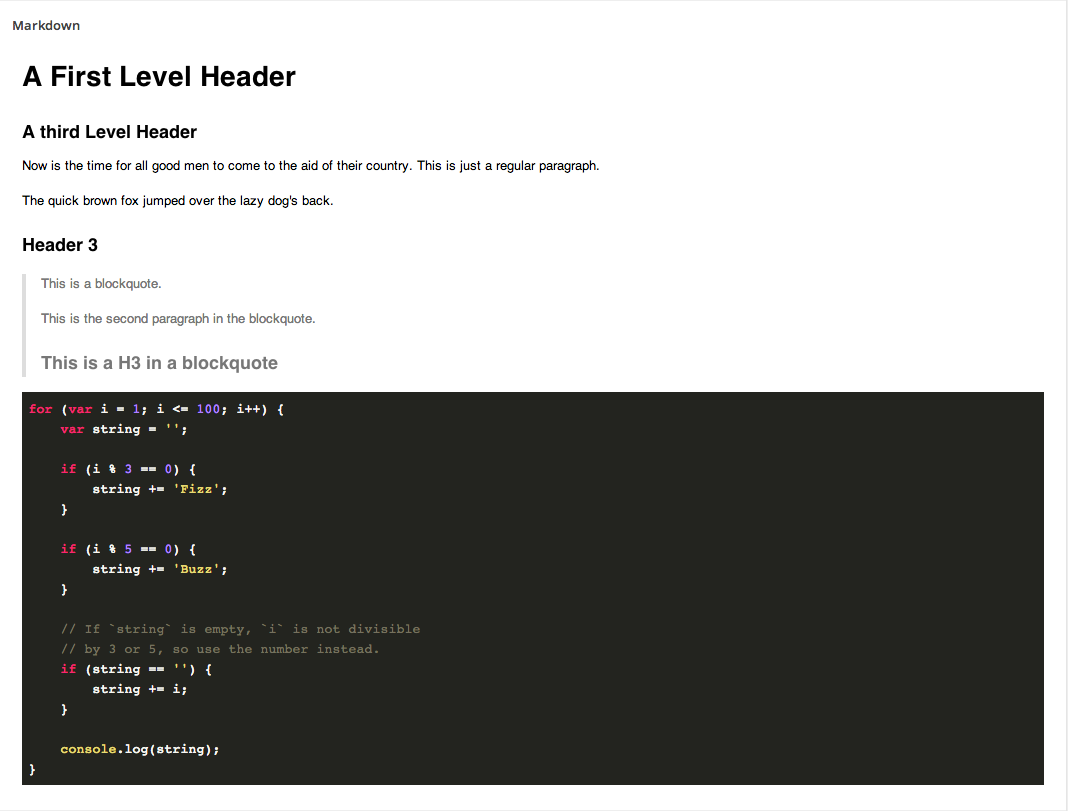
Preview mode (Preview theme: GitHub, Syntax highlight theme: Monokai Sublime).
Reviews
good if you are familiar with markdown
By 
Really just missing a good toolbar for helping with headlines, quotes, formatting, lists, etc. Sadly for me no use without that toolbar
Changelog
1.1.4
- The field now initializes correctly when used inside a tab that is not the first tab.
1.1.3
- Fixed a bug that caused the js to initialize EpicEditor on the wrong element when appending a field using flexible content/repeater.
1.1.2
- Fixed a bug that caused the “Add Media” button to not work properly.
1.1.1
- Fixed selector for add media button.
1.1.0
- Added support for “Add Media” button.
1.0.0
- Initial Release.