Advanced Partial Payment or Deposit for WooCommerce

Advanced Partial Payment or Deposit for WooCommerce
Description
Advanced Partial Payment or Deposit for WooCommerce lets you collect deposits and partial payments on your WooCommerce store. Perfect for high-value items, services, bookings, and custom orders.
Free Features
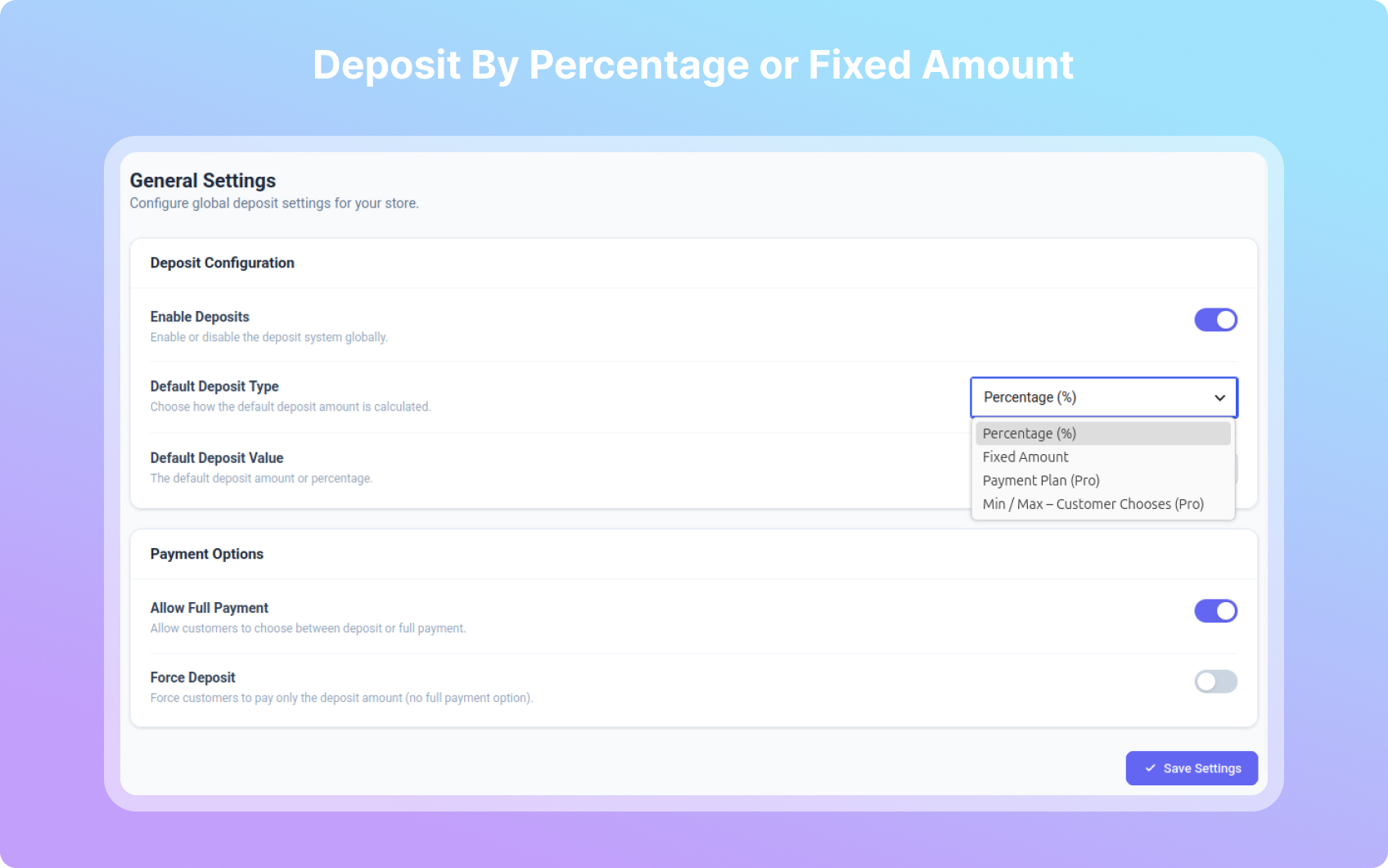
- Fixed & Percentage Deposits — Collect a flat amount or percentage of the product price
- Per-Product Settings — Override global settings on individual products
- Category-Wise Rules — Set deposit rules per product category
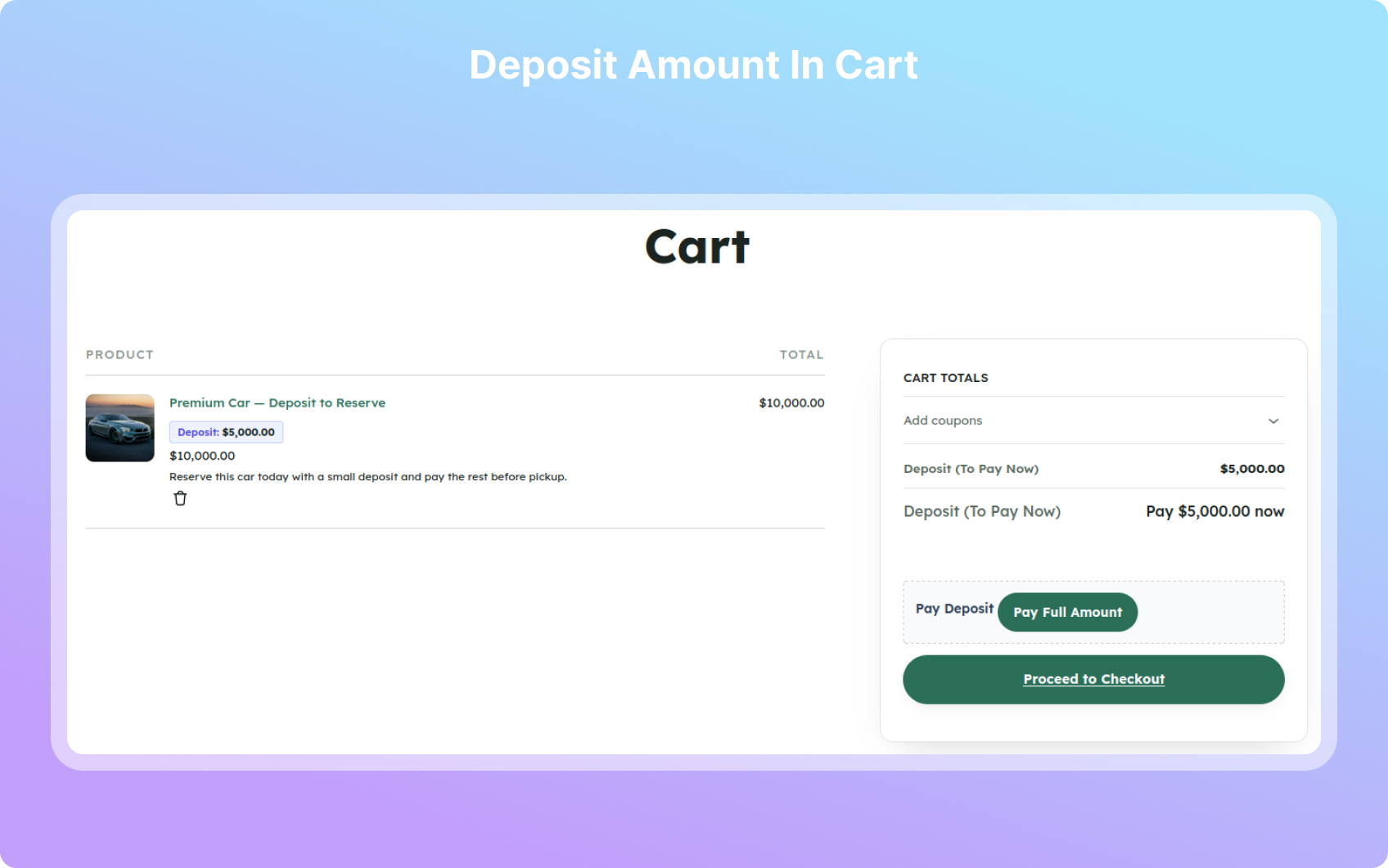
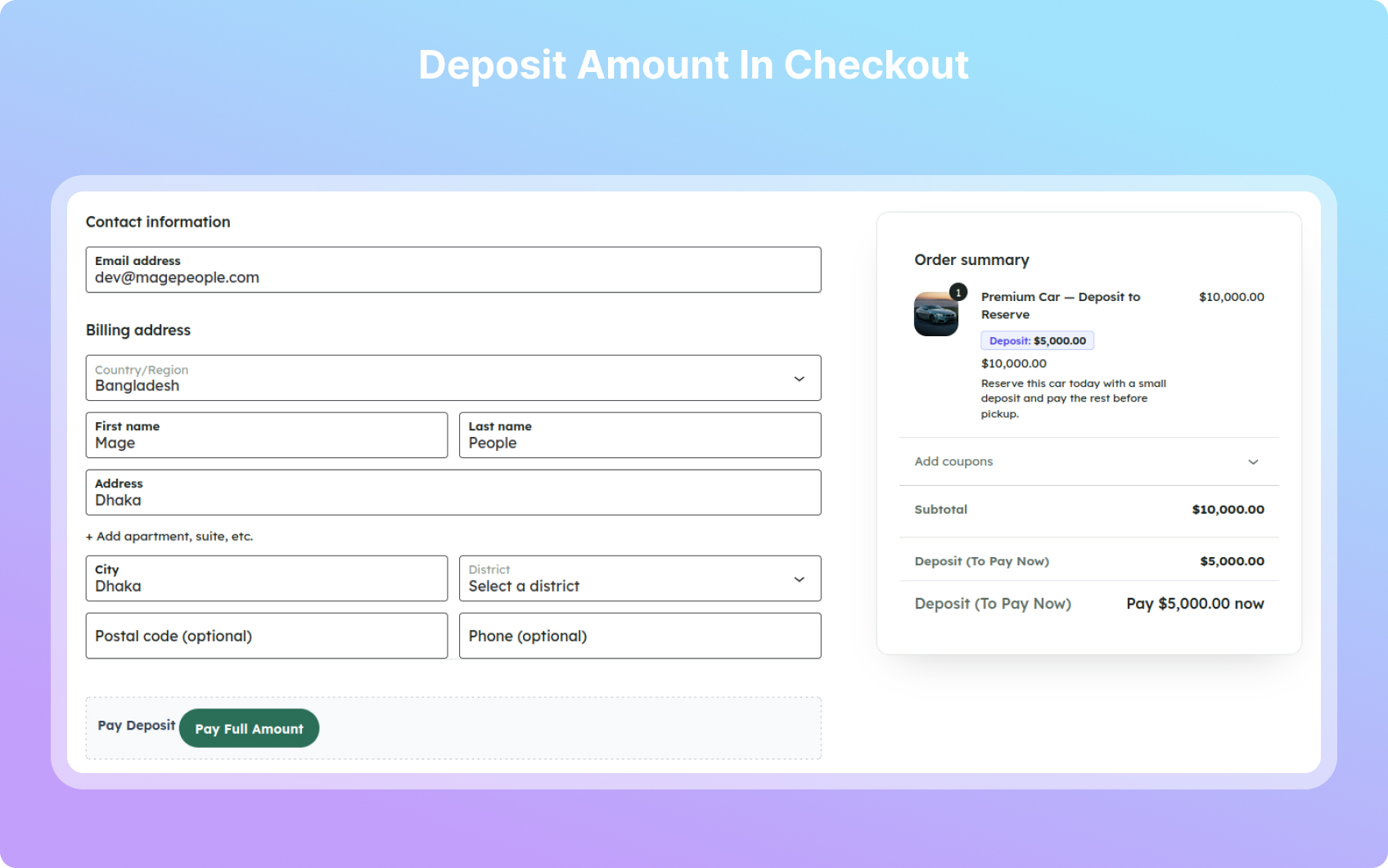
- Cart & Checkout Integration — Beautiful deposit breakdown display
- Custom Order Status — “Partially Paid” status for deposit orders
- Balance Tracking — Track remaining balance on each order
- Pay Balance — Customers can pay balance from My Account
- Email Notifications — Deposit received, balance due, payment complete
- Admin Management — Deposit metabox on orders, manual payment recording
- Deposits on Admin Orders — Add a fixed or percentage deposit to orders created or edited in wp-admin, including orders added by booking plugins
- Default Payment Option — Choose whether deposit or full payment is preselected for customers
- Price Calculator Support — Product-page deposit and balance figures update when a price calculator or configurator changes the price
- Clean Uninstall (opt-in) — Optionally remove all settings and deposit data when the plugin is deleted
- Professional Dashboard — Tabbed settings page with sidebar navigation
Pro Features
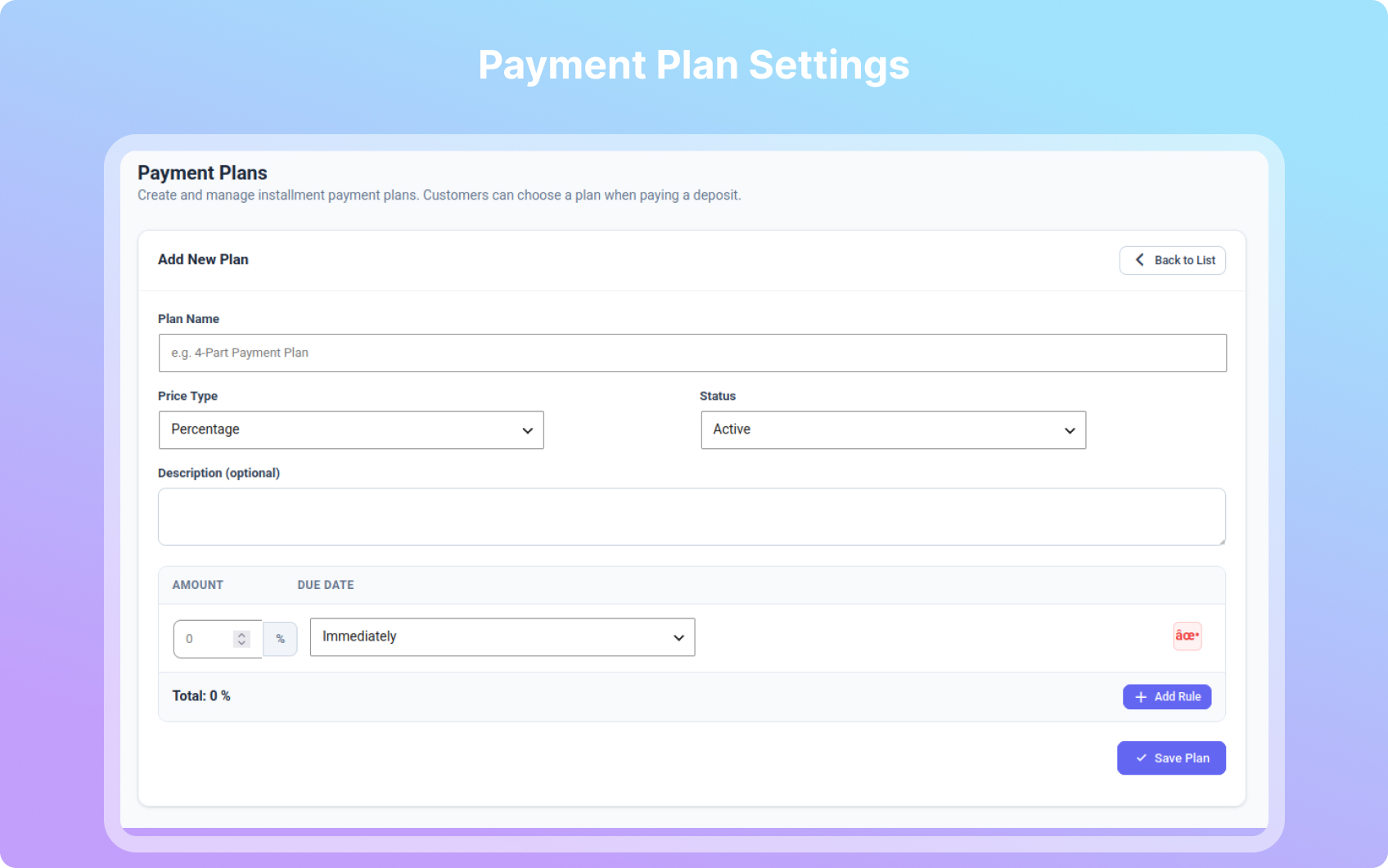
- Payment Plans / Installments
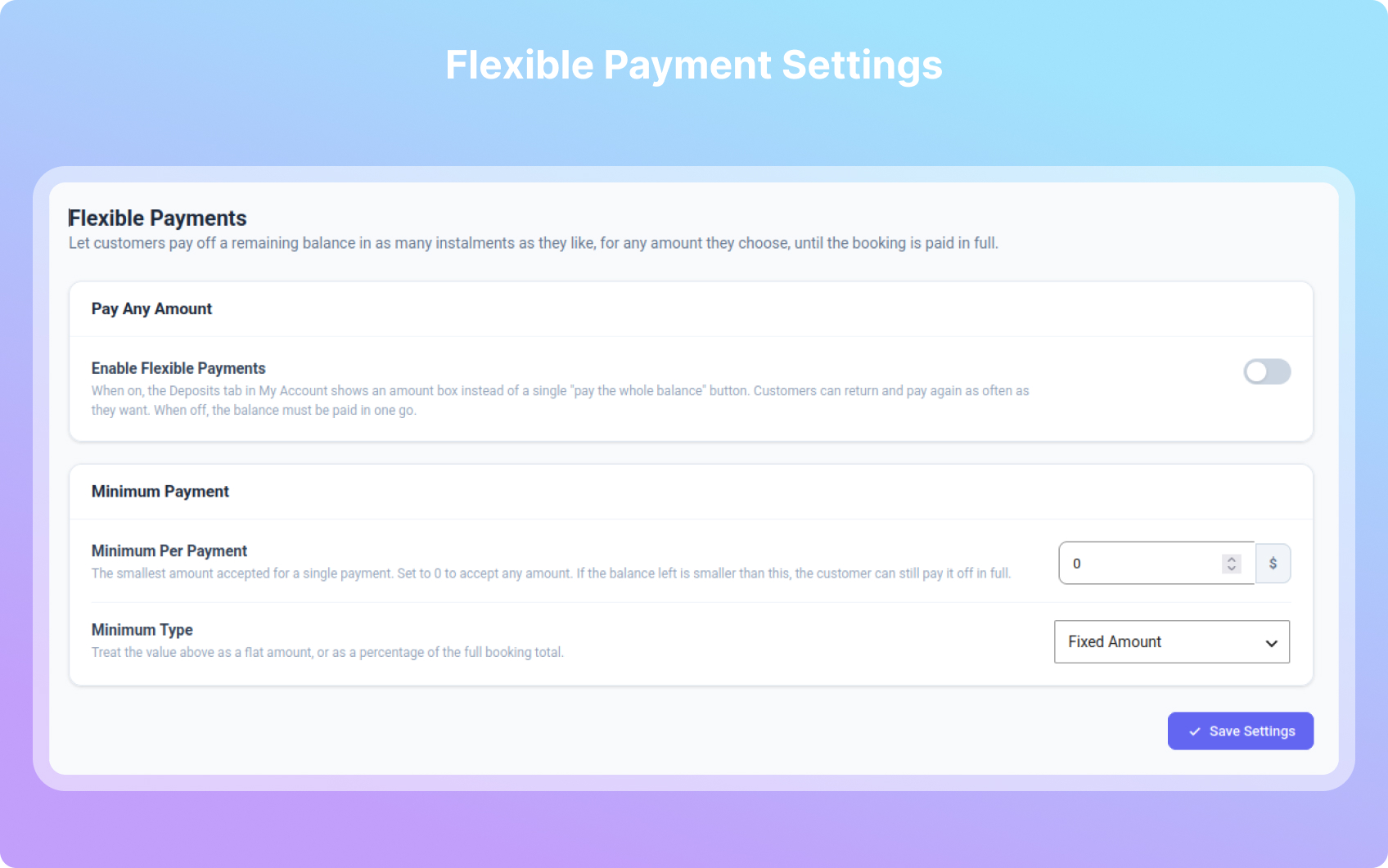
- Flexible Payments — customers pay off the balance in any amounts they choose
- Checkout Mode — ask for the deposit choice on the cart or checkout page
- Per-variation deposits, balance due dates, and deposit/balance allocation of shipping, tax and discounts
- Automatic balance charging on the due date using the customer’s saved payment method
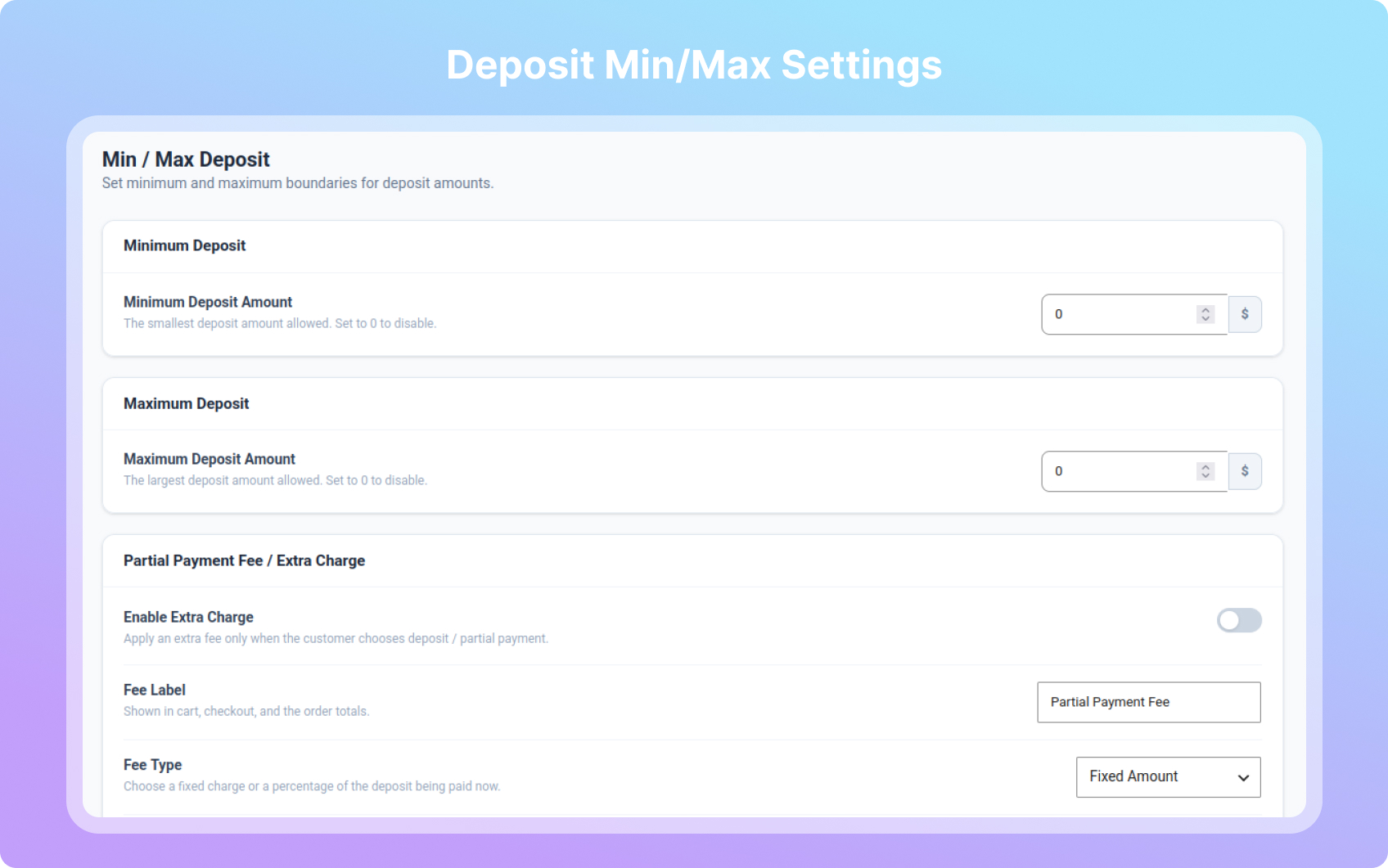
- Minimum & Maximum Deposit Amounts
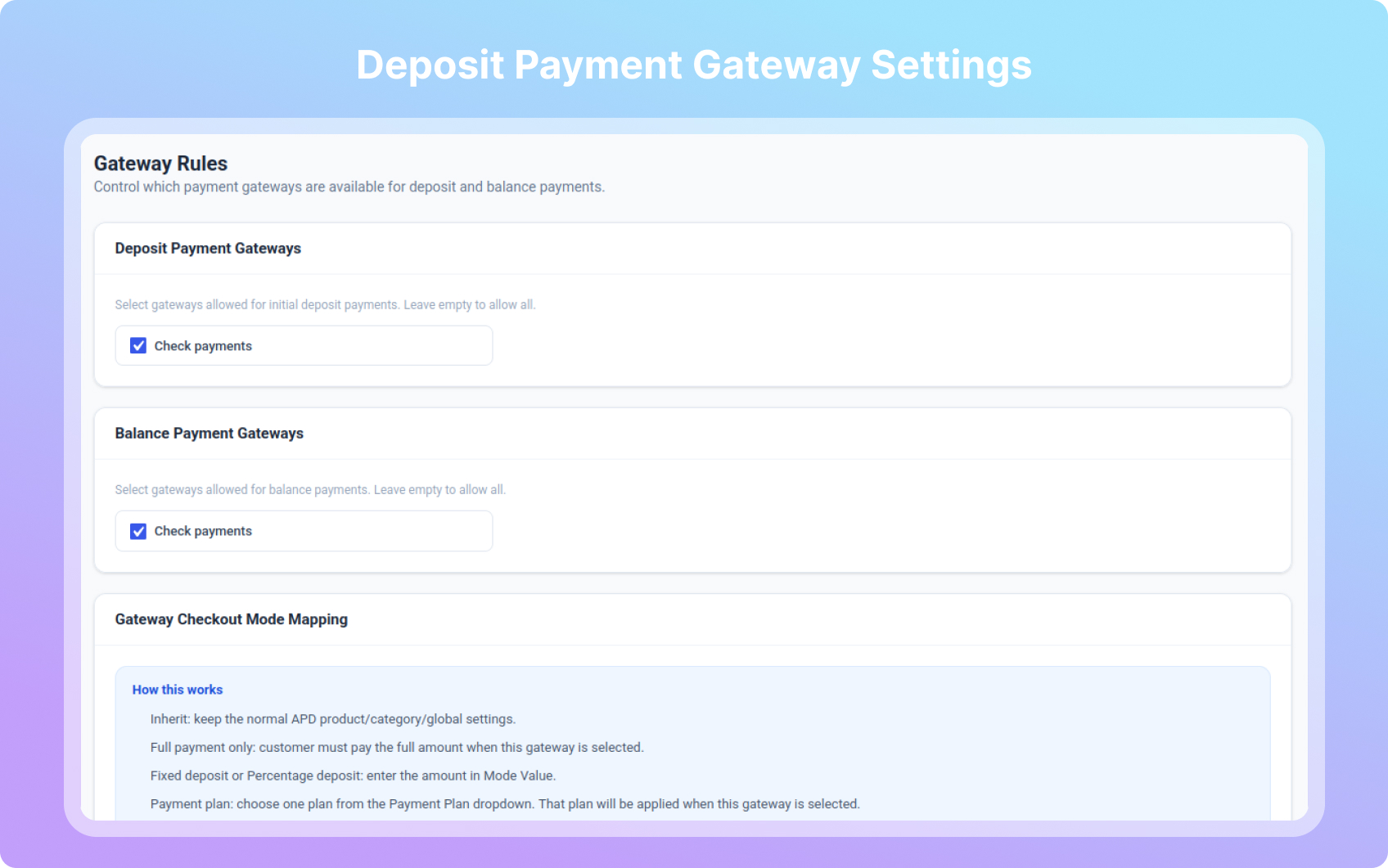
- Payment Gateway Restrictions
- Auto Payment Reminders
- Forced Deposit Mode
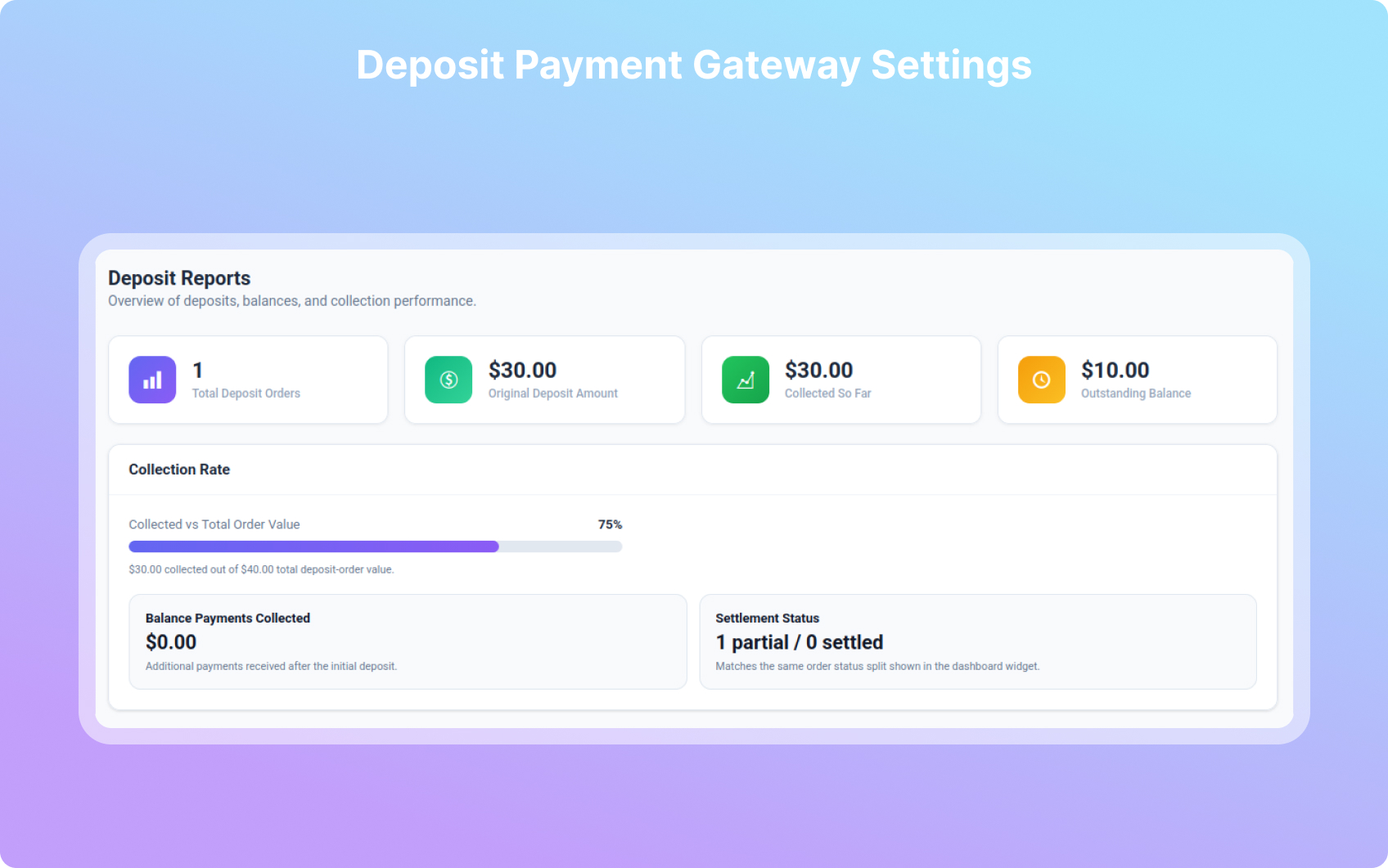
- Reports & Analytics
- Tax & Fee Handling
- Bulk Product Settings
- User Role-Based Deposits
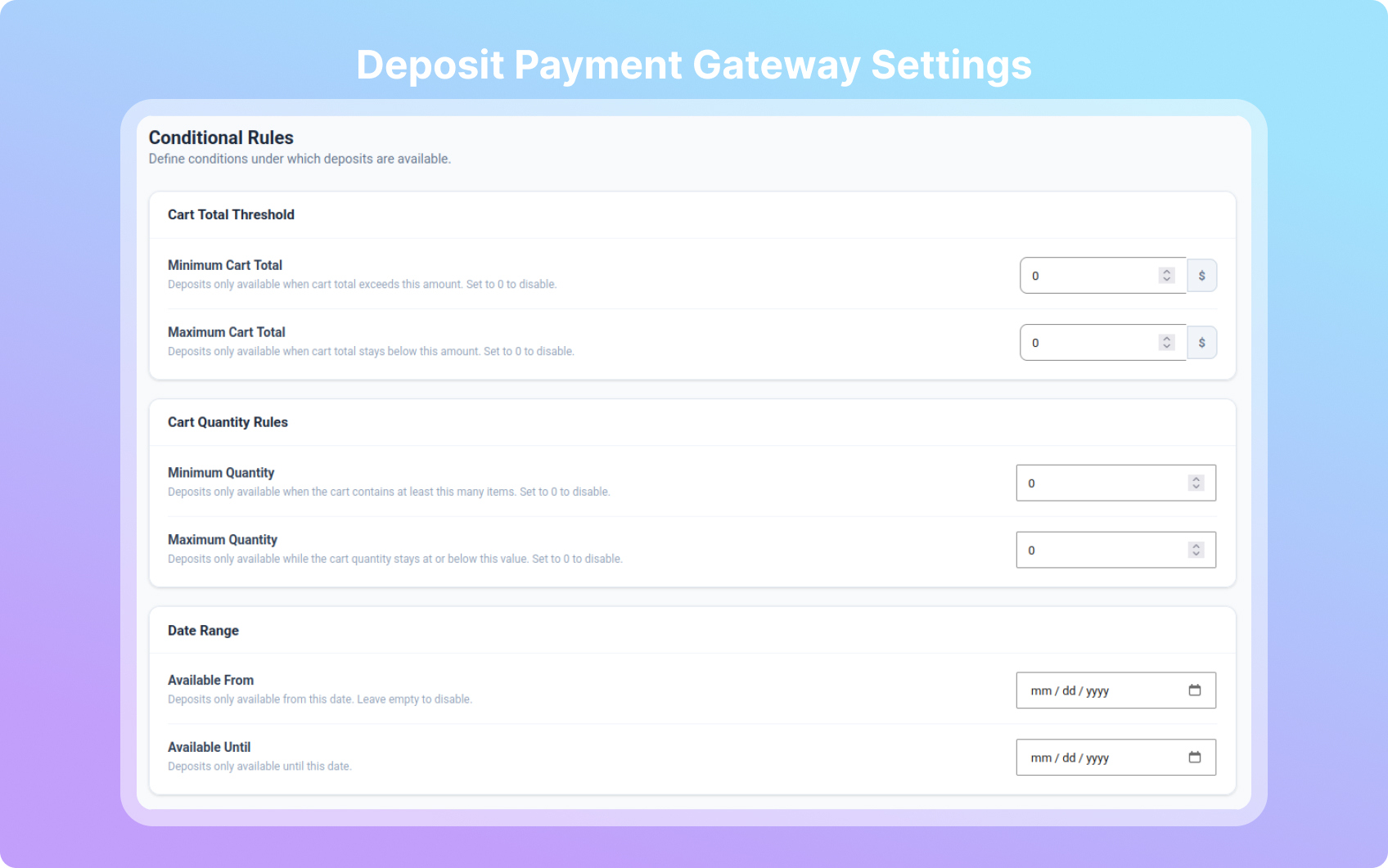
- Conditional Deposit Rules
- Order Workflow — choose the status an order moves to once fully paid
- Catalog Deposit Buttons — “Pay deposit” buttons on shop and archive pages
- Admin Email Notifications — deposit received, fully paid, overdue and auto-charge alerts
External Services
Appneck
This Plugin uses Appneck SDK to collect some telemetry data upon the user’s confirmation to troubleshoot problems faster & make product improvements.
Appneck SDK does not gather any data by default. The SDK only starts gathering basic telemetry data when a user allows it via the admin notice. We collect the data to ensure a great user experience for all our users. Integrating Appneck SDK DOES NOT IMMEDIATELY start gathering data, without confirmation from users in any case.
Learn more about how Appneck collects and uses this data.
Installation
- Upload the plugin to the
/wp-content/plugins/directory - Activate the plugin through the ‘Plugins’ menu in WordPress
- Go to Deposits in the admin sidebar to configure settings
Screenshots

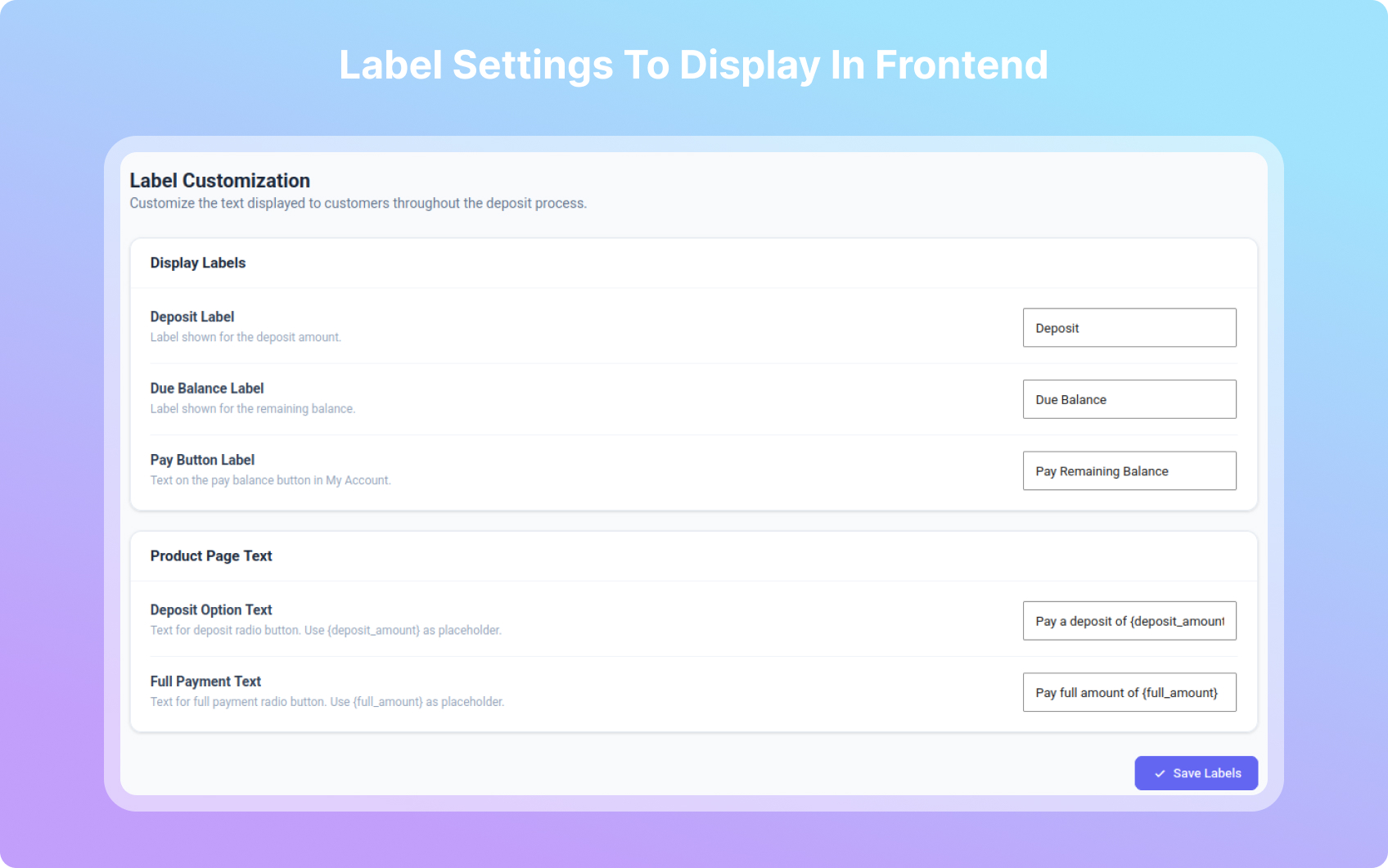
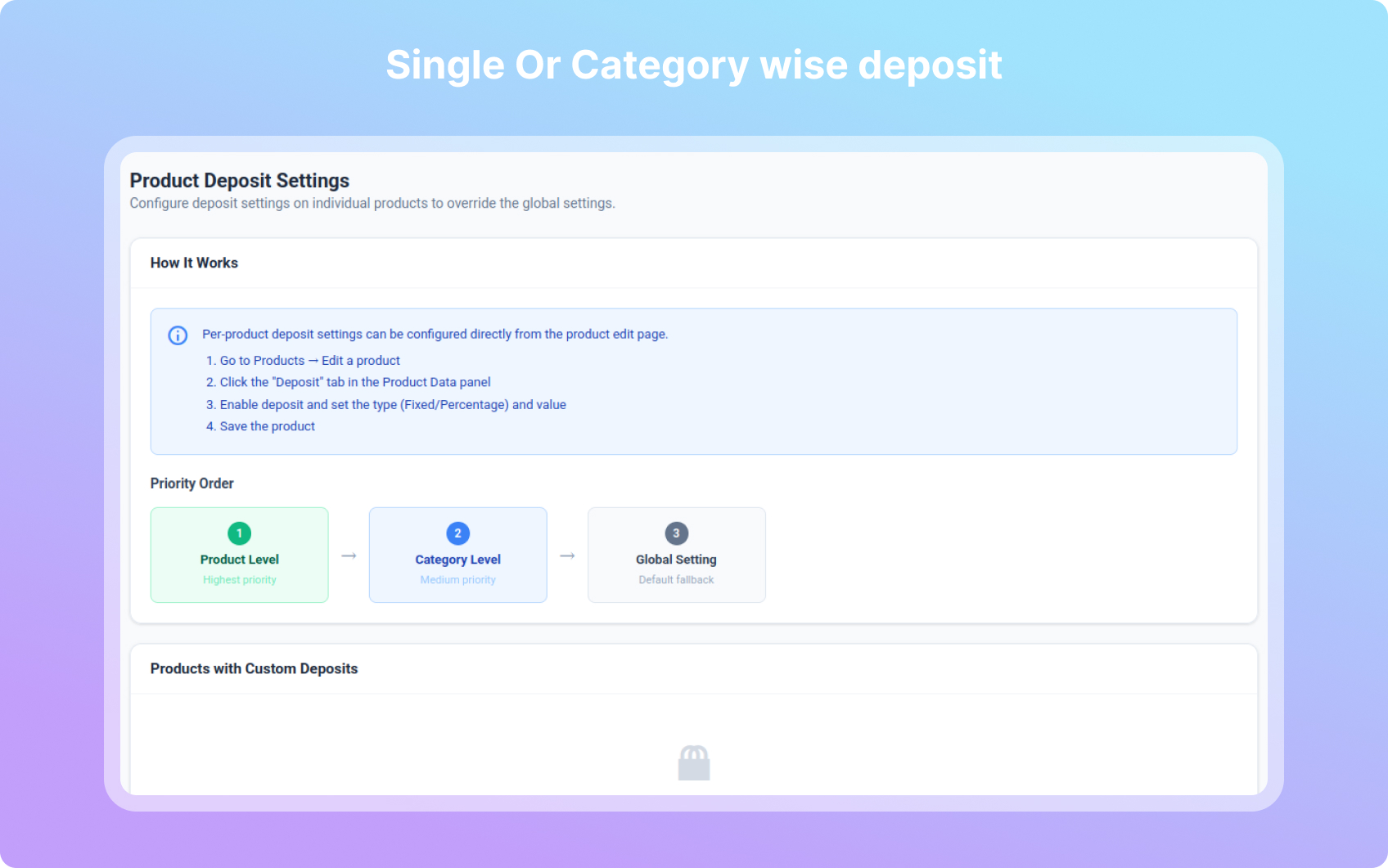
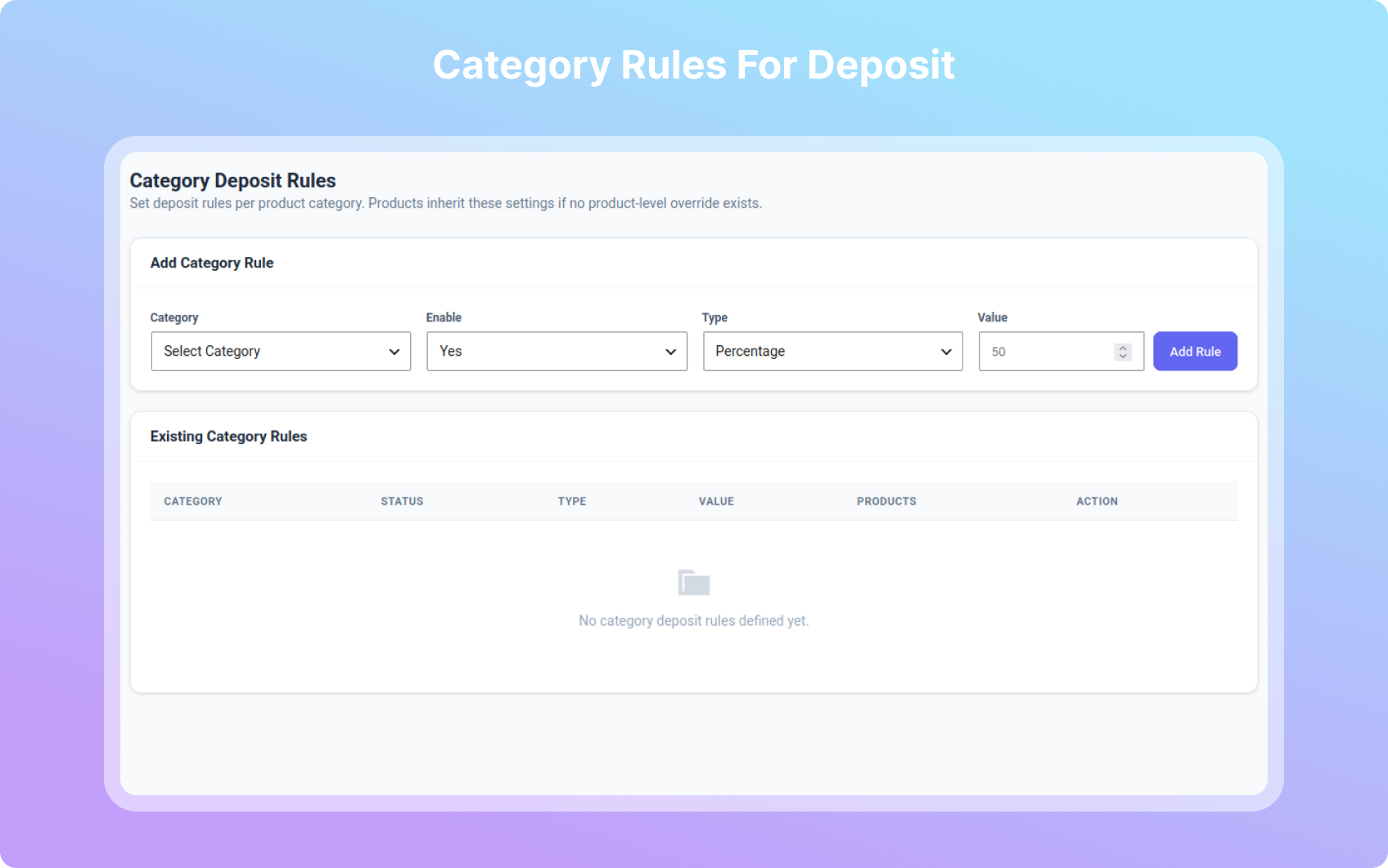
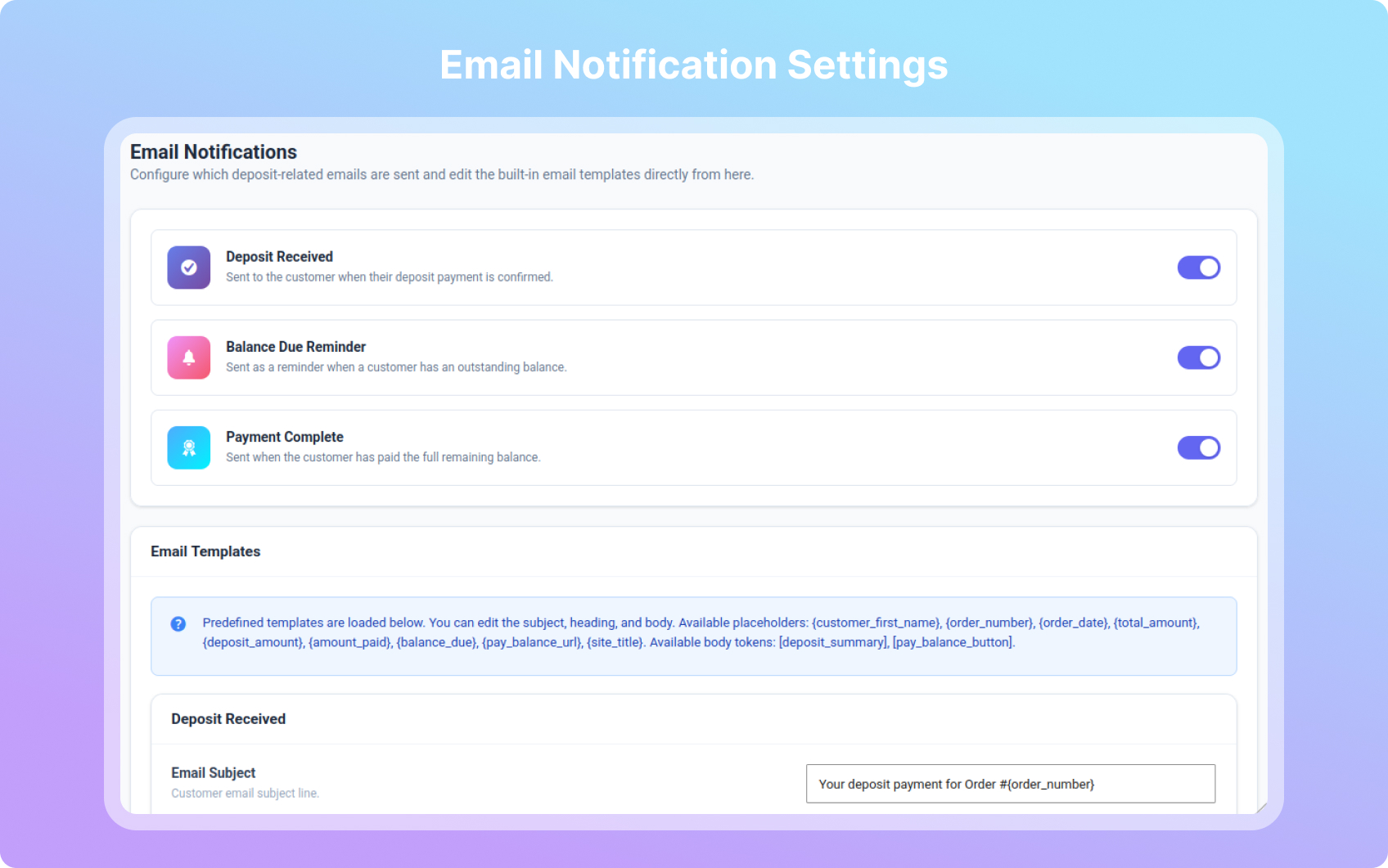
Reviews
Fast and knowledgeable
By 
I ran into some issues with my site that is being developed and consulted the support team. They responded very quickly and provided a lot of detail and insight into the issue I was receiving and also promptly resolved. Great support team!
Great support, everything fixed in the end
By 
5 stars — the support team fixed everything exactly as I needed. It took a little while to sort out all the details, but in the end everything works perfectly. Great support!
great support
By 
MagePeople Support Team
great support
Great Plugin
By 
The team is patient and does everything they can to help. It took a while to find the problem, but they didn't leave things alone until they solved it.
Not working as described in description | Updated 25 June 2025
By 
Update: Plugin author contacted me and heard my queries and grievances. They fixed the issue I faced and provided a new updated. Hatts off to them for providing such an awesome support and fixing the issues after hearing user's need. They were continuously in touch with me over the period of the time, while issues were fixed. Honestly, I don't have any reason to give them a bad rating.
Old:
This plugin is not the fully developed plugin and contains incomplete code. This plugin only allows customer to pay deposit but they can't pay the remaining amount of the order.
I checked the code and found that this plugin does not have code intended for paying remaining amount of the order. I tried contacting plugin support too and they were not able to help.
Looks like they did not tested the plugin before publishing or they intentionally published incomplete code to get queries for paid support requests, God knows better whatever matter they had with this plugin.
Very disappointed, wasted a lot of time
By 
My client and myself disappointed. We wasted min 10 days for fixing/ and get fixed issues for this plugin but we could not succeed. As soon as customer try to make payment for any order, plugin just creates order and it does not check whether payment failed or succeed. Many customers just made order successfully without making any payment to us.
Good
By 
Good Solution
MageTeam Trust worthy and There plugin awesome
By 
MageTeam Trust worthy and There plugin awesome
Great Plugin and Support
By 
I used the PRO version of this plugin to create a deposit solution using PayPal as a gateway to a client website. The plugin is straight forward to use. I did encounter some problems with the set-up, but the support team was very helpful and got the ecommerce part of the site functioning smoothly and professionally. Highly recommended!
Some problems with configuration but resolved by support
By 
We purchased the paid version of this plugin, we had some initial problems but the plugin team helped resolve the same
Changelog
4.0.31 – 2026-10-26
- Fix: payment plans imported from the old Mage Partial Payment plugin came across as a deposit plus one empty installment, because the old schedule rows were read from the wrong place. The import now reads every row, and as in the old plugin, each “after” offset counts from the previous payment.
- Fix: plans already damaged by that import are rebuilt automatically from the original schedule the first time an administrator opens the dashboard. Plans changed by hand since the import are left as they are and listed in a notice on the Deposits screen.
- New:
apd_balance_amount_due_nowfilter andAPD_Order::get_balance_amount_due_now(), so an addon can collect the balance in parts. The Pro payment plans use them to charge one installment at a time. - New:
apd_myaccount_deposits_after_rowaction, after each order in the My Account deposits list. - Tweak: the deposits list pay button, the balance-due email and the admin “Record Manual Payment” box show the amount actually due next when that is less than the whole balance.
4.0.30 – 2026-10-15
- Updated the bundled Appneck SDK to the latest version.
- Version housekeeping: a prior out-of-band release had set the public version number lower than an already-shipped one, which stopped update notifications from reaching sites on the older version; this release corrects it.
4.0.23 – 2026-10-06
- Fix: Updated the bundled Appneck SDK to the latest version.
4.0.22 – 2026-10-05
- New: Updated the bundled Appneck SDK to the latest version.
4.0.21 – 2026-09-30
- New: added the Appneck SDK for opt-in telemetry and update tracking. It does not collect any data by default; it only starts after you confirm via the admin notice. See External Services in this readme.
- New: “Default Payment Option” setting (Deposits > General > Payment Options) to preselect Deposit (default, unchanged) or Full payment. It also applies to cart lines added without a posted choice, such as shop-page Add to Cart and the Store API. Falls back to deposit when full payment is not offered.
- New: A price calculator or product configurator can now update the deposit, balance and full amounts on the product page, which were previously always calculated from the base price. Trigger
jQuery(document.body).trigger('apd_product_price_changed', [price])or callwindow.apdUpdateProductPrice(price). - Fix: The admin orders list Deposit column showed the whole balance as due on a new deposit order. Until the deposit is confirmed it now shows the deposit amount due; once paid it shows the remaining balance as before.
- Fix: Customer emails, My Account and the admin orders list showed the deposit as the order total when another plugin or snippet (for example price rounding) rebuilt the Total row. APD now applies the full order value after other filters have run.
- Dev: New filter
apd_default_payment_type.
4.0.20 – 2026-09-25
- New: Deposits on admin orders. Orders created or edited in wp-admin (including orders added by booking plugins such as RnB Backend Booking) can now be given a fixed or percentage deposit from the Deposit Details box, optionally recorded as received straight away. An unpaid deposit can be changed or removed. Toggle: Deposits > General > Backend Orders (on by default).
- Fix: Saving the order screen, “Recalculate” or adding items reset a deposit order’s total to the full value, so a payment link for an unpaid deposit charged the full amount. The deposit (or balance) total is now kept, and an unpaid deposit follows item changes.
- Fix: Setting an unpaid deposit order to Partially Paid by hand now records the deposit as received instead of leaving the order with nothing paid.
- Fix: New deposit orders no longer count the initial deposit as paid before the gateway confirms it. BACS, cheque and cash-on-delivery orders now start with zero paid and an empty payment record; the deposit is recorded only after payment completion or an administrator confirms/records the money.
- Fix: Unpaid offline deposit orders remain on hold, allowing WooCommerce’s Customer on-hold order email to include the order details, deposit split and gateway bank-payment instructions. The thank-you page and My Account now label the initial amount as due rather than paid until confirmation.
- Fix: The cart and checkout “Total” row showed only the deposit, the same figure as “To Pay Now”. It now shows the full order value; the amount charged is unchanged.
- Fix: Order emails, the thank-you page and My Account showed the deposit as the order total. The Total row now shows the full order value, followed by the deposit and the remaining balance (also picked up by email designer and PDF invoice plugins that use the order totals table).
- Fix: The admin order items table labelled the deposit as “Order Total”. The row is now marked “(Deposit)” / “(Balance payment)” and the full total, deposit, amount paid and balance are listed beneath it.
- Fix: Changing a deposit order’s status by hand (e.g. Partially Paid to Processing) was reverted to Partially Paid straight away, after the status email had already gone to the customer. Manual status changes now stick; the balance stays owed.
- Performance: Deposit/full-payment option styling now relies on the existing CSS instead of loading JavaScript, jQuery and jQuery Migrate for the same visual state.
- Performance: The My Account balance label and Min/Max deposit controls now use native JavaScript. APD no longer introduces jQuery on product, cart, account or Block Checkout pages solely for these interactions.
- Security: Added missing
wp_unslash()calls before sanitizing settings and migration inputs, escaped price/status output for its HTML context, and escaped the migration nonce embedded in JavaScript. - New: Added an opt-in “Delete Data on Uninstall” setting. It is disabled by default; when explicitly enabled, deleting APD removes its settings and deposit metadata from products, categories and both legacy/HPOS orders.
- Dev: Reformatted the PHP codebase toward WordPress Coding Standards and verified compatibility with the declared PHP 7.4 minimum for WordPress.org submission readiness.
- Dev: New filter
apd_display_full_order_total(defaulttrue) to keep showing the amount charged now instead of the full order value.
4.0.19
- Dev: New filter
apd_fully_paid_status— the status a deposit order lands on once the balance reaches zero (defaultcompleted). The Pro addon exposes this as a setting under Order Workflow. - Dev: The product-page payment-type field is now read from
$_REQUESTinstead of$_POST, so WooCommerce’s GET add-to-cart links (?add-to-cart=ID) can carry the deposit/full choice — used by the Pro addon’s catalog deposit buttons.
4.0.18
- New: Auto Charge is listed with the other Pro features in the Deposits dashboard. The feature itself lives entirely in the Pro addon; this release only adds the entry so the tab is there to unlock.
4.0.17
- New: Allocation is listed with the other Pro features in the Deposits dashboard. The feature itself lives entirely in the Pro addon; this release only adds the entry so the tab is there to unlock.
4.0.16
- New: Checkout Mode is listed with the other Pro features in the Deposits dashboard. The feature itself lives entirely in the Pro addon; this release only adds the entry so the tab is there to unlock.
4.0.15
- Fix: The pay button on My Account > Deposits now names the amount in the box — “Pay $150.00” — and follows it as the customer changes it. The button was always the form’s submit, but it read “Pay Remaining Balance”, which describes paying the balance off in full; next to a box for choosing an amount it looked like that amount had no submit of its own, and customers reported there being no button at all. Rows where only the full balance can be paid keep the label set in Deposits > Labels.
- Dev: New filter
apd_pay_balance_button_label_template; return an empty string to keep the configured label everywhere.
4.0.14
- Fix: The Record Payment button on the order screen now works. Its script and nonce were only loaded on the Deposits dashboard and the product screen, never on the order screen where the Deposit Payment Record box lives, so the button did nothing when clicked and a shop had no way to record a balance payment by hand.
4.0.13
- Fix: A remaining balance payment is now actually charged. The deposit payment leaves the gateway’s own reference to that charge on the order; on the balance leg WooPayments compared it against the new order total, found the amounts differ, and stopped processing the payment while still returning the customer to the “Order received” page. No money was taken, the balance never changed, and the customer was told the payment had gone through. The gateway reference is now released before the customer is sent to the pay page, and archived on the order with a note so the earlier charge can still be traced. Affects every balance payment, whether for the full balance or a freely chosen amount.
- Dev: New filter
apd_gateway_payment_meta_keysto control which gateway meta keys are released before a balance payment.
4.0.12
- Improvement: Removed the per-product and per-category “minimum payment” fields from Flexible Payments. The feature request was “additional payments of any desired amount” — a minimum was never asked for, and having a second amount+type pair sitting next to Deposit Type/Value on every product read as configuring the same thing twice. Flexible Payments is now one dropdown: Use Global Setting / Yes / No, with nothing else to fill in.
- The site-wide minimum in Deposits > Flexible Payments (Pro settings) is unchanged, since that is a single optional safety net rather than a per-product setting.
4.0.11
- Improvement: Flexible Payments is now a collapsible “Flexible Payments (Pro)” group on the Deposit tab. Click the header and its fields appear. It is a closed group by default, so it no longer reads as a trailing part of the selected deposit type, and the short-lived separate Remaining Balance tab has been removed.
4.0.10
- Improvement: Flexible Payments now has its own “Remaining Balance” tab on the product screen, beside Deposit. It previously sat underneath the deposit fields, where it read as part of the selected deposit type instead of as the separate setting it is.
4.0.9
- Improvement: Renamed the Flexible Payments minimum fields so they cannot be mistaken for a second Deposit Type. “Minimum Type” offered the same option labels as Deposit Type (“Fixed Amount”, “Percentage”), so two identical-looking Type dropdowns appeared on the same screen. It now reads “The minimum above is: a flat amount of money / a percentage of the booking total”.
4.0.8
- Improvement: Flexible Payments now sits in its own “Remaining Balance” card on the product Deposit tab. It was separated only by a hairline rule, so it read as part of whichever deposit-type fields happened to sit above it, even though it is a separate setting that governs the balance after the deposit.
4.0.7
- Fix: Flexible Payments stays visible at all times. It was being hidden whenever the deposit type was Payment Plan, which left no way to switch it back off. Now it is the Payment Plan option that becomes unavailable while Flexible Payments is on, with a note explaining why.
- Fix: An explicit Yes on the product now beats a leftover instalment schedule on the order, so the saved setting is what actually applies.
4.0.6
- Improvement: Flexible Payments now sits below Deposit Type under a “Remaining Balance” heading, since it governs what happens after the deposit rather than the deposit itself.
- Improvement: Flexible Payments is hidden when the Deposit Type is Payment Plan, replaced by a line explaining that the plan already schedules the remaining balance. Showing both read as two competing systems.
- Fix: An order created from a Payment Plan no longer offers flexible balance amounts, so the behaviour matches what the product screen shows.
4.0.5
- Feature: Choosing “Yes” for Flexible Payments on a product or category now reveals a Minimum Per Payment and Minimum Type of its own, so each booking can have its own floor instead of sharing the global one. The section shows and hides as you change the dropdown.
- Percentage minimums are measured against the full booking total, so the floor does not creep downwards as the customer pays. If less than the minimum is left, the customer can still clear the balance.
4.0.4
- Feature: Flexible Payments can now be set per product and per category, not just globally. Each has a “Use Global Setting / Yes / No” control, and an explicit Yes or No overrides the global toggle in both directions.
- Fix: A minimum payment amount is now applied when Flexible Payments is switched on by a product or category override, instead of only when the global toggle is on.
4.0.3
- Security: The “Pay Balance Now” button in the balance reminder email now routes through the balance payment flow. It previously linked straight to the order payment page, which charged the customer the deposit amount again and credited the payment to nothing, leaving the balance still owed.
- Security: Paying a balance no longer reinstates a cancelled order. Cancelling is a shop decision and a customer payment must not silently reverse it (filter
apd_allow_payment_on_cancelled_orderrestores the old behaviour). - Security: Hardened the balance payment permission check. Guest orders have no owner, so a logged-out visitor now has to present the order key rather than passing an owner comparison of 0 against 0.
- Security: A recorded payment is now capped at the amount still outstanding, so the total paid can never exceed the order total.
- Feature: Support for paying a balance in freely chosen amounts, over as many payments as the customer likes, until the booking is paid in full. Off by default; enable it under Deposits > Flexible Payments with the Pro addon.
- Fix: The cart payment-type toggle now rejects products that have no deposit enabled, matching the bulk toggle.
- Dev: New filters
apd_allow_partial_balance_payments,apd_min_balance_paymentandapd_allow_payment_on_cancelled_order.
4.0.2
- Security: Offline payment gateways (Cash on delivery, Direct bank transfer, Check payments) no longer close out a deposit balance. Previously an order moving to on-hold or processing was treated as a successful remaining-balance payment, so a customer could mark an order fully paid without any money being captured.
- Security: An order sitting on-hold is no longer treated as paid for balance finalization on any gateway, since on-hold is WooCommerce’s “awaiting payment” state.
- Fix: Recording a payment now clears any in-flight balance payment marker, so a stale pending amount can no longer be banked twice.
- Dev: New
apd_offline_payment_methodsandapd_is_balance_payment_capturedfilters to control which gateways may settle a balance.
1.0.0
- Initial release