Advanced Tabs Block
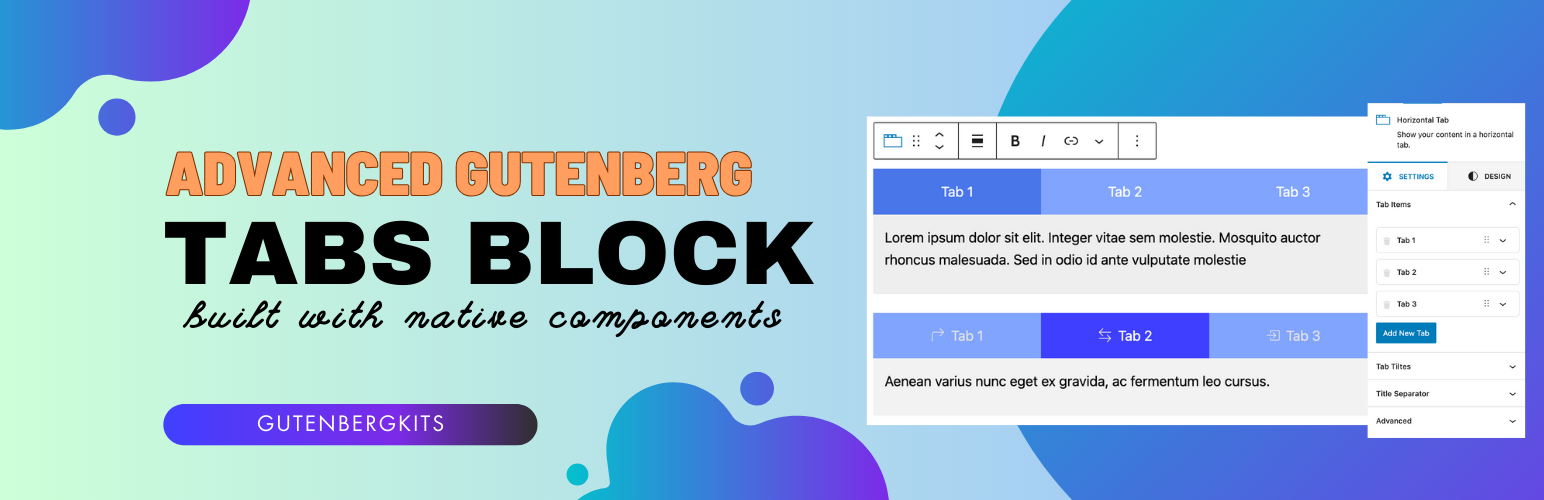
Advanced Tabs Block
Description
Advanced Tabs Block is a fast, lightweight Gutenberg tabs block that lets you organize content into clean, responsive tabs — directly inside the WordPress block editor. Built entirely with native Gutenberg components, it needs no page builder and no coding to create beautiful tabbed content.
Add any blocks inside your tabs — paragraphs, images, headings, buttons, columns, and more — then style everything with rich typography, color, spacing, border, and icon options. Perfect for FAQs, product details, pricing, feature comparisons, service listings, and any layout that benefits from organized, space-saving tabs.
Overview
Why Choose Advanced Tabs Block?
- 100% responsive tabs that look great on every device
- Built with only native Gutenberg components — no bloat, no page builder
- Loads assets only on pages where the block is used for better performance
- Simple, lightweight, and super fast
- Add any block as tab content with drag & drop
- Advanced customization: typography, colors, spacing, borders, and icons
- Icon support for tab titles (Bootstrap Icons + custom SVG)
- Accessibility-friendly markup
- Ready-to-use block patterns to start faster
- Easy to use — build tabs in seconds inside the editor
Great For
- FAQs and knowledge bases
- Product descriptions and specifications
- Pricing and feature comparisons
- Service and portfolio listings
- Any content you want to organize into tabs
Installation
- Upload the plugin files to the
/wp-content/plugins/advanced-tabs-blockdirectory, or install the plugin through the WordPress Plugins screen directly. - Activate the plugin through the ‘Plugins’ screen in WordPress.
- Open the Gutenberg block editor and find the “Advanced Tabs Block” in the block inserter.
- Add the block, then drag and drop your content into each tab.
Screenshots


Faq
Yes. Advanced Tabs Block is 100% responsive and adapts to all screen sizes.
No. It is built entirely with native Gutenberg components and works directly in the WordPress block editor.
Any block — paragraphs, images, headings, buttons, columns, and more can be added as tab content.
Yes. You can use built-in Bootstrap Icons or add your own custom SVG icons for each tab title.
No. The block is lightweight and loads its assets only on pages where the block is actually used.
Reviews
Broke my site
By 
It is a great plugin and it was working great, but now my site is broken
Fatal Error, No Response
By 
After updating to version 1.2.5 the plugin instantly threw a fatal error and broke the site. It’s been more than two weeks since the problem was reported and there’s still no patch or answer from the developer. The plugin was fine before, but this kind of issue and the lack of support make it hard to trust.
Great developer
By 
Great developer
Broke my page
By 
Once I add this tabs block ( mind you, it is only a horizontal tabs block and NOT vertical, you cannot change that ), my page just froze. I had to disable and remove the plugin to make it work again.
Was great, now broken
By 
I truly hope this gets updated. It was great, but now it doesn't work at all. Very disappointing.
Great
By 
Great plugin. Thanks for the excellent work.
SVG in tab navigation is great option, but there are no way to style this type of icons (example: regular/hover fill color). So here is my suggestion: all of the block's styles to be defined as css variables on the .tabs-container. Then one could apply any style by custom css according to the current config:
.tabs-nav .tab-title {
    color: var(--tab-text-color);
}
.tabs-nav .tab-title svg {
    fill: var(--tab-text-color);
}
Defaults vars could be applied on html/body
Broke everything after update
By 
It's hard to trust the plugin again after an update broke everything, i will use something else since i had a lot of tabs.
Don't use if you want to add it over 5 posts.
By 
After ii added the tabs to hundreds of posts the developer deleted the block im using in the last update. It's another plugin now, he just destroyed my entire website. The solution? Use the old version that may be incopatible with future wordpress versions or update all the posts.
Use ultimate blocks instead, they have similar and better tabs. I wanted to use it at first but i said that small plugins deserve a chance. Bad chioice.
Incredible Plugin
By 
I don't like installing plugins since they can add a lot of unnecessary things but this is one the greatest plugins for tabs.
Cool!
By 
Incredible feature with minimal codes.
Changelog
1.3.0
- Improved: Responsive controls are now synced with the editor preview window (Desktop/Tablet/Mobile)
- Improved: Link/unlink values now stay in sync in the box and border controls
- Improved: Optimized the box and border control code
- Fixed: Control input and button height mismatch
- Changed: Newly added tabs now start with “Show Icon” disabled
1.2.7
- Optimized code and fixed a PHP error
1.2.6
- Fixed: PHP fatal error issue
1.2.5
- Optimized code
- Added accessibility support
- Fixed CSS issue
1.2.3 & 1.2.4
- Compatibility check
1.2.2
- Fixed: Some minor bugs
1.2.0
- Added: New styles for tabs
- Added: New styles for tab content
- Added: Icon support for tabs
- Added: New typography options
- Added: New color options
- Added: New spacing options
- Added: New border options
- Fixed: Some minor bugs
- Improved: Code quality
1.1.4
- Fixed: PHP errors
- Improved: Code quality
1.1.2
- Fixed: Some minor bugs
1.1.0
- Added: New styles for tabs
1.0.0
- Initial release