Advanced WPLink

Plugin Banner

Advanced WPLink

by Nico Martin

Download
Description

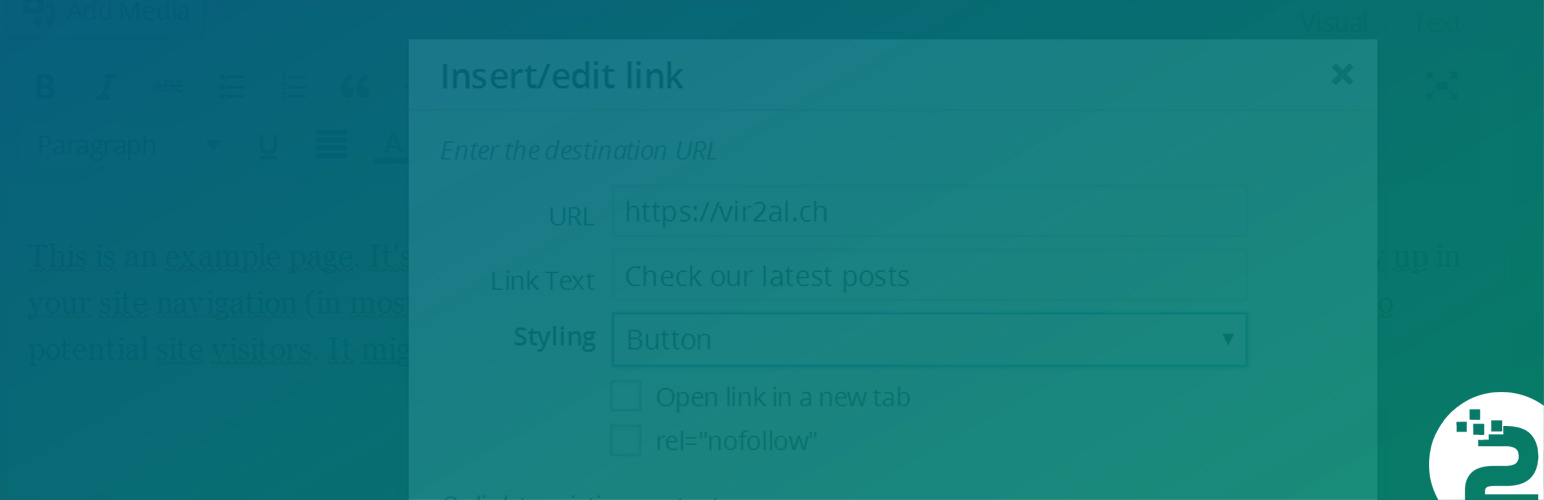
This Plugin adds several enhancements to the WP-Link Modal inside the TinyMCE and gives you the possibility to disable the wp inline link tool.

In this first version you are able to:

  1. Add custom classes to your links directly inside the TinyMCE WPLink modal box
  2. Enable/Disable the Inline Linking from WP 4.5+
  3. Add a rel="nofollow" to your links
  4. Add a title-Tag to your links

If you have ideas for improvements, feel free to dive into the code:
https://github.com/nico-martin/AdvancedWPLink/

This section describes how to install the plugin and get it working.

e.g.

  1. Install the Plugin either via the WordPress.org plugin directory, or by uploading the files to your server.
  2. Activate the Plugin
  3. Go to “Settings -> Advanced WPLink” and add your desired classes
  4. Check the WPLink modal inside each editor.
  1. Add custom Styling to your Links. For example Buttons?

    Add custom Styling to your Links. For example Buttons?

  2. Super easy to manage

    Super easy to manage

На WordPress 5.5 не работает. Not working with WordPress 5.5

By Sergei (Duelant) on September 1, 2020

Прекрасно работал до обновления WordPress до версии 5.5. После обновления бОльшая часть функционала плагина (а именно в ней его суть) не работает. Жаль. Удаляю. Worked great before updating WordPress to 5.5. After the update, most of the plugin's functionality (namely, its essence) does not work. It's a pity. I delete.

Fixes issues on Google Chrome

By Howdy_McGee on February 11, 2019

The default editor has really bad issues with the edit permalink inline-popup where it just blinks, you can't click it. This really help fix that issue.

perfect

By Thor Sarup (mouret) on April 24, 2018

Excellent plugin. No messy shortcodes needed for adding styled buttons. The styling of buttons is 100% controlled by the designer (CSS) - and NOT in the admin by the editor or author.

Superb tool

By Mark Howells-Mead (markhowellsmead) on January 18, 2018

Saved the day for a complex project - without it, I'd've had to manually migrate thousands of media files to custom fields over many hundreds of blog posts!

Should be in the Core!

By stooni (webstooni) on September 26, 2017

Enhance WordPress Links with these Plugin! -------------- Rally good! ------------stooni

Must have plugin

By Jochen Gererstorfer (gmmedia) on December 31, 2016

The Advanced WPLink Plugin is installed on all my blogs. It's time to spread the word. Here is my contribution: [link removed]

Simple to set up - works great!

By jodamo5 on December 17, 2016

This plugin is very easy to setup and works perfectly. The drop down styles selector appears in the native WordPress insert link dialogue. And when I installed it, it immediately recognized when I had already applied the styles to an existing link, and showed the correct item in the drop down.

Works perfect. Thank you.

By zielniok on December 4, 2016

This Plug is the best way to add rel="nofollow". Just one issue I would like to see in the plugin: Adding rel="noopener noreferrer" for all target="_blank" for security reasons. See also: [links removed]

Great!

By Alain (alainotjens) on November 1, 2016

Exactly what I was searching for, thanks!

thank you!

By rothschild86 on September 12, 2016

The inline editor is so buggy. Thank you for a great solution!

1.1.0

  • Added PHP 5.3 Support
  • Added PHP version check

1.0.1

  • Bugfixes

1.0.0

  • complete rebuild from scratch
  • Add a title-Tag to your links
  • Hide styling options if no option is set
  • Added german translation
  • improved responiveness
  • minify all the things!

0.9.1

  • Enable/Disable inline links
  • Add custom link classes
  • Add rel=”nofollow”
Back to top