Aetos Quick Order Chat for WooCommerce

Aetos Quick Order Chat for WooCommerce
Description
Aetos Quick Order Chat adds a focused conversational-order path to WooCommerce.
Shoppers can open a prefilled WhatsApp message from a product or their current cart. The message is built locally from visible catalog data. Nothing is sent anywhere until the shopper explicitly clicks the button.
Main features:
- Product messages with live quantity and selected variation details.
- Cart messages with product names and quantities.
- Optional SKU, visible price/total, and product/cart links.
- Classic WooCommerce cart and WooCommerce Cart Block output.
- A shortcode for deliberate custom placement.
- Arabic-ready, translation-ready settings and messages.
- No SaaS account, API key, telemetry, click tracking, or lead database.
The shortcode is [aetos_quick_order_chat]. Its context attribute accepts auto, product, or cart. A deliberate product can be selected with product_id, for example [aetos_quick_order_chat context="product" product_id="123"].
This plugin is not affiliated with, associated with, authorized by, endorsed by, or in any way officially connected with WhatsApp, Meta, or WooCommerce.
Privacy
The plugin stores one settings option owned by the site. It does not create a lead log, set cookies, fingerprint visitors, or make background requests.
When a shopper explicitly clicks an order-chat button, their browser opens a wa.me URL. The prefilled text may contain the current product/cart names, quantities, and whichever SKU, price, and link fields the site owner enabled. It does not contain customer identity, billing, shipping, payment, cookie, IP, or historical-order data.
External services
This plugin uses WhatsApp’s wa.me link service only after a shopper explicitly clicks a visible button. No request is made to WhatsApp during page load, plugin activation, settings, or message rendering.
Data sent after the click:
- The site owner’s configured WhatsApp destination number.
- The visible prefilled product or cart message described in the Privacy section.
WhatsApp processes the resulting request under its own terms and privacy policy:
- Terms of Service: https://www.whatsapp.com/legal/terms-of-service
- Privacy Policy: https://www.whatsapp.com/legal/privacy-policy
Installation
- Install and activate WooCommerce.
- Upload the plugin files to
/wp-content/plugins/aetos-quick-order-chat/, or install the plugin through the WordPress plugins screen. - Activate the plugin through the Plugins screen.
- Go to Settings > Aetos Quick Order Chat.
- Enter the WhatsApp destination number in international format, including the country code.
- Review the product/cart and message-content settings, then test a product and cart page.
Screenshots
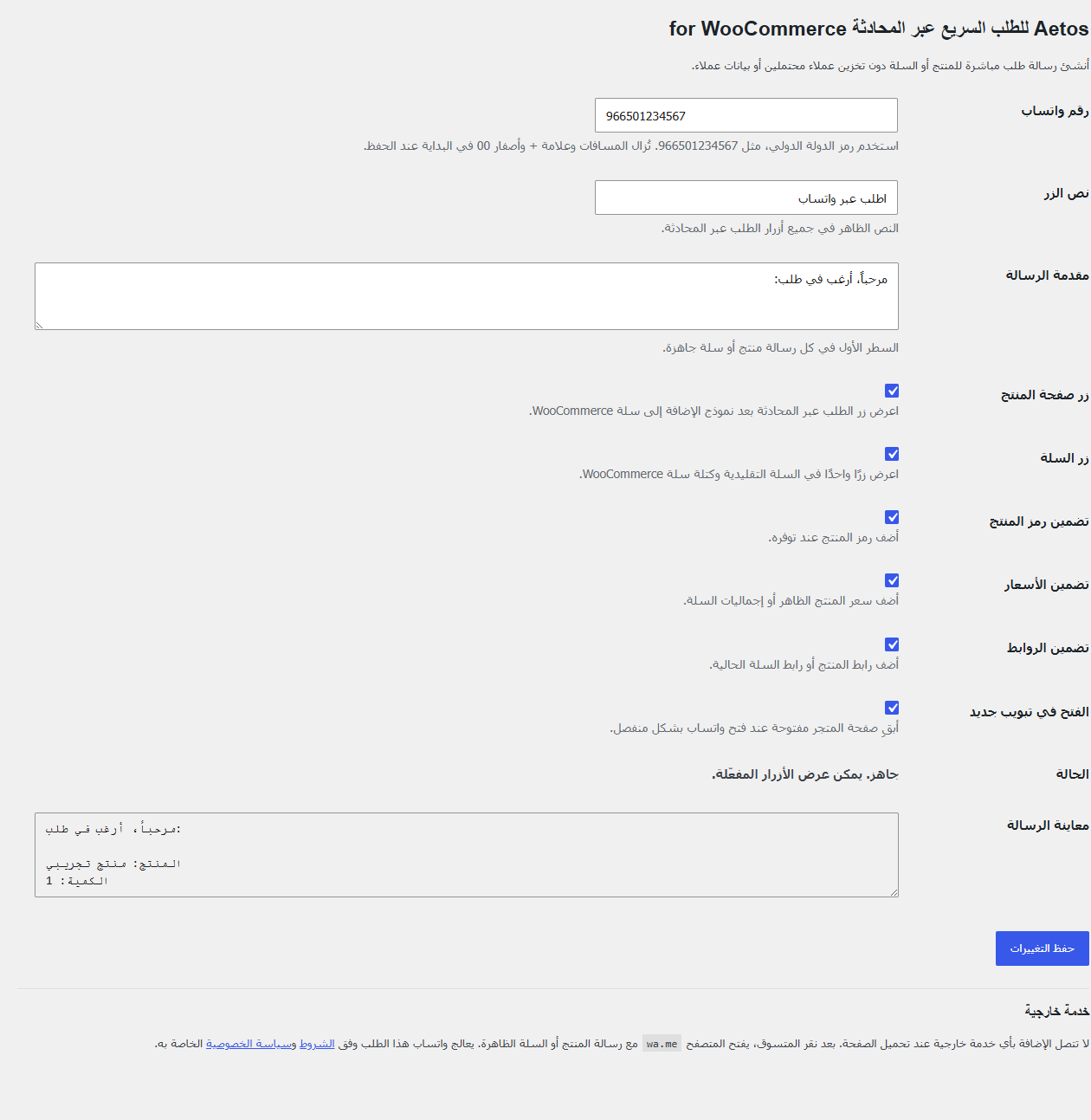
Settings page with destination, message, placement, and privacy controls.
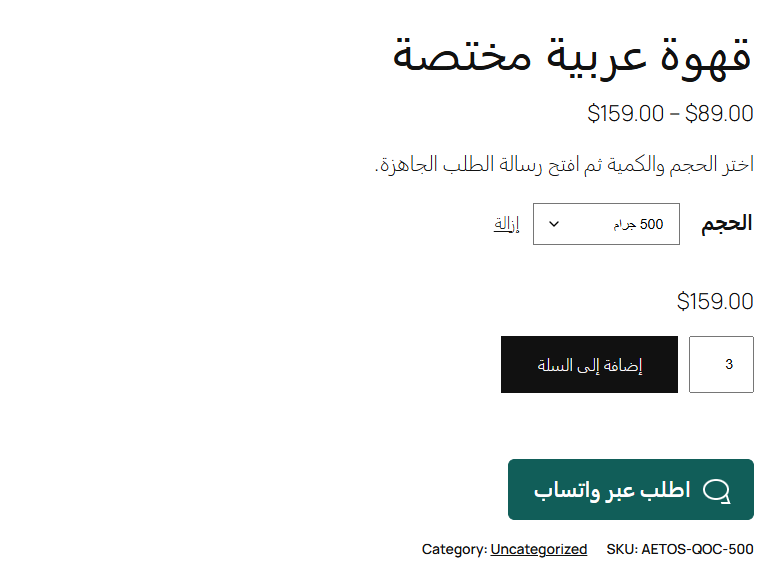
Product page with a clear order-chat button below the add-to-cart form.
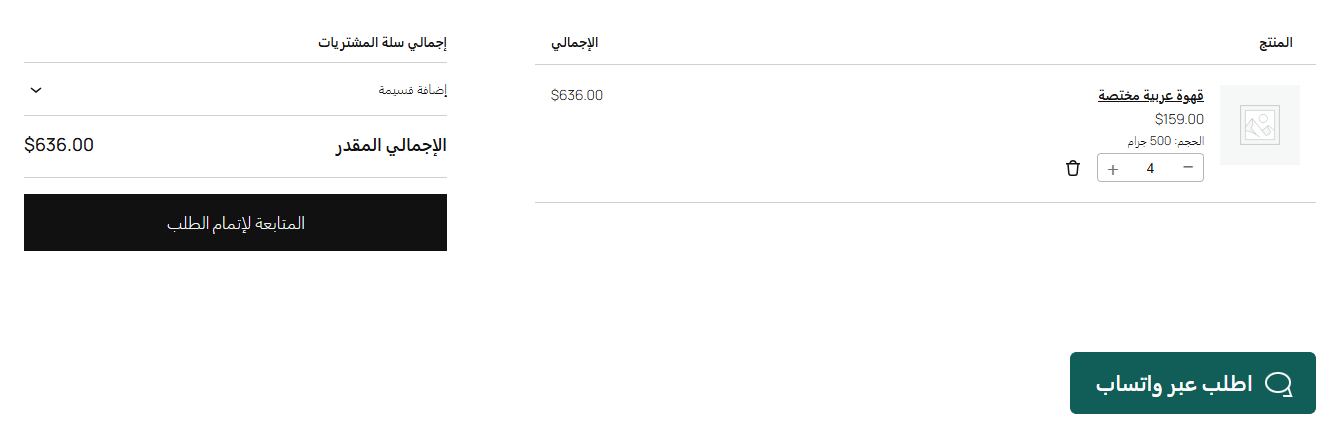
Cart Block with a prefilled order-chat action and no customer-data collection.
Faq
No. It prepares a message and opens WhatsApp after the shopper clicks. It does not replace checkout or create an order in WooCommerce.
No. It stores only the site owner’s plugin settings. It does not collect names, phone numbers, emails, addresses, payment details, cookies, IP addresses, or click analytics.
Product/cart names and quantities are included. The site owner can also include SKU, visible price or cart totals, and product/cart links. Customer and historical order data are never included.
Yes. On a product page, selected variation labels and the current quantity are added in the shopper’s browser immediately before the link opens.
Yes. Version 1.0.0 appends one server-rendered button after the Cart Block and also supports the classic cart hook.
Yes. Use [aetos_quick_order_chat]. The shortcode fails closed when its requested product or cart context is unavailable.
The plugin intentionally displays nothing until a valid international destination number containing 7 to 15 digits is saved.
Reviews
Changelog
1.0.0
- Initial release.