AI Builder – Generate pages, blocks, images & translate with AI
AI Builder – Generate pages, blocks, images & translate with AI
Description
Transform your WordPress workflow with the ultimate AI Copilot. AI Builder is not just another template shuffler. It is a native AI Page Builder that generates 100% custom Gutenberg pages, blocks, and content tailored to your specific prompts.
Whether you need a high-converting landing page, a complex “Features” section, or a full blog post with images, AI Builder creates it in seconds—right inside the editor.
🚀 Start for FREE: Get 150 credits immediately upon signup (No credit card required).
🔍 Why Choose AI Builder?
Most AI tools force you to use their proprietary builders. AI Builder works natively with Gutenberg. This means zero bloat, perfect performance, and you own the code forever.
What you can achieve in minutes:
- ⚡ Instant Page Building: Generate complete Homepages, About Us, or Pricing pages from a simple description.
- 🪄 Modify Existing Blocks with AI: Select any block in the editor and refine it using natural language (layout tweaks, new elements, copy improvements, styling changes) without rebuilding the whole section.
- 🎨 Custom Design & CSS: The AI doesn’t just insert text; it styles your blocks with custom CSS to match your brand identity.
- 🧩 Smart Block Creation: Need a specific “Pros & Cons” table or a “Team Member” slider? Just ask, and the AI builds the block structure for you.
- 🎭 Pre‑Configured Design Prompts: Choose from curated visual styles (design prompts) to quickly generate pages with a consistent, high-quality look and feel.
- ✍️ Context-Aware Copywriting: Write SEO-optimized headings, paragraphs, and CTAs that actually sound like your brand.
- 🖼️ Integrated AI Images: Generate royalty-free, unique images directly inside your image blocks. No more searching for stock photos.
- 📱 Performance First: All generated images are automatically compressed for the web.
- 🌍 Go Global Instantly: Translate entire pages, headers, and footers in one click. The AI handles the content translation and automatically links pages together with a built-in language switcher.
“Perfect for freelancers, agencies, and site owners who want to scaffold websites in hours, not days.”
Key Features
- 🧠 AI Page Generator – Turn a single sentence into a fully designed landing page (Header, Content, Footer).
- 📦 Gutenberg Native – Creates standard blocks that are lightweight and fully editable.
- 🎨 Smart Styling System – Generates custom CSS for every element based on your prompt.
- 🪄 AI Block Modifier – Select an existing block and ask AI to improve, extend, or restyle it while keeping your page intact.
- 🎭 Curated Visual Styles – Use pre-configured design prompts to generate pages with consistent aesthetics (e.g. neobrutalism, premium dark, minimalist, editorial).
- 🖼️ Text-to-Image Engine – Generate and insert relevant images without leaving WordPress.
- ✍️ Content Copilot – Expand, rewrite, or translate text directly within any paragraph block.
- ⚙️ Brand Awareness – Define your site colors and business info in settings; the AI applies them to every generation.
- 🚀 Multi-Page Generator – Create up to 10 pages simultaneously to build a full site structure in one click.
- 🌐 AI Translation Engine – Clone and translate full pages with context-aware AI. Automatically adds a frontend language switcher and manages navigation routing between languages.
- 🛒 WooCommerce Integration – Fully compatible with WooCommerce. The AI automatically detects WooCommerce and includes product blocks when creating e-commerce pages.
Credits
Developed by enkicorbin
Support
For support, documentation, and feature requests, please visit our website: https://website-ai-builder.com
Thank you for choosing WordPress AI Builder!
Installation
- Install AI Builder via the WordPress.org plugin directory
- Activate the plugin through the ‘Plugins’ menu in WordPress
- Create an account
- Start using the AI tools in your Gutenberg editor
Screenshots
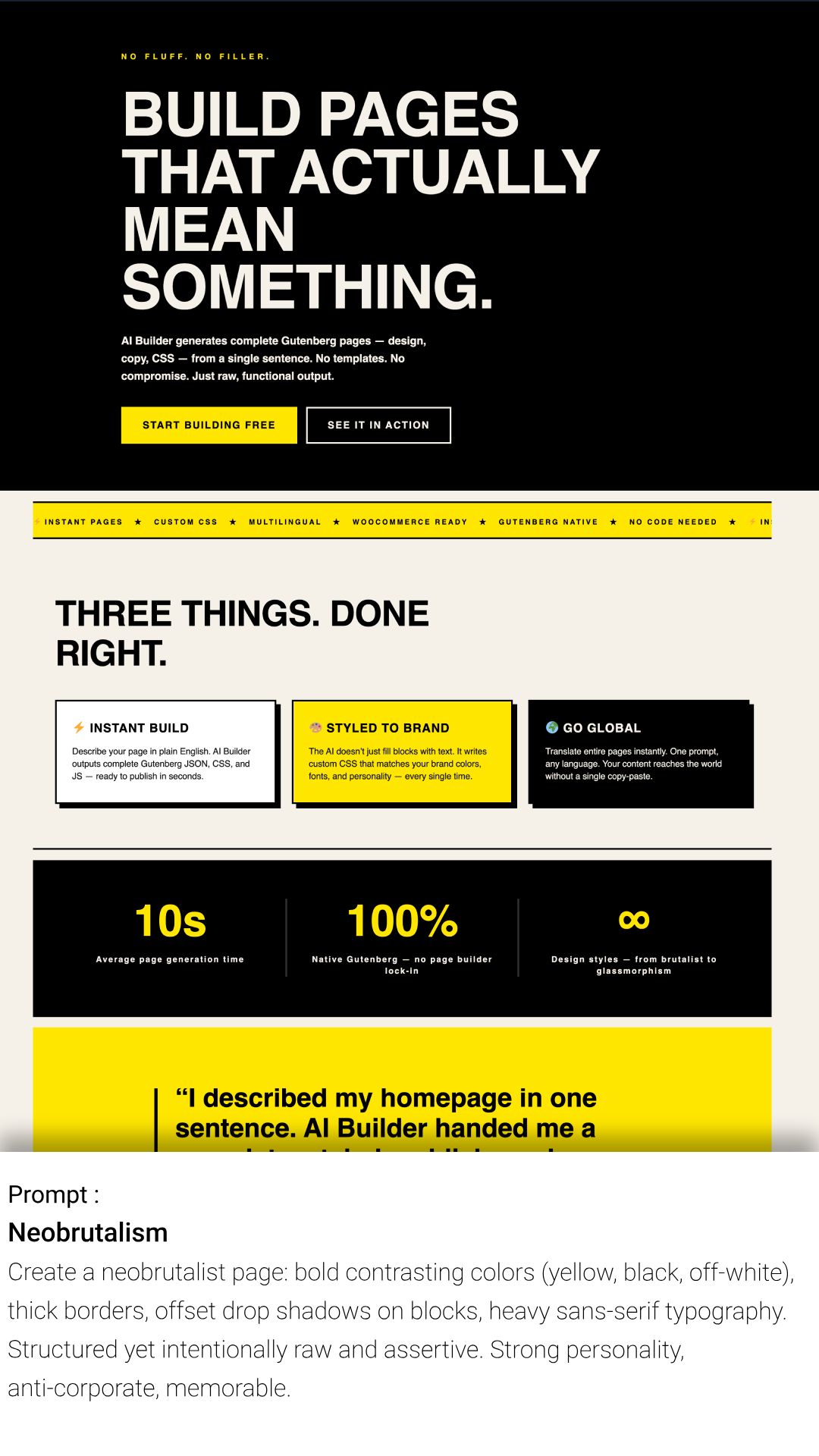
Neobrutalism
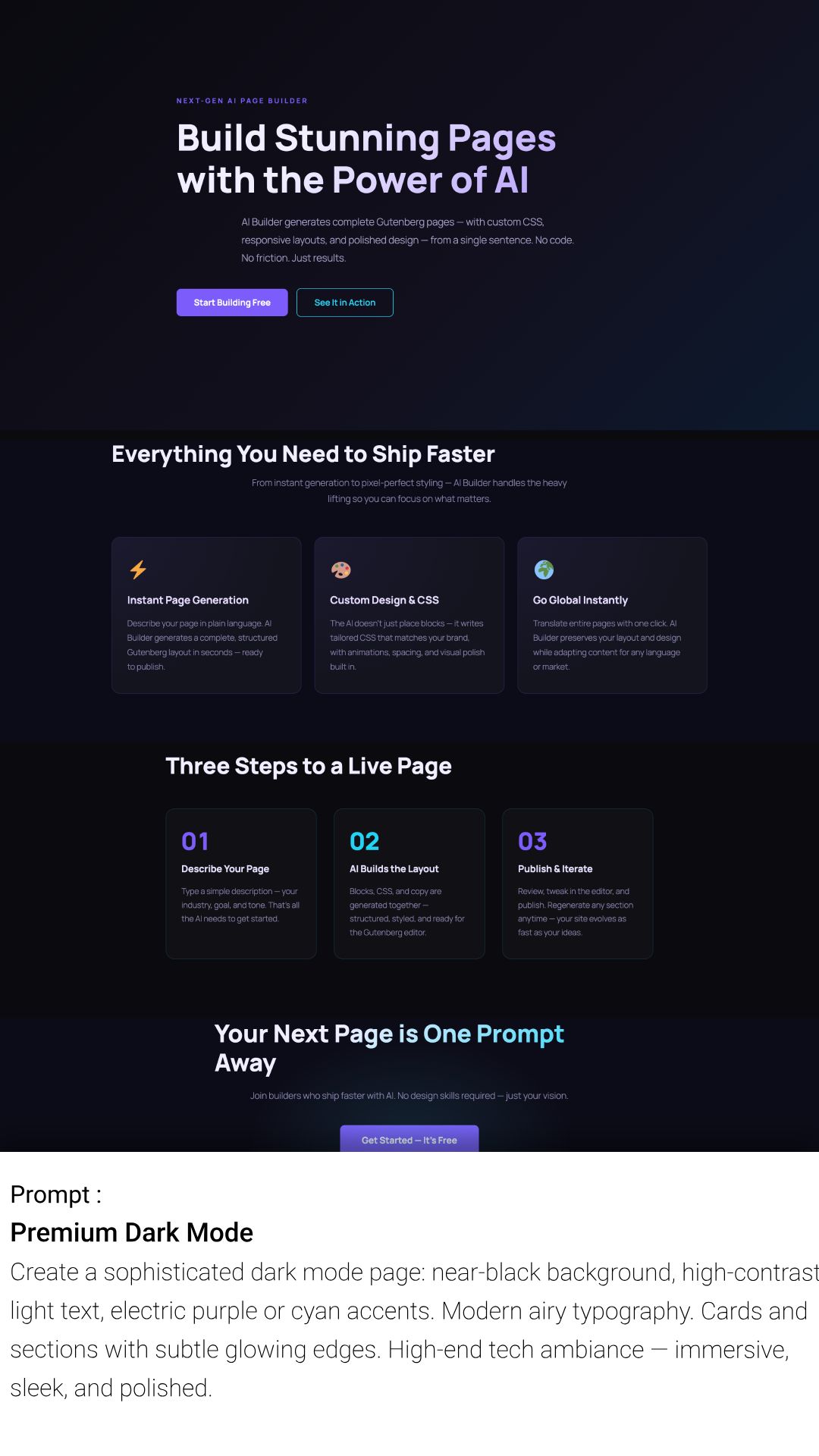
Premium Dark Mode
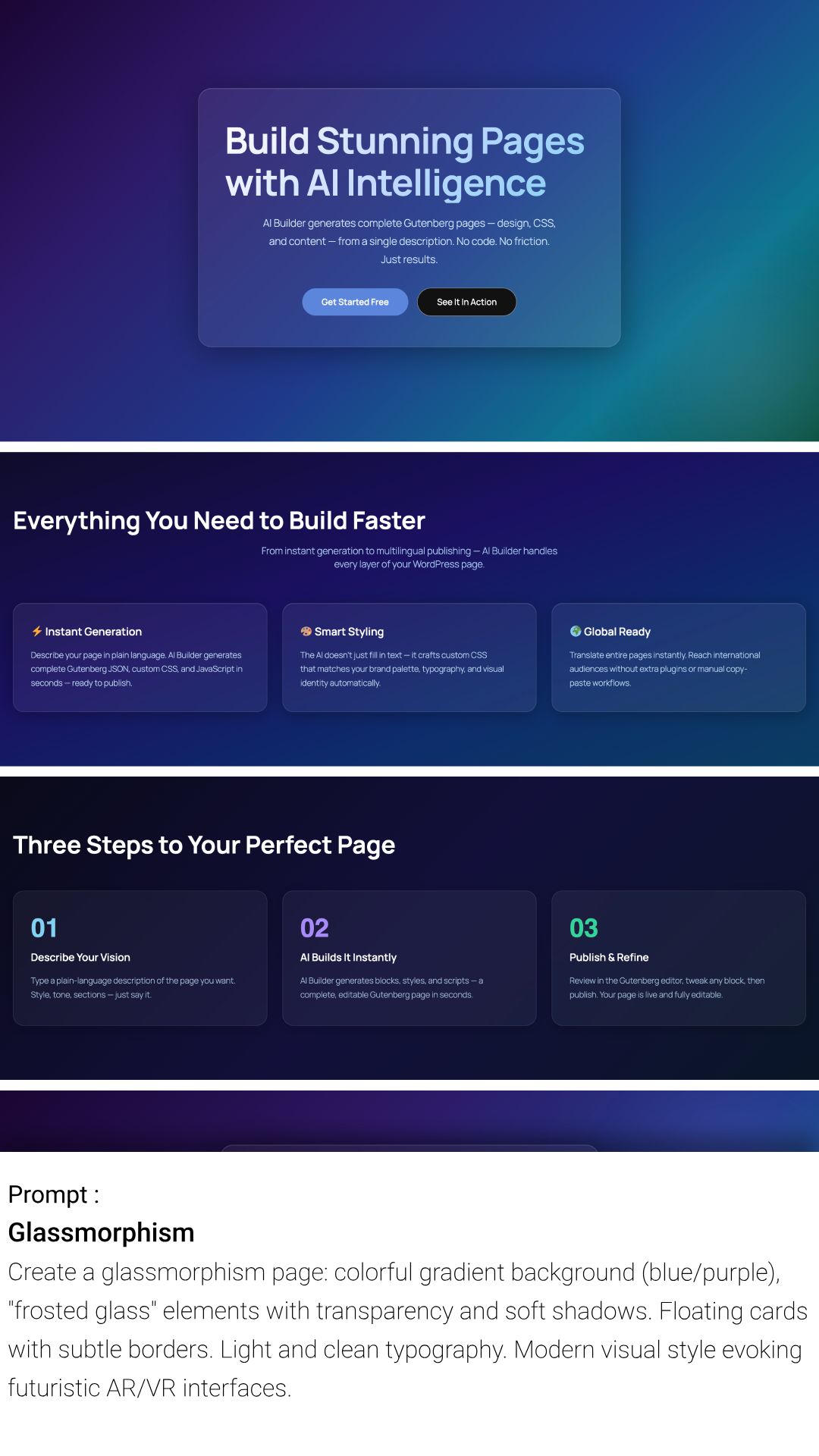
Glassmorhism
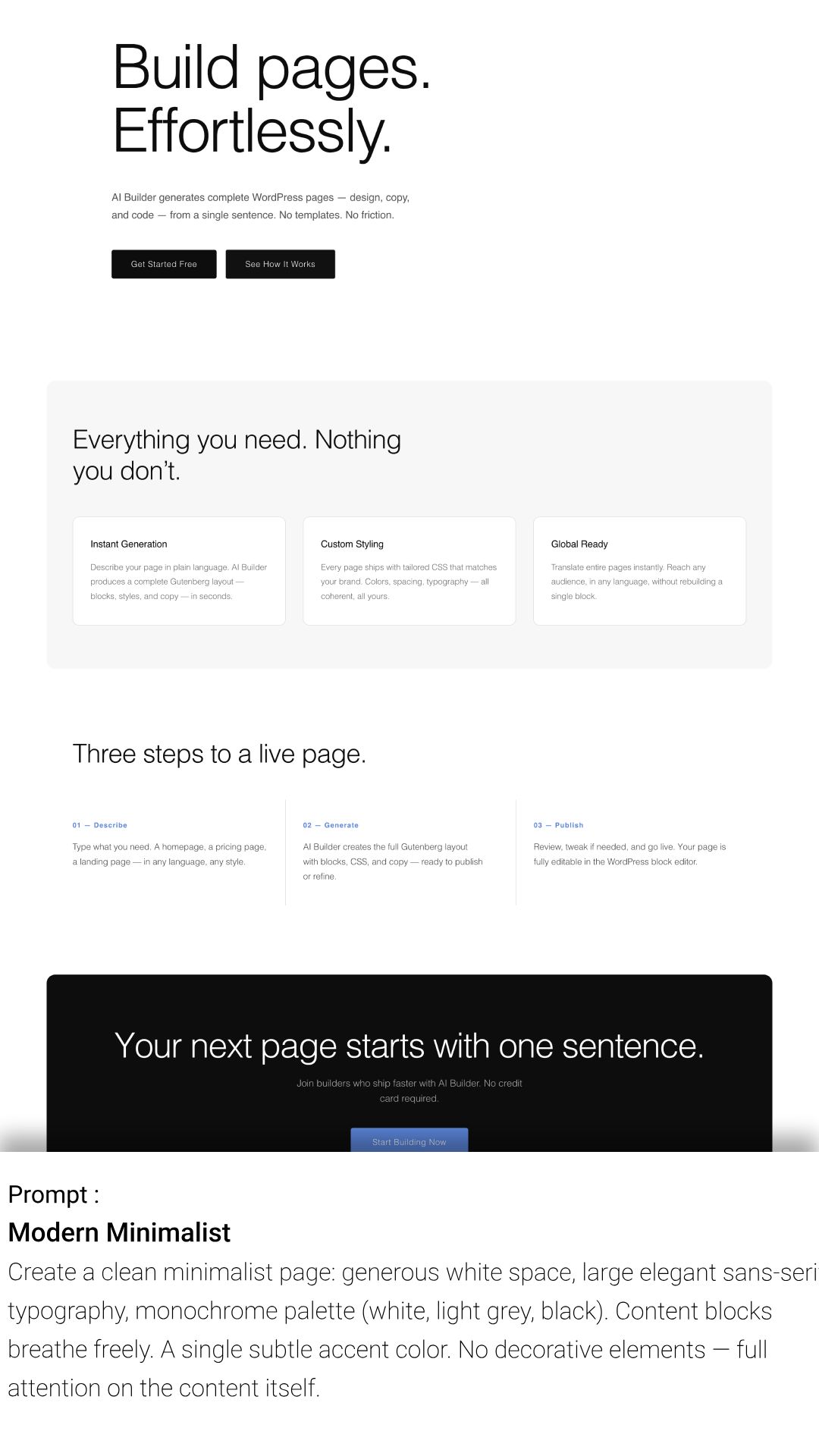
Modern Minimalist
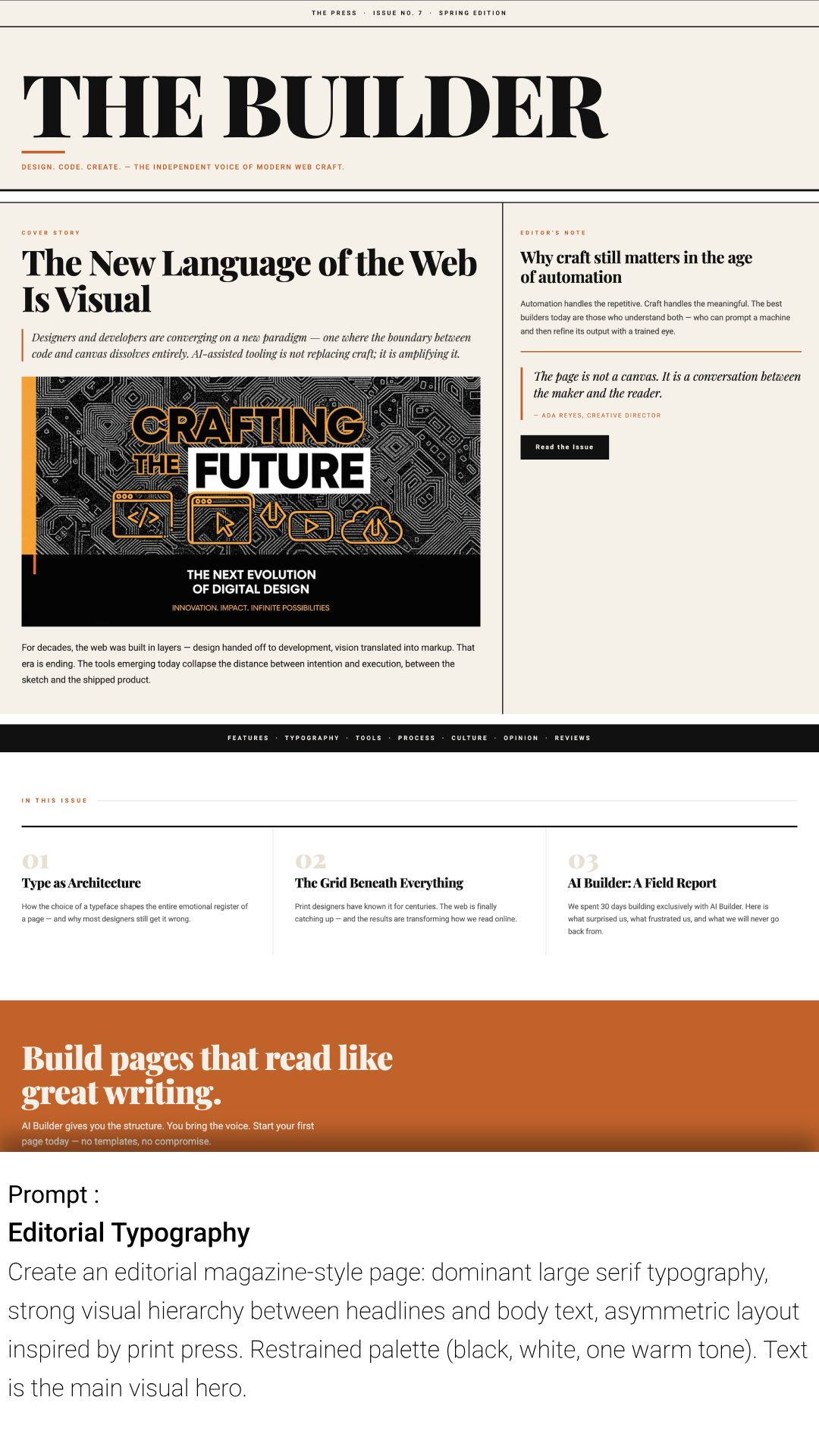
Editorial Typography
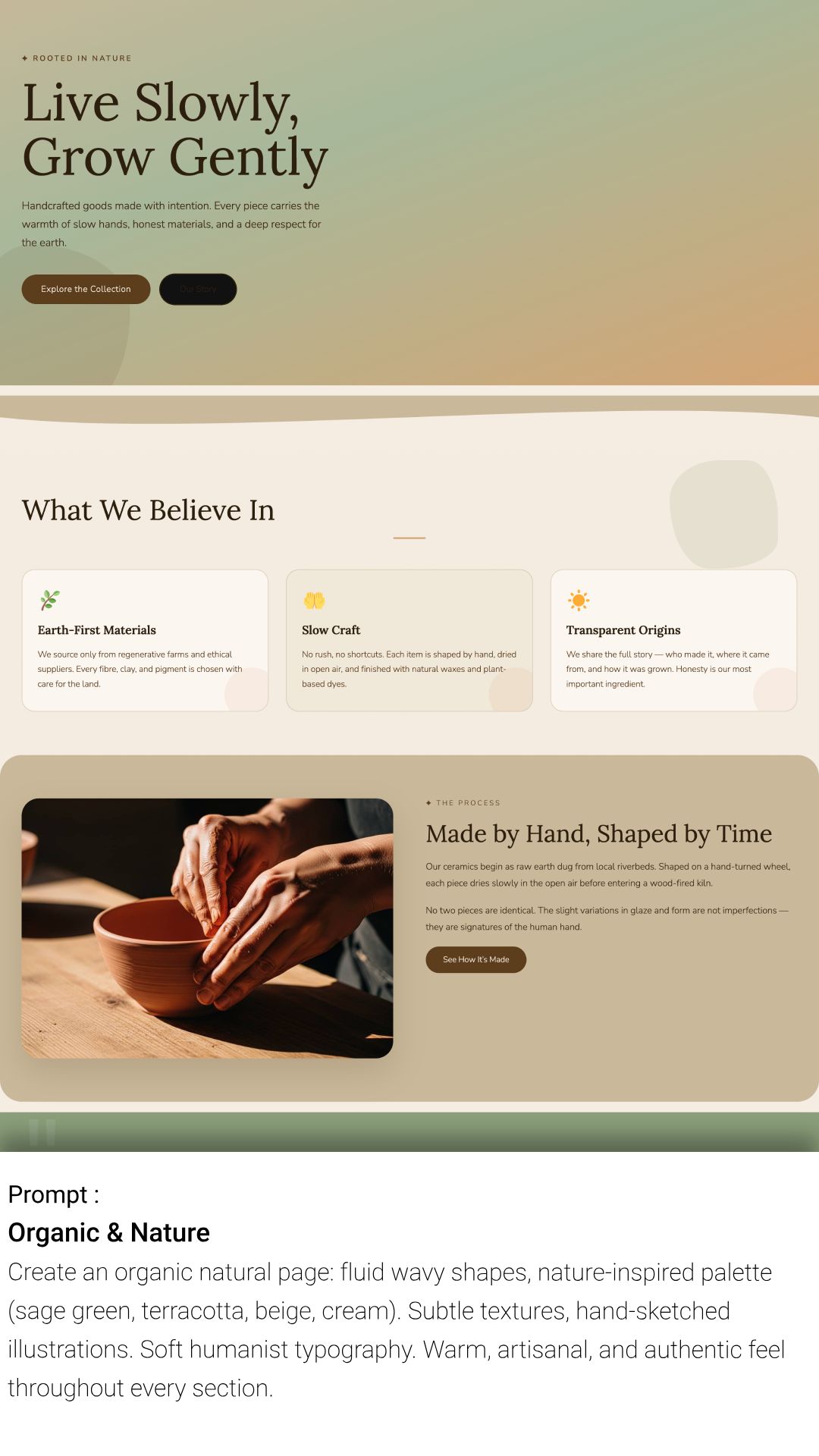
Organic & Nature
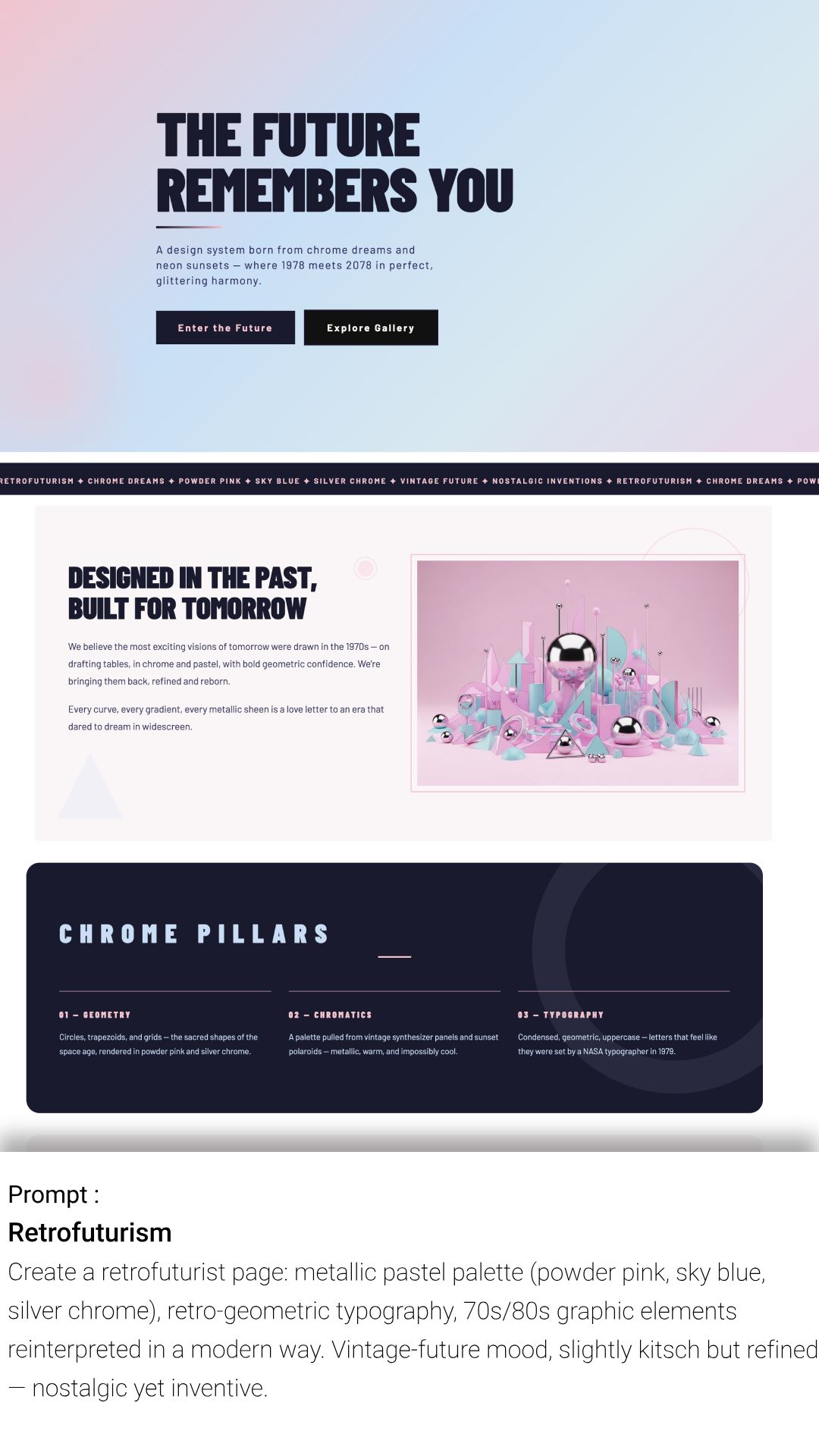
Retrofuturism
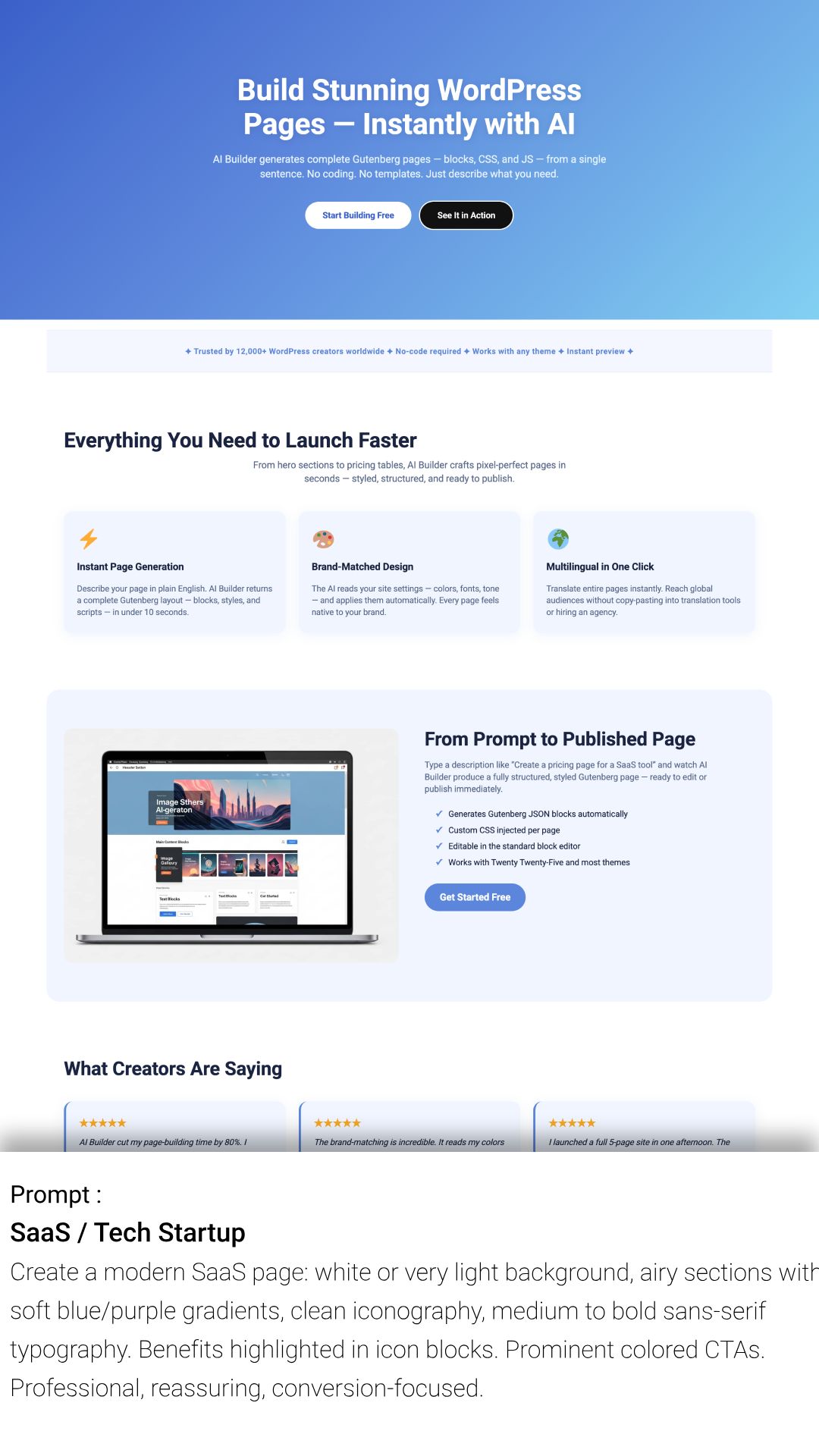
SaaS / Tech Startup
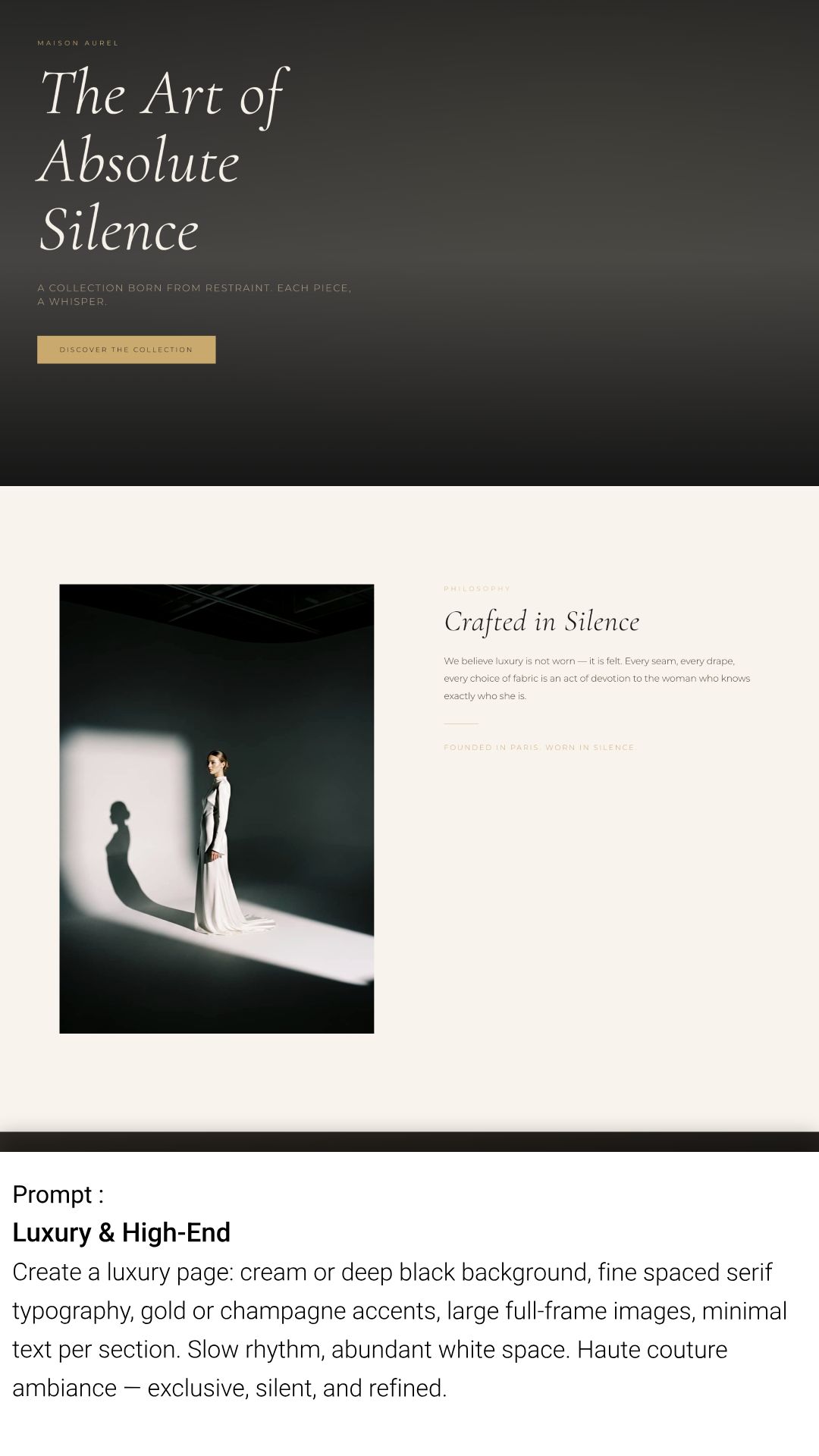
Luxury & High-End
Faq
Yes! You get 150 free credits immediately upon signup to test all features (page generation, text, images). No credit card or OpenAI API key is required.
You keep 100% of your content. Unlike other builders, AI Builder generates standard WordPress Gutenberg blocks and CSS that are saved directly to your database. If you cancel your subscription, your pages will look exactly the same and remain fully editable.
No. We handle all the AI processing on our secure servers. You don’t need to pay for ChatGPT or OpenAI separately; everything is included in your credits.
Yes. AI Builder generates native blocks that inherit your theme’s global settings (fonts, widths, etc.). It is designed to work seamlessly with any well-coded WordPress theme.
Absolutely. The AI creates standard blocks (Headings, Paragraphs, Images, Columns). You can click and edit them just like any other content in WordPress.
Yes. Images generated by the AI are automatically compressed and converted to web-friendly formats to ensure your site loads fast, without sacrificing quality.
AI Builder is designed for the native Gutenberg Editor to ensure maximum performance and PageSpeed scores. However, you can use it alongside other builders if you use Gutenberg for your blog posts or specific landing pages.
Each action (generating a page, a block, or an image) costs a certain amount of credits. You can view your balance directly in the plugin interface. We offer flexible subscriptions and one-time credit packs if you need more.
Yes. You can translate any page, header, or footer into another language with a single click. The AI doesn’t just translate word-for-word; it adapts the context. The plugin automatically adds a language switcher to your site and handles the routing, so users are seamlessly redirected to the correct page in their language.
For most standard websites, no. AI Builder’s built-in translation features handle page duplication, content translation, and menu linking automatically. It’s a lightweight alternative designed to get your multilingual site running in minutes without complex configuration.
Yes! AI Builder is fully compatible with WooCommerce. When WooCommerce is installed, the AI automatically detects it and will include WooCommerce-specific blocks (product cards, add to cart buttons, product galleries, etc.) when you ask it to create a product page or any e-commerce related content.
Reviews
Time-saver for WordPress developers
By 
A game-changer that builds fully styled Gutenberg pages in seconds, right inside the WordPress editor.
Useful for SEO
By 
This plugin allowed me to generate articles quickly for my website. Being able to edit everything (content/css/JS) is really nice, especially when you are a developer.
scam
By 
It's extremely difficult to use. The prompt has a character limit, and the generated results often don't meet my requirements at all. This demo feels like a scam.
Really nice plug-in to create a website quickly
By 
Really nice plug-in to create a website quickly
Easy to use
By 
This plugin greatly speeds up website creation
Changelog
2.7.9
Clearer error reporting in the AI chat: instead of one generic sentence, failures now explain what happened (connection timeout, request blocked by a firewall, expired WordPress session, blocks unavailable on this site…) and include a short support code. A generation containing a block your site does not have is no longer discarded: the other blocks are inserted and the missing ones are listed. Fixed “Generate block” showing a generic error instead of the dedicated message when credits ran out.
2.7.8
Security: saving custom JavaScript for a page, block or Site Editor template now requires the unfiltered_html capability (previously edit_post), and the JS post meta can no longer be written through the Custom Fields box or XML-RPC. Fixes a stored XSS reachable by Contributor accounts in versions 2.4.1 to 2.7.7. Reported by md. minaruzzaman shovon via WPScan.
2.1.2
Compatibility update for WordPress 6.7+ and improved CSS generation for complex blocks.
2.1.1
Fixed a minor issue with the queue system in the Multi-Page Generator.
2.1.0
New Feature: Multi-Page Generator! You can now generate multiple pages (Home, About, Contact) in a single prompt.
2.0.2
Fixed an issue where saved brand colors were not correctly applied to generated buttons.
2.0.1
Major Update: Added “Settings” panel to define your Brand Identity (Colors, Business Name) for consistent AI results.
1.1.4
Improved compatibility with popular themes (Astra, OceanWP) and minor UI fixes in the chat interface.
1.1.3
Security improvements and optimization of the credit consumption logic.
1.1.2
Fixed a minor issue
1.1.1
Hotfix: Resolved a character encoding issue in AI-generated headings.
1.1.0
Fixed a minor issue
1.0.4
Optimization: Faster response time for image generation requests.
1.0.3
Improved the prompt understanding for “Contact Form” and “Pricing Table” blocks.
1.0.2
Fixed a CSS conflict that prevented the chat widget from opening on mobile devices.
1.0.1
Minor bug fixes and stability improvements for the initial connection to AI servers.
1.0.0
Initial release of WordPress AI Builder – build websites faster with the power of AI.