AIWU – Workflow Automation Builder, AI ChatBot, MCP & Content Generator

AIWU – Workflow Automation Builder, AI ChatBot, MCP & Content Generator
Description
We built AIWU to help site owners automate content creation, customer interaction, and site management — with tools more flexible than ChatGPT or any single AI engine alone.
The plugin seamlessly connects modern AI to your WordPress site, letting you write, optimize, chat with visitors, and now — build custom automation workflows with drag-and-drop visual builder. From generating content in bulk and improving existing posts to chatting with users, managing products, adding internal links, and creating intelligent automation sequences — everything happens natively inside WordPress, with full control over tone, prompts, and language models.
AIWU supports multiple providers, including OpenAI, Gemini by Google, Claude AI, Perplexity AI, DeepSeek and Open Router. You bring your own API key and decide how each tool fits your workflow.
Jump to feature:
– Workflow Automation Builder
– WordPress MCP (Claude MCP, ChatGPT, etc)
– AI ChatBot
– AI Forms Builder
– Bulk Content Generator
– Knowledge Base
Features
AI Workflow Builder – Automate Anything Inside WordPress with Drag & Drop
Build powerful AI automations for WordPress without writing code. AIWU Workflow Builder lets you create custom automation sequences using visual drag-and-drop interface — connect triggers, actions, and logic blocks to automate content generation, email campaigns, WooCommerce operations, and more.
Key Features:
- Visual Drag & Drop Editor — Build workflows by connecting blocks, no coding required
- 50+ Automation Blocks — Triggers, Actions, and Logic (Branch, Loop, Delay, Stop)
- 14+ Available Integrations — AIWU, OpenAI, Claude AI, Gemini AI, Perplexity AI, DeepSeek AI, OpenRouter, WordPress, WooCommerce, Gmail, SMTP, Slack, Telegram, MySQL, Discord — and new integrations are added almost every day
- AI-Powered Actions — Generate content, create images, personalize emails with OpenAI, Claude AI, Gemini AI, Perplexity AI, DeepSeek AI, OpenRouter, and AIWU native models
- Smart Logic Blocks — Add conditions (if/else), loops (process lists), delays, and workflow controls
- Multiple Triggers — Start workflows manually, on schedule, or automatically when WordPress, WooCommerce, Discord, Slack, Telegram, Gmail/SMTP, or database events occur
- Dynamic Variables — Use data from previous steps in any field throughout your workflow
- Unlimited Workflows — Create as many automation sequences as you need (Free: 3 workflows max)
- Ready-to-Use Templates — 20+ pre-built workflow templates for common automation scenarios
- Full Control — Set OpenAI spend limits, retry logic, error handling, and execution rules per workflow
Simply add a trigger, connect actions, and watch your WordPress site automate itself:
“When new user registers wait 1 hour generate personalized email send” — built in minutes, runs forever.
👉 Learn more about Workflow Builder
💡 Browse Workflow Templates
WordPress MCP Integration – Claude, ChatGPT & More
The first WordPress MCP plugin with full Claude MCP and ChatGPT MCP integration. Connect any MCP-compatible AI provider to control your WordPress site through natural conversation — creating pages, managing content, uploading media, and even handling WooCommerce without coding.
Key Features:
- WordPress Claude MCP — Direct site management with Claude
- WordPress ChatGPT MCP — Use OpenAI’s ChatGPT for WordPress automation
- Multi-provider MCP Support — Extend to other AI assistants supporting MCP
- Conversational Site Building — “Create a landing page” done in seconds
- Complete Site Management — Pages, posts, media, users, WooCommerce products, settings
- Real-time Updates — Watch changes happen instantly on your live site
- No Technical Skills Required — Natural language only
- Secure Integration — Enterprise-grade MCP protocol with full access control
Simply connect your preferred MCP AI — Claude, ChatGPT, or any other provider — and say:
“Create a product page with pricing table and contact form” it handles everything automatically. From content updates to full website builds, WordPress MCP integration makes site management effortless.
👉 Learn more about WordPress MCP Integration
Smart AI ChatBot with Custom Training
Help your visitors, answer questions, and close more sales — automatically. AIWU’s chat assistant replies instantly, works 24/7, and can be trained on your content to speak in your brand’s voice. No extra staff. No coding. Just better conversations.
Why use it:
- Capture leads around the clock — never miss an opportunity
- Reduce support workload — handle common questions automatically
- Improve user experience — fast, clear, helpful replies
- Boost revenue — guide visitors and remove friction before they bounce
What makes it powerful:
- Fast setup — get started in minutes, no technical skills needed
- Looks native — customize layout, colors, and behavior to match your theme
- Mobile-ready — fully responsive, works great on phones and tablets
- Unlimited scenarios — build as many chatbot flows as you need
- Train it your way — use instructions, your own datasets, or site content to fine-tune models or generate embeddings (RAG)
- Content-aware replies — the assistant reads context and responds accordingly
- Role-based control — set usage limits by user roles (guests, users, admins)
- Human fallback — allow users to request real human help when needed
- Multi-channel support — use it on your site, in popups, or via integrations
- File upload handling — let users send documents and process them with AI
- Built-in analytics — monitor performance, conversations, and engagement
AI Forms Builder – Interactive AI-Powered Forms, Quizzes, and Calculators
Create intelligent forms that process user input with AI and deliver personalized recommendations. Build interactive quizzes, surveys, calculators, and assessment tools — all without coding.
Key Features:
- Visual Form Builder — 9 field types with drag-and-drop interface
- AI-Powered Responses — Forms analyze input and generate personalized recommendations
- Smart Conditional Logic — Show/hide fields based on user responses or AI output
- Form Chaining — Connect forms where one output becomes the next input
- Variable System — Use {FIELD_NAME} and ${#css_selector} in AI prompts
- Advanced Integrations — Webhook notifications, email alerts, custom targeting
- Reset & Clear — Smart buttons that clear specific fields or sections
Transform static contact forms into intelligent business tools. Create lead qualification surveys, ROI calculators, or assessment quizzes that convert visitors into qualified leads.
Bulk Content Generator – AI-Powered Article Writing at Scale
Create 1000+ of high-quality posts in a fraction of the time. Whether you’re building a blog, glossary, directory, or content cluster — AIWU helps you write faster, stay on brand, and stay in control.
- Enter unlimited topics and keywords.
- Control generation settings: tone, language, length, presets, prompts.
- Preview, schedule, or auto-publish.
Control every part of your post
Create articles with full control over each field — from title and body to tags, categories, images, alt texts, excerpts, and even custom fields. Adjust tone, prompts, and structure the way you need.
Key features:
- Bulk content creation — generate dozens or hundreds of posts at once
- All fields supported — titles, body, categories, tags, images, alt text, excerpts, and custom fields
- Flexible generation modes — single-prompt, sectioned outline, or fully custom templates
- Topic & keyword input — create content based on your subjects and target phrases
- Tone, length, and language settings — define how each article should sound and how detailed it should be
- Dynamic variables support — use {topic}, {keyword1}, {keyword2}, and more in custom structures
- Default prompt editor — modify system prompts for full control over style and logic
- Auto-publishing options — publish instantly, on a schedule, or distribute evenly over time
RSS Feed Aggregator – Autoblogging for WordPress
Turn RSS feeds into fully formatted blog posts — no writing required. AIWU can monitor any number of feeds, extract content, and transform it into complete articles with titles, images, categories, tags, and more. You control how often content is imported, how it’s structured, and what gets published — whether instantly or after approval. It’s hands-off publishing that still feels on-brand.
How it works:
- Connect one or more RSS feeds — there’s no limit
- Let AIWU create full posts: title, body, images, tags, categories, custom fields, and excerpts
- Automatically generate matching social media posts for LinkedIn, X (Twitter), Facebook, and Instagram
- Fine-tune behavior: set frequency, post limits per feed, default prompts, source links, and publishing logic
WooCommerce Product Generator – AI Bulk Editor for Products
Generate or rewrite product content in bulk — directly inside WooCommerce. Update titles, descriptions, images, tags, categories, reviews, and more across any number of products, with full control over tone, keywords, and language.
Key features:
- Edit product fields in bulk: title, short/long description, categories, tags, images, custom fields
- Generate product reviews automatically
- Filter products by category, tag, or select manually
- Customize prompts, tone, format, and language per product
- Supports all product types: simple, variable, virtual
AI Smart Content Cross Linking – SEO Auto Linker for Internal Linking at Scale
Add meaningful internal links across your site automatically. AIWU analyzes each post, finds the best place for links, and inserts short contextual paragraphs with references to related content — no templates, no random anchor spam.
Key features:
- Bulk linking — update dozens or hundreds of posts in one go
- Smart placement — AI finds the most natural place for each link
- Contextual snippets — short AI-written paragraphs with embedded internal or external links
- Control how many links appear per article
- Define your own linking rules, keywords, and tone of voice
- Preview and approve changes before publishing
- Improves site structure, navigation, and topical authority
Mass Update of WordPress Post Fields – AI Posts Bulk Editor
Save time by updating hundreds of existing posts with AI — instantly. With AIWU’s Bulk Post Field Generator, you can rewrite or fill in missing content across multiple articles: titles, excerpts, meta descriptions, tags, images, alt text and more. Perfect for refreshing old posts, fixing SEO gaps, or bulk-optimizing imported content.
- Bulk edit existing posts with AI
- Choose which fields to update: title, excerpt, image, alt text, categories, tags, custom fields, etc.
- Filter posts by category, keyword, or post type
- Set tone, language, length, and apply Human-like writing presets
- Preview or publish instantly — full control at every step
AI Copilot – Instantly Enhance, Fix, and Rewrite Text Inside WordPress Editor
AI Copilot’s Magic Text Enhancer brings instant AI-powered writing assistance directly into your WordPress editor. With just one click, you can fix grammar, enhance style, translate, expand, shorten, or rewrite selected text — without leaving your content workflow. Seamlessly integrated into the WordPress block editor, this AI tool boosts your writing speed, improves clarity, and elevates content quality at scale.
Key Features:
- AI text enhancement directly inside the WordPress block editor
- One-click grammar fixes and clarity improvements
- Rewrite text with synonyms to diversify wording
- Expand or shorten text instantly without losing meaning
- Translate text into 200+ languages inside your editor
- Customize prompts and actions to match your writing workflow
- Integrated seamlessly with Gutenberg and other editors
👉 AI Copilot’s Magic Text Enhancer
AI Image Generator – Create Beautiful Images Automatically
Bring your content to life with relevant visuals — no stock photos or manual uploads.
Generate unique images inside articles, product pages, and blog clusters using 30+ AI styles, custom prompts, and SEO-friendly alt texts.
Everything happens automatically, in the right place, and with your brand’s voice in mind.
AI Providers & API Settings – Full Control, No Extra Fees
AIWU works with your own API keys. That means no usage limits from us, no markups, and full control over which AI model you use — and how it behaves.
- OpenAI.
- Google AI.
- DeepSeek.
- Claude AI.
- Perplexity AI.
- Open Router.
Developer API – Extend AIWU with Code
Programmatically control the plugin or integrate with external tools using:
- Client-Side JavaScript API — open, close, message, or modify chatbot replies from the browser
- Public REST API — generate content or interact with chatbots via POST requests
- PHP Helpers — use functions like
aiwuSimpleTextQuery()oraiwuAskChatbot()inside your theme or plugin
Advanced controls:
- Output language — choose per field or project (200+ languages)
- Tone presets — formal, casual, technical, marketing, etc.
- Temperature & top-p — adjust creativity and sampling randomness
- Token limits — set max response length
- Rate limits — define requests per minute per provider
- Frequency & presence penalties — fine-tune repetition and diversity
After 6 months of using AIWU, users report
- 1000% growth in organic traffic. Massive gains in visibility, search presence, and rankings
- 65% more organic users. More engaged, relevant visitors ready to convert
- 10x lower content costs. Scale content creation without hiring or outsourcing
- Up to 4x better conversion from AI chat. Turn conversations into leads — automatically
Real results. Real growth. All powered by one plugin.
Installation
A) VIA FTP
A download zip archive with AIWU – AI ChatBot, Bulk Content Generator and SEO Tools plugin
Extract files
Copy the folder with the plugin
Open via FTP folder \wp-content\plugins\
Paste plugin folder into here
Go to admin panel => Plugins => AIWU – AI ChatBot, Bulk Content Generator and SEO Tools press activate
B) DIRECT UPLOAD VIA ADMIN AREA
A download zip archive with plugin
Go to admin panel => Plugins => Add new
Choose the archive with a plugin and upload it
Wait until you get the notification installation went successfully
Press Activate button
C) VIA WORDPRESS REPOSITORY
Navigate to admin panel => Plugins => Add new
Type “AIWU – AI ChatBot, Bulk Content Generator and SEO Tools” in the search field
Choose our plugin from the list and click “Install”
Wait until you get the notification installation went successfully
Press Activate button
Screenshots
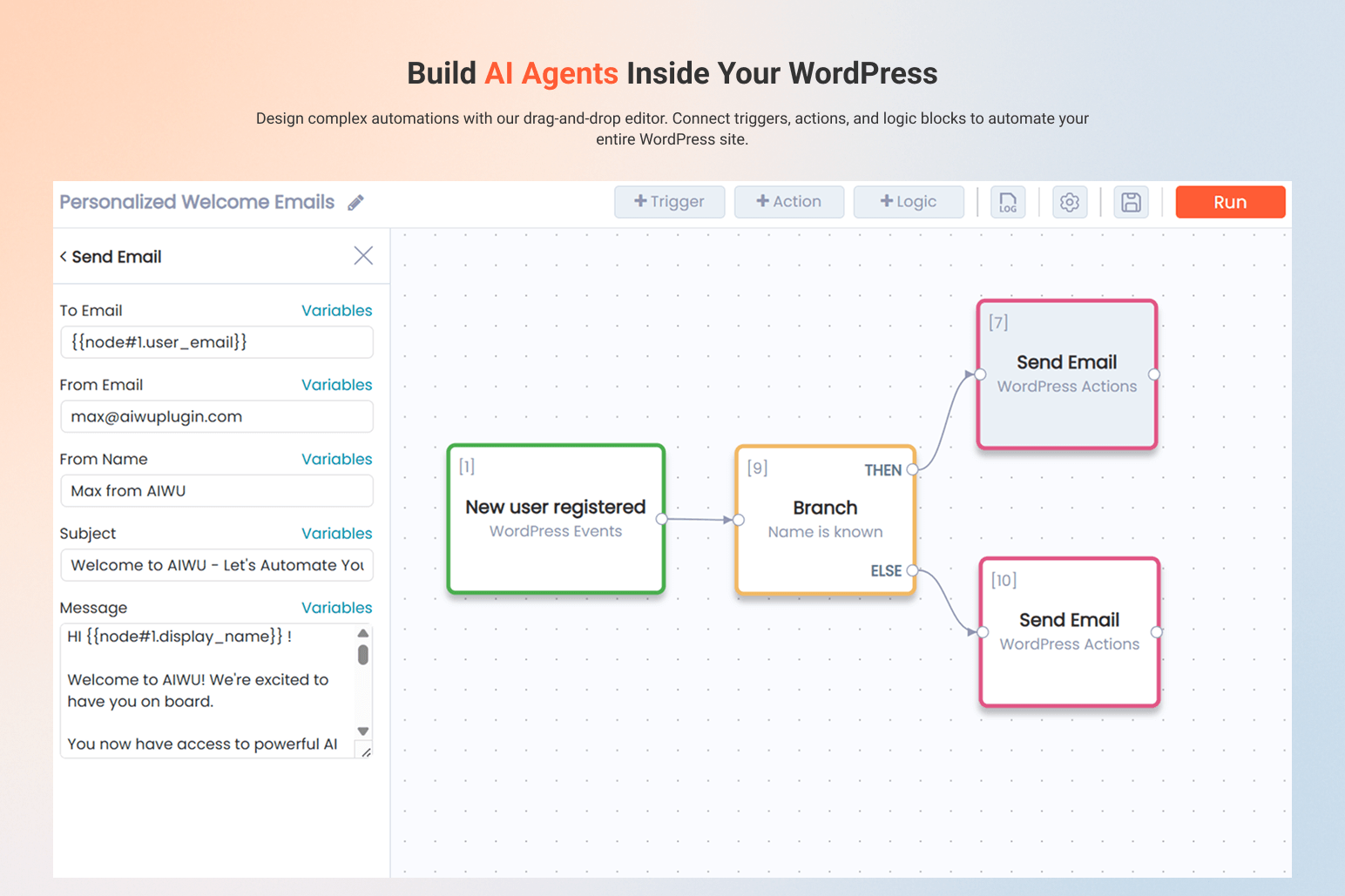
Workspace
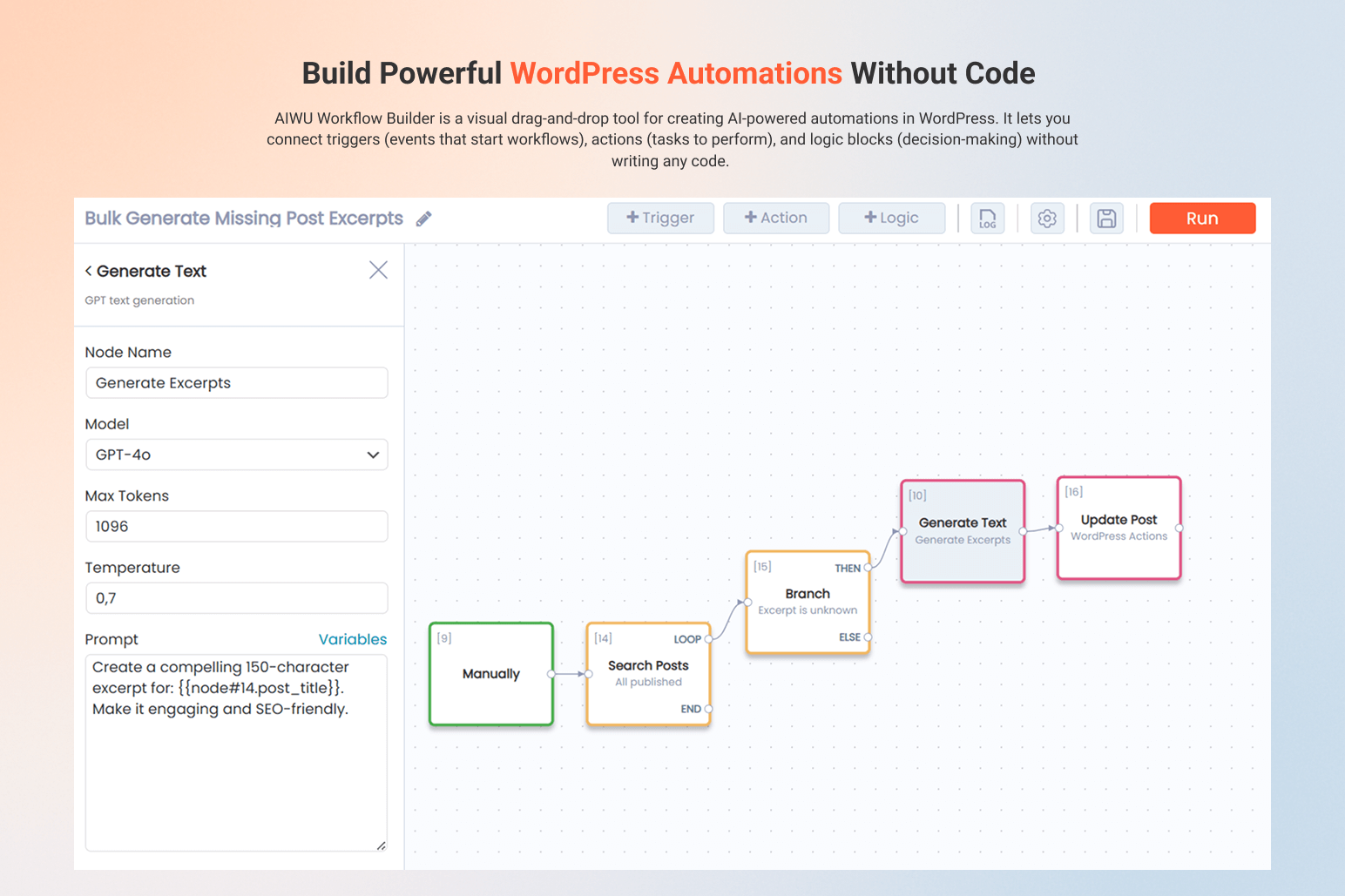
AI Workflow Builder
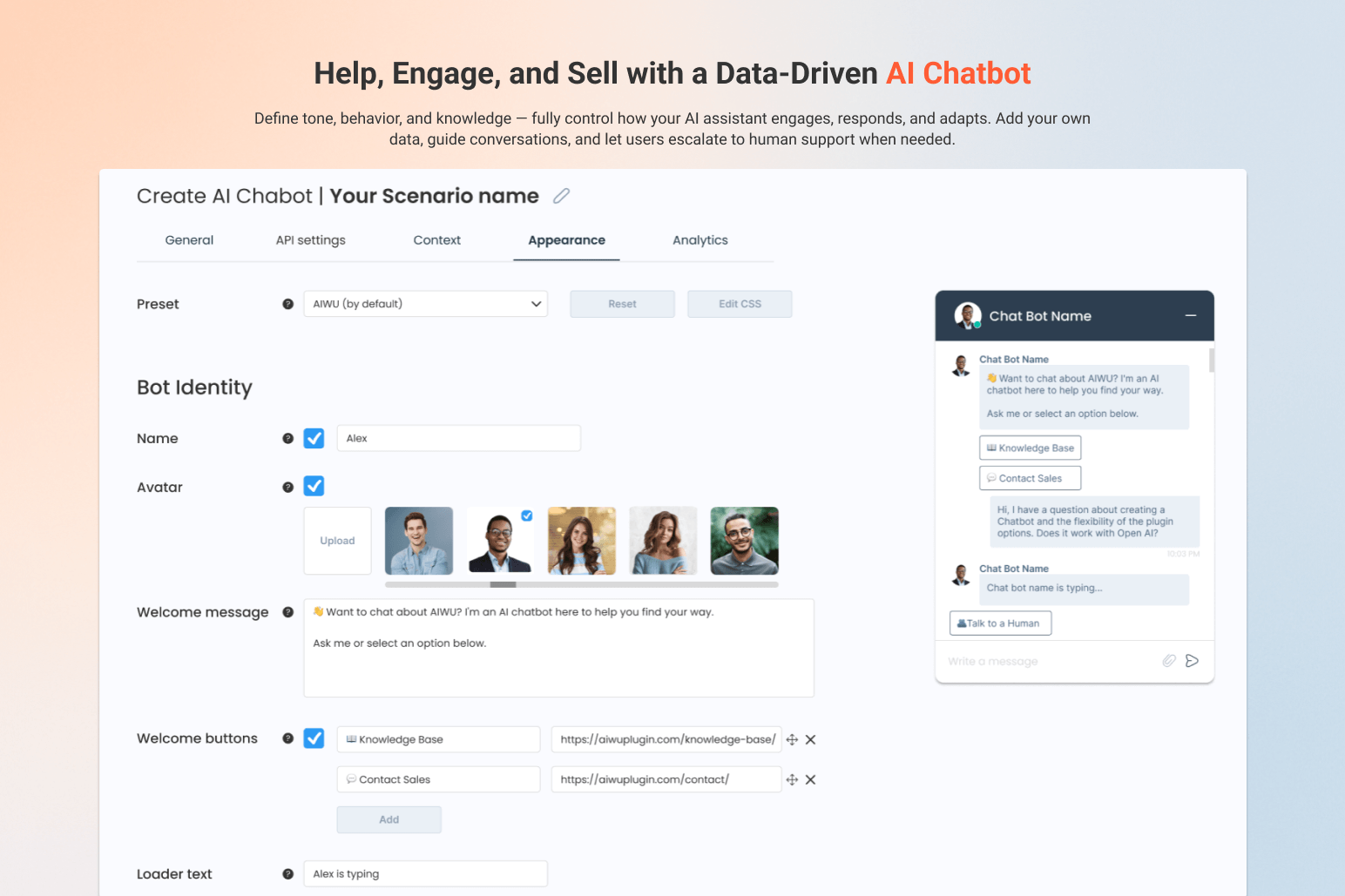
AI ChatBot
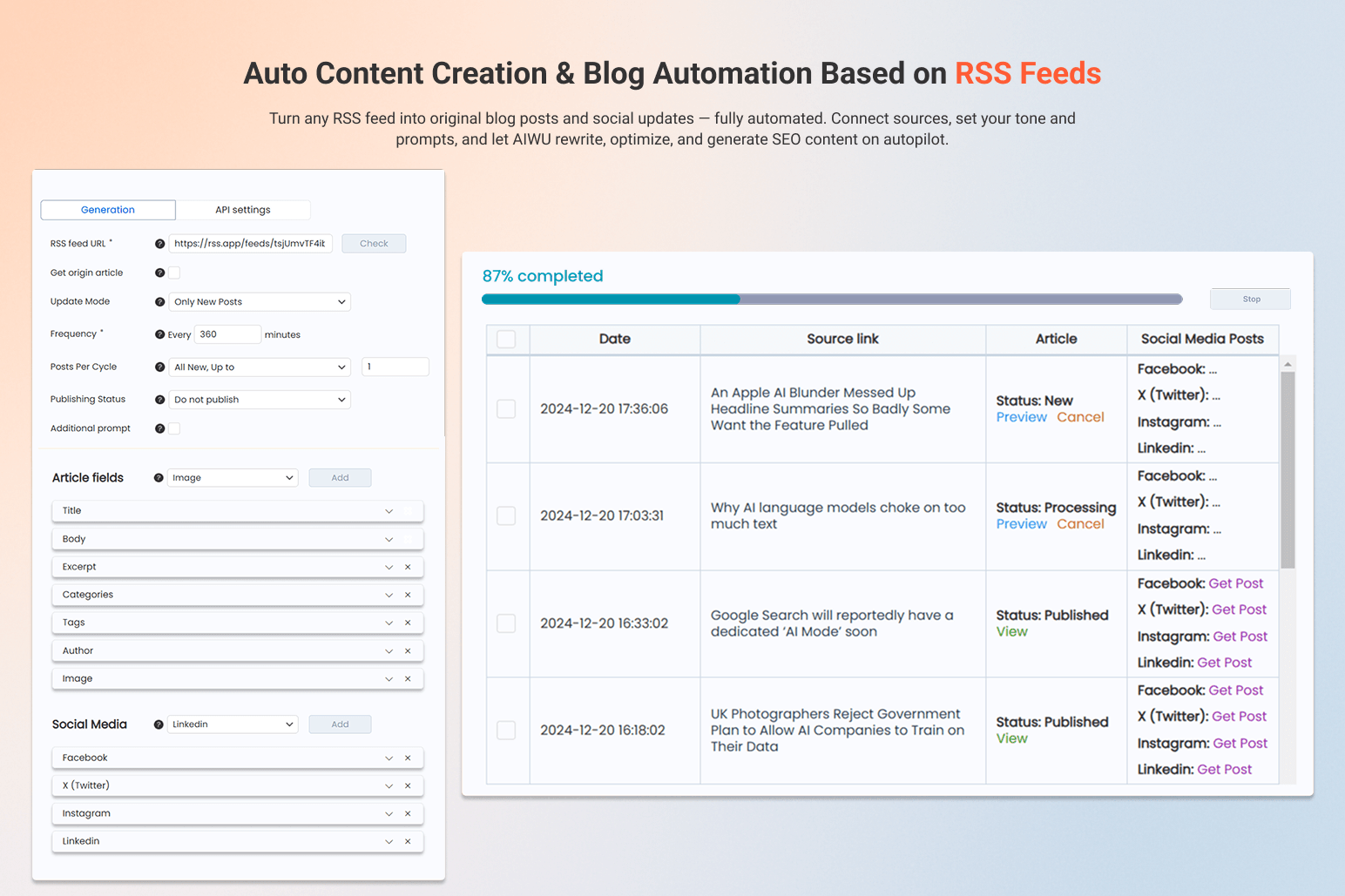
Auto Content Creation – RSS-Based
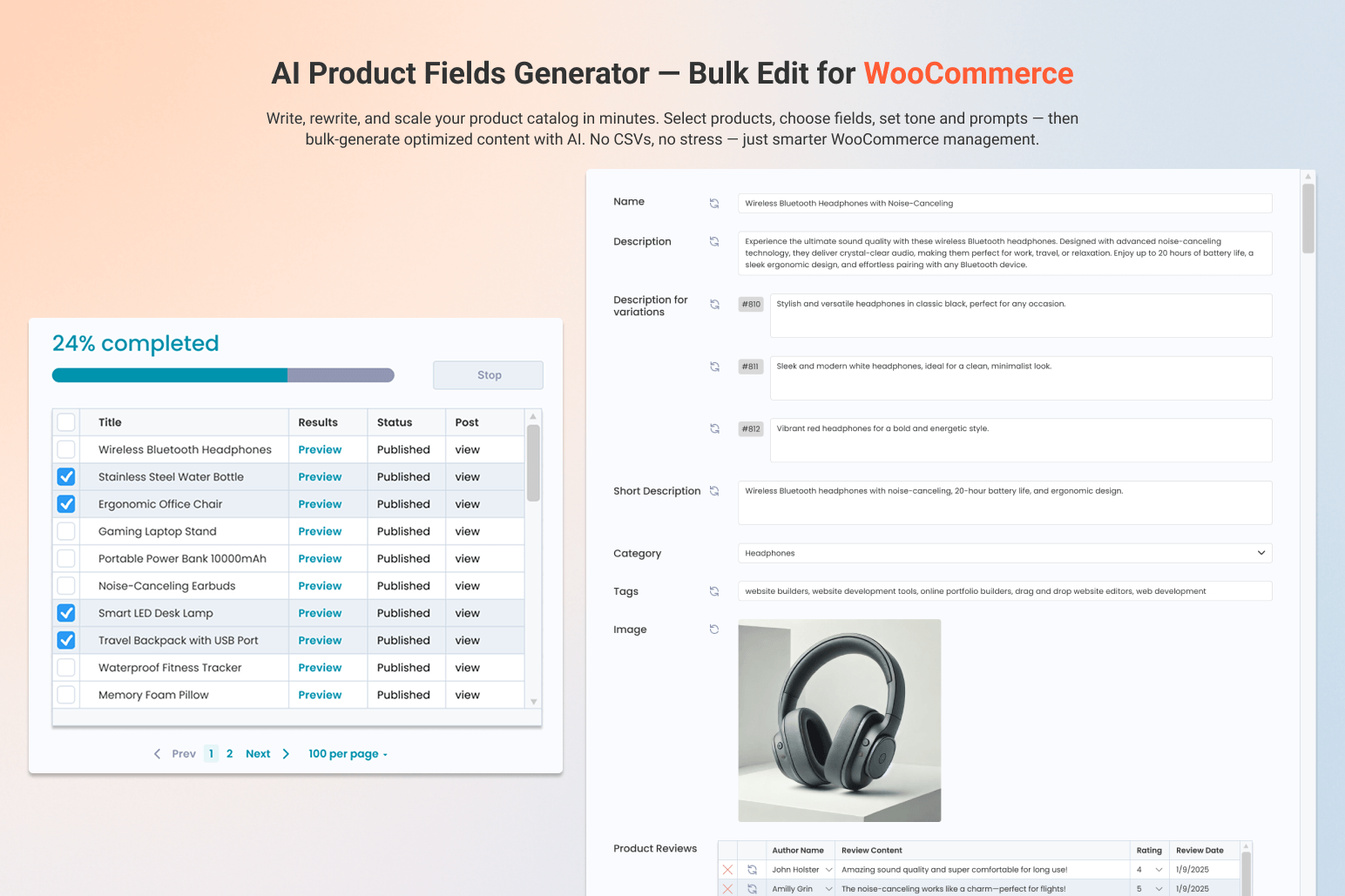
WooCommerce AI Product Fields Generator
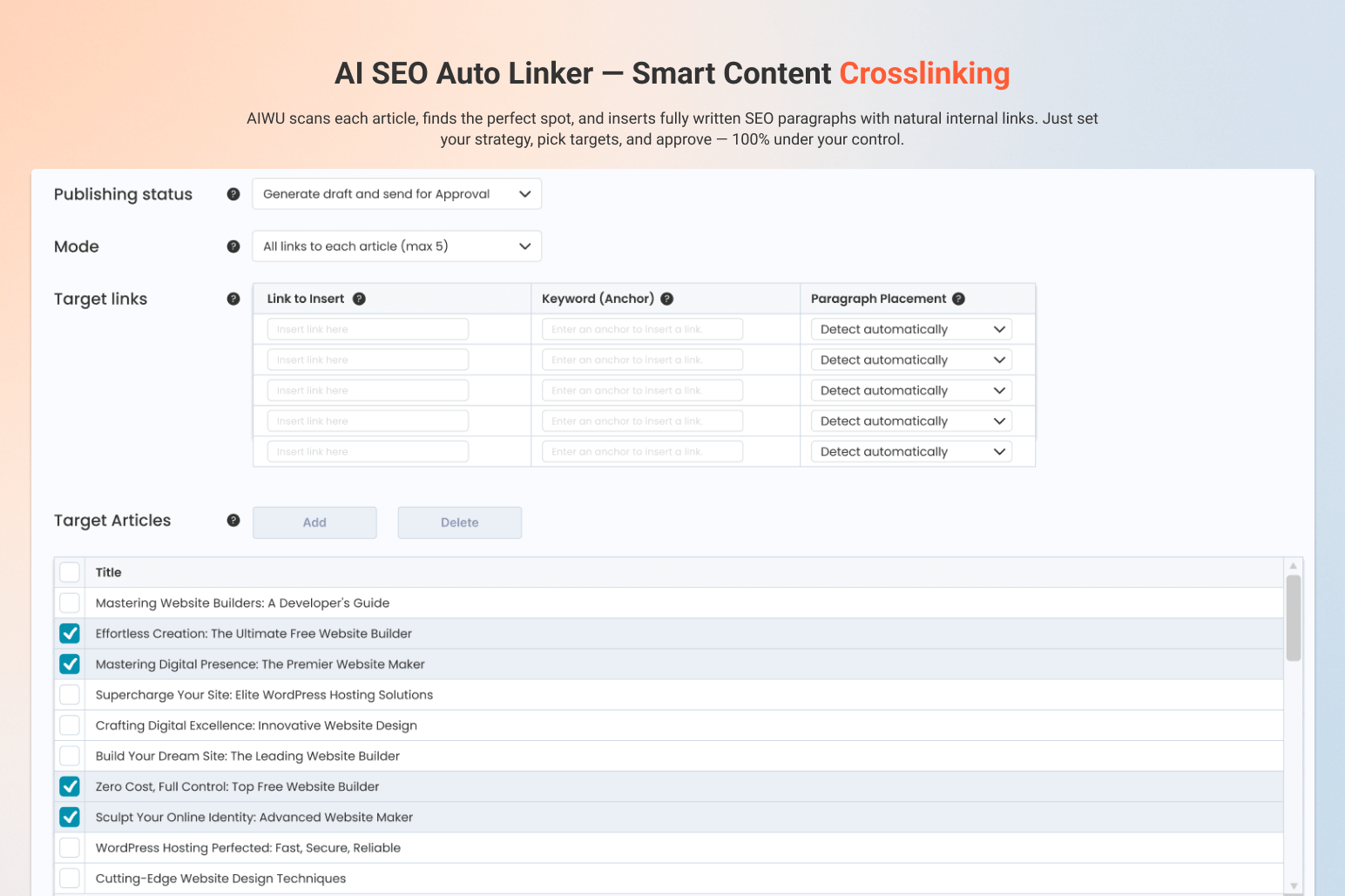
AI SEO Auto Linker – Smart Content Crosslinking
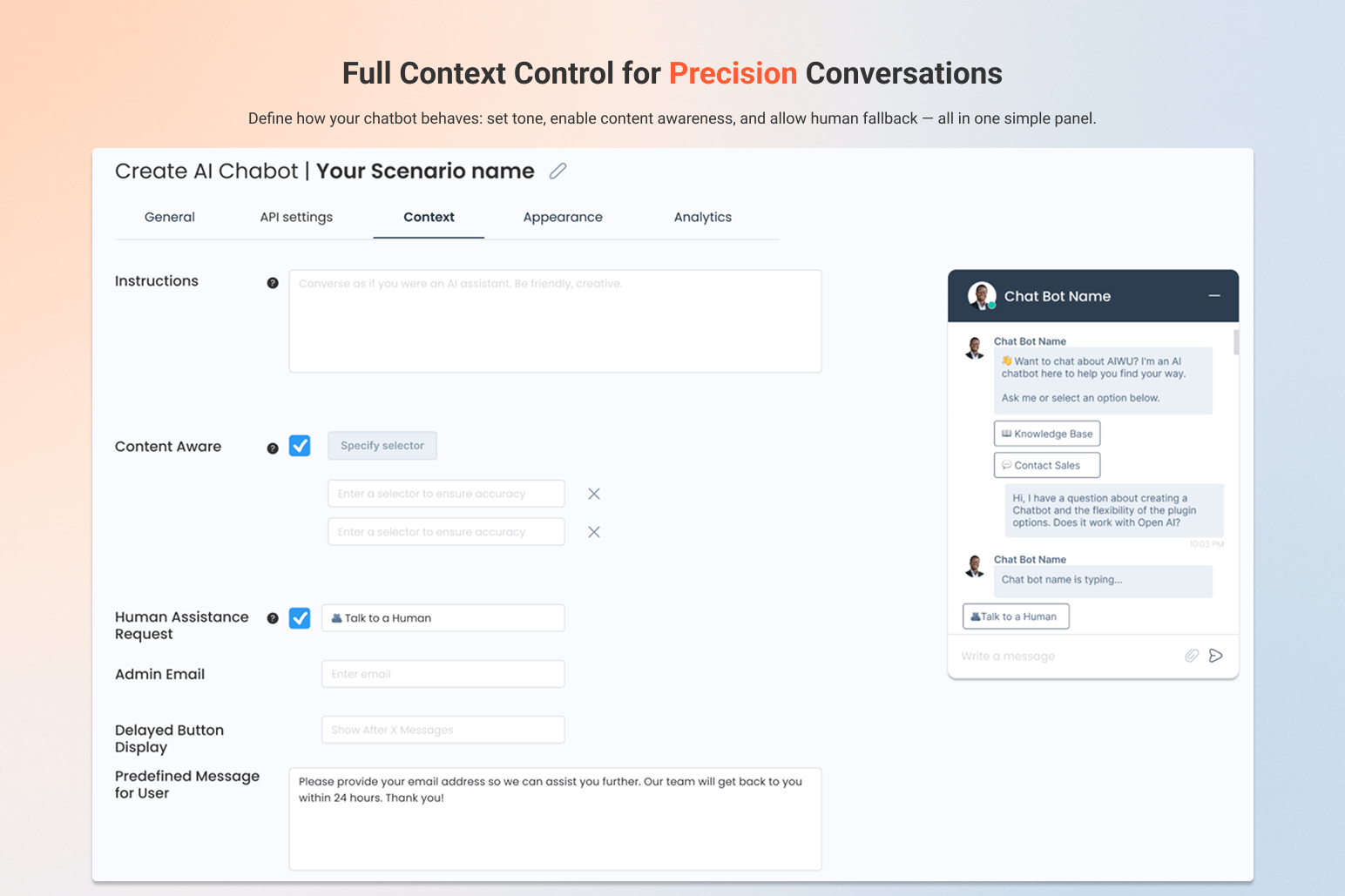
AI ChatBot – Context Setup
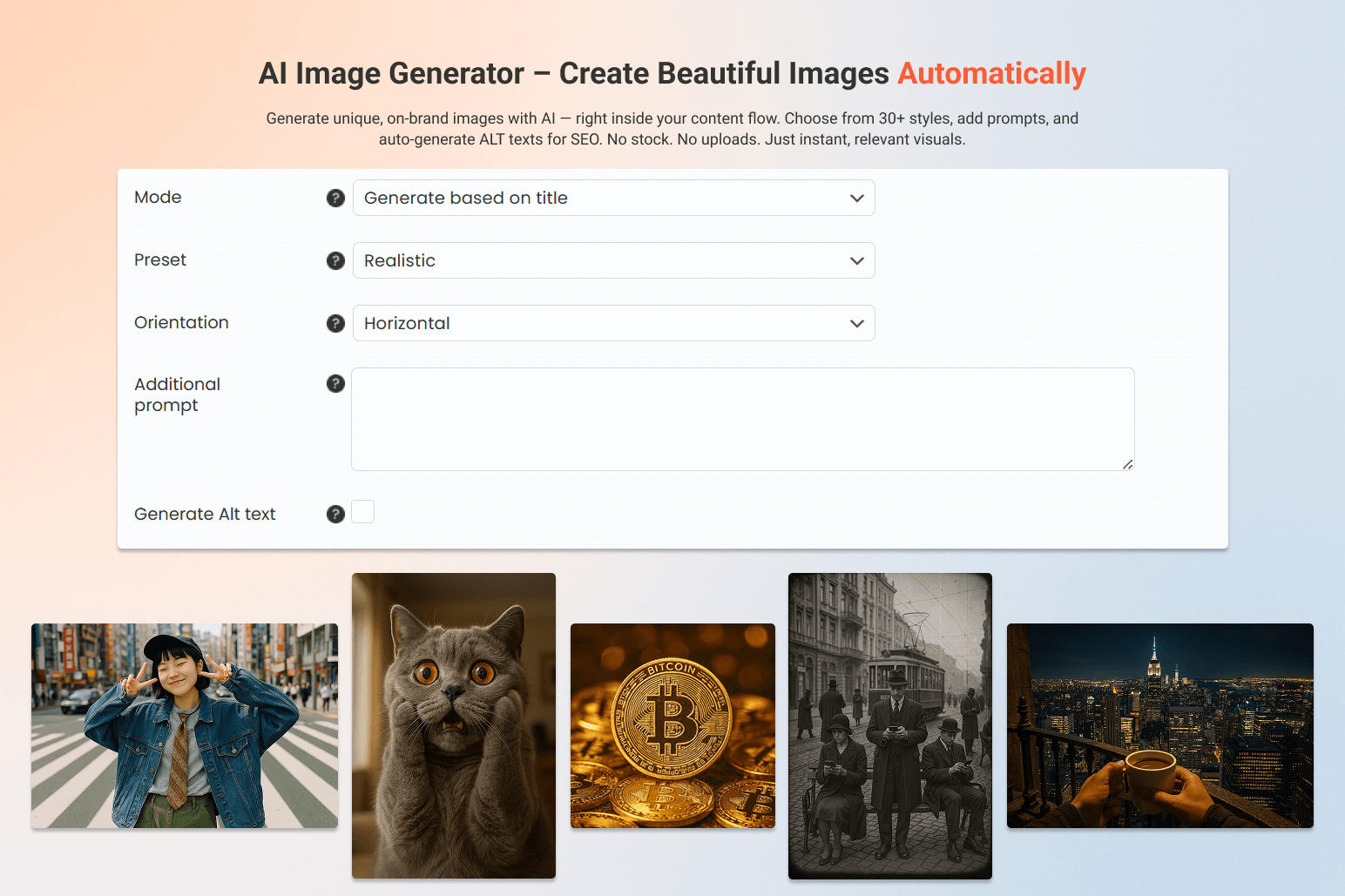
AI Image Generator – Create Beautiful Images Automatically
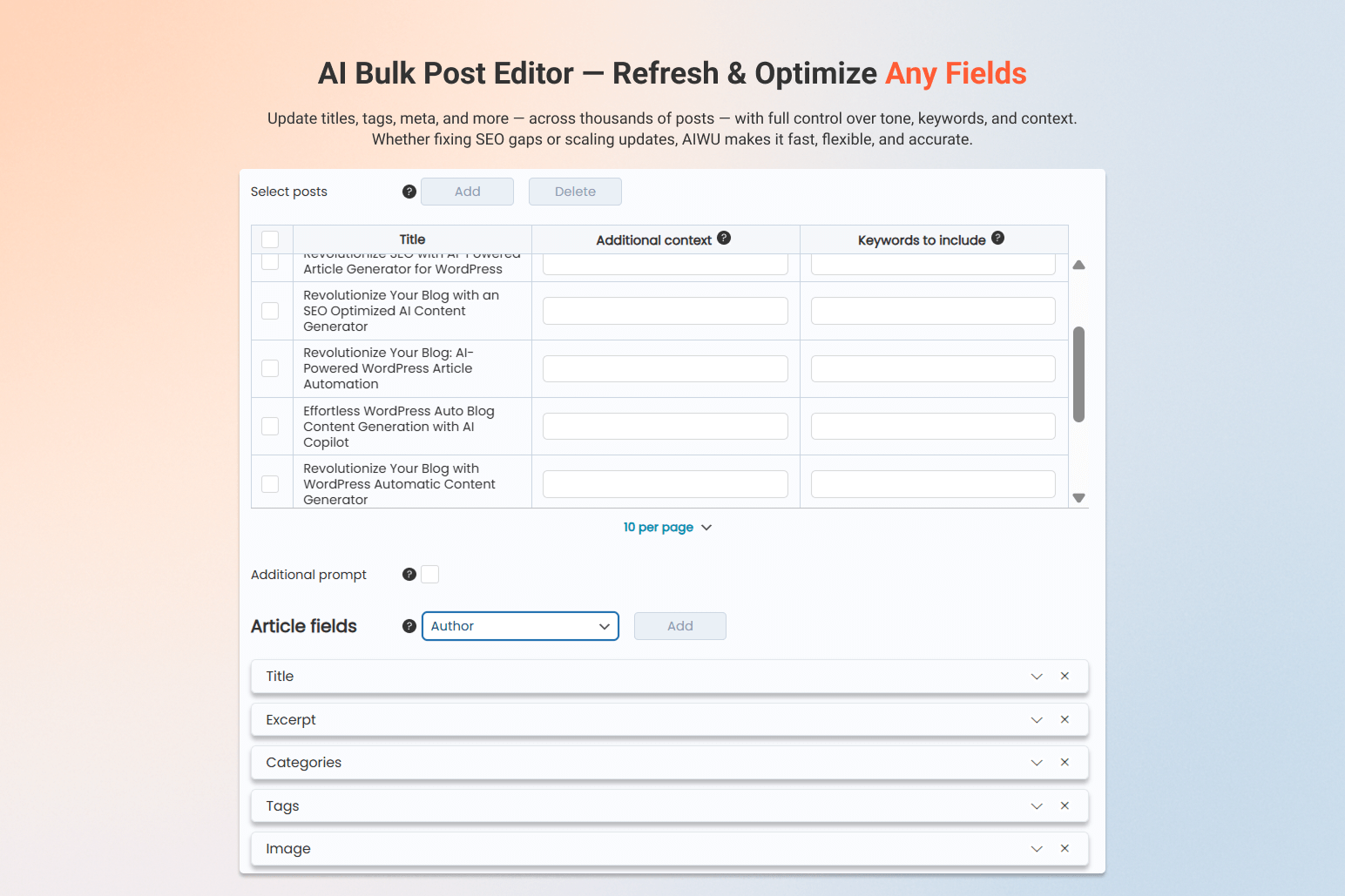
AI Bulk Post Editor – Refresh & Optimize Any Fields
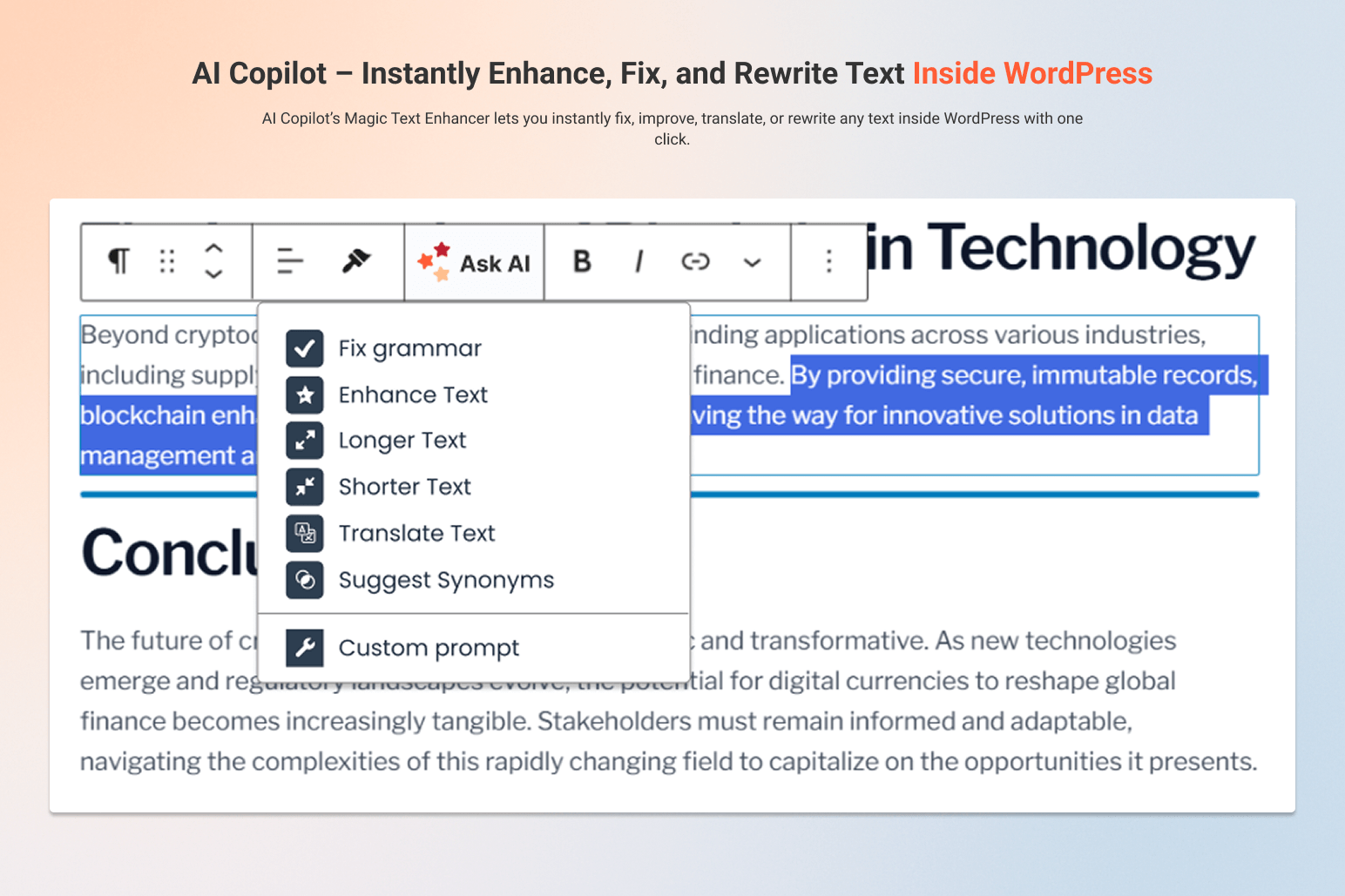
AI Copilot – Instantly Enhance, Fix, and Rewrite Text Inside WordPress
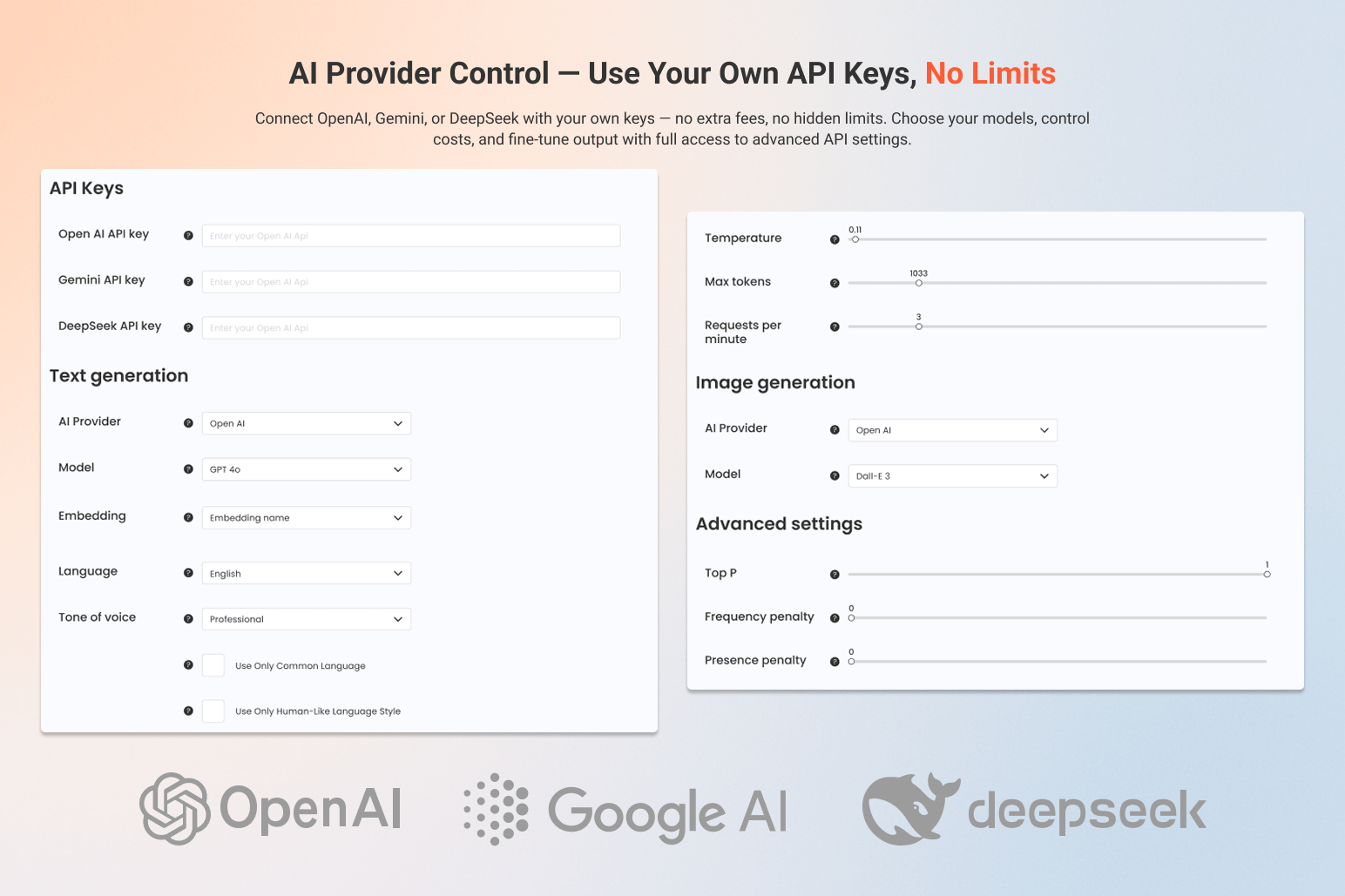
AI Provider Control – Use Your Own API Keys, No Limits
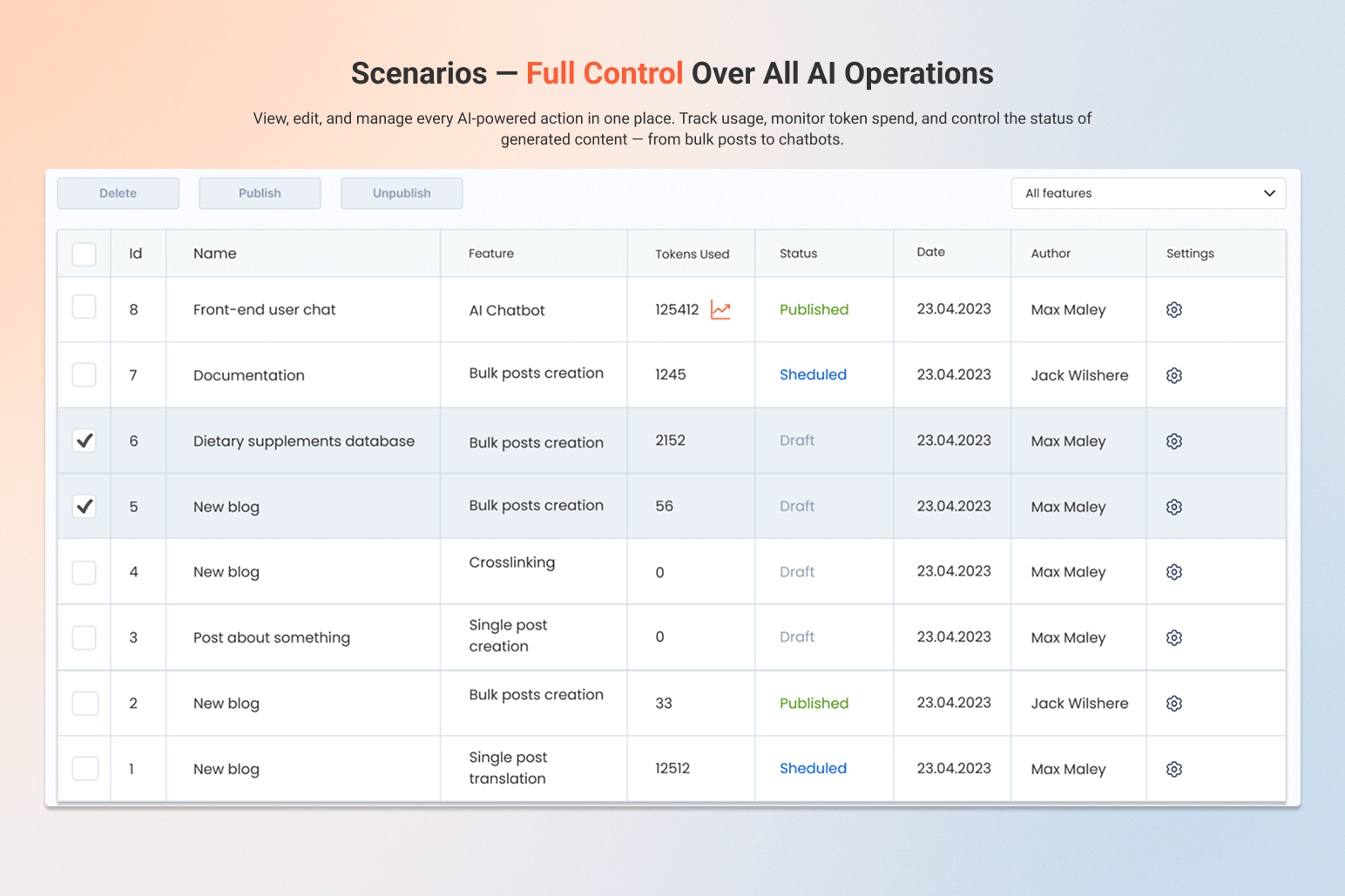
Scenarios – Full Control Over All AI Operations
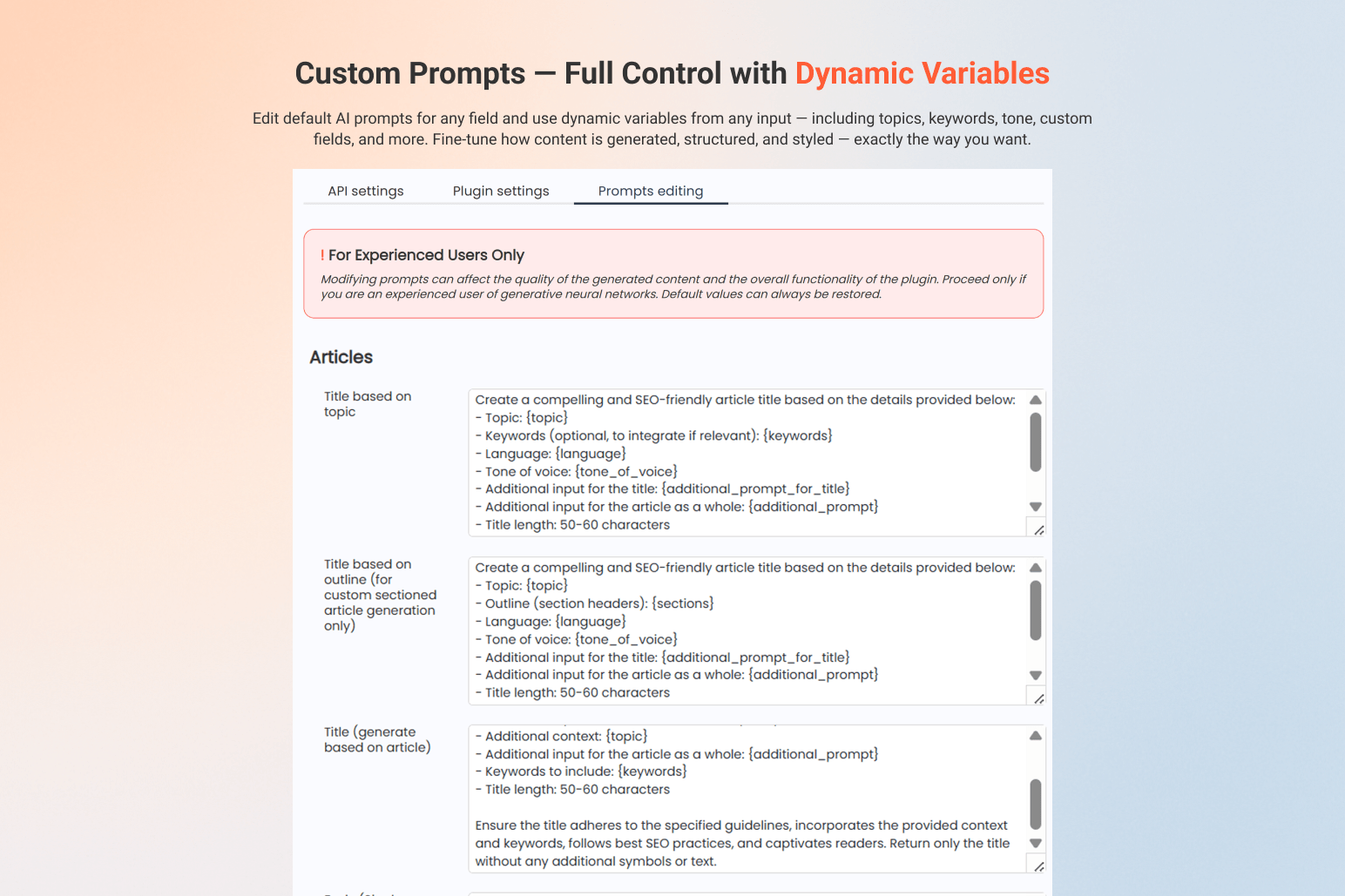
Custom Prompts – Full Control with Dynamic Variables
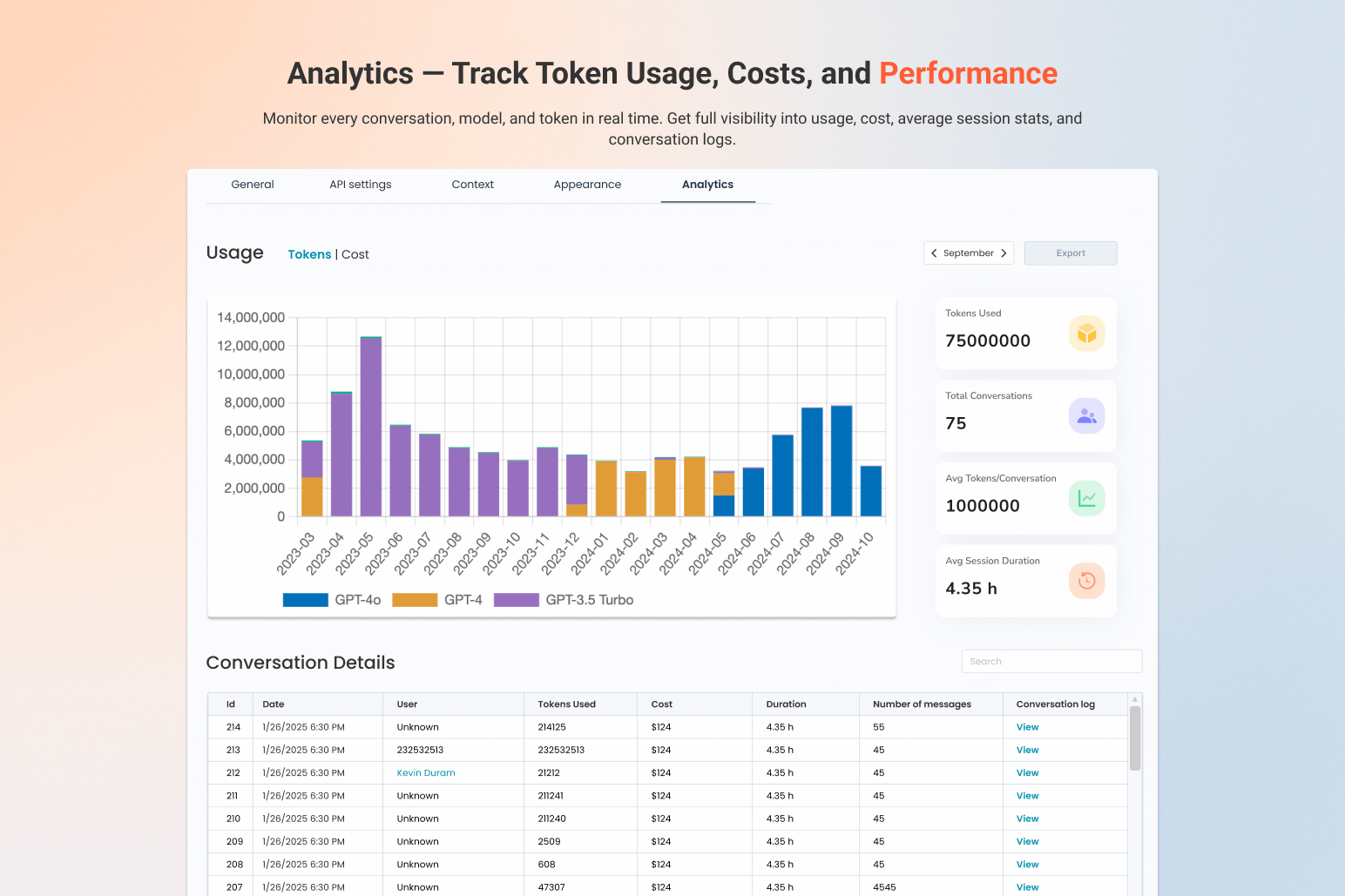
Analytics – Track Token Usage, Costs, and Performance
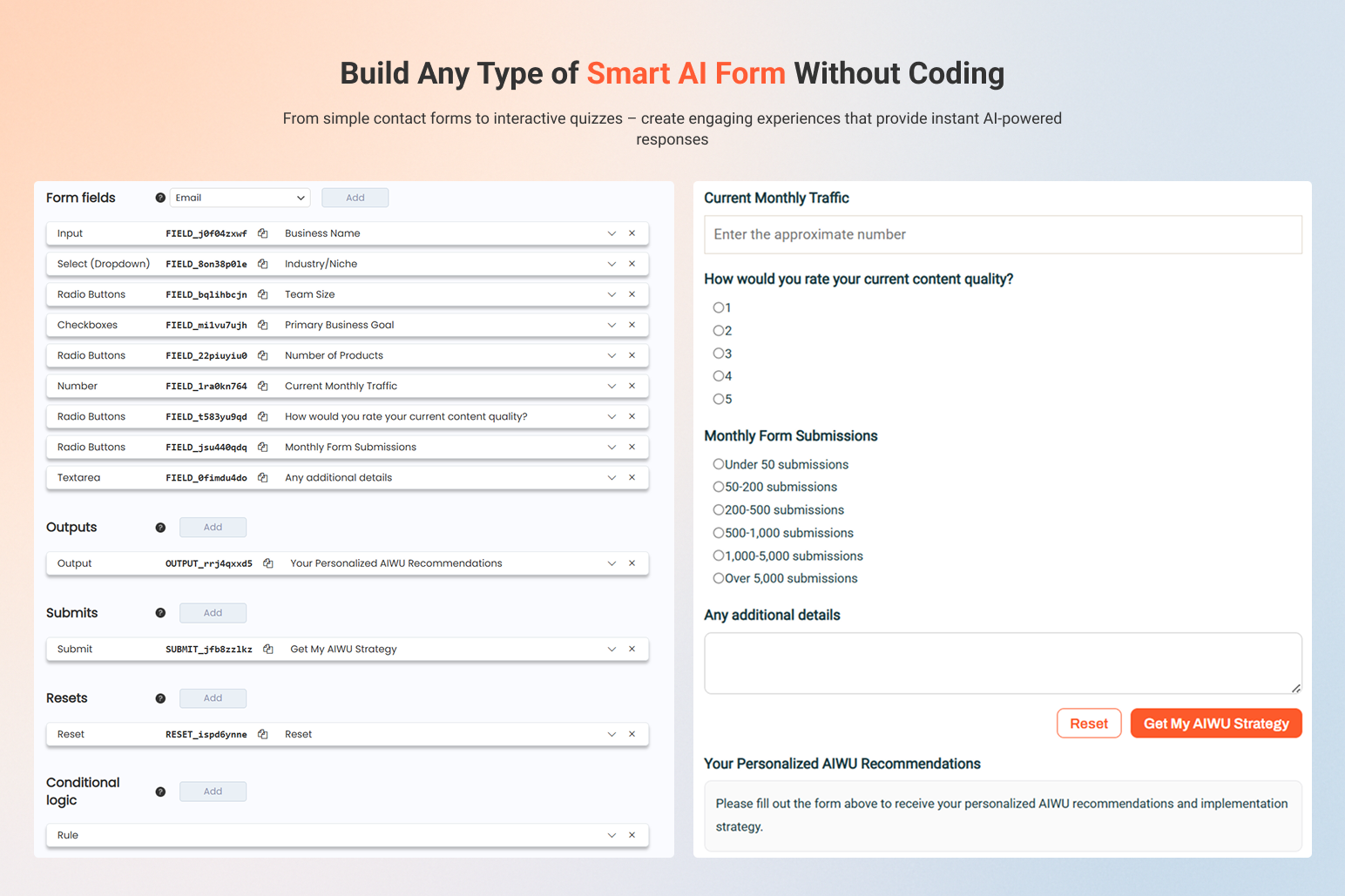
AI Forms
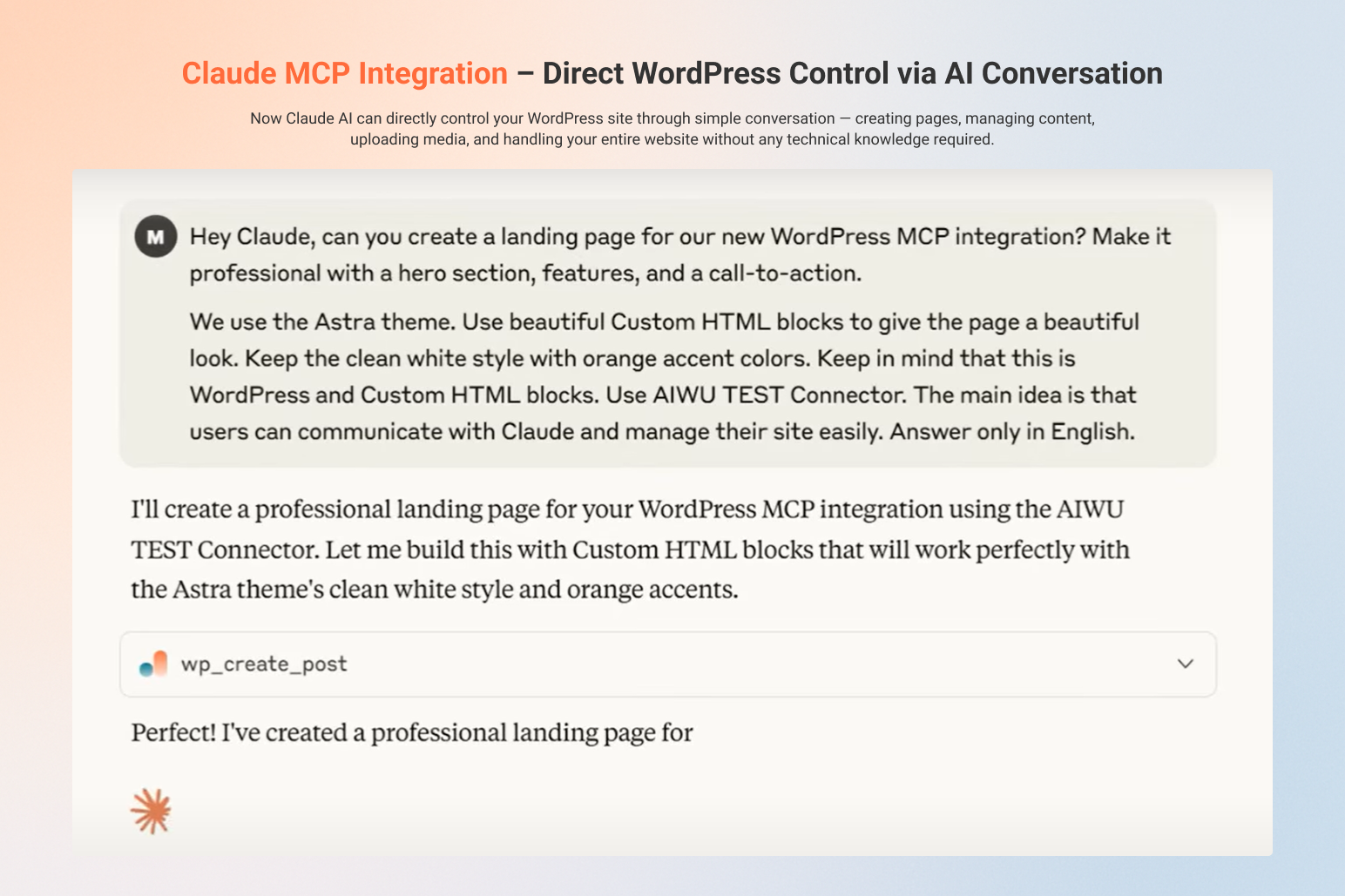
MCP Integration
Faq
AIWU is an all-in-one AI automation plugin for WordPress. It combines content generation, chatbot support, WooCommerce editing, and internal linking — all integrated natively into your site. Unlike basic prompt tools, AIWU gives you full control over tone, structure, fields, and automation.
Yes. AIWU does not charge extra for usage — you connect your own key (OpenAI, Gemini, Claude AI, Perplexity AI, DeepSeek and Open Router) and pay the provider directly.
AIWU includes a customizable live chat assistant that can answer questions, recommend products, guide users, and collect leads — all using your content and settings.
In most cases — yes. The assistant handles up to 80–90% of conversations automatically, with optional fallback to human support when needed.
AI Workflow Builder is a visual automation tool built directly into WordPress. It lets you create custom automation sequences using drag-and-drop interface — connect triggers (when something happens), actions (what to do), and logic blocks (how to control flow) to automate content generation, emails, WooCommerce operations, and more. No coding required.
Unlike external automation platforms, AIWU Workflow Builder runs entirely inside WordPress with no monthly subscriptions, no credit limits, and no external services required. It’s completely free. vs Zapier: Zapier requires monthly subscription starting at $19/month and charges per task. AIWU Workflow Builder is free with unlimited executions. vs Make (Integromat): Make charges $9-$299/month for full features. AIWU costs nothing and works natively inside WordPress — no external accounts or complex connections needed. vs n8n: n8n requires self-hosting setup or cloud subscription. AIWU works instantly inside WordPress with no server configuration or technical setup required. You only pay your AI provider (OpenAI, Claude, Gemini, DeepSeek, Perplexity, Open Router) when workflows use AI actions. AIWU takes nothing extra — no platform fees, no per-execution charges, completely free forever.
Yes. You can upload your own datasets, add structured instructions, or generate embeddings (RAG) based on your site. The assistant then uses that data to reply in your brand’s voice.
Yes. You can bulk-generate or update product content — including titles, descriptions, images, tags, reviews, and more — directly in the WooCommerce editor.
Yes. AIWU supports OpenAI fine-tuning and custom embeddings, so you can personalize generation based on your own examples.
Connect any feed, and AIWU will turn each item into a structured article. You can apply prompts, control formatting, and even auto-generate matching social media posts.
Yes. You can let users request human help, set alert notifications, and define how and when handover happens.
Yes. AIWU works out of the box with all major themes and builders. Use shortcodes, widgets, or floating buttons to place AI features anywhere you need.
Claude MCP Integration allows Claude AI to directly control your WordPress site through conversation. Using the Model Context Protocol, Claude can create pages, manage content, upload images, and handle all website operations by simply chatting with you. Just say “Create a landing page” and Claude builds it automatically — no coding or technical skills required.
Step 1: Enable MCP in AIWU Settings
1. Navigate to WordPress Admin AIWU Settings Plugin Settings
2. Locate the Model Context Protocol section
3. Enable the following options:
– Enable MCP: Check this box to activate the MCP server
– Access Token (optional): Generate a 32-character security token
– Enable MCP logging: Check to log all MCP requests for debugging
Step 2: Configure Claude Connection
1. Go to claude.ai
2. Navigate to Settings Connectors
3. Click Add custom connector
4. Enter your MCP endpoint URL:
-
Without token:
https://your-site.com/wp-json/mcp/v1/sse -
With token:
https://your-site.com/wp-json/mcp/v1/sse?token=your-access-token
Step 3: Configure Tool Permissions
1. In Claude.ai, find your connected MCP server
2. Click Tools and settings
3. Enable or disable specific tools Claude can access
4. Configure permission prompts (Claude will ask before using tools)
Reviews
2 MAJOR BUGS
By 
ATTENTION: this plugin --even if it has potential-- has 2 major bugs on multisite installations:
- it creates dozens of useless tables in the DB for each subsite
- it is impossible to activate the plugin for a given subsite: the plugin is always activated on the last subsiste created.
Fanastic!
By 
AIWU is an absolute game-changer! I was skeptical at first, but it has far exceeded my expectations. When you take the time to fine-tune the settings and prompts, the results are simply astonishing. The content feels natural, I barely need to make any edits, and it saves me a huge amount of time. The flexibility and automation make AIWU an essential tool for anyone looking to streamline their content creation. Highly recommended!
Confuguração.
By 
A configuração para leigos ainda e um desafio.
Does more than i expected !
By 
Seems i'll be the first to review ! 🙂
Well, i wasn't expected that this plugin would be as good as it it, and would have that much customization options!
I was also surprised by finding an RSS fetch option, which was never mentioned on site but was exactly what i was looking for 🙂 So for the price/quality it gets 10 out of 10 from me!
What i would like seeing in next releases:
1. CRITICAL IMPORTANT - DELETE history should NOT DELETE posts ! At least make it optional as a checkbox. For example , i could have imported articles from 20 sources, and don't need those in history anymore, but if i delete them - i will loose all my imported posts - NOT GOOD!
2. FLUX1 API possibility (DALL-E really sucks for natural images)
3. Fix insert reference LINK to BODY , when you edit task, it resets to YES always
4. Add proper contacts on the website and pass payment from your site to trusted sites or at least add PayPal, as it looks bit scary giving out card details on unknown site 🙂
But overall - good job guys !
Changelog
1.4.2 (13/11/2025)
– Code fix
– Webhook block
1.4.1 (10/11/2025)
– New AI models
– New automation blocks
1.4.0 (29/10/2025)
– Workflow AI Builder (n8n analog for WP)
1.3.3 (20/10/2025)
– Claude and GPT MCP integration info
1.3.1 (01/09/2025)
– New interface and form builder bug fixes
1.2.12 (21/08/2025)
– AI form integration
– Claude MCP bug fixed
1.2.6 (05/05/2025)
– Minor issues fixed
1.2.5 (04/27/2025)
– Magic Wand added
1.2.4 (04/10/2025)
– Fix AI Image Generation
– ChatBot style feature added
1.2.3 (03/27/2025)
– Add DeepSeek Integration
– Add WooCommerce Fields Generation
1.2.0 (03/11/2025)
– Add: AI ChatBot Live Chat
– Compatible with latest JS
– Minor issues fix
1.1.0 (02/04/2025)
– Add: Smart AI Content Crosslinking
– Add: Bulk Field Generation for Existing Posts
– Add: Alt text generation