AI Copilot – Content Generator
AI Copilot – Content Generator
Description
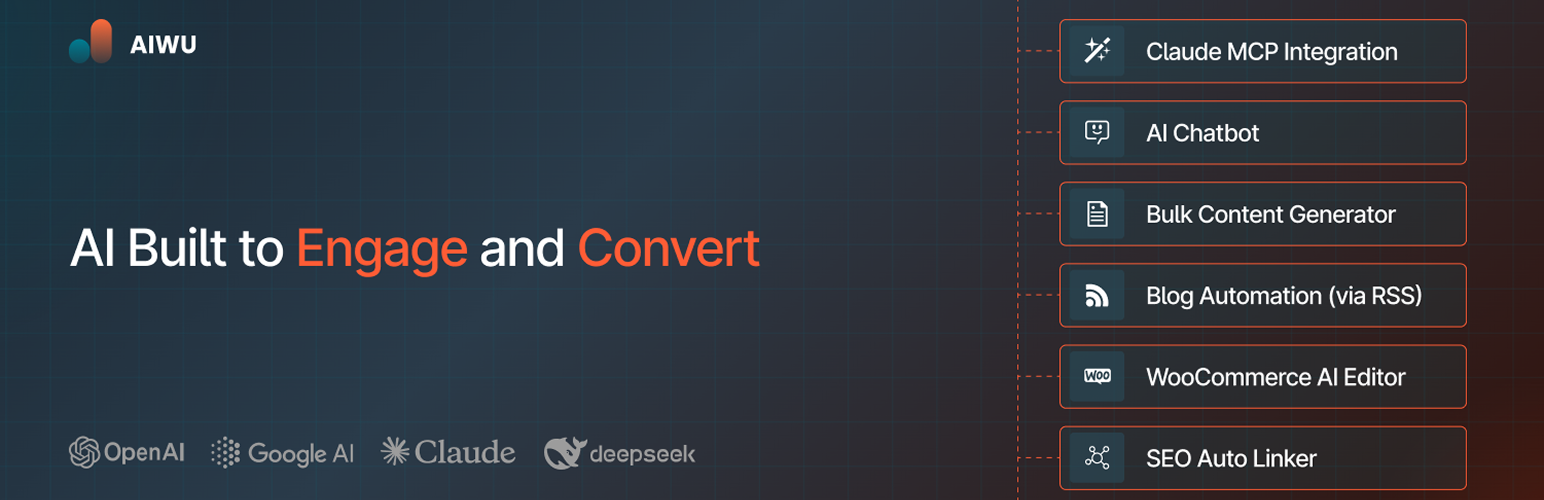
AI automations you’ll actually use: Workflow Builder, AI Chatbot, AI Forms, Content Generation, Autoblogging, WooCommerce AI and MCP. AIWU brings AI workflows, chatbots, content tools and MCP to WordPress. Connect the AI services you choose, automate routine work, and manage it from your dashboard.
What you can do with AIWU
- Connect AI providers. Use your own API keys for text, images and supported embeddings. AIWU Pro adds RAG knowledge bases and provider-supported fine-tuning.
- Build visual workflows. Automate WordPress, WooCommerce, email, Slack, Telegram, webhooks and database tasks.
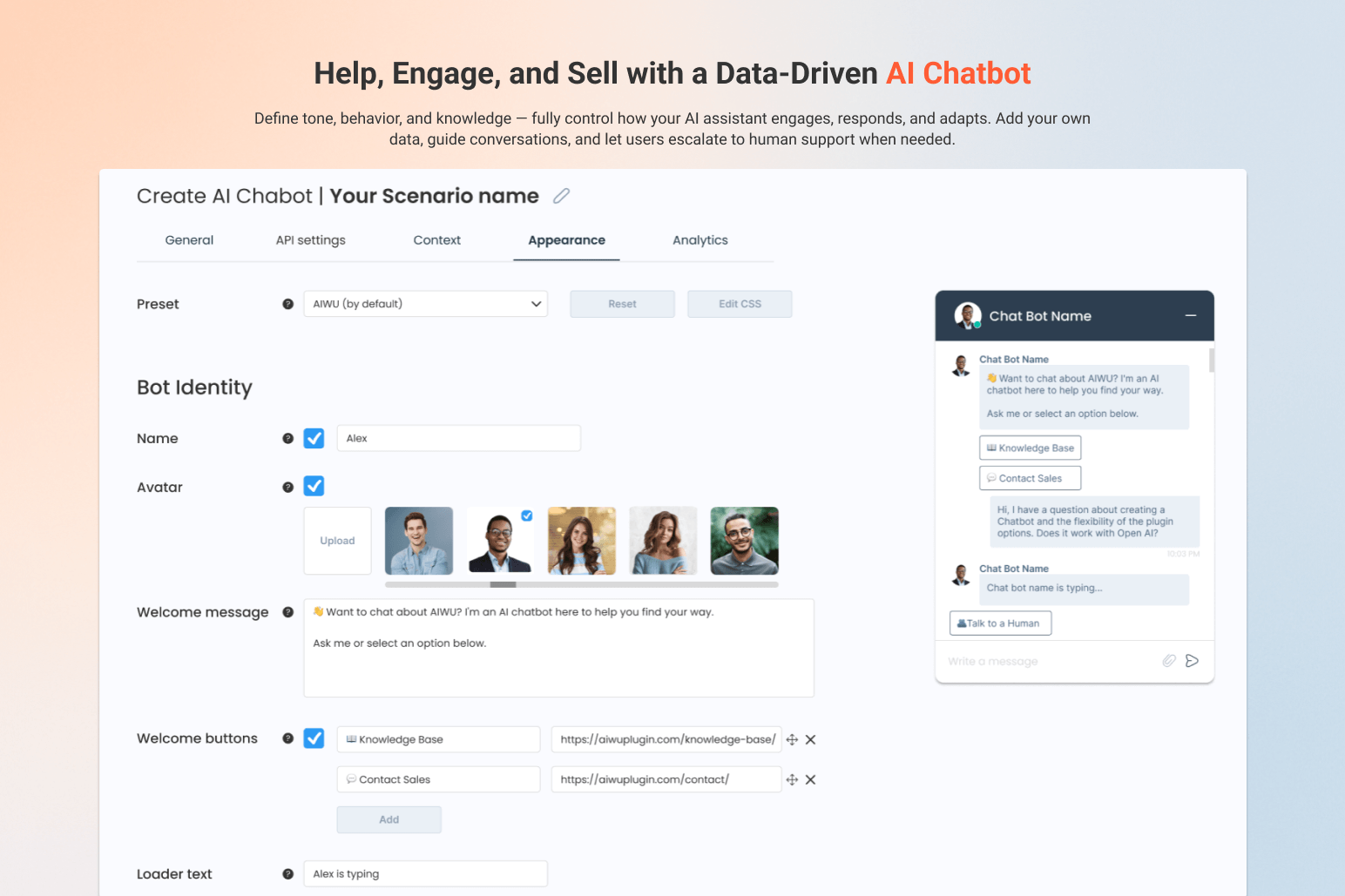
- Create a site-aware chatbot. Use selected content and instructions, show relevant post or product cards, and choose the design, tone and logic.
- Create and improve content. Generate posts and fields in bulk, then rewrite, translate or expand text in the editor. AIWU Pro adds RSS automation, WooCommerce content tools and smart internal linking.
- Build AI-assisted forms. Create forms, surveys, quizzes and calculators with conditional logic and personalized results.
- Use MCP with compatible clients. Work with posts, pages, media, users, taxonomies and site settings within the permissions you grant.
- Track and extend. Review usage, cost and chatbot analytics, or build custom solutions with REST, JavaScript and PHP APIs.
Multi-provider AI support
AIWU uses a shared provider layer for supported text, image and embedding tasks, connection checks, usage tracking and error handling. Where available, it can also discover models.
Currently supported: OpenAI, Anthropic Claude, Google Gemini, DeepSeek, Perplexity and OpenRouter. Available models and capabilities depend on the provider, model, account, region and API plan.
Faster chatbot search
The optional Local Fast Path checks a local published-content index before contacting an AI provider. It updates in the background, parses eligible requests deterministically, ranks matches, and applies configured dietary and allergen filters.
If a local match is not confident, AIWU continues with your selected AI provider. When the local result is sufficient, no external AI call is needed, saving latency and tokens.
One Powerful Plugin That Replaces Dozens:
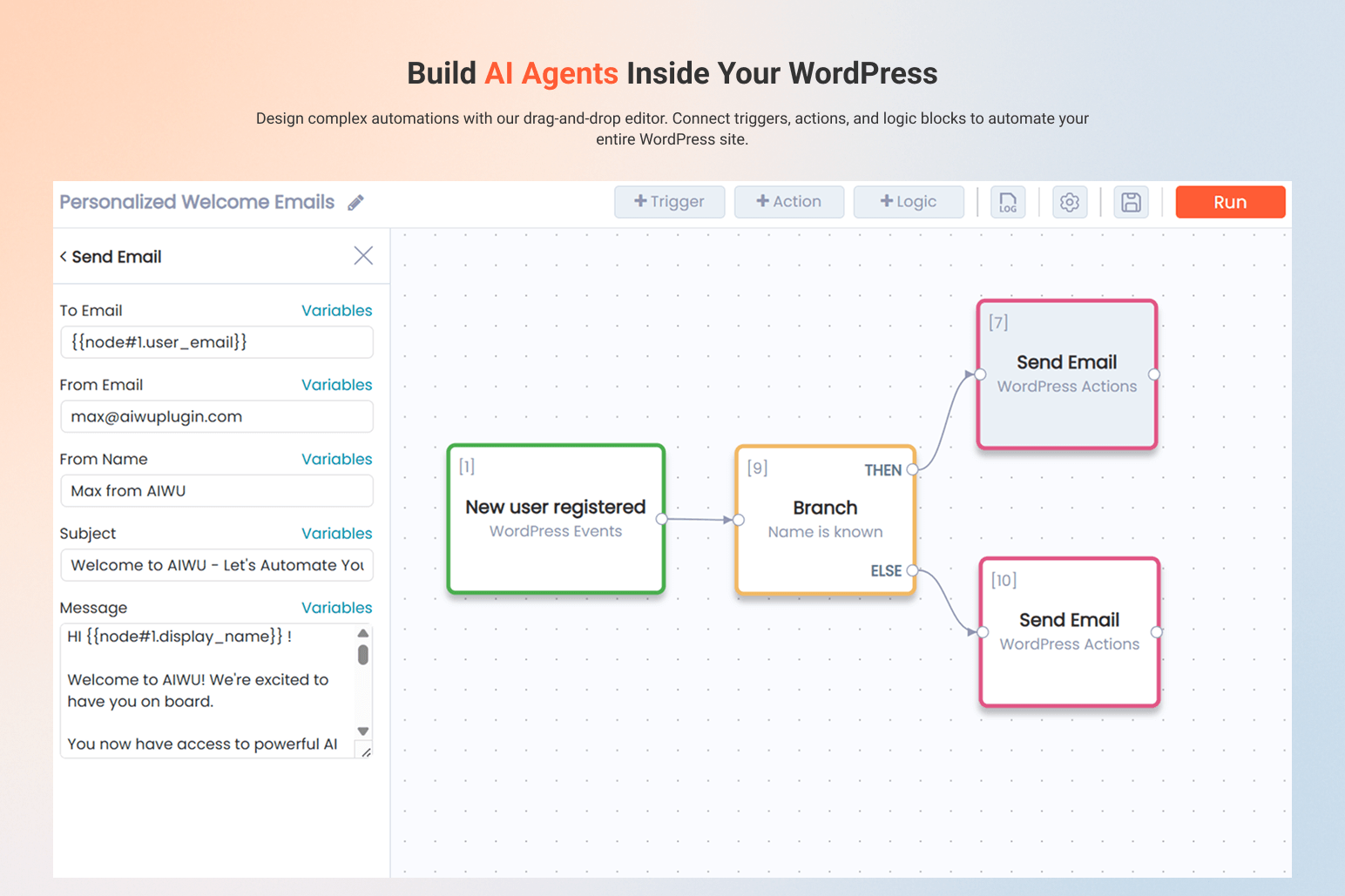
AI Workflow Automation Builder – Build AI Agents with Drag & Drop
Automate content, marketing, support, WooCommerce and any custom process.
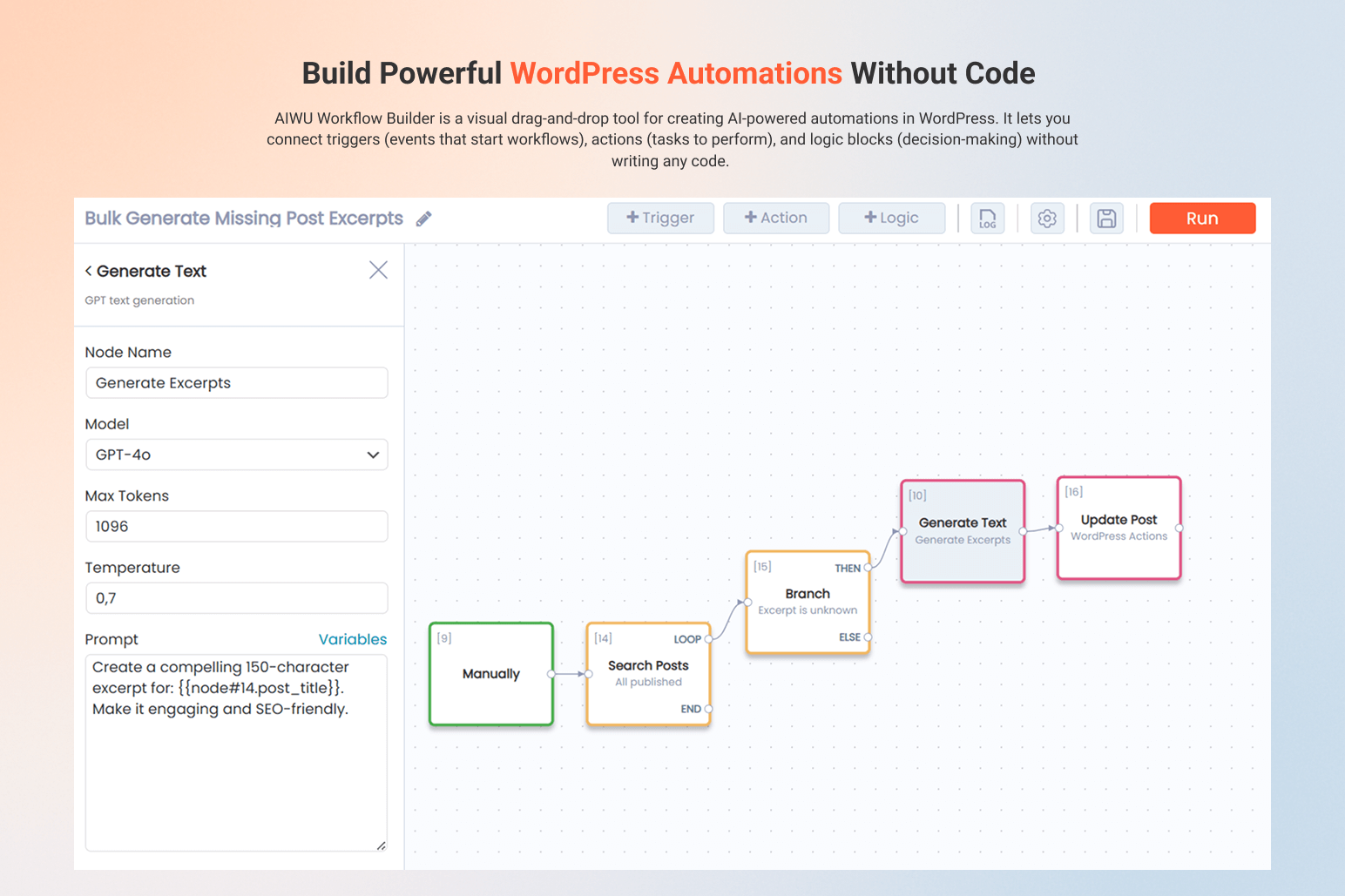
- Design workflows visually. Connect triggers, logic and actions in a drag & drop editor.
- Connect your tools and AI: WordPress, WooCommerce, Slack, Telegram, Gmail, Outlook, Google Calendar, Google Drive, Google Meet, Microsoft Teams, Zoom, Discord, MySQL, SMTP, WebHooks, OpenAI, Claude, Gemini, Perplexity, DeepSeek, OpenRouter and more.
👉 Learn more about Workflow Builder
💡 Browse Workflow Templates
AI ChatBot for 24/7 Customer Support & Sales
AI ChatBot that captures leads 24/7, handles 95% of support questions, and converts visitors into customers—automatically, in any language, while you sleep.
- Setup in 2 minutes. Install, add API key, launch. Works out of the box.
- Knows your business. AI ChatBot scans your website, posts and products to understand context automatically.
- Real-time recommendations. AI ChatBot suggests products and posts with beautiful cards while chatting.
- Fully customizable. Match your brand with custom colors, fonts, layout, logic and tone.
- Smart Knowledge Base. Sync or delete specific content from your vector database with incremental updates (no full rebuild required).
-
Advanced AI training. Use Fine-Tuning and Embeddings (RAG) for higher accuracy.
-
Built-in analytics. Track AI ChatBot conversations, engagement and performance.
Content & SEO Automation Tools – Create and Optimize at Scale
Generate, optimize and manage content at scale without losing quality, control or your brand voice.
- Bulk Content Generation. Create hundreds of SEO-optimized posts in one go, with full control over every field — titles, content, categories, tags, images, meta and custom fields.
- RSS Autoblogging. Automatically turn RSS feeds into SEO-optimized posts, with full control over structure, frequency and publishing.
- WooCommerce Product Content. Generate and update product titles, descriptions, images, tags, categories and reviews in bulk.
- Smart Internal Linking. Automatically add contextual paragraphs with embedded internal links to improve site structure, navigation and SEO.
- Bulk Update Existing Posts. Rewrite or fill missing fields (titles, excerpts, meta, images, tags, custom fields) across hundreds of posts.
- AI Copilot in the Editor. Rewrite, expand, shorten, translate and improve text directly inside the WordPress editor with one click.
AI Forms – Build Smart Forms That Think and Decide
Turn static forms into intelligent experiences that understand user input, make decisions with AI and drive conversions. Use AI forms for lead qualification, surveys, ROI calculators, onboarding and support scenarios.
- Multiple field types. Text, number, email, select, checkbox, radio, file upload, textarea and hidden fields — everything you need to build AI forms, quizzes and calculators.
- AI-powered logic. Analyze answers, generate personalized results, recommendations and next steps.
- Conditional flows and chaining. Show or hide fields, connect multi-step forms and build quizzes, calculators and assessments.
MCP (Model Context Protocol) Integration
Connect Claude, ChatGPT or any MCP-compatible AI to manage your WordPress site through natural language.
- Works with any MCP-compatible AI provider. Claude AI, ChatGPT, and other assistants that support MCP.
- 35+ WordPress tools: Create Posts, Manage Pages, Edit Products, Upload Media, Control Users, Update Taxonomy, Configure Settings and more.
- 2 min setup. Enable MCP in AIWU Settings Create connector in your AI Start chatting.
👉 Learn more about MCP Integration
AI Providers & API Settings – Full Control, No Extra Fees
AIWU works with your own API keys, so you choose the models, control costs, and avoid usage limits or markups.
- OpenAI (ChatGPT)
- Google Gemini
- Claude AI
- Perplexity AI
- DeepSeek
- OpenRouter
Build it your way, connect the AI you trust, and let your WordPress site run smarter every day 🧡
Installation
A) VIA FTP
A download zip archive with AIWU – Workflow Automation, AI Chatbot & Content Generator plugin
Extract files
Copy the folder with the plugin
Open via FTP folder \wp-content\plugins\
Paste plugin folder into here
Go to admin panel => Plugins => AIWU – Workflow Automation, AI Chatbot & Content Generator press activate
B) DIRECT UPLOAD VIA ADMIN AREA
A download zip archive with plugin
Go to admin panel => Plugins => Add new
Choose the archive with a plugin and upload it
Wait until you get the notification installation went successfully
Press Activate button
C) VIA WORDPRESS REPOSITORY
Navigate to admin panel => Plugins => Add new
Type “AIWU – Workflow Automation, AI Chatbot & Content Generator” in the search field
Choose our plugin from the list and click “Install”
Wait until you get the notification installation went successfully
Press Activate button
Screenshots
Workspace
AI Workflow Builder
AI ChatBot
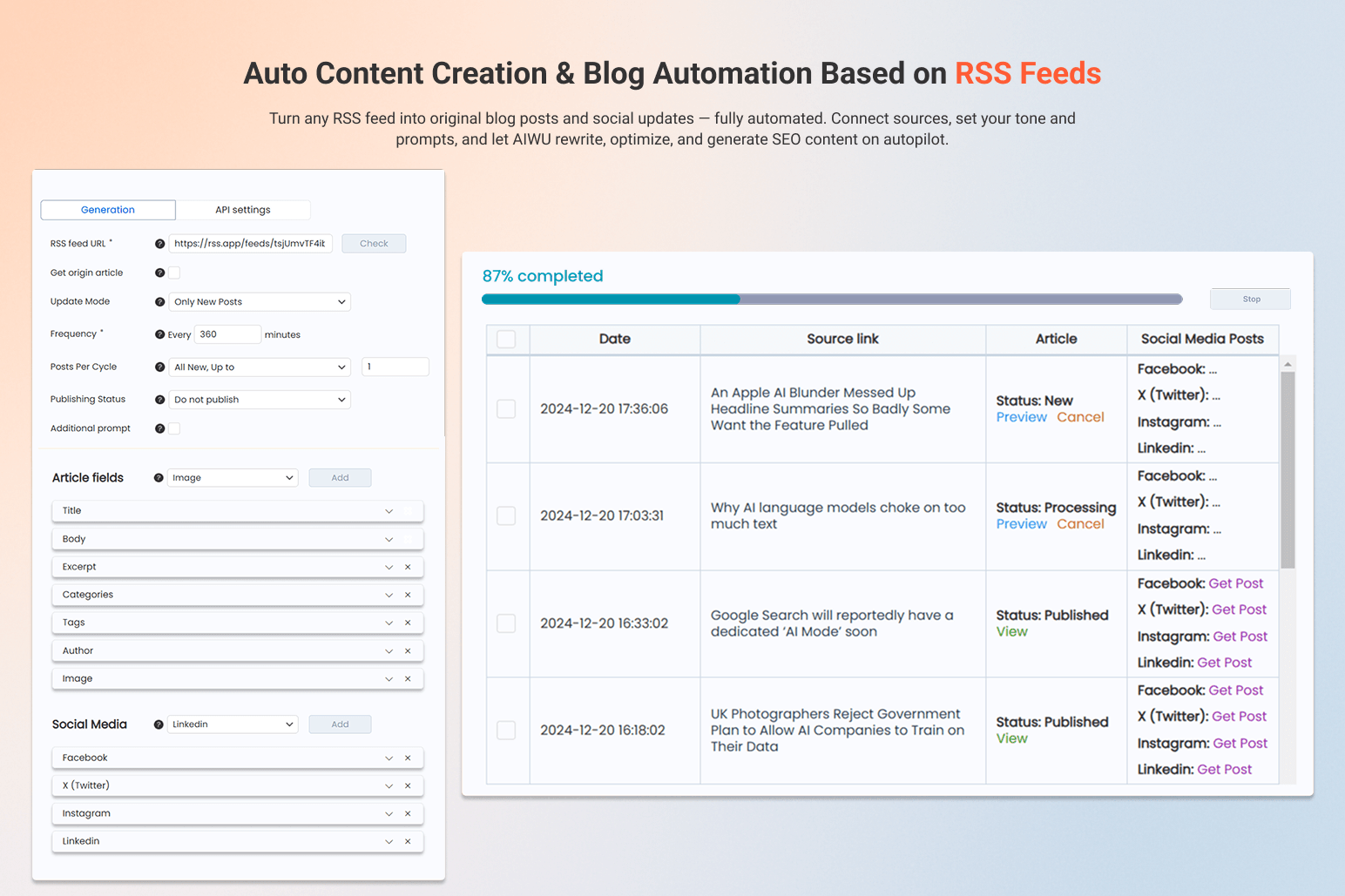
Auto Content Creation – RSS-Based
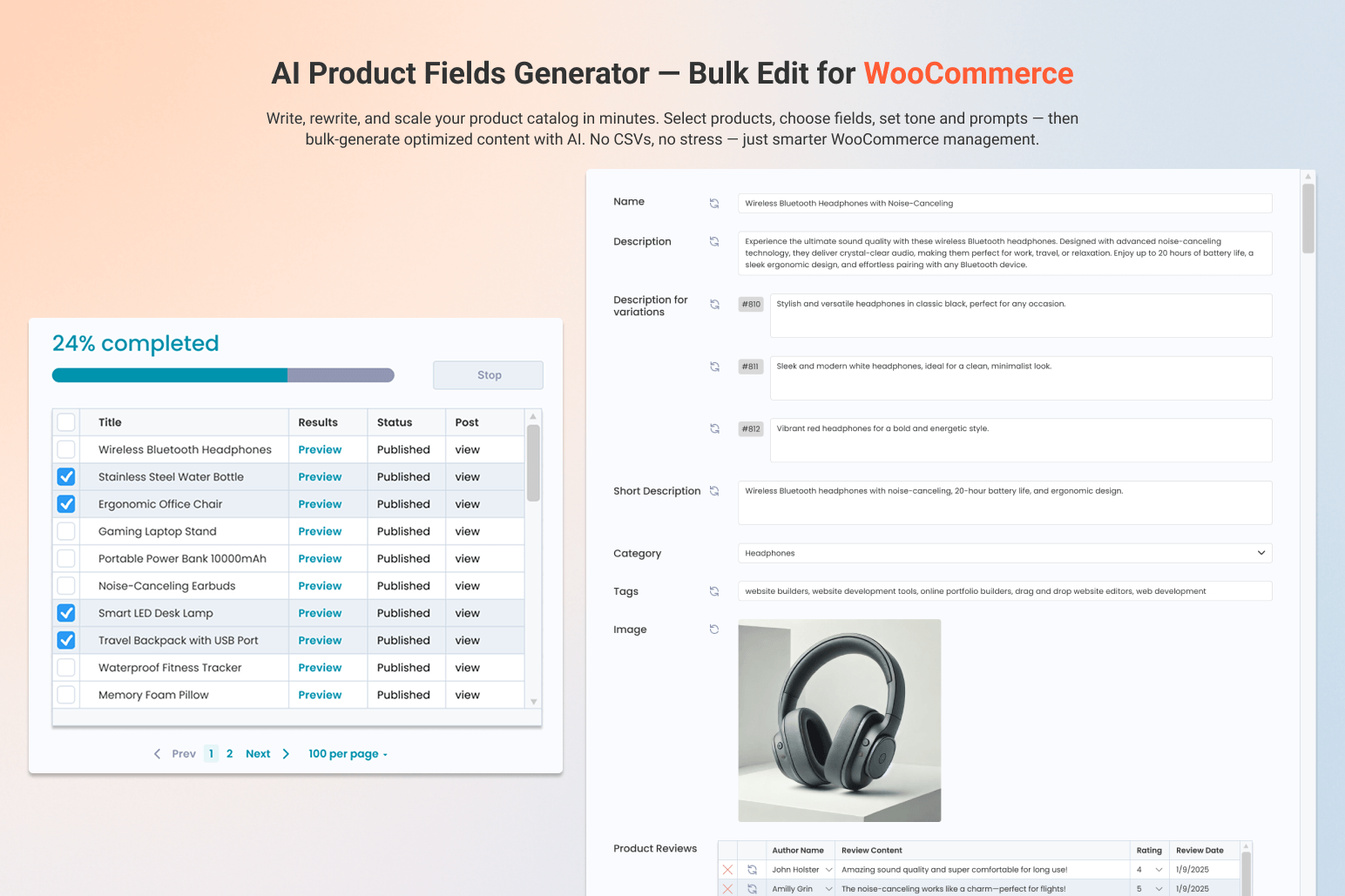
WooCommerce AI Product Fields Generator
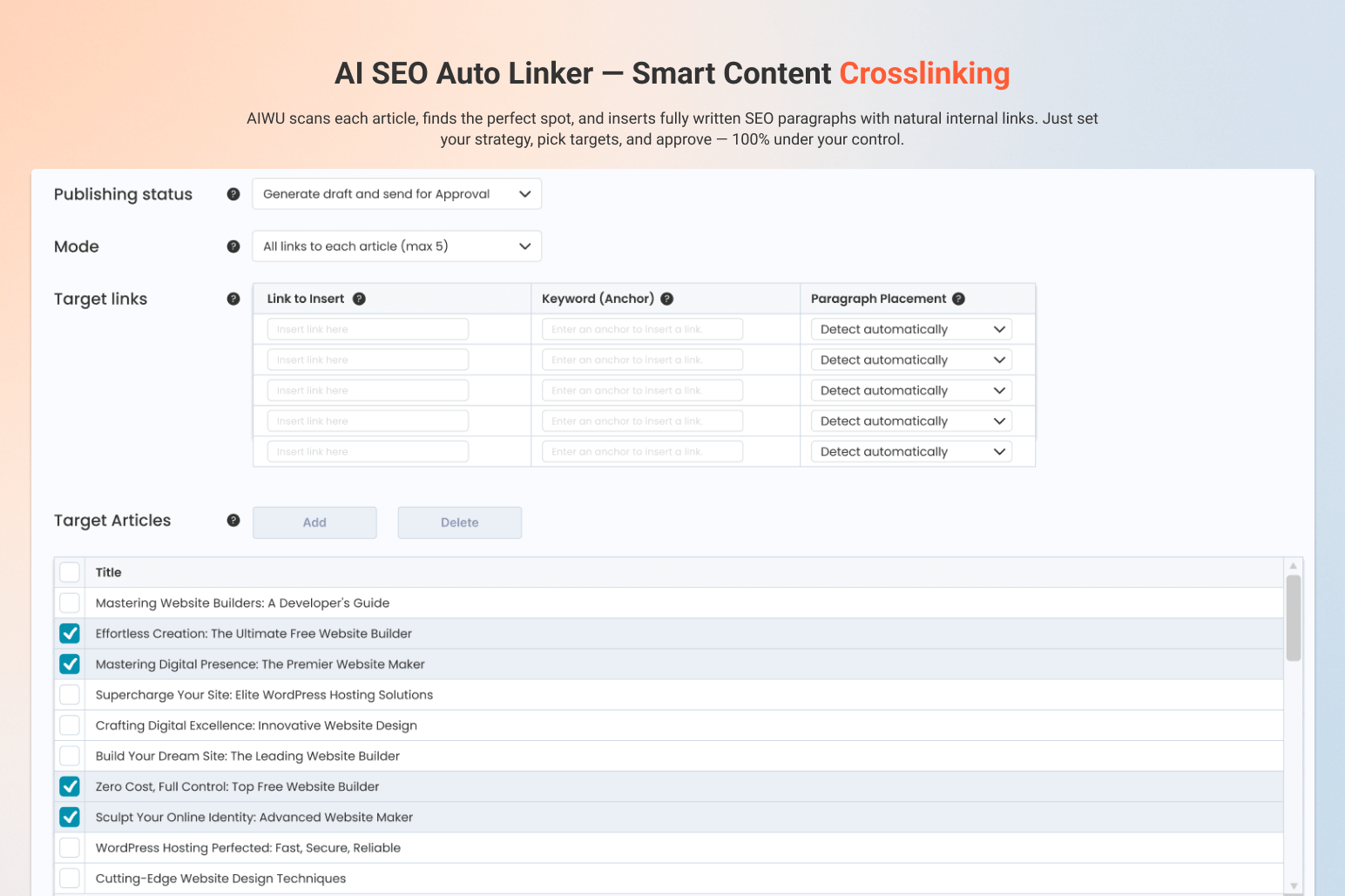
AI SEO Auto Linker – Smart Content Crosslinking
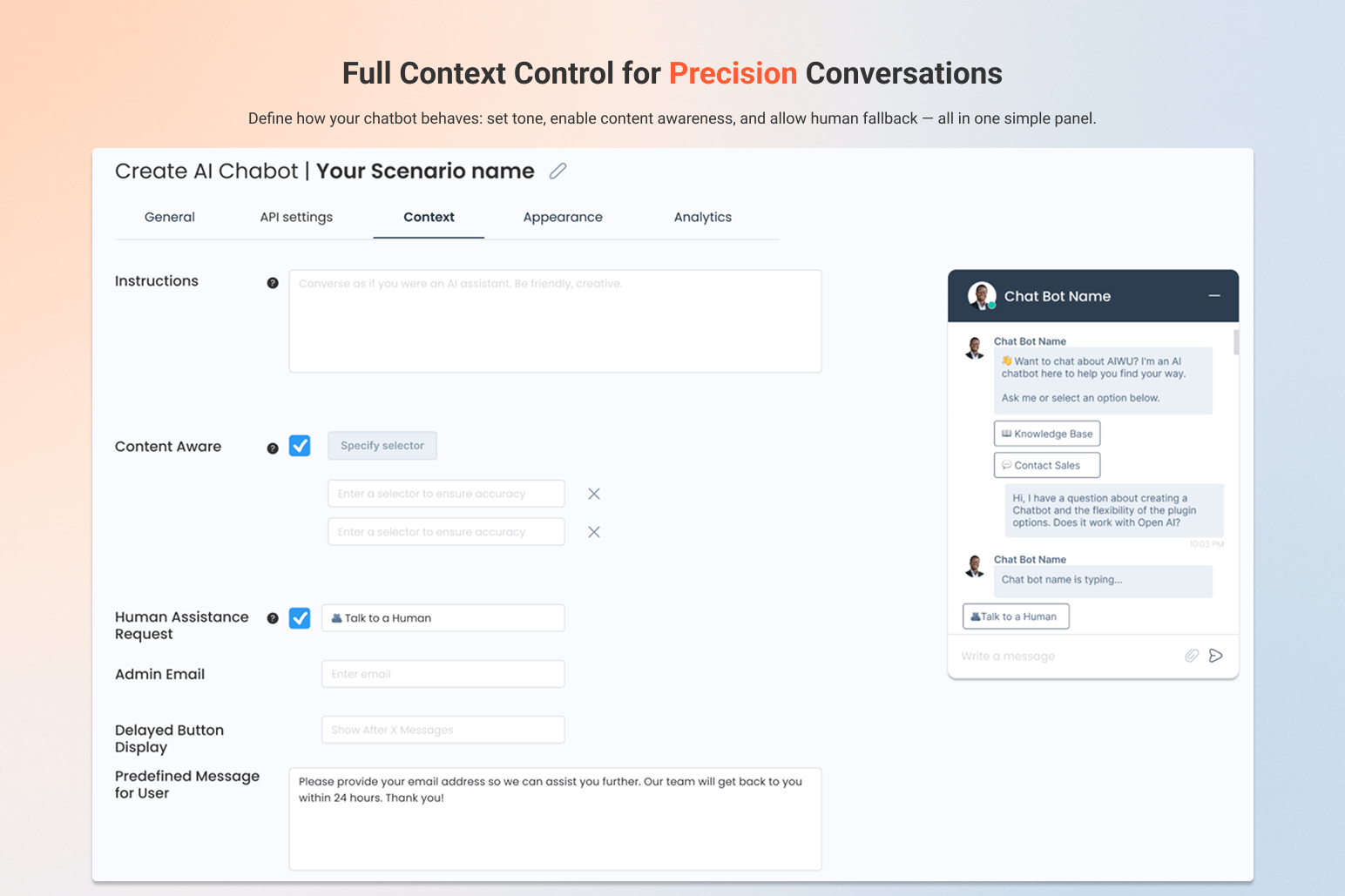
AI ChatBot – Context Setup
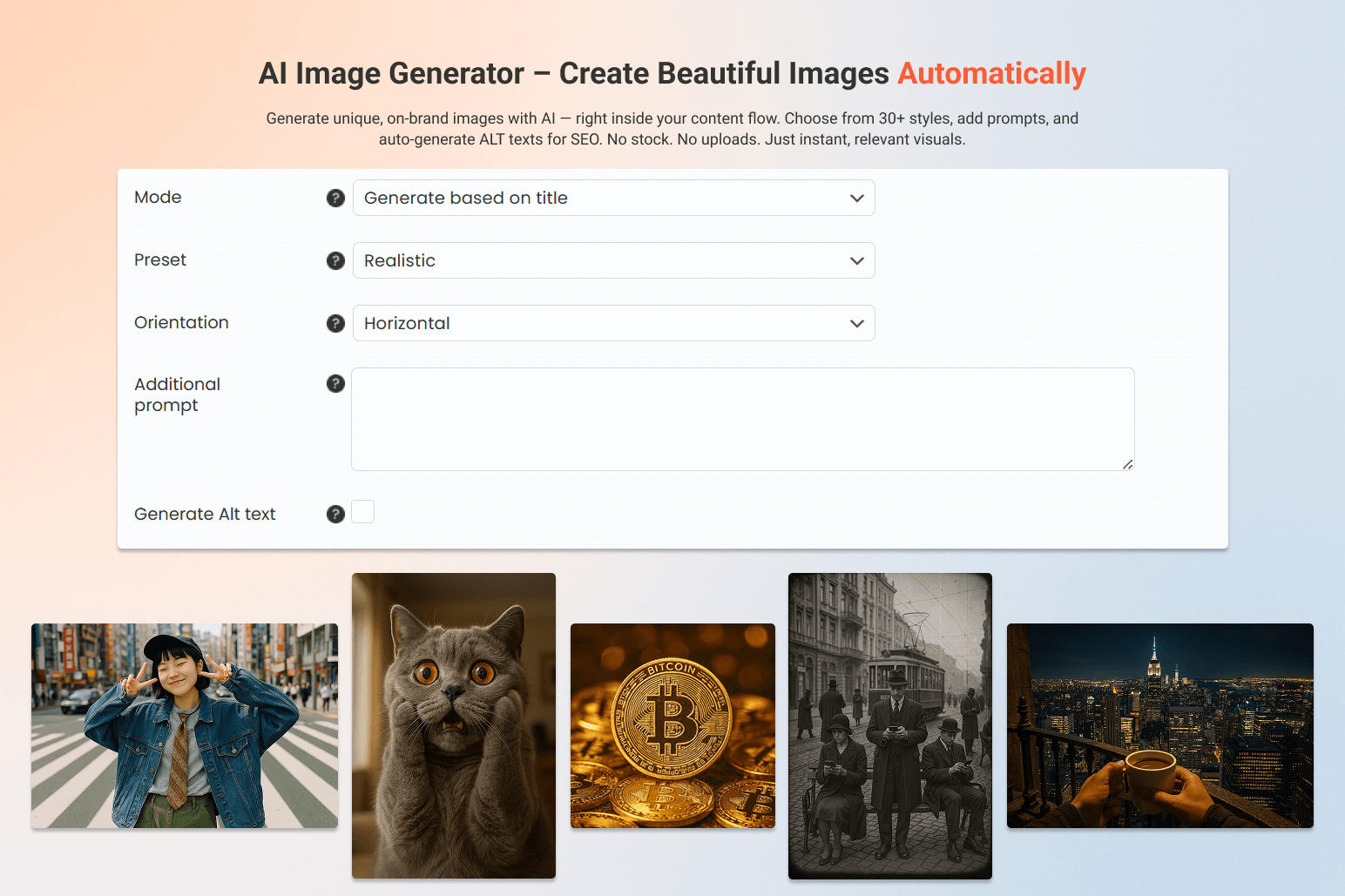
AI Image Generator – Create Beautiful Images Automatically
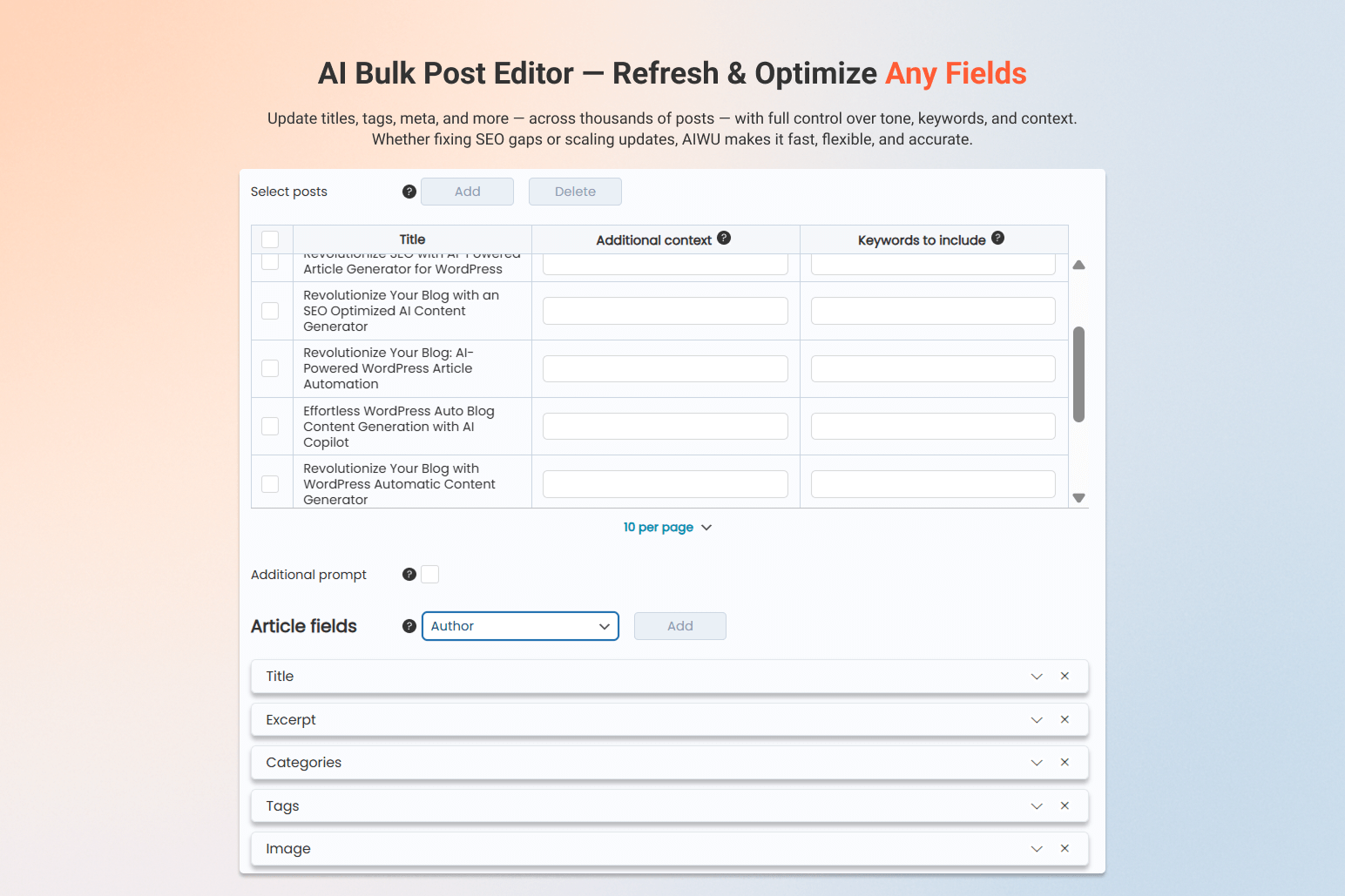
AI Bulk Post Editor – Refresh & Optimize Any Fields
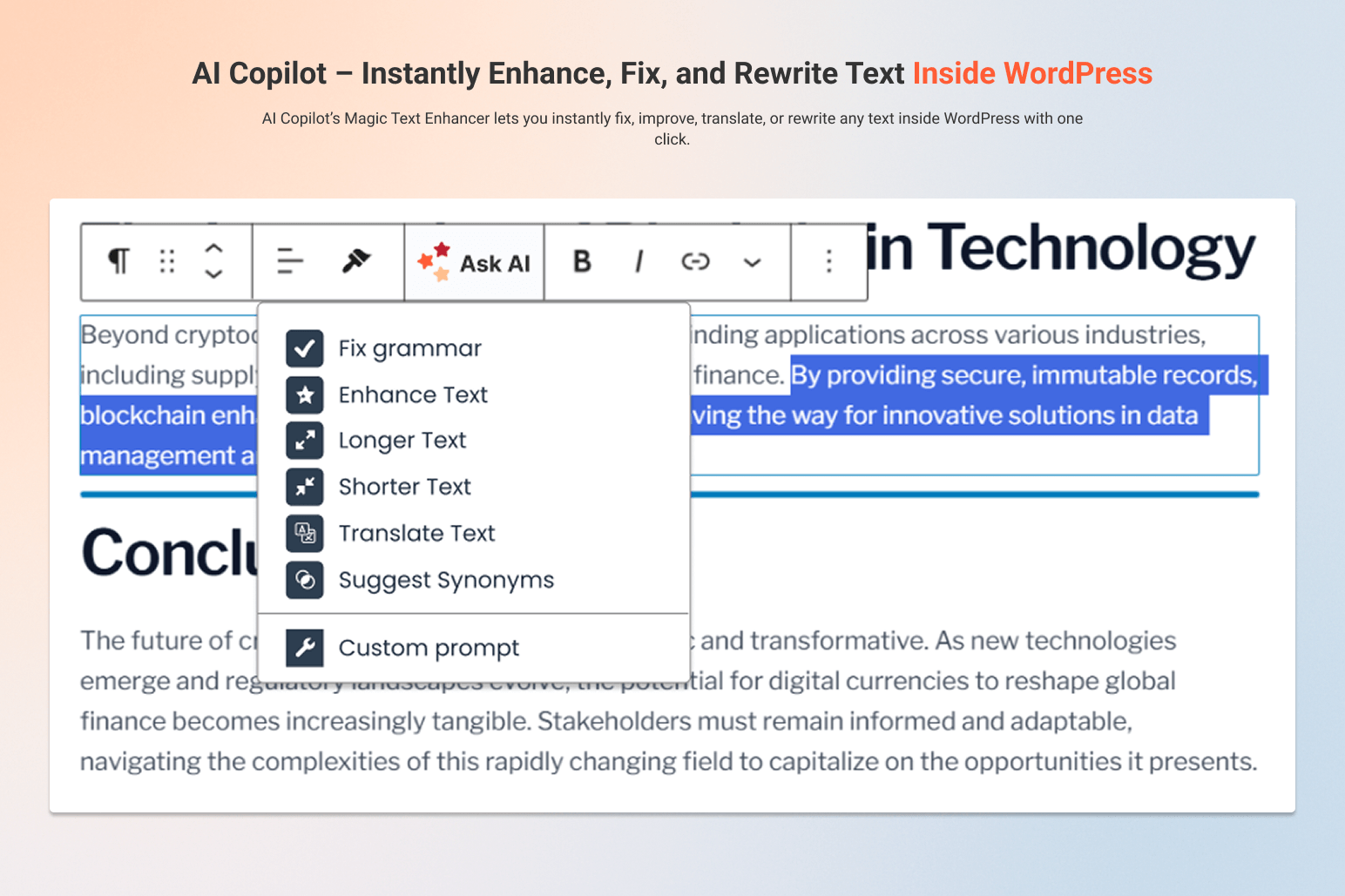
AI Copilot – Instantly Enhance, Fix, and Rewrite Text Inside WordPress
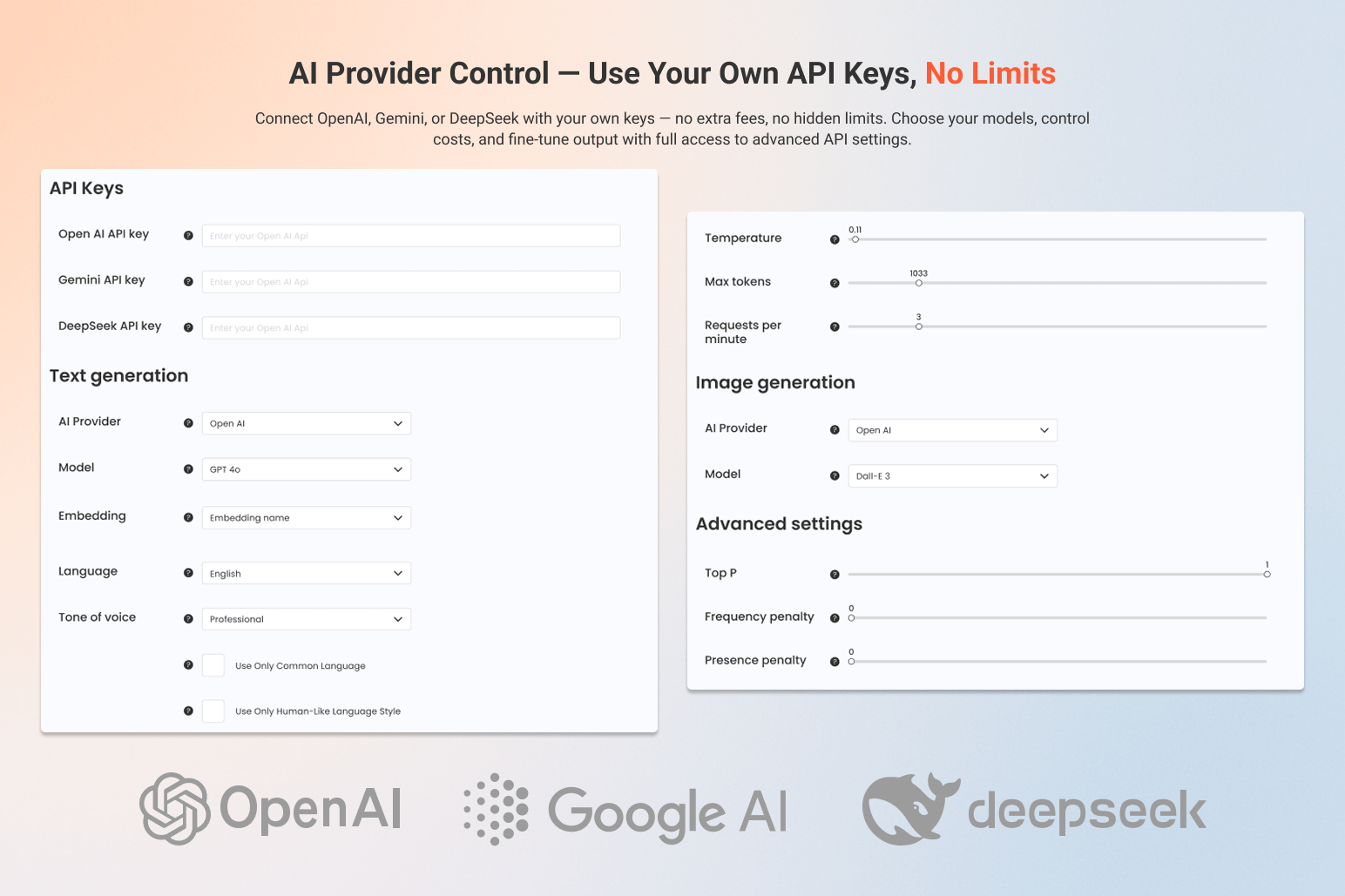
AI Provider Control – Use Your Own API Keys, No Limits
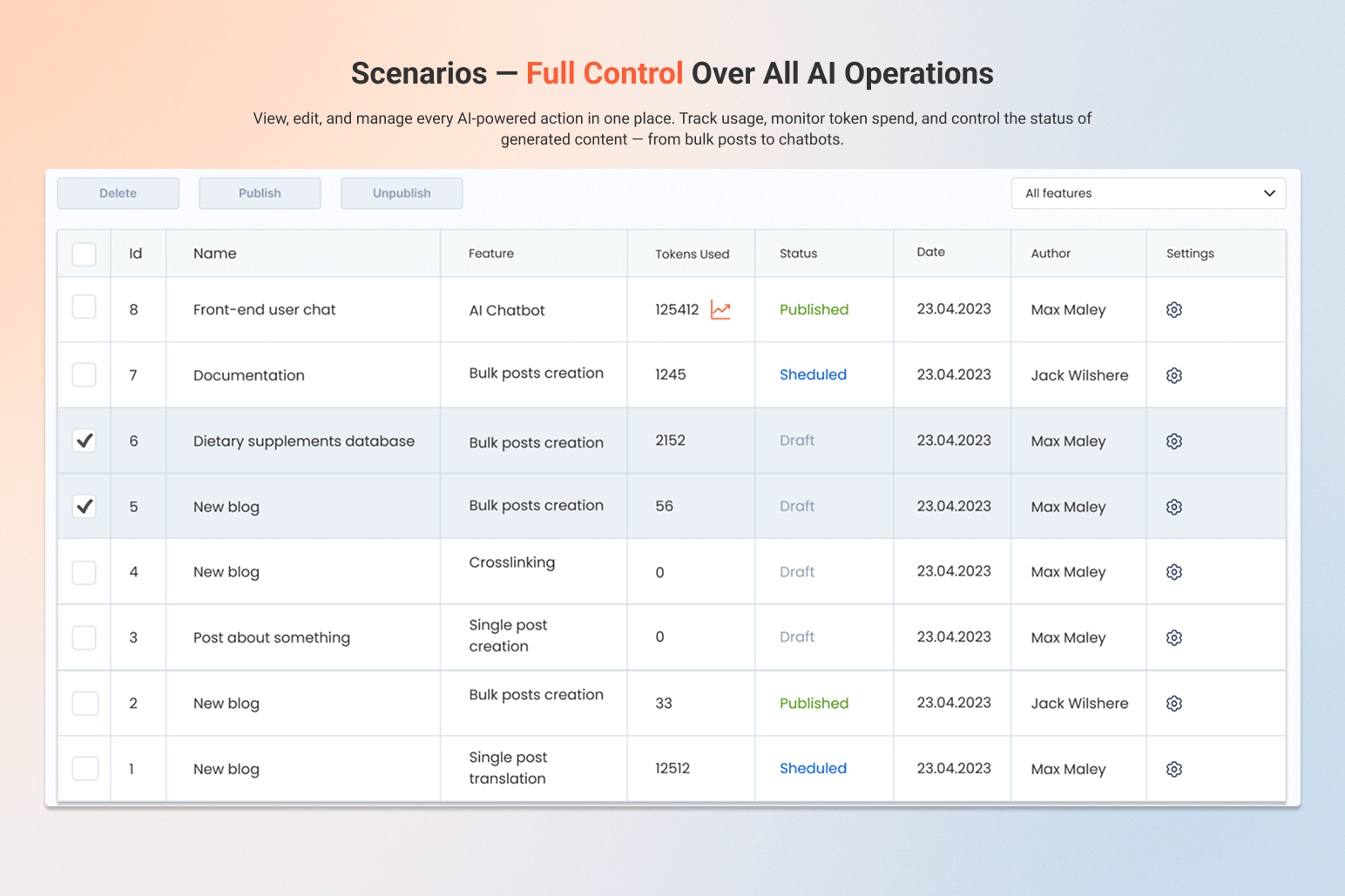
Scenarios – Full Control Over All AI Operations
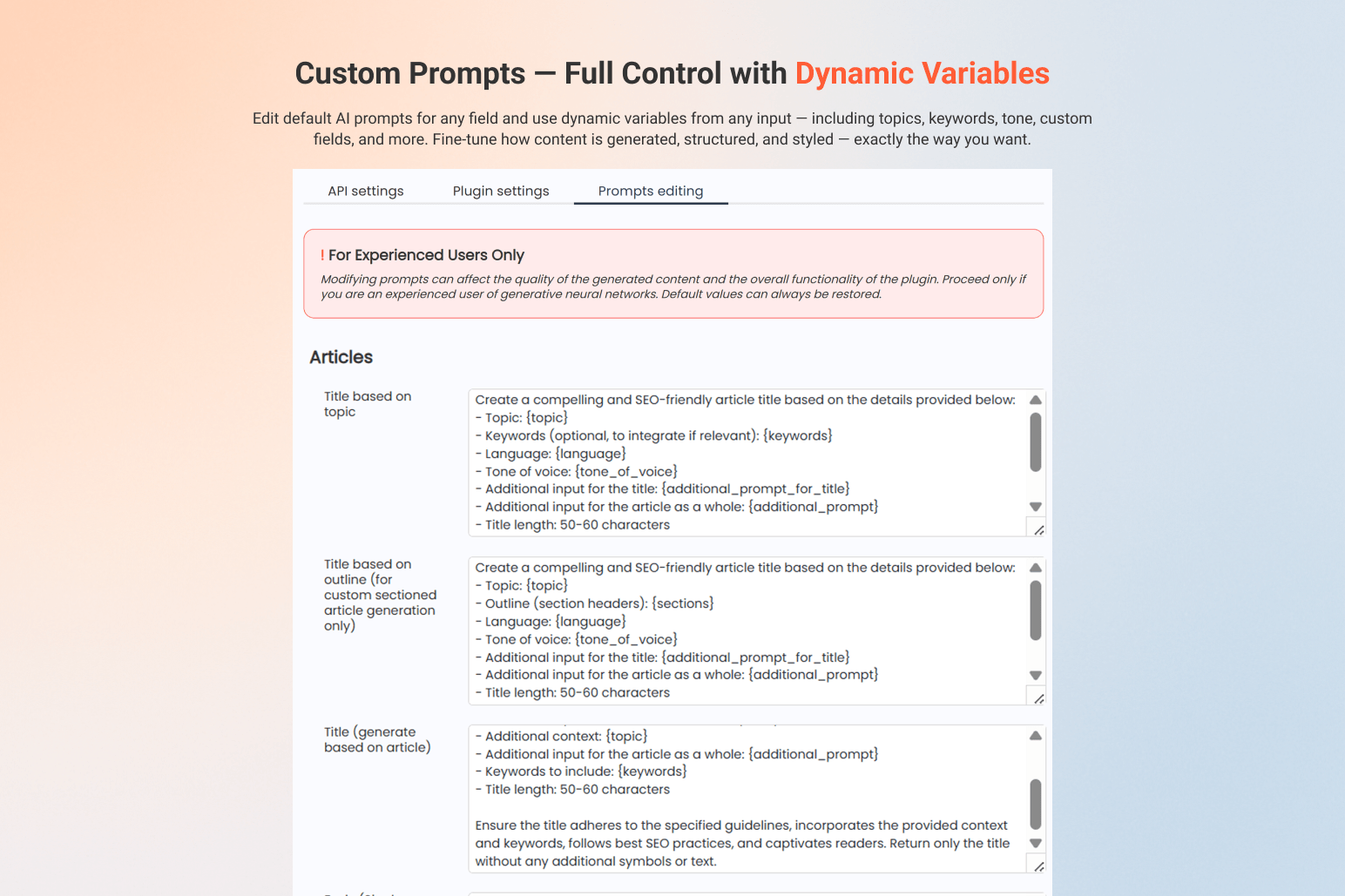
Custom Prompts – Full Control with Dynamic Variables
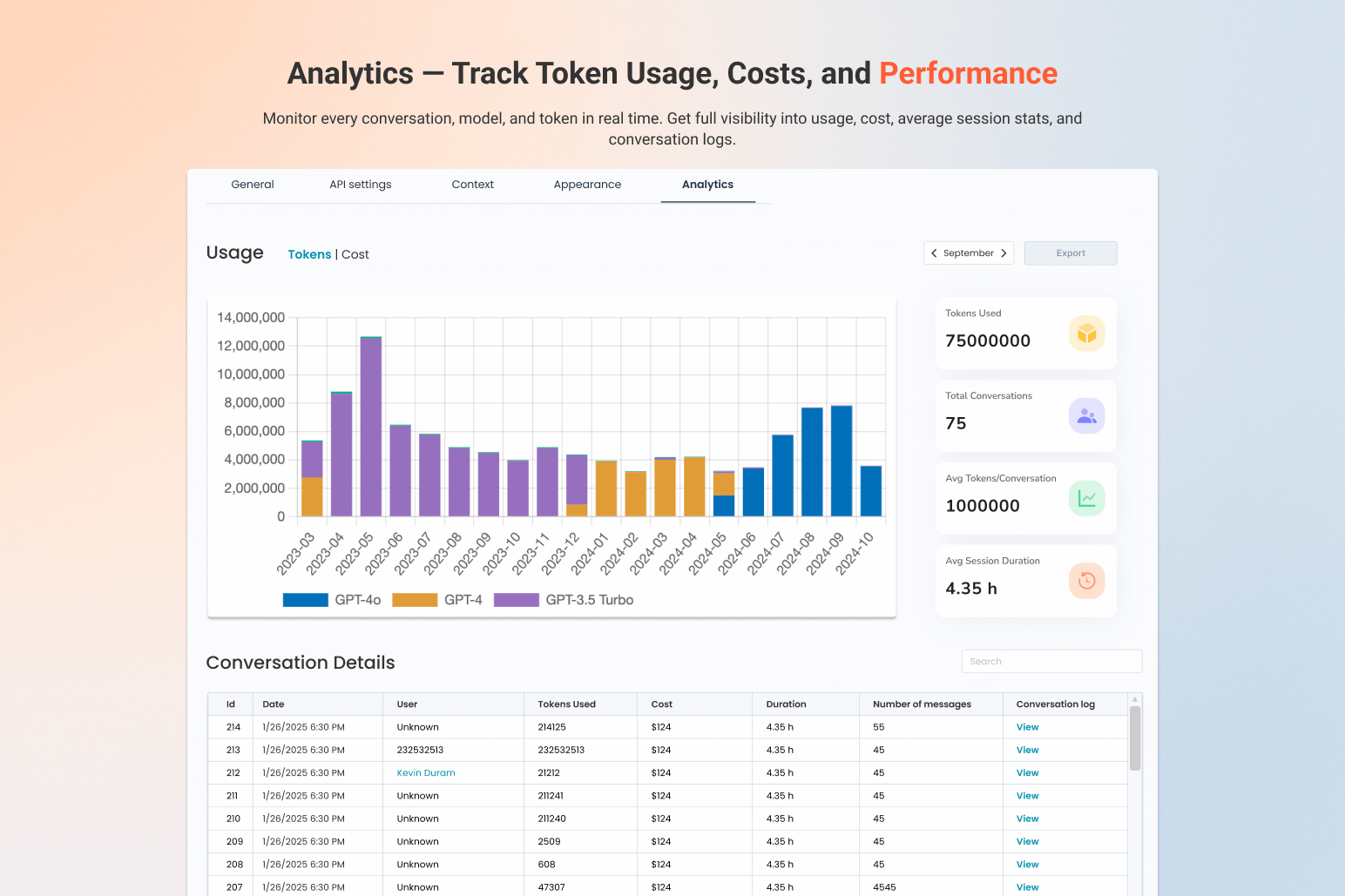
Analytics – Track Token Usage, Costs, and Performance
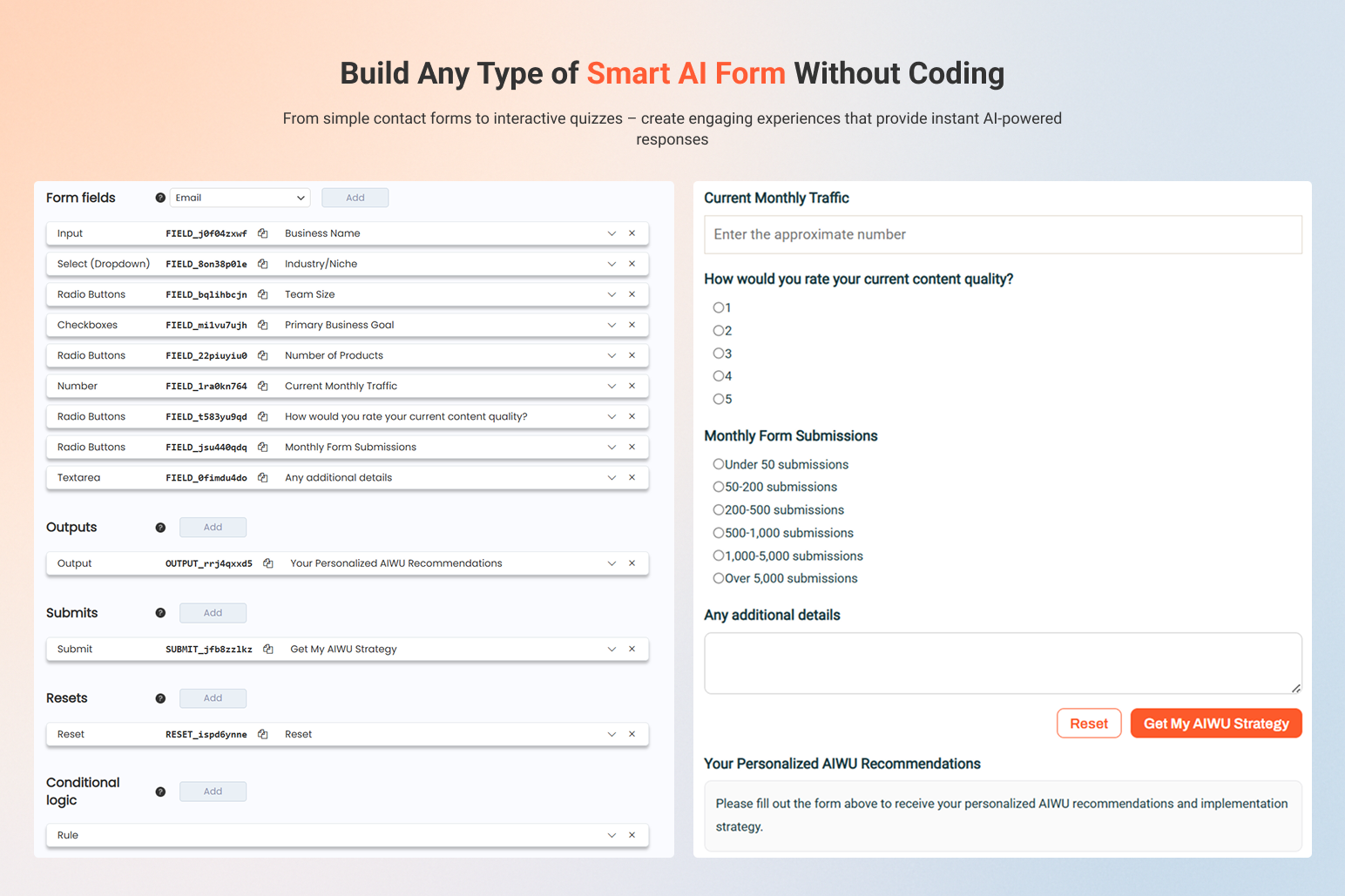
AI Forms
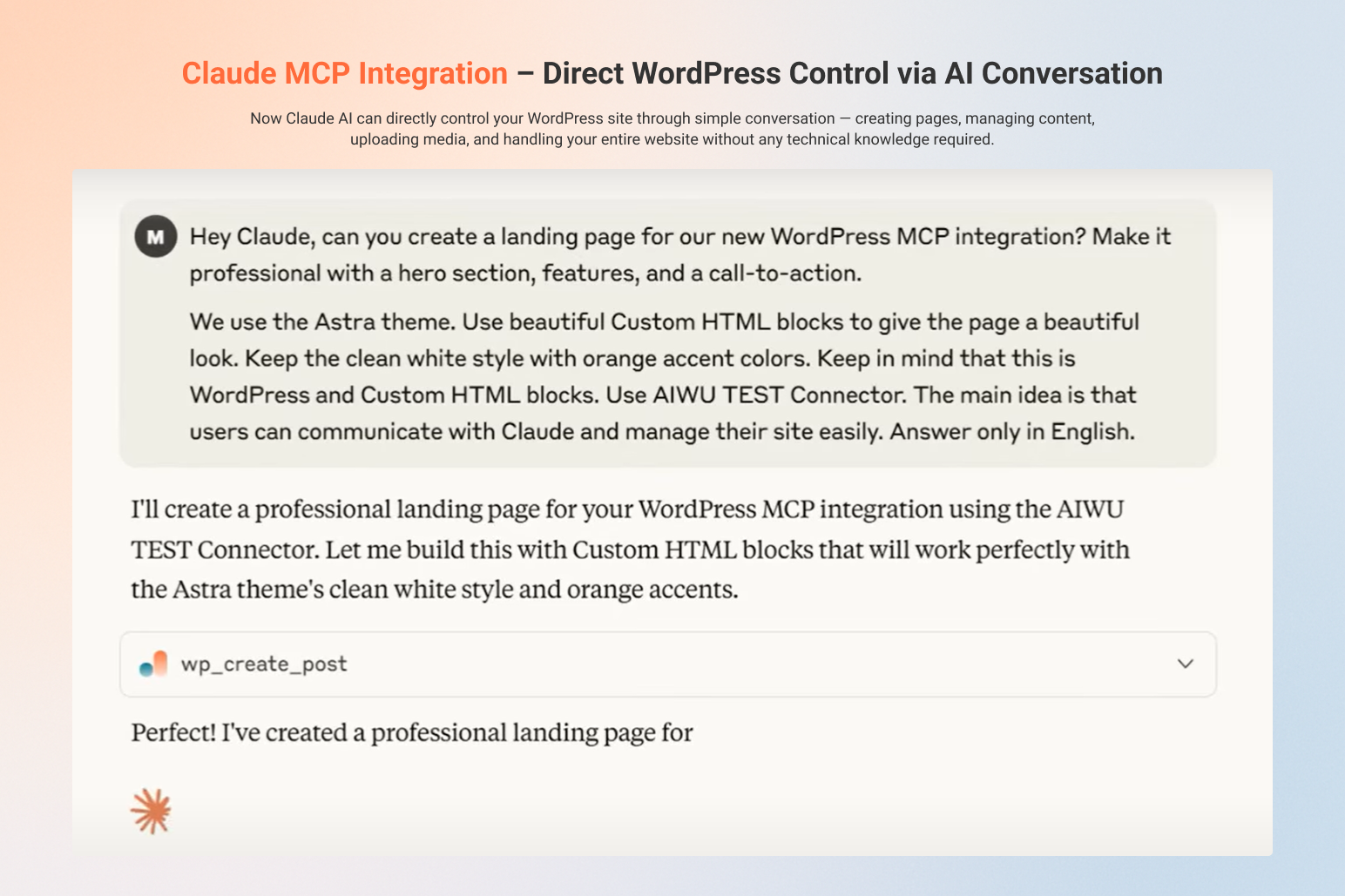
MCP Integration
Faq
AIWU is an AI automation platform for WordPress that combines workflow automation, AI chatbots, content generation, AI forms, MCP integration and multi-model AI support in one plugin.
Yes. AIWU includes a fully customizable AI Chatbot that can be trained on your content, recommend products, answer questions, capture leads and support visitors in real time.
AIWU uses function calling and real-time context from your WordPress and WooCommerce data. The AI Chatbot can search products, posts, categories and metadata, call internal functions, and return relevant recommendations as interactive cards directly in the conversation. This allows the chatbot to act as a true sales and content assistant, not just a text responder.
Yes. AIWU includes a visual drag & drop Workflow Builder (n8n-style) that runs natively inside WordPress and lets you automate content, WooCommerce, marketing, support and custom processes. Learn more about Workflow Builder
AIWU works with OpenAI (ChatGPT), Claude, Google Gemini, Perplexity, DeepSeek and OpenRouter. You can use your own API keys and choose different models for different tasks and workflows.
Yes. AIWU supports fine-tuning and embeddings (RAG), so you can train AI models on your own website content, documents and datasets.
MCP (Model Context Protocol) allows AI assistants like ChatGPT or Claude to directly control your WordPress site via natural language: create pages, edit posts, manage WooCommerce products, users and settings. Learn more about MCP Integration
Yes. AIWU can generate posts in bulk, run RSS autoblogging, optimize content, add internal links, update existing posts and automate WooCommerce product content.
Yes. You can generate and update product titles, descriptions, images, categories, tags, reviews and automate WooCommerce workflows with AI and visual automation.
Yes. AIWU includes an AI Forms Builder to create smart forms, surveys, quizzes and calculators with conditional logic and AI-generated results. Learn more about AI Forms
AIWU runs entirely inside your WordPress site. There is no external SaaS, no middle platform and no usage credits from us. You only use your own AI provider API keys.
Yes. AIWU provides REST API, JavaScript API, PHP helpers and MCP support to build custom AI agents, automations and integrations. Explore Developer API
Yes. Using the Workflow Builder, MCP integration and Developer API, you can create AI agents that interact with your site, tools and data.
Yes. AIWU combines AI chatbot, workflow automation, content generation, SEO automation, AI forms, WooCommerce AI and MCP into one unified platform.
No. Most features are no-code and work through visual builders and templates. Developers can extend everything using APIs if needed.
Reviews
Promising Plugin, But Stability Issues
By 
We tested this plugin in a live environment and unfortunately encountered several issues. Configured settings were not consistently saved, and in the frontend the icons were duplicated, which affected the user experience.
The concept is good and the plugin has potential, but in its current state it was not reliable enough for our production use case. We hope future updates improve stability, as it could become a useful tool.
Excellent and fast growing plugin
By 
although some features are still a bit rought, the chatbot is very promissing. You can see the team fixing bugs fast and pushing updates. support is really top!
An excellent and very promising plugin
By 
An excellent and very promising plugin. Very good support, rapid growth in functionality.
2 MAJOR BUGS
By 
ATTENTION: this plugin --even if it has potential-- has 2 major bugs on multisite installations:
- it creates dozens of useless tables in the DB for each subsite
- it is impossible to activate the plugin for a given subsite: the plugin is always activated on the last subsiste created.
Fanastic!
By 
AIWU is an absolute game-changer! I was skeptical at first, but it has far exceeded my expectations. When you take the time to fine-tune the settings and prompts, the results are simply astonishing. The content feels natural, I barely need to make any edits, and it saves me a huge amount of time. The flexibility and automation make AIWU an essential tool for anyone looking to streamline their content creation. Highly recommended!
Confuguração.
By 
A configuração para leigos ainda e um desafio.
Does more than i expected !
By 
Seems i'll be the first to review ! 🙂
Well, i wasn't expected that this plugin would be as good as it it, and would have that much customization options!
I was also surprised by finding an RSS fetch option, which was never mentioned on site but was exactly what i was looking for 🙂 So for the price/quality it gets 10 out of 10 from me!
What i would like seeing in next releases:
1. CRITICAL IMPORTANT - DELETE history should NOT DELETE posts ! At least make it optional as a checkbox. For example , i could have imported articles from 20 sources, and don't need those in history anymore, but if i delete them - i will loose all my imported posts - NOT GOOD!
2. FLUX1 API possibility (DALL-E really sucks for natural images)
3. Fix insert reference LINK to BODY , when you edit task, it resets to YES always
4. Add proper contacts on the website and pass payment from your site to trusted sites or at least add PayPal, as it looks bit scary giving out card details on unknown site 🙂
But overall - good job guys !
Changelog
1.5.9 (26/07/2026)
– Compatibility: Fixed an HPOS declaration conflict that could stop wp-admin rendering when WooCommerce loaded after AI Copilot.
1.5.8 (19/07/2026)
– Security: Restricted protected AJAX actions to exact capability and nonce checks, limited anonymous actions to explicit allowlists, and allowlisted SQL sort direction.
– Workflow: Added the owner-approved Phase 1 foundation with core, UI, and AI features default-off and closed import, validation, storage, privacy, and test-provider boundaries.
– Compatibility: Declared the accepted minimums of WordPress 6.0 and PHP 7.4; the G0 matrix verifies exact patch-level support separately.
1.5.5 (01/07/2026)
– Security issues XSS fixed
1.5.4 (20/06/2026)
– Security: Hardened MCP OAuth consent so authorization codes can only be issued by an authenticated WordPress user with the required capability.
– Security: Bound OAuth authorization codes, access tokens and refresh tokens to the approving user and registered client; legacy unbound OAuth transients are invalidated during upgrade.
– Security: Replaced MCP admin impersonation with direct-token owner binding and user-bound OAuth restoration.
– Security: Added MCP tool capability guardrails for users, options, plugins, posts, terms, comments and media actions.
– OAuth: Fixed the consent nonce field name and added strict client_id, redirect_uri, scope and PKCE validation.
1.5.3 (02/05/2026)
– Pricing Phase 1.1: Added opt-in remote pricing sync from the hardcoded aiwuplugin.com pricing endpoint, with bundled pricing retained as the safe fallback.
– Pricing Phase 1.1: Added fine-tuned OpenAI model ID resolution, exact overrides and base-model pricing flags when a fine-tuned base can be inferred.
– Pricing Phase 1.1: Added image size/quality/count pricing, Perplexity per-search pricing from sanitized usage metadata and display-currency formatting while canonical storage remains micro-USD.
– Hardening: Added sanitized pricing sync status, nonce/capability-checked manual sync, daily WP-Cron sync only when opted in, and update/fresh-install option defaults.
– Notes: Weekly unknown-pricing digest is left as a Phase 1.2 backlog item. Pro plugin changes are not required for Phase 1.1 because pricing, usage storage and Insights UI live in the free plugin.
1.5.2 (02/05/2026)
– Insights & Limits Phase 1: Added production-ready usage and cost analytics with v2.1 history schema, daily rollups, session rollups and bundled pricing snapshots.
– Insights & Limits Phase 1: Added local Chart.js assets and read-only admin endpoints without provider calls or remote pricing sync by default.
– Insights & Limits Phase 1: Added privacy-safe usage and conversation views that hide raw prompts, provider errors, file payloads, API keys and IP addresses.
– Pricing: Switched cost totals to micro-USD fields to preserve small token, embedding and image costs.
– Hardening: Added fresh/update migration coverage for Phase 1 tables, pricing defaults and WAIC_TEST_MODE=false release checks.
1.5.1 (01/05/2026)
– Chatbot Insights: Added read-only Phase A admin shell with masked reporting endpoints
1.4.11 (11/03/2026)
– Security fix
1.4.10 (10/03/2026)
– AI ChatBot: Added onboarding tutorial
1.4.4 (16/01/2026)
– AI ChatBot: Real-time product and post recommendations with Function Calling
– Workflow Builder: New integrations (Google Drive, Google Calendar, Google Meet, Microsoft Teams, Zoom)
– OpenRouter AI provider support added
– Performance improvements and bug fixes
1.4.2 (13/11/2025)
– Code fix
– Webhook block
1.4.1 (10/11/2025)
– New AI models
– New automation blocks
1.4.0 (29/10/2025)
– Workflow AI Builder (n8n analog for WP)
1.3.3 (20/10/2025)
– Claude and GPT MCP integration info
1.3.1 (01/09/2025)
– New interface and form builder bug fixes
1.2.12 (21/08/2025)
– AI form integration
– Claude MCP bug fixed
1.2.6 (05/05/2025)
– Minor issues fixed
1.2.5 (04/27/2025)
– Magic Wand added
1.2.4 (04/10/2025)
– Fix AI Image Generation
– ChatBot style feature added
1.2.3 (03/27/2025)
– Add DeepSeek Integration
– Add WooCommerce Fields Generation
1.2.0 (03/11/2025)
– Add: AI ChatBot Live Chat
– Compatible with latest JS
– Minor issues fix
1.1.0 (02/04/2025)
– Add: Smart AI Content Crosslinking
– Add: Bulk Field Generation for Existing Posts
– Add: Alt text generation