AI Product Assistant
AI Product Assistant
Description
Make your WooCommerce store smarter — use AI to help customers search, analyze carts, and get instant answers about your products! This powerful plugin brings artificial intelligence to your e-commerce site, helping customers find exactly what they’re looking for with natural language search and intelligent product recommendations. Solve the “What should I buy?” and “Did I buy the right thing?” scenarios, and even let customers ask AI about specific products they’re interested in.
Key Features
- Smart Product Search: Customers can search using natural language like “Please help me find all the ingredients needed to make sushi.” (Mock simulation in free version)
- Intelligent Cart Analysis: Get AI-powered insights about cart compatibility and recommendations. Example: “Can the LED light and power supply in my cart be connected together? Do the voltage and current match?” (Mock simulation in free version)
- Instant Product AI Q&A: Customers get instant answers about products, specifications, and compatibility. Example: “I’m allergic to nuts. Does this protein bar contain any?” (Mock simulation in free version)
- Easy Integration: Simple shortcodes and widgets to add AI features anywhere on your site
- Multiple Display Options: Floating search buttons, inline search forms, cart analysis widgets, and product Q&A buttons
- Customizable Templates: Use your theme’s styling or customize the appearance
- Performance Optimized: Efficient search algorithms that work with stores of any size
- Debug Features: Built-in debugging and logging for troubleshooting
- Usage Statistics: Track mock AI interactions and usage patterns
How It Works
The plugin provides a foundation for AI-powered e-commerce features. In the free version, it includes:
- Smart product search interface
- Cart analysis framework
- Instant Product AI Q&A system
- Shortcode support for easy integration
- Admin dashboard with configuration options
- Template system for customization
Upgrade to Pro
Unlock the full power of AI with AI Product Assistant Pro:
- ✅ Real AI Integration: Connect to ChatGPT (OpenAI), Claude, Gemini, and DeepSeek APIs
- ✅ Advanced Product Search: True AI-powered natural language product matching
- ✅ Smart Cart Analysis: Intelligent product compatibility and recommendations
- ✅ Instant Product AI Q&A: Real AI responses to customer product questions
- ✅ Detailed Statistics: Track usage, performance, and anonymous user interactions with token usage monitoring
- ✅ Token Usage Monitoring: Keep track of estimated API token usage (actual costs tracked in AI provider dashboards)
- ✅ Enterprise-Ready: Custom AI provider supports self-hosted LLMs (Ollama, vLLM, LM Studio) — bring your own AI infrastructure, no third-party API fees, data stays on your servers
- ✅ Priority Support: Direct support from the KI-Sum AI team
Perfect For
Help your website solve customer scenarios like “What should I buy?”, “Did I buy the right thing?”, and allow AI inquiries about products of interest.
- WooCommerce store owners who want to improve customer experience
- E-commerce sites with large product catalogs
- Stores looking to reduce cart abandonment and purchase mistakes
- Businesses wanting to provide personalized shopping experiences
- Online retailers seeking competitive advantages through AI
- Businesses wanting to understand customer questions to improve content and optimize business direction
- Website administrators wanting to understand their database overview and detect product information errors through AI
- Enterprise businesses running self-hosted LLMs (Ollama, vLLM, LM Studio) who need AI-powered product search without sending data to third-party APIs
Requirements
- WooCommerce 5.0 or higher
- WordPress 5.6 or higher
- PHP 7.4 or higher
Support
For support with the free version, please use the WordPress.org support forums.
For Pro version support and priority assistance, visit ki-sum.ai/contact.
Privacy Policy
Free Version:
This plugin collects anonymous usage statistics including user roles (guest, customer, admin) and AI interaction data to improve the service. No personal data is collected or stored.
Pro Version:
In addition to the above, the Pro version may collect user identification data for customer support and service abuse prevention. All data is stored securely in your WordPress database and processed according to our privacy policy.
For complete privacy information, visit: https://ki-sum.ai/terms_and_privacy.html#privacy
When AI features are enabled in the Pro version, product data is sent to your chosen AI provider for processing according to their privacy policies.
Credits
Developed by the team at KI-Sum AI – Specialists in AI-powered e-commerce solutions.
Installation
- Upload the plugin files to the
/wp-content/plugins/ai-product-assistantdirectory, or install the plugin through the WordPress plugins screen directly. - Activate the plugin through the ‘Plugins’ screen in WordPress.
- Make sure WooCommerce is installed and activated.
- Go to WooCommerce AI Product Assistant to configure the plugin.
- Use the provided shortcodes to add AI features to your site.
Shortcodes
[aipa_search_form]– Displays the AI product search form[aipa_search_button]– Shows an AI search button[aipa_cart_analysis]– Shows cart analysis (Mock simulation in free version)[aipa_product_assistant_button product_id="XXX"]– Adds AI Q&A button for specific products
Screenshots
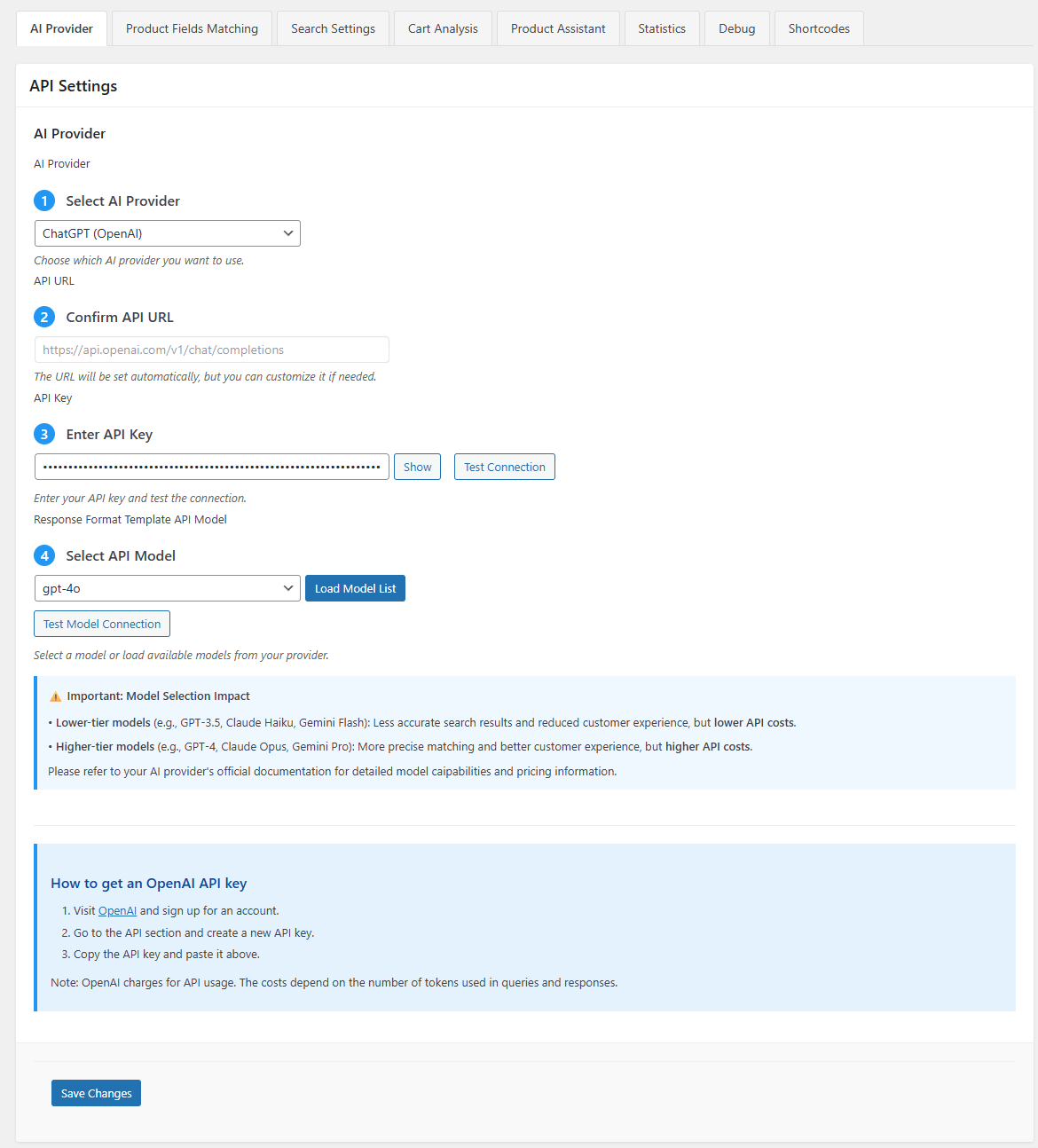
AI Provider Configuration - Setup AI providers (ChatGPT, Claude, Gemini, or DeepSeek) for real AI-powered features
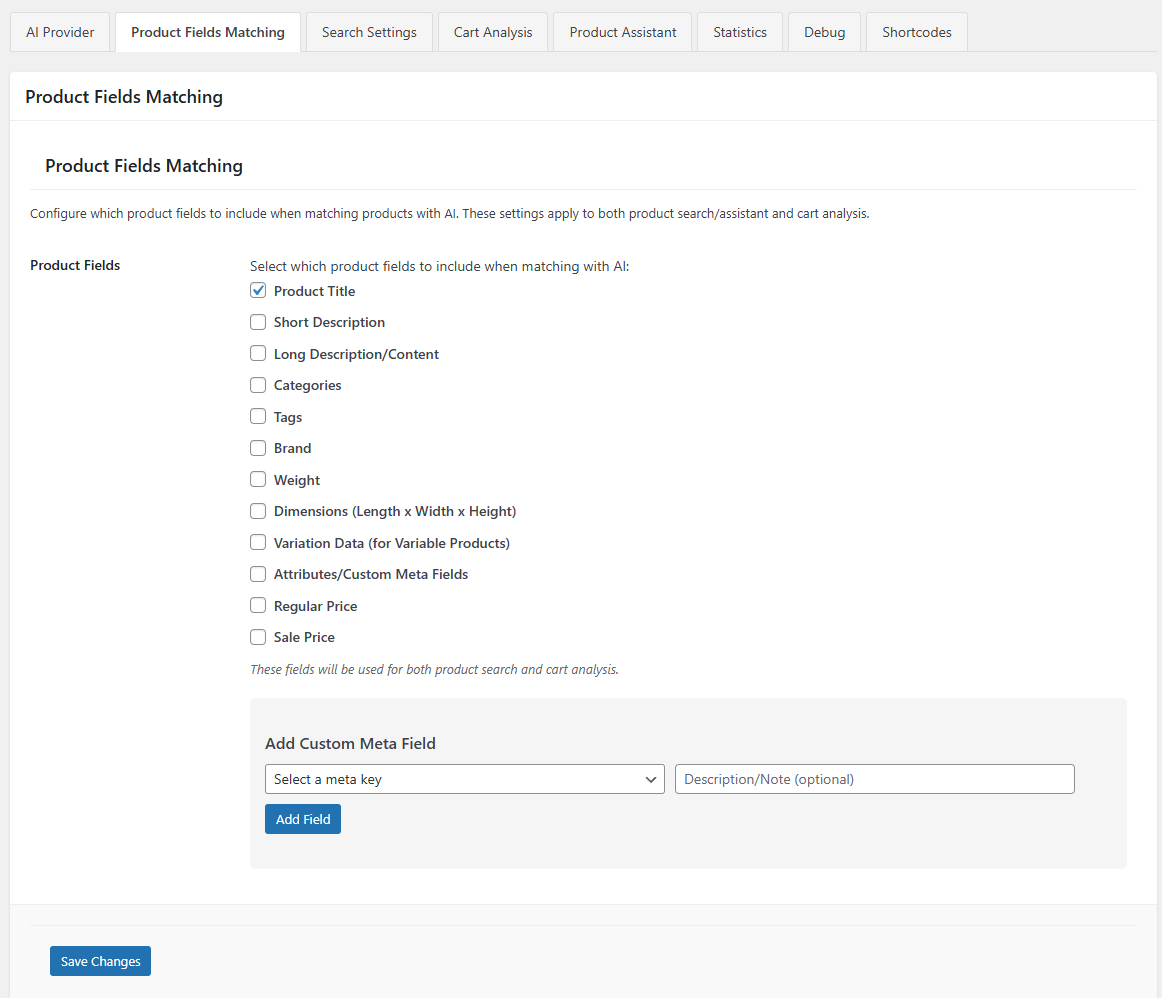
Product Fields Matching - Configure which product information (title, description, categories, etc.) to include in AI analysis
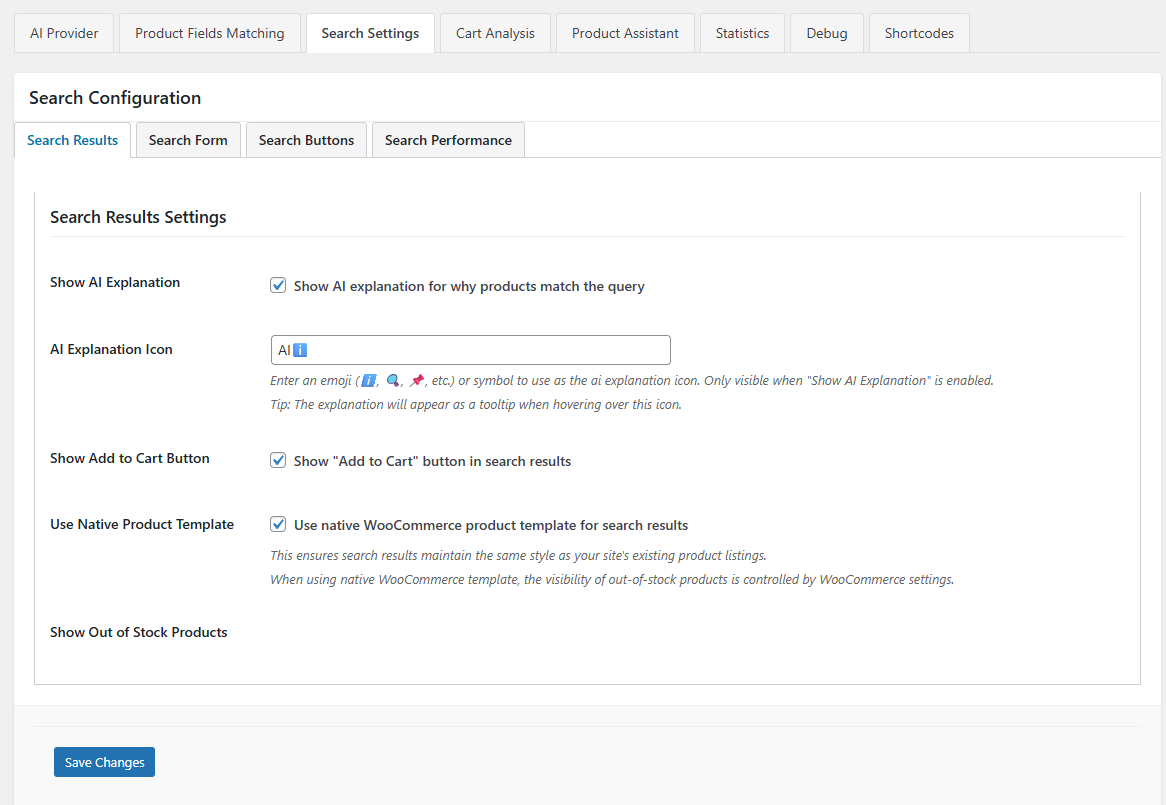
Search Settings - Customize AI explanations, search templates, performance settings, and display options for optimal user experience
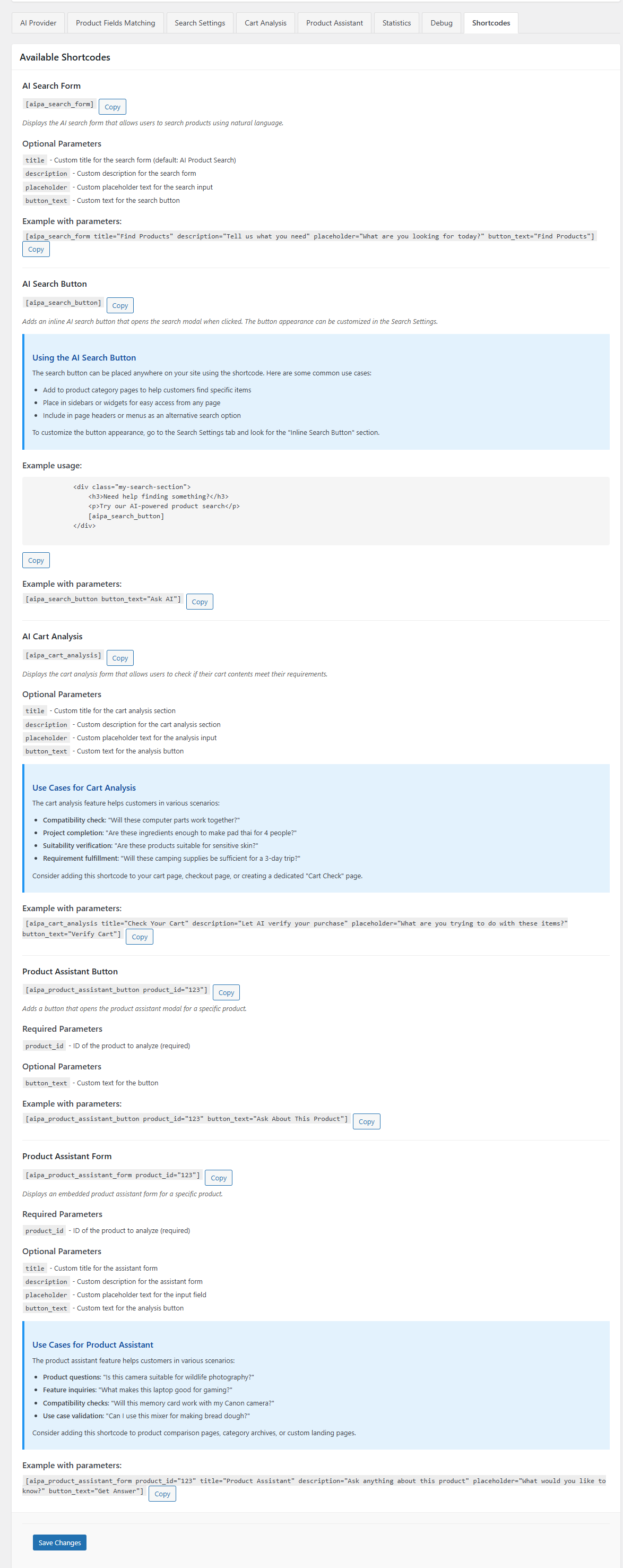
Shortcode Documentation - Complete implementation guide for AI search forms, buttons, and cart analysis widgets
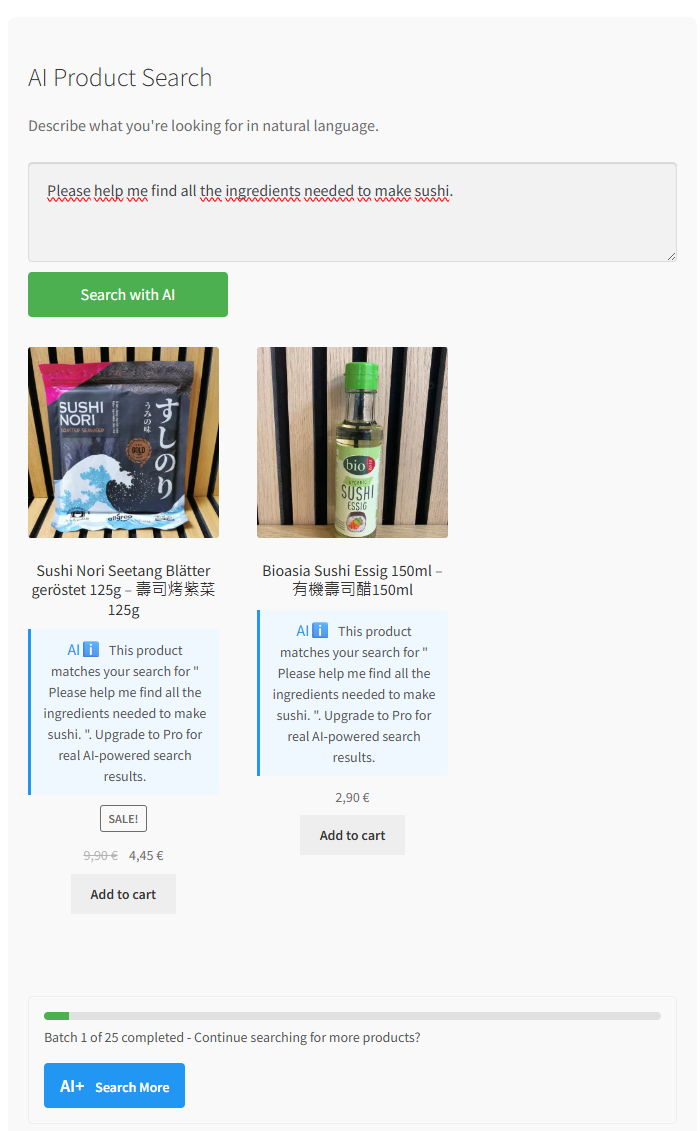
AI Product Search Example 1 (Free) - "Please help me find all the ingredients needed to make sushi" - Mock simulation interface
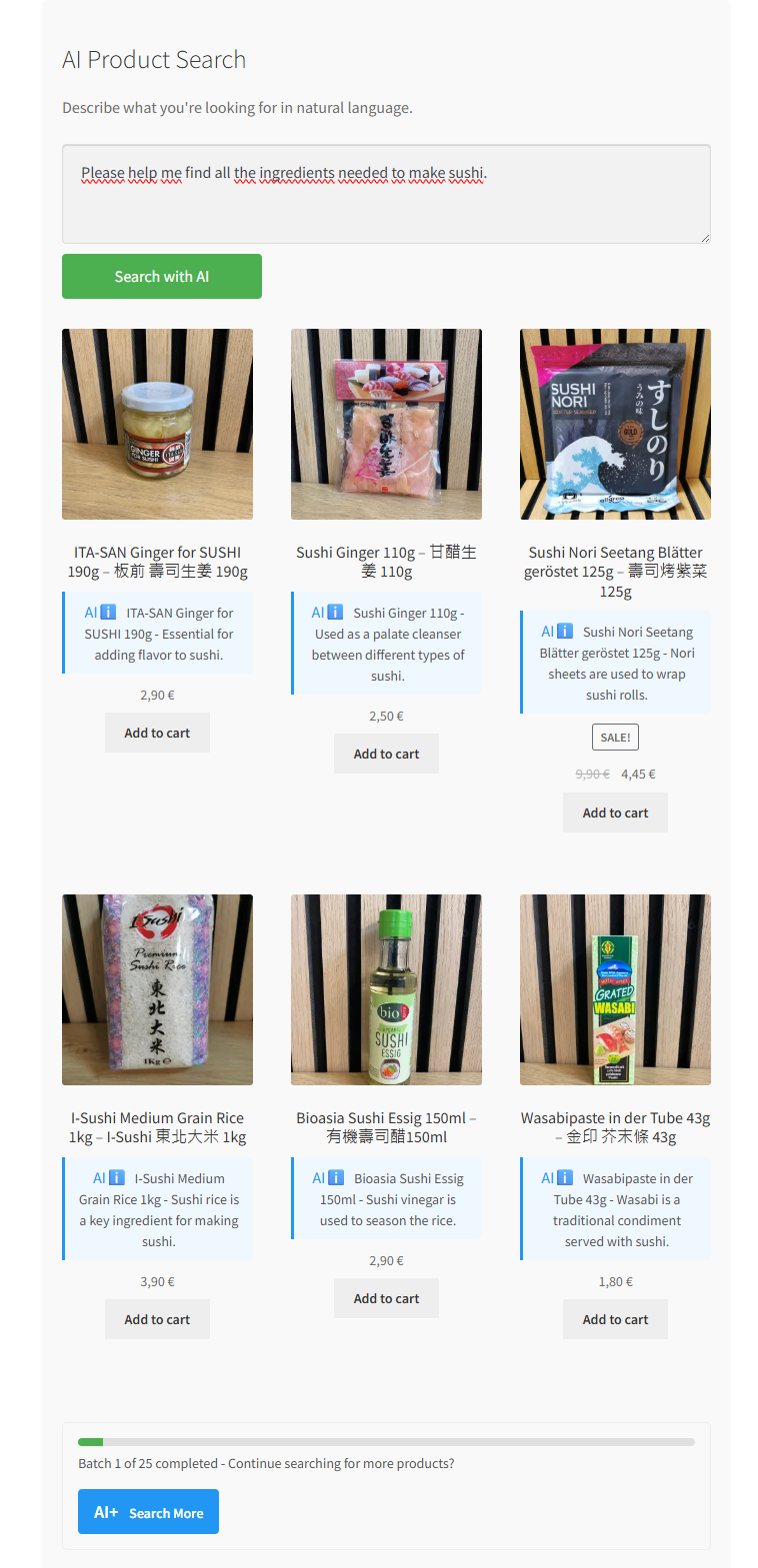
AI Product Search Example 1 (Pro) - "Please help me find all the ingredients needed to make sushi" - Real AI-powered results
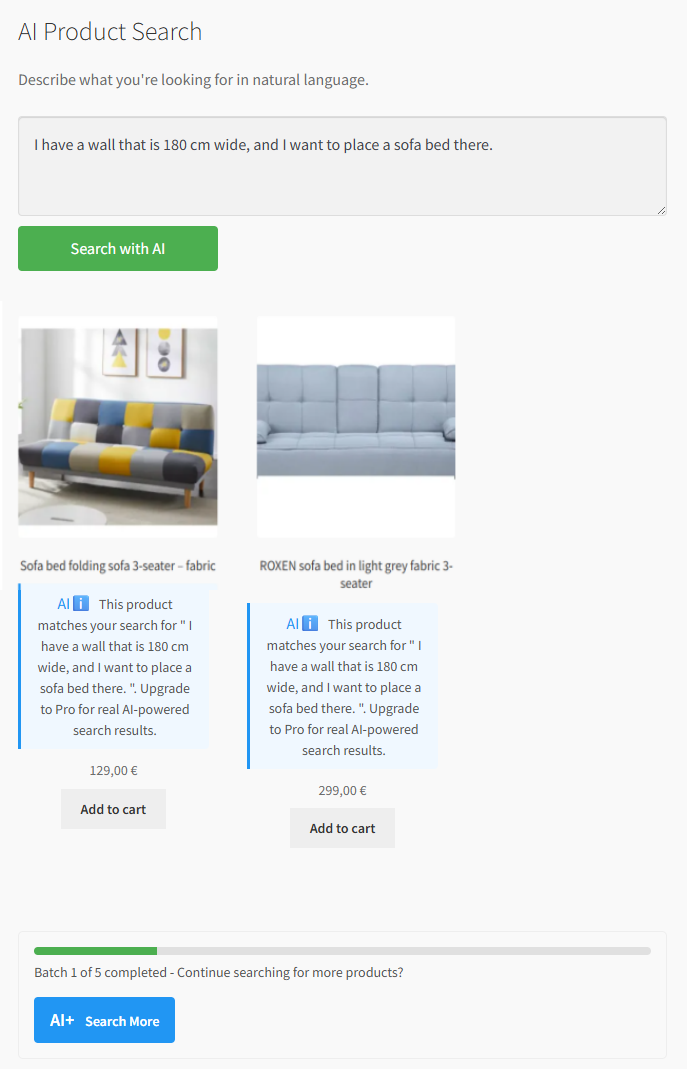
AI Product Search Example 2 (Free) - "I have a wall 180cm wide, I want to place a sofa bed there" - Mock dimensional search
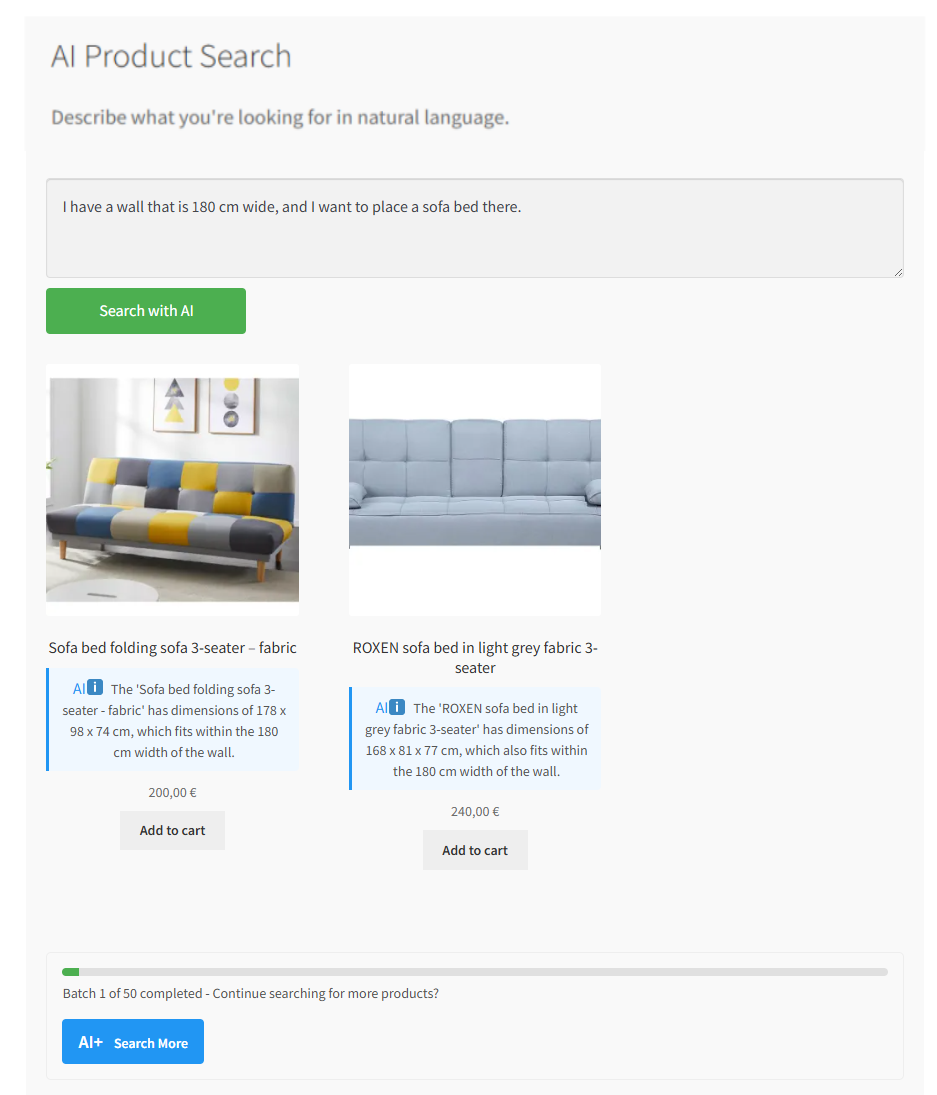
AI Product Search Example 2 (Pro) - "I have a wall 180cm wide, I want to place a sofa bed there" - Real AI spatial analysis
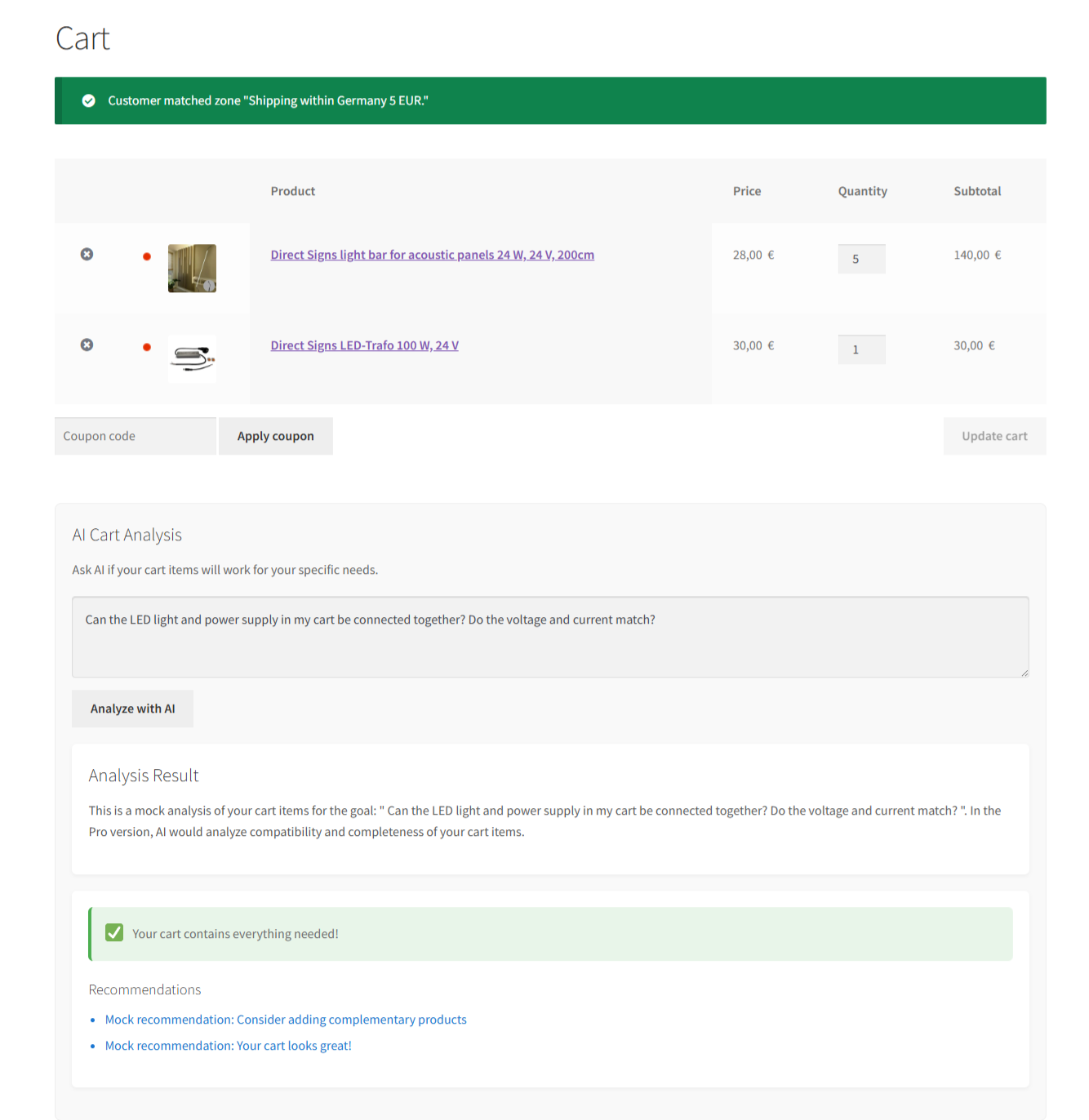
AI Cart Analysis Example 1 (Free) - "Can the LED light and power supply be connected together?" - Mock compatibility check
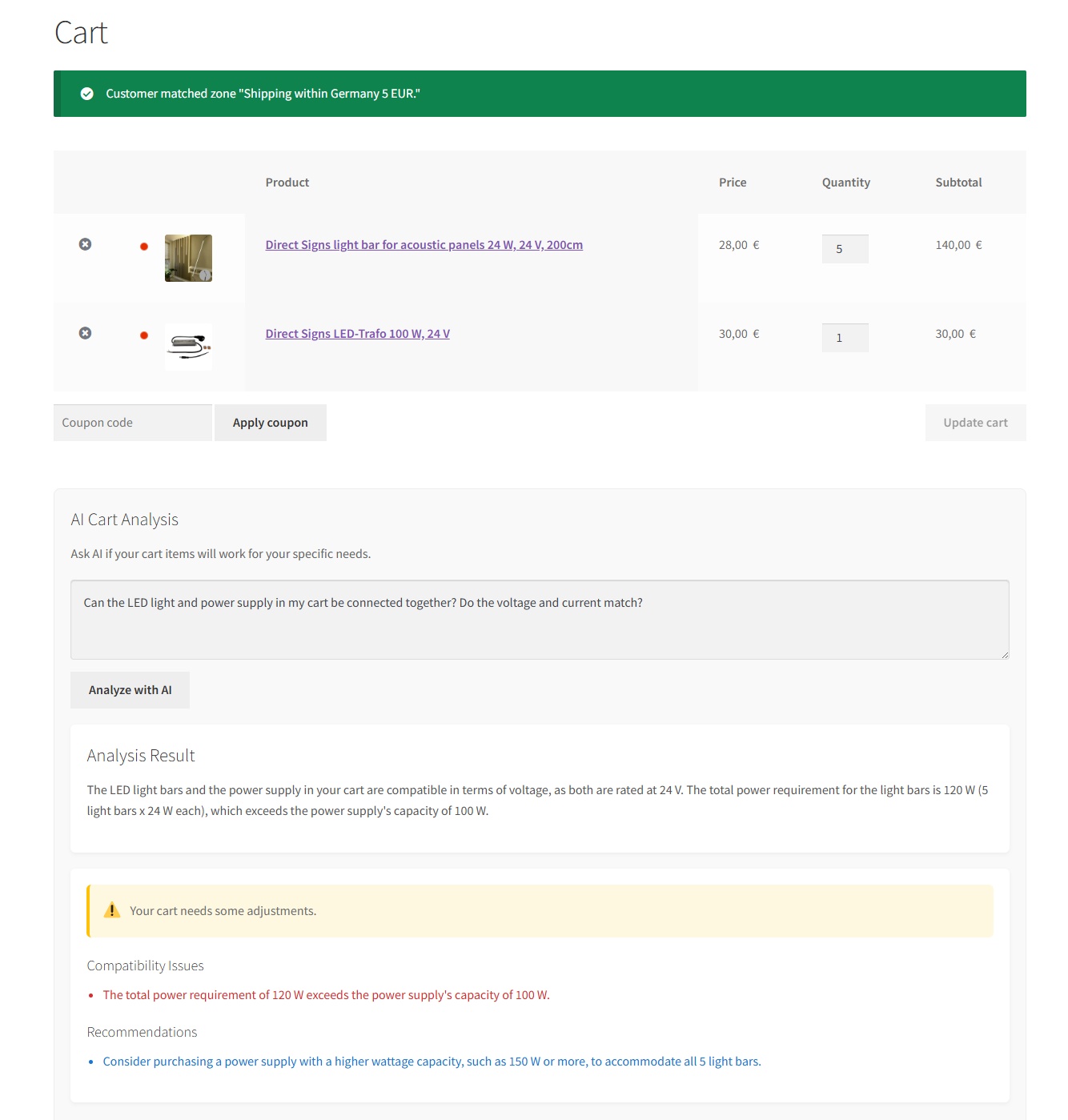
AI Cart Analysis Example 1 (Pro) - "Can the LED light and power supply be connected together?" - Real AI technical analysis
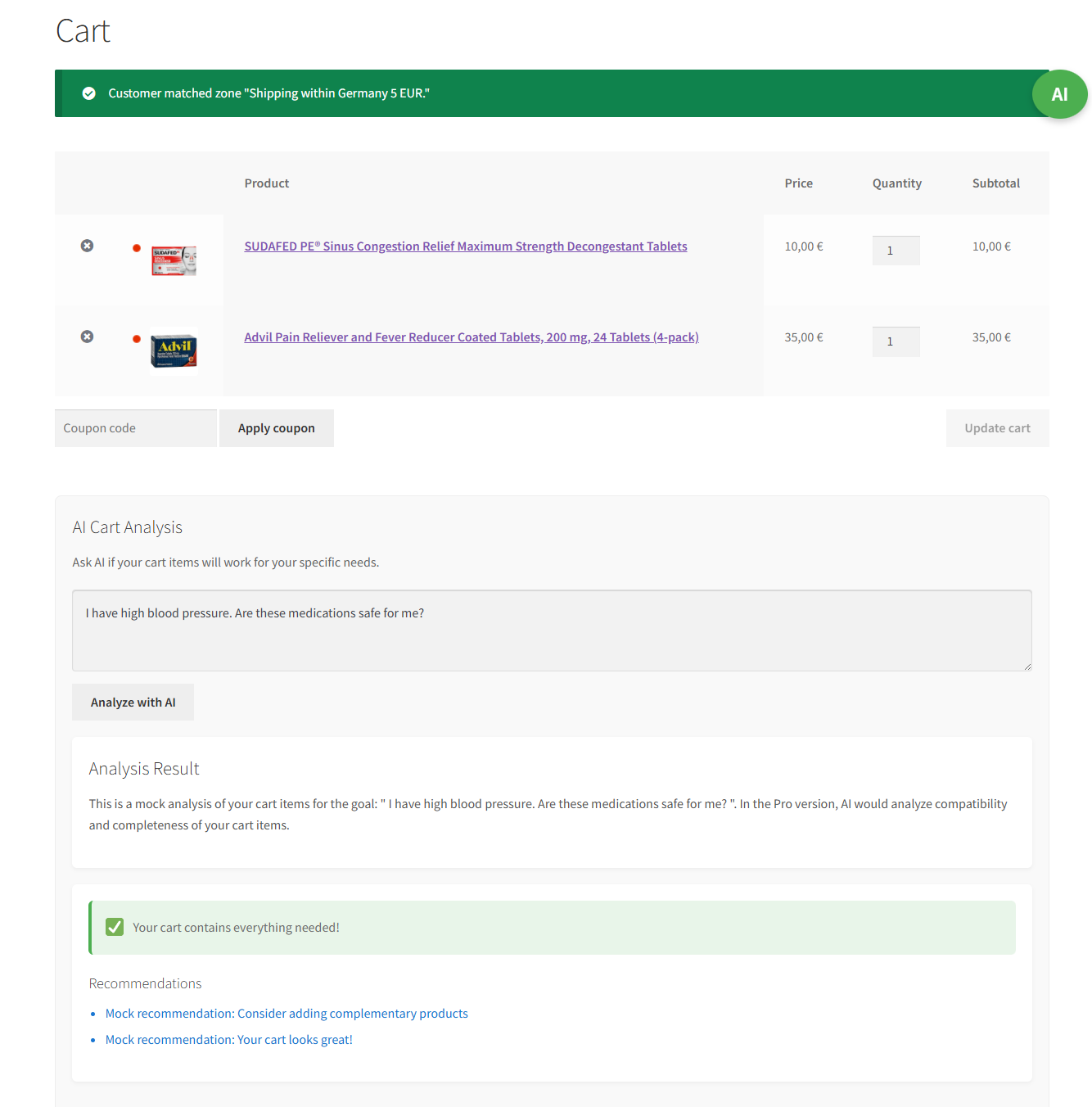
AI Cart Analysis Example 2 (Free) - "I have high blood pressure. Are these medications safe for me?" - Mock safety simulation
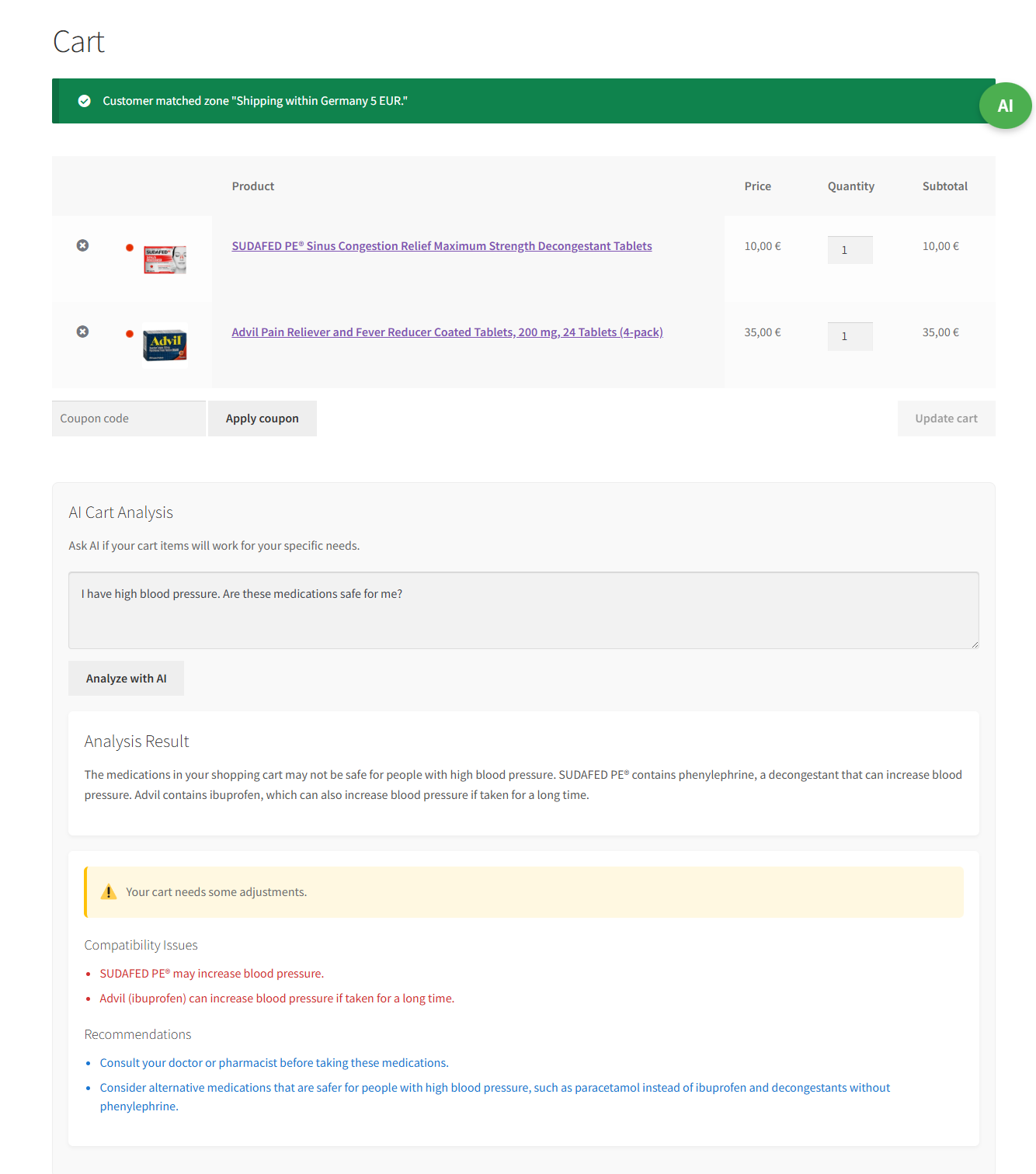
AI Cart Analysis Example 2 (Pro) - "I have high blood pressure. Are these medications safe for me?" - Real AI health risk assessment
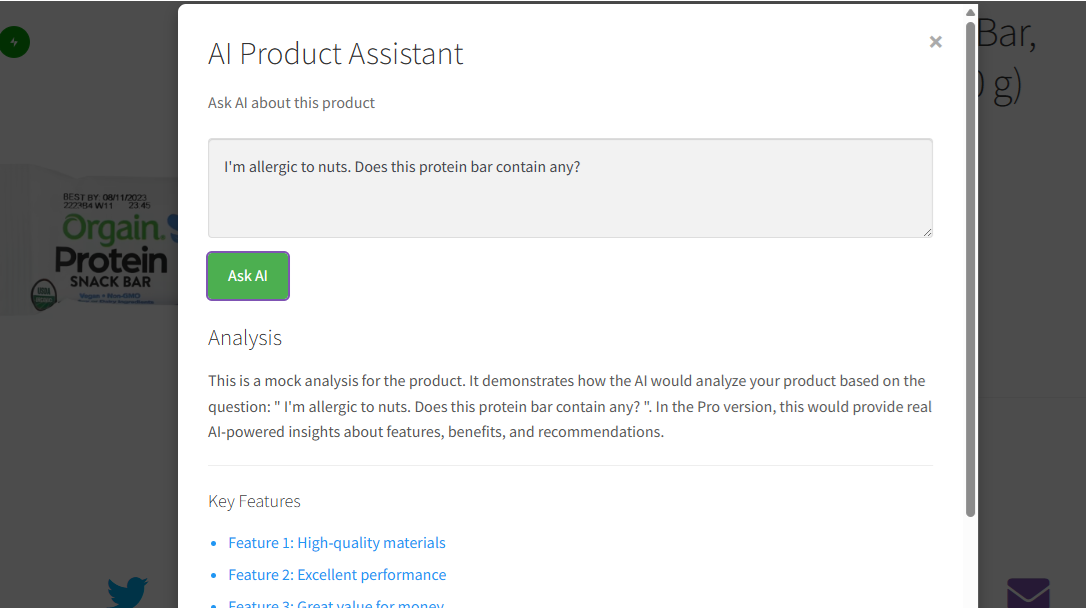
AI Product Assistant Example 1 (Free) - "I'm allergic to nuts. Does this protein bar contain any?" - Mock allergy check
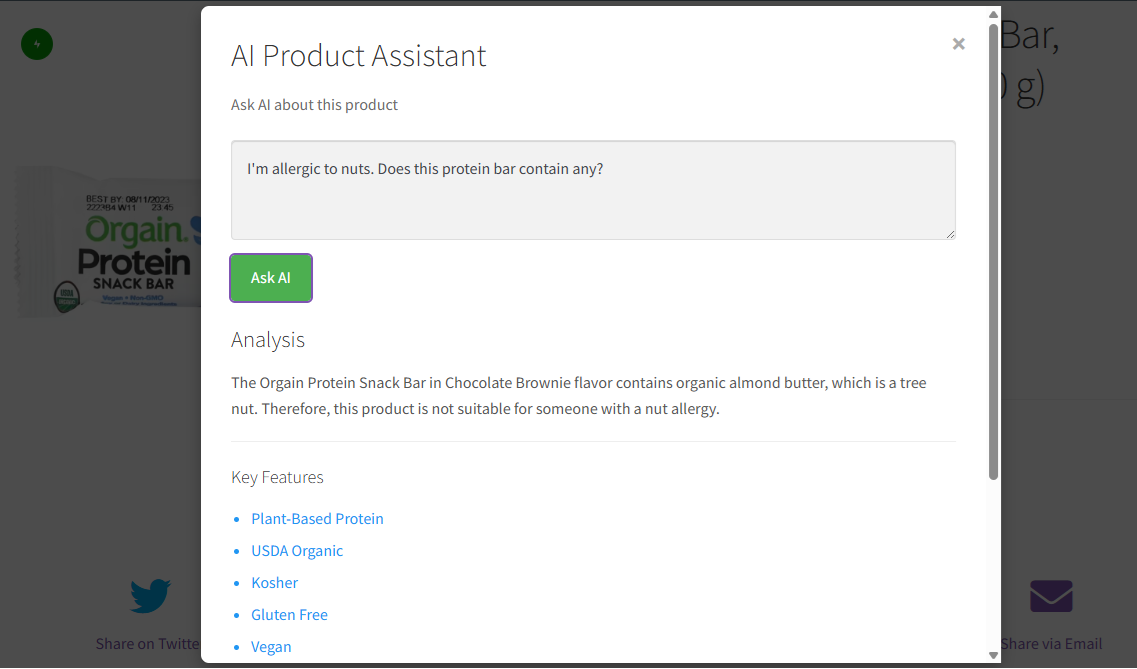
AI Product Assistant Example 1 (Pro) - "I'm allergic to nuts. Does this protein bar contain any?" - Real AI ingredient analysis
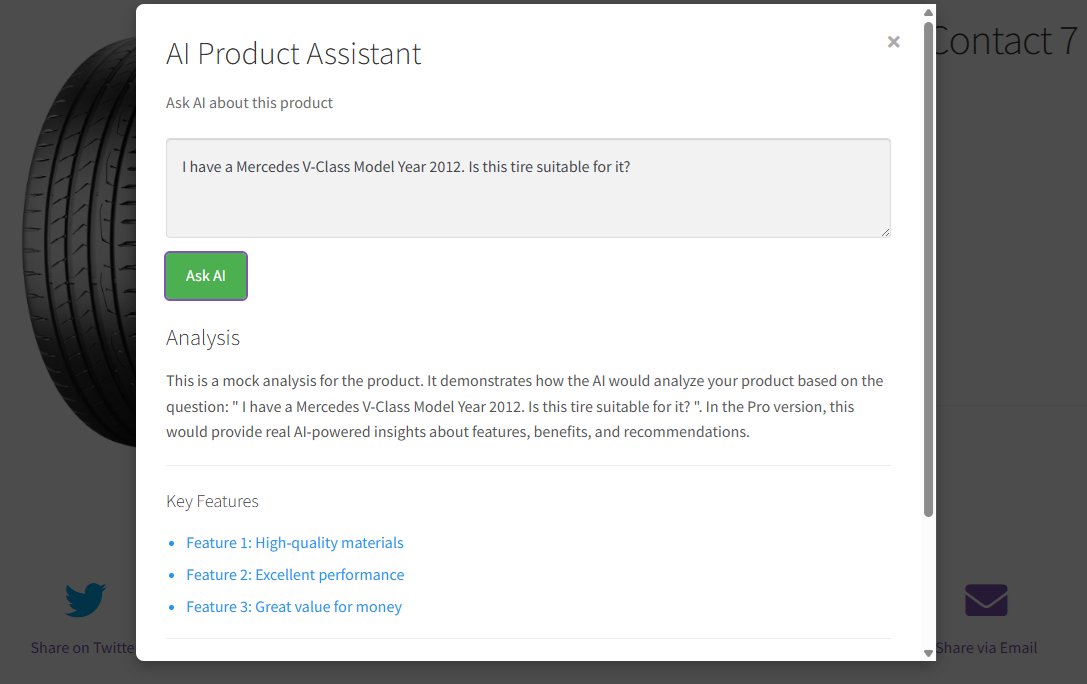
AI Product Assistant Example 2 (Free) - "Is this Continental tire suitable for my 2012 Mercedes V-Class?" - Mock compatibility simulation
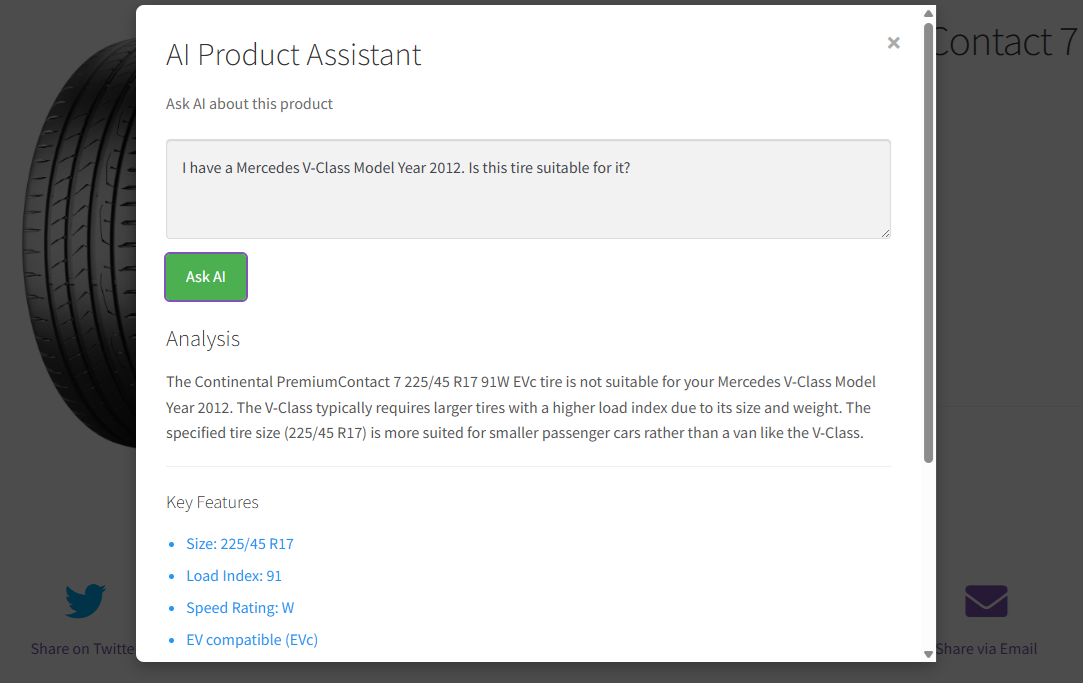
AI Product Assistant Example 2 (Pro) - "Is this Continental tire suitable for my 2012 Mercedes V-Class?" - Real AI automotive compatibility analysis
Faq
The free version provides the interface and framework but doesn’t require an API key. To unlock real AI processing, you’ll need to upgrade to Pro and configure an API key from your chosen AI provider.
Pro version supports the following AI providers:
– ChatGPT (OpenAI) – Privacy Policy: https://openai.com/privacy/
– Claude (Anthropic) – Privacy Policy: https://www.anthropic.com/privacy
– Gemini (Google) – Privacy Policy: https://policies.google.com/privacy
– DeepSeek – Privacy Policy: https://www.deepseek.com/privacy
– Custom / Self-Hosted — any OpenAI-compatible endpoint (Ollama, vLLM, LM Studio, or your own private deployment). API key is optional for internal no-auth deployments.
These services provide AI processing for natural language understanding, product search, and customer support features.
Free Version: No data is sent to external services. All features use mock simulations.
Pro Version (Cloud AI providers): When you use AI features, the following data is sent to your chosen AI provider:
– Product information (name, description, price, attributes)
– Customer queries and questions
– Cart contents for analysis (when using cart analysis feature)
Data is sent only when:
– User actively uses AI search features
– User requests AI cart analysis
– User asks questions using the Product Assistant
Pro Version (Self-Hosted / Custom provider): If you configure a self-hosted LLM endpoint (Ollama, vLLM, LM Studio, or your own private deployment), all AI processing happens within your own infrastructure. No product data or customer queries are sent to any third-party service.
Your API keys and user personal information are never transmitted to our servers.
Yes! The plugin is designed to work with any properly coded WordPress theme. It includes customizable templates that adapt to your theme’s styling.
No, the plugin is performance-optimized and only loads resources when needed. The free version has minimal impact on site speed.
Absolutely! The plugin includes template files that you can customize, and it respects your theme’s styling by default.
Yes, the plugin supports all WooCommerce product types including simple, variable, grouped, and external products.
Yes, the plugin respects privacy laws. In the Pro version, API calls are made directly from your server to the AI provider – we don’t store or process your customer data.
The free version can be used on unlimited sites. Pro licenses support one website per license.
Your site will continue to work normally with the free version features, switching back to mock simulation mode instead of real AI calls. Pro features will be disabled but all your settings and data remain intact.
Yes, AI features require user registration and login for better personalization and security. Guest users can browse products normally but need to create an account to access AI-powered search, cart analysis, and product Q&A features.
Yes! You can configure “Products Per Batch” (default: 100) and “Maximum Batches” (automatically calculated based on your store’s product count) in the Search Performance settings to optimize performance for your store size.
Reviews
Changelog
1.1.0
- Fixed: AI Max Tokens is now capped at 8192 (supported by all providers) to prevent API errors
- Updated: AI Max Tokens setting range changed from 256–32768 to 256–8192
1.0.9
- Fixed: Smart Search (Pro) no longer gets stuck after the last batch — max_batches is now persisted across Search More calls so the front-end correctly identifies the final batch
1.0.8
- Admin: Added AI Temperature setting (0.0–2.0, default 0.2) in Search Performance Settings (Pro only)
- Admin: Added AI Max Tokens setting (256–32768, default 4096) in Search Performance Settings (Pro only)
- Pro: Price range filter now correctly excludes over-budget candidates after Smart Search Stage 2
- Pro: Candidates are now globally sorted before caching, ensuring paginated batches respect sort order
1.0.7
- Fixed: Custom / Self-Hosted provider option was missing from the AI Provider dropdown
- Fixed: “Clear All Logs” in Debug settings showed “undefined” alert instead of a success message
- Admin: Improved Product Fields Matching description to clarify that price filtering for sale/sort queries is handled automatically by WooCommerce, not by the field selection
- Pro: Smart Search Stage 2 now logs per-query results for easier troubleshooting
- Pro: Pure sort queries (e.g. “most popular”, “newest arrivals”) now skip Stage 3 AI analysis — dramatically faster results (~1 sec vs ~14 sec) with no accuracy loss
- Pro: Added “biggest discount first” sort option — queries asking for highest discounts now sort by actual discount percentage
- Pro: Improved AI language detection — Stage 1 now identifies product content language from sample names instead of WP locale, fixing incorrect English search term generation for non-English stores
- Pro: Fixed popularity sort reliability in WooCommerce 10.x by using PHP meta sort on total_sales instead of WC query
- Pro: Search session metadata (sort intent, on_sale flag) now stored in transient for reliable multi-batch (Search More) pagination
1.0.6
- Pro: Smart Search now understands sale/discount queries — “show me sale items” returns only products currently on sale
- Pro: Smart Search now understands sort intent — “cheapest sushi rice” returns results sorted by price, “new arrivals” by date, “best sellers” by popularity
- Pro: Smart Search response meta now exposes on_sale_only and sort_by fields for debugging
1.0.5
- Pro: Custom AI provider now supports self-hosted LLMs (Ollama, vLLM, LM Studio) — API key can be left blank for no-auth deployments
- Admin: Custom provider UI now shows example endpoint URLs and a note about optional API key
- Fixed: Test Connection and form validation no longer require an API key when using the Custom provider
1.0.4
- Fixed: Brute-force search no longer makes unnecessary AI calls on empty product batches
- Pro: Smart Search now records Stage 1 (semantic expansion) token usage in Statistics
- Admin: Maximum Batches setting is now hidden when Smart Search is active (Pro)
1.0.3
- Optimized product count: replaced full ID scan with efficient wp_count_posts() for faster page loads
- Pro: Added Smart Search (three-stage AI pipeline) – reduces API costs by ~99% for large stores
- Pro: Added “Full Database AI Scan” toggle to revert to brute-force search when needed
1.0.2
- Updated ChatGPT model list filter – switched from whitelist to blacklist approach for better compatibility with new models
- Updated Claude test connection model to claude-haiku-4-5-20251001 (previous model deprecated)
- Tested with WordPress 6.9 and WooCommerce 10.5
1.0.1
- Optimized Tags in readme.txt
- Added review notice to encourage user feedback
1.0.0
- Initial release