AI Product Tools – Bulk Product Content Generator & AI Toolkit for WooCommerce
AI Product Tools – Bulk Product Content Generator & AI Toolkit for WooCommerce
Description
AI Product Tools is a comprehensive AI suite designed to automate your WooCommerce operations and enhance customer experience. It combines high-volume bulk product content generation with a store-aware AI Shop Assistant, so one plugin covers both the content work in your admin and the product help your shoppers see.
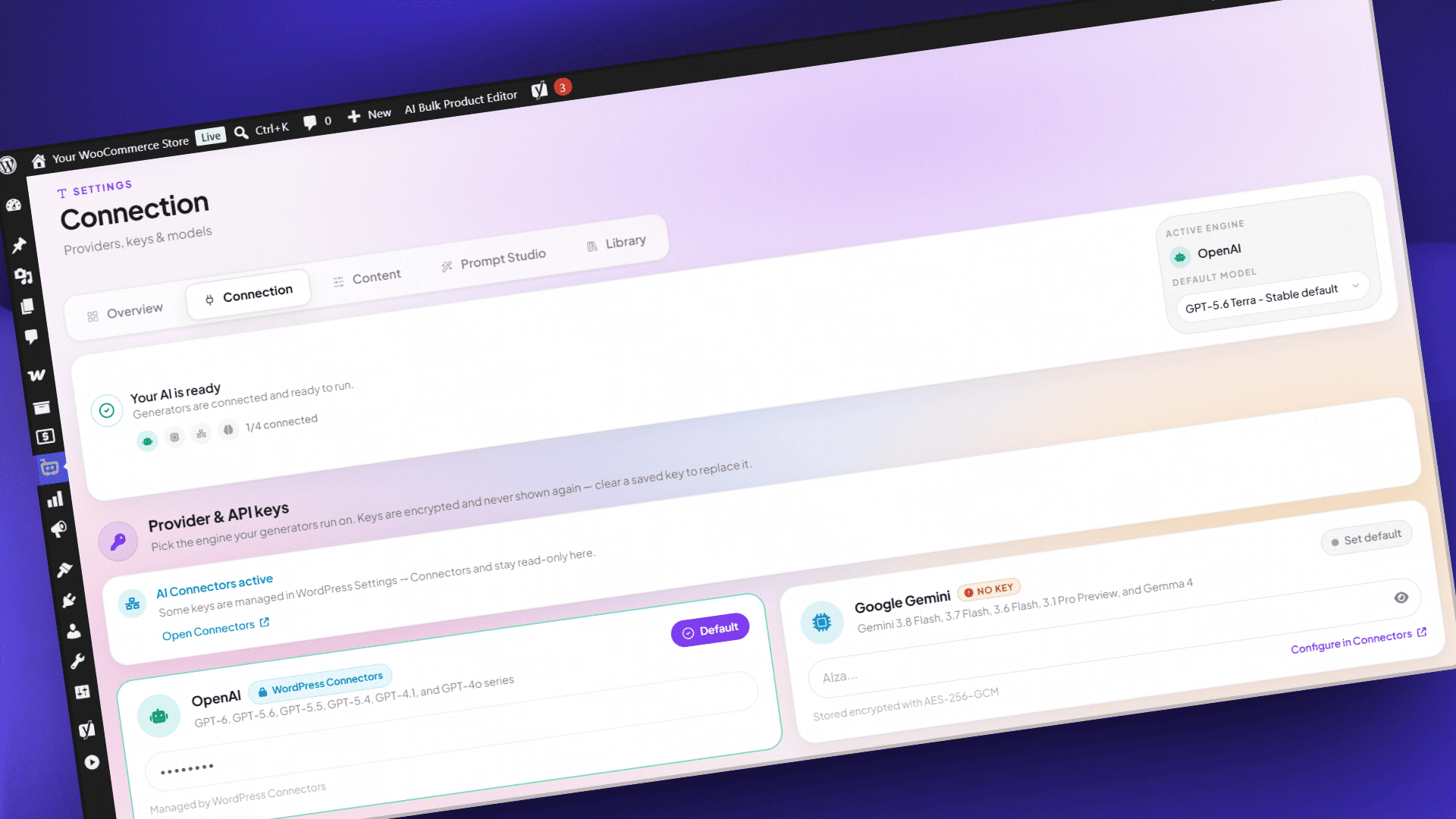
You bring your own key: OpenAI, Google Gemini, Anthropic Claude, or OpenRouter, billed directly by that provider at your own rates. No credits to buy from us, no usage meter, no markup. Switch provider or model anytime and test with a free OpenRouter model.
🚀 What you can do
- Set how each kind of content should look in a content template, and every generator follows it.
- Generate product descriptions, titles, tags, FAQs, SEO meta, and image alt text for many WooCommerce products at once.
- Edit hundreds of products in a spreadsheet-style grid without opening each one.
- Check and edit every AI result before it touches your live products.
- See what a product said before every AI change.
- Answer shopper questions on your storefront with an assistant that reads your real catalog.
- Schedule content work to run in the background.
🧩 Content Templates
A content template is your recipe for one kind of content: the parts it has, the voice it uses, the product details it may use, and rules such as length limits. Every generator, the product screen, the Product Editor, and scheduled runs follow it, so your content stays consistent.
- Each kind of content has one template for your whole store, with ready-made ones to start from.
- Edit a template right on the generator page and try it on one of your products first.
- Before you spend anything on AI, each generator shows which template will write your products and which products do not match it yet.
- The Content Templates page keeps your templates and voices in one place and shows where each one is used.
- Content History shows which template wrote each change.
- Content Template Mode is on by default and recommended for stable, consistent content. Advanced users who work with prompts can switch every generator to Custom Prompt Mode in Settings.
- Different templates for specific categories, a web page or your own product fields as a source, more than one voice, and writing samples. (Business)
- Your own instructions and banned phrases in every template: product description, title, FAQ, SEO meta, image alt, and category description. (Business)
- “What customers say”, a short summary of a product’s approved reviews, and “Compare with similar products”, a table of similar products from your store. (Business)
- Catalog watch, a daily check that shows which products need a content update. (Business)
⚡ Bulk Product Content Generators
Choose your products, check the template, then generate, review, and apply. If one product fails, retry just that product instead of the whole run. Reviewing results is free for everyone.
Product descriptions. Your template decides which parts a description has, such as an opening paragraph, features, specifications, shipping and returns, fixed text the AI never changes, or a part of your own. Short and long descriptions plus product tags, up to about 1,000 products per run, in plain text or HTML and 42 languages. Keep, replace, or improve what is already there. Business adds the “What customers say” and “Compare with similar products” sections.
Product titles. Your template decides which parts a title is made of and how they are joined. Up to 5,000 products per run, 1 to 3 alternatives each, with an optional URL slug update. Business adds keywords in every title, improving the current title, and more product details to draw on: title, tags, categories, and attributes.
Product SEO meta. Your template decides how meta titles and descriptions are put together and where the focus keyword comes from. Up to about 1,000 products per run, with a live search preview and a score, up to two alternatives, titles within 60 characters and descriptions within 160. Works with Yoast SEO, Rank Math, All in One SEO, SEOPress, The SEO Framework, and Squirrly SEO. Business adds a third alternative, AI suggested keywords, and longer limits, up to 300 and 500 characters.
Product FAQs. Your template groups questions by topic and sets how many each group gets, up to 20 per product. FAQs show on the product page as an accordion or a simple list, or anywhere with [aipt_faq] and [aipt_faq product_id="123"], and new FAQs are added next to existing ones. Business adds replacing existing FAQs, answers from tags, categories, and attributes, questions-only and answers-only modes, five more display themes with style controls, custom CSS, and FAQ structured data.
Product image alt text. Your template tells the AI what to focus on in featured images, gallery images, or both. Length from 50 to 250 characters, 125 by default, for images up to 20 MB. Ready-made alt text styles, including A/B mode with two versions to pick from, are free templates. Business adds product attributes such as color, and every gallery image when you process a whole product.
Category and tag descriptions. Your template decides which parts a category or tag description has, such as an introduction, product groups, a buying guide, and a closing note. Works for categories, tags, and custom taxonomies, in a split screen with a rich text editor. Add to, replace, or skip existing descriptions, using up to 10 sample products each. Business adds a separate template for product tags, the details a category’s products share, and up to 20 sample products. Bulk tag suggestions are free.
🧮 AI Bulk Product Editor
A spreadsheet-style grid for editing many products at once, without opening each product page.
- Edit titles, descriptions, tags, FAQs, SEO fields, slugs, and image alt text in the cell.
- Compare an AI suggestion against your current text word by word, then accept or reject per cell.
- Undo and redo up to 100 steps, save up to 25 personal views, and stay protected against overwriting a colleague’s change.
- Generate AI content one row at a time.
- Generate or retry many selected rows in one action, with advanced per run settings. (Business)
🛍️ AI Shop Assistant
An assistant on your storefront that answers from your own catalog, not from generic web knowledge.
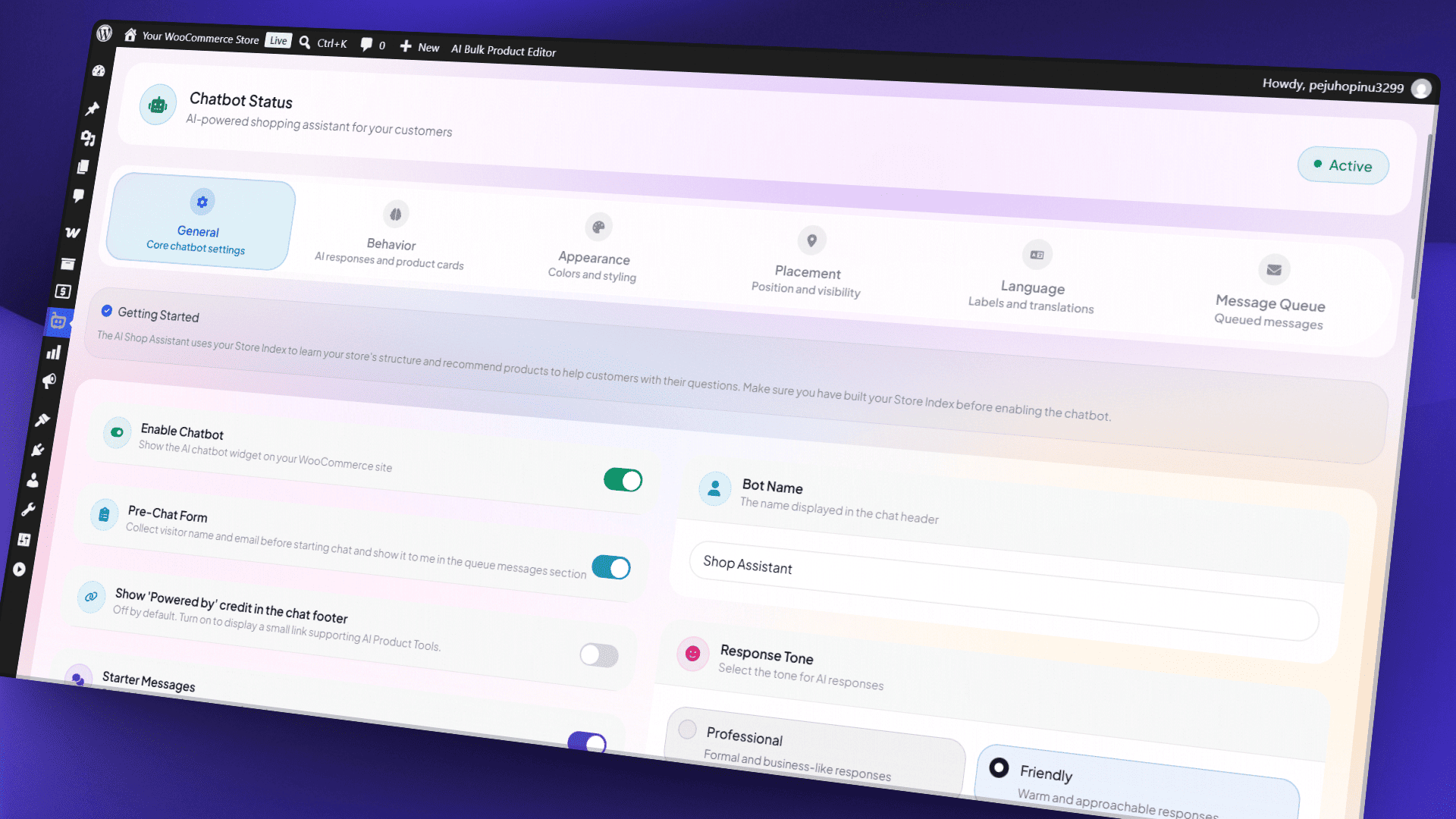
- Recommends up to 10 products per answer, with View Product buttons and live stock status.
- Answers store questions from knowledge pages you choose, such as shipping or returns.
- Replies in the visitor’s language and works on mobile and in right to left languages.
- Add a WhatsApp button and a pre-chat consent step.
- Set the bot name, greeting, colors, typography, position, and launcher icon.
- Saves questions it could not answer to an admin queue.
- Add an Add to Cart button, choose response depth and behaviour, upload a custom icon or hero image, add custom CSS, pick extra themes and launcher animations, translate labels, and reply to queued questions yourself. (Business)
📦 Store index for the assistant
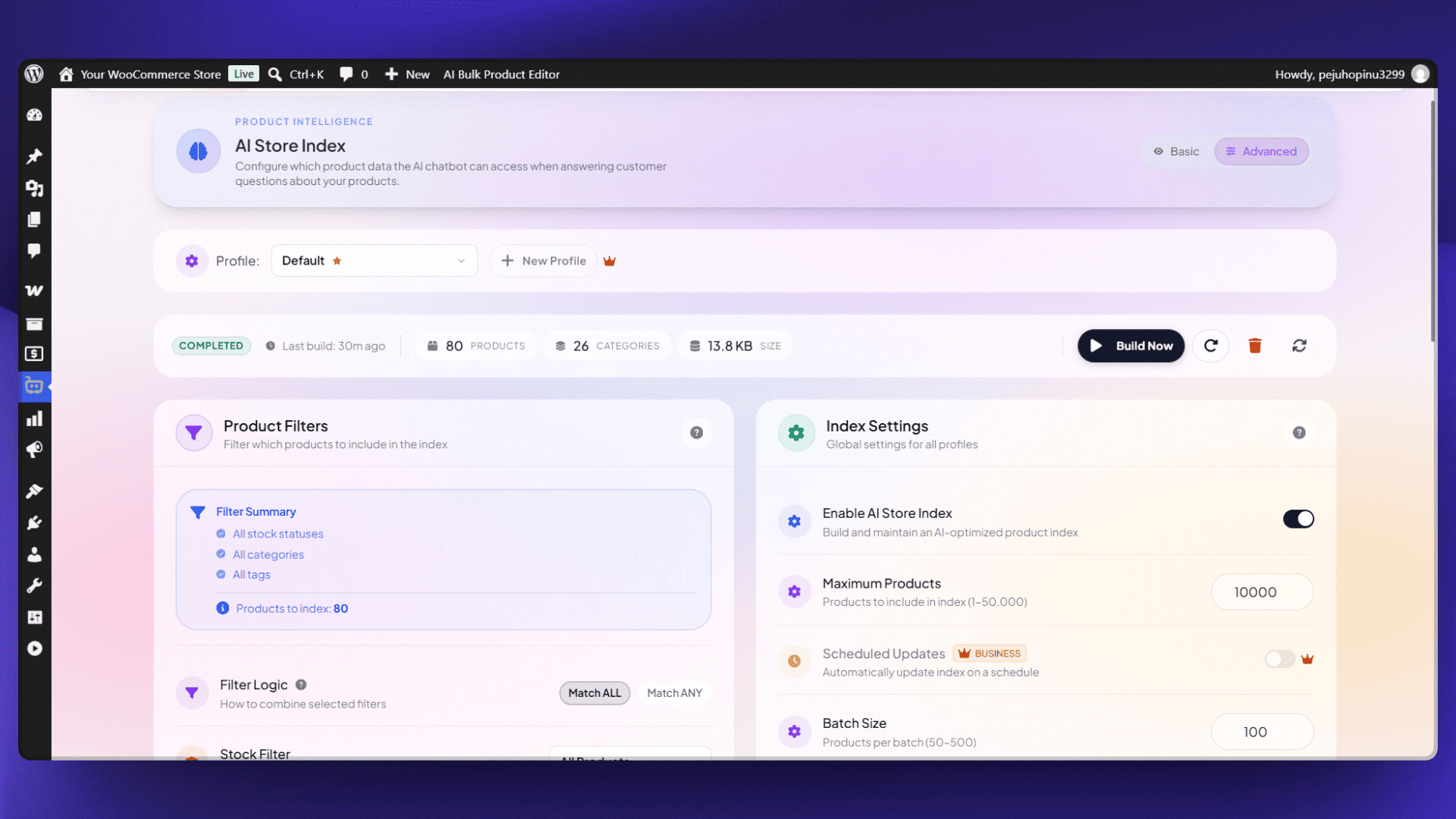
The assistant answers from a compressed, searchable copy of your catalog, built in batches so large stores stay responsive.
- On every plan the index covers product title, short and full description, categories, tags, price, and stock status.
- Build one index profile manually, filtered by stock status or date, covering up to 50,000 products per build, 10,000 by default.
- Add SKU, stock quantity, and product attributes, run several profiles, filter by category and tag, and rebuild on a schedule. (Business)
🗓️ Scheduled Bulk Runs
Set up a content job and let it run in the background.
- Run one job at a time, covering one content type, started manually or at a time you choose.
- Filter products by price range, product IDs, description or keyword match, include and exclude lists, all or any matching, and whether the AI already processed them.
- Watch progress and estimated completion, read logs, retry failed products, and pause, resume, or stop anytime.
- Run several jobs at once, each covering several content types, on daily, weekly, or monthly schedules. (Business)
- Filter by category, tag, stock status, and product status, so a job can also run on draft, pending review, or private products. (Business)
- Start a run when a product is published or changes, and use review policies, draft review, and automatic pausing after repeated errors. (Business)
On Business, this area is called Automation in the admin menu.
🗂️ Content Bank
One page with three tabs, covering everything the AI changes on your store.
Content History is available on every plan. Before any AI change, the plugin saves the previous value and shows a before and after timeline. Keep 1 to 10 versions per field, 5 by default; the original is never removed. AI-touched products are marked, so you can filter by AI status and skip what is done.
Review Content holds results you generated but have not applied yet. On every plan you preview, edit, approve, and reject them within your session; nothing is written until you approve.
Draft Content holds scheduled run results waiting for your approval. (Business)
- Restore an earlier version with one click or in bulk: up to 50 selected items, or 200 for a whole product. Each restore is recorded, so you can undo an undo. (Business)
- Keep the review queue on your site so results survive a page reload. (Business)
🛠️ Dashboard and integrations
- One dashboard for every tool: recent activity, usage statistics, provider connection status, and quick search on
Ctrl+KorCmd+K. - Set your brand voice and store details once, and every generator reuses them.
- Generate and apply every kind of content for one product from the AI content panel on its edit screen.
- Your FAQ, SEO fields, and image alt text travel in WooCommerce’s product CSV export and import, and an import changes only what you edited.
- A short AI note on each product, such as “fragile, ships boxed”, that every kind of content uses, with its own CSV column. (Business)
- Connect OpenAI, Google Gemini, or Anthropic Claude through WordPress AI Connectors on WordPress 7.0. OpenRouter keys stay in the plugin.
- AI assistants connected to your site can preview what a content run would write, then confirm it, before anything changes.
- In Custom Prompt Mode, custom prompts for titles, FAQs, SEO meta, category descriptions, and image alt text, with your own variables and AI prompt improvement. (Business)
💡 What is free and what Business adds
Creating content is free. Business adds the tools for stores that run this work regularly.
Free on every site:
- Bulk generation for product descriptions, titles, tags, FAQs, SEO meta, image alt text, and category descriptions.
- A content template for each kind of content, with ready-made ones to start from, and the AI content panel on the product screen.
- Preview, edit, approve, or reject every result before it is saved.
- Content History of what a product said before each AI change.
- The AI Shop Assistant, with product recommendations and appearance settings.
- The AI Bulk Product Editor grid, generating one row at a time.
- One scheduled bulk run, started manually or at a time you pick.
- All four AI providers, every model in the list, and your own OpenRouter model IDs.
Business Plan adds:
- A review queue that survives a page reload.
- One click restore and bulk rollback from Content History.
- Draft review for scheduled runs.
- More from content templates: category templates, more sources and voices, your own instructions and banned phrases, an AI note on each product, the “What customers say” and “Compare with similar products” sections, and deeper options in every generator.
- Catalog watch, a daily check that shows which products need a content update.
- Recurring daily, weekly, and monthly schedules, several jobs at once, and category, tag, stock, and product status filters.
- Add to Cart in the shop assistant, plus extra themes, custom CSS, and label translation.
- Generating many selected rows at once in the Product Editor.
Pro plan customers keep their Pro features; sites running the plugin before version 2.7.2 keep Review Content and Draft Content access.
🔒 External Services and Privacy
The plugin contacts the services below only after an administrator sets them up or opts in, and only when a feature that needs them is used. AI keys are stored encrypted in your database or managed by WordPress AI Connectors, and are never sent to AI Product Tools servers.
AI providers: OpenAI (api.openai.com), Google Gemini (generativelanguage.googleapis.com), Anthropic Claude (api.anthropic.com), and OpenRouter (openrouter.ai), with your own key; the provider bills you directly. Generation, automation, and chatbot requests send the model, your key, prompts, and the product or store details they use: titles, descriptions, categories, tags, attributes, prices, stock, SEO inputs, prompt variables, chat messages, and store-index snippets. Image alt text also sends the image. Key checks send the key, and model lists are fetched when needed. OpenRouter also receives your site URL and the plugin name. Terms and privacy: OpenAI (terms, privacy), Gemini (terms, privacy), Anthropic (terms, privacy), OpenRouter (terms, privacy).
Freemius (freemius.com): licensing, checkout, plan checks, updates, and optional usage reporting, only after you connect or opt in; free features need no licence. It may receive site and administrator contact details, environment and plugin data, usage events, and install and licence data for plan checks, never product content, chat messages, or AI keys. Terms, privacy.
AI Product Tools pricing feed (api.aiforwoo.com): public AI provider prices for cost estimates, on a schedule or on request. It sends only the plugin version and your site URL. Terms, privacy.
Provider status pages: if enabled, after a chatbot provider error the plugin checks status.openai.com, status.claude.com, or status.cloud.google.com to see whether the service is back, sending no store data, chats, settings, or keys.
Remote images: to write alt text for an image stored on another site, the plugin first downloads it from that host, which receives only the request for the image, never keys or prompts; that host’s own terms apply.
Installation
- Upload
ai-product-tools.zipto your/wp-content/plugins/directory, or install it from Plugins, Add New. - Activate AI Product Tools from the Plugins menu. WooCommerce must be active.
- Follow the onboarding wizard: choose OpenAI, Gemini, Claude, or OpenRouter and enter your API key. On WordPress 7.0 you can connect through WordPress AI Connectors instead. The wizard then asks for a starting style for your product descriptions, which becomes your first Description template, and a short tour shows you 1 · Content template and 2 · Generation.
- Open the Toolkit Dashboard to see the available tools.
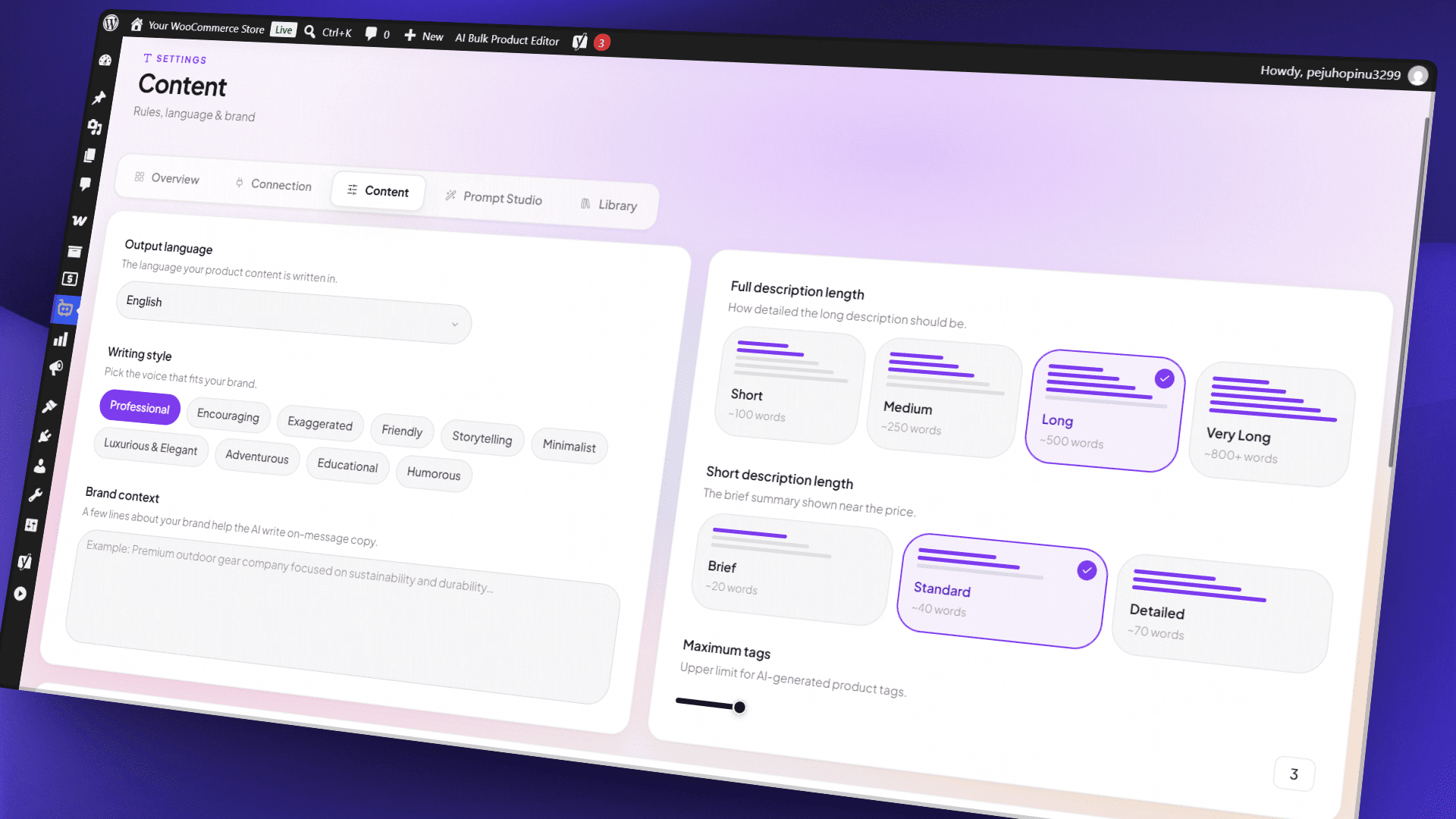
- Set your store language under Settings, and your writing style and brand voice on the Content Templates page.
- Select a few products and run your first generation to check the output before working in bulk.
Screenshots
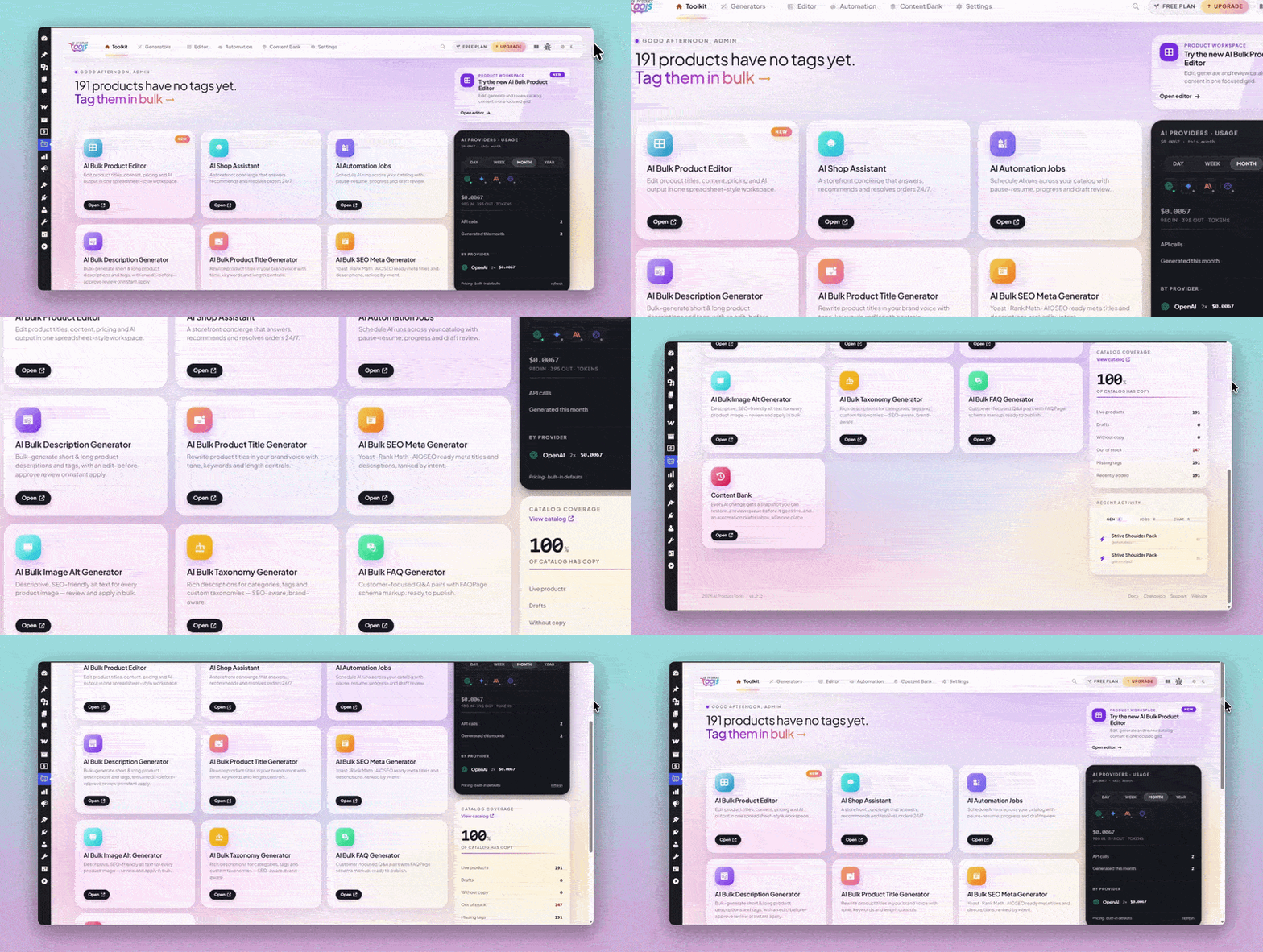
AI Toolkit Dashboard
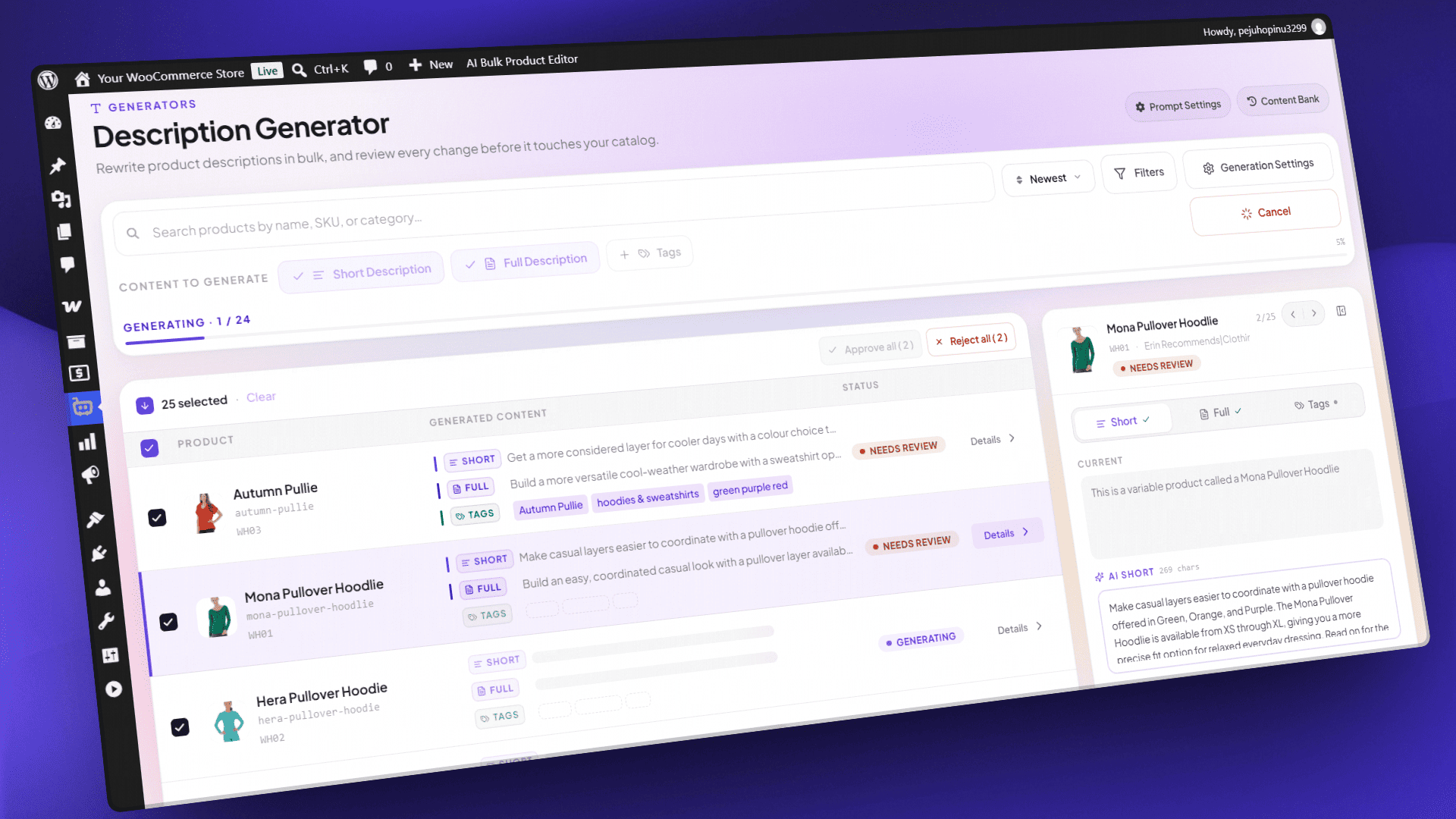
AI Bulk Product Description Generator
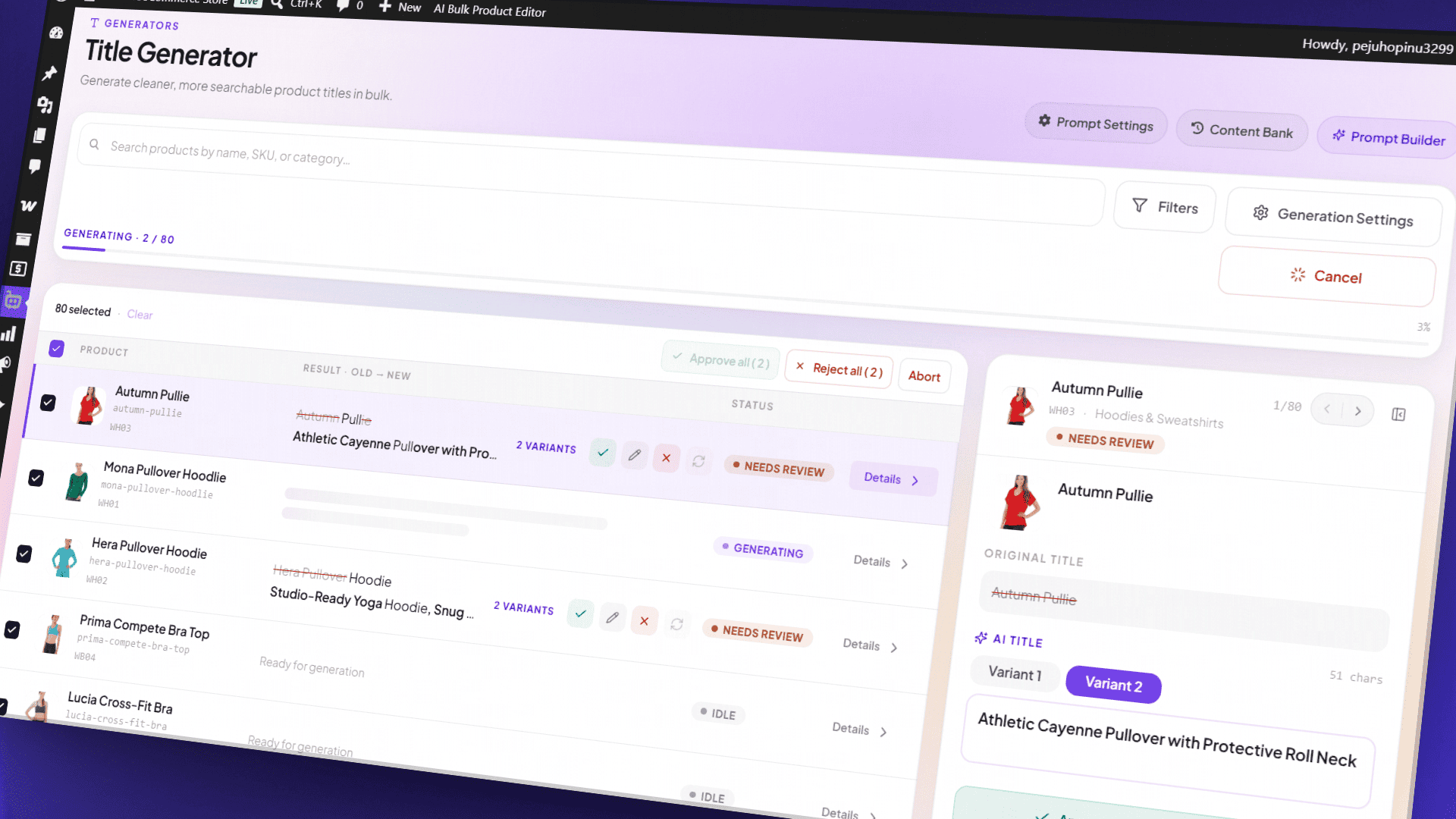
AI Bulk Product Title Generator
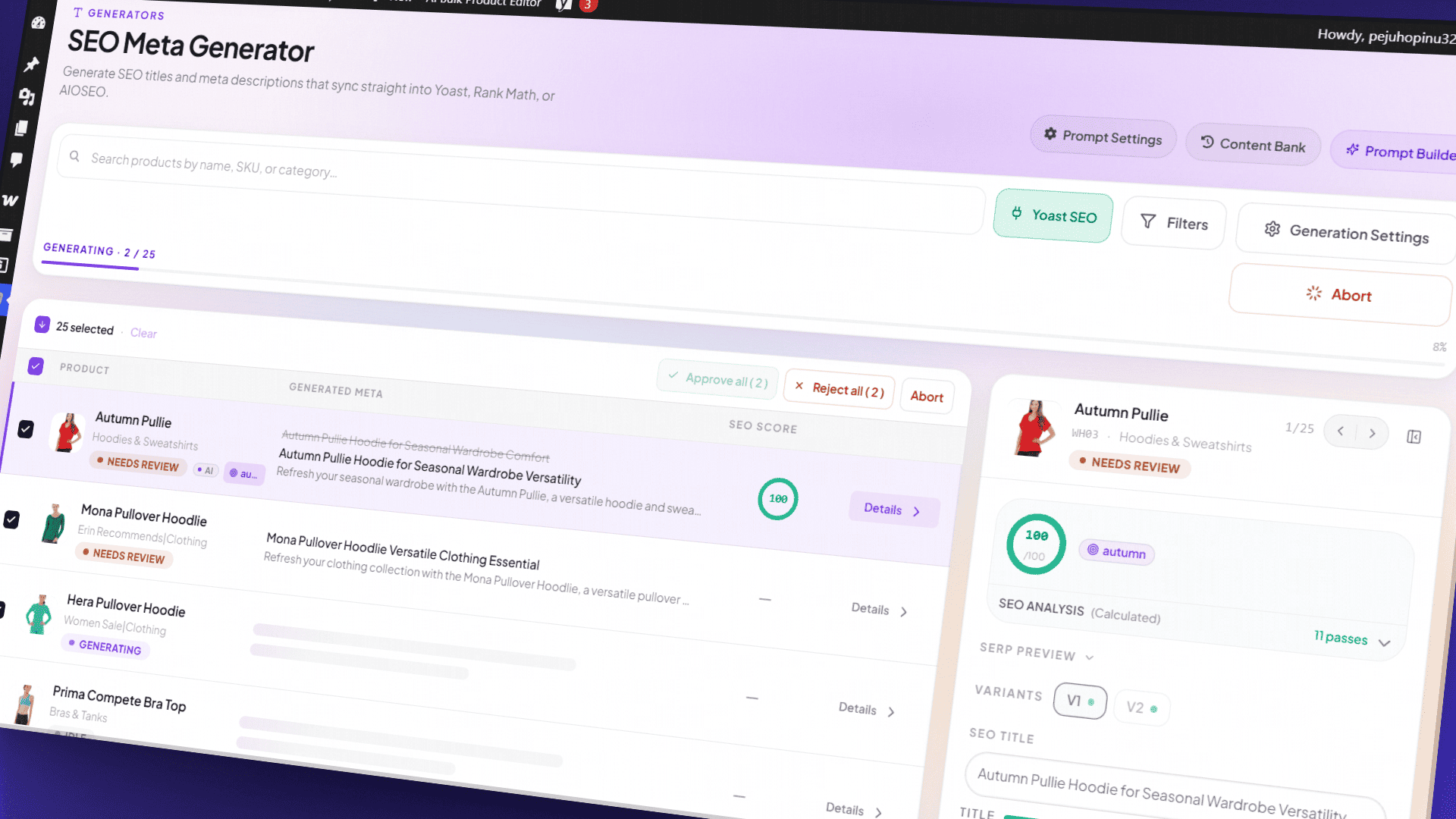
AI Bulk SEO Meta Generator
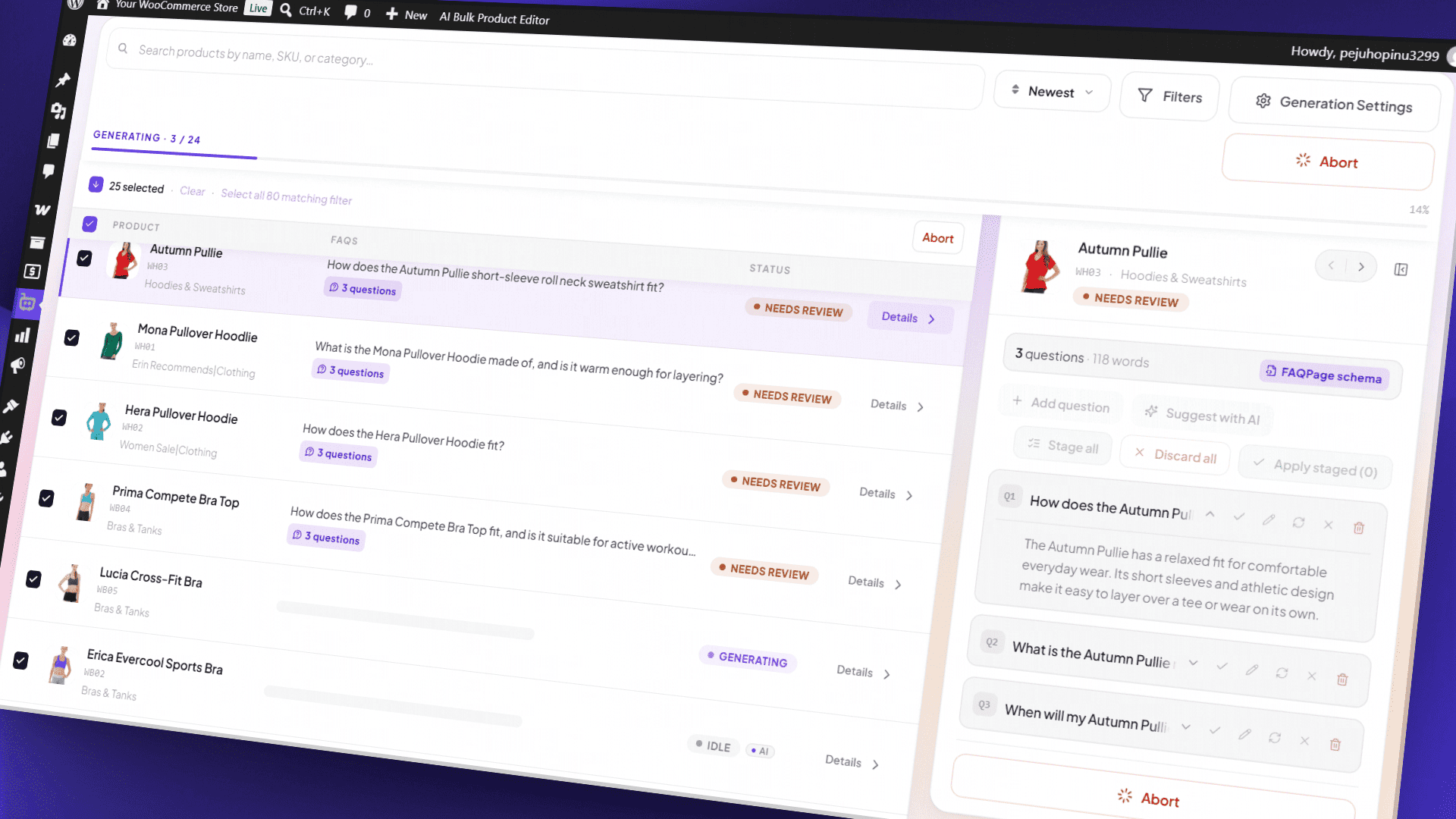
AI Bulk FAQ Generator
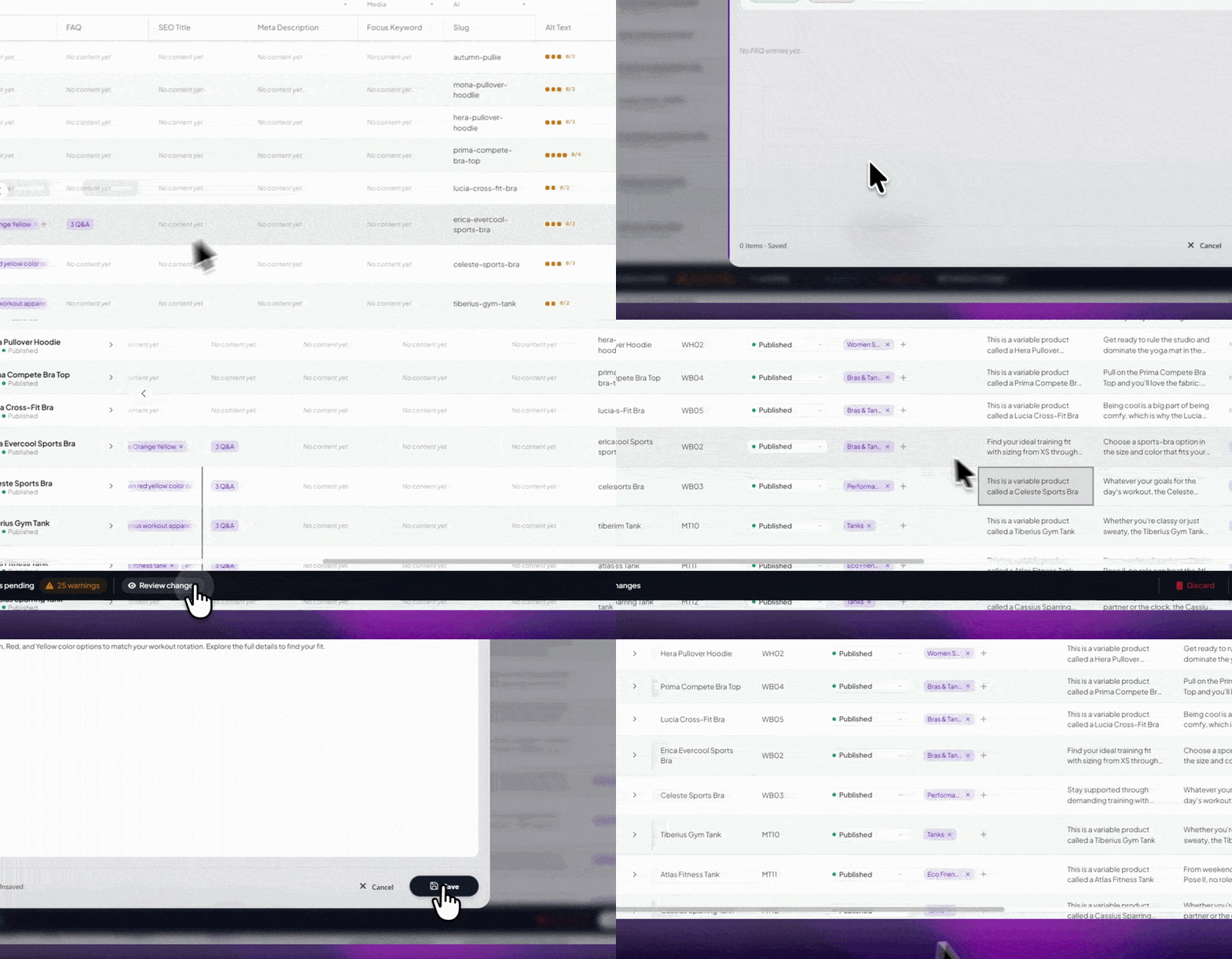
AI Bulk Product Editor
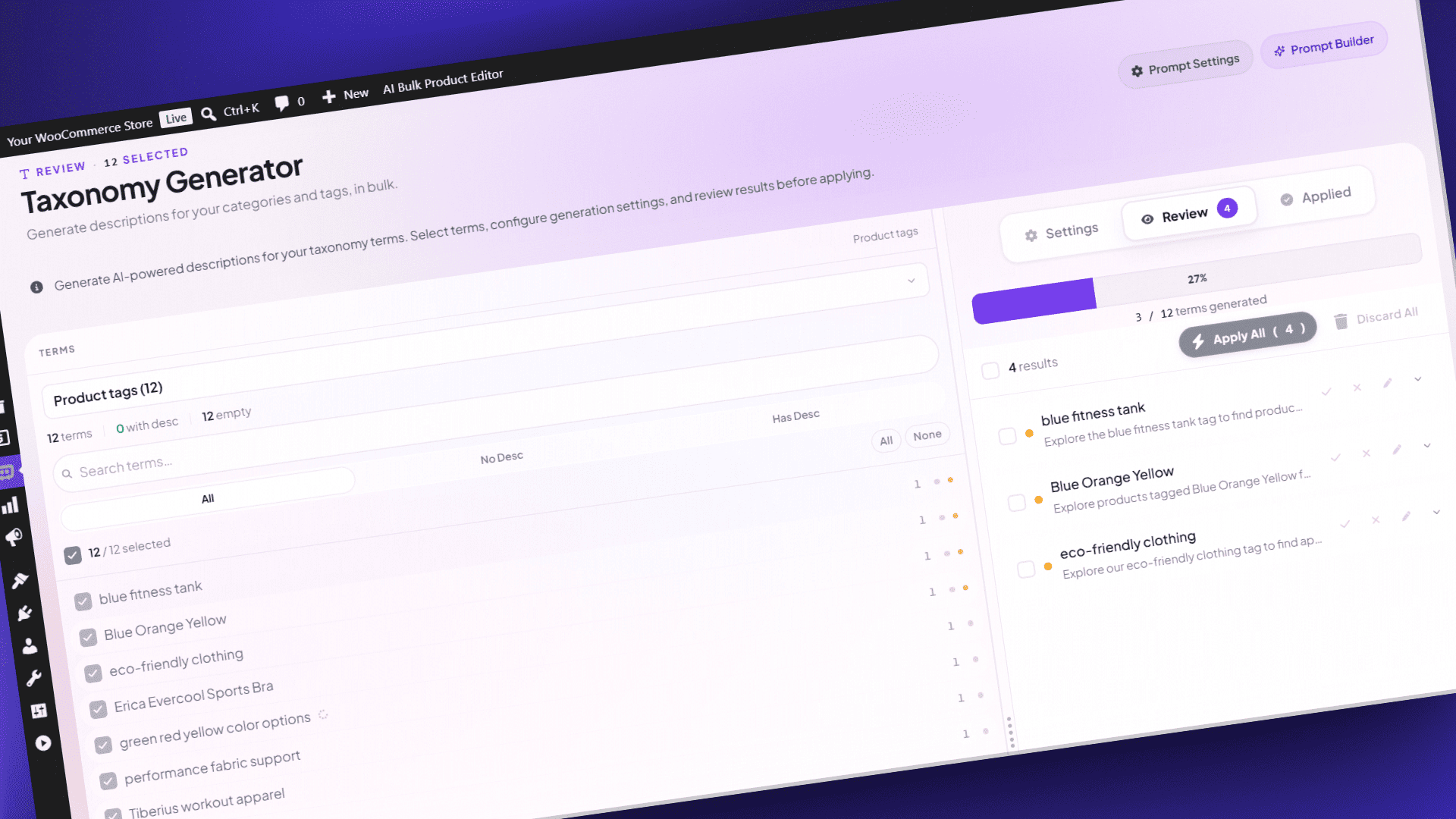
AI Bulk Taxonomy Generator
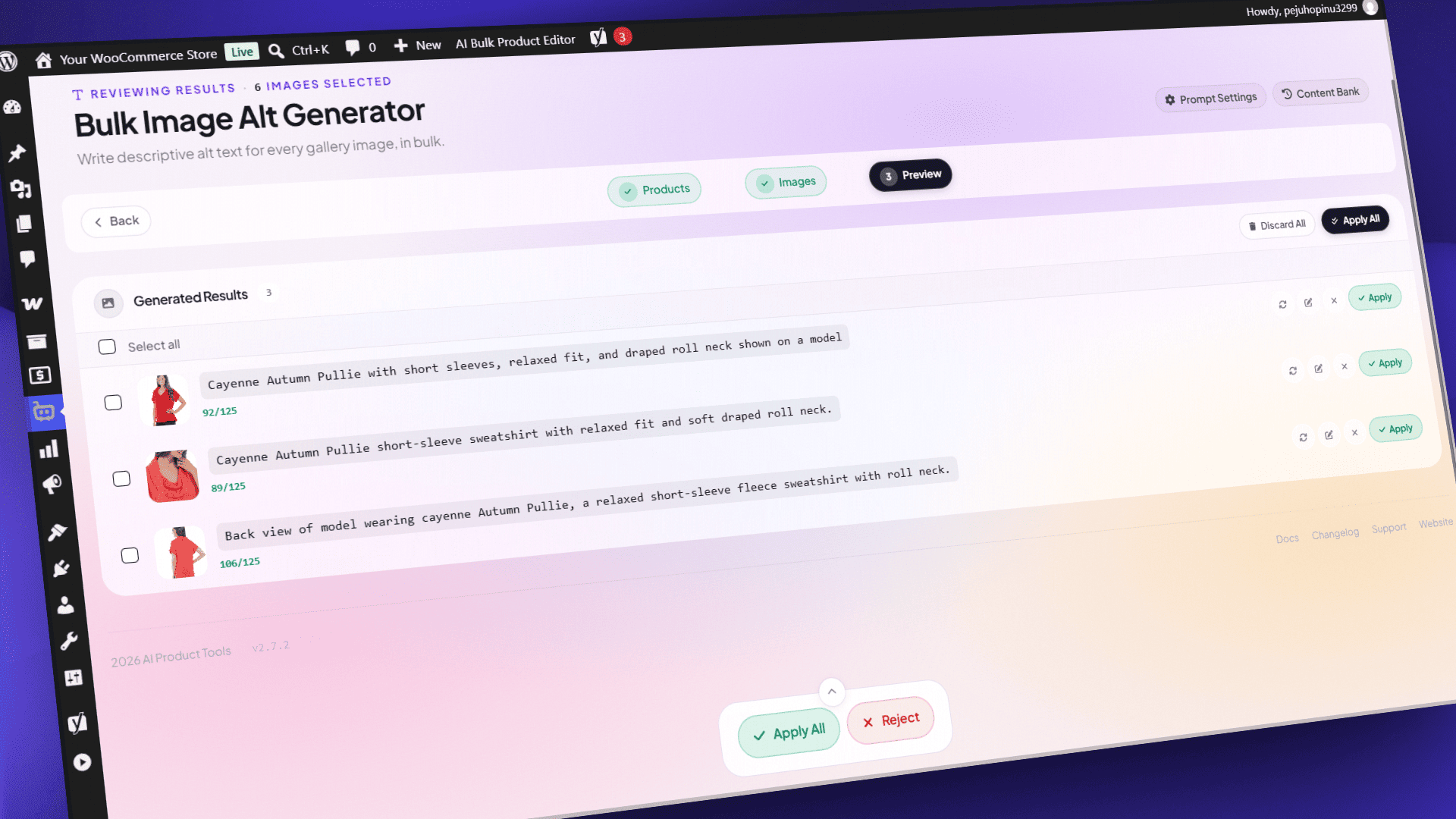
AI Bulk Image Alt Generator
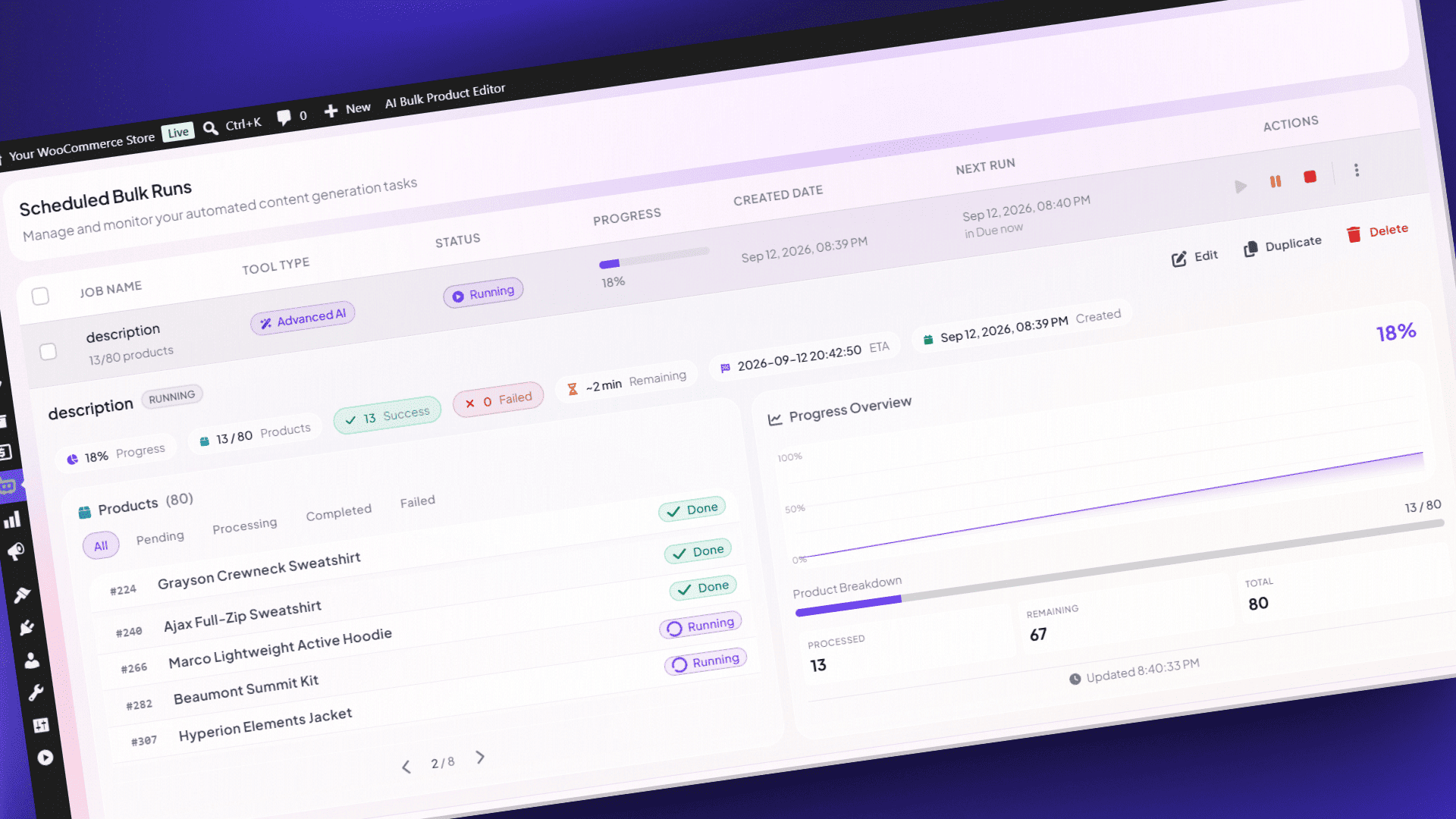
AI Scheduled Bulk Runs
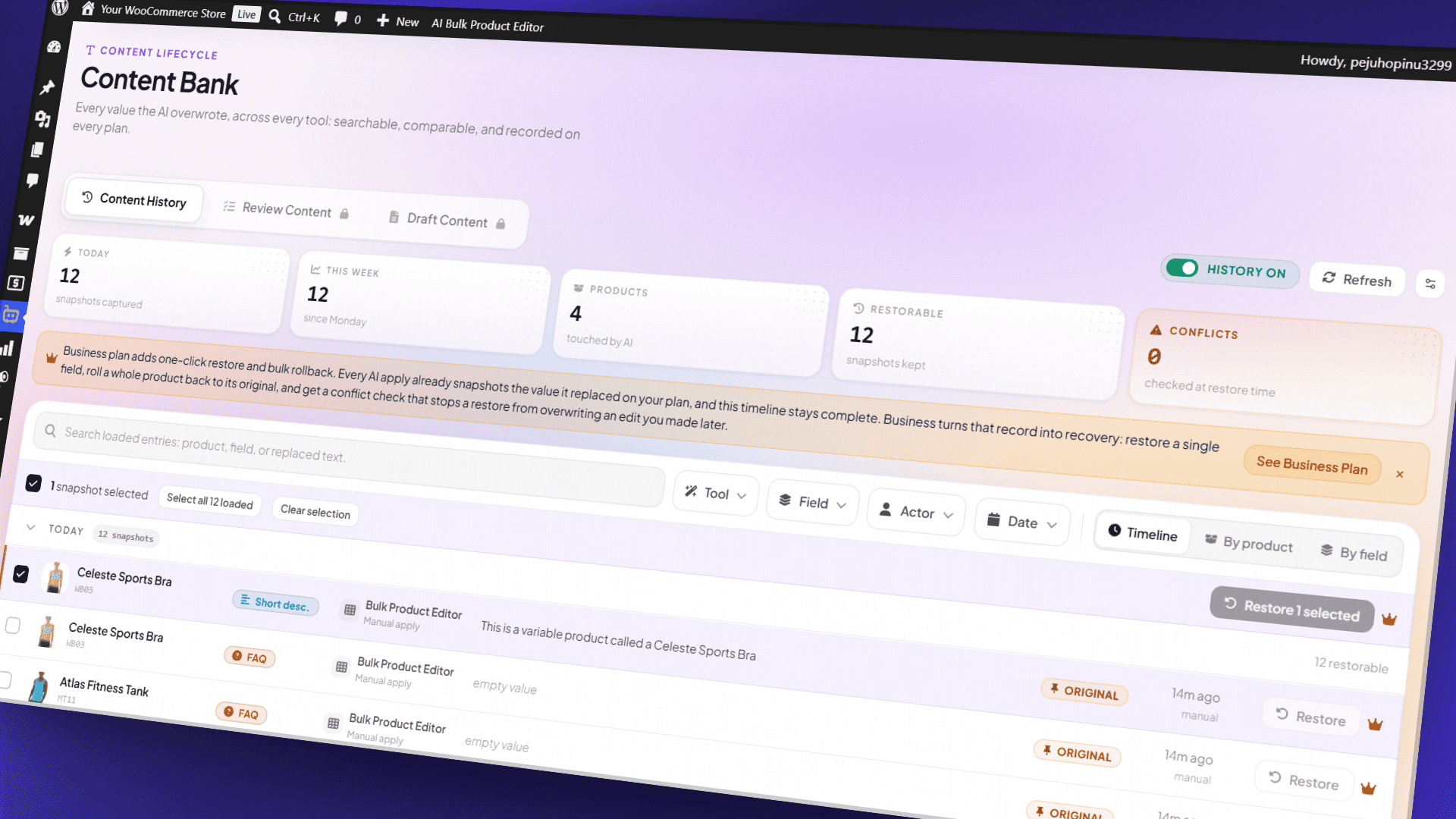
AI Content Bank
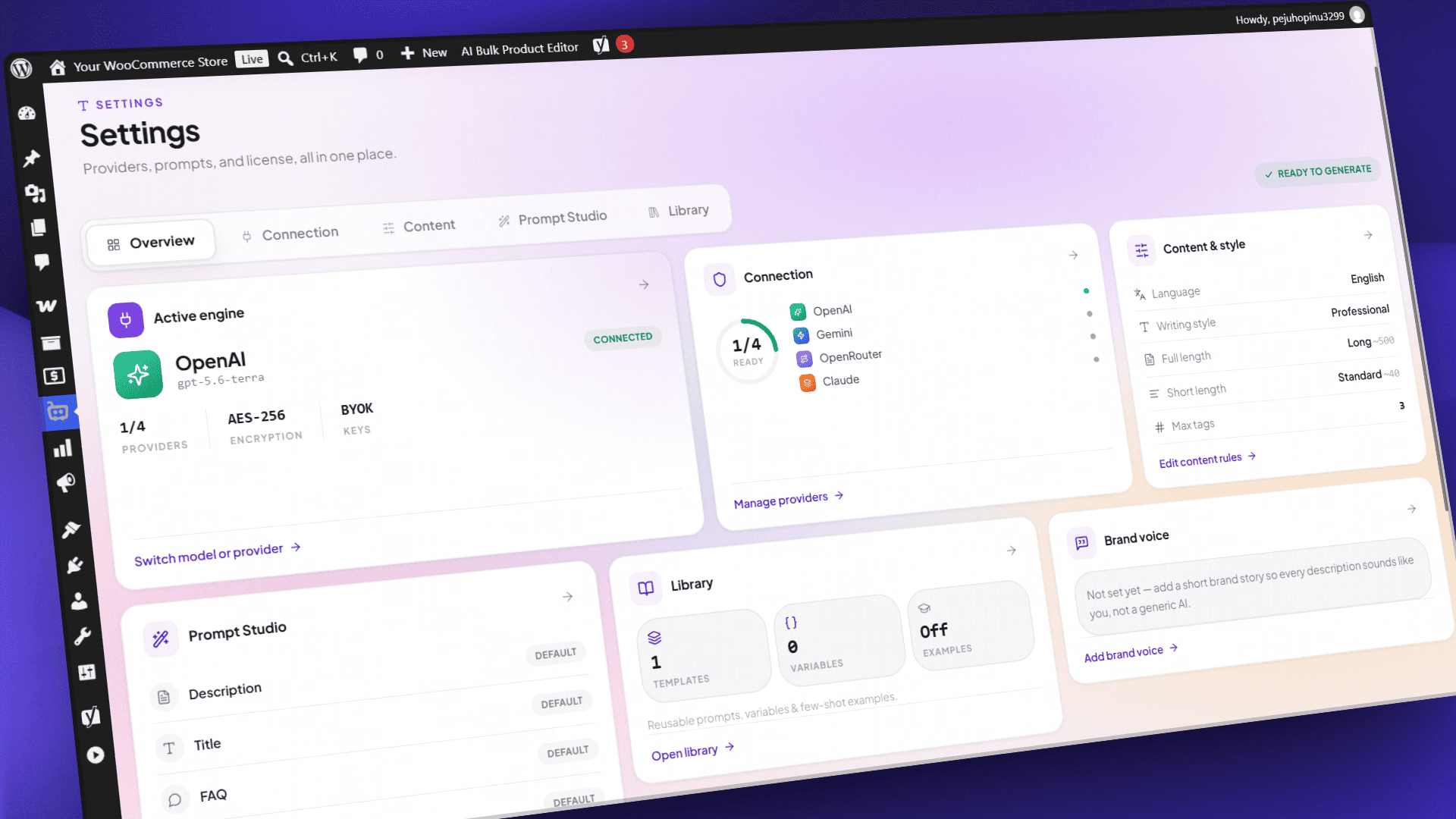
AI Product Tools Settings Dashboard
AI Product Tools Connection Settings
AI Product Tools Content Settings
AI Product Tools Chatbot Settings
AI Store Index
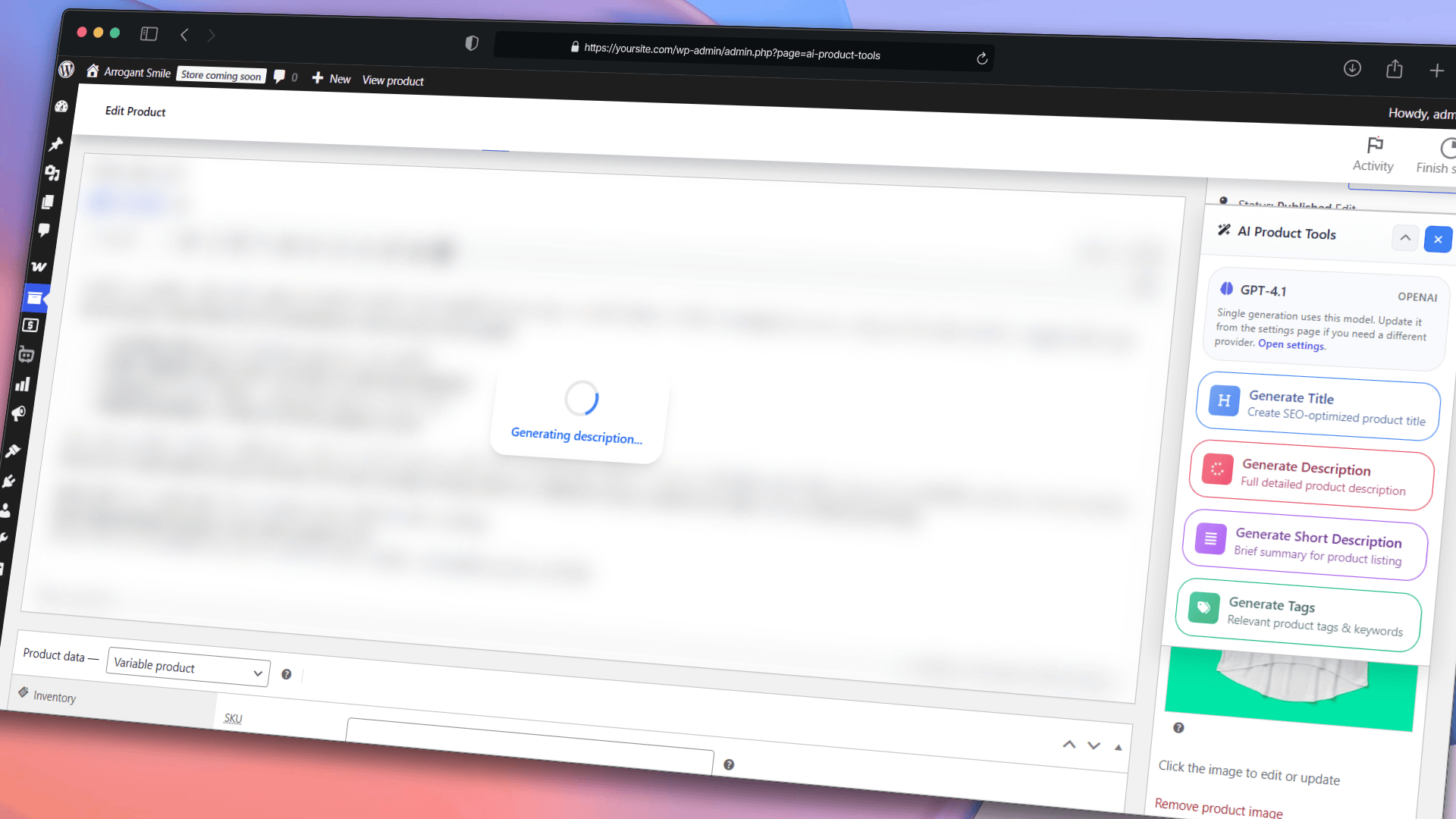
AI Content Generator Metabox
Faq
Yes. The plugin runs on your own AI provider API key, so we do not meter or resell your AI usage and we add no markup. Content creation, in-session review, Content History, the AI Shop Assistant, the Product Editor grid, and one scheduled bulk run are all included at no cost.
Practical batch limits apply per run: about 1,000 products for product descriptions and SEO meta, about 5,000 for product titles, and about 1,000 products per Product Editor selection.
Business adds a saved review queue, draft review, one click rollback, more automation, Add to Cart in the shop assistant, and multi row generation in the Product Editor.
Yes, and you pay your provider directly rather than us. You connect your own key, in the plugin or through WordPress AI Connectors, and the account, the billing, and the rates stay between you and that provider.
You can switch providers whenever you like, add your own OpenRouter model IDs, or try a free OpenRouter model while you evaluate. You are not buying credits from us, so there is nothing to top up, nothing that expires, and no cap we place on how much you generate. If you stop using the plugin, your provider account and your key carry on as they were.
Three limits apply to scheduled background work on the free plan:
- One job. You can configure one job at a time.
- One-time or manual runs only. Recurring daily, weekly, and monthly schedules require Business.
- One content type per job. Covering several content types in one job requires Business.
Free filters cover price range, specific product IDs or a product selection, description and keyword matching, include and exclude lists, AND/OR logic, and skipping products the AI has already processed. Category, tag, stock status, and product status filters require Business; without a product status filter, a job runs on published products.
Background processing, progress monitoring, logs, and retry work on every plan.
Yes, and this is free for everyone. Every generator shows you the result first, so you can read it, edit it, approve it, or reject it before anything is written to your products. That review happens in your browser session, so nothing is stored on your site if you navigate away. A review queue that is saved on your site and survives a page reload requires Business.
Content History records the previous value before every AI change, on every plan, so you can always see what a product said before. Restoring that earlier version with one click, or rolling back in bulk, requires Business.
No. Viewing the Draft Content tab and every draft action, including approving, rejecting, and the bulk actions, requires Business. Sites that were already running the plugin before version 2.7.2 keep that access automatically, even if they had never opened the screen.
It sends your product image to an image-capable model from your AI provider, which describes what it sees, following your image alt template. You review and edit the text before it is written to the image, so nothing goes live unchecked.
It reads a compressed index of your catalog that the plugin builds. On every plan that index covers seven fields: product title, short description, full description, categories, tags, price, and stock status. SKU, stock quantity, and product attributes require Business.
It loads asynchronously, detects the visitor’s language on the server rather than in the browser, and reads from a compressed index, which keeps its effect on page loading small.
Yes. On every plan you can set the bot name, welcome message, colors, typography, position, preset launcher icons, and light or dark presets. Extra themes, hero background images, custom icon uploads, custom CSS, translated labels, and a choice of launcher animation require Business. The free plan uses one fixed default launcher animation.
Yes. With the Preserve Existing Images setting enabled, the AI changes only the text and leaves every <img> tag and its position exactly where it was.
Your saved recipe for one kind of content: the parts it has, the voice it uses, the product details it may use, and rules such as length limits. Each kind of content has one template for your whole store, and Business adds different templates for specific categories. You edit it on the generator page, try it on one of your products, and every generator follows it. We recommend content templates for stable, consistent content; if you are an advanced user who works with prompts, you can switch to Custom Prompt Mode in Settings.
Catalog watch checks every published product’s content against its template once a day in the background, with no AI cost and no change to any product, and shows on the Content Templates page how many products need an update for each kind of content. It is off until someone who manages the plugin settings turns it on, and Check now runs a full check right away. Catalog watch requires Business.
Both are Business-only description sections built from your own store’s data. “What customers say” is a short, balanced AI summary of a product’s own approved reviews, written once a product has at least 3 of them, with no quotes, no names, and no star ratings, on its own separate AI request so review text never reaches anything else. “Compare with similar products” adds a table next to up to two similar products from your store, built from weight, dimensions, and shared attributes; it never shows prices, stock, or ratings, since WooCommerce already shows those live on the same page.
Yes, on Business. Add your own product fields, including Advanced Custom Fields, as a source in a content template, so the AI can mention details such as materials, dimensions, or care instructions. In Custom Prompt Mode, you can also place a field in a prompt as a variable such as {custom1}.
Yes. Product lists are paginated, bulk runs are processed in batches, and scheduled work runs in the background, which avoids the timeouts that long single requests can cause.
OpenRouter is a service that gives you access to many AI models through one account and one key, including some models that are free to use. You can also add your own OpenRouter model IDs on any plan.
Your API keys are stored encrypted in your own database, or managed by WordPress AI Connectors. Your content goes directly from your site to the AI provider you selected. We have no access to your product content, your keys, or your chat logs.
Reviews
a truly unique plugin!
By 
it’s been a lifesaver for someone like me who runs a store with a lot of products
Must have
By 
This one is a 'must have' today 😉 Tones of work done with couple clicks.
Best most helpufl app in decades
By 
With the help of a high AI I rewrote very complex instructions for my 24k products, based on categories, beginning from which tags to use, order of subtitles and tiers for each category, look up functions etc.
It was so complex I couldn't have written myself. For AI it took under an hour.
After this setup, the descriptions are so complete, uniform, very informative with high SEO rating.
I really needed this 5 years ago, but the advancement of higher AI made the scripts the most complete.
This plugin rocks!!!
Thank you so much!
Absolutely essential plugin!
By 
For all web shops with a large number of products, this plugin is a must-have. It works in a very good and reliable way, and the support is incredible and highly professional. Truly a well-deserved 5 stars! I highly recommend it.
Awesome support and product
By 
Can only recommend this plugin and really awesome support too. Heads up from here 🙂
Awesome Plugin 5 Stars!
By 
Saved us hundreds of hours straight out of the box. Easy to use, intuitive layout. Game Changer!
The support I received was great, and the response to my questions or concerns was prompt and helpful.
Great automation! Could use better navigation and filters.
By 
Hello,
Just started using this plugin a few days ago. Does exactly what it is supposed to do once it is connected with OpenAI or Gemini. However, there are a 3 issues with navigation and filters.
- It would be great to view more than 100 products at a time. Like 300 or 500. Even more, if possible.
- Jump to a certain batch of products. Suppose one wants to go to over product 5000 of 10000, the navigation by 100s is very tedious.
- The plugin doesn't filter products as per the instructions. For instance, if I want to see products with no tags, or products only with long description, the filters show No Products.
Thanks.
Excellent plugin - definitely worth using!!
By 
This plugin is ace, and the guys who run it are helpful and quick to reply. They are also constantly bringing out improvements which is great!!
The pro price is reasonable too
Best AI product description generator
By 
This is above and beyond the best product (short and long) description generator out there. Easy to use - handles bulk changes easily and great support. Look no further and download this plugin! You won't regret it.
The best plugin and support ever!
By 
I had a problem with this plugin as it did not generate the headings. Author was very responsive and fixed the issue within 2 hours. Since than I have generated over 3000 descriptions! Works like a charm. This was much needed. Thanks!
Changelog
2.8.1
- NEW: A Content mode setting at the top of Settings. Content Template Mode, recommended for stable and consistent content, is now on for every store. Custom Prompt Mode, meant for advanced users who work with prompts, runs every generator on prompts you write instead.
- NEW: A License card in Settings shows your plan status, renewal or expiry, billing, and sites, never the license key.
- IMPROVED: More accurate AI content. The AI writes about the product without inventing details, knows a grouped product’s included products and a variable product’s real prices and sale, sizes title and SEO meta parts to the room left, and skips FAQ questions the product page already shows.
- IMPROVED: Every generator follows its own settings: titles keep the product name and their length limits, SEO meta uses the focus keyword within each field’s length, FAQ groups skip topics the product data does not cover, and each generator screen names the language a run writes in.
- IMPROVED: The shop assistant knows each product’s average rating and number of reviews, never the review text, can always recommend a product, and finds products more precisely.
- IMPROVED: Content templates show every section type at once, grouped by what it does, each with a one-line summary.
- IMPROVED: On the Free plan, a title the AI could not write now says why: Free titles are written from the product description only, so adding detail to the description helps.
- CHANGED: Your own instructions in a product description template, a template’s own banned phrases, and the AI note on a product are now part of Business, like the instructions in every other template. A template’s preferred website for product pages comes with web page sources, also Business. Anything you saved stays and shows as text.
- CHANGED: The plugin says “content template” everywhere instead of “content structure”, the first menu item and its page are now “AI Toolkit”, and the category tool is “AI Bulk Taxonomy Generator”.
- CHANGED: Writing style, description lengths, brand context, HTML tags, maximum tags, custom prompts, and the prompt library now show in Settings only in Custom Prompt Mode, where they are used.
- CHANGED: The short and full description prompts are now one Custom prompt each. Your saved system and user prompts were combined into it, in the same order.
- CHANGED: The “Additional prompt” for titles, FAQs, SEO meta, category descriptions, and image alt text is now called “Custom prompt” and applies only in Custom Prompt Mode.
- CHANGED: Generator screens no longer switch a single generator to custom prompts; you change the mode in Settings. Scheduled runs keep their own choice.
- REMOVED: The community prompt library, example descriptions, and the per-run “Additional instructions” fields on generator screens and in the Product Editor.
- FIXED: Image alt text, category descriptions, and new scheduled runs start on the AI provider chosen in Settings, like the other generators.
- FIXED: More than 120 fixes from a full QA pass of 2.8.0, including safer API key saves, Anthropic workspace keys, stricter REST checks and limits, chatbot settings, scheduled job states and filters, and uninstall cleanup.
2.8.0
- NEW: Content structure where you generate. Every generator page, the product screen, the Product Editor, and scheduled runs open on two numbered tabs: 1 · Content structure, to edit the sections, voice, sources, and rules in place, and 2 · Generation, to run, with the run options, the AI model, and Generate together in one panel under the filters. Save and Continue stay on screen while you edit. Tick “Keep using this structure” to go straight to Generation next time; if someone changes the structure, you see what changed first.
- NEW: A store default for every kind of content, on every plan. Business adds ordered exceptions for the categories that need something different, and an optional structure for product tags on Category descriptions. Try a structure on a real product before you run, and start from ready templates.
- NEW: Content templates lists every content type’s structures, saved templates, voices, and web sources, with where each one is used.
- NEW: Every generator page shows which structure will write the products you selected, tells you when it changed since it last wrote them, and shows which products do not match their structure yet, without any AI cost.
- NEW: AI content panel on the product edit screen. Generate, preview, edit, and apply the title, descriptions, tags, SEO meta, FAQ, and image alt text from one place, with a short AI note per product that description generation reads on every plan and the other product generators read on Business.
- NEW: Fix one part after a bulk run. Rewrite a single section, FAQ group, or image alt text without regenerating the rest, for 7 days after the run.
- NEW: Content History shows which structure and version wrote each change, and category descriptions now keep a history too. Restoring needs the Business plan.
- NEW: Your FAQ, AI note, SEO fields, and image alt text travel through WooCommerce’s own product CSV export and import. An import writes only what you changed in the file and keeps anything that changed in the store since the export.
- NEW: AI assistants connected to your site can preview a content run, with nothing written and no AI cost, and then confirm it.
- NEW: Scheduled bulk runs can run on draft, pending review, or private products instead of published ones. (Business)
- NEW: Title structures add keywords the AI works into every title, and Category description structures can read the descriptions of a category’s products. (Business)
- NEW: A “What customers say” description section writes a short, balanced AI summary of a product’s own approved reviews, skipped with no AI cost until a product has at least 3 of them, and written with its own separate AI request so review text never reaches any other section. Automation skips just this one section, with a notice, for a job that publishes without sending its results to review. (Business)
- NEW: A “Compare with similar products” description section adds a table of the product next to up to two similar products from your store, your upsells first, then products from the same category. It compares weight, dimensions and the attributes shown on the product page, never prices, stock or ratings, and makes no AI request. (Business)
- NEW: Catalog watch checks every published product’s content against its structure in the background once a day, with no AI cost, and shows which products need an update on Content templates and in a filter on the products list. (Business)
- NEW: A new onboarding step picks a starting writing style before your first generation, which becomes your first store default, with a one-click preview on your newest product.
- IMPROVED: Settings are regrouped into Store, History and safety, Interface, and Advanced, raw prompts moved under “Custom prompts (Advanced)”, and Settings search now lists every custom prompt and prompt library item under one “Advanced settings” heading.
- IMPROVED: Scheduled bulk runs let each product use its own structure, or one template for the whole job, edited right in the job. Custom prompts in a job need the plugin settings permission.
- IMPROVED: Plugin navigation is reorganized around one AI Generators page linking to every generator, with Content Templates, AI Bulk Product Editor, Automation, AI Store Index, AI Shop Assistant, and Content Bank each keeping their own menu entry, and the Toolkit dashboard now shows a tool band, a generator grid, and a wide activity feed.
- IMPROVED: Content templates is now linked from the AI Generators page, the Toolkit dashboard, onboarding, the guided tour, and Settings search, and settings managers can switch a generator on custom prompts back to 1 · Content structure.
- IMPROVED: Pages, menus, messages, the Product Editor, and Content Bank now say structure, template, and voice instead of the earlier Blueprint and Brand profile names.
- IMPROVED: The Product Editor edits the structure in its Tools panel and asks about existing content once.
- IMPROVED: Inserting a generated title or tags from the product screen now takes a History snapshot like the generator pages do, and needs edit rights on that product instead of the settings permission.
- IMPROVED: Previews for AI assistants connected to your site never change your products, show which structure and plan limits applied, count toward your usage limit, and always give fresh SEO meta. Usage statistics count structure and custom prompt generations separately.
- IMPROVED: Result options now read Show me first, Send to review queue, and Apply now.
- IMPROVED: Image alt A/B mode on custom prompts, which writes two variants per image in two tones, works on every plan.
- IMPROVED: Content structures show every Business option where you choose it, and a free store using the built-in structures and starter templates no longer sees a plan notice on every run. The image alt starter templates keep their instructions on every plan, and the built-in SEO meta limits are 60 and 160 characters. Category exceptions and the Product tags structure, web page sources, more than one voice, a voice’s writing samples, suggestions from your own descriptions, and FAQ answers from tags, categories, and attributes are part of Business; nothing saved is removed on a downgrade.
- IMPROVED: The AI Product Tools box on the product screen collapses, moves, and appears in Screen Options like any other WordPress box.
- IMPROVED: Content structures use one select style throughout, keep the Structure sample in view while you edit, and load with placeholders shaped like their content.
- IMPROVED: The setup wizard and the short tour after it now walk through content structures: Content templates, the Description generator’s two tabs and a try on a product, then Content Bank and Automation. Start the tour again from “Take the tour” in the Ctrl+K palette or on the Toolkit.
- FIXED: When the AI provider fails (a revoked key, a busy or rate-limited service, a safety refusal), generation now reports the product as failed with the provider’s own reason instead of offering a result built only from fixed and data sections, and a busy provider is retried once without losing the short description.
- FIXED: OpenAI, Gemini, Claude and OpenRouter failures now show the same plain reason on every feature, including custom prompts, the chatbot, key checks, automation and the Product Editor; only a busy or unreachable provider is retried, and a bulk run or scheduled job stops at the first key, quota or setup problem instead of failing every product.
- FIXED: Approving a result from a generator page no longer overwrites a product that changed after the result was generated.
- FIXED: Additional instructions for category descriptions were locked on every plan, Business included.
- FIXED: In scheduled runs, the Title “Start from” option and the third SEO meta alternative now open on every paid plan, as the plan already allowed.
- FIXED: Approving a staged description now applies the reviewer’s edit instead of the original AI text.
- FIXED: On the product screen, a Business option now opens the upgrade dialog in place instead of the pricing page.
- FIXED: On the product screen, menus and dialogs opened from a drawer now show styled and on top of it, and content structure dialogs no longer run their content into their edges.
- FIXED: Editing the product filter of a scheduled run that has not started now rebuilds its product list, so the run follows the new filter.
- FIXED: The guided tour now saves its progress for every step, and a dialog’s status label no longer slides under its close button.
- FIXED: Content structures: a result whose write failed no longer stays stuck “being applied”, a structure used only for product tags shows as used and its deletion is previewed, Build from an example keeps your shipping and returns text, “Reload latest” on a shared voice really reloads it, and counts load faster on large stores.
- FIXED: Editing a staged description now warns when the product changed in the meantime instead of overwriting that change, and an edit whose approval failed is no longer lost on the next approval.
- FIXED: Alternative titles and SEO meta never use a banned phrase, and FAQ groups that answer from a source document are no longer skipped.
- FIXED: Image alt: regenerating one image no longer rewrites another, a double click on Generate no longer starts two batches, and automation holds a product back when any of its images needs review.
- FIXED: With “Fill empty only”, fields that already have content show as kept instead of failed.
- FIXED: Held-back titles stay held back after a failed retry, rewriting an FAQ group keeps the questions you already decided on, and Accept on a held-back Product Editor suggestion asks you to confirm instead of doing nothing.
- FIXED: Smaller content structure details: prices reach the AI without HTML codes, locked FAQ modes show what the run writes, counts use real plurals, the structure chip no longer shows a loading bar that never ends, setup waits for a failing style save, and reduced transparency, increased contrast and dark mode reach the new screens.
- FIXED: The Image alt Structure sample no longer says no products are available while its sample products are still loading; it shows the loading skeleton instead.
- FIXED: A list or table section set to “Use approved fallback text” now shows that text when its information is missing, instead of an empty list or table.
- FIXED: On the free plan, the locked FAQ theme presets in FAQ display settings are as wide as the Default preset.
- SECURITY: Every AI assistant action and product screen generator checks that you may edit the product, and the plugin’s internal data no longer appears in WooCommerce product CSV exports.
- REMOVED: The Prompt Builder wizard and the separate image alt template library. Content structures and the starter templates in Content templates do their job now.
2.7.3
- FIXED: Changes that said “saved” but were not. WooCommerce can drop a product write without reporting an error, and the plugin trusted it, so a price, SKU, category, or tag edit could quietly fail while the screen showed success. Every product write is now verified by reading the value back afterwards, and a partly failed bulk apply reports exactly which fields landed instead of claiming all of them did. A scheduled run, a bulk generator, and a review approval could also all write to the same product at the same moment and silently overwrite each other; each write now takes a lock on that product and holds it for the whole update.
- FIXED: Scheduled runs are more reliable. A monthly recurring job always ran on the 1st of the month whatever date you had configured, and scheduling now handles time zones correctly so jobs no longer start earlier or later than planned. Cancel previously only marked a job cancelled, leaving its products locked for up to 15 minutes, and deleting a job that was still preparing failed to cancel it at all. A job can no longer be picked up by two background workers at once, and a job that was mid run during an update no longer restarts from the beginning, both of which could double what you spend at your AI provider.
- FIXED: Approving content in the Content Bank. Approving several fields for the same product stopped after the first one, and approving one field could permanently block that product’s remaining changes. Rejecting had no safety check at all, so it could discard a regenerated result you never saw. Every decision is now checked against the value the suggestion was staged from.
- FIXED: Unsaved settings are no longer thrown away. Leaving the Settings or AI Store Index page, reloading, or closing the tab silently discarded your edits, including an API key you had just typed. You now get the browser’s “leave site?” prompt, which was itself broken in Chrome and Edge.
- FIXED: Safer updates. A failure partway through a plugin update could crash every page of the site, because the update ran with no safety net around it. Update steps now fail safely and the new version is recorded only once every step has succeeded.
- FIXED: Your brand voice and custom variables are applied everywhere. The Brand Context set in Settings was only used by the bulk description generator and was silently ignored when generating for a single product from its edit screen. Custom prompt variables were also missing from the title, FAQ, SEO meta, image alt, and single product prompts, and variable names containing spaces, hyphens, or accented characters were never replaced.
- NEW: Side by side before and after in the Content Bank. Reviewing a suggestion now shows the product’s real current value next to the proposed one, with consistent highlighting, and warns you if the product changed since the suggestion was staged. You can also step through the queue with next and previous and an “item 3 of 12” counter, instead of the panel closing after every decision.
- NEW: Retry a failed chat reply. When a reply fails or hits a rate limit, shoppers now get a Retry button with a countdown instead of a dead end.
- NEW: Assistant and Store Index live together. AI Shop Assistant and AI Store Index now share one place in the top menu with tabs between them, and both are findable with Cmd+K or Ctrl+K. Previously neither was reachable from the menu at all. Dashboard tool cards also show whether a job is running or queued instead of always saying Ready.
- IMPROVED: Accessibility across the plugin and the storefront chat. Text contrast now meets the WCAG AA standard, controls have a visible keyboard focus outline, and screen readers announce generation progress and job status. The storefront chat panel can be opened, used, and closed entirely from the keyboard, and its button no longer takes the first Tab press on your store. Animations now respect the reduce motion setting.
- IMPROVED: Refreshed look and interface fixes across the plugin. New logo artwork and a redesigned progress indicator shared by every generator. The chatbot’s dark colour scheme now appears on your storefront and not only in the admin preview. Dialog buttons behave correctly in languages other than English, where “Previous” during setup used to close the whole window. The first run tour no longer gets stuck or navigates away from the page you were reading. Search inside Settings works again, the top bar lines up with page content at every width, tooltips and menus no longer hide behind dialogs, and the Taxonomy and Image Alt generators now warn you when no API key is set instead of letting you start a run.
- SECURITY: Custom prompt variables are now properly protected. Saving or deleting a custom variable requires the plugin settings permission and a valid security token, and stored values are checked for shape and length before they are saved.
2.7.2
- CHANGED: Free plan scheduling scope. The free scheduling surface is now called Scheduled Bulk Runs and covers one job, one content type, and one-time or manual runs. Recurring schedules, several jobs at once, and multi content type jobs are Business features. Please read before updating: a free plan recurring schedule stops re-running on its own after this update. Your jobs, filters, logs, and generated content are kept, and you can still start a run manually.
- NEW: Content Bank. The Content History page is now Content Bank, one home for everything the AI changes, in three tabs. Content History stores the previous value before every AI edit on every plan, and you choose how many versions to keep per field, from 1 to 10. Review Content holds results you generated but have not applied, in the current session on the free plan and saved on your site with Business. Draft Content collects scheduled run output awaiting approval, and requires Business. Sites that existed before this update keep their Review and Draft access, and the dashboard has a new Content Bank card.
- CHANGED: Legacy generator history retired. Please read before updating: the old per-generator history tables behind the description and SEO meta generators have been removed. Those records were not migrated to Content Bank and cannot be recovered after updating. Content History, which is kept on every plan, is now the single place to see what your content looked like before each AI edit.
- CHANGED: The credit limit is gone. Generation has always run on your own provider API key. What is retired is the “Optimization Requests” balance the plugin counted on top of it, which capped how much the description generator could do. The balance, the cost preview badge, and the terms window shown before generating are gone with it, runs no longer pause because credits ran out, and a provider refusal fails only that product rather than the run.
- CHANGED: Simpler plans. The paid offering is now a single Business plan. Customers on the earlier Pro plan keep their Pro tier features; the new Business only features are not automatically included. Saving or deleting custom prompt variables now also requires a paid plan.
- CHANGED: AI Bulk Actions moved to Business. In the AI Bulk Product Editor, generating for many selected products at once is now a Business feature. Row by row generation inside the grid stays free.
- NEW: More of the plugin is free. Tone selection in the title, SEO meta, and image alt generators now works on the free plan, the free store index covers product descriptions and tags, the free chatbot recommends up to 10 products per answer instead of 3, and your own OpenRouter model IDs work on every plan. Please read before updating: the Creative and Promotional title tones were replaced by Luxury and Persuasive, and a stored tone outside the list falls back to the default.
- IMPROVED: Unified description generator. The Standard and Advanced bulk description tools are now one Bulk AI Product Description Generator. Choose plain text or HTML output, and either review results before applying or apply them straight away. The old Standard Generator page redirects here.
- IMPROVED: Updated AI model list and accurate cost estimates. The model picker now lists each provider’s current models, each with an exact price so the cost tracker no longer falls back to a generic rate. Retired models were removed, and settings pointing at a removed model switch to that provider’s current default.
- IMPROVED: Easier generator navigation. All six AI tools now show the same Prompt Settings button at the top, which Title and Taxonomy gained for the first time, and every button opens the settings section for that tool instead of the general settings page. In Prompt Studio you can also switch tools by clicking the tool name, and “Advanced Description” now reads simply “Description”.
- IMPROVED: Cleaner automation upgrade prompts. Setting up a scheduled bulk run is less repetitive. The product filter prompt groups category, tag, and stock status filtering into one card and lists only the filters you do not already have.
- IMPROVED: Refreshed FAQ display settings layout. The FAQ Display panel is reorganized into a two column layout, with color fields side by side and spacing and borders in labelled groups. Linked padding, margin, and border values now use one compact field instead of four. This is a visual refresh only, so your saved settings and storefront appearance are unchanged.
- FIXED: SEO Meta accuracy. Alongside Yoast SEO, Rank Math, or All in One SEO the score was often wrong: unanalysed products showed a red zero, Yoast scores came from the wrong measurement, the score stayed frozen until you reloaded the page, and the analysis checklist was credited to your SEO plugin instead of this one. All four are fixed. Generated titles and descriptions now target the lengths the check grades as optimal, 50 to 60 characters and 140 to 160.
- FIXED: Clear help when an API key is rejected. When OpenAI, Claude, Google Gemini, or OpenRouter refuses your key during setup, you now get numbered recovery steps and a direct link to the right page on the provider’s site. This matters especially for Google Gemini, where a key that worked for months can start failing because Google changed which key types it accepts.
- FIXED: Google Gemini reliability. Fixed a formatting problem in requests to Google Gemini that could make Google reject them, so generation now runs on Google’s recommended defaults, and Google’s open models now use the settings Google recommends for them, for more consistent output.
- FIXED: Interface fixes across the plugin. The floating header bar lines up with the page content at any screen width, text fields and search boxes show their borders and focus outline reliably, and the bulk generator search box was rebuilt with a clear button. In the Product Editor, several categories no longer stretch a row and long names are readable in a tooltip. The linked spacing field in FAQ display settings is announced as “All sides” to screen readers, and the chatbot “Powered by” toggle now turns the note off reliably.
- SECURITY: Gemini API key moved out of the request address. If you use Google Gemini, your key is now sent inside a secure request header, the method Google documents, rather than attached to the web address of every request, where it could be copied into server logs and records kept by proxies between your site and Google. Your existing key keeps working and nothing needs re-entering.
2.7.1
- FIXED: Complete, untruncated AI output. Removed the output token cap the plugin used to send to AI providers. This resolves cut off or empty results, most noticeably with recent reasoning models, which spent the capped budget on internal reasoning and left little room for the visible answer. Descriptions, titles, FAQs, and SEO meta now generate to their full length across OpenAI, Claude, Gemini, and OpenRouter.
- FIXED: Reliable updates on busy stores. Database migrations now run under a shared lock, preventing the rare case where several admin requests arriving at the same moment during an update could run the migration concurrently.
- FIXED: AI Bulk Product Editor stability. Pinned the grid engine to a stable release to remove a rare rendering glitch, and bundled the OpenAI provider icon locally so it no longer depends on an external asset.
- IMPROVED: Interface consolidation. The bulk generators now run on the V6 interface only. The retired classic view, its toggle, and the anonymous interface rollout telemetry have been removed, alongside dashboard header and navigation refinements.
2.7.0
- NEW: AI Bulk Product Editor. A grid and drawer based bulk editing experience with spreadsheet style in-cell editing, suggestion review, live character and word counters, undo and redo, and protection against concurrent saves.
- NEW: AI content marking. Products changed by the AI are badged with an AI marker. You can filter your catalog by AI status, skip already processed items during bulk jobs to save API costs, and clear the marker on manual edits. An admin only reset tool is included.
- IMPROVED: Category and status filtering. Category filters now include nested subcategories automatically. Added a Pending status filter and resolved edge cases with negative filter states and AI status persistence.
- IMPROVED: Model catalog and fallbacks. Model validation now rejects invalid models at the editor level. Legacy model fallback logic was centralized, restricted Claude models were removed from the default catalog, and the supported model documentation was updated.
- IMPROVED: Bulk generator interface polish. Added persistent Details row toggles, refined selection checkboxes, corrected toolbar alignment, and improved accessibility and terminology.
- FIXED: Corrected pricing calculation edge cases involving negative token counts, for accurate API cost estimates.