AI Search – Semantic Search & Live Dropdown for WordPress and Woo
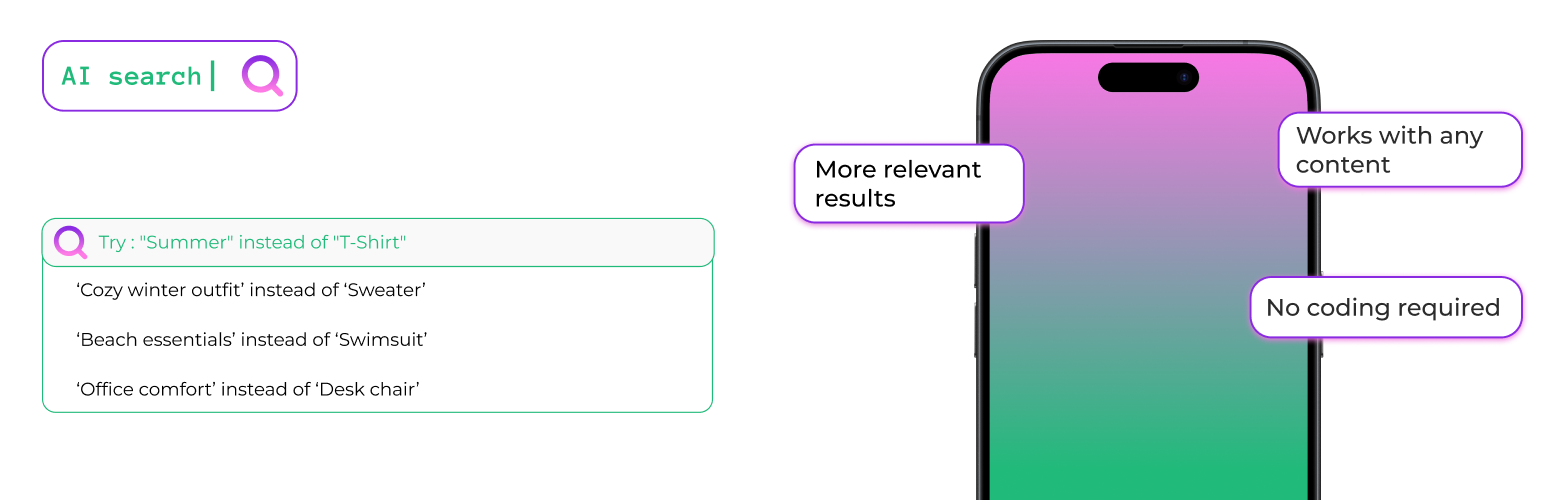
AI Search – Semantic Search & Live Dropdown for WordPress and Woo
Description
Two things your site search is missing: instant results while typing, and an AI that understands what visitors mean.
Drop in the AI Search Box block and your visitors see results the moment they start typing — thumbnail, title and price, right there in a dropdown. No page reload, no waiting.
Then the part keyword search cannot do. Someone who types “summer blue dress” finds your “light cotton navy sundress”. Someone searching “headphones for running” finds your sweat-resistant wireless earbuds — even if the word “running” isn’t anywhere in the description. A reader looking for “how to reduce hosting costs” finds the article you titled “cutting your server bill in half”.
WordPress search matches keywords. AI Search matches meaning. It reads your content — titles, descriptions, SKUs, categories, tags, attributes and custom fields — and converts each item into a vector that captures what it actually is. When someone searches, the plugin finds the closest matches by meaning, not by exact word overlap.
The result: fewer empty search pages, more of your content surfaced for long-tail queries, and visitors who find what they wanted on the first try.
Works on any WordPress site. Built with WooCommerce stores in mind — SKUs, variations, product attributes and catalog visibility are all handled properly — but the same search works for blog posts, pages, documentation, directories and any custom post type.
Try it live before installing: wp-search.ai/demos runs this exact plugin on three sample stores. Type your own search – or a SKU – and see the traditional results next to the AI results, side by side:
- Clothing store – users describe an occasion, not a product name
- Bookstore – readers remember the theme, never the exact title
- Electronics – model codes and specs, where exact SKU matching has to win
- Live search dropdown – type in the box and watch results appear before you finish
Traditional Results First, AI Results After
AI Search never replaces the results your search already finds — it adds to them. Every search runs in three steps, in this order:
- Exact matches — a query that matches a product SKU or an exact product title is always the first result.
- Traditional keyword results — everything WordPress and WooCommerce search would normally find (products literally containing your search words) comes next, ranked by keyword relevance instead of publish date.
- AI results — only below those, semantic matches are added: products that mean the same thing even when they use different words.
So if a user searches for something that literally exists on your site, they see exactly what they would see without the plugin — just better ordered. The AI layer only ever extends the results with products the traditional search missed. Installing AI Search will not change or hide the results your customers already find today.
Search As You Type (new in 1.33.0)
Two optional blocks bring live results to your site, without sending your visitors to a results page first:
- AI Search Box — a search field that shows results in a dropdown as the user types: thumbnail, product title and price on a single row.
- AI Search Button — a search icon for your header or menu that opens a full-screen search overlay.
Both are Gutenberg blocks. Open any page, template or header in the editor, click the + button, search for “AI Search”, and place the one you want – there is nothing to configure to get started.
They follow the same “traditional first” rule as the results page: keyword and SKU matches appear instantly on every keystroke, and AI suggestions are added underneath when typing pauses.
Try the live search demo – three real catalogues, type anything you like.
This keeps your quota intact. Keystrokes cost nothing — only the pause triggers a single AI request. A ten-character search uses one embedding, not ten.
Both blocks read your theme’s own colours, fonts and corner radius, so they look like part of your site rather than something bolted on, on light and dark themes alike. They are fully keyboard and screen-reader accessible. And they are entirely optional: place one where you want it, or place none and nothing about your site changes.
Key Features
- Search As You Type: Optional search box and search button blocks with a live results dropdown — keyword matches instantly, AI suggestions on pause.
- WooCommerce Product Search: Full product catalog indexing — titles, short and long descriptions, SKUs, categories, tags, and product attributes (size, color, material, etc.). Pre-configured defaults so you can go live in minutes.
- Understands Meaning, Not Just Keywords: Semantic search means “cozy winter sweater” matches your “merino wool pullover”. Long-tail and descriptive queries stop returning empty pages.
- Traditional Results Are Never Lost: Keyword matches always rank above AI suggestions — the AI extends your search results, it never replaces them.
- Cross-Lingual & Multilingual: Works with 100+ languages — Portuguese, Spanish, French, German, Greek, Arabic, Chinese, Japanese, and more. International stores get consistent search quality across every language, and an English query can still match content in other languages.
- SKU & Attribute Matching: Customers can search by SKU fragments, attribute values, or technical specs and still find the right product.
- Smart Fallback System: 4-tier fallback ensures users never hit a zero-result page — if AI search finds nothing, standard WordPress search takes over automatically.
- No OpenAI Account Required: Uses our free embedding service (up to 10,000 embeddings per site). Works out of the box for most stores.
- Bring Your Own API Key: Optionally use your own OpenAI API key for unlimited indexing.
- Bulk Embedding Generation: Index your entire existing catalog in one click, filtered by post type or category.
- Quota Management: Real-time monitoring of AI service usage and limits (v1.14.0+).
- Works Beyond Products Too: Same intelligent search for blog posts, pages, and any public custom post type.
- ACF Compatible: Index Advanced Custom Fields data for deeper product metadata search.
- Tunable Similarity Threshold: Fine-tune how strict or broad search results are, per store.
- Intelligent Caching: Fast results with automatic local caching.
Perfect For
- WooCommerce stores with large or varied product catalogs
- Fashion & apparel stores where users describe products in their own words (“something flowy for summer”)
- Electronics & home goods stores with complex technical specs and model numbers
- Books, media, and marketplaces with thousands of titles
- International stores selling in multiple languages
- Membership sites, knowledge bases, and directories — any content-heavy WordPress site
How It Works
- Each product in your WooCommerce catalog is converted into a numeric “meaning fingerprint” (called an embedding) that captures its title, description, SKU, categories, tags, and attributes.
- When a user searches, the plugin first pins exact SKU/title matches, then lists every traditional keyword match (what your search finds today), ranked by relevance.
- The query then gets its own meaning fingerprint, which is compared against every product’s fingerprint.
- The closest semantic matches are appended below the traditional results — extra products the keyword search missed, never replacements for it.
- If nothing at all is found, a multi-tier fallback kicks in so users never hit an empty results page.
Embeddings are generated automatically when you publish or update products — no manual work after setup.
Learn More
Visit our website for documentation, demos, and examples:
https://wp-search.ai/?utm_source=wordpress.org&utm_medium=readme
Browse technical documentation, see live demos of the plugin in action, and learn best practices for AI-powered search.
Usage
- Your existing WooCommerce search form (and the default WordPress search) are automatically upgraded — no theme or template changes required.
- Manage settings, switch providers, and monitor quota via the AI Search menu in your WordPress admin.
External Service
This plugin connects with:
- OpenAI Embeddings API: https://platform.openai.com/docs/guides/embeddings
- Custom Node.js Embedding Service
Please read more here:
https://platform.openai.com/docs/guides/embeddings
Installation
- Install and activate the plugin through the ‘Plugins’ menu in WordPress.
- The setup wizard launches automatically. If you have WooCommerce active, it will detect your store and pre-select the most useful product fields (short description, categories, attributes, SKU).
- Run Bulk Embedding Generation from AI Search > Generate Embeddings to index your existing product catalog (or posts/pages).
- That’s it — new and updated products get indexed automatically from this point on.
Screenshots

Traditional results first, AI results after - each result labeled by how it was found

The AI finds what keyword search misses - users describe what they want in their own words

Live Search block - results appear in a dropdown with thumbnail, title and price as the user types

Search settings - tune how strict or broad the AI matching should be

WooCommerce panel - see how many products are indexed, how many have SKUs, and what still needs attention

Simple setup - one click, everything indexed. Auto-detects your content types, custom fields and product taxonomies
Faq
Yes – four. wp-search.ai/demos runs the real plugin on a clothing store, a bookstore and an electronics store, each with its own catalogue. Type any query – your own words, an exact product name, or a SKU – and the page shows traditional search results and AI Search results side by side, each result labeled by tier. You can also drag the similarity threshold and watch the AI results change live.
There is also a live search demo for the dropdown: type into any of the three boxes and watch keyword matches appear as you type, with the AI suggestions joining when you pause. Nothing on any of these pages is staged.
The plugin ships two blocks. Edit any page, template or header in the block editor, click the + button and search for “AI Search”. Pick AI Search Box for a search field with a dropdown, or AI Search Button for a search icon that opens a full-screen overlay – the button works well in a site header. There is nothing to configure to get started, though you can turn thumbnails, prices and the result count on or off in the block sidebar. See both in action.
Barely. Every keystroke runs a keyword and SKU search, which uses no embeddings at all. Only when the user stops typing does the plugin make a single AI request. So a ten-character search costs one embedding, not ten – and repeated searches are served from a five-minute cache, costing nothing.
No. They are entirely optional. If you place no block, your site is untouched, no extra scripts load, and the plugin works exactly as it did before – improving the results page users reach after pressing Enter.
Yes. They read your theme’s own colour palette, typography and corner radius settings rather than shipping a fixed design, so they look native on light and dark themes alike. If you use a block theme, you can also adjust spacing and alignment from the block editor as usual.
No. Results your search already finds are kept and shown first: exact SKU/title matches, then every traditional keyword match (ranked by relevance instead of date). AI results are only added below them — extra content the keyword search missed. If a user searches for something that literally exists on your site, they will still find it, in the same or a better position.
On top of the per-post embedding, AI Search now generates one embedding per taxonomy term — every category, tag, and WooCommerce attribute term. At search time, each post’s score gets an additive boost from its best-matching term. The practical effect: a user searching “trainers” surfaces products tagged “Sneakers” even when no product description contains the word “trainers”. You can manage this on the new Term Embeddings tab (opt out of specific taxonomies, bulk-generate embeddings for existing terms) and tune the boost strength via the slider on Search Configuration.
Cost note: each unique taxonomy term consumes one embedding from your quota. A typical WooCommerce store has 50–500 unique terms, so the one-time cost is small — and because terms are shared across all your products, you embed each one only once. If you have an unusually large taxonomy (e.g., thousands of free-text tags), you can disable that specific taxonomy on the new tab.
Yes. As of v1.25.0, AI Search exposes the following filters for developers:
ai_search_embedding_content— Modify the text sent to the AI provider when generating embeddings. Useful for injecting taxonomy names, stripping boilerplate, or normalizing terminology.ai_search_should_generate_embedding— Return false to skip embedding generation for specific posts. Useful for excluding drafts in certain categories or low-content posts.ai_search_query_before_embedding— Rewrite the user’s search query before it’s embedded. Useful for synonym expansion, spell correction, or locale-specific normalization.ai_search_similarity_threshold— Override the similarity threshold per-query or per-post-type. Useful for stricter matching on products vs. looser on blog content.ai_search_results— Re-rank or filter the final search results. Useful for boosting in-stock products, hiding restricted content, or injecting pinned results.ai_search_term_embedding_content— (v1.26.0) Customize the text fed to the AI provider when embedding a taxonomy term. Useful for injecting parent-term names, synonym hints, or stripping boilerplate from term descriptions.ai_search_exact_matches— (v1.27.0) Add or remove post IDs pinned to the top of results as exact lexical matches (SKU / title) before AI ranking. Useful for EAN/GTIN, supplier references, or brand codes.
Plus the existing ai_search_searchable_post_types filter. Code examples are included in the inline PHPDoc above each filter in the plugin source.
Yes — WooCommerce is the primary use case. The plugin indexes product titles, short and long descriptions, SKUs, categories, tags, and product attributes. When you activate the plugin on a store with WooCommerce, the setup wizard automatically prioritizes products and pre-selects the most useful product fields.
Yes — and as of v1.27.0 an exact or prefix SKU match is always returned first, regardless of the AI similarity score. Random-looking codes like B08M5XDKFG carry no meaning for an embedding model, so before the semantic step the plugin checks the query against product SKUs (including variation SKUs, which resolve to their parent product) and against exact product titles. Matches are pinned to the top with a green “Exact Match” badge for editors. Partial SKUs work when the query is a single token of 4+ characters (WOO-HOOD finds WOO-HOODIE, WOO-HOODIE-LOGO, …). SKUs remain part of the embedding too, so mixed queries (“black shoes SKU-2024”) still work.
Yes. Attributes like size, color, material, and any custom attributes you configure are indexed as part of the product’s searchable content. Shoppers can search by attribute values (“large cotton”) and the plugin will match products with those attributes.
The plugin indexes the parent product (including its attributes and description). Individual variation-level descriptions aren’t separately indexed, but since attributes like size and color are included in the parent’s embedding, searches for variation-specific terms still surface the right product.
Nothing if you use our free AI Search Service (up to 10,000 embeddings per site). If you want unlimited indexing, you can use your own OpenAI API key.
The plugin logs the error and falls back to WordPress default search automatically, so users never hit a broken search page.
Embeddings are automatically generated when you publish a post, page, or custom post type. You can also regenerate them manually from the post editor or bulk generate them from the settings page.
No. Embeddings are generated in the background when content is published, not during searches. Search results are fast because they use pre-computed embeddings stored in your database.
The free AI Search Service provides 10,000 embeddings per site. For unlimited usage, you can use your own OpenAI API key.
Yes! AI Search works with any public custom post type. You can select which post types to make searchable in the setup wizard or settings page.
Yes! You can configure custom post meta fields to be included in the search index. This is perfect for ACF fields, custom taxonomies, and other metadata.
The similarity threshold (0.1-1.0, displayed as 10%-100%) determines how closely search results must match the query. Higher values (70%-80%) give more precise results; lower values (30%-50%) return broader matches. The default is 30%, which is a good starting point for most sites — adjust down if users see too few results, adjust up if results feel loosely related.
AI Search has a smart 4-tier fallback system that ensures users always get results, falling back to WordPress default search if needed.
Go to AI Search > General Settings and switch between the free AI Search Service or your own OpenAI API key.
Yes. Search queries are processed through the embedding API but are not stored externally. All search results and embeddings are stored in your WordPress database.
Reviews
Works like a charm
By 
Love the idea and the implementation. I'll be using this more and more on all of our Woo sites.
Great and easy-to-use search plugin
By 
I installed this plugin and I’m really happy with it!
Setup was quick and easy, and everything worked smoothly. It’s a great way to improve search on a website without any complicated setup or the need to write any code.
Overall, I definitely recommend it. It makes it much easier for users to find what they’re looking for.
Excellent!
By 
Installed, added my OpenAI key, and it just worked. Search results are way more relevant than the default WordPress search. It actually understands what people are trying to find, even if the keywords don’t match exactly.
Awesome in every possible way
By 
This plugin adds a huge boost to WordPress' default search functionality. If you want AI search without writing a line of code, this is hands down the best solution I’ve found.
Great tool to empower search in your business website
By 
I've found this plugin and I must say, it's awesome. The AI search results feel a lot more relevant.
Setup was super simple, just added my OpenAI API key and it worked right out of the box. No complicated settings or code needed. It’s a great tool if you want to give your visitors a better experience and make it easier for them to find what they need.
Definitely recommend it!
PS: Is there a plan to integrate Gemini as well? Thank you
Changelog
1.40.0
- New: one-click “Sync content” setup. The five-step setup wizard is gone. In its place, a single screen that auto-detects everything (post types, custom fields, product taxonomies) and shows one button — “Sync content”. Custom fields default to all public meta_keys, term embeddings auto-enable on WooCommerce stores, and progress is live across every content type. The old “Advanced settings” link opens the existing Content tab for anyone who wants to prune. Existing users’ pruning is respected — auto-populate only fills post types that were never configured.
- Brand-styled sync experience: single card with circular progress ring (purplepink gradient), on-brand typography, pill cards per content type that light up as each one finishes, and a green check mark when done. Matches the look of wp-search.ai rather than the wp-admin form idiom.
- Persistent “Sync content” nudge in wp-admin. As long as the site has content but zero embeddings, every wp-admin page shows a small brand-styled notice with a one-click CTA to the sync page. No dismiss button — the nudge disappears automatically the moment the very first embedding lands. Editors and lower users never see it. Data-driven: two indexed LIMIT-1 lookups per page load, cached per-request.
- Translations for the 34 new msgids across
pt_PT,pt_BR,es_ES,fr_FR,de_DE,it_IT,nl_NL,ja(each catalog now at 663 translated messages, 0 fuzzy).
1.39.0
- New: “Before you leave” survey on plugin deactivation. When you deactivate AI Search from the Plugins screen, a small modal asks the single most useful question — why. Six one-click options (Too complicated, Poor results, Something broke, Switched to another plugin, Just testing, Other) plus an optional comment. The deactivation itself is never blocked; the modal is a one-screen ask, dismissable in a click. Every answer flows straight to us and shapes the next release.
- Translations for the 14 new msgids across
pt_PT,pt_BR,es_ES,fr_FR,de_DE,it_IT,nl_NL,ja(each catalog now at 629 translated messages, 0 fuzzy).
1.38.1
- Free plan quota raised: 10,000 embeddings/month (was 2,000), no more daily cap. The service reset was already monthly-based since day one; the label just hadn’t been updated to say so and the numbers were tight enough to feel restrictive during first-day setup. Existing free-tier customers already have the new limits applied; new installs get them out of the box. Standard and Pro tiers are unchanged.
- Copy correction across the Quota tab and Setup Wizard: “Lifetime total” and “Total Embeddings” now read “This month”. The wording was misleading — the service was resetting
used_totalback to zero on the anniversary of the origin’s registration for as long as the plugin existed, but the UI called it lifetime. Now it says what it does. - Translations for the 3 new msgids across
pt_PT,pt_BR,es_ES,fr_FR,de_DE,it_IT,nl_NL,ja(each catalog now at 615 translated messages, 0 fuzzy).
1.38.0
- New: “Test search” tab. A dedicated screen where you can run any query against your own content and see WordPress default results side by side with AI Search results. The AI-added items get highlighted so you can feel the plugin’s contribution at a glance. Includes a live threshold slider, a sync-status table telling you what’s ready to be tested against, and copy that explains the plugin works in the background — you don’t have to change your search UI.
- Removed: the frontend “AI Search Threshold” widget that used to appear on search results pages for logged-in admins. It was scary UX — admins could reasonably assume visitors saw it too. The Test search tab in wp-admin covers the same use case, safely.
- Tab consolidation: Tools merged into Advanced. Both were “settings a merchant rarely touches”; keeping them apart added navigation friction. Old
?tab=toolsand?tab=cachelinks continue to resolve. - Mini badge redesigned into a small green dot. Purple filled with the letters “AI” was overpowering serif titles; now it’s a subtle friendly green dot that scales with the parent text. Same tooltip on hover (“This search result was generated by an AI system.”). Same visibility gate — always visible to visitors by default (from 1.37.0), toggleable in the Appearance tab.
- Translations: 27 new msgids across
pt_PT,pt_BR,es_ES,fr_FR,de_DE,it_IT,nl_NL,ja(each catalog now at 612 translated messages, 0 fuzzy).
1.37.0
- New: dedicated “Upgrade” (or “Subscription”) tab in the plugin settings. The old “Activate a paid plan” call-to-action that used to sit in big letters at the top of the General tab was giving new merchants the impression that the plugin required an upgrade to work — it doesn’t. Free is fully functional. Now activation and subscription management live in their own tab, renamed dynamically to “Subscription” once a plan is active. General stays quiet: connection status only.
- New: dedicated “Appearance” tab hosting the AI badge visibility toggle and two color pickers (background + text) for the tooltip. Live preview in the settings updates as you drag the color sliders.
- New: subtle round “AI” badge on genuine AI-tier search results (semantic matches the keyword search would have missed). Exact SKU/title matches and native keyword results no longer show any badge — those look like normal results because they are normal. Old rectangular Exact/Keyword/Fallback badges removed.
- New: custom tooltip on the badge in the plugin’s own visual style (dark purple background matching the wp-search.ai brand, small centered arrow, smooth fade-in) instead of the browser’s OS tooltip. Text: “This search result was generated by an AI system.” Configurable colors per-store from the Appearance tab.
- Default changed: badge is now visible to all visitors (previously editor-only). Merchants who want unbranded search results can turn it off in Appearance. The rationale: transparency about AI-assisted results is worth defaulting to.
- Fixed: the persistent “AI Search is ready!” success notice would not stay dismissed on some installs — the AJAX handler was hooked inside
admin_enqueue_scriptswhich does not fire onadmin-ajax.phprequests, so the dismiss click reached an unregistered action. - Fixed: welcome notice now respects the site locale. The first admin notice the merchant sees (“Welcome to AI Search! Let’s set up your intelligent search system…”) was hard-coded English in every previous release; every non-English locale saw it untranslated. Now wrapped in
__()and covered by the 8 shipped translation catalogs. - Renamed: “Keyword Match” copy and the whole notification stack around fallback results was pruned. If a result isn’t semantically AI-tier, no badge appears — the plugin no longer explains what it didn’t do.
- Translations: 20 new msgids added and translated to
pt_PT,pt_BR,es_ES,fr_FR,de_DE,it_IT,nl_NL,ja(each catalog now at 585 translated messages, 0 fuzzy).
1.36.0
- New: plugin now talks about “syncing your content with AI” instead of “generating embeddings” throughout the admin. The vocabulary was accurate but reads like documentation, not like something you actually want to click. Every user-facing button, heading and status line was renamed: “Generate Embeddings” “Sync content with AI”, “Regenerate Embedding” “Re-sync with AI”, “Generate Term Embeddings” “Sync taxonomy terms with AI”, and so on. Internal action names, meta keys and developer hooks are unchanged — existing integrations keep working.
- New: dedicated Advanced tab for the provider chooser and OpenAI API key + model. New installs no longer see the choice at all — the AI Search Service is set up silently in the background and that is that. The controls are still there for anyone who wants their own OpenAI key, just no longer in the way of the 95% who do not.
- Setup Wizard step 2 is now silent. The old “Choose Your AI Provider” step with two big cards is gone; the wizard now auto-registers on the AI Search Service and shows a short “Connected & Working” confirmation. A small link points to the Advanced tab for anyone using their own OpenAI key. One fewer decision for a first-time user.
- Fixed: the “AI Search is ready!” success notice would not stay dismissed. Clicking the ✕ made it disappear, then it came right back on the next page load — the AJAX handler that persists the dismissal was registered on a hook that does not fire during admin-ajax.php requests, so the click reached an unrecognised action and the option was never saved. Handler is now registered globally.
- Five more languages, five out of the box:
de_DE(German),it_IT(Italian),nl_NL(Dutch),pt_BR(Brazilian Portuguese) andja(Japanese) join the existingpt_PT/es_ES/fr_FRcatalogs. All 8 locales carry the full admin UI at 565/565 strings translated. Portuguese speakers finally get pt_BR-specific vocabulary (usuário, salvar, configurações, conexão) rather than the pt_PT catalog fallback. - New listing title: AI Search – Semantic Search & Live Dropdown for WordPress and Woo. The previous “Smarter WordPress Search” title read broadly but hid what the plugin actually does. New title leads with the two headline features, mentions both audiences.
- Changelog condensed: the readme was pushing wp.org’s file-size warning. Detailed entries kept for 1.30.0 onwards; older releases summarised into decade-style groupings. History still readable, no functional change.
1.35.0
- New: “Regenerate posts that already have an embedding” checkbox on the Indexing tab. Upgrading from Free to Standard or Pro switches every new embedding to the larger, more precise model — but old vectors stayed on the small one until you cleared them in Tools and then re-indexed from scratch. Now it is one step: tick the box, pick the post type, generate. Existing embeddings get overwritten on the current model, no separate clear-then-regenerate ritual.
- New: “By model” column in the index-status table. For each content type, shows how many posts are on
text-embedding-3-large, how many are ontext-embedding-3-small, and how many were indexed before this version started recording the model (they show up as “unknown” and get resolved the moment you regenerate them). - Auto-dismiss for the “regenerate your embeddings” reminder that appears after activating a paid plan. Once every indexed post is confirmed on
text-embedding-3-large, the reminder card removes itself — no more “Remind me later” click when you have already done the work. - Auto-dismiss for the “search as you type” blocks announcement on the General tab. Once any post, page, template or pattern on the site contains an AI Search Box or AI Search Button block, the card removes itself — because the site already found the feature.
- “Don’t show again” links on both the Pro upgrade banner and the quota-warning banner, next to the existing “Not now” snoozes. If you have decided you are staying on Free, one click silences the banner permanently instead of the 60-day (Pro banner) or 3-day (quota banner) reminder cycle.
- Longer TTL on the “Welcome to AI Search Standard/Pro” celebration shown after activating a paid plan. Was 60 seconds; if you got sidetracked between clicking Activate and landing on the General tab you would miss it entirely. Now 24 hours — first view still consumes it, but coming back later today still gets you the hello.
- New: model + indexed-at line on every post’s “AI Search Status” meta box. Shows the exact model that produced the embedding (
text-embedding-3-smallortext-embedding-3-large) plus a “indexed 3 days ago”-style relative timestamp, inferred from the vector dimensions so it works retroactively on posts embedded by older plugin versions. - New: quota-warning banner on the plugin’s own admin screens. Two states: an amber warning at ≥80% of the monthly cap (“You are running low”), and a red block at 100% (“New content is no longer being indexed”). Only shown on Free-plan sites, dismissible with a short 3-day snooze because the underlying state changes fast. Suppresses the general Pro upgrade nudge while active so the user sees one urgent message, not two.
1.34.9
- Outbound links to wp-search.ai (from the readme description/FAQ, the “Manage subscription” and pricing links on the General tab, the Pro banner, and the Upgrade menu iframe) now carry
utm_sourceandutm_mediumparameters so referrer traffic can be measured. Nothing user-facing changed.
1.34.8
- Small label tweak: the Upgrade submenu now reads “Upgrade: 7-day trial” instead of “Upgrade — 7-day trial”.
1.34.7
- Fixed: the new “Upgrade” screen shipped in 1.34.6 was blank. The plugin’s embedded pricing iframe used
?embed=1, which turns out to be a query variable WordPress core reserves for its oEmbed handler — so wp-search.ai returned the minimal oEmbed preview (a title and site name) instead of the actual pricing page. Switched to?minimal=1.
1.34.6
- New: “Upgrade — 7-day trial” entry in the AI Search menu. Free-plan sites get a one-click way to compare Standard and Pro without leaving the WordPress dashboard: the pricing page opens right inside wp-admin as an embed. Only shown to Free-plan sites on the managed AI service — paid customers and BYO-OpenAI-key users don’t see it.
1.34.5
- Setup Wizard stops nagging you once it’s done. After you finish the wizard, the persistent “Welcome to AI Search” bar at the top of every admin page is replaced by a one-shot success notice: “AI Search is ready — check the Indexing tab if you still have content left to embed.” Dismissible, doesn’t come back. The “Setup Wizard” submenu also drops out of the sidebar once setup is completed — the plugin isn’t asking to be set up any more.
- The wizard completion screen was also tightened: one clear congratulation and a direct link to the Indexing tab, replacing the old three-card grid that pointed at tab slugs the plugin renamed back in 1.29.
1.34.4
- Fixed: setup wizard could die with “The link you followed has expired.” The General Settings tab guarded its save handler by checking for
provider+api_keyin the POST body, which collided with the same hidden fields the wizard’s step 4 and step 5 forms carry as state pass-through. When wizard route delegation missed, the tab would then run WordPress’s referer check against the wrong nonce and blow up. The save handler now requires an explicit form marker instead. New installs can complete the wizard end-to-end again.
1.34.3
- Service endpoint moved to service.wp-search.ai. New installations point there for embeddings, quota checks, and billing. Existing installs continue to work against the previous Railway URL – no action needed. Both endpoints serve the same backend.
1.34.2
- De-narrowed the copy: rewrote the listing title, description and FAQ so blog owners, documentation sites and directories can tell at a glance that AI Search is for them too – not just WooCommerce stores. The plugin has always indexed posts, pages, custom post types and custom fields; only the framing was store-flavoured. New title: “Smarter WordPress Search That Understands Meaning”.
- Translations (pt_PT, es_ES, fr_FR) updated to match.
1.34.1
- Small in-plugin nudge for Free users: a compact card on the plugin’s own admin pages introduces the Standard plan (larger embedding model, higher monthly cap, 7-day free trial). Never shown outside the plugin’s own screens, never to customers already on Standard or Pro, and always dismissible – the “Not now” link snoozes it for two months.
- Fixed: after releasing the current site from a paid subscription, the “One last step: regenerate your embeddings” reminder no longer stays behind. It only appears when this site is actually on a paid plan.
1.34.0
- New: Paid plans. Activate Standard or Pro directly from AI Search → General by pasting the activation key that arrives by email after checkout at wp-search.ai/pricing. Standard and Pro upgrade the site to
text-embedding-3-largeand raise the monthly quota. - Manage subscription in-place: the General tab now shows your current plan, trial status, and next renewal date. One click opens the billing portal to update your card, change plan, or cancel. Another click releases the site so you can move the subscription to a different WordPress install.
- Guidance after upgrading: once you activate a paid plan the plugin walks you through regenerating your embeddings on the new, more precise model — content indexed on the Free plan uses a smaller vector shape and benefits from being refreshed.
- Cleaner settings header: the redundant “AI Search Settings” heading was removed. The tab bar carries the same information without competing with page content for attention.
1.33.1
- Fixed: the search box and search button blocks showed every matching result instead of the number configured on the block. A dropdown set to six results could return the entire catalogue.
- Fixed: product titles containing quotes or dashes displayed raw HTML codes in the dropdown (for example a 34″ monitor showing as 34″).
1.33.0
- New: AI Search Box block: a search field with live results in a dropdown. Keyword and SKU matches appear as you type; AI suggestions are added underneath when you pause typing.
- New: AI Search Button block: a search icon or button that opens a full-screen search overlay with the same live results. Ideal for headers and menus.
- Typing stays free: every keystroke runs a keyword search, which costs no embeddings at all. Only one AI request is made once you stop typing, so a ten-character search uses one embedding, not ten.
- Results show a thumbnail, the product title and the price on a single row, with a “See all results” link to the full search page.
- Full keyboard and screen-reader support: arrow keys move through results, Enter opens one, Escape closes the list, and the whole dropdown follows the ARIA combobox pattern.
- Styling comes from your theme. The blocks read your theme’s own colour, typography and radius settings, so they look native on light and dark themes without any configuration.
- Frontend text ships translated in Portuguese, Spanish and French.
- Tier badges (“Exact”, “Keyword”, “AI”) remain visible to editors only, unless you have chosen to show badges to all visitors.
- Both blocks are entirely optional: if you do not place one, nothing on your site changes and no extra scripts are loaded.
1.32.0
- WooCommerce has its own tab again: product field settings moved out of Content into a dedicated WooCommerce tab, shown only on stores.
- New store status panel: at a glance, how many published products are indexed, how many have SKUs, how many variations exist, how many products are hidden from search by catalog visibility, and how many categories and tags are indexed – each with a link to fix what is missing.
- Actionable warnings instead of silence: if products have SKUs but the SKU field is not being indexed, or if nothing is indexed at all, the panel says so and points you to the right screen.
- Field pickers are readable again: the custom field and WooCommerce field checkboxes are now a responsive card grid instead of CSS columns that flowed items vertically – easier to scan, and they collapse to a single column on small screens.
- Better WooCommerce defaults: product description, short description, SKU, categories and tags are now included out of the box. Fixes a mismatch where the settings screen showed defaults the indexer did not actually apply on stores that never opened the tab – most importantly the SKU, which powers exact-match search.
1.31.0
- New Insights tab: see what users searched for and which results they were shown. Only searches where the AI surfaced results that exact and keyword matching had missed are recorded – so the list is a running record of the plugin earning its keep.
- Private by design: no IP addresses, no user accounts, no cookies – just the query, the result counts per tier, and the top result IDs. Nothing that needs a consent banner.
- Logging can be switched off, records are kept for a configurable window (30/90/180/365 days, default 90) and cleaned up automatically, and the whole log can be cleared with one button.
- Writes happen after the page has been sent to the visitor, so logging never slows a search down.
- Added
uninstall.php: removing the plugin now cleans up its settings and the log table. Post and term embeddings are intentionally left in place so an accidental uninstall does not cost you your whole index.
1.30.0
- Products found by their categories and tags: search now also finds products whose category or tag matches what you typed, even when the product’s own text does not. A user searching “trainers” finds items tagged “Sneakers”; “running shoes” finds them too. Until now those products could stay invisible because their description never used your visitor’s word.
- Term-only matches are scored conservatively and can never outrank an exact SKU/title match or a strong content match – they are added to the results, never in front of them.
- New developer filter
ai_search_term_match_thresholdto tune (per taxonomy) how close a term must be to the query before it pulls in its products. - Requires term embeddings to be enabled (Indexing tab) – already the default on WooCommerce stores.
1.29.0
- Rebuilt the settings screens with native WordPress components. Consolidated to five tabs (General, Search, Indexing, Content, Tools) with old tab links still working. Bundled full es_ES, pt_PT and fr_FR translations. Indexing tab shows per-content-type ratios (e.g. “14 of 18 products indexed”).
1.28.1
- Fix: secondary WP_Query searches (blocks, widgets, AJAX handlers) now go through the tiered pipeline correctly. Previously they read the wrong
sfrom the global query.
1.28.0
- Three-tier results (exact keyword semantic): WordPress’ own lexical results are never discarded, ordered by keyword relevance and shown before AI extras. Blue “Keyword Match” badge for editors. Themes’ “Showing all N results” counts now match reality. The old Hybrid Search toggle was removed (superseded by the always-on lexical tier).
1.27.0
- Exact SKU + title pre-match, always on, pinned first with a green “Exact Match” badge. New
ai_search_exact_matchesfilter to add or remove pinned matches. Bulk generation now reports success/failure counts and reasons (bad token, exhausted quota, empty content). Products flaggedproduct_visibility=exclude-from-searchno longer appear anywhere. Site-wide search now actually runs the AI ranking (previously fell back to WordPress default).
1.26.0
- Per-taxonomy-term embeddings with additive boost – a search for “trainers” now surfaces products tagged “Sneakers” even when no description mentions trainers. New Term Embeddings settings tab and a 0-50% Term Boost slider on the Search tab. Default ON for WooCommerce stores. New
ai_search_term_embedding_contentfilter.
1.25.0
- Five new developer filters for customizing search behavior without forking:
ai_search_embedding_content,ai_search_should_generate_embedding,ai_search_query_before_embedding,ai_search_similarity_threshold,ai_search_results. See the Developer Hooks FAQ.
1.24.0
- One-click “Reconnect with new token” on the General tab when the AI Search Service no longer recognises this site’s token. Quotas are preserved – only the credential rotates.
1.23.0 – 1.23.1
- WooCommerce-first onboarding (product-priority defaults, “store detected” welcome banner). Documented multilingual support (100+ languages via semantic search). Fixed a PHP 8 DivisionByZeroError in cosine similarity. Added the first PHPUnit test suites. Fixed a “link expired” error on the setup wizard’s final step.
1.22.0
- Domain mismatch detection (admin warning when site URL differs from the registered origin) plus a one-click reconnect for the current domain. Makes staging production migrations painless.
1.20.0 – 1.21.0
- Reusable CPT/taxonomy selector; clear embeddings by post type or specific taxonomy term; dynamic AJAX loading of taxonomies. Batched post processing (100/batch) for sites with thousands of items. 5-minute search-results cache. Default similarity threshold dropped from 65% to 30% for better out-of-box results.
1.15.0 – 1.19.0
- Dedicated top-level admin menu with SVG icon (moved out of Settings). New Quota tab with real-time usage from the service. OpenAI model selector (
text-embedding-3-smalldefault,-3-largeavailable). REST diagnostics endpoint at/wp-json/ai-search/v1/settings. Threshold range extended to 10-100%. Setup wizard expanded to 4 steps with custom fields configuration. First Hybrid Search implementation (later replaced by the always-on lexical tier in 1.28.0). pt_BR readme translation.
1.1 – 1.14.0
- Foundational releases: initial embedding-based search, per-post
custom_post_metastorage, transient caching, bulk generation UI,ai_search_searchable_post_typesfilter, i18n scaffolding, service registration and token validation, Cache Management tab, 4-tier fallback for zero-result searches, similarity CSS classes, percentage-based threshold display, automatic embedding on publish, Quota Management tab, service token controls.
1.0
- Initial release, adding the settings page and the search filter.