AICOSO Wishlist for WooCommerce

AICOSO Wishlist for WooCommerce
Description
Aicoso Wishlist enhances your WooCommerce store by allowing customers to save products for later, share wishlists, and receive personalized recommendations. Built with performance and user experience in mind, it seamlessly integrates with your existing WooCommerce setup.
Key Features
- Add to Wishlist – One-click product saving with AJAX support
- Guest Support – Allow non-registered users to create wishlists
- Multiple Wishlists – Users can organize products into different lists
- Wishlist Sharing – Share wishlists via social media or direct link
- Product Variations – Full support for variable products
- Quick Actions – Add to cart directly from wishlist
- Responsive Design – Mobile-optimized interface
- Analytics Dashboard – Track wishlist metrics and popular products
- Price Drop Alerts – Notify users when wishlist items go on sale
- Email Campaigns – Automated wishlist reminder emails
- WooCommerce Blocks – Compatible with block-based checkout
- Multi-language Ready – Translation ready with .pot file included
Perfect For
- Fashion and apparel stores
- Electronics and gadget shops
- Home decor and furniture stores
- Gift shops and boutiques
- Any WooCommerce store looking to increase customer engagement
Support
For support, please visit https://aicoso.com/support
Privacy Policy
This plugin stores user wishlist data in your WordPress database. For guest users, temporary session data is stored using cookies. No data is sent to external servers except when using social sharing features (at user’s discretion).
Installation
Automatic Installation
- Navigate to Plugins > Add New in your WordPress admin
- Search for “Aicoso Wishlist”
- Click Install Now and then Activate
Manual Installation
- Download the plugin zip file
- Navigate to Plugins > Add New > Upload Plugin
- Choose the downloaded file and click Install Now
- Activate the plugin
Via FTP
- Extract the plugin zip file
- Upload the
aicoso-wishlist-for-woocommercefolder to/wp-content/plugins/ - Activate the plugin through the WordPress admin panel
Screenshots

Wishlist button on product page

Wishlist page showing saved products

Wishlist detail

Social sharing options

Wishlist Popup

Display settings
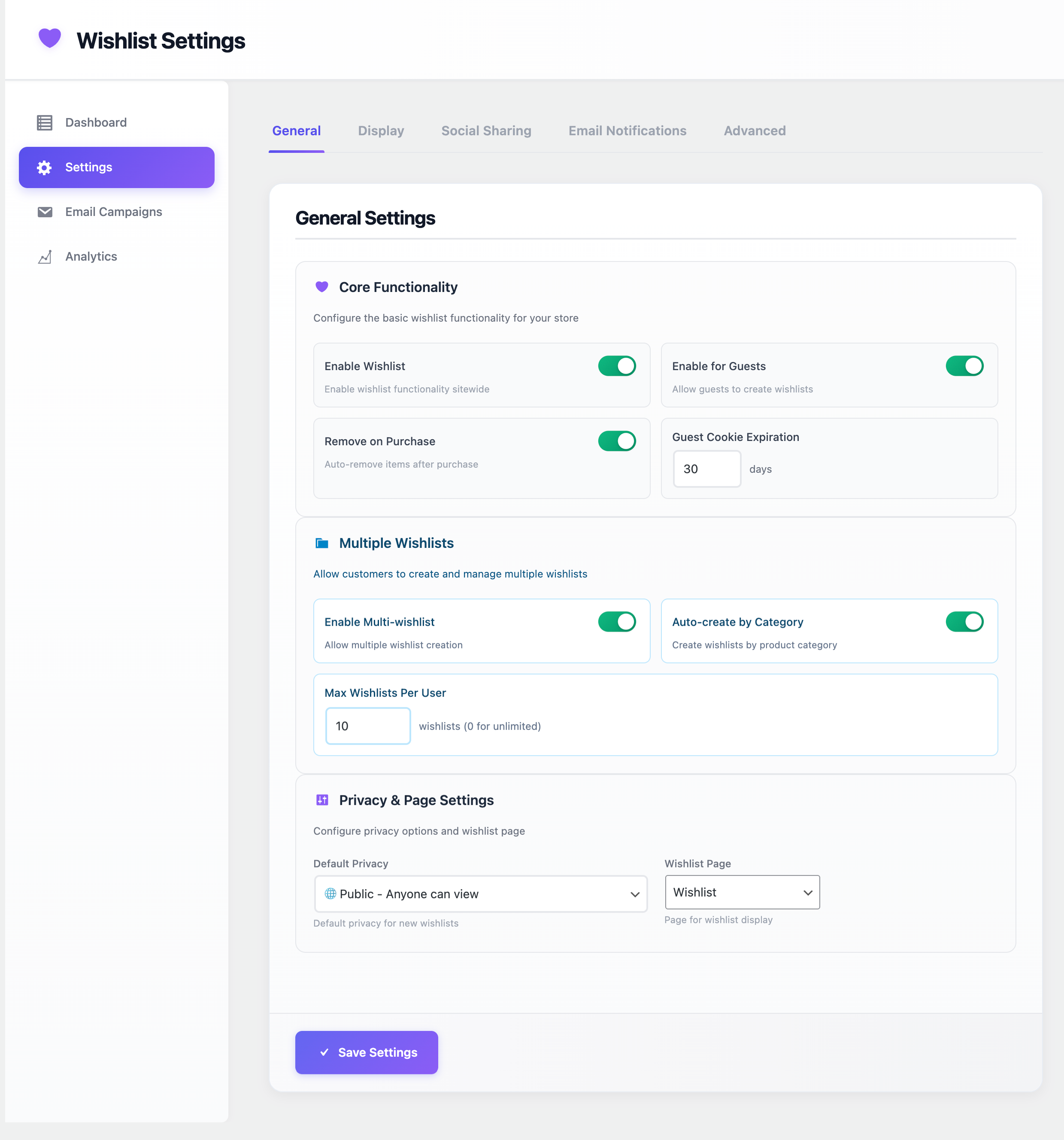
Admin settings panel

Notifications
Faq
Yes! The plugin is designed to work with any properly coded WordPress theme that supports WooCommerce.
Yes, guest users can create and manage wishlists. These are stored in browser sessions and can be converted to permanent wishlists when they register.
Yes, the plugin is fully compatible with WooCommerce block-based checkout and cart.
Yes, registered users can create and manage multiple wishlists with different names and privacy settings.
Yes, the plugin fully supports variable products and their variations.
Navigate to WooCommerce > Settings > Wishlist and choose your preferred button position from the available options.
Yes, you can customize email templates through the plugin settings or by overriding them in your theme.
Yes, the plugin respects user privacy and provides options for data management in compliance with GDPR.
Reviews
Changelog
1.0.0
- Initial release
- Core wishlist functionality
- Guest user support
- Multiple wishlists
- Social sharing
- Email notifications
- Analytics dashboard
- WooCommerce blocks compatibility