Post Grid Master — Post Grids & AJAX Filters

Post Grid Master — Post Grids & AJAX Filters
Description
Post Grid Master helps you create post grids with AJAX filters. You can create post grid layouts with taxonomy filters, AJAX pagination, load more buttons, infinite scroll, and more.
Post Grid Master includes a shortcode generator that lets you easily create shortcodes and display grids anywhere — even inside theme templates.
See the Live Demo
Watch the Video Demo on YouTube
Features of Post Grid Master
Post Grid Master offers you a lot of features that will help you create a post grid with AJAX filter easily. You can develop your custom theme templates easily by using the Post Grid Master shortcode. Here are some of the features that you will get with Post Grid Master.
Shortcode Generator
Post Grid Master has a shortcode generator that helps you generate the shortcode easily and use it anywhere to show the post grid. It includes a preview feature so you can preview the post grid before using it.
Pre-Built Grid Layouts
Post Grid Master has a few pre-built post grid layouts (more are coming) that you can use to create your post grid. It includes unique classes for easy custom layout creation via CSS.
Custom Post Type Support
You can create grids for default or custom post types.
Posts Per Page
Control how many posts appear per page — show all or a specific number.
Order By / Order
Order posts by date, title, random, comment count, author, etc., in ascending or descending order.
Excerpt Length
Control the excerpt length by word or character count. Choose to pull content from the excerpt or main content field.
Read More Button
Show or hide the “Read More” button, and customize its text.
Filter Styles
Includes 3 filter styles, or hide the filter entirely. Optionally remove the “All” button.
Custom Taxonomy Support
Create custom taxonomy filters and display grids by selected terms.
AJAX Pagination
Load the next page without reloading. Supports default or “Load More” pagination styles.
Load More Button
Load next posts via button click.
Infinite Scroll
Automatically load more posts as users scroll down.
Animate on Post Load
Add animation effects when posts load.
Grid Image Thumbnail Size
Choose from available image sizes for grid thumbnails.
Filter Heading Option
Display or hide filter headings with custom text.
Toggle Filter Items Option
Show/hide filter items by clicking on the filter heading.
Other Features
- Works with Any Theme
- Clean & Optimized Code for Performance
- Fully Responsive
- Cross Browser Compatible
- Translation Ready
- Well Documented
- Essential Features Free of Cost
Still have questions?
If you have any questions or queries regarding Post Grid Master, please ask them in the support forum or contact us.
Pro Features
There are some pro features that you will get with the pro version of Post Grid Master. Here are some of the pro features.
Pro Filter Styles — Additional advanced styles
Pro Grid Layouts — More pre-built templates
Taxonomy Image and Color — Show taxonomy images and colors in filters or grids
Auto Select Taxonomy — Automatically select taxonomy on taxonomy pages
Custom Taxonomy Terms — Choose which terms to display
Initial Term on Page Load — Preload posts based on a term
Auto-Select Initial Term — Auto-selects term on term page
Allow Multiple Selection — Filter by multiple terms at once
Auto Post Type Selection — Auto-select post type on post type pages
Heading Tag — Change title heading tag (h1–h6, div, span, p)
Heading Font Size — Control title font size per device
Column & Row Gap Control — Adjust spacing
Post Items Per Row — Customize post columns per device
Slider Option — Display post grids in a slider with customizable options:
– Slides to Show
– Slides to Scroll
– Show Prev/Next Arrows
– Show Dots
– Enable Autoplay
– Autoplay Speed
– Pause Autoplay on Hover
– Infinite Loop Sliding
– Center Mode
More features coming soon…
Privacy Policy
Post Grid Master uses Appsero SDK to collect some telemetry data upon user confirmation. This helps us troubleshoot problems faster and make product improvements.
Appsero SDK does not gather any data by default. It starts collecting basic telemetry data only when a user allows it via admin notice.
Learn more about how Appsero collects and uses data.
Installation
- Download and unzip the plugin. Upload the unzipped folder to the
wp-content/pluginsfolder of your WordPress installation. - Activate the plugin from the WordPress Plugins page.
- OR, go to Plugins Add New, and search for “Post Grid Master.”
- Install and activate it.
- From the dashboard, go to Post Grid Master Grid Builder and create your first post grid.
Screenshots

Backend Grid Builder/Shortcode Generator (Free/Pro)

Backend Preview (Welcome Page)

Key Features
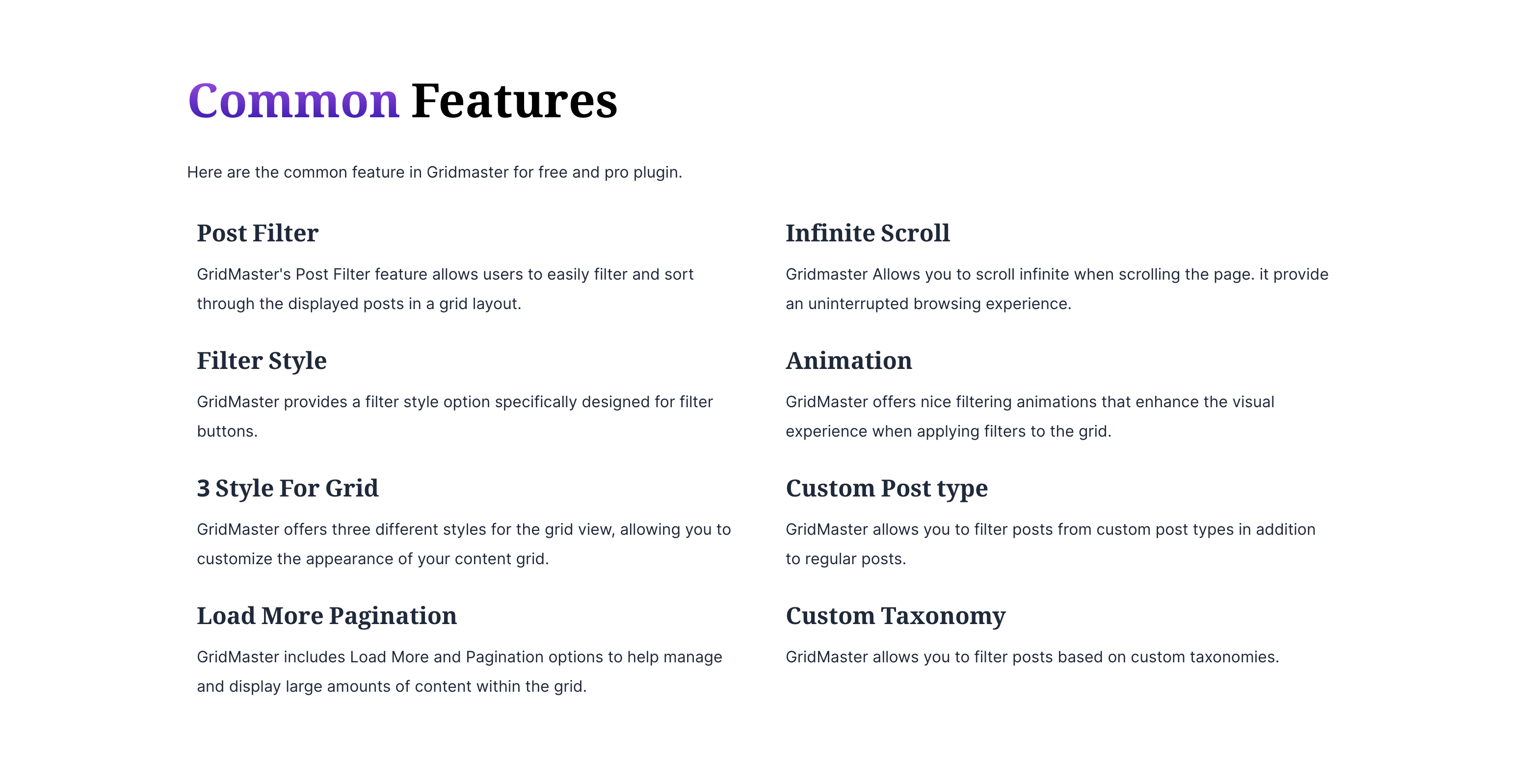
Free Features Overview
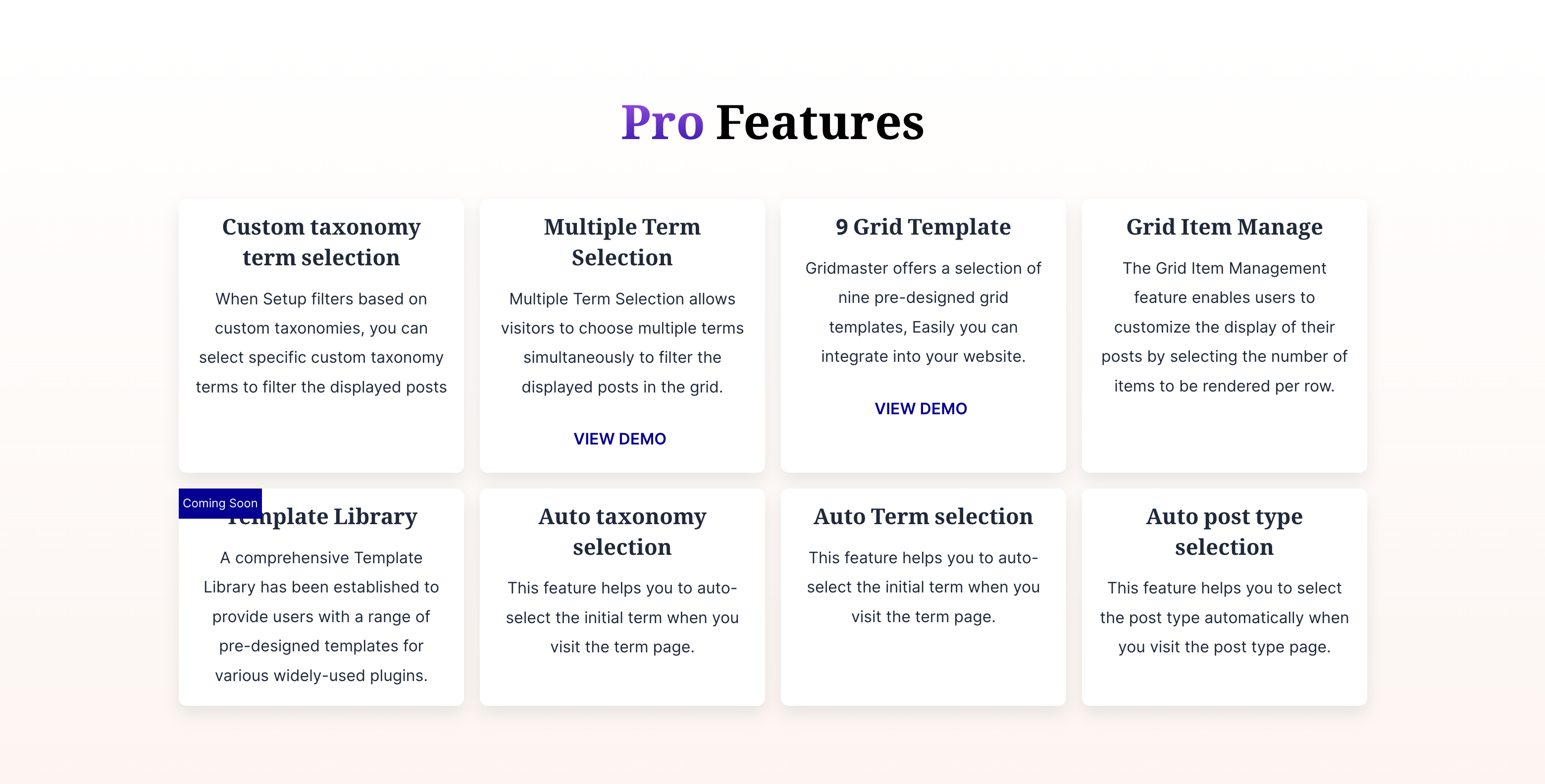
Pro Features Overview
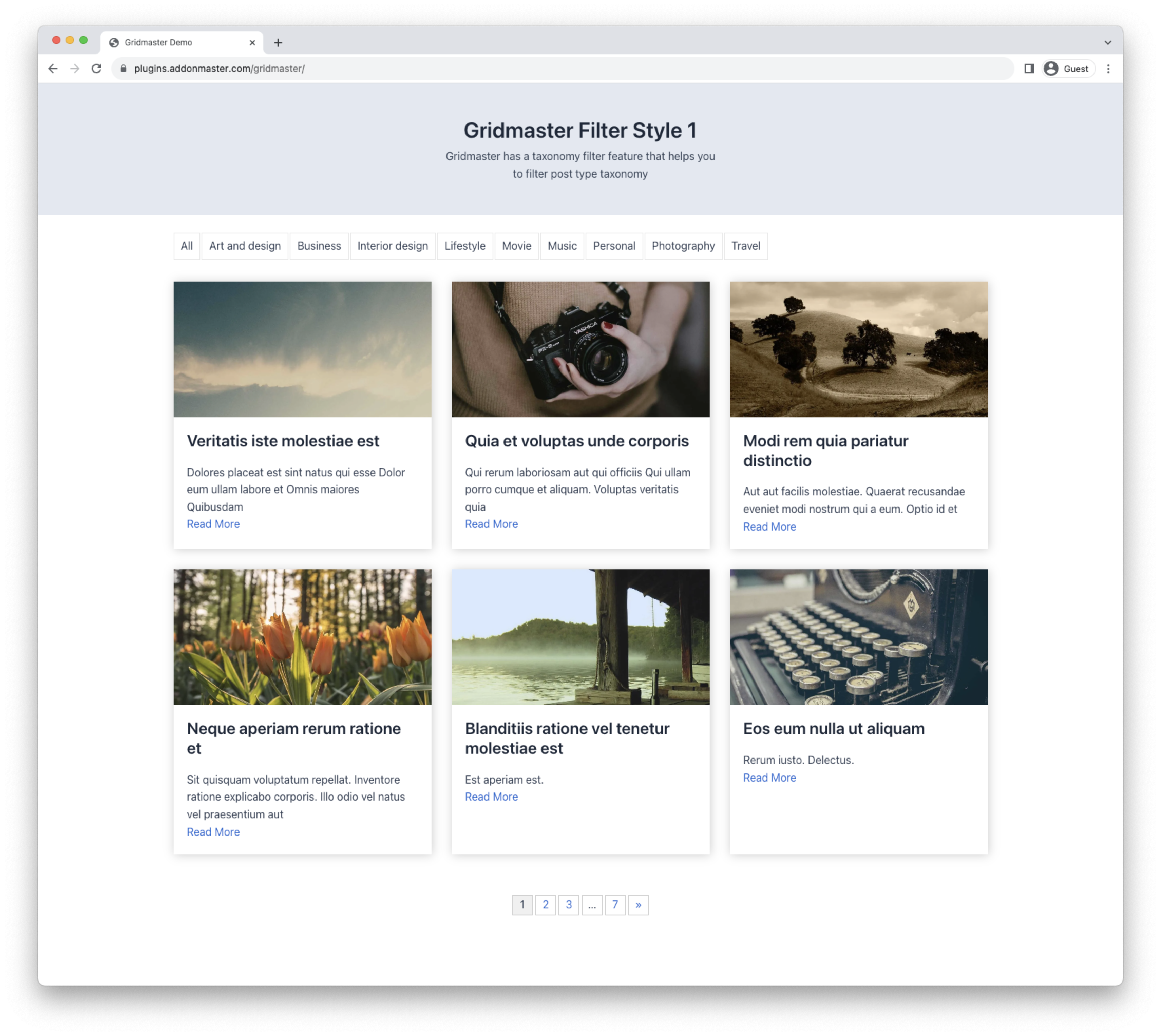
Post Grid Master Grid & Filter Style 1 (Free)
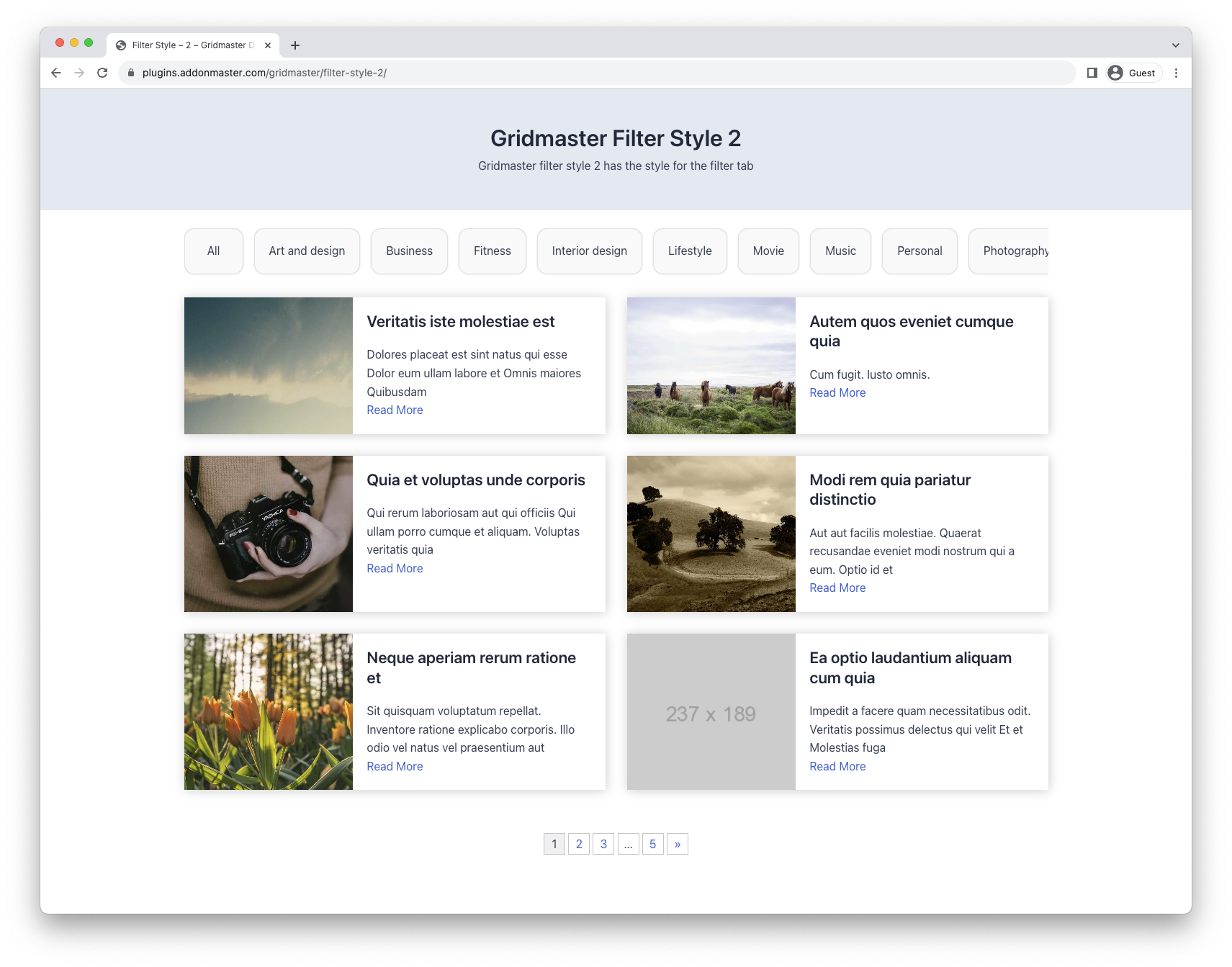
Post Grid Master Grid & Filter Style 2 (Free)

Post Grid Master Grid & Filter Style 3 (Free)
Faq
Go to Post Grid Master Grid Builder. Configure filter type, grid style, post type, etc., then copy and paste the shortcode where you want the grid.
Yes, it works with any standard WordPress theme.
Yes. Just paste the shortcode anywhere.
Yes.
No. It’s optimized for speed and performance.
Yes, Post Grid Master supports any taxonomy.
Yes, filters can be disabled.
Yes, both methods are supported.
Yes, it’s fully customizable.
Email addonmasterwp@gmail.com for custom requests.
Reviews
Nice plugin and great support
By 
The free plugin covers all my needs, some things were not possible and I had to solve them with jQuery to achieve it.
The technical support responds quickly and takes your feedback into account to make the necessary improvements where possible.
I appreciate the help. Thank you!
Great Support and super flexible plugin
By 
Been using the plugin for months and the devs were super supportive when I had a question. The plugin's flexible for my site's needs and was easy to use.
Best ajax post plugin by far!
By 
This is by far the best ajax post plugin you can find in the wordpress repository. Easy to use and with good performance!
A Good Clean Attractive Layout
By 
Can't use custom template for posts
By 
Easy & Simple Plugin
By 
Ingenious But can Still Improve
By 
Great Job !
By 
Simple and Good
By 
I like this a lot....
By 
Changelog
3.4.14
- Fixed: Security issues
- Compatible with WordPress 6.8.2
- Fixed: Plugin Check (PCP) issues.
3.4.13
- Fixed: Security issues
- Compatible with WordPress 6.7.1
- Text Domain: ‘ajax-filter-posts’ from ‘gridmaster’.
- Fixed: Plugin Check (PCP) issues.
3.4.9
- July 02, 2024
- Fixed: Security issues
- Compatible with WordPress 6.5.x
3.4.8
- Mar 16, 2024
- Fixed: Security issues
- Added: Nonce checking on post grid
- Compatible with WordPress 6.4.3
3.4.7
- Mar 04, 2024
- Added: Filter Heading Option
- Added: Toggle Filter Items Option
- Added: No Post Found Filter Hook (gridmaster-no-posts-found)
- Fixed: Translatable “All” text
- Fixed: Minor code changes.
- Detailed Documentation: https://addonmaster.com/post-grid-master-wordpress-post-grid-plugin-updates-mar-04-2024/
3.4.6
- Feb 14, 2024
- Fixed: Minor code changes.
- Tested up to WordPress 6.4.3
- Minified CSS and JS
3.4.3
- Oct 26, 2023
- Added: Excerpt Type: Characters or Words
- Fixed: Minor code changes.
- Tested up to WordPress 6.3.2
3.4.2
- Sep 22, 2023
- Added: Thumbnail Function
- Added: Submenu navigation
- Added: View Demo Button for pro links
- Fixed: Minor code changes.
- Fixed: Minor CSS changes.
- Fixed: Minor changes in admin panel.
3.4.1
- Sep 09, 2023
- Fixed: Cannot modify header information issue fixed.
- Fixed: Minor code changes.
3.4.0
- Aug 19, 2023
- Rebrand: Post Grid with Ajax Filter to Post Grid Master
- Rebuid the plugin from scratch
- Added: Shortcode Generator
- Old shortcode support
- Clean & Optimized Code
- Huge Code Refactor
- Added: 2 Grid Layouts
- Added: 3 Filter Layouts
- Added: Backend Preview
- Added: Filter Preview
- Added: Pagination Preview
- Added: Post Grid Preview
- Added: Excerpt Control
- Added: Excerpt Length Control
- Added: Read More Button Text Control
- and many more…
3.3.0
- March 1, 2023
- WordPress 6.1.1 Compatible
3.2.1
- Sep 10, 2022
Added: Static Load on Page Load
3.1.5
- Sep 06, 2022
Fixed: Loading Issue on page load
Tested up to WordPress 6.0.2
3.0.4
- JUN 11, 2022
Fixed: Nonce fix
Tested up to WordPress 6.0
3.0.0
- Nov 21, 2021
Added: Load More Button [See latest Shortcodes]
Added: Infinite Scroll
Added: Animation Effect on post load
Added: Posts restrictions by Terms
Fixed: Code issues
2.2.1
- March 8, 2021
Added: Order Parameter
Added: Orderby Parameter
2.2.0
- Feb 23, 2021
WordPress 5.6.2 Compatible
Added: Show/Hide Specific category terms
Added: Hide/Show Empty Category Terms
2.1.0
- Feb 3, 2021
WordPress 5.6 Compatible
2.0.4
- March 19, 2020
Issue Fixed: Draft posts are displayed
2.0.2
- March 9, 2020
Ajax pagination
CSS Improvement
Ajax Improvement
Speed Improvement
2.0.0
- Jan 22, 2020
Multiple grid support
Ajax Improvement
Speed Improvement
Shortcode Extended :
posts_per_page – for controlling number of posts
btn_all – Show/Hide “All” Button on filter
show_filter – Show/Hide the filter
1.0.4
- Jan 21, 2020
Multiple grid support
Ajax Improvement
Speed Improvement
New Design Layout Added
1.0.4
- Initial release.