All QR Pay for WooCommerce

All QR Pay for WooCommerce
Description
All QR Pay for WooCommerce allows store owners to accept manual QR code payments using personal wallet accounts across multiple regions (Bangladesh, India, Nepal, Pakistan, Kenya, Philippines, Africa, Europe, USA, etc.).
Customers scan your QR code, pay in their wallet app, and submit the Transaction ID plus a provider-matched verifier (phone last 4, email, or account ID) — which you verify manually.
Includes Nepal wallets eSewa, Khalti, and Fonepay, alongside Indian wallets like Paytm and PhonePe, and other regional QR payment methods.
🌍 Supported Payment Providers (28+)
Your plugin includes built-in support for:
🇧🇩 Bangladesh
- bKash
- Nagad
- Rocket
- Upay
- SureCash
- MCash
- NexusPay
🇮🇳 India
- Paytm
- PhonePe
- Google Pay (India)
- Amazon Pay
- Stripe UPI
- PayPal (QR accepted regions)
🇳🇵 Nepal
- eSewa
- Khalti
- Fonepay
🇵🇰 Pakistan
- Easypaisa
- JazzCash
🇵🇭 Philippines
- GCash
- Maya (PayMaya)
🇰🇪 Kenya
- M-Pesa
🌐 Global Services
- Apple Pay
- Google Pay
- Payoneer
- Afterpay
- Klarna
- Wise
- Stripe (QR-supported countries)
(Every provider appears as its own WooCommerce gateway.)
🔥 Key Features
✔ 28+ QR Wallet Payment Gateways
Each gateway includes:
– Custom title & description
– Uploadable QR image
– Custom account number
– Transaction ID + per-gateway secondary verifier (phone last 4 / email / account ID)
– Manual verification workflow
✔ Manual Verification – No API Required
This plugin is ideal for:
– Personal wallet accounts
– Stores without merchant accounts
– Markets where QR + wallet payments are standard
✔ Processing Fee Support
Add a % fee automatically for:
– Cart
– Checkout
– Order totals
Includes tax support.
✔ Smart Checkout UI
- Responsive QR box
- Payment instructions
- Wallet info + final amount
- Transaction fields
🟣 Smart Checkout Experience
On the checkout page, customers can:
– View your QR code
– Scan & pay instantly
– Enter:
– Transaction ID
– A secondary verifier that matches the selected gateway:
– Payer Phone (last 4) for mobile wallets (bKash, Nagad, GCash, M-Pesa, etc.)
– Payer Email for email-based providers (PayPal, Wise, Stripe, etc.)
– Payer Account / Wallet ID for Alipay and WeChat Pay
– Any additional instructions you configure
Everything is displayed in a clean, mobile-friendly UI.
🟣 Order Meta Stored Automatically
Payment details are saved and displayed on:
– Thank You Page
– Customer email
– WooCommerce Orders Order Details
Admins can verify payment manually and update order status.
🟣 Dynamic Processing Fee Option
(Optional) Add a percentage-based processing fee for QR payments, automatically added to:
– Cart
– Checkout
– Order totals
Tax support included.
🟣 Optimized for Security & Performance
- Proper input sanitization and output escaping
- Nonce verification aligned with WooCommerce checkout
- PHP 7.4+ compatible
- No external API calls lightning-fast performance
🟣 Developer Friendly
- Built with OOP architecture
- Single abstract gateway class
- Extendable for adding new wallet providers
- Hooks included for customization
Why Use This Plugin?
If you want to accept QR payments in WooCommerce without a merchant account, this plugin gives you a clean, reliable, and professional solution. Customers pay directly to your wallet, and you verify payments manually.
Perfect for:
– Small shops
– Online sellers using personal wallet accounts
– Bangladesh-focused WooCommerce stores
– Merchants who want QR payment options without API integration
Installation
- Upload the plugin to
/wp-content/plugins/all-qr-pay-for-woocommerce/. - Activate it from Plugins in WordPress.
- Go to WooCommerce Settings Payments.
- Enable any provider (bKash, GCash, Paytm, etc.).
- Add account number + QR image.
- Start receiving QR payments instantly.
Screenshots
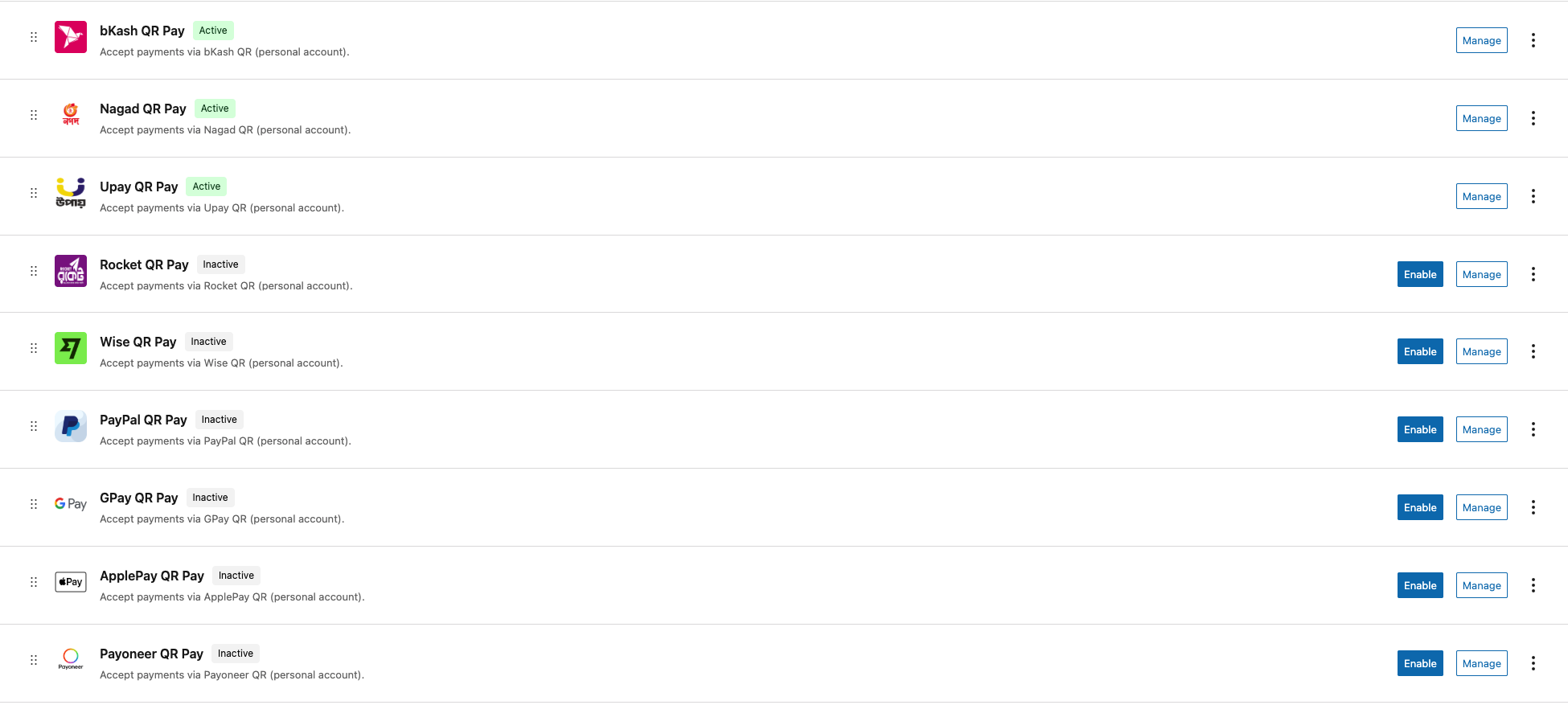
Dashboard Payment Gateways
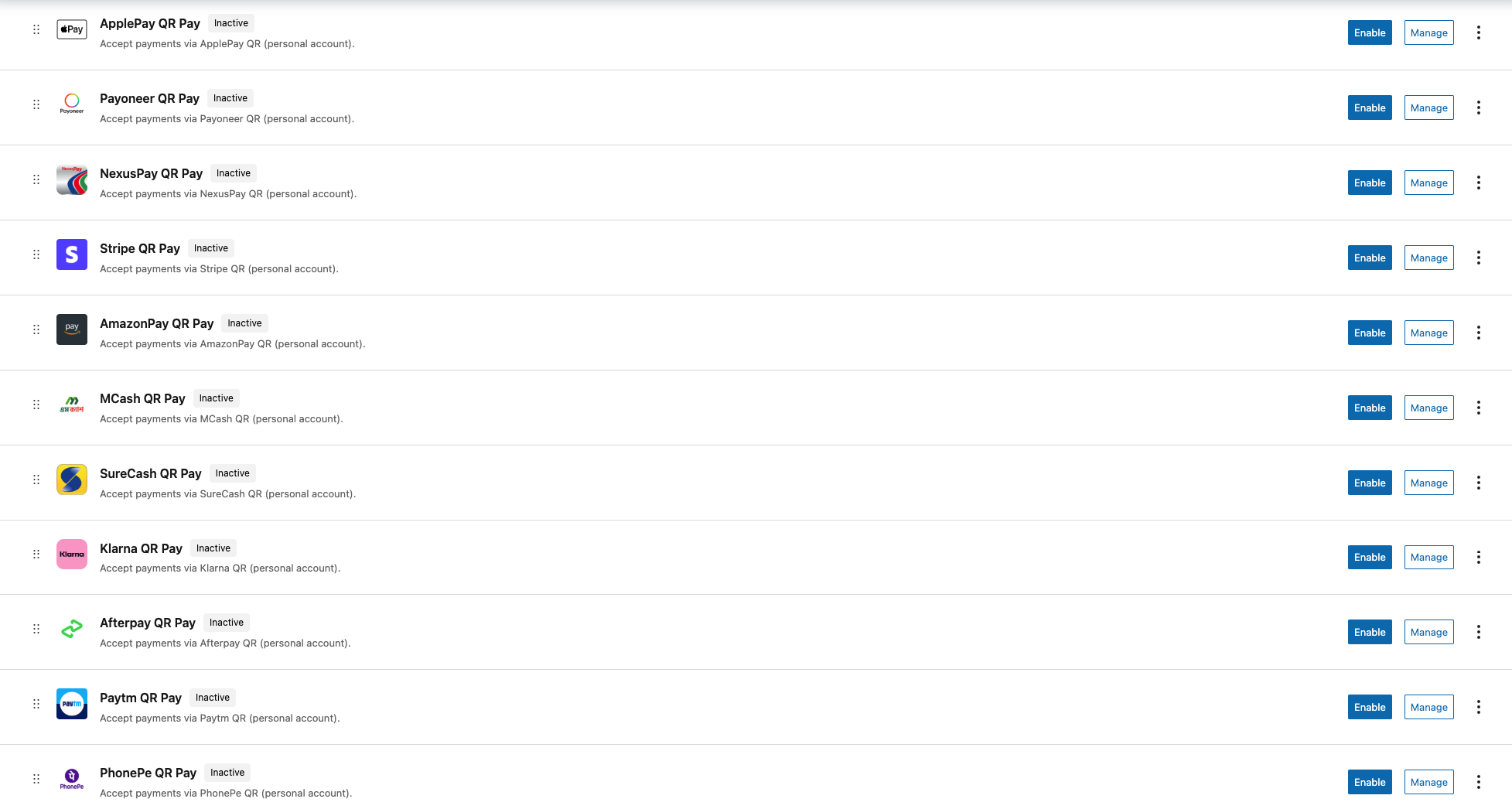
Dashboard Payment Gateways
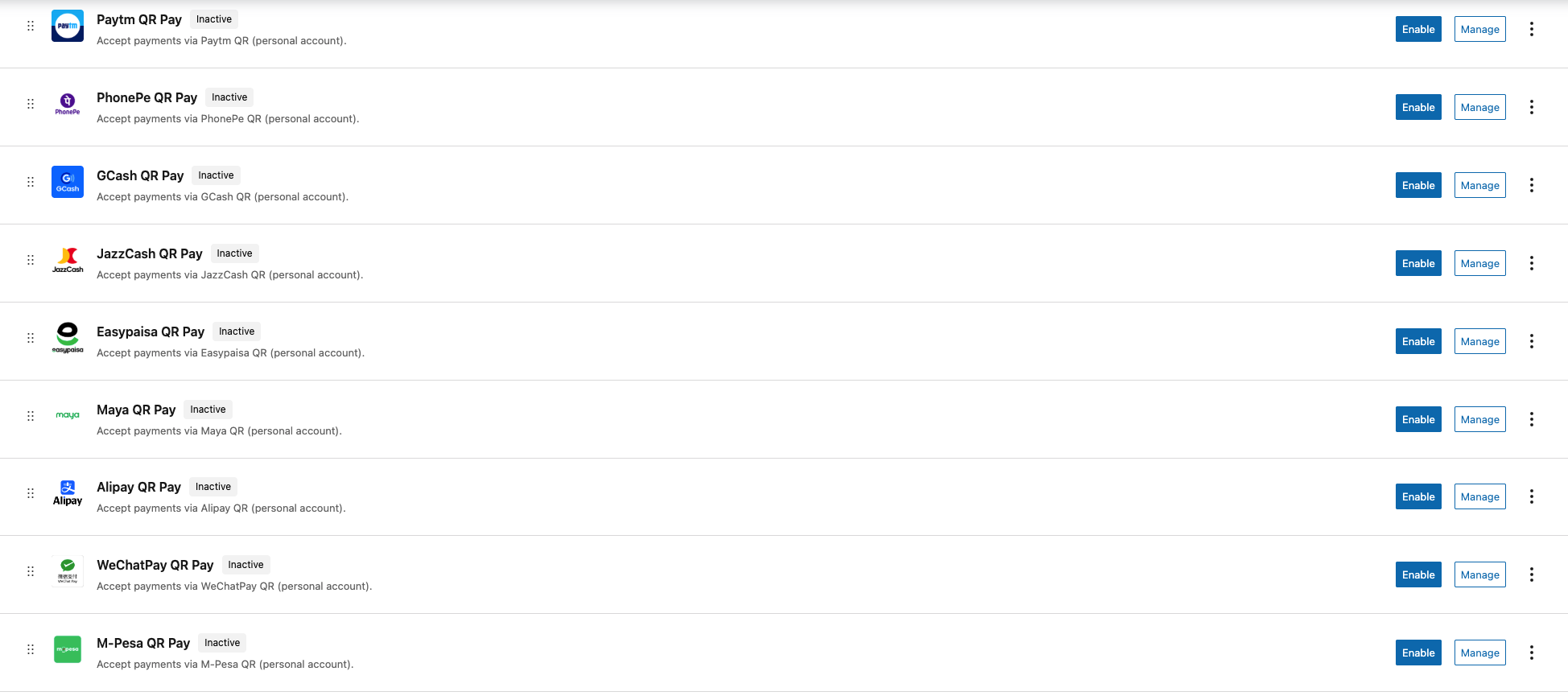
Dashboard Payment Gateways
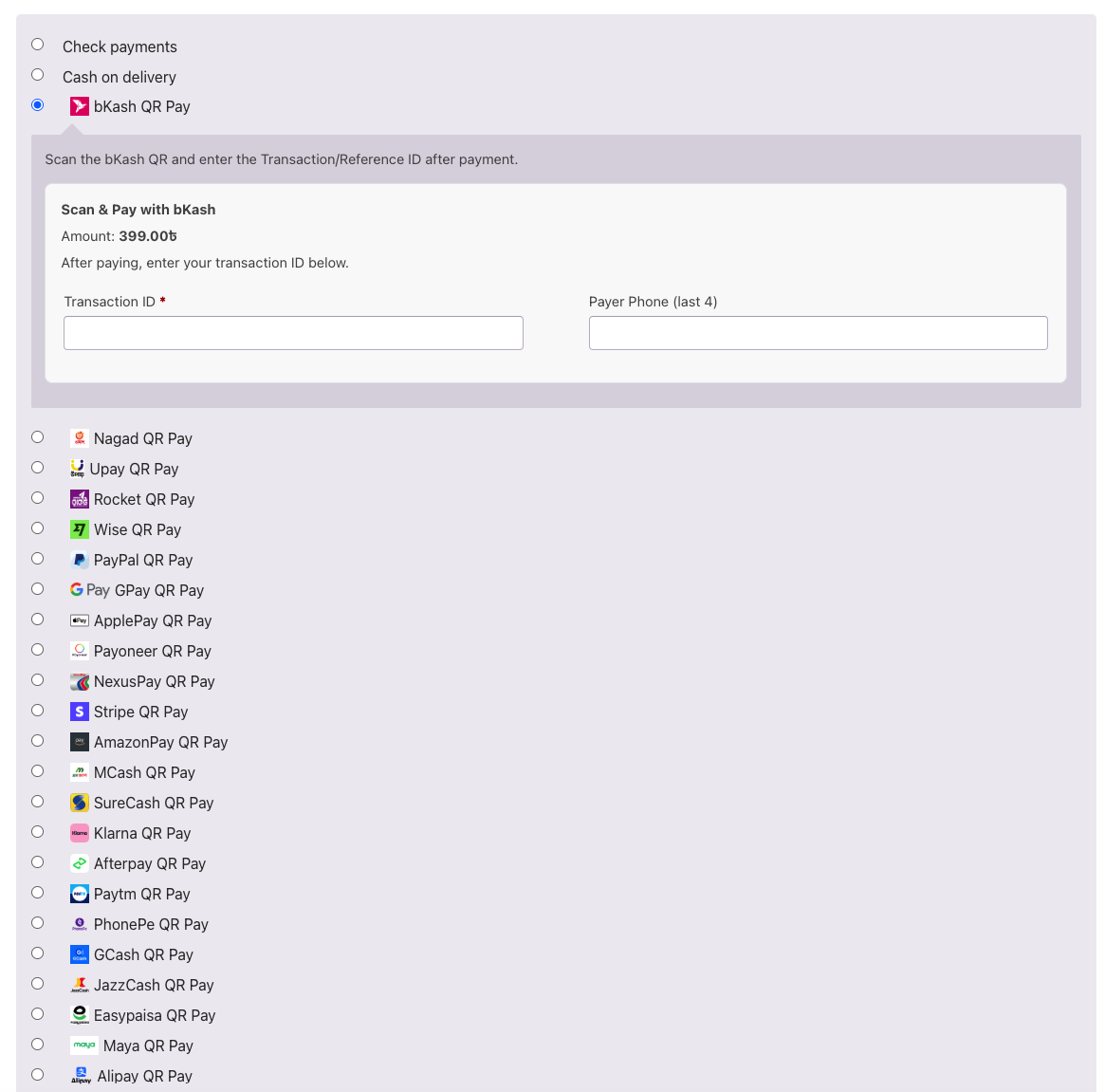
Checkout Page
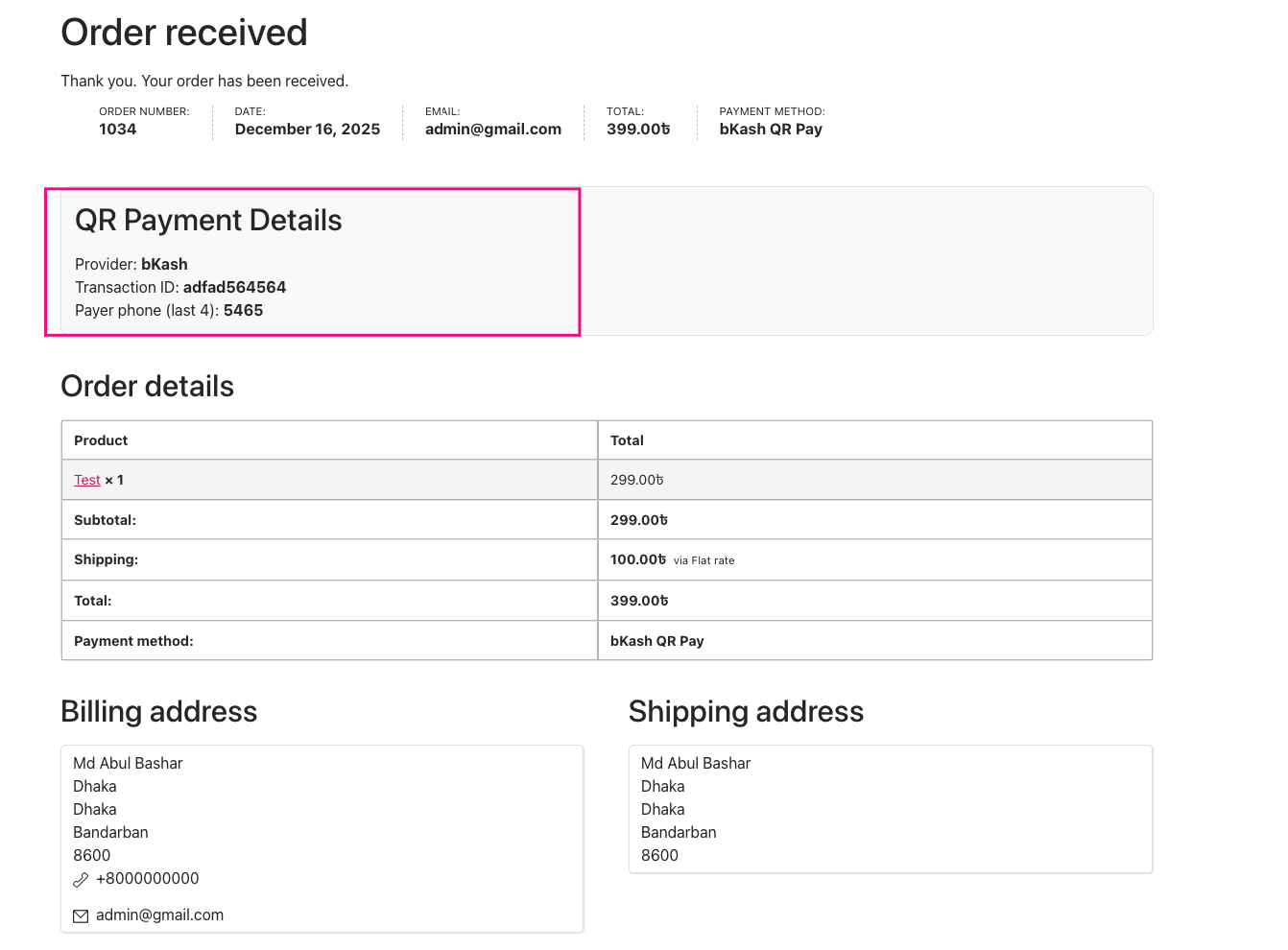
Order/Thank You page
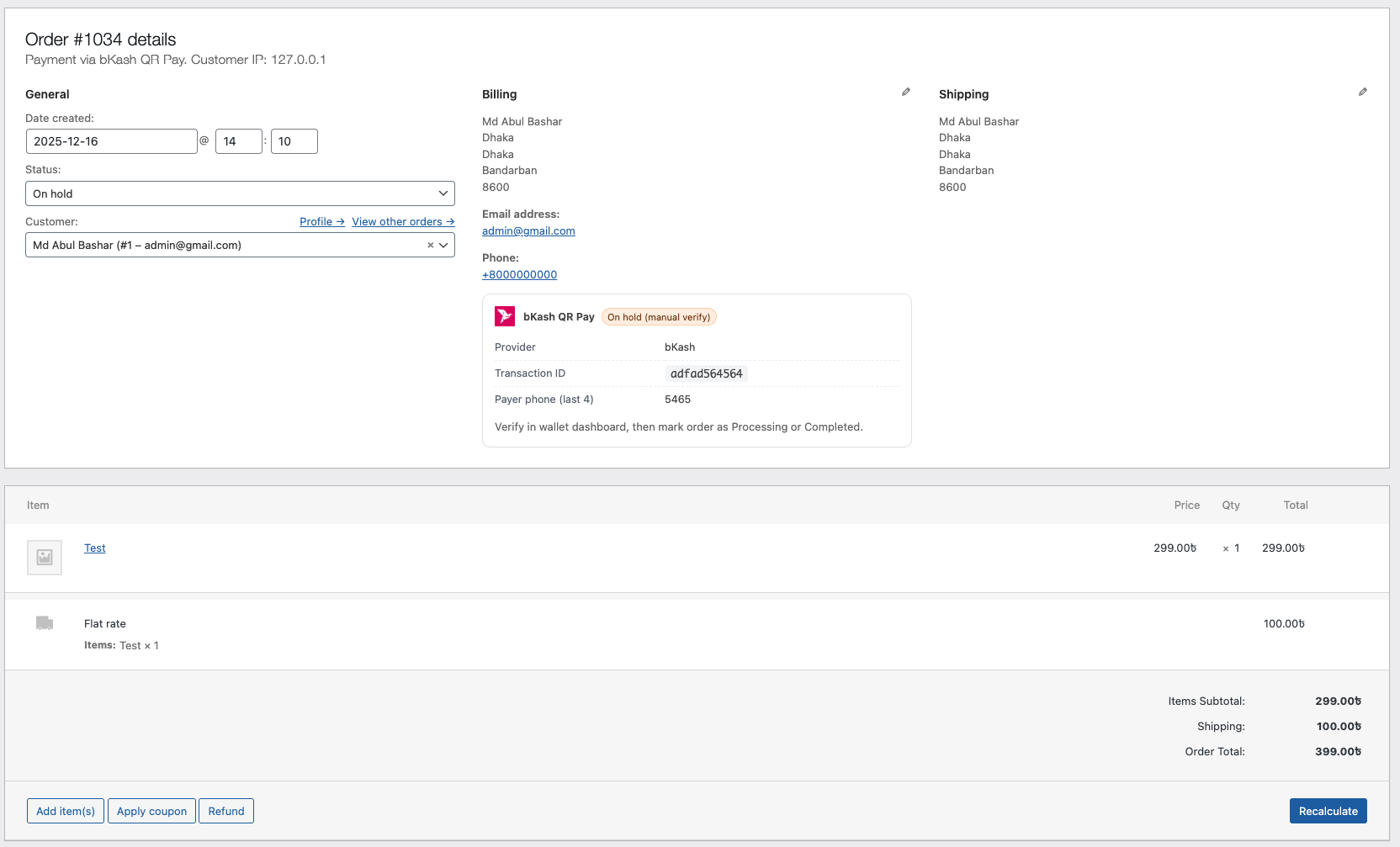
Order Details Page
Faq
No. Payments are manual — you verify them inside your wallet app.
No. Personal accounts are fully supported.
No API calls are used.
Yes. Developers can extend the abstract gateway structure.
Reviews
Perfect!
By 
very effective and useful
Changelog
1.0.2
- Added Nepal QR gateways: eSewa, Khalti, and Fonepay.
- Admin settings placeholders for title, description, QR Image URL, account number, and related fields.
- Improved checkout placeholders for Transaction ID and payer phone last 4 (provider-specific).
- Fixed oversized payment method logos on checkout for all gateways (including new Nepal providers).
1.0.1
- Per-gateway secondary verifier fields: phone last 4, payer email, or account/wallet ID.
- Checkout placeholders for Transaction ID and payer fields on all gateways.
- Fix PHP 8.2+ dynamic property deprecations on gateway classes.
- Harden validation (txn ID length, phone digits) and redact emails from debug logs.
- Thank You, email, and admin order views show the correct payer field label per gateway.
1.0.0
- Initial release with 25+ gateways:
bKash, Nagad, Rocket, Upay, MCash, NexusPay, SureCash,
Paytm, PhonePe, GCash, JazzCash, Easypaisa, Maya,
M-Pesa, PayPal, Stripe, Apple Pay, Google Pay,
Payoneer, Afterpay, Klarna, Wise, Amazon Pay, Alipay. - QR upload + account number fields.
- Transaction ID + payer last 4 digits.
- Order meta + email + thank you page integration.
- Optional processing fee with tax support.
- Full sanitization, escaping, and nonce compliance.
- Developer-extensible OOP architecture.