Alt Audit – AI Alt Text Generator & Accessibility Checker
Alt Audit – AI Alt Text Generator & Accessibility Checker
Description
Alt Audit is a complete image accessibility solution for WordPress that helps you find and fix image accessibility issues across your entire website. Generate high-quality alt text using AI-powered generation or free rule-based templates, audit your site for WCAG compliance, and improve your image SEO – all from one plugin.
Perfect for website owners, developers, content creators, and accessibility professionals who need to ensure their images are accessible to everyone and optimized for search engines.
Who Is This For?
- Website Owners – Ensure your site is accessible to all visitors and avoid potential legal issues
- Content Creators – Save hours of manual alt text writing with AI and rule-based automation
- SEO Professionals – Improve image SEO and image search rankings with optimized, keyword-rich alt text
- SEO Agencies – Manage multiple client sites with special agency plans and white label options for your brand
- Accessibility Consultants – Audit client sites and provide detailed WCAG compliance reports
- Developers – Integrate accessibility best practices into your WordPress workflow
- eCommerce Sites – Make product images accessible and improve product discoverability
- Large Image Libraries – Efficiently process thousands of existing images with bulk tools
Why Choose Alt Audit?
- Two Alt Text Generation Methods – Use AI for intelligent, context-aware descriptions OR free rule-based templates that work without credits
- Accessibility Auditing – Comprehensive WCAG Level A (1.1.1) compliance checking for all your images
- Image SEO Benefits – Properly optimized alt text improves image SEO and search engine visibility
- Quality Scoring – Know exactly how good your alt text is with our 5-status quality system
Key Features
🎯 Dual Generation Methods
- AI-Powered Generation – Advanced computer vision analyzes actual image content to generate descriptive, accurate, context-aware alt text
- Free Rule-Based Templates – Instantly create alt text using customizable templates with variables including site name, page title, post title, image filename, caption, description, and more – completely unlimited and works offline
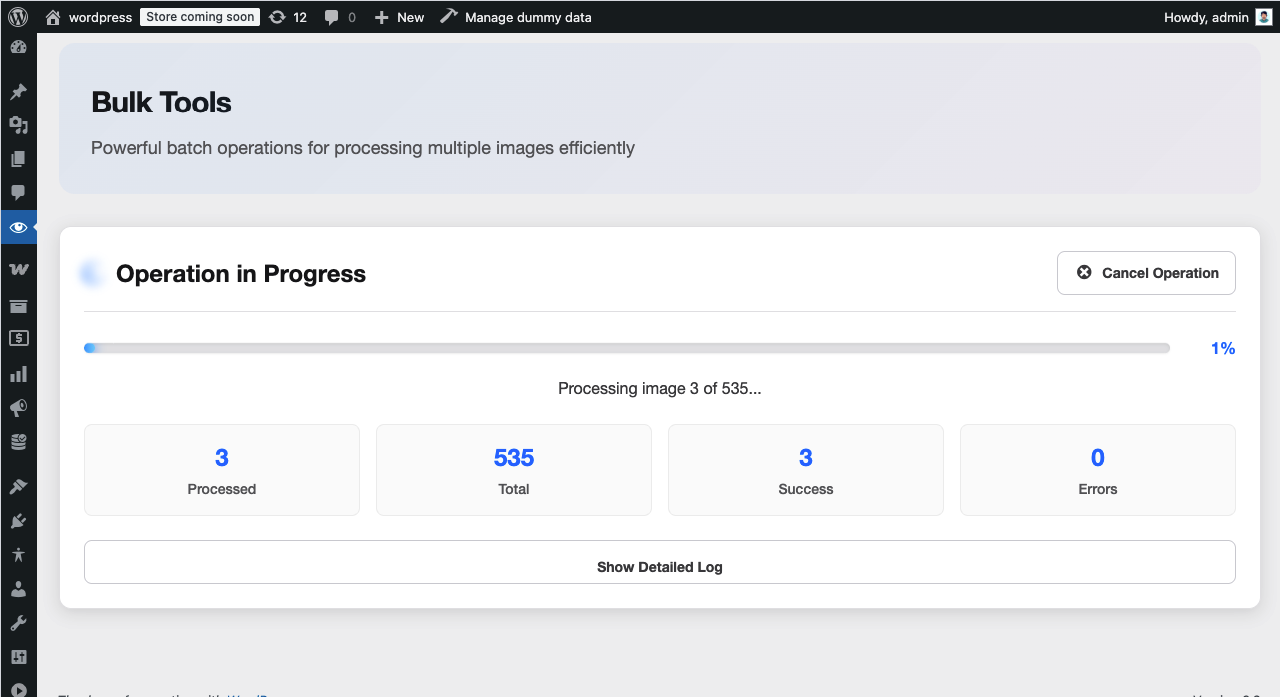
- Bulk Processing – Generate alt text for hundreds or thousands of images at once with one click
- Style Customization – Choose from descriptive, technical, creative, or brief styles to match your brand voice
- SEO Integration – Automatically includes focus keywords from Yoast SEO and Rank Math to generate keyword-optimized alt text
✓ WCAG Compliance Auditing
- WCAG 2.1 Level A Focused – Specifically addresses Success Criterion 1.1.1 (Non-text Content)
- Site-Wide Scanning – Audit all images across your entire WordPress site with unlimited scans
- Smart Issue Detection – Identifies missing, weak, or problematic alt text when you run a scan
- Actionable Recommendations – Get specific, detailed suggestions to fix each accessibility issue
- Real-Time Monitoring – Scan new images as they’re uploaded to maintain compliance
📊 5-Status Quality Assessment
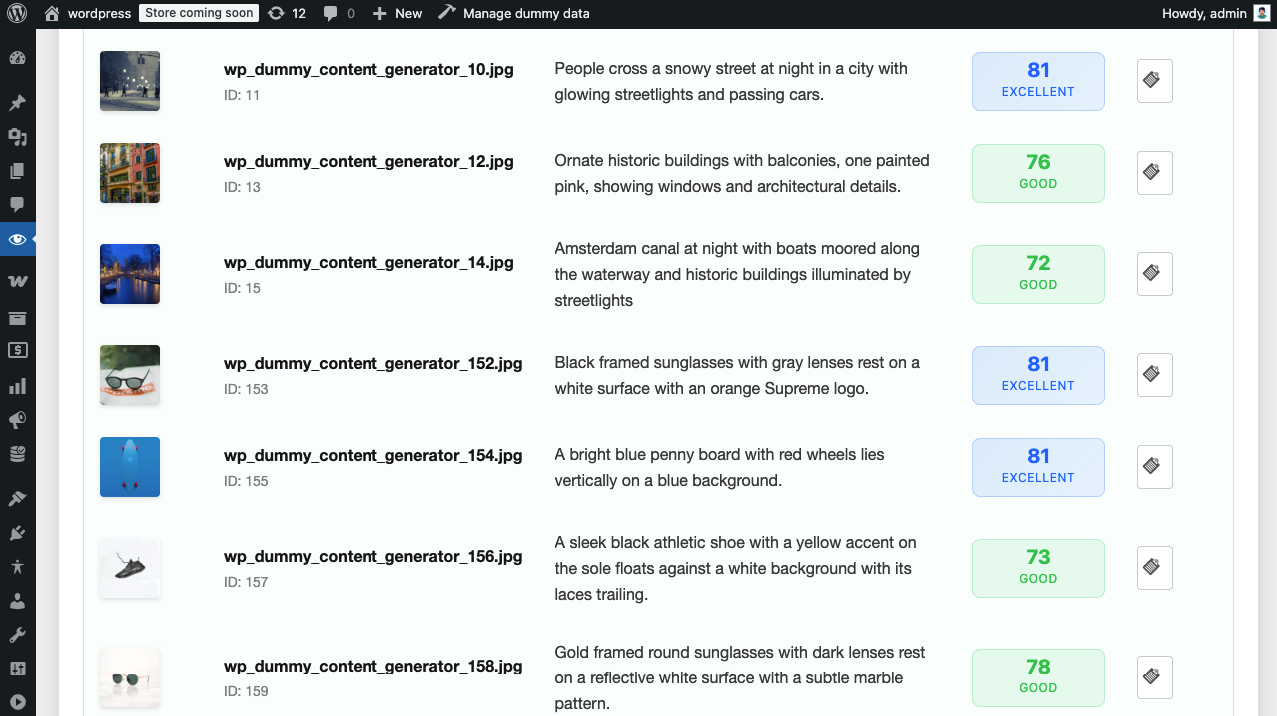
When you scan your images, Alt Audit categorizes each one into one of five quality levels:
- Missing (Critical) – No alt text present – fails WCAG compliance
- Decorative (Appropriate) – Empty alt text for decorative images – WCAG compliant
- Weak (Needs Improvement) – Present but lacks detail or has issues
- Good (Acceptable) – Adequate description meeting accessibility standards
- Excellent (Optimal) – Exceptional quality with rich, contextual description
This color-coded system makes it easy to identify which images need immediate attention.
🔌 Seamless WordPress Integration
- Media Library Enhancement – Visual quality indicators, convenient bulk actions, and inline editing
- Gutenberg Block Editor – Enhanced image blocks with real-time quality checking and one-click generation buttons
- Classic Editor Support – Full compatibility with meta boxes for content-specific auditing
- Dashboard Overview – Comprehensive at-a-glance statistics showing your site’s overall image accessibility status
- Page Builder Compatible – Works with most page builders through WordPress media library integration
Free vs. AI Generation
Free Rule-Based Generation:
* Works offline without API connection
* Uses customizable templates with variables: site name, page title, post title, product title, image filename, caption, description, and existing alt text
* Context-aware patterns that adapt based on content type (homepage, pages, posts, products, custom post types)
* No credits required – completely free
* Great for images with descriptive filenames or structured content
AI-Powered Generation:
* Analyzes actual image content using computer vision
* Generates context-aware, natural language descriptions
* Integrates SEO focus keywords from Yoast SEO and Rank Math
* Best for complex images needing detailed descriptions
WCAG Compliance
Alt Audit helps you meet WCAG 2.1 Level A requirements for image accessibility:
- Non-text content (images) has text alternatives
- Alt text is meaningful and descriptive
- Decorative images are properly marked (empty alt attribute)
How It Works
Quick Start in 3 Steps:
- Scan Your Site – Click the “Scan All Images” button to identify all images and evaluate their alt text quality
- Generate Alt Text – Choose AI-powered generation for accurate descriptions or use free rule-based templates
- Review & Publish – Edit generated alt text if needed and save to improve accessibility and image SEO
For Free Rule-Based Generation:
No API key needed! The plugin uses your image metadata (filename, title, caption) to create descriptive alt text instantly.
For AI-Powered Generation:
Sign up at altaudit.com to get your API key. Start with 10 free credits – each credit processes one image with advanced AI analysis.
Support
We’re here to help you make your website more accessible!
Getting Help
- Documentation – Visit altaudit.com/docs for detailed guides and tutorials
- Support Forum – Get community support at wordpress.org/support/plugin/alt-audit
- Bug Reports – Report issues through the WordPress.org support forum
- Feature Requests – We love hearing your ideas! Share them in the support forum
External Services
This plugin connects to the Alt Audit external service for AI-powered alt text generation features.
Service Information:
* Service URL: https://altaudit.com/api/v1
* Service Provider: Alt Audit
* Terms of Service: https://altaudit.com/terms-of-service?utm_source=wp-plugin&utm_medium=readme&utm_campaign=external-services
* Privacy Policy: https://altaudit.com/privacy-policy?utm_source=wp-plugin&utm_medium=readme&utm_campaign=external-services
Data Transmitted:
When using AI-powered alt text generation, the following data is sent to the Alt Audit API:
* Image URLs (publicly accessible URLs of your WordPress images)
* API Key (for authentication)
* Image context data (optional: image title, caption, page title, categories, tags, and focus keywords from Yoast SEO or Rank Math if available)
When Data is Sent:
* Only when you manually trigger AI-powered alt text generation
* During bulk AI generation operations (if enabled)
* When auto-generation on upload is enabled (optional feature)
Important Notes:
* The free rule-based alt text generation does NOT connect to external services
* All data transmission happens over secure HTTPS connections
* You can use the plugin’s audit features without connecting to the API
* API connection is only required for AI-powered generation features
Installation
- Upload the plugin files to
/wp-content/plugins/alt-audit/or install through WordPress plugins screen - Activate the plugin through the ‘Plugins’ screen in WordPress
- Go to Alt Audit > Settings to configure your preferences
- (Optional) Enter your API key for AI-powered generation
- Start auditing your images from the Alt Audit dashboard
Screenshots
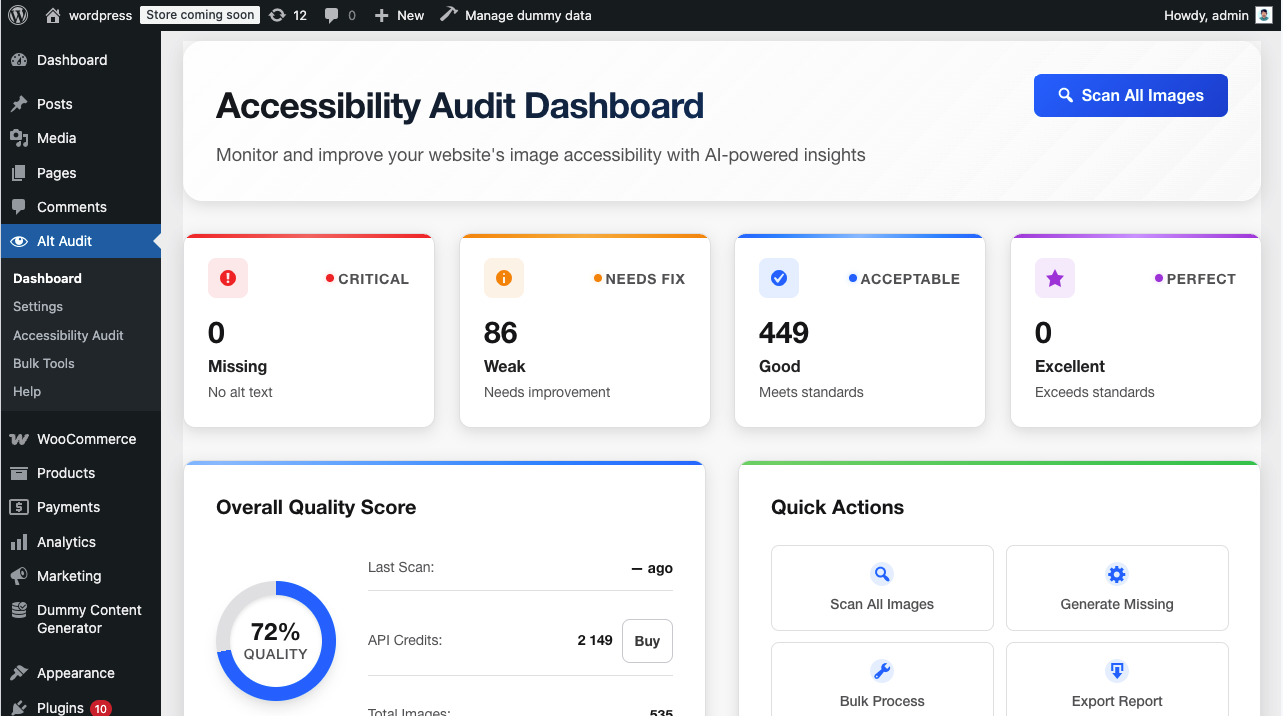
Dashboard overview showing site-wide accessibility statistics
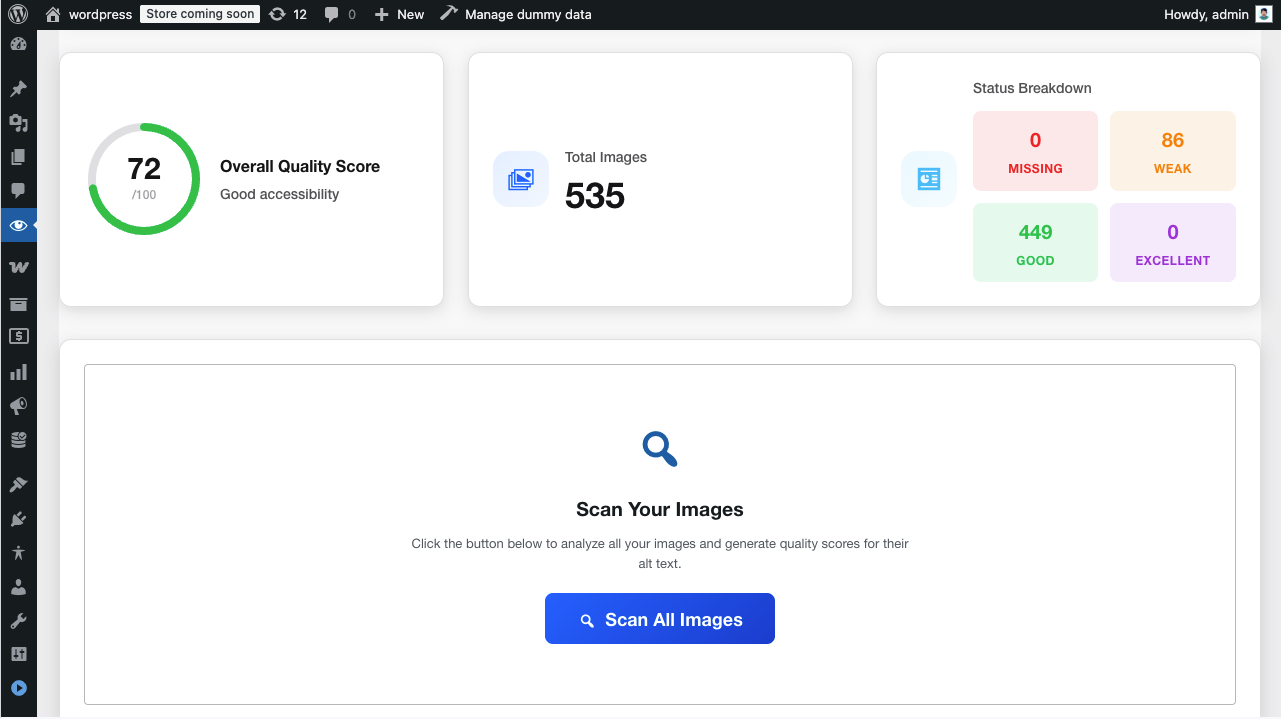
Media Library with quality status indicators
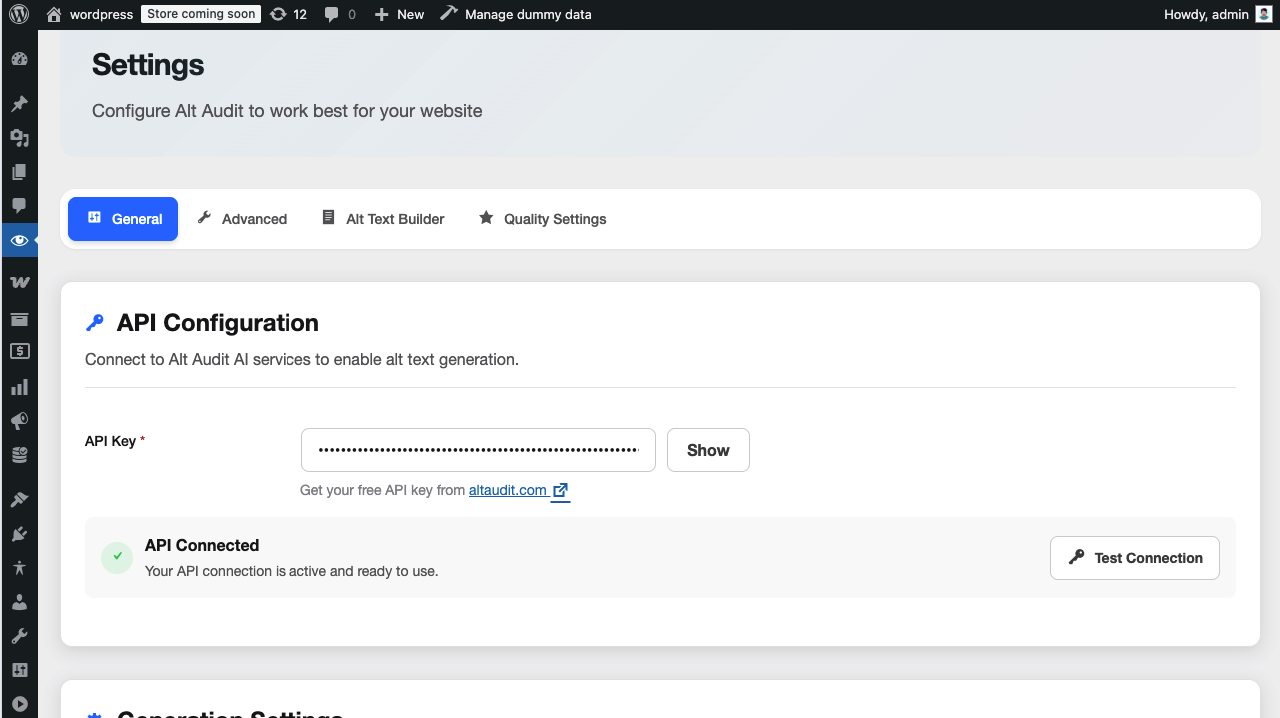
Settings page for API and preference configuration
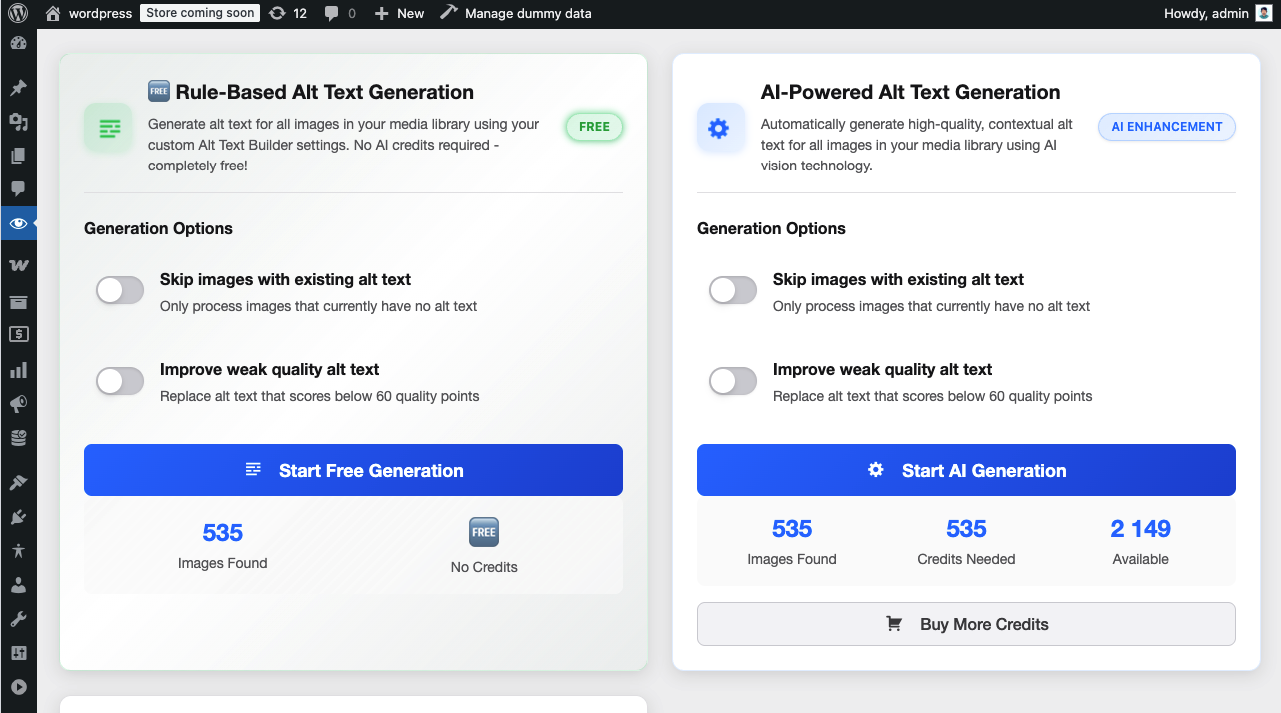
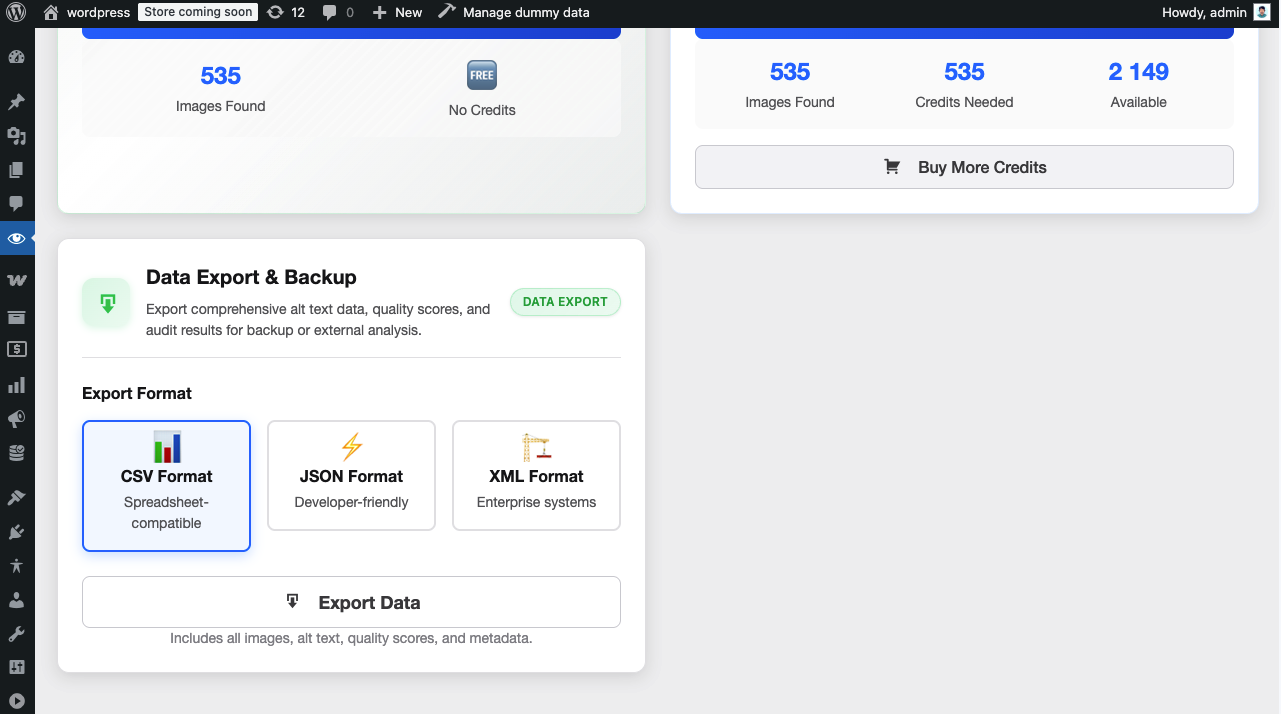
Bulk audit and generation tools interface
Gutenberg integration with real-time quality checking
Faq
No, you can start using Alt Audit immediately without an API key! The free rule-based alt text generation works completely offline. However, for AI-powered generation that analyzes actual image content using computer vision, you’ll need an API key from altaudit.com. New users get 25 free credits to try the AI features.
Rule-based generation (FREE):
* Uses customizable templates with 9 variables: site name, site description, page title, post title, product title, image filename, caption, description, and existing alt text
* Context-aware patterns that automatically adapt based on content type (homepage, pages, posts, products, custom post types)
* Works instantly without API connection
* No credits required – completely unlimited
* Great for images with descriptive filenames or structured content
* Perfect for large image libraries
AI-powered generation (CREDITS):
* Analyzes actual image content using computer vision
* Generates context-aware, natural language descriptions
* Integrates SEO focus keywords from Yoast SEO and Rank Math
* Best for complex images that need detailed descriptions
* Understands image context and composition
No single plugin can guarantee 100% accessibility. Alt Audit is a powerful scanning and generation tool that helps you identify and fix image accessibility issues, specifically focusing on WCAG 2.1 Level A Success Criterion 1.1.1 (Non-text Content). Complete accessibility requires a combination of automated tools, manual review, and ongoing maintenance. Alt Audit makes the image accessibility part significantly easier.
Alt Audit focuses on WCAG 2.1 Level A compliance, specifically Success Criterion 1.1.1 (Non-text Content) for image accessibility. This includes checking for:
* Missing alt text (critical accessibility barrier)
* Empty alt text for decorative images (appropriate use)
* Weak or insufficient alt text descriptions
* Alt text length compliance (best practices recommend under 125 characters)
Yes! Alt Audit includes powerful bulk processing tools that let you:
* Scan your entire media library at once
* Generate alt text for multiple images simultaneously
* Choose between AI or rule-based generation methods
* Review and edit generated alt text before saving
* Process hundreds or thousands of images efficiently
Yes! Alt Audit integrates seamlessly with:
* Gutenberg (Block Editor) – Enhanced image blocks with real-time quality checking and generation buttons
* Classic Editor – Full support with meta boxes for content-specific auditing
* Media Library – Quality indicators, bulk actions, and inline editing
* Most page builders work through the WordPress media library integration
Absolutely! Properly written alt text provides multiple image SEO benefits:
* Helps search engines understand your images for better image SEO
* Improves image search rankings and visibility
* Enhances overall page relevance and accessibility
* Provides context for content indexing
* AI generation integrates focus keywords from Yoast SEO and Rank Math for optimized image SEO
Yes! Alt Audit scans and assesses all your images, categorizing them into 5 quality statuses:
1. Missing – No alt text (Critical – fails WCAG)
2. Decorative – Empty alt text (Appropriate for decorative images)
3. Weak – Present but lacks detail (Needs improvement)
4. Good – Adequate description (Acceptable)
5. Excellent – Rich, contextual description (Optimal)
This makes it easy to identify which images need immediate attention.
Yes! Alt Audit gives you full control. You can:
* Review all generated alt text before saving
* Edit any generated descriptions
* Manually add or modify alt text in the media library
* Bulk edit multiple images
* Choose which images to process
Alt Audit uses a simple pay-as-you-go pricing model:
* Get 25 free credits when you sign up
* Each credit = 1 image analyzed and processed
* Purchase credit packages as needed
* No monthly subscriptions required
* Rule-based generation is always 100% free
* Special agency plans available for SEO agencies and consultants managing multiple client sites
* White label options to rebrand the plugin with your agency’s branding
Visit altaudit.com for current pricing and packages.
Yes! We have special plans designed specifically for SEO agencies and consultants:
* Agency Plans – Discounted pricing for managing multiple client websites
* White Label Options – Rebrand the plugin with your agency’s name and branding
* Centralized Management – Manage credits and settings across all client sites
* Priority Support – Dedicated support for your agency team
* Reseller Opportunities – Offer Alt Audit as part of your service packages
Contact us at altaudit.com/contact to learn more about agency plans and white label options.
No! Alt Audit is built for performance:
* Scanning happens only in the admin dashboard
* No front-end JavaScript or CSS loaded for visitors
* AI processing happens via external API (doesn’t consume server resources)
* Rule-based generation is instant and local
* No impact on page load times for your visitors
The AI-powered generation feature connects to the Alt Audit API (https://altaudit.com/api/v1) to analyze images and generate descriptions. This connection is:
* Optional – Only used when you choose AI generation
* Secure – All data transmitted over HTTPS
* Privacy-focused – Only sends image URLs and optional context data
* Transparent – See our Privacy Policy and Terms of Service at altaudit.com
The free rule-based generation does NOT connect to any external services and works completely offline.
Reviews
Changelog
1.0.5
- Refactored: Improved image MIME type handling across controllers and services
- Refactored: Enhanced image handling in list table and meta box components
- Refactored: Simplified max_length handling in API client
- Removed: PHP execution time limit adjustment for batch processing
- Improved: Overall code quality and performance optimizations
1.0.4
- Refactored: Migrated to WordPress core APIs (WP_Query, Options API, Custom Taxonomy)
- Refactored: Enhanced input validation and sanitization across all controllers
- Refactored: Strengthened nonce verification and permission checks
- Refactored: Updated all prefixes to unique identifier
- Fixed: Bulk processing duplicate image issue
- Improved: Code quality and WordPress coding standards compliance
1.0.3
- Security: Added nonce verification to all AJAX handlers using check_ajax_referer()
- Security: Added permission checks (current_user_can) to all AJAX handlers
- Security: Refactored SQL queries to use wpdb::prepare() with proper placeholders
- Security: Removed direct $_GET/$_REQUEST manipulation
- Security: Added input validation for style, status, and filter parameters
- Fixed: PHPCS line length compliance – shortened plugin description header
- Improved: WordPress Coding Standards compliance
- Removed: Unused backup files from distribution
1.0.2
- Fixed: Removed all inline scripts and styles for WordPress.org compliance
- Fixed: Moved inline CSS to compiled SCSS modules
- Fixed: Moved inline JavaScript to proper module files
- Updated: Contributors field to match WordPress.org account
- Enhanced: All scripts and styles now properly enqueued
- Improved: Code organization and WordPress Coding Standards compliance
1.0.1
- Added free rule-based alt text generation
- Updated plugin name to reflect full feature set
- Updated WCAG compliance text to accurately reflect Level A (1.1.1) focus
- Added translator comments for internationalization
- Improved settings page clarity
- Fixed activity logging for dashboard
1.0.0
- Initial release
- AI-powered alt text generation
- 5-status quality assessment system
- WCAG Level A compliance checking
- Media Library integration
- Gutenberg block support
- Bulk audit tools