Alter Product – 3D Configurator for WooCommerce
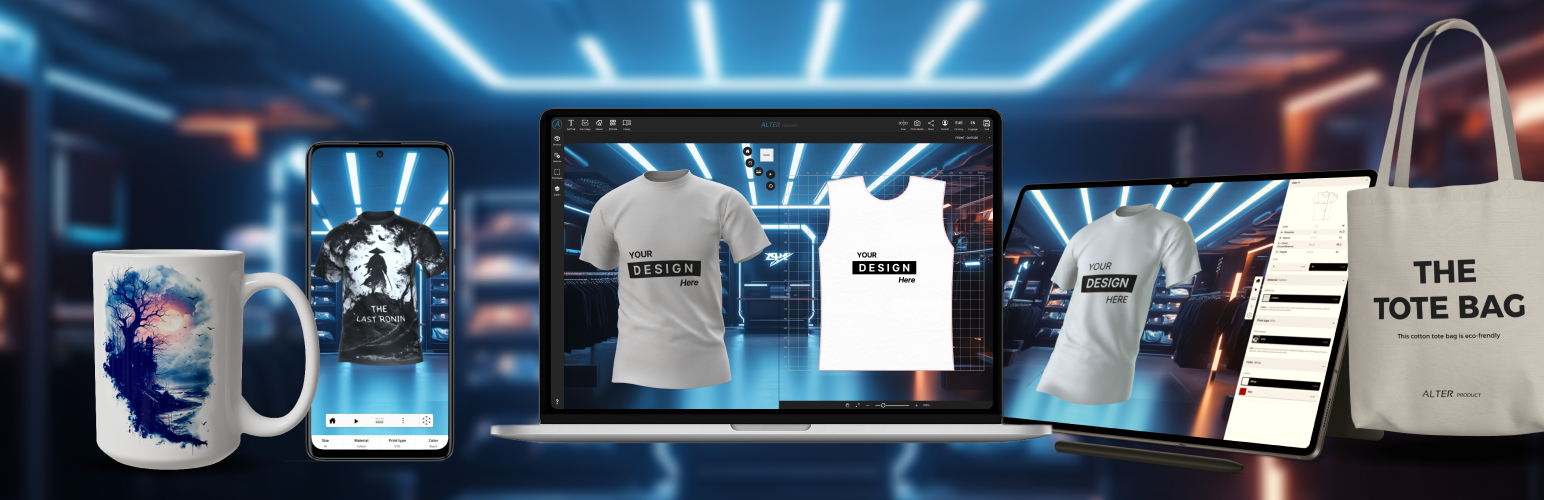
Alter Product – 3D Configurator for WooCommerce
Description
Official Alter Product plugin: This plugin is developed and maintained by the Alter Product team (alterproduct.com).
Note: This plugin requires an Alter Product account to function.
Alter Product for WooCommerce connects your WooCommerce store with the Alter Product platform, enabling customers to view, configure, and customize products in real time before purchase.
The plugin embeds an interactive 3D viewer, configurator, and customization interface directly on product pages and synchronizes selected configurations with WooCommerce cart and order data.
Store owners can create and manage product designs from the WordPress admin area. Product assets, design files, customer order files, and mockup previews can be stored on your shop server or in your own private AWS S3 bucket. WordPress serves the embedded experience’s files from your chosen storage.
See the app in action
Try a live demo in our WooCommerce test store
Key Features
- Embed 3D product customizer, configurator or viewer on WooCommerce product pages
- Add a click-to-load 3D viewer or configurator to the classic WooCommerce product gallery
- Publish optimized WebP mockups from the Designer into product and variation galleries
- Show linked size charts and measurement guides in product descriptions
- Add color swatches and custom-color pickers to WooCommerce variation attributes
- Create and edit product designs from the WordPress admin area
- Manage local model generator projects and import published models with their generator revisions
- Generate AI product mockups in the Model generator using administrator-owned AI connections and private WordPress history
- Download and update model templates, mannequins, textures and model backgrounds in Assets
- Create models from downloaded templates and open linked generators from Product designs
- Allow customers to personalize products live (text, images, sizes, colors, materials, QR codes, layouts, etc.)
- Sync selected configuration to WooCommerce cart
- Save customer customizer designs, order details, and mockup previews with WooCommerce orders
- Create Printify and Printful print-on-demand orders from generated print-ready files
- Map WooCommerce products and variations to Alter Product models
- Import selected Alter Product assets and designs into WordPress
- Store product assets, designs, order files and mockups on your shop server or in a private AWS S3 bucket, with migration between storage locations
- Publish unlimited embedded Customizers, Viewers and Configurators with an eligible plan; session and Alter cloud transfer allowances still apply
- Archive and restore product designs and model generator projects without removing existing product or order references
- Secure API integration with token authentication
- Works with simple and variable products
- Fully responsive interface
- Does not modify WooCommerce core behavior
How It Works
- Install plugin
- Connect your Alter Product account via API credentials automatically or manually
- Choose a starter model with its generator and download its required assets
- Create or import a product design in the WordPress admin area
- Map WooCommerce products and variations to the design
Requirements
An Alter Product account is required to use this plugin.
The plugin itself is free and open-source. Usage limits (such as monthly embedded sessions and Alter cloud transfer) depend on your Alter Product plan – see Alter Product pricing.
Some features, including embedded product designer tools and WordPress storage for product designs, assets, order files, and mockups, require a compatible Alter Product plan.
External services
This plugin connects to the Alter Product service to provide a 3D product viewer, configurator, customizer, and designer that can be used with your WooCommerce store.
Alter Product is an external platform that provides the 3D application, account access, subscription checks, product catalogs, secure embed sessions, and design tools.
Product assets, designs, customer order files, and mockup previews are stored on your shop server or in your configured private AWS S3 bucket and served through your WordPress site. Alter Product is still used to verify access, prepare secure sessions, and provide the embedded application experience.
When the plugin is configured with Alter Product API credentials, the plugin may send requests to the Alter Product service to verify API access, load Alter Product product data for mapping, import assets or designs, check subscription access, and create secure embed sessions.
When a page containing an Alter Product embed is opened, the visitor’s browser loads the embedded Alter Product application inside an iframe. Product files and saved customer order files are loaded from your own WordPress site.
For the click-to-load product gallery integration, the embedded application and its session load only after the visitor selects 3D. Ordinary photos and locally stored size charts do not start a 3D session.
Data sent to Alter Product may include API authentication headers configured by the administrator, the store domain or site origin, Alter Product and WooCommerce identifiers such as product/design/order IDs, product/design metadata, and configuration session IDs.
Product assignments are stored only in WordPress and are not synchronized with Alter Product. These requests occur only when credentials are configured and the administrator imports assets/designs, opens embedded tools, when a WooCommerce page containing an Alter Product embed is opened, when an embed session is created, or when a customizer design is saved to the cart or order.
The plugin does not send WooCommerce billing or shipping personal data to Alter Product for the embedded customizer flow. If print-on-demand order creation is used, shipping recipient data is sent only to the selected print-on-demand provider as described below.
This service is provided by Alter Product.
Terms of Service: https://alterproduct.com/terms-of-use
Privacy Policy: https://alterproduct.com/privacy-policy
Optional print-on-demand features can connect to Printify and Printful after the administrator adds provider API credentials. Default endpoints are Printify https://api.printify.com and Printful https://api.printful.com.
Provider calls may test credentials, load shops/stores, catalog/product/variant/template/shipping data, create/refresh/cancel orders. Sent data may include API/OAuth bearer tokens in headers, shop/store IDs, WooCommerce order/item or idempotency IDs, order labels, provider product/blueprint/template/SKU/variant IDs, quantities, shipping method, print placements, recipient name, company, email, phone, address, city, state/region, postal code, country, and tokenized URLs to generated print-ready files stored in WordPress uploads.
Provider calls happen only after provider credentials are configured and POD catalog/order tools or automatic/manual POD order submission are used. In sandbox mode, the provider payload is prepared locally and is not submitted to the provider.
Printify Terms: https://printify.com/terms-of-service/
Printify Privacy: https://printify.com/privacy-policy/
Printful Terms: https://www.printful.com/policies/terms-of-service
Printful Privacy: https://www.printful.com/policies/privacy
Optional administrator-only AI tools connect from WordPress to OpenAI (api.openai.com), Google Gemini (generativelanguage.googleapis.com), or Anthropic Claude (api.anthropic.com). In Settings -> AI integration, choose WordPress AI Client with a provider configured in WordPress Settings -> Connectors, or a direct connection with a separate encrypted key. AI remains disabled until the administrator configures and enables a connection and accepts the costs and content-processing notice. Existing direct connections are not switched automatically. Changing the connection method requires renewed consent.
When the administrator generates or enhances artwork in the Designer or generates a mockup in the Model generator, WordPress sends the selected provider the API key in an authentication header, prompt text, generation settings, and the selected source images. Mockups can include the 3D product view, an additional product photograph, and a locally prepared contour guide or edit mask. No AI request is sent merely by saving the key. These AI operations do not use the Alter Product backend; storefront visitors cannot use the administrator’s AI connection. Provider billing and data handling follow the administrator’s provider account terms.
AI history and generated assets are stored on the WordPress server. Private AI JSON is compressed and encrypted, reference/result images are encrypted, and direct-connection keys are encrypted using the site’s WordPress secrets. WordPress AI Client uses credentials managed by the selected connector; Alter Product never copies these credentials. WordPress 7.1 does not encrypt connector keys saved in its database; environment variables or wp-config.php constants are supported alternatives. Shared connector keys can also be used by other compatible plugins. Artwork added to a design or saved generator project is stored independently with that project and is available wherever the project is shared or displayed.
The WordPress AI Client option requires WordPress 7.0 or newer and an active provider connector. It uses the core SDK without bundling it. The selected provider and model remain explicit; a failed request does not automatically switch providers, models or connection methods. Both connection methods respect WordPress’s global AI policy. WordPress AI Client also respects its core prompt-prevention filter. Requests and provider billing still originate from your WordPress installation, and normal plugin permissions, consent and generation limits remain in place. The client itself does not improve model quality or make provider usage free.
During an explicit generation request, a WordPress connector may first refresh its cached provider model list. These metadata requests do not submit artwork and are not included in the plugin’s daily generation-attempt limit. Each generation attempt, including failures, counts; there are no automatic paid retries.
OpenAI Terms: https://openai.com/policies/services-agreement/
OpenAI Privacy: https://openai.com/policies/privacy-policy/
Gemini Terms and data use: https://ai.google.dev/gemini-api/terms
Google Privacy: https://policies.google.com/privacy
Anthropic Terms: https://www.anthropic.com/legal/commercial-terms
Anthropic Privacy: https://www.anthropic.com/legal/privacy
Optional AWS S3 storage
Store plugin-owned projects and files on your WordPress server or in your own private Amazon S3 bucket. Settings -> Storage lets you connect and test S3, migrate existing file groups and select the default for new groups. Shop server is the initial default. Make default automatically tests the selected S3 connection before saving that choice; existing groups keep their saved destinations. Migration completion offers the same explicit choice. Saving a connection alone does not send files or call AWS.
The Test connection action contacts the configured bucket’s regional Amazon S3 HTTPS endpoint. It sends AWS Signature Version 4 authentication headers and the expected bucket owner, reads versioning, ownership, public-access blocking and encryption settings, and writes/reads/verifies a small random object under .storage-tests before deleting only that exact version. No product, customer, order or AI files are sent by this test. A failed request can leave a test object requiring the bucket owner’s cleanup.
Separately, the administrator can review and run a migration plan for one owned group. This uploads its files to the selected connection, verifies the copy and atomically switches references, retaining sources and earlier versions. Subsequent reads and writes for that registered group can contact its saved S3 connection. Groups can contain assets, projects, mockups, fonts, private order/AI state and POD files; private state retains its domain encryption. A reviewed migration can return files to the shop server. Changing the default, saving credentials or testing never migrates existing files automatically.
Credentials are encrypted with this WordPress site’s secrets and never sent to Alter Product. Keep WordPress salts, database and object versions together in backups. Alter Product does not charge an additional storage fee when you increase your own S3 capacity; AWS storage, requests and transfer are billed to your AWS account. Public delivery and temporary processing use your WordPress server, with no Alter Product storage proxy. The connection test does not create a bucket, change its policy or configure browser CORS.
Supported plugin mockups use standard WordPress editing with verified private working files. The administrator can separately review and encrypt legacy order files and database-only state before migration; encrypted recovery copies are retained. Third-party editors that bypass the supported storage lifecycle are not supported. Storage statistics identify their scan scope, and temporary-file cleanup preserves live workers and retained source files. See the storage guide for setup, supported behavior and verification, and the backup and recovery procedure for restoring your site’s data.
AWS Customer Agreement: https://aws.amazon.com/agreement/
AWS Privacy: https://aws.amazon.com/privacy/
Installation
Installation instructions are available here.
Screenshots
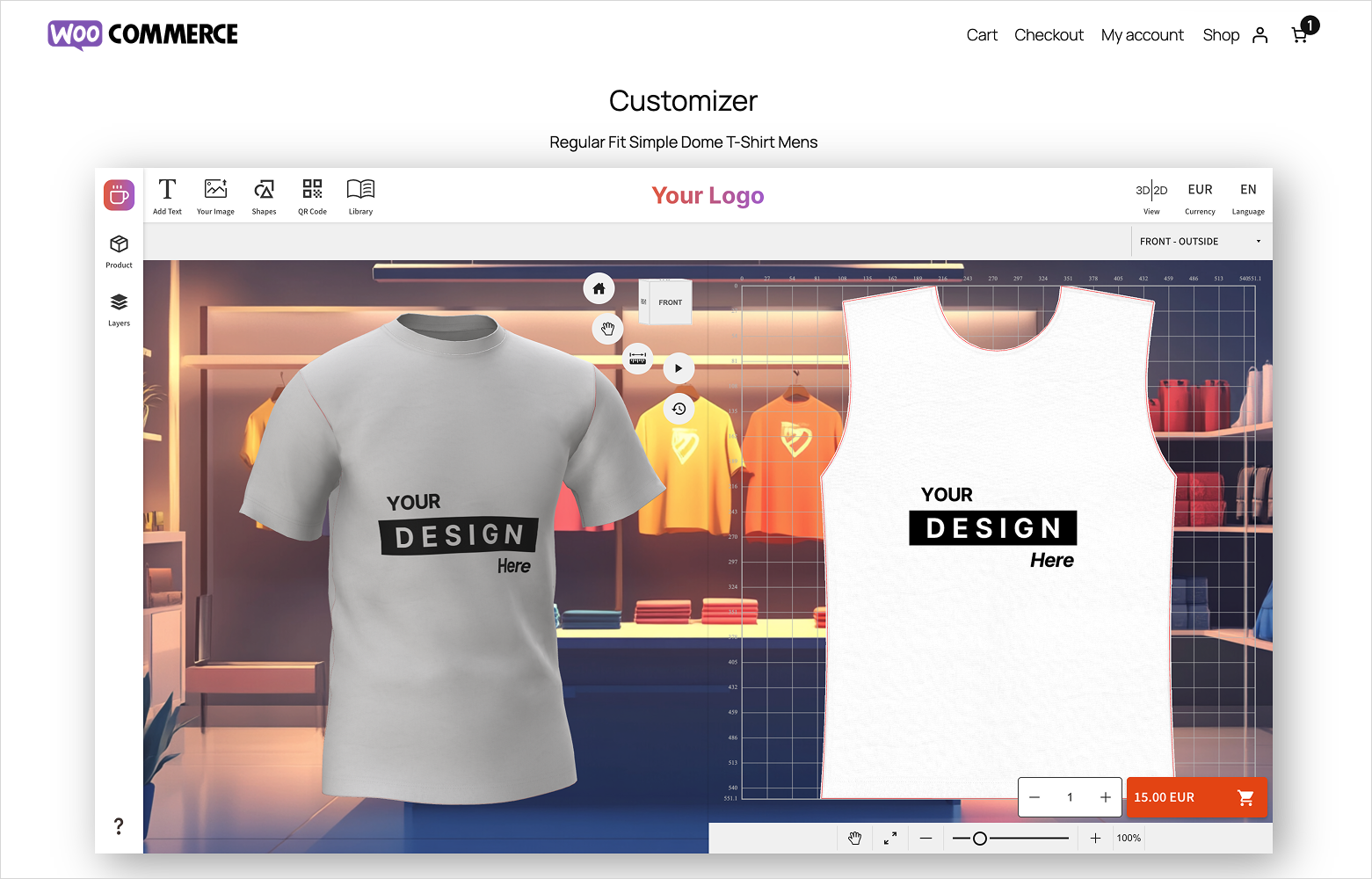
Embed the product customizer directly on WooCommerce product pages, with custom branding, backgrounds, and real-time dynamic pricing.
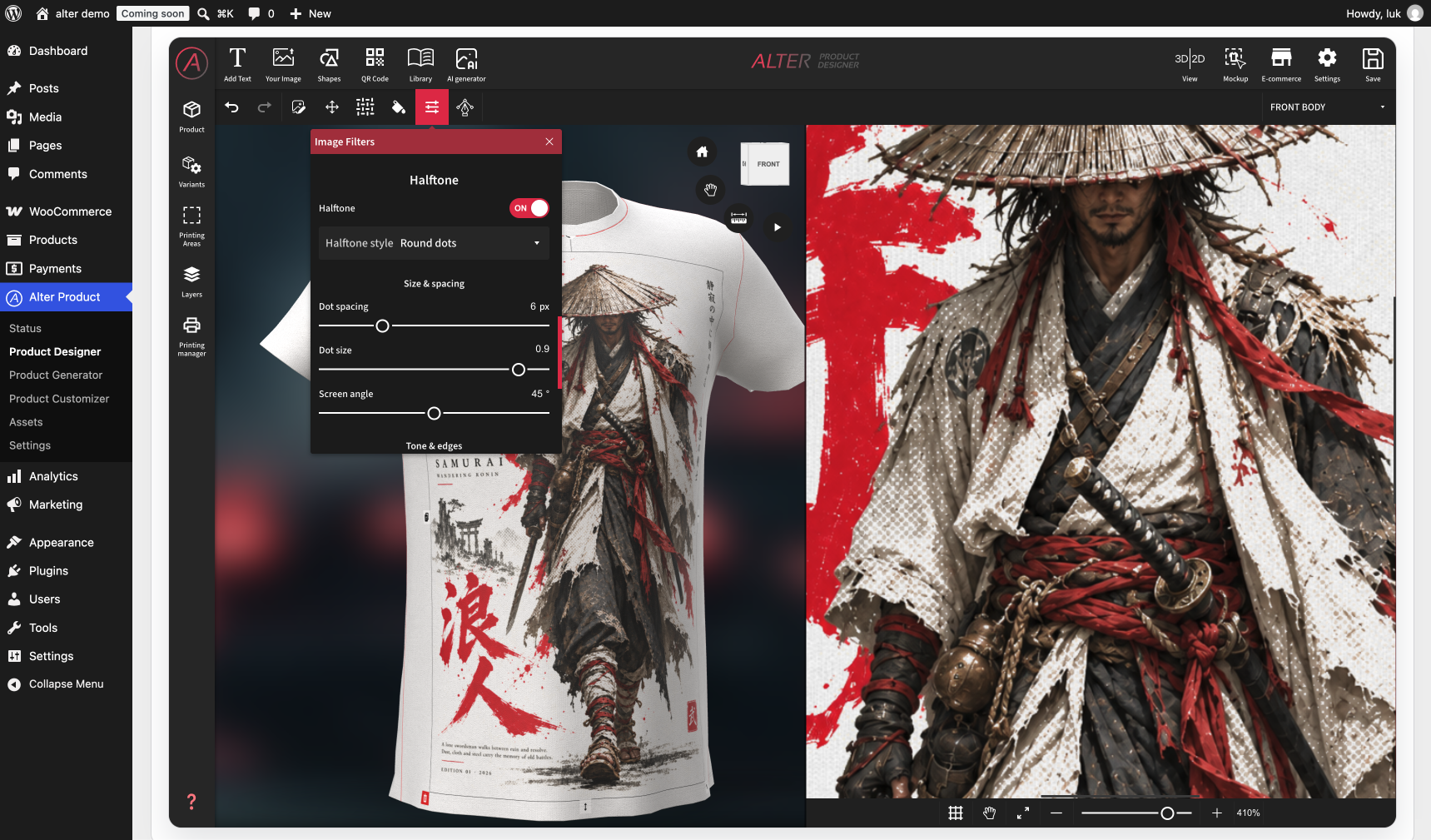
Powerful, easy-to-use layer tools with effects such as halftone and vectorization, available to both administrators and customers.
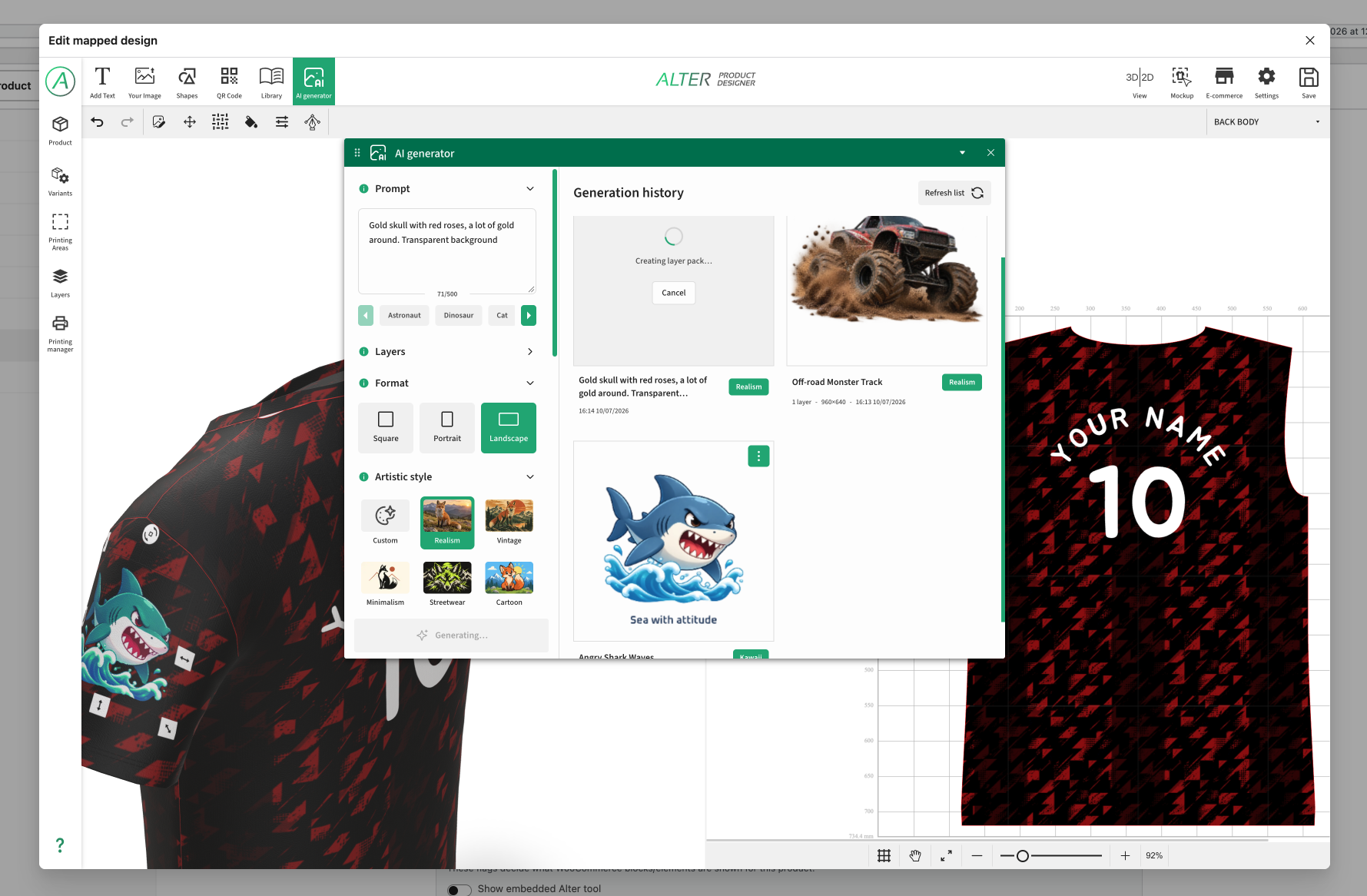
Built-in AI tools for generating images, text, and other creative content directly in the product designer, powered through your own API keys (BYOK) or the WordPress AI integration.
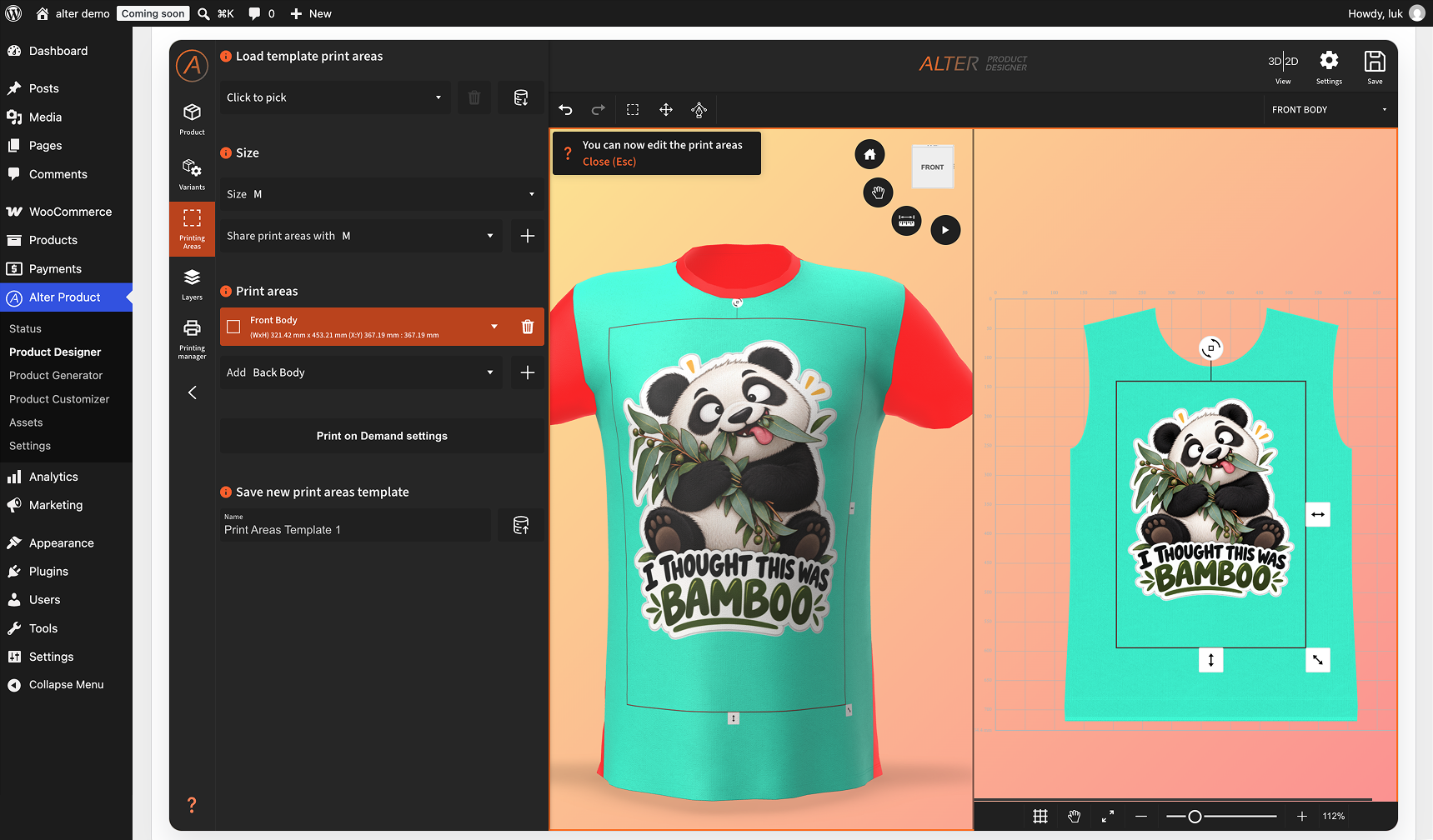
Define and edit print areas directly on the 3D product model, including custom vector shapes, and sync them with WooCommerce product variations.
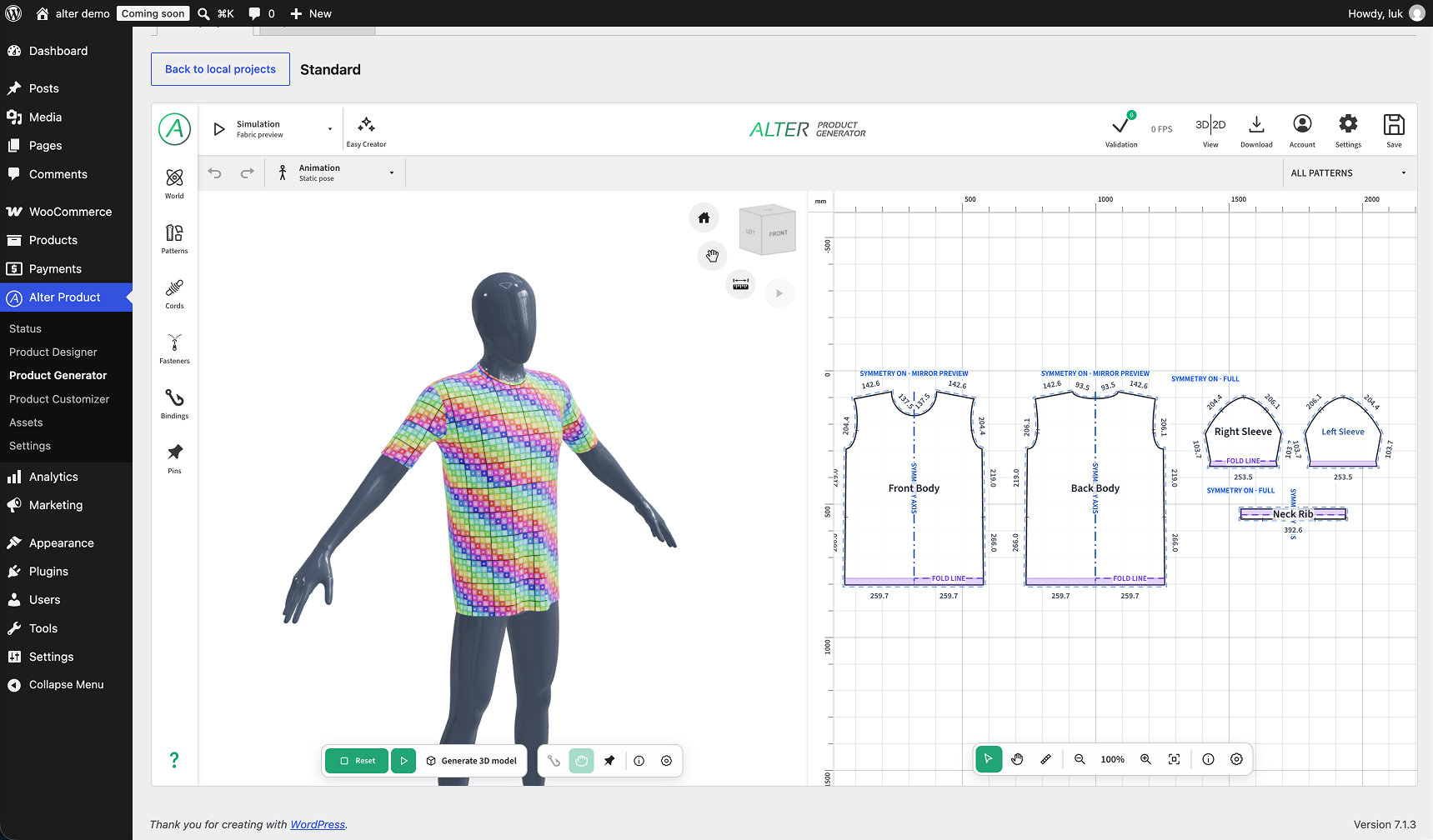
Powerful 3D model generator with physics-based simulations for creating product models, including support for all-over print (AOP) workflows.
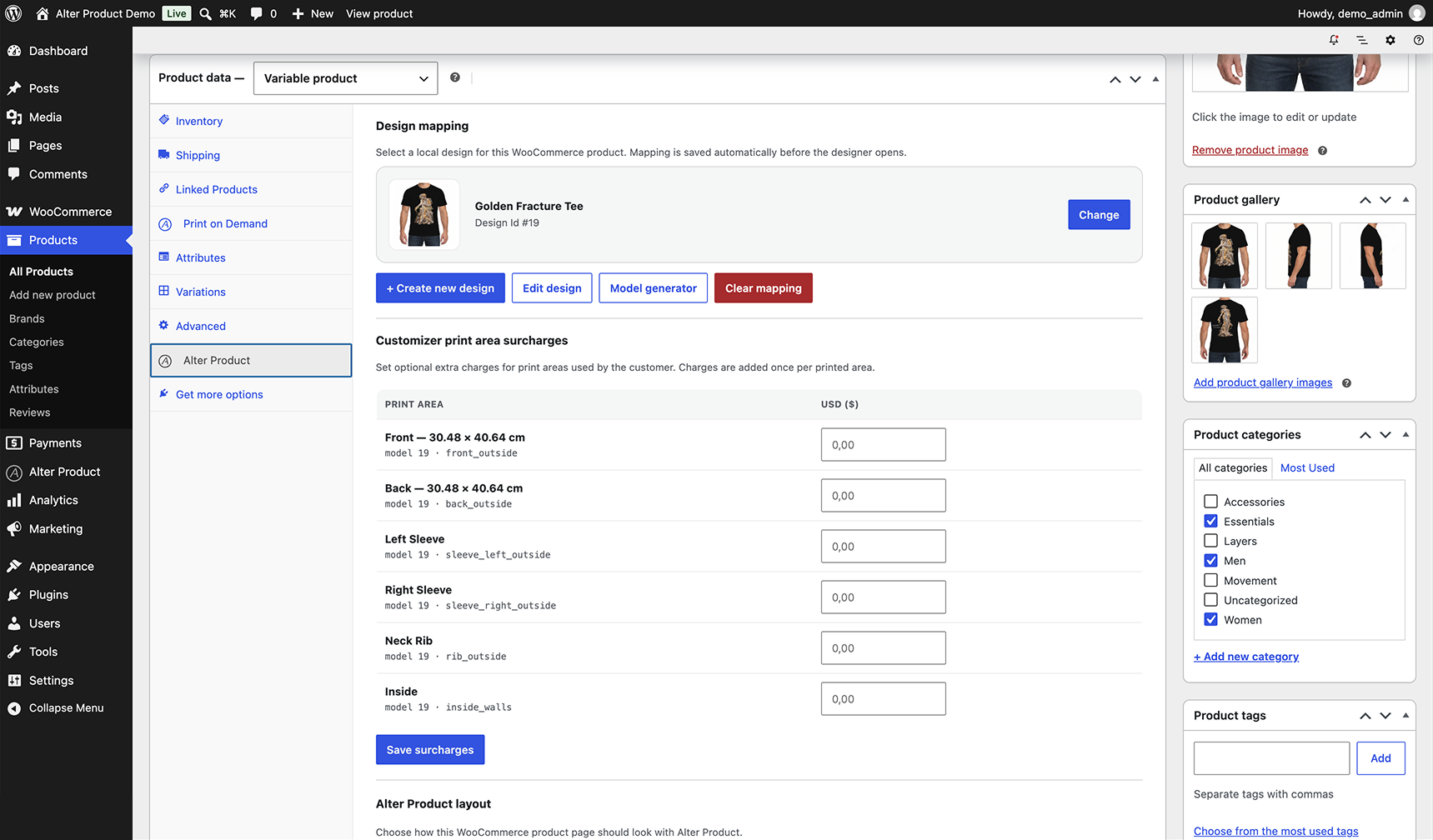
Map WooCommerce products to Alter Product projects directly from the product editor, with print-area surcharges and product layout options.
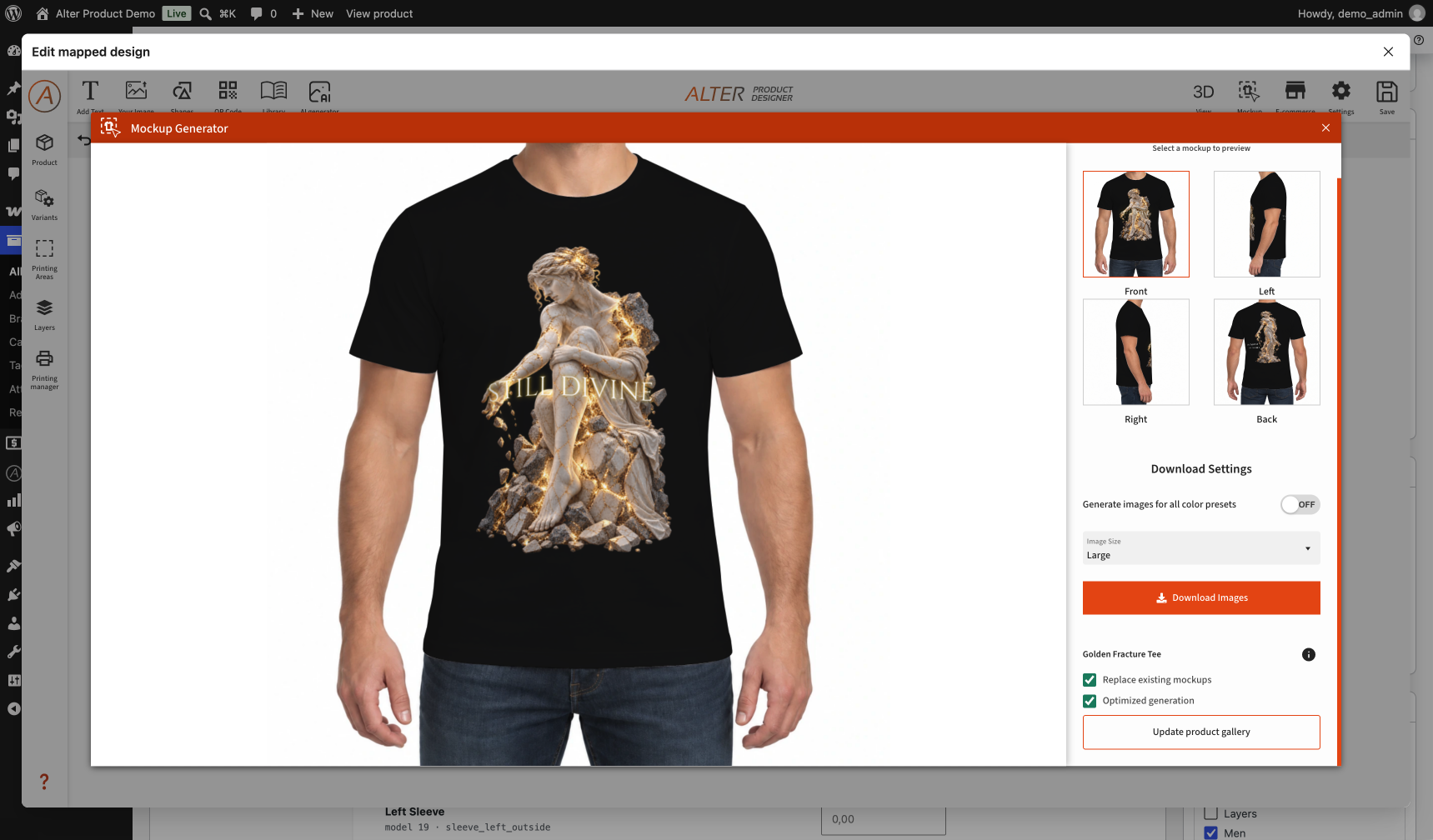
Generate product mockups and automatically assign them to WooCommerce variation images.
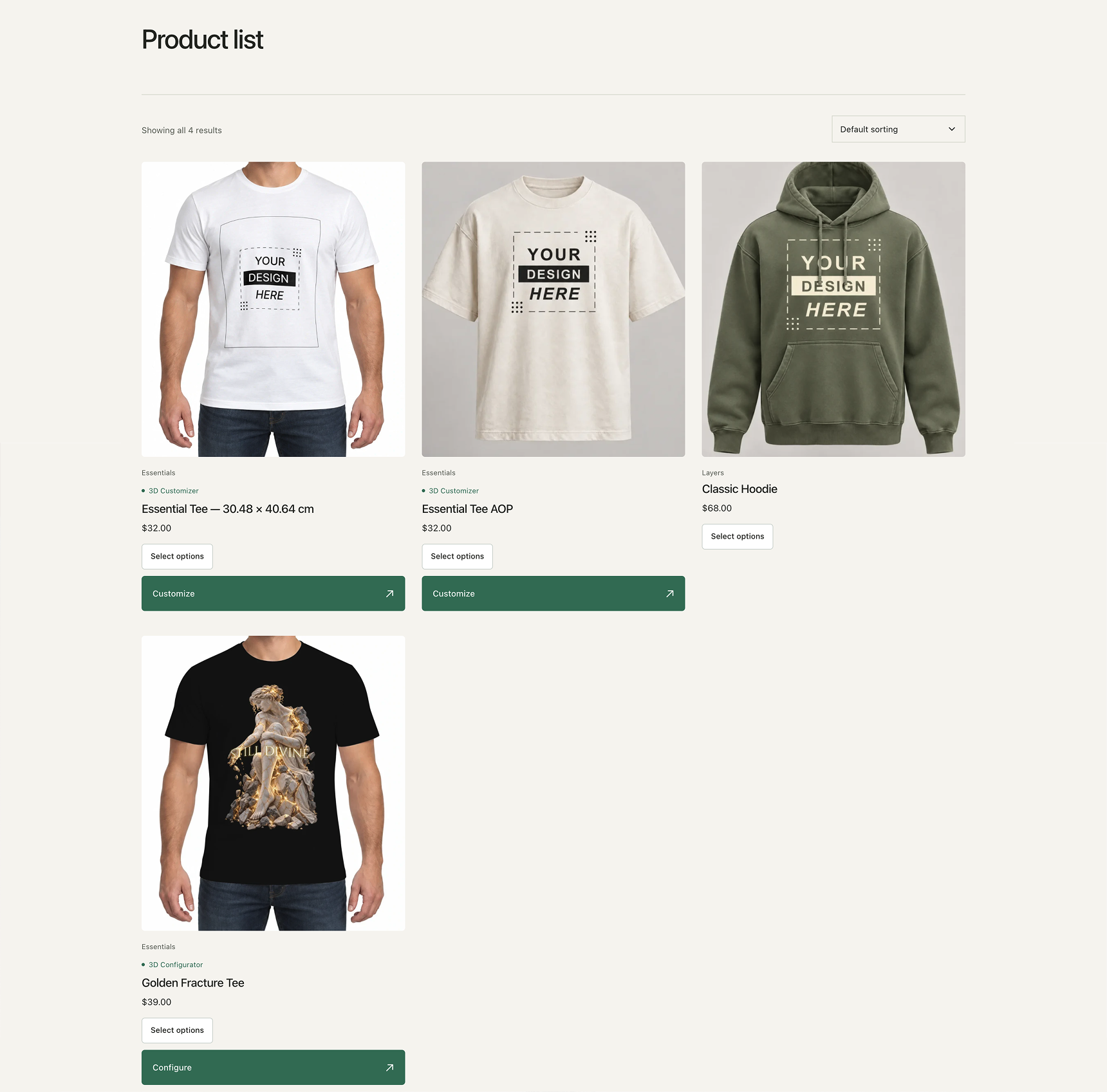
WooCommerce product listing with customization buttons that can be enabled per mapped product, alongside standard products.
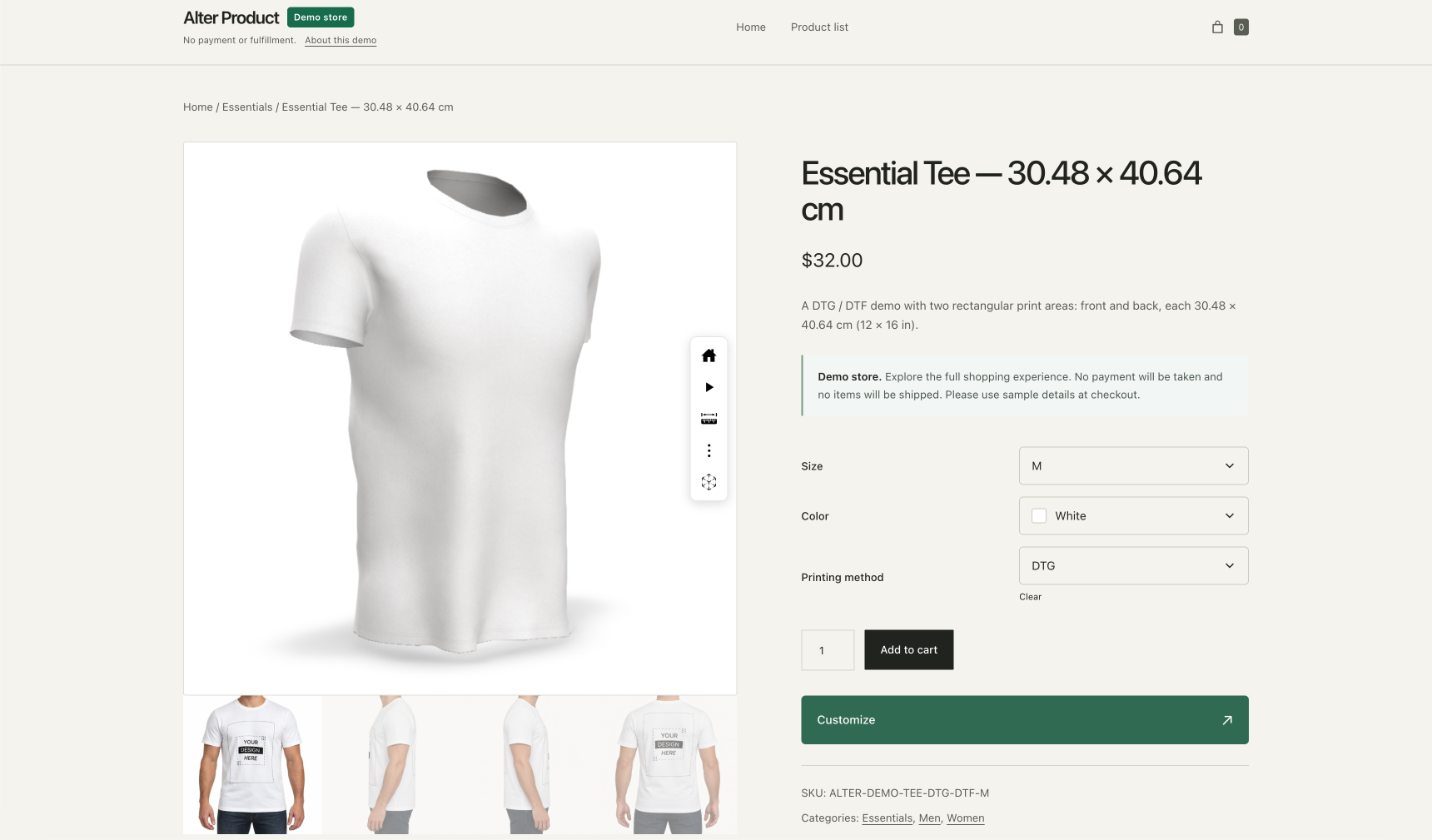
Embed the interactive 3D product viewer directly in the WooCommerce product gallery alongside mockups generated with Alter Product Mockup Generator.
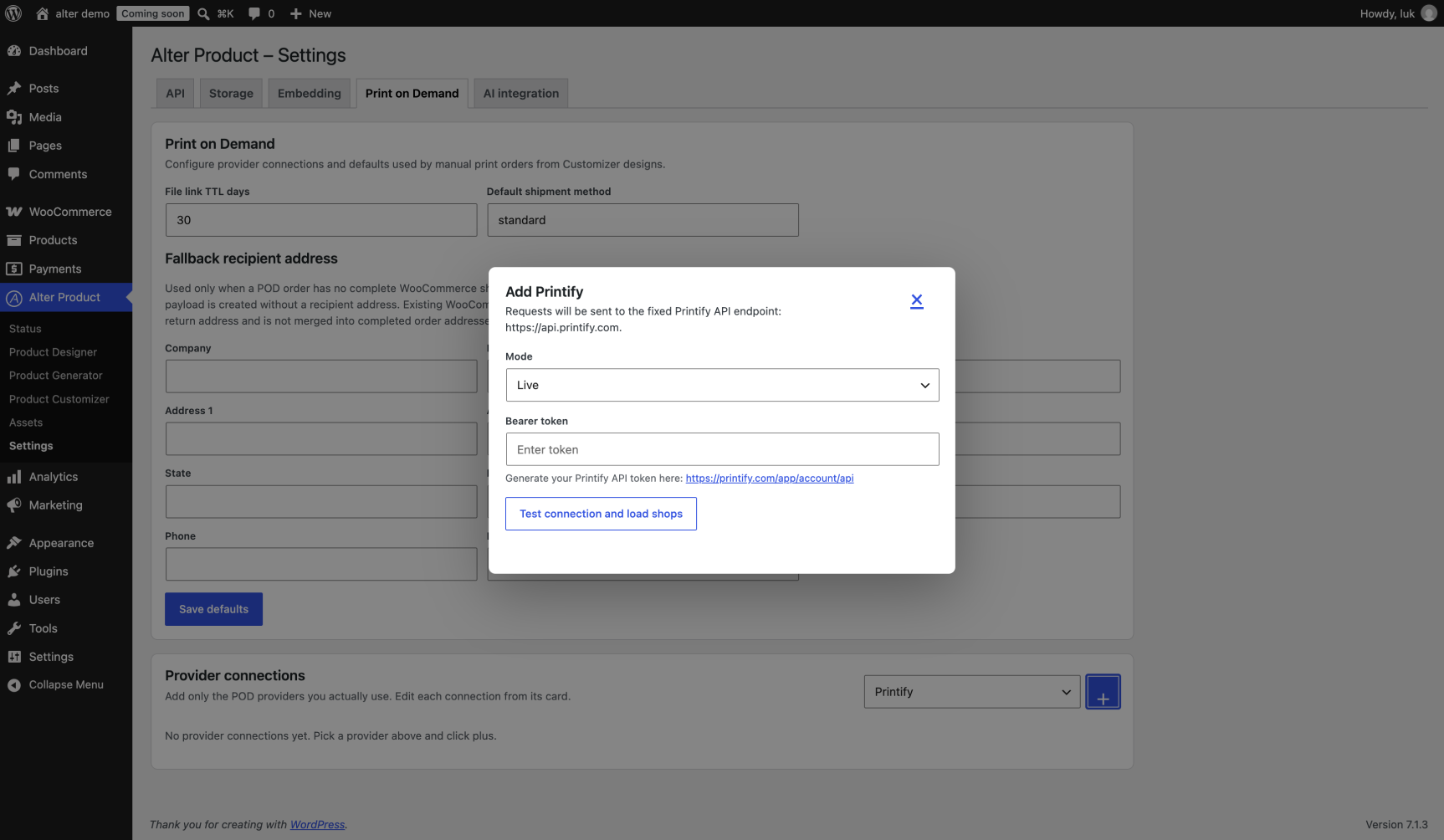
Print-on-demand integration for connecting providers such as Printify and Printful and sending WooCommerce orders directly for fulfillment.
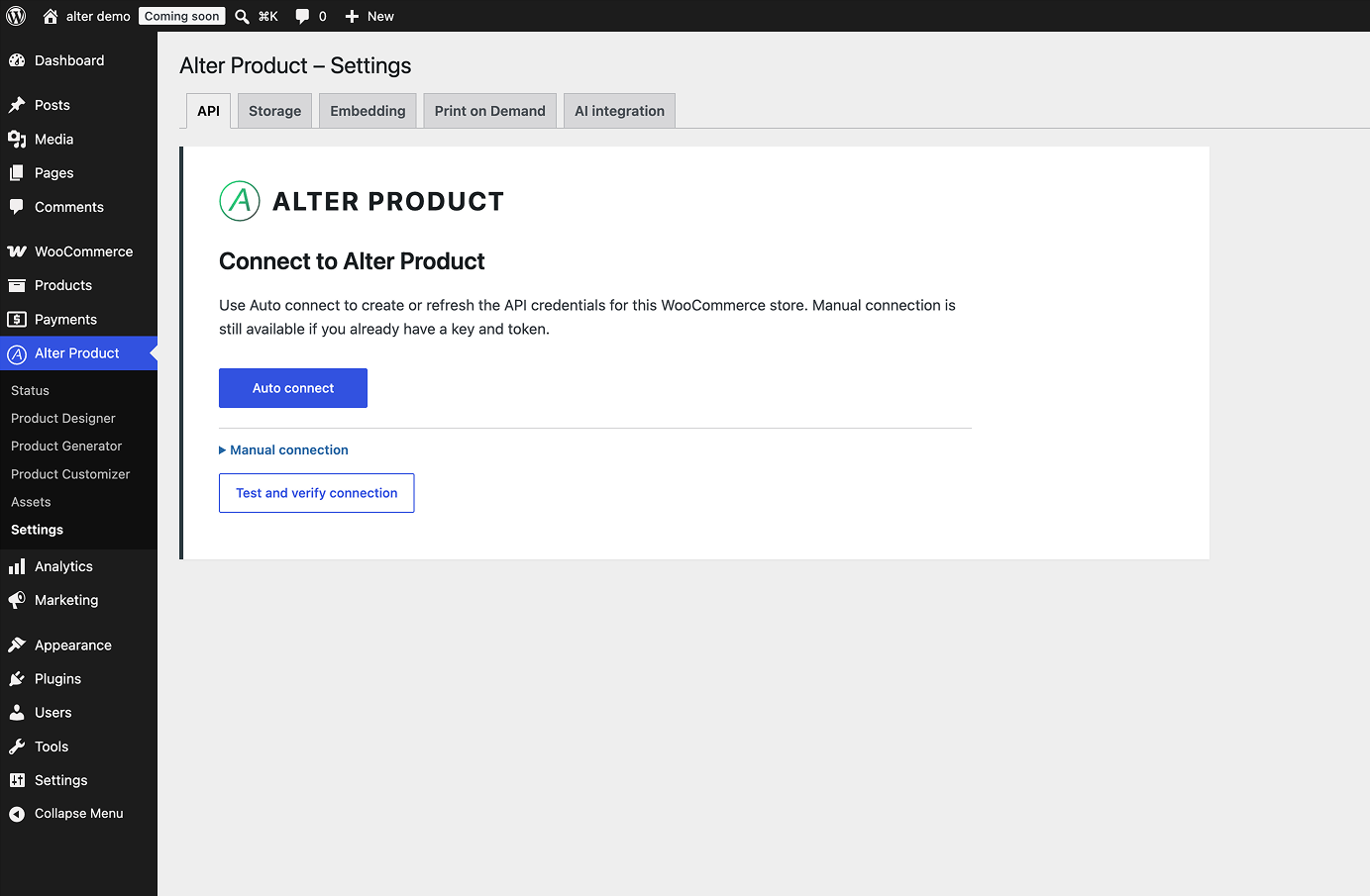
Easily connect your WooCommerce store to your Alter Product account using automatic or manual API setup.
Faq
No. This plugin is an integration with the Alter Product platform.
No. API requests are disabled until credentials are saved.
Product designs, customer order files, and mockup previews are stored on your shop server by default. Settings -> Storage lets you connect your own private AWS S3 bucket, select it for new files and explicitly migrate existing file groups between S3 and the shop server. WordPress continues to serve file downloads. AWS storage, request and transfer charges are billed to your AWS account.
New and updated local project documents, editable layers, templates and generator revisions use lossless gzip when it reduces storage size. WordPress serves decoded JSON to the editors. Older plain JSON remains readable and is compressed when rewritten. Searchable database metadata stays ordinary JSON. Raster previews and editable source layers remain separate.
Private customer-order layer files are compressed and encrypted; existing referenced files migrate in small background batches. Keep WordPress salts together with database and uploads backups: replacing the salts without re-encrypting these files makes them unreadable, just like encrypted AI history and provider keys.
Yes. Store owners can create, import, duplicate, edit, and manage product designs from the WordPress admin area, then map them to WooCommerce products.
New Designer color presets use the WooCommerce attribute term’s Swatch color first. Set it under Products Attributes Configure terms as a six-digit HEX value such as #F2EBDD. This also supplies the swatch shown in product variation dropdowns.
When no swatch is set, the Designer uses an approximate palette of 116 named shades, including Clay, Sage, Ivory, Navy, Charcoal, heather and solid variants. Unknown names start as white. These previews are not manufacturer color specifications. Already mapped presets and their per-area edits are preserved; edit an existing preset in the Designer to change its color. POD imports only initialize new term swatches when the provider supplies an explicit HEX value.
Yes. Product assets, graphics, logos, backgrounds, fonts, mockups, and design templates can be imported and managed in WordPress when your plan supports it. Files can use the shop server or your configured private AWS S3 storage and are served through your site.
Use Assets Model templates, Mannequins, Textures, and Model backgrounds. Each library has Local and Import from Alter views, download/update actions, and an explicit update check. Environment selection uses the existing shared Assets Environments library. Downloading a model template stores it for reuse; Create model creates a separate local generator project.
The import list contains published models with an available generator from your account or the global catalog. WordPress imports the published generator revision and model resources. Existing local projects appear under Local projects. Standalone templates belong to Assets; a linked Product design displays a clickable Generator badge.
In the WordPress integration, project metadata and revision references are kept in your WordPress database. Model, project and library files use the shop server or your configured private AWS S3 storage. Alter Product serves the embedded frontend and verifies subscription/session access using the shared session limit. Downloads, missing-resource imports and explicit catalog refreshes contact Alter Product; later reads reuse your chosen storage.
No. Checkout remains unchanged. The plugin only adds configuration data, mockup previews, and edit/view design links when appropriate.
The 3D tools load inside an iframe. With the product gallery integration, the tool loads only after the customer selects 3D, leaving ordinary photo browsing available without starting a 3D session. Automatically embedded tools still load when their page opens.
Yes. WooCommerce must be installed and active.
English, Polish, German, Spanish, French, Russian, Brazilian Portuguese, Simplified Chinese, Hindi, Swedish, Norwegian Bokmål, Italian, Dutch, Romanian, Greek, Danish, Czech, European Portuguese, Turkish, Ukrainian, Japanese and Arabic translations are included for the WordPress plugin’s PHP and JavaScript interface. The administration area uses the language selected in Users -> Profile -> Language; the storefront uses Settings -> General -> Site Language. Standard POT, PO, MO and JavaScript JSON catalogs are bundled in the languages directory. User-created product names and the separately hosted editor use their own content and language settings.
The embed session token is requested server-side through a nonce-protected WordPress REST endpoint and then passed to the iframe with origin-verified postMessage. The iframe does not receive WordPress API credentials; API secrets remain on the server.
Reviews
Changelog
1.8.2
- Added a shared print-file manager for each WooCommerce order item, with files grouped by print area, drag-and-drop uploads, replacement, removal, previews and downloads.
- Added secure saving of Designer print exports directly to the current order item, with authenticated administrator downloads for saved files.
- Let merchants choose generated or uploaded production files for each POD placement, while keeping other saved files available and making mockup generation optional.
- Use saved order print-area settings and product mappings for POD setup, preserving each area’s format, dimensions and DPI without requiring a separate fulfillment profile.
- Import POD attributes and variations without clearing existing variation choices or replacing established provider mappings. Refresh mapping status after saving and provide a direct route to synchronize variations in the Designer.
- Improved administrator editing of existing order designs and variations while preserving paid amounts, order-item boundaries and WooCommerce stock adjustments.
- Show incomplete POD setup and sandbox restrictions clearly, and refresh order fulfillment controls after WooCommerce reloads its order items.
- Added clearer generation, transfer and server-save progress. Reduced repeated file downloads and media loading when saving or managing production files.
- Prioritize visible POD catalog thumbnails, cancel offscreen image requests while scrolling, and fall back to original supplier images when thumbnail resizing fails.
- Load Printify provider variants and shipping independently, reuse pending catalog requests, and keep refreshed provider data consistent with variation imports.
- Made the POD product catalog more compact, with a narrower selection column and an outlined button for the selected product.
- Added previous/next navigation with centered arrows and saved view names in cart, drawer and checkout mockup previews; prevented unnecessary image reloads.
- Strengthened print-file validation, order ownership checks and private-storage integrity, and updated the bundled translations.
1.8.1
- Prioritize the WooCommerce store’s theme and background over personal Alter Product preferences in embedded tools, and preserve cleared custom background images after reloading.
- Speed up reopening saved customizer designs and updating cart drawers without rebuilding all catalog variation prices. Cart and checkout still validate current WooCommerce prices and artwork surcharges.
- Load embedded tools faster by reusing variation metadata and validated asset data during rendering, while preserving live availability checks and native WooCommerce cart rules.
- Keep the selected WooCommerce product’s prices and native options when several products share a design.
- Preserve concrete printing-method choices for wildcard variations when adding and editing a customizer cart item.
- Recognize local variation attributes in mapping diagnostics and keep missing prices unavailable.
- Show compact print-color swatches in the cart and checkout, keeping area surcharges included in the price without verbose metadata rows.
- Refresh cart drawers once per customizer change, avoid duplicate mockup thumbnails and support keyboard navigation in image previews.
- Use the customer’s current variation choices when reopening Customize from a product page.
- Preserve original variants, quantities, addresses and production files when retrying rejected POD shipments; prevent duplicate submissions after uncertain provider responses.
- Invalidate stale POD connection tests after configuration changes and keep saved connections when updating global defaults.
- Validate provider acknowledgements and use stable Printful external IDs within the API length limit.
- Preserve server-owned print color prices, saved recipes and generator revision checks.
- Protect POD shipments from overlapping submission and cancellation requests, and preserve their status after refreshing production files.
- Validate all batch groups before dispatch and keep artwork permissions and supplier routing when retrying a rejected shipment.
1.8.0
- Added product printing-method settings, print-color options and surcharges synchronized with the customizer, cart and orders.
- Improved Printify and Printful printing-method imports and validation of supported variations and print placements.
- Sped up product galleries and product/order administration by reducing repeated data loading.
- Fixed session renewal and retry in storefront and administrator editors while preserving open designs.
- Reduced memory usage when reading project files and improved gallery stability and translation support.
1.7.0
- Added private AWS S3 storage with connection setup, default storage selection and migration between S3 and the shop server.
- Removed publication and monthly reassignment limits for embedded Customizers on eligible plans. Session and Alter cloud transfer allowances remain separate.
- Kept product assignments in WordPress and removed remote assignment synchronization and repair requests when publishing or opening tools.
- Added archiving and restoration of product designs and model generator projects while retaining existing product and order references.
- Improved model imports with source revision status and updates that create separate local copies, preserving existing projects, product designs and orders.
- Sped up Product Designer and new-design creation by reusing catalog metadata and verified model descriptors. Reduced blocking API checks and moved temporary-file cleanup to background maintenance.
- Fixed pinned generator resource links after changing the WordPress site address or switching to HTTPS.
- Added an explicit color-attribute setting so swatches and custom-color fields appear only for color attributes, keeping sizes and other options as text.
- Fixed Viewer, Configurator and Customizer previews for local designs before assigning them to WooCommerce products.
- Added session renewal in the open administrator editor, preserving unsaved changes and restoring save access after signing in to WordPress again.
- Show POD fulfillment actions only for configured items and validate the provider connection before submission.
0.1.6
- Added click-to-load 3D previews to the WooCommerce product gallery, with administrator settings for Viewer or Configurator mode, navigation visibility and the 3D button position.
- Added administrator AI mockup generation to the embedded Model generator, with local provider connections, encrypted references/results, private history, retries and project image storage.
- Added publishing of optimized WebP mockups from Designer to product and mapped size/preset-color variation galleries. Mockups can be appended or replaced while preserving manual photos, and the gallery follows the selected variation.
- Added optional size charts in product descriptions, with cm/in units, selected-size highlighting, an expandable measurement guide and controls for visible measurements.
- Added consistent WooCommerce variation dropdowns with attribute-defined color swatches and a picker for custom-color options. New colors imported from POD receive swatches when the provider supplies a hex color.
- Updated the supported Gemini models for AI tools.
- Fixed duplicated designs losing their size-specific print areas.
0.1.5
- Added German, Spanish, French, Russian, Brazilian Portuguese, Simplified Chinese, Hindi, Swedish, Norwegian Bokmål, Italian, Dutch, Romanian, Greek, Danish, Czech, European Portuguese, Turkish, Ukrainian, Japanese and Arabic gettext and JavaScript translations.
- Prepared the WordPress interface for Arabic RTL, including product/order panels, assets, dialogs, block controls and storefront previews.
- Included language-specific plural forms and extended translation validation to all twenty-two bundled languages.
- Prepared the release with WordPress 7.1 and WooCommerce 11.1.0 compatibility metadata.
0.1.4
- Verified compatibility with WordPress 7.1 and WooCommerce 11.1.0.
- Added an optional WordPress AI Client connection through shared provider connectors, with explicit model selection and no automatic fallback.
- Honored the WordPress AI policy for both shared connectors and direct BYOK connections.
- Added lossless compression for local project/template JSON and generator revisions while retaining legacy file compatibility.
- Hardened customer design ownership, public embed permissions, SQL queries and local file boundaries.
- Added administrator-only AI provider connections with encrypted local history and direct provider requests.
- Added complete Polish and English gettext catalogs, JavaScript translations and Polish plural forms.
- Added Model generator with local project, revision and model storage.
- Added imports of published account/global models with their pinned generator revisions.
- Added signed generator sessions using the existing shared subscription key limit.
- Cached generator catalogs, mannequins, thumbnails, textures and backgrounds in WordPress, with local image uploads.
- Added Assets libraries for model templates, mannequins, textures and model backgrounds, with local/import views and explicit updates.
- Reused the shared WordPress environments library and added Creator-style template categories and previews to Assets.
- Extended the starter pack with the selected model’s generator, template, textures and both mannequins.
- Added clickable Generator badges to linked Product designs.
0.1.3
- Added Printify and Printful print-on-demand order creation and API connection disclosure.
0.1.2
- Added WordPress product design management.
- Added embedded product designer support in WordPress admin.
- Added WordPress storage for products, graphics, logos, backgrounds, fonts, mockups, and templates.
- Added import tools for selected Alter Product designs and assets.
- Added customer order design storage and mockup preview handling for WooCommerce cart and order views.
- Improved subscription-aware access checks for embedded tools.
0.1.1
- Added support for mockup previews in cart, drawer cart, and order views.
- Added support for custom color selection.
- Minor bug fixes and stability improvements.
0.1.0
- Initial release