Appointment Scheduling, Booking Calendar and Personalized Booking Links – Amitry Booking
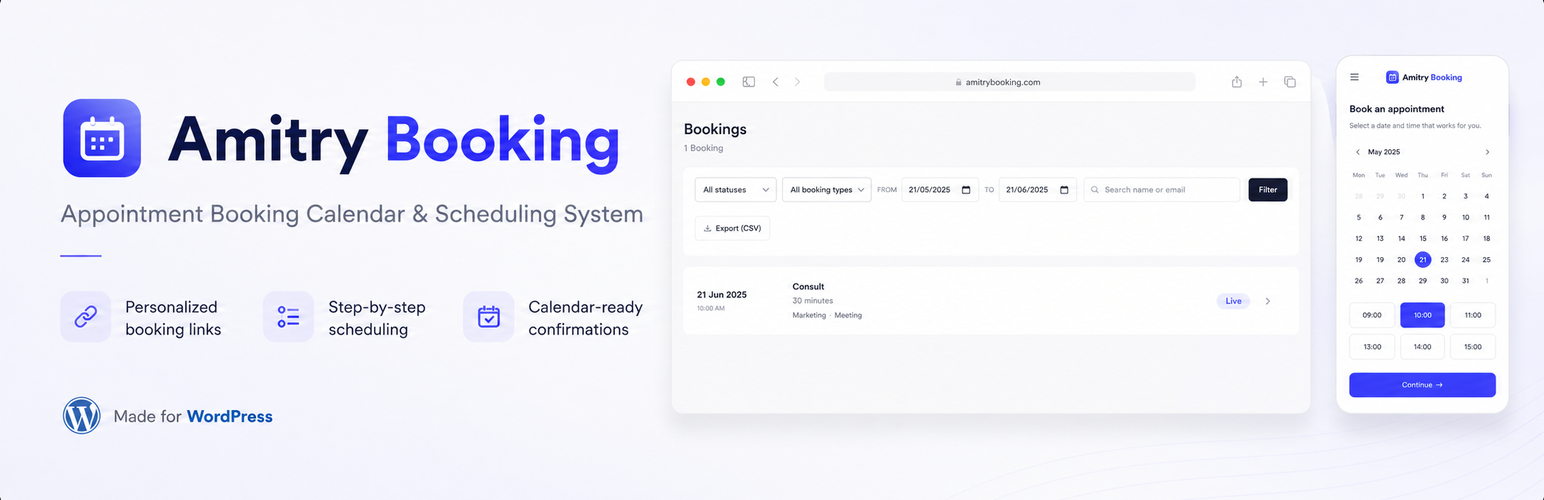
Appointment Scheduling, Booking Calendar and Personalized Booking Links – Amitry Booking
Description
Amitry Booking is a self-hosted appointment scheduling plugin for WordPress, built around personalized booking links. Instead of sending everyone to the same generic booking page, you give each client their own link that opens a clean, step-by-step booking calendar: they pick a service, choose a time, and confirm. Every booking and every detail stays in your own WordPress database.
It works as a privacy-friendly, self-hosted alternative to cloud schedulers like Calendly, without sending your clients or their data to a third-party service.
See it in action
Put booking right on your page
A booking link does not have to live on its own page. Drop the “Booking Section” block into any page, use the Booking Section widget in Elementor, or paste the [amitry_booking] shortcode anywhere else, including the Classic Editor, widgets, and page builders that support shortcodes.
You get two layouts. A call-to-action section with your own headline, text, and background image, where clicking the button opens the booking wizard in an overlay so the visitor never leaves your page. Or the wizard embedded straight into the page, so people can pick a time without a single click extra.
Either way the booking link keeps working on its own too: open it directly, or scan its QR code, and you get the full booking page exactly as before.
A booking link for every client
Each personalized booking link is a unique, unguessable URL you can use two ways. Send it privately to one client, where it greets them by name and can show a personal note. Or turn it into a QR code for flyers, business cards, posters, and shop windows: the link is reusable, so the same QR code can be scanned and booked by many people.
For each link you decide exactly what it shows: every service, only certain categories, or a hand-picked set of services. You can also give a link an expiry date.
Works across time zones, automatically
The booking calendar detects the visitor’s time zone and shows every available slot in their own local time, with a time-zone switcher built in. A client in another country books in their own time, just like Calendly, while your appointments stay consistent in your business time zone.
The emails follow the same idea. Your client’s confirmation and reminder show the appointment in the time zone they booked in, for example “4:00 am (New York time)”. The emails to you stay in your own time zone and add the client’s local time whenever it differs, so you know how late it is for them before you call.
Never double-booked
Amitry Booking treats your availability as one shared calendar. A slot booked through any link immediately disappears from every other link, and a race-safe check at booking time prevents two people from grabbing the same slot at once.
Everything included
- Personalized booking links with unique token URLs, ready to share or turn into a QR code
- A QR code generator for every link (download as PNG or SVG)
- Step-by-step booking wizard: service, booking calendar, confirmation
- Automatic visitor time-zone detection with a manual switcher
- Emails in each person’s own time zone: your clients see their local time, you see yours, plus theirs when it differs
- Booking calendar with an availability view, so each day shows at a glance how full it already is
- Per-link scope: show all services, chosen categories, or specific services, plus an optional expiry date
- Service catalog with featured image, host, description, duration hint, price hint, and location type (in person, phone, video, or on site)
- Availability rules: weekly hours, buffer time between appointments, how far ahead people can book, and minimum lead time
- Automatic confirmation emails with an iCal (.ics) calendar invite
- Up to two automatic reminder emails before each appointment, for example 24 hours and 1 hour before, to reduce no-shows
- Self-service reschedule and cancel links for customers
- Link status at a glance: every booking link shows whether it is still waiting, has been opened, has been booked, or has expired, with the date it was first opened and the last time someone used it
- A bookings screen with filters by status, link, date range and search, where you move a booking between new, confirmed, done and cancelled, or delete it
- A dashboard widget with your next appointments, so you see what is coming up as soon as you log in
- Embed booking anywhere: a Gutenberg block, an Elementor widget, and the [amitry_booking] shortcode for everything else
- Two page layouts: a call-to-action section that opens the wizard in an overlay, or the wizard embedded directly in the page
- Background image with optional parallax, adjustable overlay and height, and an option to hide the personal greeting on public pages
- Export all bookings to CSV
- Edit every text your customers see, in the booking wizard, in the confirmation and reminder emails, and on the cancel page, straight from the admin
- Or write your emails from scratch with your own template and placeholders for the booking details
- Times follow your site’s own time format, so a 12 hour site shows 2:00 pm and a 24 hour site shows 14:00
- Translation ready, and ships with English and German
Your data stays yours
There are no external services and no third-party APIs. Every service, link, and booking is stored in dedicated tables in your own database, which makes Amitry Booking a good fit for GDPR and any site that wants to own its data.
A booking calendar that always looks right
The booking wizard renders on its own isolated page that does not load your theme’s styles or scripts, so the booking calendar looks the way you designed it on every site, and stays fully responsive on phones, tablets, and desktops.
Installation
- Upload the plugin folder to /wp-content/plugins/, or install it from the Plugins screen in your WordPress admin.
- Activate the plugin through the Plugins screen.
- Open the new Amitry Booking menu in the admin sidebar.
- Create your services and set your availability first, then create a booking link and share its URL or QR code.
Screenshots

Each client opens their own personalized booking link and is greeted by name.

Step-by-step wizard: the visitor picks the service they need.

The booking calendar, where visitors pick a date and time in their own time zone.

Instant confirmation, with an email and calendar invite on the way.

Creating a personalized booking link in the admin: scope it to services, set an expiry, and grab the QR code.

All bookings collected in one place in the WordPress admin.
Faq
Yes. It is a self-hosted, privacy-friendly alternative to cloud schedulers like Calendly. The booking calendar runs on your own site, and all appointment data stays in your WordPress database instead of on an external service.
Yes. The scheduling wizard detects the visitor’s time zone automatically and shows every available slot in their local time. Visitors can also switch the time zone by hand. Your bookings are stored consistently, so your own calendar always reflects your business time zone.
The confirmation and reminder emails, the calendar invite and the cancel page then show the appointment in the client’s own time zone. The emails to you use your business time zone and add the client’s local time when it is different.
Yes. Every personalized booking link has a built-in QR code you can download as PNG or SVG and print on flyers, business cards, posters, or show on a screen. Because a link is reusable, the same QR code works for many people.
Yes. Each booking link can be scoped to all services, specific categories, or a hand-picked set of services, so every recipient sees only what is relevant to them. You can also set an expiry date per link.
No. Availability is treated as one shared calendar, so a slot booked through any link disappears from all of them, and a race-safe check at booking time stops two people from taking the same slot at the same moment.
In dedicated tables in your own WordPress database. Nothing is sent to external services, which keeps the plugin friendly to GDPR and privacy-conscious sites.
Yes. Confirmation emails include secure self-service reschedule and cancel links. When a customer reschedules, the new appointment is created first and the old one is only released once the new booking is confirmed.
No. The wizard renders in an isolated pipeline that does not load theme stylesheets or scripts, so the booking calendar stays consistent everywhere.
Yes, in three ways: the “Booking Section” block in the block editor, the Booking Section widget in Elementor, or the [amitry_booking] shortcode for the Classic Editor, widgets, and other page builders. All three offer the same two layouts, a call-to-action section or the embedded wizard, and the same settings.
No. By default the button opens the booking wizard in an overlay on top of your page, and the embedded layout keeps everything inline. You can turn the overlay off per section if you would rather send visitors to the booking page. Opening a booking link directly, or scanning its QR code, always shows the full booking page.
Yes, and there is a setting for exactly that. Switch off “Greet the recipient by name” so a public page does not address every visitor with the same person’s name. For public pages a link scoped to all services usually works best.
Yes. Under Amitry Booking, Wording you can edit every text your customers see. It has three tabs: the booking wizard, the emails they receive, and the cancel page. That covers headlines, step titles, button labels, error messages, email subjects and opening lines, and both the title and the description of the calendar invite. Leave a field empty to keep the default, which follows your site language.
Yes. The Wording screen has an Email templates tab where you can replace the built in layout of any email with your own text, using placeholders such as {first_name}, {service}, {date}, {time} and {cancel_link}. Simple HTML is allowed. Leave a template empty and that email keeps the normal design.
Whichever your site uses. The wizard follows the time format under Settings, General, so it always matches your confirmation emails and the rest of WordPress.
Yes. All text uses standard WordPress translation functions, and the plugin ships with English and German. Other languages can be added through translate.wordpress.org.
Reviews
Great UX and support
By 
The plugin has great UX, booking can happen easily with it. They also answered my support request very quickly and fixed the issues I reported with attention to all details.
Changelog
0.9.3
- Fixed: the calendar invite put the appointment at the wrong time on every site outside UTC, one or two hours too early in Europe and several hours too late in the Americas. It now carries the exact time, and each calendar app shows it in its owner’s time zone.
- Fixed: reminder emails were sent off by the same amount. Reminders for appointments booked before this update are planned again automatically.
- New: the confirmation and reminder emails, the cancel page and the reschedule screen show the appointment in the time zone the customer booked in, with the place added when it differs from yours, for example “4:00 am (New York time)”.
- New: the emails to you stay in your business time zone and add the customer’s local time when it differs. The booking details screen shows it too.
- New: email templates can use {timezone}, and the emails to you can use {customer_datetime}.
- New: the time zone note and the customer local time label are editable on the Wording screen.
- Fixed: booking link expiry dates are now read in the site time zone, as the field says, instead of UTC.
- Fixed: the CSV export listed times in UTC next to your time zone name. Times are now in that time zone, and a column with the customer’s time zone was added.
- Fixed: the “Created” time on the booking details screen was off by your offset from UTC.
- Fixed: the calendar file attached to emails had a German file name.
- Fixed: a name with an apostrophe showed as code in the plain text version of the reminder email.
- Fixed: deleting the plugin with “delete all data” switched on now also removes the wording, email templates and the other stored settings.
0.9.2
- Fixed: 0.9.1 could not be activated and stopped sites from loading, because three files were missing from the release. Everyone on 0.9.1 should update.
- Changed: the Booking Section block now uses block API version 3, so it works in the iframe based editor of WordPress 7.0 and later.
- Changed: requires WordPress 6.3 or later, the first version with that block API.
0.9.1
- New: the description inside the calendar invite is now editable too, on the Emails tab of the Wording screen, next to the invite title.
- Fixed: that calendar invite description was written in German on every site, whatever the site language. It now follows your site language like the rest of the plugin.
- Fixed: two example texts in the admin, the address field and the email signature, were shown in German.
- Changed: the confirmation email now greets the customer by first name, the same as the reminder already did.
- Fixed: a customer name typed with two spaces between first and last name is no longer kept whole in the greeting.
- Internal: shared the date, time and name formatting between the emails and the cancel page, so an appointment reads the same everywhere.
- Internal: full pass with PHP_CodeSniffer and the WordPress plugin review ruleset, with no remaining findings.
- Tested up to WordPress 7.1.
0.9.0
- New: write your own email templates. Any of the four emails can use a body you write yourself, with placeholders for the booking details and simple HTML. Leave one empty to keep the built in layout.
0.8.0
- New: the Wording screen now covers the confirmation, reminder and notification emails, the calendar invite title, and the cancel and reschedule pages, in three tabs.
- Fixed: emails and the cancel page were sent in German on sites running in another language. All of that text now follows your site language, with the German translation still included.
0.7.0
- New: a Wording screen in the admin where you can edit every text in the booking wizard, from the welcome headline to the error messages.
- New: times now follow your site’s time format, so English sites show 2:00 pm instead of 14:00.
- Fixed: the back button appeared on the first and last step, where it did nothing.
0.6.0
- New: embed booking on any page with the “Booking Section” block, an Elementor widget, or the [amitry_booking] shortcode.
- New: two layouts to choose from, a call-to-action section with a background image and optional parallax, or the booking wizard embedded directly in the page.
- New: the call-to-action button opens the wizard in an overlay, so visitors book without leaving your page. Opening a booking link directly, for example from a QR code, still shows the full booking page.
- New: hide the personal greeting when a link is used on a public page, and optionally start the embedded wizard at the service list instead of the welcome screen.
0.4.1
- Added a demo video and a donation link to the plugin page.
0.4.0
- New: an optional second reminder email, so you can remind customers twice, for example 24 hours and 1 hour before the appointment.
- New: add a category directly from the service editor.
- Improved: cleaner service editor layout and a clearer host field.
- Improved: the booking wizard now uses English source text with a bundled German translation, so it always follows your site language.
- Fixed: the calendar availability view could stay blank on some server setups.
- Developer: the slot engine is now service-aware, and a new amitry_booking_reminder_sent action lets add-ons deliver reminders through other channels.
0.1.0
- Initial release: personalized booking links, step-by-step scheduling wizard, service catalog with hosts and locations, availability rules, confirmation emails with iCal, reminders, reschedule and cancel flows, CSV export, and a responsive booking calendar.