Anand Bajrangi SEO

Anand Bajrangi SEO
Description
Anand Bajrangi SEO covers the SEO basics most sites need and builds on what WordPress already does instead of replacing it. Every feature is free. There is no paid version, no account, no tracking and no request to outside servers.
What it does
- Titles and meta descriptions – templates per content type, taxonomy and archive, with variables such as
{title},{sep}and{sitename}, plus custom values per post and term. Without a custom title, WordPress builds the title as usual. - Canonical URLs – self-referencing canonicals for archives (including pagination), custom canonicals per post or term, none on noindexed pages.
- Robots meta – noindex/nofollow per post, term, content type and archive, through WordPress’s own robots API. Anand Bajrangi SEO only adds directives; it never removes a noindex set by WordPress or another plugin.
- Social sharing – Open Graph and X (Twitter) card tags with per-post texts and images and a site-wide default image.
- Structured data – one JSON-LD graph (WebSite, WebPage, Article, Organization or Person, BreadcrumbList) built only from real site data. Nothing is invented, and structured data never guarantees rich results.
- XML sitemaps – improves the sitemap WordPress already provides: leaves out noindexed and excluded content and adds real last-modified dates.
- Breadcrumbs – accessible breadcrumb trail via shortcode or template function, with matching structured data.
- robots.txt rules – add your own rules to the virtual robots.txt, with validation and a warning before blocking the whole site.
- Redirects (optional) – 301, 302, 307, 308 and 410 for exact paths, loop detection, CSV import/export.
- Content analysis – practical editor checks (headings, alt text, links, length, readability, optional focus keyphrase). Suggestions, not a score.
- WooCommerce – product sharing tags with real price and availability, links Anand Bajrangi SEO’s page data to WooCommerce’s own Product data, keeps hidden products out of sitemaps.
- Import and migration – copy SEO data from Yoast SEO, Rank Math, All in One SEO, SEOPress and The SEO Framework (dry run first, the other plugin’s data is never changed); export and import Anand Bajrangi SEO’s settings with a preview and automatic backup.
- Tools – duplicate-tag scanner, Site Health checks, a redacted diagnostic report, WP-CLI commands.
Safe to try
If another SEO plugin is active when Anand Bajrangi SEO is first activated, it switches off its own output (titles, descriptions, canonical URLs, robots, social tags, structured data, sitemap changes) so nothing is printed twice. Import your data, deactivate the other plugin, then switch its modules on.
Every module can be switched off. A switched-off module adds no code to your pages.
Privacy
Anand Bajrangi SEO does not collect, store or send personal data and makes no external requests. The only HTTP request it makes is an on-demand request to your own site when you run the duplicate-tag scanner.
Installation
- In WordPress, go to Plugins Add New Upload Plugin and upload
anand-bajrangi-seo.zip, or unzip it intowp-content/plugins/. - Activate Anand Bajrangi SEO.
- Open Anand Bajrangi SEO Overview: review the site check and the list of modules.
- Open Anand Bajrangi SEO Settings General and set the site name used in titles and structured data if it differs from your WordPress site title.
- Coming from another SEO plugin? Use Anand Bajrangi SEO Tools Migrate before deactivating it.
With WP-CLI: wp plugin install anand-bajrangi-seo.zip --activate.
Screenshots
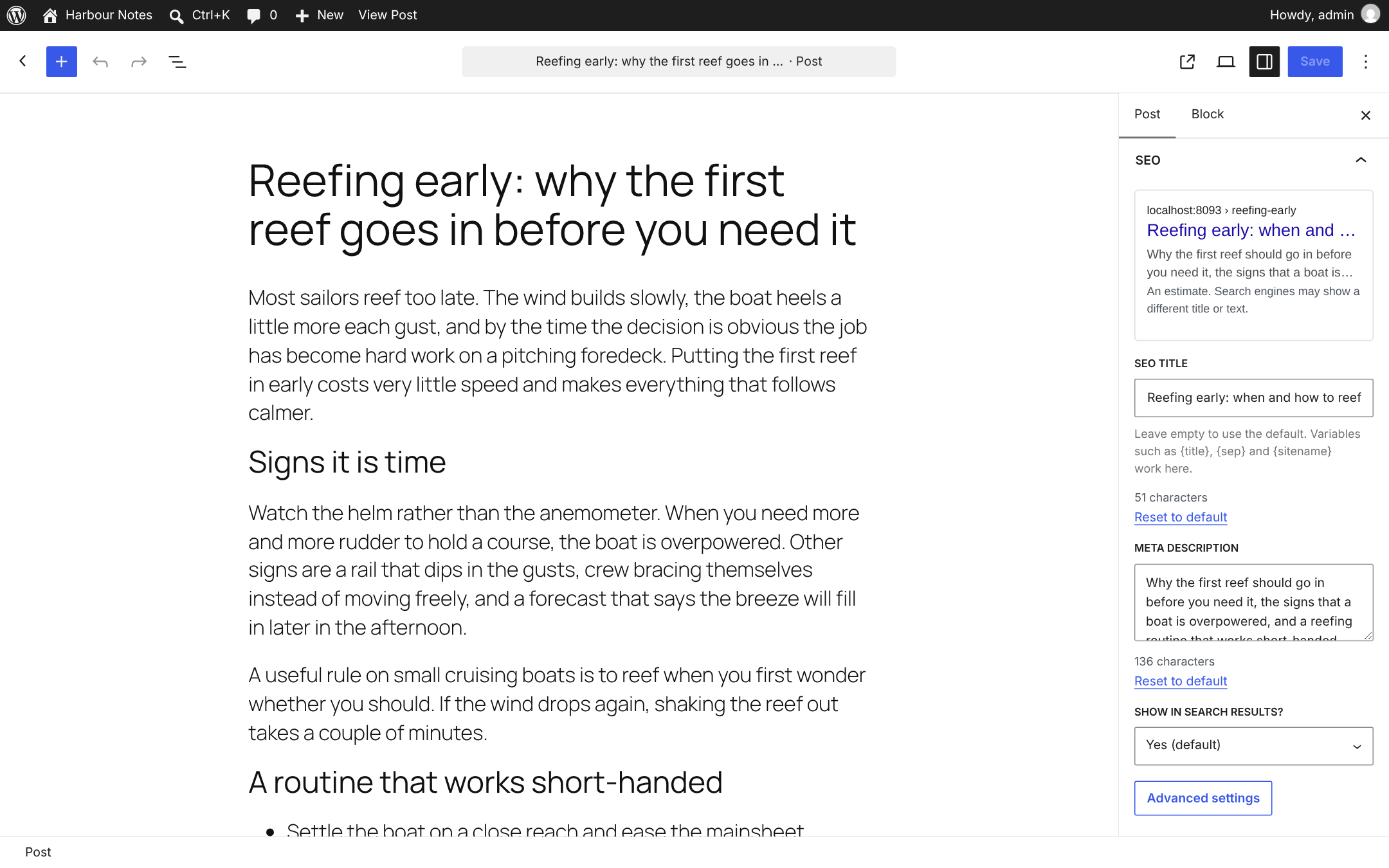
SEO panel in the block editor: search result preview, SEO title with variables, meta description and indexing choice.
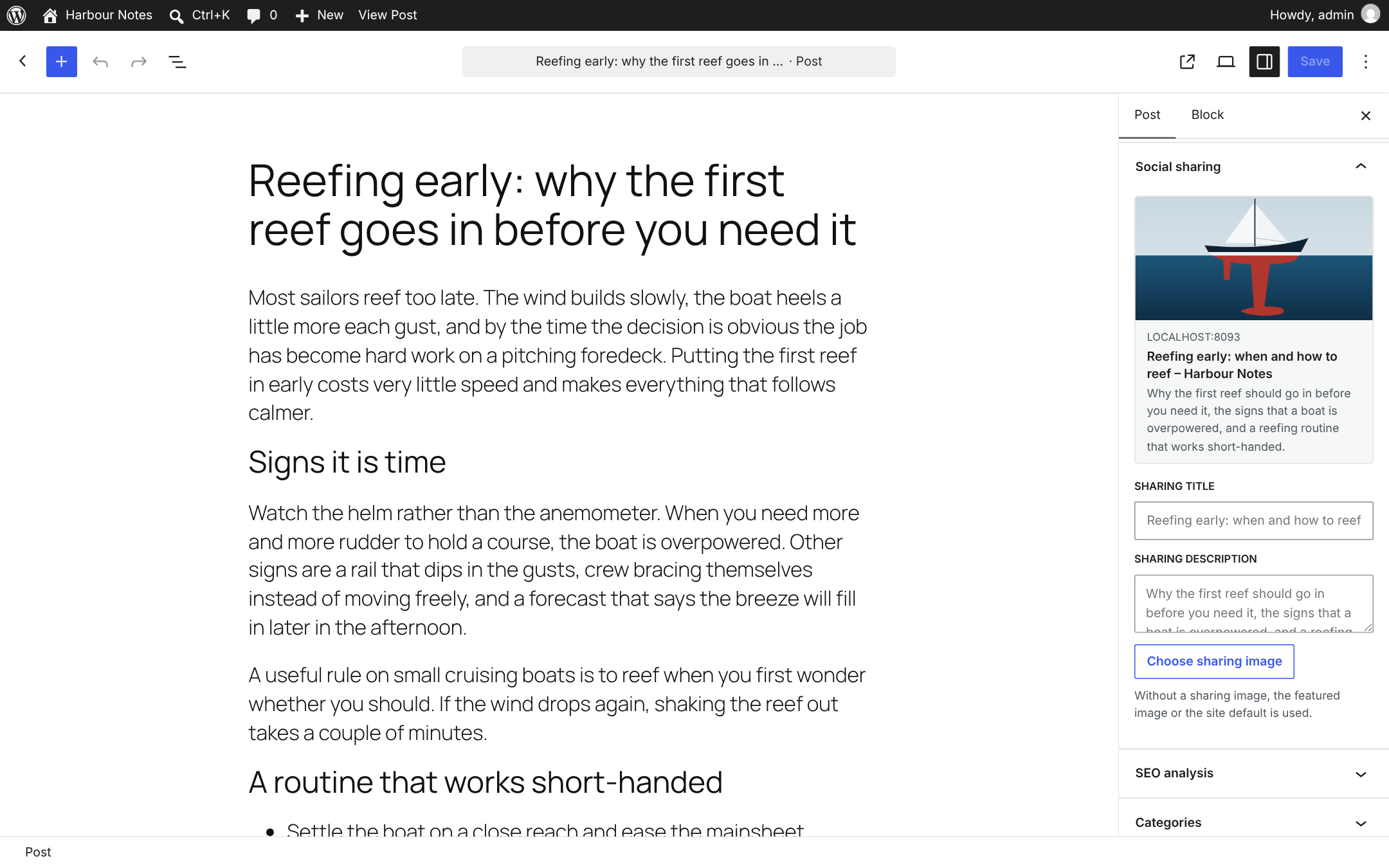
Social sharing panel with a preview of the shared link.
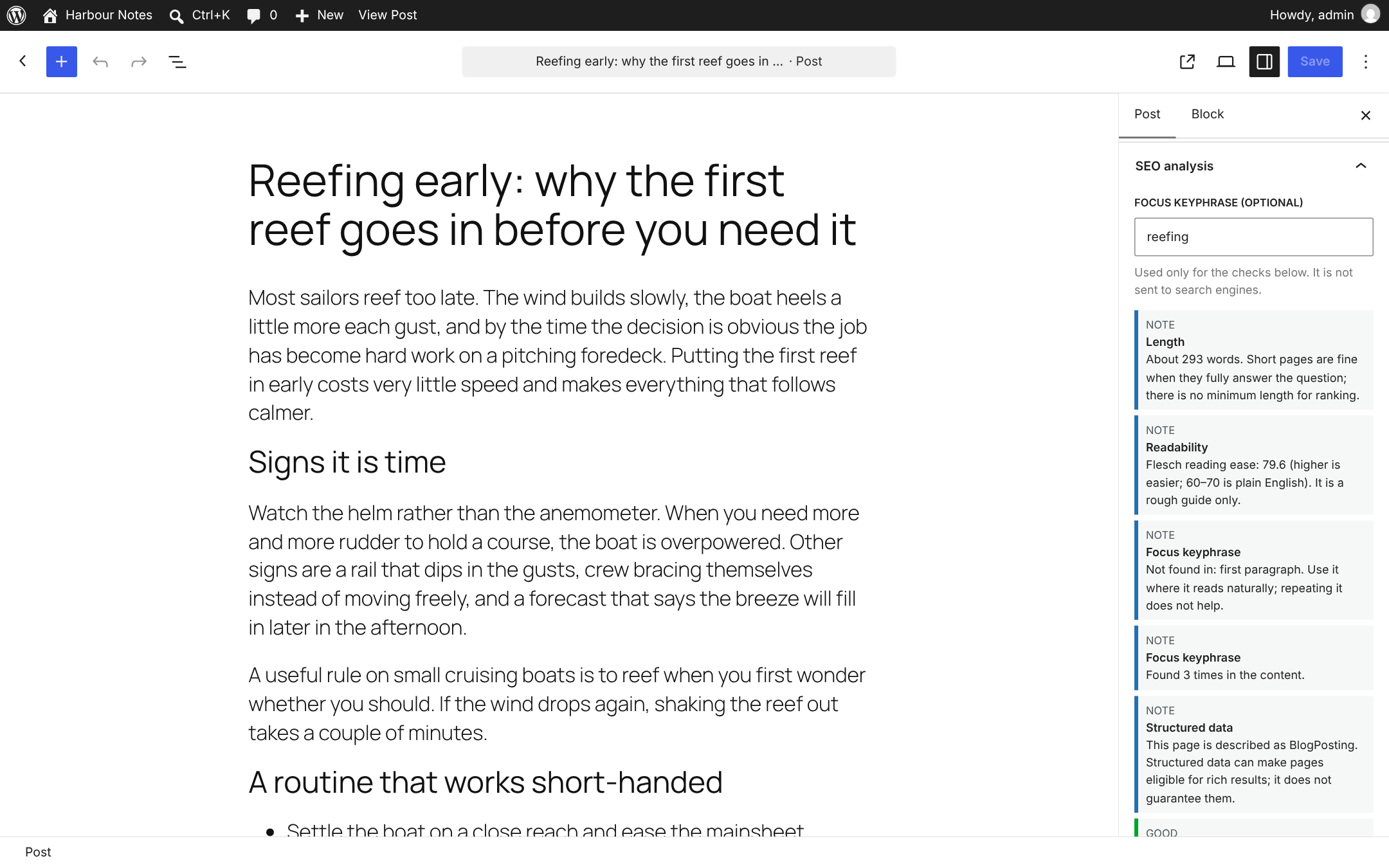
SEO analysis: practical checks and an optional focus keyphrase. Suggestions, not a score.
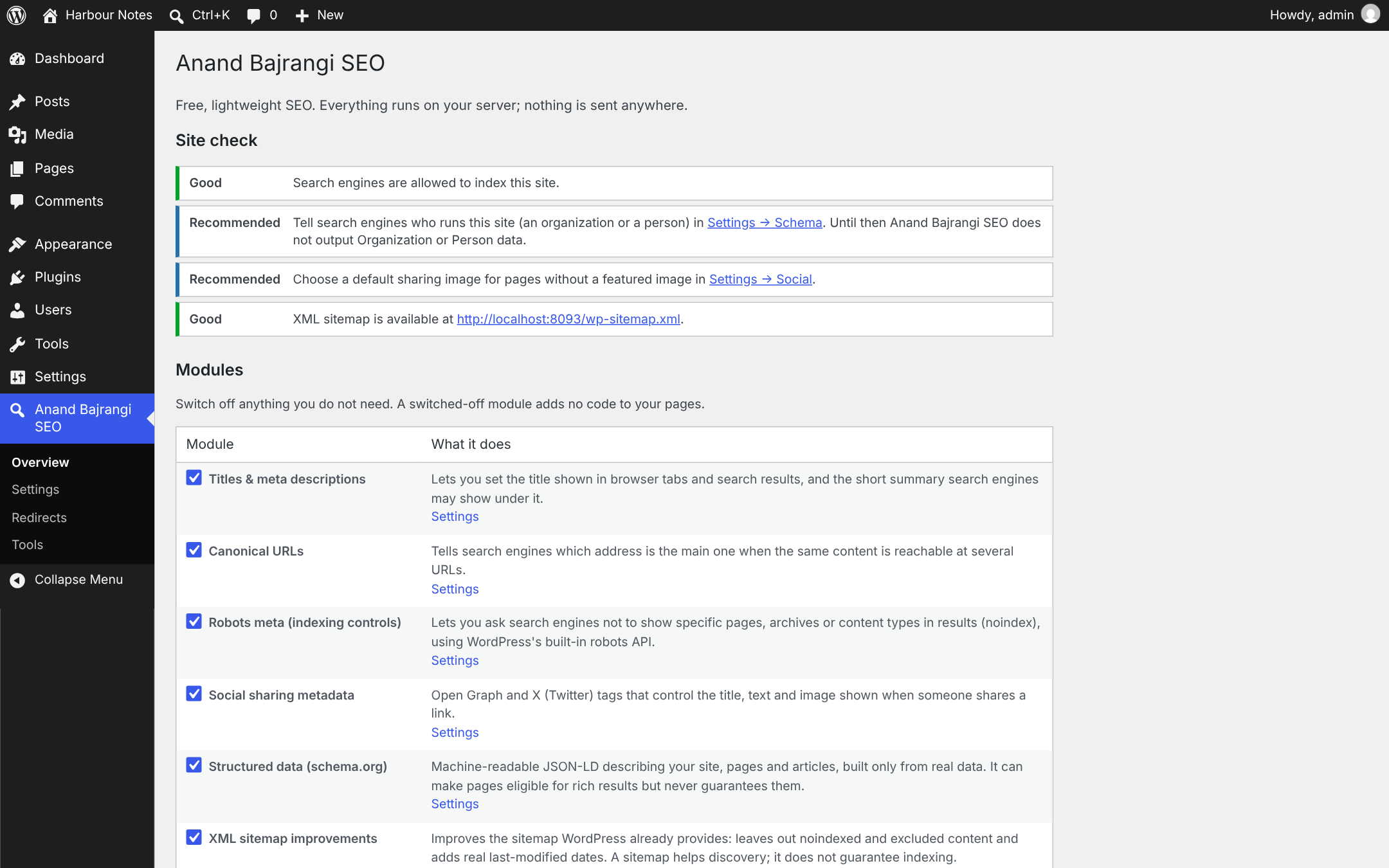
Overview: site check and the list of modules, each of which can be switched off.
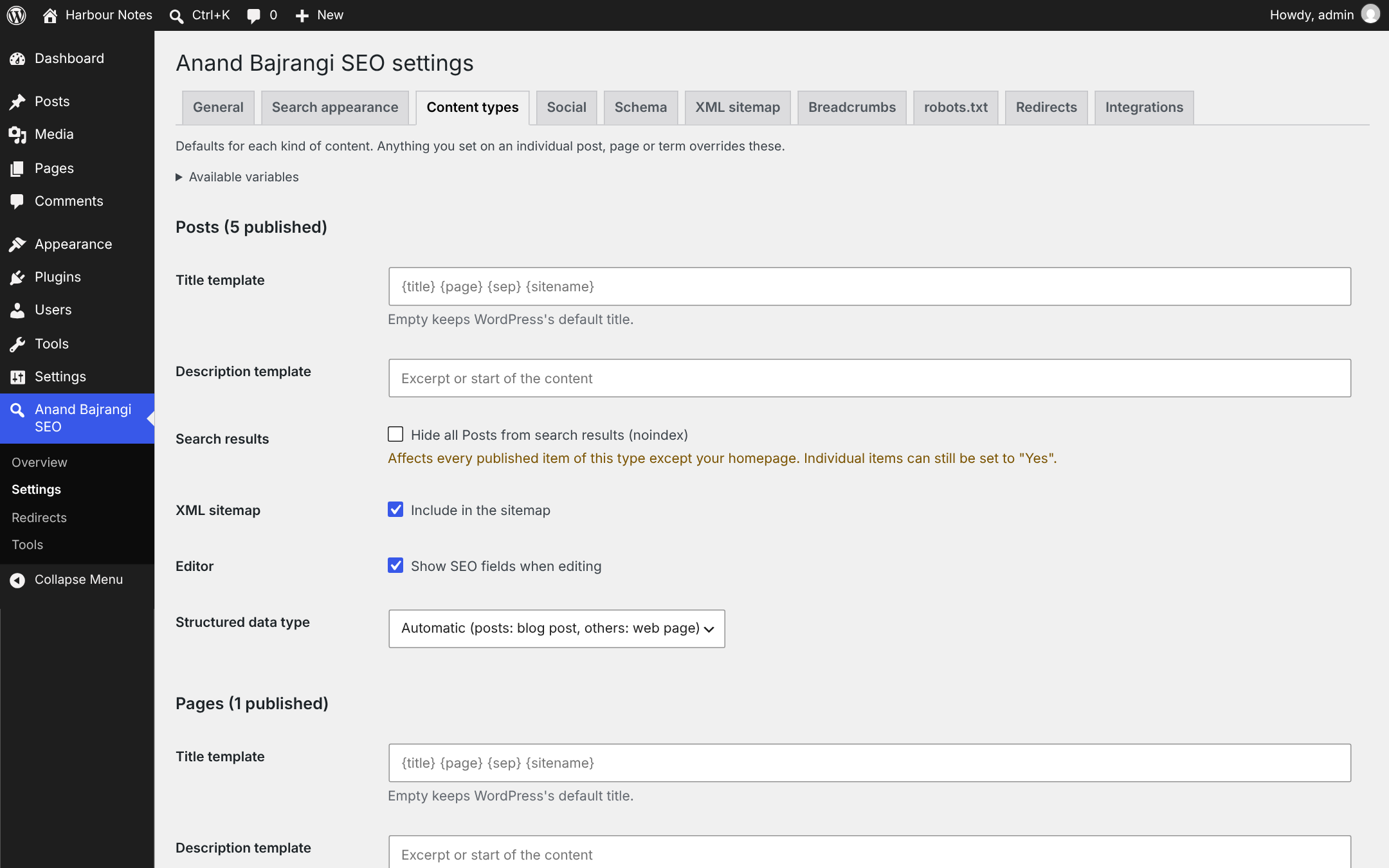
Settings → Content types: title and description templates and defaults for each content type.
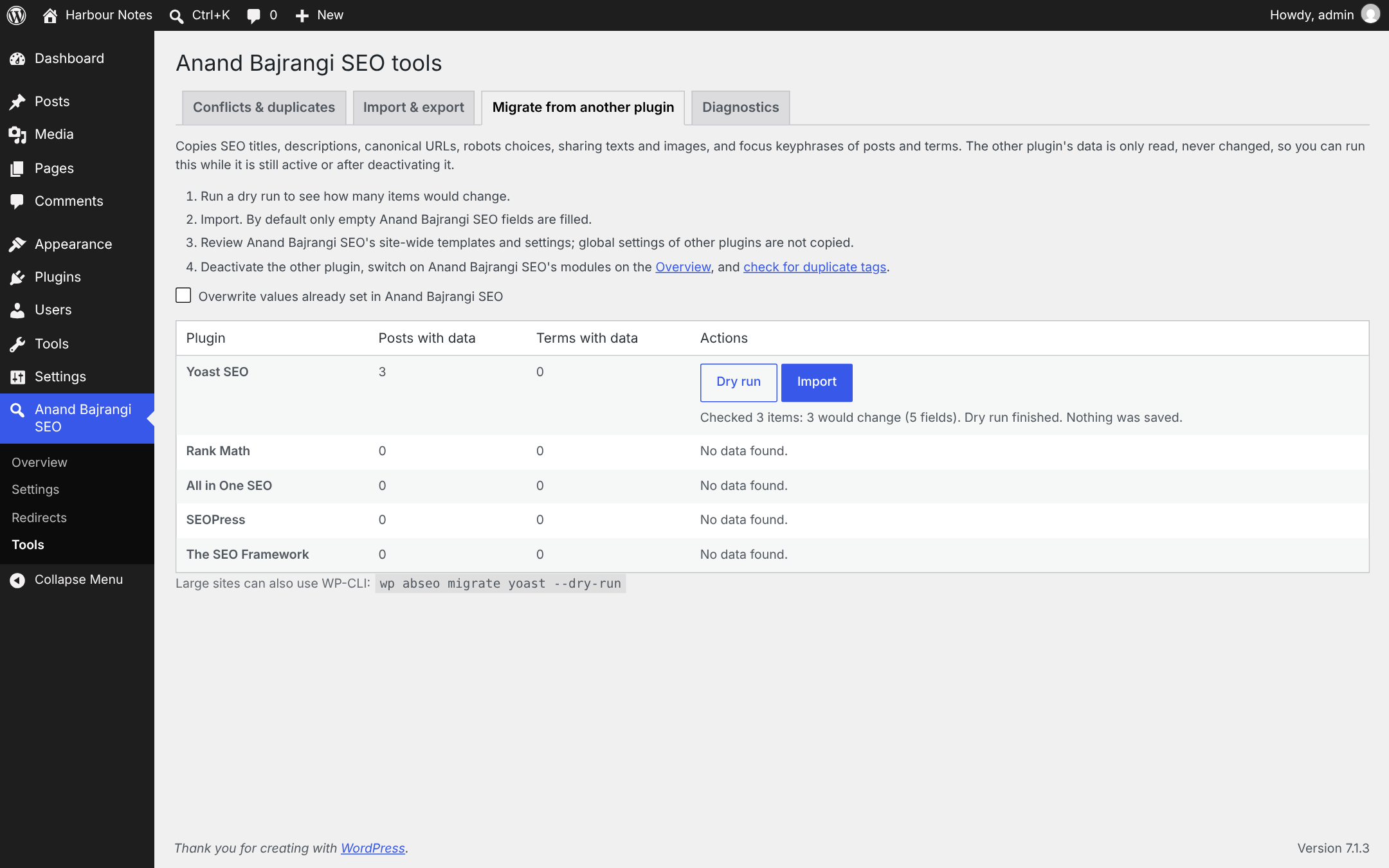
Migrating from another SEO plugin: a dry run shows what would change before anything is saved.
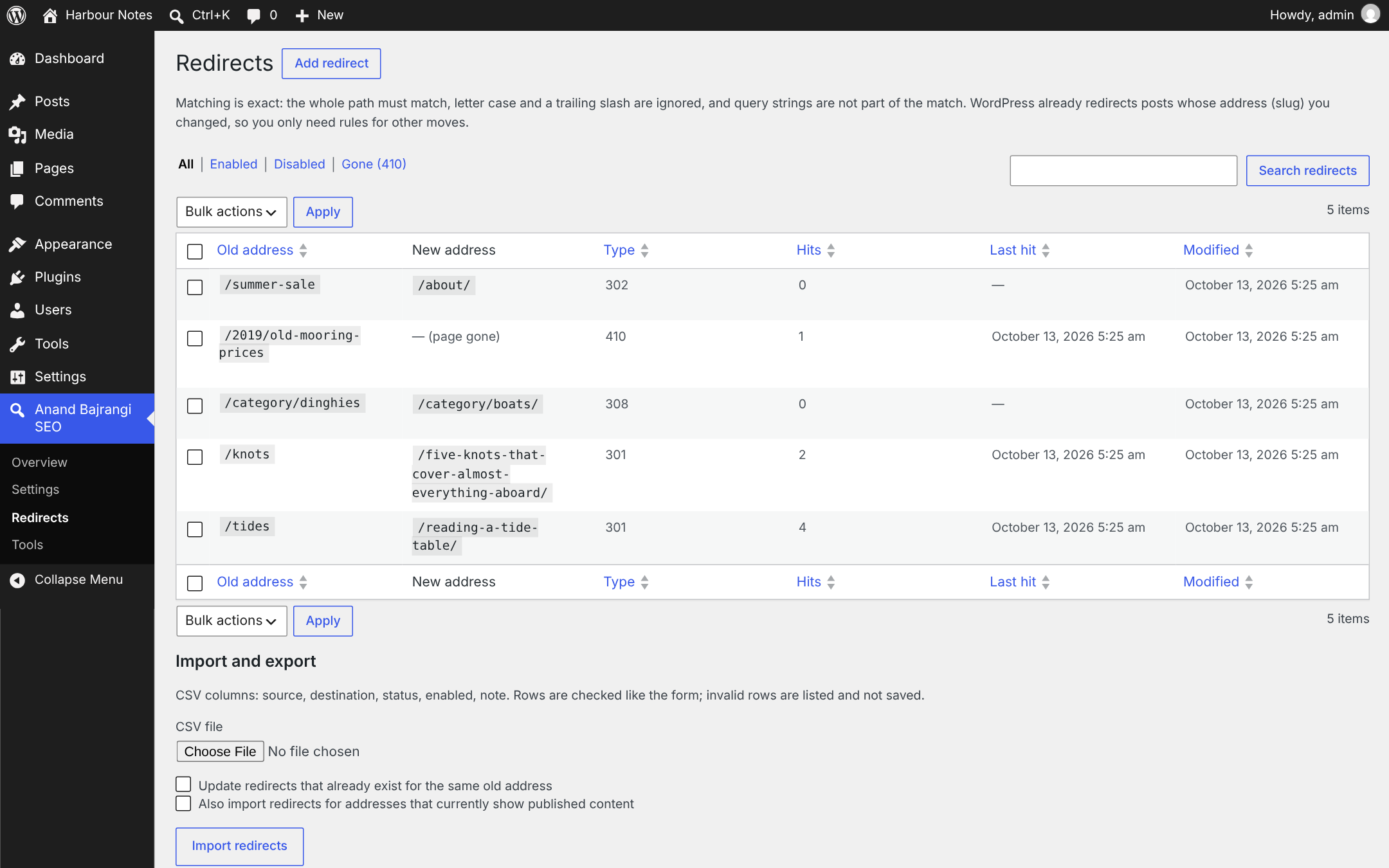
Redirects (optional module): 301, 302, 307, 308 and 410 rules with hit counts.
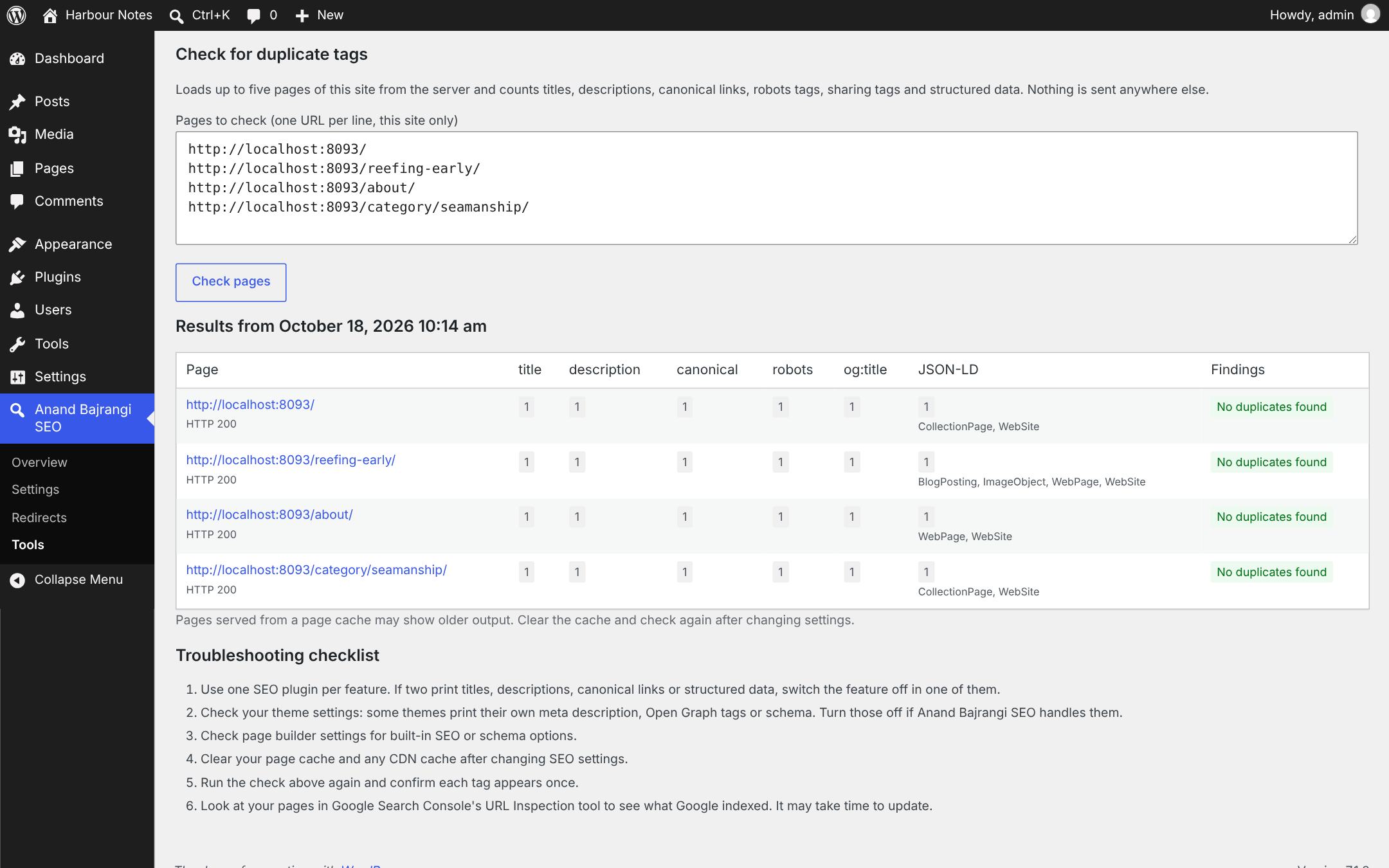
Duplicate-tag check: counts titles, descriptions, canonical links, robots tags, sharing tags and structured data on your own pages.
Faq
No. All features are in this plugin.
No plugin can promise that. Anand Bajrangi SEO makes sure search engines get correct titles, descriptions, canonical URLs, indexing instructions, sitemaps and structured data. Rankings depend on your content and many factors outside any plugin.
Running two plugins that print the same tags creates duplicates. Anand Bajrangi SEO detects common SEO plugins, starts with its output switched off when one is active, warns about overlapping modules and includes a scanner that counts duplicate tags on your pages. You can also keep only the Anand Bajrangi SEO modules another plugin does not cover.
Custom titles need the theme to let WordPress print the title (title-tag support). Block themes always do. For older themes there is a “Legacy title filter” option under Settings General.
WooCommerce: yes (see the Integrations tab). WPML and Polylang: SEO fields are set per translation, and setting texts can be translated through string translation (a wpml-config.xml file is included). Anand Bajrangi SEO does not print hreflang tags; leave that to your multilingual plugin.
Please report it privately to the developer, Anand Bajrangi, through anandbajrangi.com instead of the public support forum.
By default nothing is deleted, so you can reinstall without losing anything. To remove all Anand Bajrangi SEO data on deletion, enable “Delete data on uninstall” under Settings General first.
Reviews
Changelog
0.9.0
- First public release candidate. See CHANGELOG.md for details.