PageSchema Studio

PageSchema Studio
Description
PageSchema Studio adds a schema builder to your editor so search engines understand your content and your pages can qualify for rich results — without editing theme files or writing JSON by hand.
Main features
- 10 schema types — Article, WebPage, Product, Local Business, Video, How-To, Person, Organization, Website and BreadcrumbList
- Auto-filled fields — title, excerpt, featured image, author and dates come from your post and stay up to date
- Live preview — see an approximate Google result, the JSON-LD code and validation checks while you edit
- Validation — checks against Google’s required and recommended properties, on every post and on the dashboard
- FAQ block — show questions on the page and add them to the FAQPage schema in one step
- Manual JSON-LD — paste your own code; it’s checked as you type, and its type and fields are filled in automatically
- Sitewide schema — Organization and WebSite on every page, linked to your articles and pages
- Defaults per content type — give every post (or custom post type) a schema without editing each one
- Schema Sources — scan a page to see schema from other plugins, and turn off Yoast SEO, Rank Math, All in One SEO or WooCommerce schema
- Dashboard & Help Center — schema coverage and health across your site, plus answers to common questions
- English and French — switch the plugin’s language from the top right of its screens
Developers can add their own schema types by extending Pageschema_Type, and adjust the output with filters.
Installation
- Upload the
anilsuwal-pageschema-studiofolder to/wp-content/plugins/. - Activate the plugin through the ‘Plugins’ menu in WordPress.
- Go to PageSchema Studio Settings to describe your site and choose a default schema for each content type.
- Edit any post or page and use the “PageSchema Studio — Schema” box (or the “Schema” panel in the block editor sidebar).
Screenshots
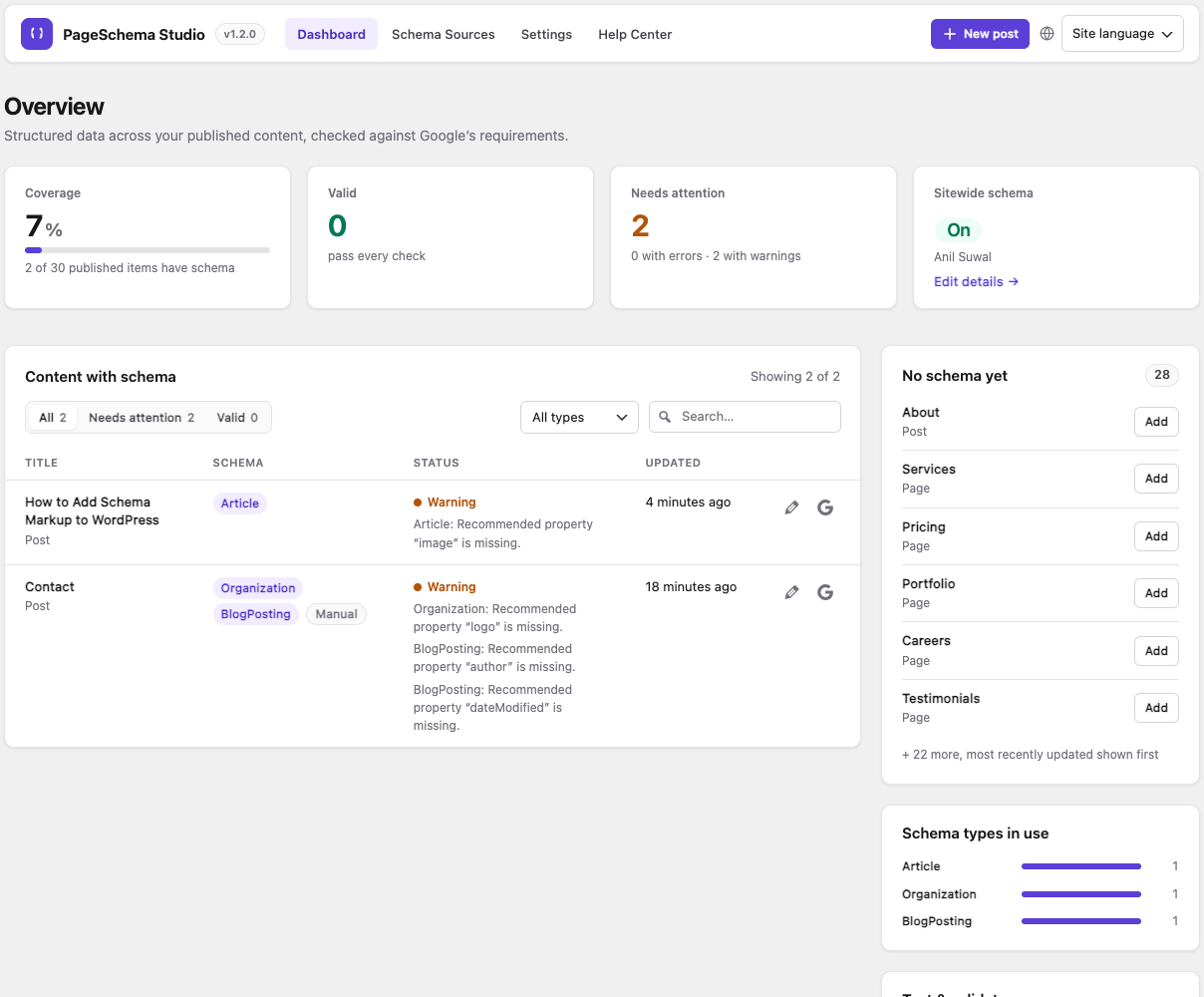
Dashboard — schema coverage, validation status and the content that still has no schema.
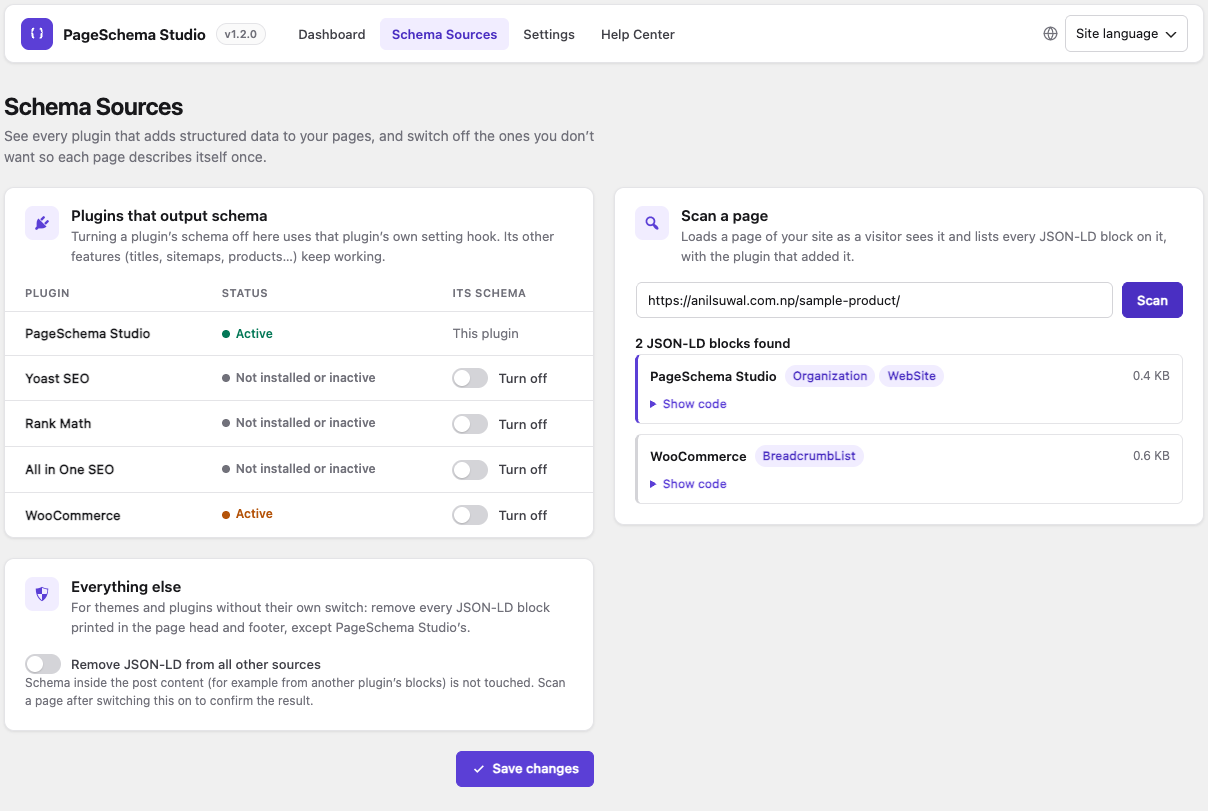
Schema Sources — scan a page to see every JSON-LD block and which plugin added it, and turn off schema from other plugins.
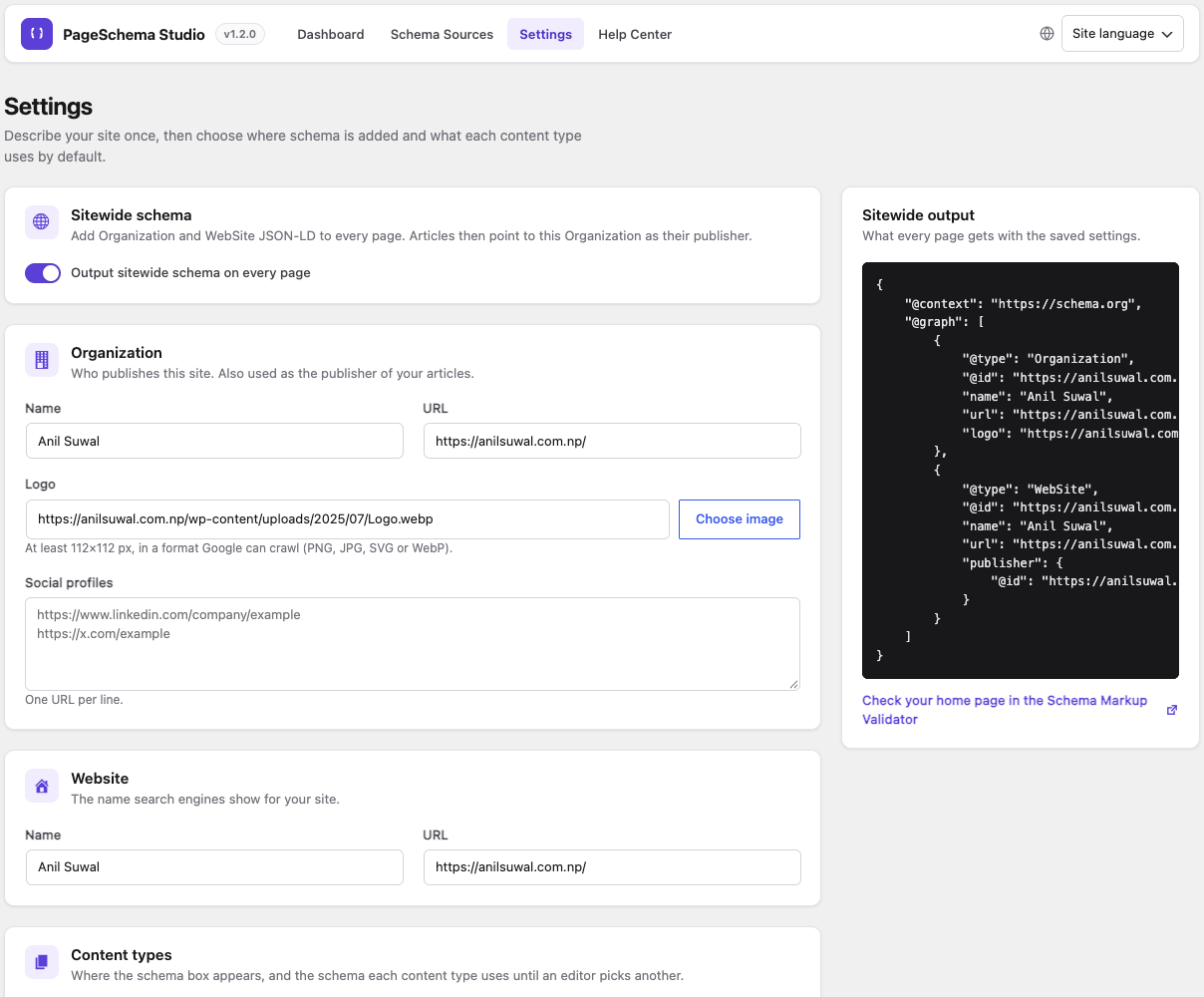
Settings — sitewide Organization and WebSite schema, with a preview of the output every page gets.
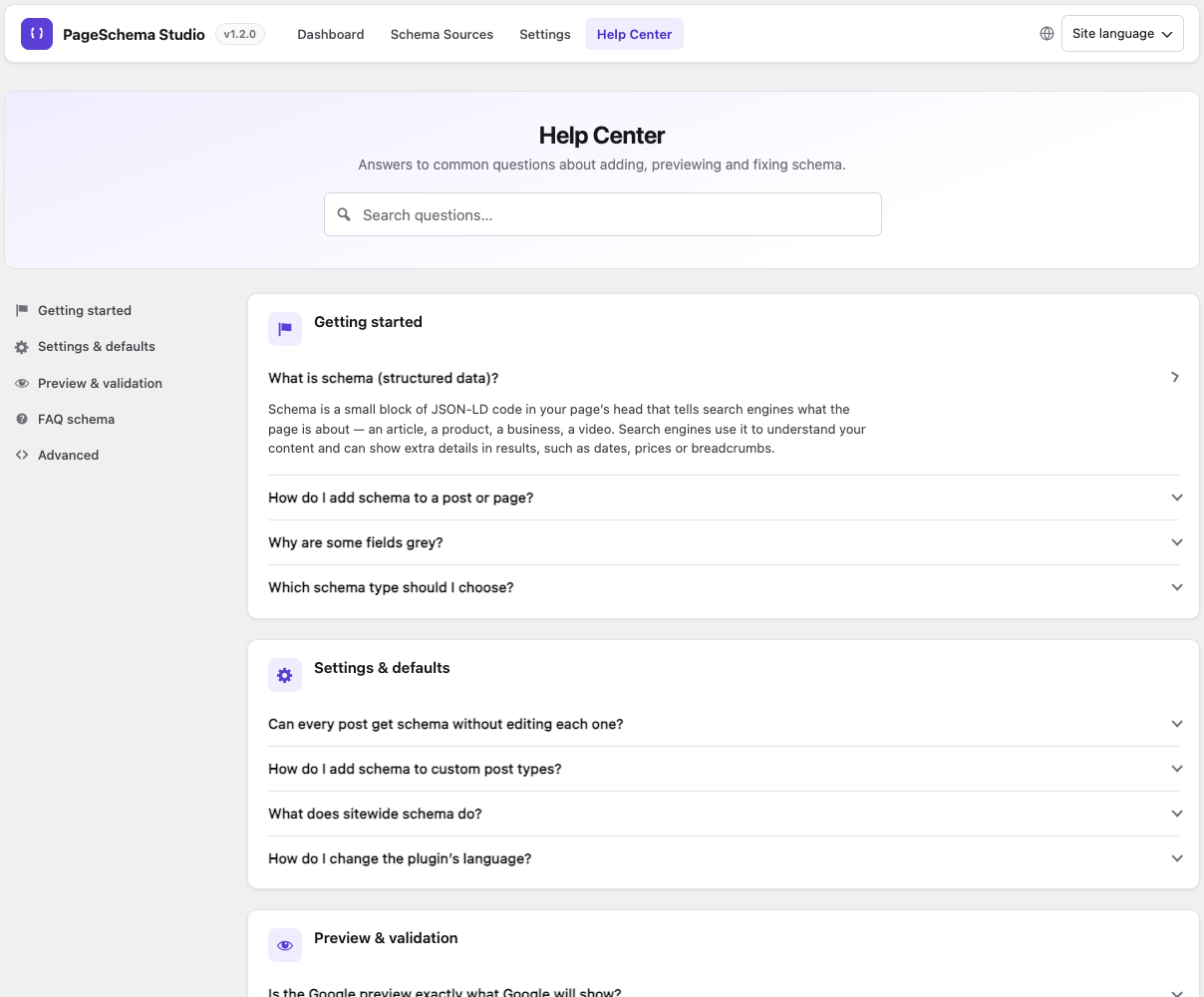
Help Center — searchable answers to common questions about adding, previewing and fixing schema.
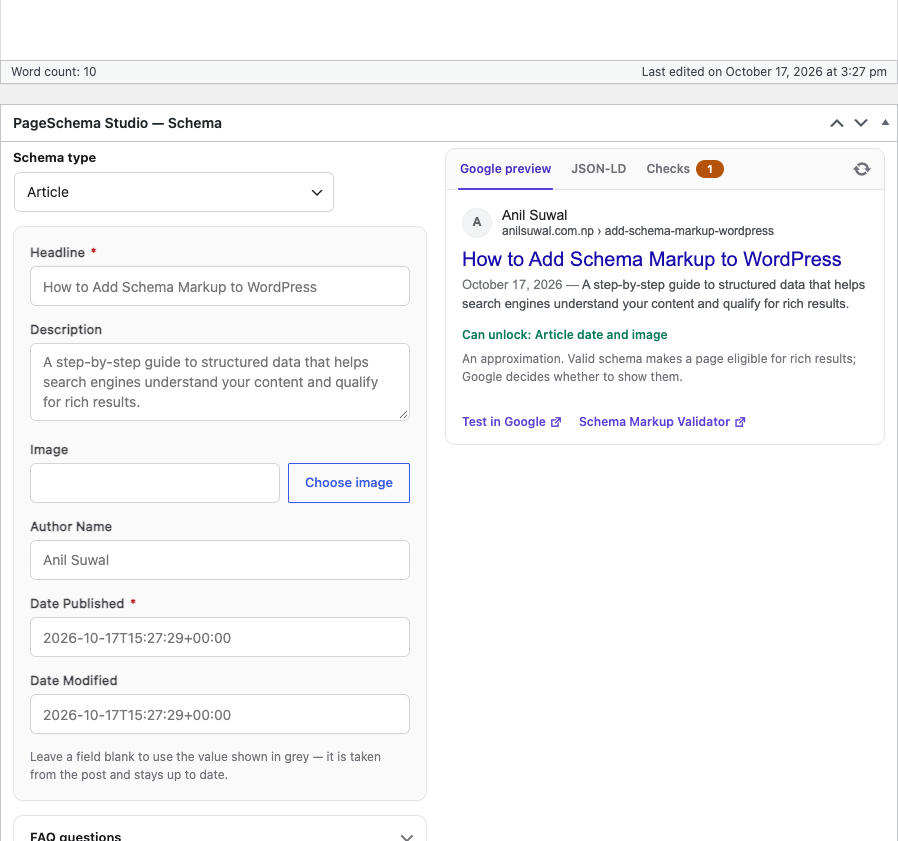
The schema box in the post editor — auto-filled fields, a live Google preview, the JSON-LD code and validation checks.
Faq
They also output schema, so a page could describe the same thing twice. Use PageSchema Studio Schema Sources to scan a page and turn their schema off with one switch.
No. In Settings Content types, choose a default schema for each content type (for example Article for posts). Fields fill in from the post automatically.
Yes, in the “Manual JSON-LD” box. It is checked as you type, the matching schema type is selected, and its fields are filled from your code.
No. It approximates a typical result. Valid schema makes a page eligible for rich results; Google decides whether to show them.
Google currently shows FAQ rich results only for well-known government and health sites. The markup is still valid and other search engines use it.
Yes. Enable them in Settings Content types.
More answers are in PageSchema Studio Help Center.
Reviews
Changelog
1.2.1
- Changed: plugin renamed to PageSchema Studio.
1.2.0
- New: Product, Local Business, Video and How-To schema types.
- New: live preview in the editor — Google result, JSON-LD and validation checks.
- New: FAQ (Schema) block.
- New: manual JSON-LD is validated as you type and fills in the matching type and fields.
- New: default schema per content type, and custom post type support.
- New: Schema Sources screen to scan pages and turn off schema from other plugins.
- New: redesigned dashboard and settings, and a Help Center.
- New: French translation with a per-user language switcher.
- Improved: connected schema — articles name your Organization as publisher, pages link to your WebSite.
- Changed: requires WordPress 6.3 or later.
1.1.1
- Fixed: per-post schema fields were saved under lowercased keys and never output. Existing data is repaired automatically on update.
- Fixed: manual JSON-LD property names (e.g.
mainEntity,sameAs) were lowercased. Manual JSON-LD saved with 1.1.0 needs to be re-entered. - Security: JSON-LD output now escapes
<and>, and manual JSON-LD keys are restricted to valid property names. - Fixed: clearing manual JSON-LD or FAQ items on upgraded sites no longer brings back pre-1.1.0 values. Legacy
_pss_*meta is removed. - Changed: blank fields use the live post value (title, dates, image…) instead of a saved copy, so
dateModifiedstays current. - Fixed: the Google Rich Results Test link now uses the post’s public URL, and appears once the post is published.
- Added: missing-field and invalid-JSON warnings appear in the block editor.
- Fixed: “Use existing SEO title & description” expands Yoast/RankMath template variables.
- Dashboard: status reflects what is actually output, multi-type JSON-LD is labelled correctly, and Quick Add links open the editor.
- Fixed: Settings page styles not loading on translated admin screens.
1.1.0
- Renamed all plugin prefixes from
psstopageschemafor WordPress.org compliance. - Removed FAQ output cap and freemium marketing copy.
- Added proper validation and recursive sanitization for manual JSON-LD input.
- Added database migration for existing installs using legacy
pss_*keys.
1.0.0
- Initial release.