Anrok Tax for WooCommerce

Anrok Tax for WooCommerce
Description
Growing your WooCommerce store means selling into new states—and new tax obligations. Anrok handles the entire compliance lifecycle so you can focus on what matters: building your business.
Connect and sync in minutes
Link your WooCommerce store with no custom code required. Orders and refunds sync automatically to Anrok, giving you a single source of truth for tax compliance across all your sales channels.
Know exactly where you owe
Anrok continuously monitors your sales against economic and physical nexus thresholds in every US state and 11,000+ US taxing jurisdictions. Get proactive alerts when you’re approaching obligations so that you’re never caught off guard by a registration deadline.
Registrations completed for you
When you hit nexus in a new state, Anrok’s team makes it easy to handle your sales tax registration on one platform. No paperwork, no state portals, no headaches.
Filing and remittance on autopilot
Local tax experts prepare, review, and file your returns on time, every time. Anrok remits payments directly to state authorities so you never miss a deadline or overpay.
Audit-ready from day one
Every transaction is tracked with rooftop accuracy. If a state ever comes knocking, you’ll have the documentation to back it up.
Real humans when you need them
Questions about a specific filing? Confused about a new nexus obligation? Anrok’s team of tax experts and technology specialists responds quickly with real answers so that you always get peace of mind.
Fast-growing brands like beehiiv, Dollar Flight Club, and 1Password trust Anrok to manage their sales tax. Whether you’re hitting nexus for the first time or managing obligations across 40+ states, Anrok scales with your WooCommerce business.
Features
- End-to-end sales tax compliance on one platform, from nexus monitoring to registration, calculation, filing, remittance, reconciliation, and audit reporting
- Real-time tax calculation at checkout
- Support for multiple tax types (Sales Tax, VAT, GST, HST, PST, QST, RST, JCT)
- Automatic connection testing
- Simple API key setup
- Pre-discount and post-discount tax handling
- Compatible with WooCommerce High-Performance Order Storage (HPOS)
Requirements
- Active Anrok account (sign up at https://anrok.com)
- WooCommerce 8.2 or higher
- Taxes enabled on your WooCommerce store
- HTTPS enabled on your store
Third-Party Service Integration
This plugin relies on the Anrok tax calculation service to provide real-time tax rate calculations. When enabled, the plugin will:
- Send cart and order information to Anrok’s API for tax calculation
- Retrieve or create tax rates based on the customer’s location and purchased items
External Service Details
Service Provider: Anrok
Service Website: https://anrok.com
Terms of Service: https://www.anrok.com/privacy-terms#w-tabs-0-data-w-pane-0
Privacy Policy: https://www.anrok.com/privacy-terms#w-tabs-0-data-w-pane-1
Installation
- Upload the plugin zip file in admin console, or install the plugin through the WooCommerce extensions marketplace
- Activate the plugin through the ‘Plugins’ screen in WordPress
- Go to WooCommerce Settings Tax Anrok
- Enter your Anrok API key (get one from your Anrok dashboard at https://anrok.com)
- Save settings and verify the connection status shows “Connected”
The plugin will automatically configure WooCommerce tax settings on activation.
Screenshots
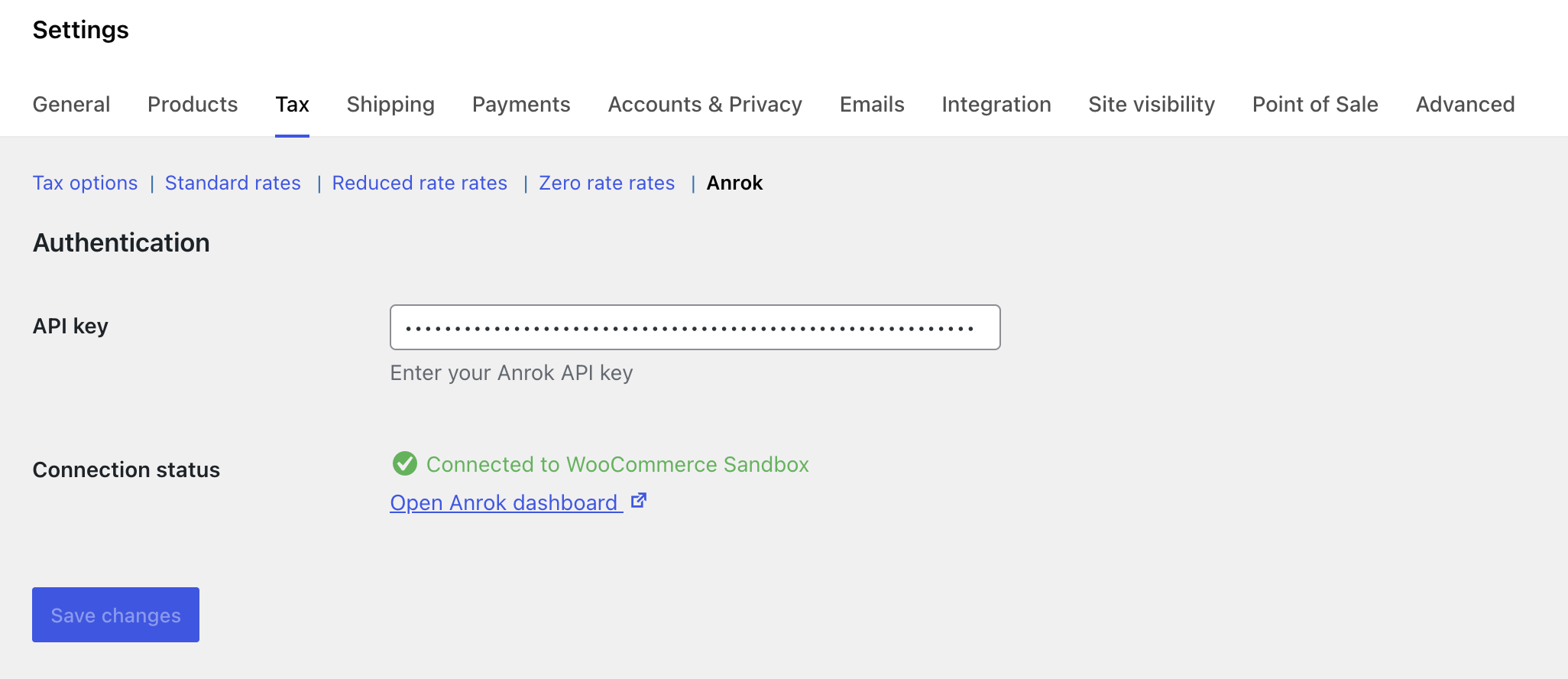
Settings page with API key configuration and connection status display
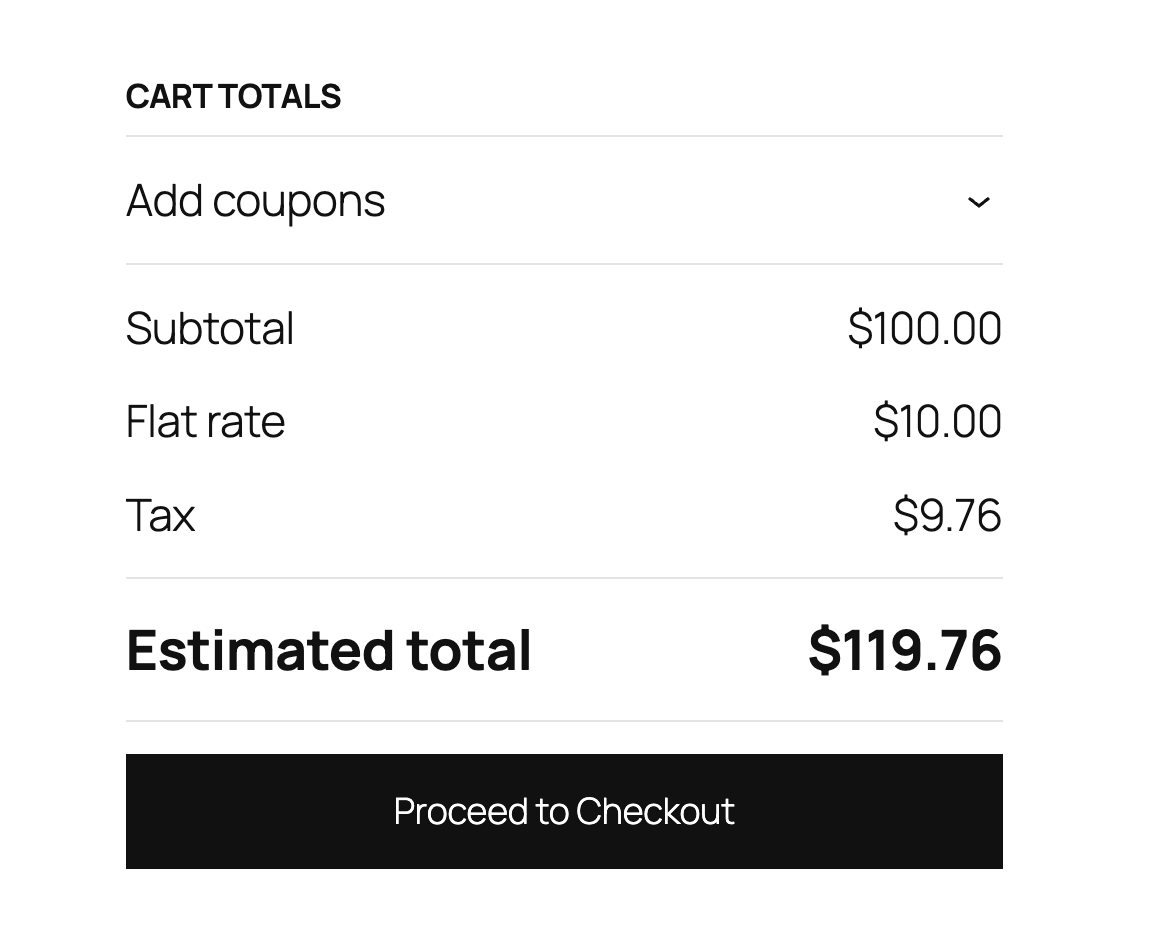
Tax calculation at checkout
Faq
Sign up for an Anrok account at https://anrok.com and generate an API key from your dashboard.
The plugin will fail gracefully and allow checkout to proceed without tax calculation to prevent blocking sales.
Yes, this plugin is fully compatible with WooCommerce’s High-Performance Order Storage system.
Taxes are calculated in real-time during checkout based on the customer’s shipping address, cart contents, and your store location.
The plugin supports multiple tax types including Sales Tax, VAT (Value Added Tax), GST (Goods and Services Tax), HST (Harmonized Sales Tax), PST (Provincial Sales Tax), QST (Quebec Sales Tax), RST (Retail Sales Tax), and JCT (Japan Consumption Tax).
The connection status is automatically tested when you view the settings page. A green “Connected” message indicates successful connection to the Anrok API.
The plugin automatically enables tax calculations, sets prices to exclude tax, and configures tax calculation based on the customer’s shipping address.
The plugin transmits necessary transaction details to calculate accurate sales tax, including customer address, product information, and order totals.
Anrok is SOC 2 Type II compliant. For detailed information about our security practices, please visit our security page: https://www.anrok.com/security
Reviews
Changelog
1.0.1
- Deprecate usage of load_plugin_textdomain()
- Check for plugins that could affect Anrok tax calculation results
1.0.0
- Initial release
- Real-time tax calculation at checkout
- Connection status testing
- Multiple tax type support
- HPOS compatibility
- Automatic WooCommerce settings configuration