Any Content Carousel

Any Content Carousel
Description
The plugin allows you to create a carousel with any post type you have.
This plugin is built to work for any theme and any post type or users.
With the Any Content Carousel Plugin you can create Carousels to give value to your Content, your Authors or your products.
Fully Responsive and Touch-friendly
More from us
We are a team of WordPress enthusiasts who enjoy developing WordPress and WooCommerce themes.
We also blog at GiardinoDiMezzo.eu, where we write about Climate Change
How to use:
- Go to Carousel Settings
- Select post Type
- Insert shortcode [tdm_contentslider] in page content
the Free version add only one type of carousel but in many page or content
the Pro version you create one carousel for any type of post you have.
Showcase
See how it works : Showcase.
Feedback
Any suggestions or comments are welcome. Feel free to contact us via the contact form.
Installation
1.In your WordPress admin panel, go to Plugins > New Plugin, search for Any Content Carousel and click \”Install now\”
2. Alternatively, download the plugin and upload the contents of any-content-carousel.zip to your plugins directory, which usually is /wp-content/plugins/.
3. Activate the plugin
Screenshots

Carousel Posts

Carousel Products
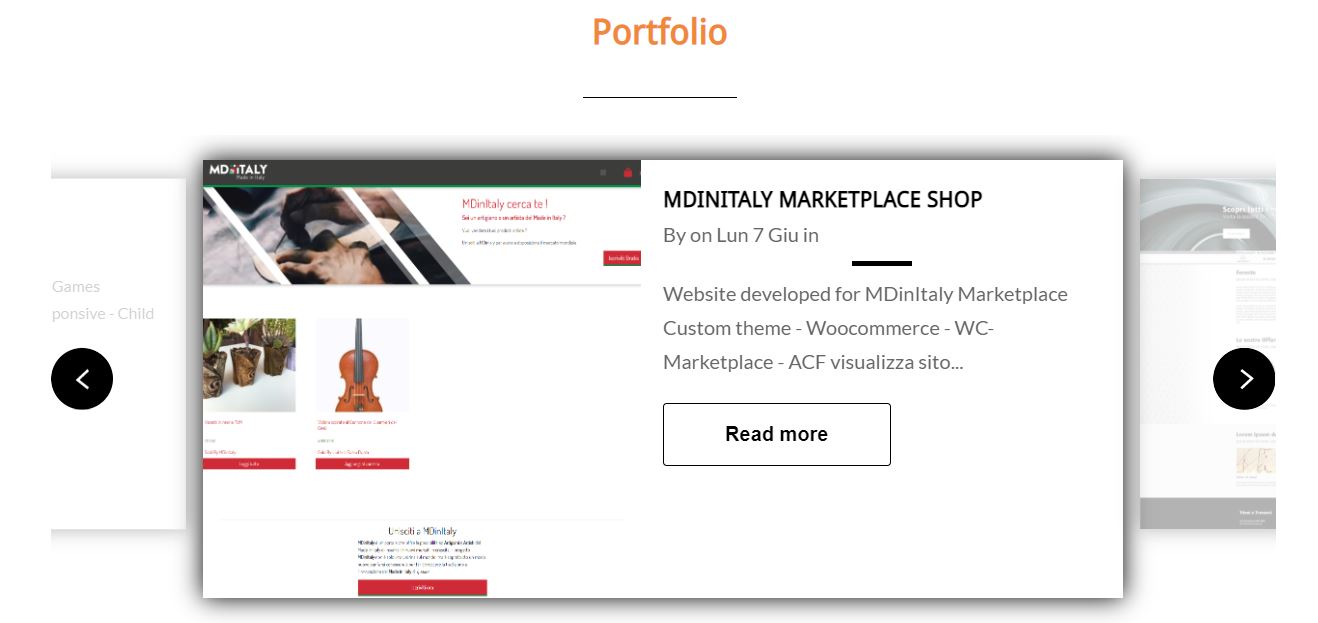
Carousel Portfolio

Carousel Users

Carousel Setting Area
Faq
There are tree easy ways to display Any Content Carousel in your theme:
– Using a shortcode
[tdm_contentslider]
– As a widget – in your WordPress admin panel, go to Appearance Widgets, choose text widget, and use the shortcode
[tdm_contentslider]
– Using PHP
<?php echo do_shortcode('[tdm_contentslider]'); ?>
In the carousel options under Select Post type, search for the post type you want to display among the types your site has.
You can create any post type normally like you do on WordPress, using another plugin or by yourself if you know php
the carousel shows the featured products, then, after selecting the post type product, you have to go to the product list and highlight the ones you want in the carousel by clicking on the star. The carousel displays Woocommerce products.
now the plugin activates the selection of the post format, if you select the post format Video in post edior, the plugin will take the first video it finds from the content of the post and will make it visible by clicking on the play button directly in the carousel.
Reviews
Great work!
By 
Great work!
By 
super smart!
By 
Awesome
By 
Changelog
1.0
1.2.0, July 01, 2021
- ADD: apply_filter after query_post to be able to change the result
- ADD: enqueue script only when the shortcode is present in the content or in a widget
- ADD: Improve post format Video
- FIX: button text color
- FIX: Responsive
- FIX: Carousel in widjet area
1.2.1, July 01, 2021
- FIX: Carousel responsive
1.2.2, July 03, 2021
- FIX: add library fslightboxjs
1.3.0, August 18, 2021
- ADD: Post and Products category Selection
- FIX: User Author carousel