Appointmind

Appointmind
Description
Include your Appointmind online appointment scheduling calender in any article or in the sidebar. This plugin requires that you have purchased either a monthly subscription or the downloadable version of the software. This plugin does not include the appointmind scheduling software. You can get the subscription or the software at Appointmind.com (English) or at Appointmind.de (Deutsch).
Installation
- Search for “Appointmind” under
Plugins > Add Newand clickInstall Now. - Activate the plugin on the
Pluginspage in WordPress. - Add your calendar URL in ‘Settings’ -> ‘Appointmind Calendar’.
- Go to Appearance -> Widgets and drag the Appointmind widget to the sidebar.
- Add the placeholder [appointmind_calendar] to any post. Alternatively you can find short code for individual calendars and reasons in your Appointmind control panel under “Configuration / Schedules”.
Screenshots
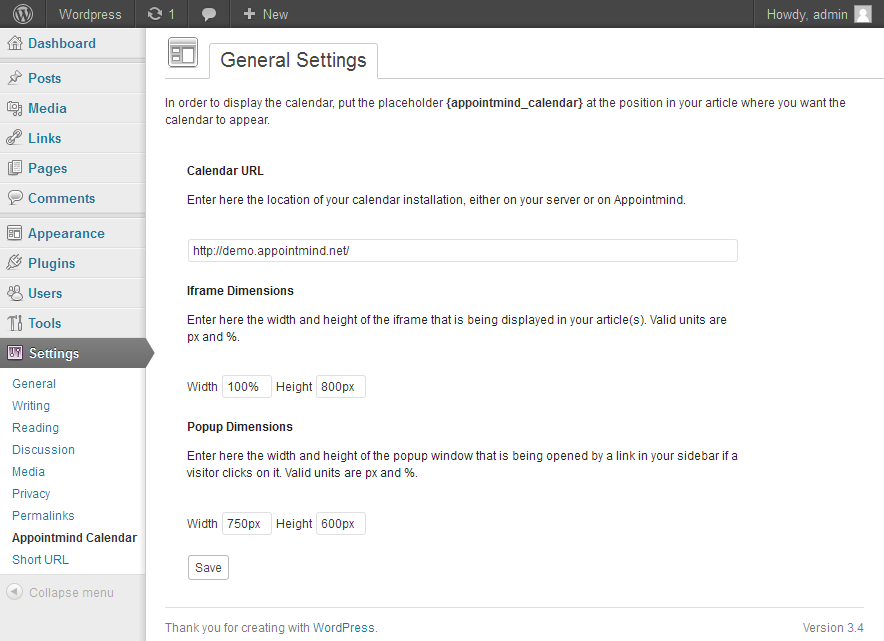
Appointmind settings page
Faq
No questions yet.
Reviews
Easy to work with
By 
Simple plugin that does what it promises.
Works really well
By 
Changelog
4.2.0
Escape user input
4.1.0
Escape user input
4.0.0
Added language parameter to shortcode.
3.10.0
Bugfix.
3.9.0
Added reason for booking to shortcode.
3.8.1
Use plugins_url() instead of WP_PLUGIN_URL.= 3.8.0 =
Added setting option that allows you to change the widget text.= 3.7.0 =
Fixed bug that prevented multiple iframes on te same page.
3.7.0
Updated iframe resizer.
3.6.0
Added short code to include patient order forms (lab results, referral, prescription medicine), e.g. [appointmind_patient_order form=”labresults”], [appointmind_patient_order form=”referral”], [appointmind_patient_order form=”prescription”]
3.5.0
Select specific calendar via the id attribute in the short code, e.g. [appointmind_calendar id=”w8z”]
3.4.0
Updated iframe resizer code.
3.3.0
Updated message library.
3.2.0
Updated message library.
3.1.0
Moved message code to the very bottom of wp_footer.
3.0.5
Changed locale file.
3.0.4
Changed description.
3.0.3
Changed description.
3.0.2
Changed description.
3.0.1
Changed description.
3.0.0
- Automatically adjusting iframe.
2.0.0
- Added support for short code. The placeholder for the calendar is now [appointmind_calendar]. The old placeholder will continue to work, though.
1.0.0
- Initial release