Archivarix Broken Links Recovery

Archivarix Broken Links Recovery
Description
Archivarix Broken Links Recovery scans your WordPress content for broken external and internal links and helps you fix them using the Wayback Machine (Web Archive) or manual management.
Key Features:
-
Multi-level link checking:
- HTTP status codes (4xx, 5xx, timeouts, DNS failures)
- Redirect analysis (different domain, redirect to root)
- Domain parking detection (30+ parking service signatures)
- Content-Type mismatch detection
- Soft 404 detection
- YouTube, Vimeo, TikTok video availability via oEmbed API
- Social network link validation (Twitter, LinkedIn, Instagram, Facebook, Pinterest)
-
Automatic mode: Replaces broken links with Web Archive copies using the post date as timestamp. Falls back to removing links when archive is unavailable.
-
Manual mode: Full control — review each broken link and choose the action:
- Replace with Web Archive copy
- Replace with custom URL
- Remove link (keep anchor text)
- Remove link and anchor text
- Whitelist (ignore and skip in future scans)
-
Internal link checking: Validates internal links against WordPress database and HTTP verification.
-
Background processing: Scans run in the background without blocking your site.
-
Scan sources: Posts, pages, custom post types, comments, custom fields, widgets, Elementor content.
-
Proxy support: Configure HTTP proxies for external link checking to avoid rate limiting.
-
Detailed logs: Every check and action is logged for review.
-
Bulk actions: Fix multiple links at once.
Works great with Archivarix External Images Importer — this plugin handles links, that plugin handles images.
Available in: English, Russian (Русский), Spanish (Español).
For more information, visit the plugin page.
External services
This plugin connects to external services to check link availability and find archived copies of broken pages. No personal user data is ever sent — only the URLs found in your WordPress content are transmitted to these services during scans initiated by the site administrator.
Wayback Machine (Internet Archive)
Used to check if an archived copy of a broken page exists and to build replacement URLs.
- Availability API endpoint:
https://archive.org/wayback/available?url={page_url}×tamp={date} - Sends: the broken page URL and the post publication date (as a timestamp hint)
- Called when: checking Wayback availability for broken links (during scan or manual lookup)
- Terms of Use
- Privacy Policy
YouTube oEmbed API
Used to verify whether a YouTube video is still available.
- Endpoint:
https://www.youtube.com/oembed?url={video_url}&format=json - Sends: the YouTube video URL found in content
- Called when: a YouTube link is encountered during scan
- Terms of Service
- Privacy Policy
Vimeo oEmbed API
Used to verify whether a Vimeo video is still available.
- Endpoint:
https://vimeo.com/api/oembed.json?url={video_url} - Sends: the Vimeo video URL found in content
- Called when: a Vimeo link is encountered during scan
- Terms of Service
- Privacy Policy
TikTok oEmbed API
Used to verify whether a TikTok video is still available.
- Endpoint:
https://www.tiktok.com/oembed?url={video_url} - Sends: the TikTok video URL found in content
- Called when: a TikTok link is encountered during scan
- Terms of Service
- Privacy Policy
Pinterest oEmbed API
Used to verify whether a Pinterest pin or board is still available.
- Endpoint:
https://www.pinterest.com/oembed.json?url={pin_url} - Sends: the Pinterest URL found in content
- Called when: a Pinterest link is encountered during scan
- Terms of Service
- Privacy Policy
Social network link verification
The plugin makes HTTP GET requests to social network URLs found in your content to verify they are still accessible. No API keys or authentication tokens are used — only standard browser-like HTTP requests. No data is sent beyond the URL itself.
Platforms checked: Twitter/X (x.com), LinkedIn (linkedin.com), Instagram (instagram.com), Facebook (facebook.com).
- Twitter/X Terms | Privacy
- LinkedIn Terms | Privacy
- Instagram Terms | Privacy
- Facebook Terms | Privacy
General link checking
During scans, the plugin makes HTTP GET requests to all external URLs found in your WordPress content (posts, pages, comments, widgets, custom fields) to verify their HTTP status. Only the URL itself is requested — no personal data, cookies, or authentication information is transmitted.
httpbin.org (proxy testing)
Used solely to test proxy connectivity when the administrator configures proxies in plugin settings.
- Endpoint:
https://httpbin.org/ip - Sends: nothing (simple GET request to verify the proxy works)
- Called when: administrator clicks “Test Proxies” in settings
- httpbin.org is an open-source HTTP testing service
Installation
- Upload the plugin folder to
/wp-content/plugins/ - Activate through the ‘Plugins’ menu in WordPress
- Go to Tools Broken Links Recovery
- Configure scan sources and mode in Settings tab
- Click “Start Scan” to begin checking your content
Screenshots
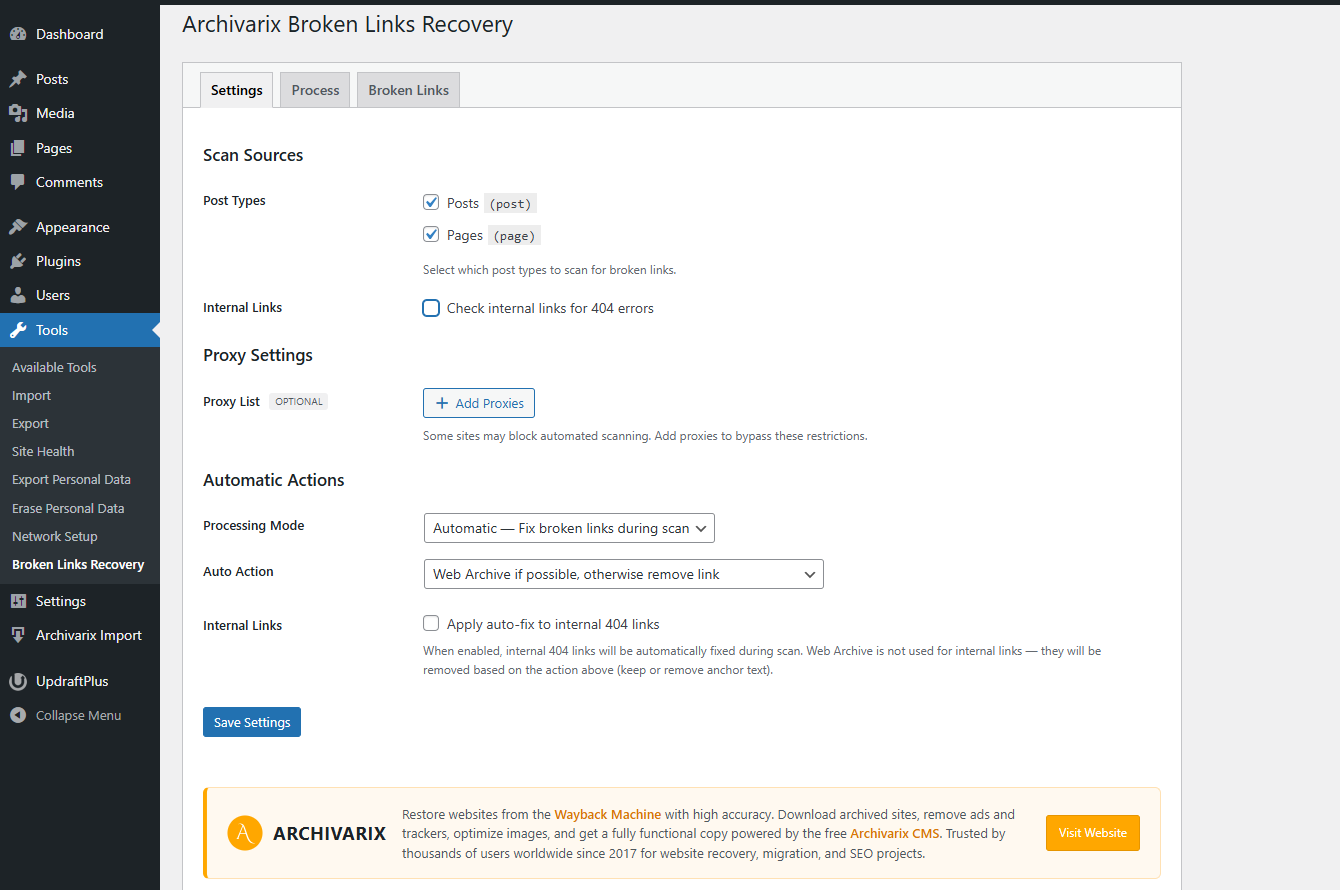
Settings page — scan sources, proxy configuration, and automatic actions
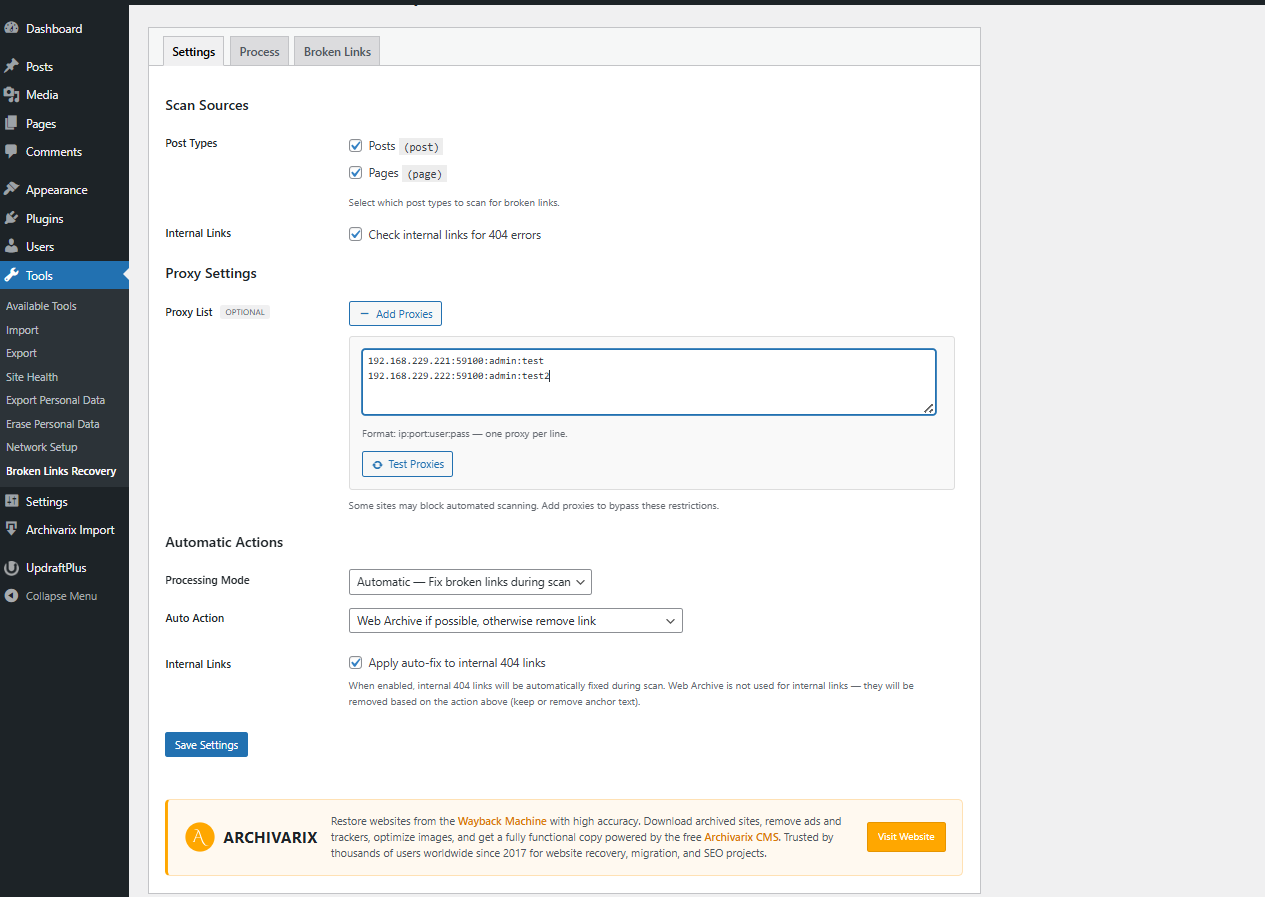
Settings page with proxy list and internal link checking enabled
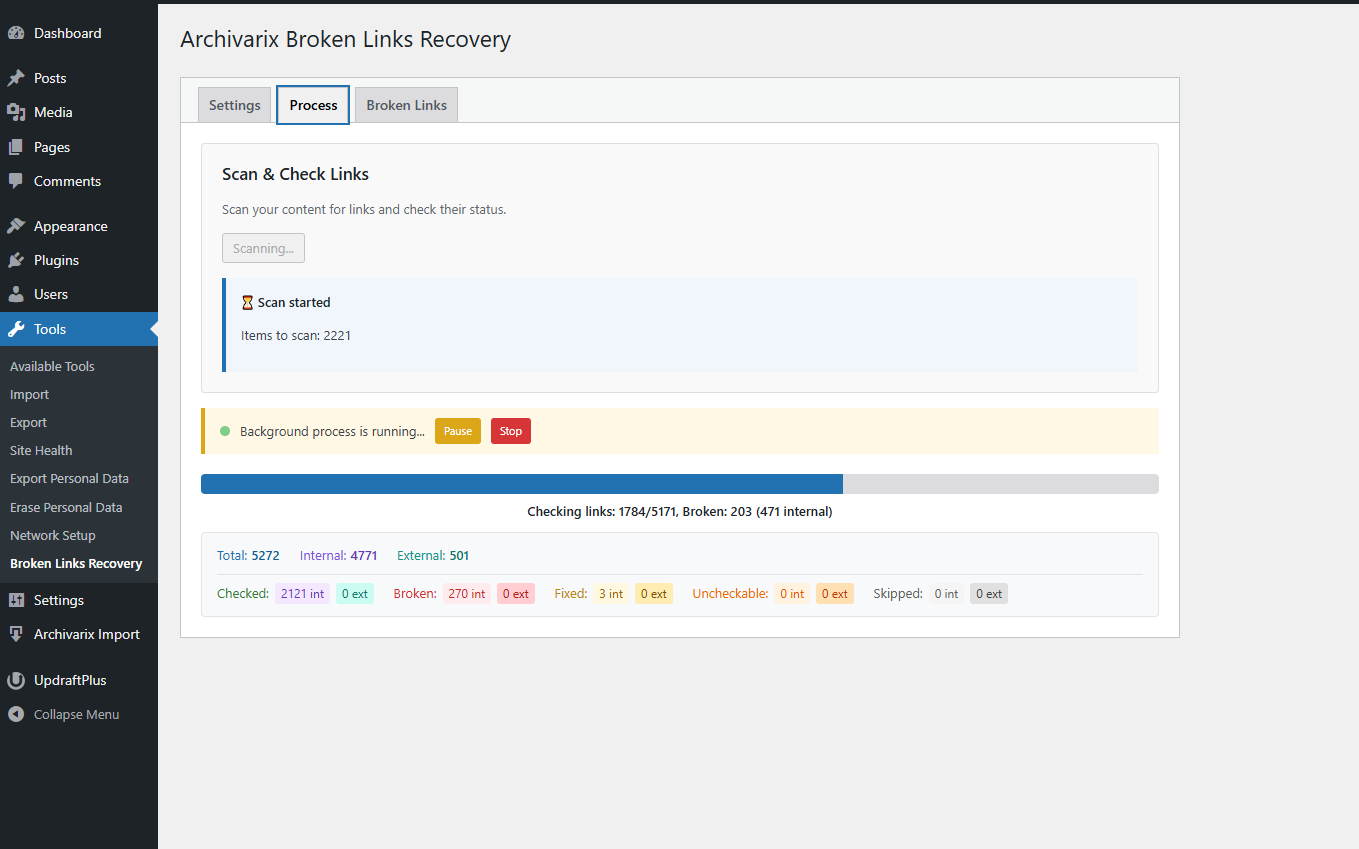
Scanning in progress — real-time progress bar and detailed link statistics
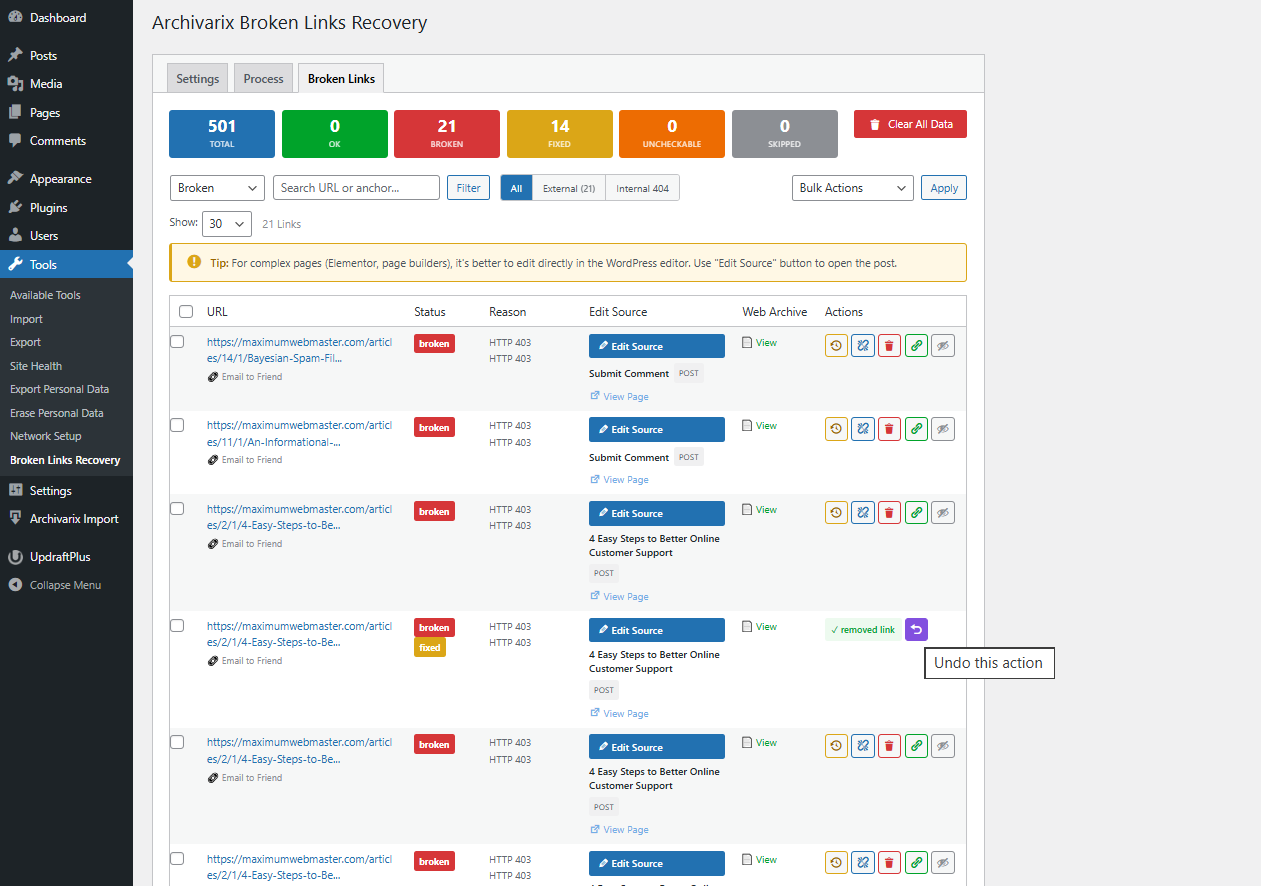
Broken links list with status filters, action buttons, Web Archive lookup, and undo support
Faq
When a broken link is found, the plugin builds a Wayback Machine URL using the original URL and the post publication date as the timestamp. The Web Archive automatically finds the closest available snapshot.
No. All scanning and checking runs in the background using WP Background Processing. Your site visitors are not affected.
This plugin only checks <a href> links. For broken images, use our companion plugin Archivarix External Images Importer.
Whitelisted links are marked as “ignore” and skipped during future scans. Useful when you know a link is temporarily down or has intermittent issues. You can remove links from the whitelist at any time.
Yes. The plugin can check internal links using a hybrid approach: first it tries to resolve them via the WordPress database (fast), then falls back to HTTP verification for unresolved URLs.
Some links cannot be reliably checked due to bot protection, rate limiting, or strict security policies (common on .gov/.edu domains). These are marked as “uncheckable” so you can review them manually.
Yes. The plugin scans Elementor content stored in _elementor_data post meta and can fix broken links within Elementor widgets.
Reviews
Changelog
1.0.0
- Initial release
- Multi-level broken link detection (HTTP, redirects, parking, soft 404)
- Web Archive replacement with post date timestamps
- Manual and automatic fix modes
- Background processing for large sites
- Internal link checking
- YouTube, Vimeo, TikTok video validation via oEmbed
- Social network link validation
- Elementor content support
- Proxy support for external checks
- Domain parking detection (30+ signatures)
- Soft 404 detection
- Bulk actions and detailed logs