Arena.IM – Live Blogging for real-time events

Arena.IM – Live Blogging for real-time events
Description
Arena is the best live blogging platform for real-time events.
Automate content generation and distribution, leveraging social media to cover sports, breaking news, or any event, 24/7. With our plugin, your Live Blog can be fully automated or moderated by an editor or community manager.
Additionally, you can combine content generated by your team with user-generated content from social media.
Boost user engagement and time spent on your site by providing users relevant content they will want to consume and share.
The Arena Live Blog platform and WordPress plugin provide critical features such as:
- Real-time Live Blogging
- SEO Ranking Improvement
- Integration with the Arena Live Chat to increase user engagement
- Integration with Twitter, Facebook, Youtube, Instagram, and other platforms
- Connection with your AdSense account to increase revenue
- Real-time audience analytics
- User-generated content curated from social media
- Automatic or moderated sports play-by-play
- Layout customization according to your brand and design style guide
- Sports calendar integration
- Cross-posting to social media
- In-feed comments inside the Blog
- Mobile Optimized
- Unlimited number of editors to manage your live events
- Reactions, sharing options, and threaded comments available on each post
- Interactive polls to keep your audience entertained and understand their views
- Sound alerts to notify your users of new posts
Live Blog is an impactful, authentic, and real-time engagement solution. It transforms your marketing strategy by making your content more interactive while increasing revenue and customer retention.
Arena Live Blog – Support
Here you can access our Help Center with additional guidance on setting up and making the best use of the Arena Live Blog.
Website
Visit our official website for more information: https://arena.im
Contact US
For more information, access dashboard.arena.im and talk to us on the Live Chat. We will get back to you within hours.
Screenshots

After installing the plugin, log in to create your event.

On WordPress, click on “Add new” to create a new post.

When editing the post, click on the plus (+) button and search for “Liveblog.”

You can then create a new Live Blog or Select an existing one.

You can also simply paste the Live Blog embed code.

Check out some real Live Blog examples: Technology

Check out some real Live Blog examples: Sports
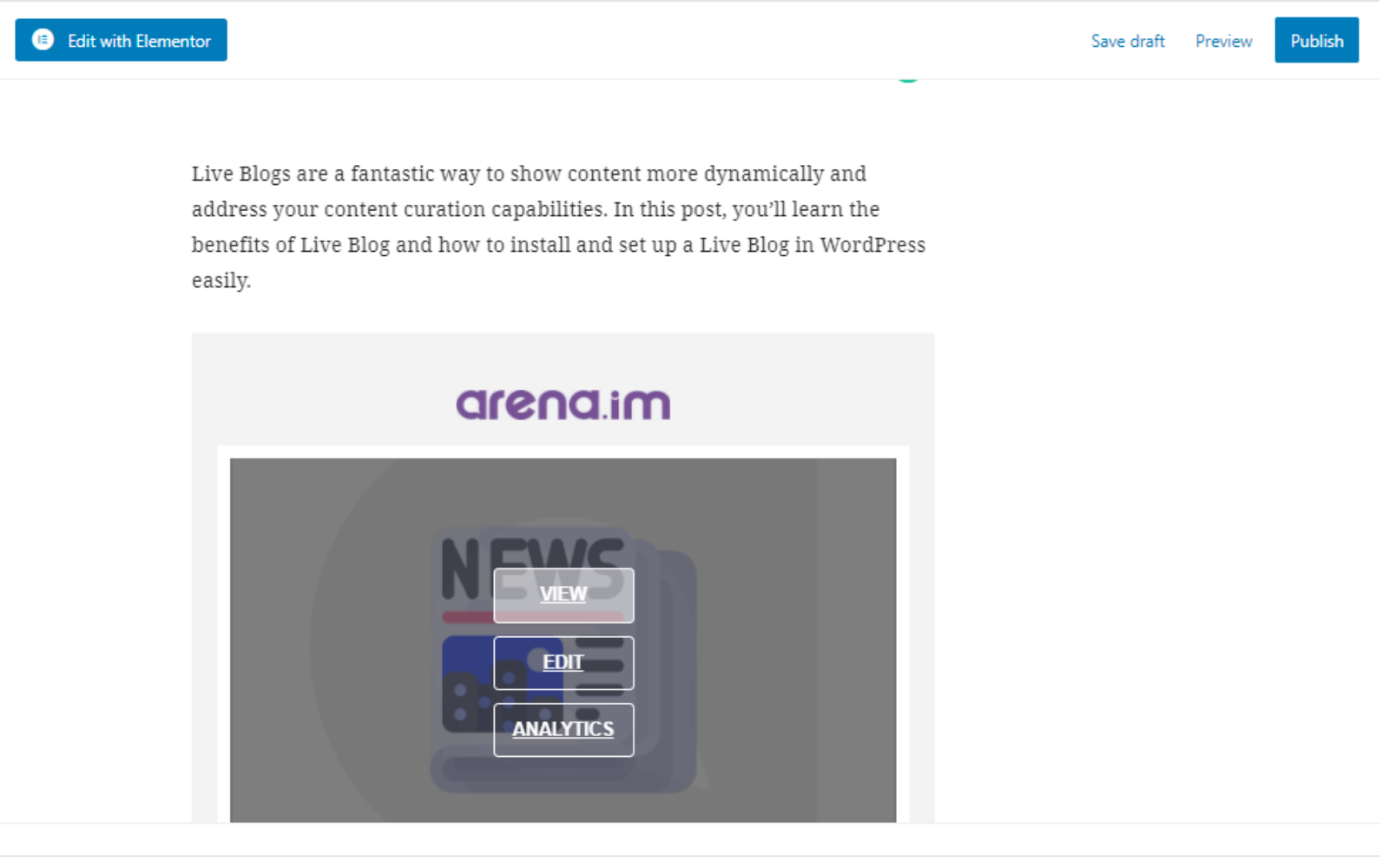
After selecting a Live Blog, you can preview or make edits to it. You can also click on "analytics" to check your Live Blog's metrics.

Check out this real example of a Live Blog integrated into a WordPress post.

You can also add Live Chat to your Live Blog to make it even more engaging.

The Live Blog layout is also fully customizable.

Start now and increase your revenue with targeted ads.

We support 52 languages. Choose one based on your audience's demographics for increased traffic.

We also provide a robust analytics dashboard.
Faq
A Live Blog is basically a personalized news feed that can be integrated into any website, providing rolling coverage of an event in real-time.
Live blogging allows you to post regular updates to your blog as an event occurs, rather than writing about it just afterward.
1 – Search for the Arena plugin in the WordPress store, click on “Install Now,” and then “Activate.”
2 – You will see a message to set up your account. If you prefer, you can access the plugin settings.
3 – Log in with your Arena.im account.
4 – Select the site you want to show the events.
Then click on New Post in your WordPress.
There are two most used editors:
– Gutenberg (latest update);
– Classic Editor
Click here to check a visual step by step on how to set up the Arena WordPress Plugin.
Click here to learn how to create a Live Blog using the Arena WordPress Plugin, or check out this article to learn how to create a Live Blog from scratch.
All of the Arena products are designed to be simple and easy, allowing anyone to configure their own Live Blogs, Live Chats, and Content Walls.
Live blogs optimize a lot of the editorial work while offering seamless content consumption experience to the final audience.
Live Blog encourages readers to interact more with your content and spend more time on your webpage. This increase in interactivity can ultimately boost your organic traffic results.
From a branding perspective, live blogs allow companies to position themselves as subject-matter experts, which is valuable for brands that deal with massive audiences and target a specific market niche.
Don’t worry! We won’t interrupt your service without notice. For all plans, we will send emails letting you know when you reach the limit.
If you are in the Basic and Professional plan, you can enable the Auto Upgrade option to automatically upgrade to the next plan and prevent the service from stopping.
If you’re in the Business plan and go over 100,000 page views, you will be charged $0.005 per page view.
You can also reach out to our support team to discuss different plans.
For each post on your Liveblog coverage, we add all the relevant schema.org properties. Google tends to favor those articles with live blogs while the event is happening because they have fresher information.
Start for FREE or find the right plan for your website. The Arena Live Blog is free for up to 5,000 page views a month.
Reviews
---
By 
----
This Plugin is Very Bed
By 
Great Tool for creating live blog in real time
By 
Free plugin, works great!
By 
The best of all!
By 
Buggy and not free
By 
Muito bom
By 
Great Job
By 
Messed up my site
By 
Very Nice
By 
Changelog
0.4.2
Minor adjustments
0.3.0
Feature to update post date according to liveblog last update date
0.2.9
Minor adjustments
0.2.8
Minor adjustments
0.2.7
Minor adjustments
0.2.6
Minor adjustments
0.2.5
Minor adjustments
0.2.4
Improve SEO tags
0.2.3
Minor adjustments
0.2.2
Minor adjustments
0.2.1
Minor adjustments
0.2.0
Add gutenberg support
0.1.7
Minor adjustments
0.1.6
Update i18n
0.1.5
Minor adjustments
0.1.4
Add account configuration
0.1.3
Minor adjustments
0.1.2
Add width and height configuration on iframe and amp.
0.1.1
Minor adjustments
0.1.0
Add width and height configuration on iframe embed.
0.0.9
Minor adjustments
0.0.8
Update description
0.0.7
Minor adjustments
0.0.6
Minor adjustments to Arena API integration.
0.0.5
Arena WordPress plugin released.