Arewa Mobile Bottom Navigation Bar
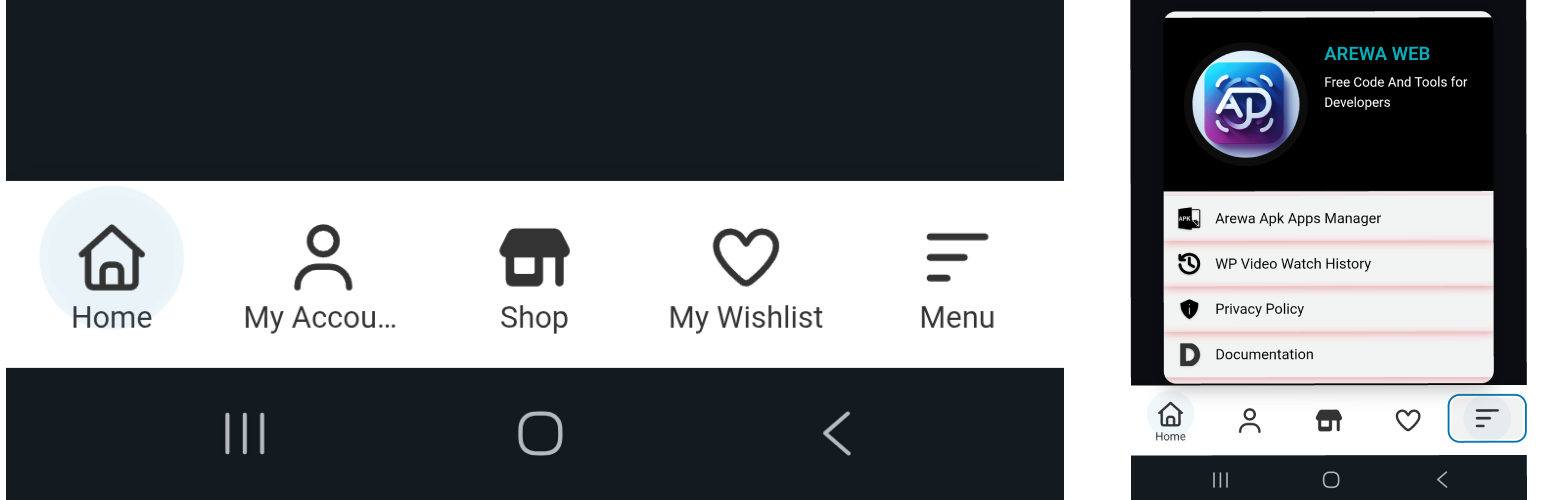
Arewa Mobile Bottom Navigation Bar
Description
🚀 The Ultimate Mobile Navigation Bar Solution for WordPress
Arewa Mobile Bottom Navigation is a powerful, feature-rich WordPress plugin that adds a stunning floating bottom navigation bar to your website. Designed with mobile-first principles, this plugin transforms your site’s navigation into a modern, app-like experience that users love.
✨ Why Choose Arewa Mobile Bottom Navigation?
- 📱 Mobile-First Design – Built specifically for mobile devices with responsive design that adapts perfectly to all screen sizes
- 🎨 Fully Customizable – Complete control over colors, sizes, animations, and styling
- ⚡ Lightning Fast – Lightweight code that won’t slow down your site
- 🔧 Easy to Use – Intuitive admin interface, no coding required
- 🎯 Advanced Visibility Controls – Show or hide navigation on specific pages, posts, categories, and more
- 📱 WebView/App Detection – NEW! Control navigation visibility within mobile apps using User-Agent detection
- 🚀 Cache-Optimized – Smart caching system prevents visibility issues and ensures consistent behavior
- 💫 Smooth Animations – Beautiful hover effects and pulse animations
- 📋 Submenu Support – Create nested menus for complex navigation structures
- 🎭 Multiple Layout Styles – Icon only, icon + text, or text on active button only
🌟 Key Features:
Navigation Customization
- Choose between 2-6 navigation buttons
- Three layout styles: Icon Only, Icon + Text, or Icon + Text on Active Button
- Drag-and-drop button reordering
- Custom SVG icons for each button
- Individual color customization for icons, text, backgrounds, and active states
WebView & App Detection (NEW!)
- User-Agent Detection – Configure custom User-Agent strings to detect mobile apps and WebViews
- Flexible Visibility Modes – Show only in apps, hide only in apps, or show everywhere
- Multiple App Support – Support multiple apps with different User-Agent strings
- Cache-Safe Implementation – Prevents caching issues that could cause inconsistent visibility
Submenu System
- Create unlimited submenu items for any button
- Custom icons and colors for submenu items
- Beautiful slide-in submenu overlay
- Optional submenu header with logo and site title
- Fully customizable submenu styling
Advanced Styling Options
- Custom background colors and opacity
- Border radius control
- Box shadow with customizable color
- Button text and icon size controls
- Hover effects toggle
- Active button pulse animation
- Submenu styling with full color control
Smart Visibility Controls
- Display on entire site or specific pages/posts
- Category-based visibility
- Custom post type support
- Device-specific visibility (mobile, tablet, desktop)
- Hide on login/register pages
- Hide in admin dashboard
- Combine multiple visibility rules
Professional Design
- Modern, clean interface
- Smooth animations and transitions
- Responsive design for all devices
- WordPress admin integration
- Easy-to-use settings panel
🎯 Perfect For:
- E-commerce websites
- Business websites
- Portfolio sites
- Blog sites
- News websites
- Any WordPress site wanting modern mobile navigation
💡 Use Cases:
- Create an app-like navigation experience
- Improve mobile user experience
- Add quick access to important pages
- Implement modern bottom navigation pattern
- Enhance mobile site usability
- Create custom mobile menu structures
🔒 Security & Performance:
- Follows WordPress coding standards
- Secure data sanitization
- Optimized for performance
- No external dependencies (except Select2 for dropdowns)
- Regular security updates
📚 Documentation:
Full documentation available at: https://arewa.dev/arewa-mobile-bottom-navigation-bar/
Support
For support, documentation, and updates, visit:
https://arewa.dev/arewa-mobile-bottom-navigation-bar/
Credits
Developed by A-Said
Website: https://arewa.dev/
Privacy
This plugin does not collect, store, or transmit any user data. All settings are stored locally in your WordPress database.
Development
- GitHub: Coming soon
- Issues: Report via plugin support page
- Contributions: Welcome!
Additional Information
Performance:
* Lightweight and fast
* No external API calls
* Optimized CSS and JavaScript
* Minimal database queries
Compatibility:
* WordPress 5.0+
* PHP 7.2+
* All modern browsers
* Mobile and desktop devices
* All WordPress themes
* Major page builders (Elementor, Gutenberg, etc.)
Accessibility:
* Keyboard navigation support
* Screen reader friendly
* ARIA labels included
* Semantic HTML structure
Translation Ready:
* Text Domain: arewa-mobile-bottom-navigation-for-wordpress
* POT file included
* Ready for translation
Technical Details
File Structure:
* Main plugin file: arewa-mobile-bottom-navigation-for-wordpress.php
* Admin settings: includes/admin-settings.php
* Frontend rendering: templates/navigation.php
* Visibility logic: includes/visibility-conditions.php
Hooks & Filters:
* arewa_mbn_settings – Filter settings before save
* arewa_mbn_should_display – Filter visibility check
* arewa_mbn_button_html – Filter button HTML output
Database:
* Options stored in: arewa_mbn_settings, arewa_mbn_buttons, arewa_mbn_submenus
* No custom database tables
* Easy to export/import settings
License
This plugin is licensed under the GPL v2 or later.
Author
A-Said
* Website: https://arewa.dev/
* Plugin URI: https://arewa.dev/arewa-mobile-bottom-navigation-bar/
Tags
mobile navigation, bottom navigation, mobile menu, responsive navigation, floating navigation, bottom bar, mobile-first, navigation bar, sticky navigation, app-like navigation, mobile bottom menu, WordPress mobile, mobile UX, bottom menu bar, mobile navigation plugin, WordPress navigation, mobile site navigation, bottom navigation bar, mobile menu plugin, responsive menu
Installation
Automatic Installation
- Log in to your WordPress admin panel
- Navigate to Plugins Add New
- Search for “Arewa Mobile Bottom Navigation”
- Click “Install Now” and then “Activate”
Manual Installation
- Download the plugin zip file
- Log in to your WordPress admin panel
- Navigate to Plugins Add New
- Click “Upload Plugin”
- Choose the zip file and click “Install Now”
- Click “Activate Plugin”
After Installation
- Go to “Mobile Bottom” in your WordPress admin menu
- Configure your navigation buttons
- Customize colors and styling
- Set visibility rules
- Save and enjoy your new mobile navigation!
Screenshots
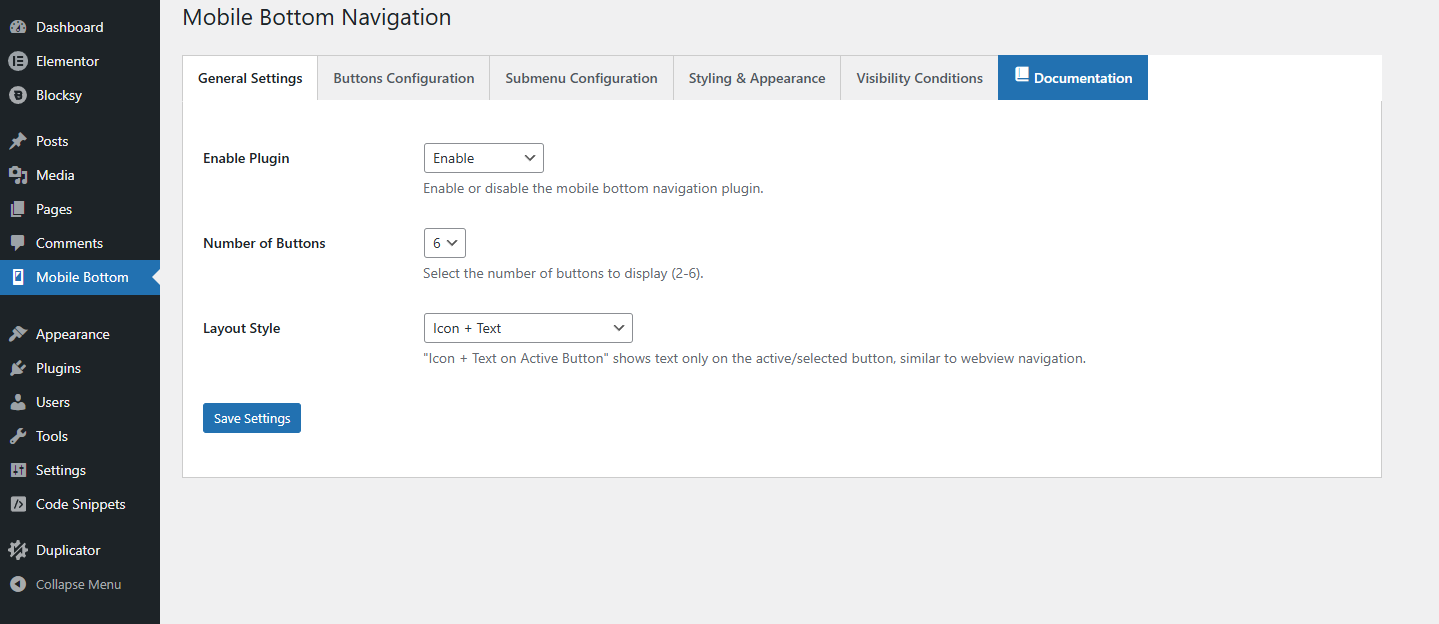
General Settings – Main configuration panel for enabling the mobile navigation bar and global behavior.
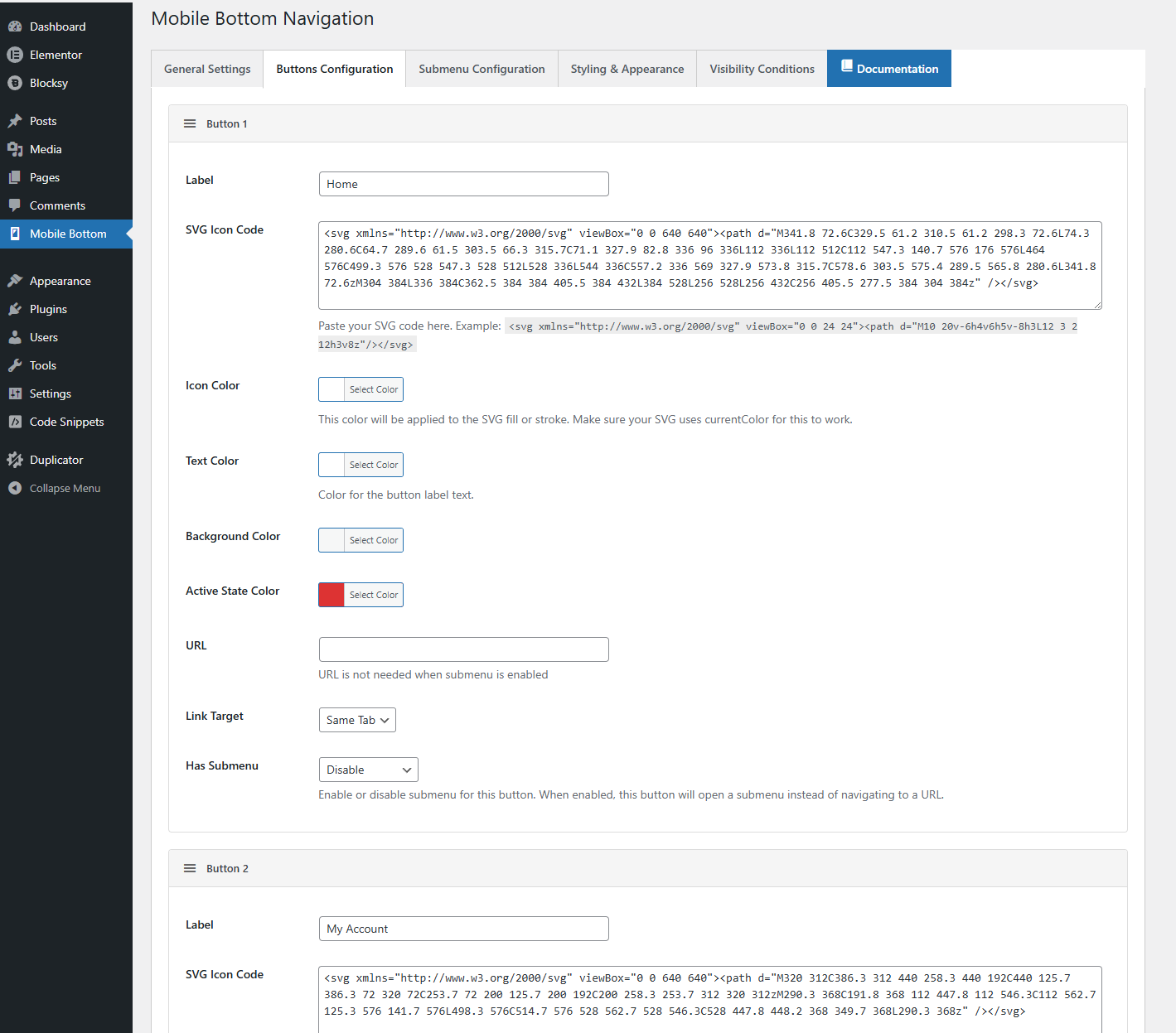
Button Configuration – Button management with drag-and-drop reordering and individual button settings.
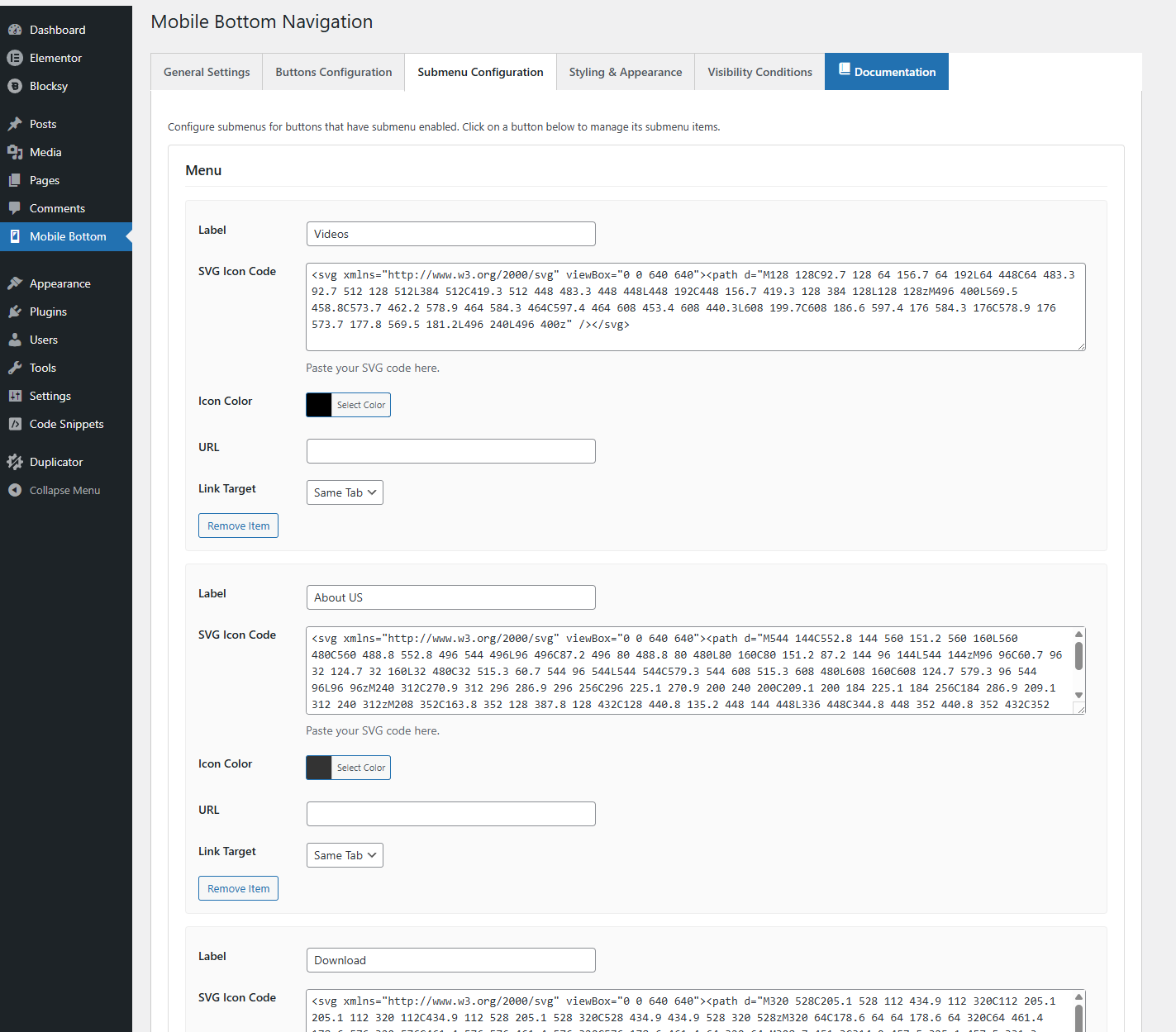
Submenu Management – Interface for creating and managing submenu items for navigation buttons.
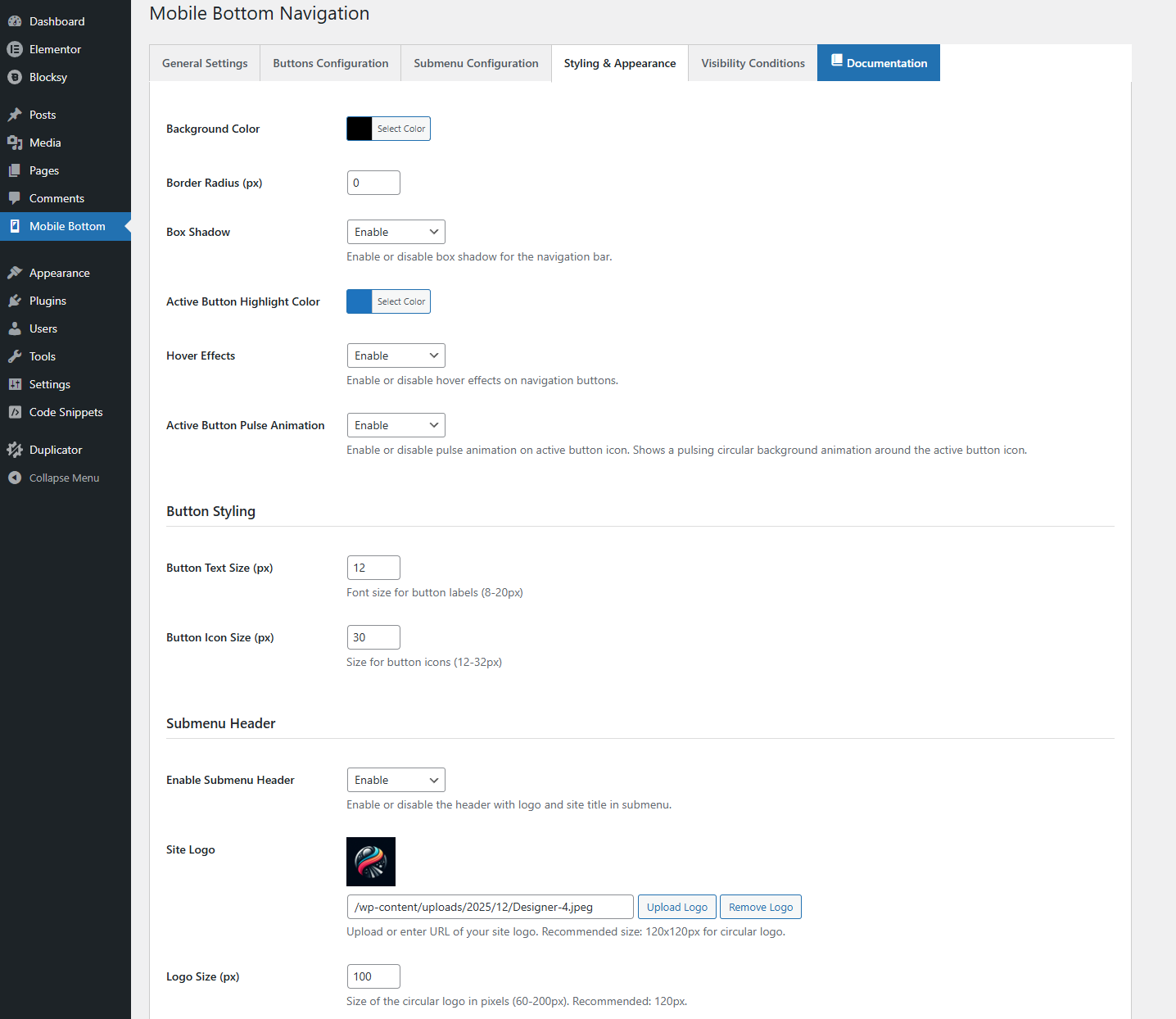
Advanced Styling Options – Customize layout, sizes, borders, shadows, and visual appearance.
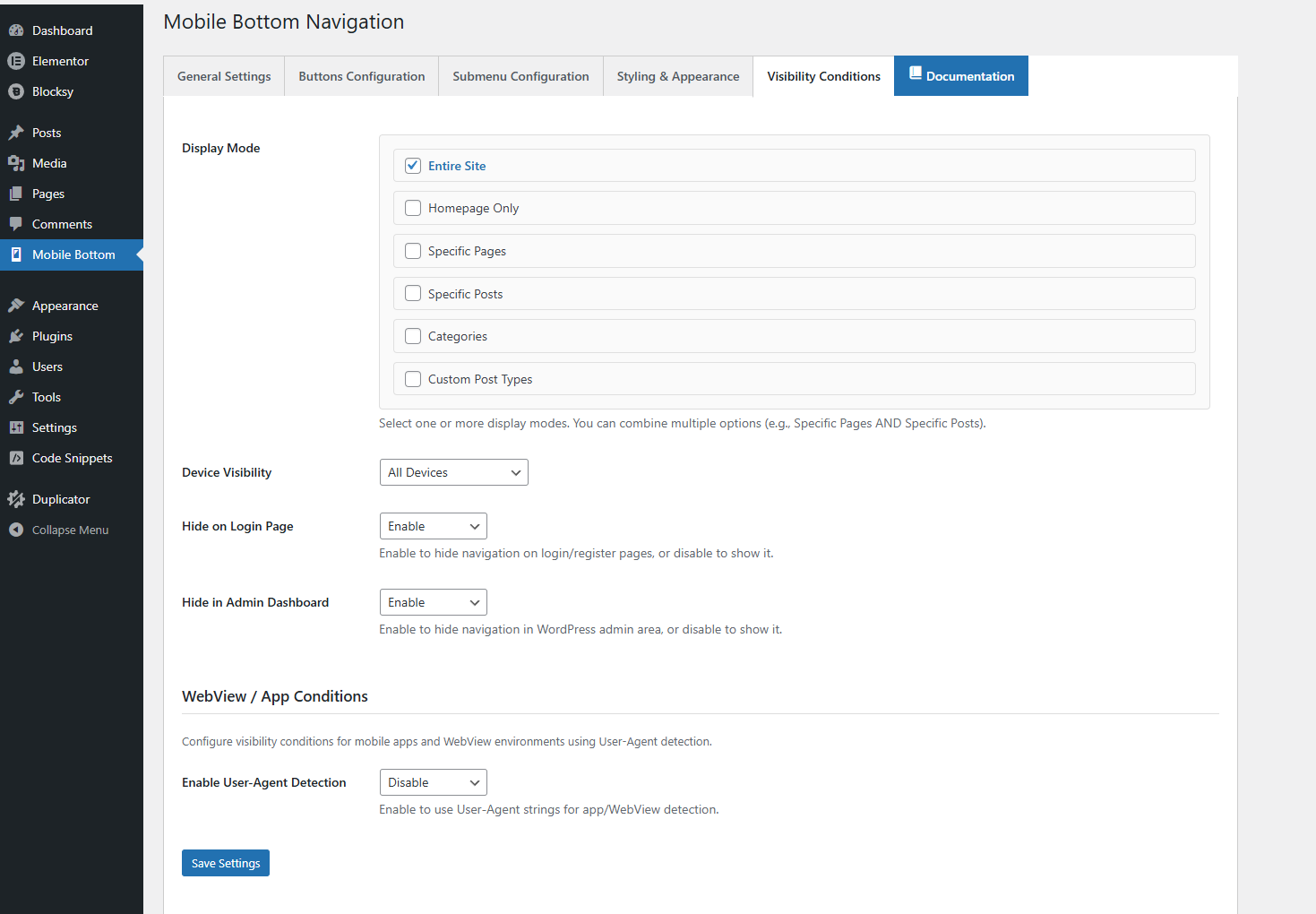
Visibility Conditions – Control where the navigation bar appears using multi-select conditions.
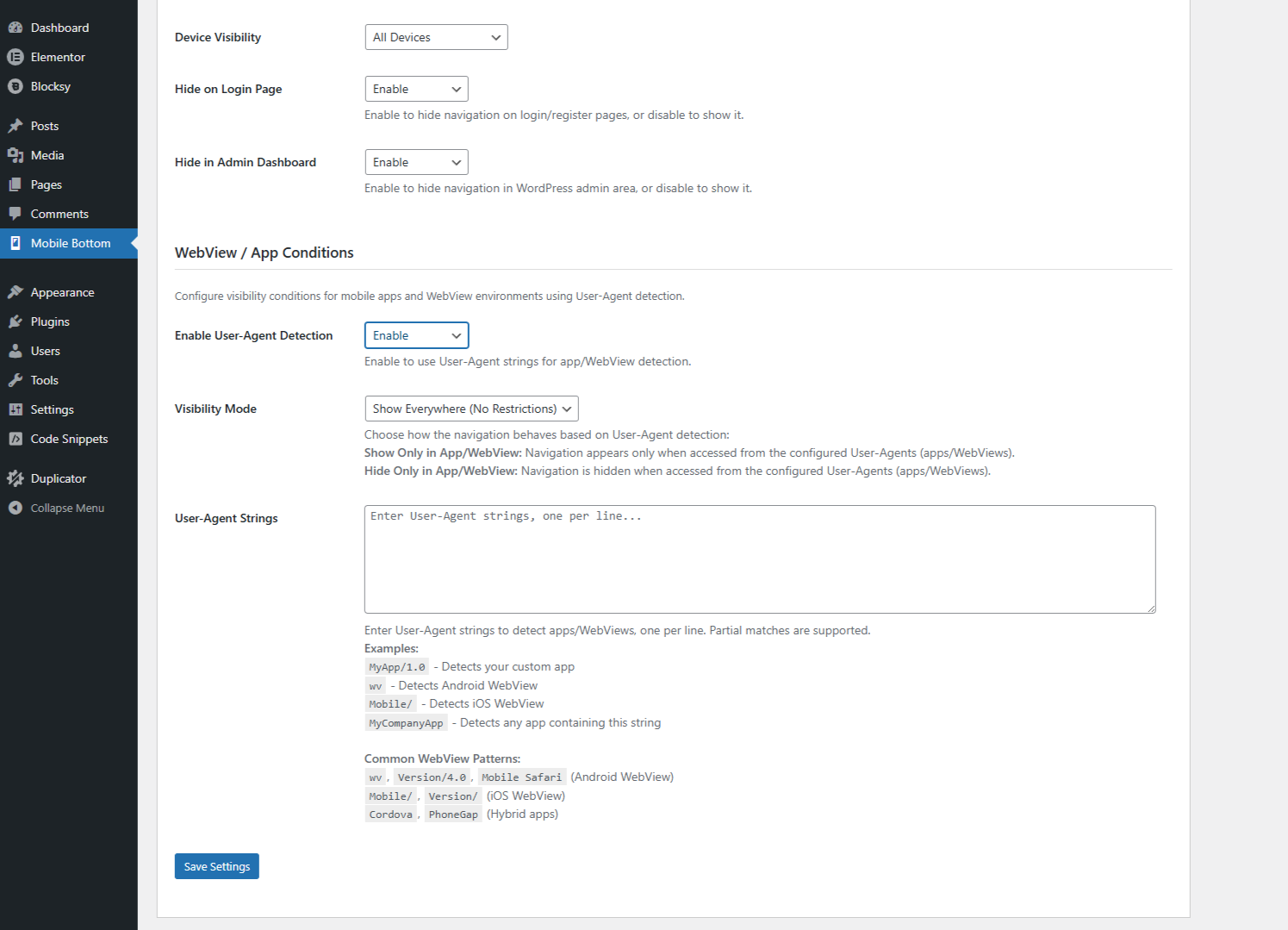
WebView / App Conditions – User-Agent detection to enable or disable the navigation bar in mobile apps and WebView environments.
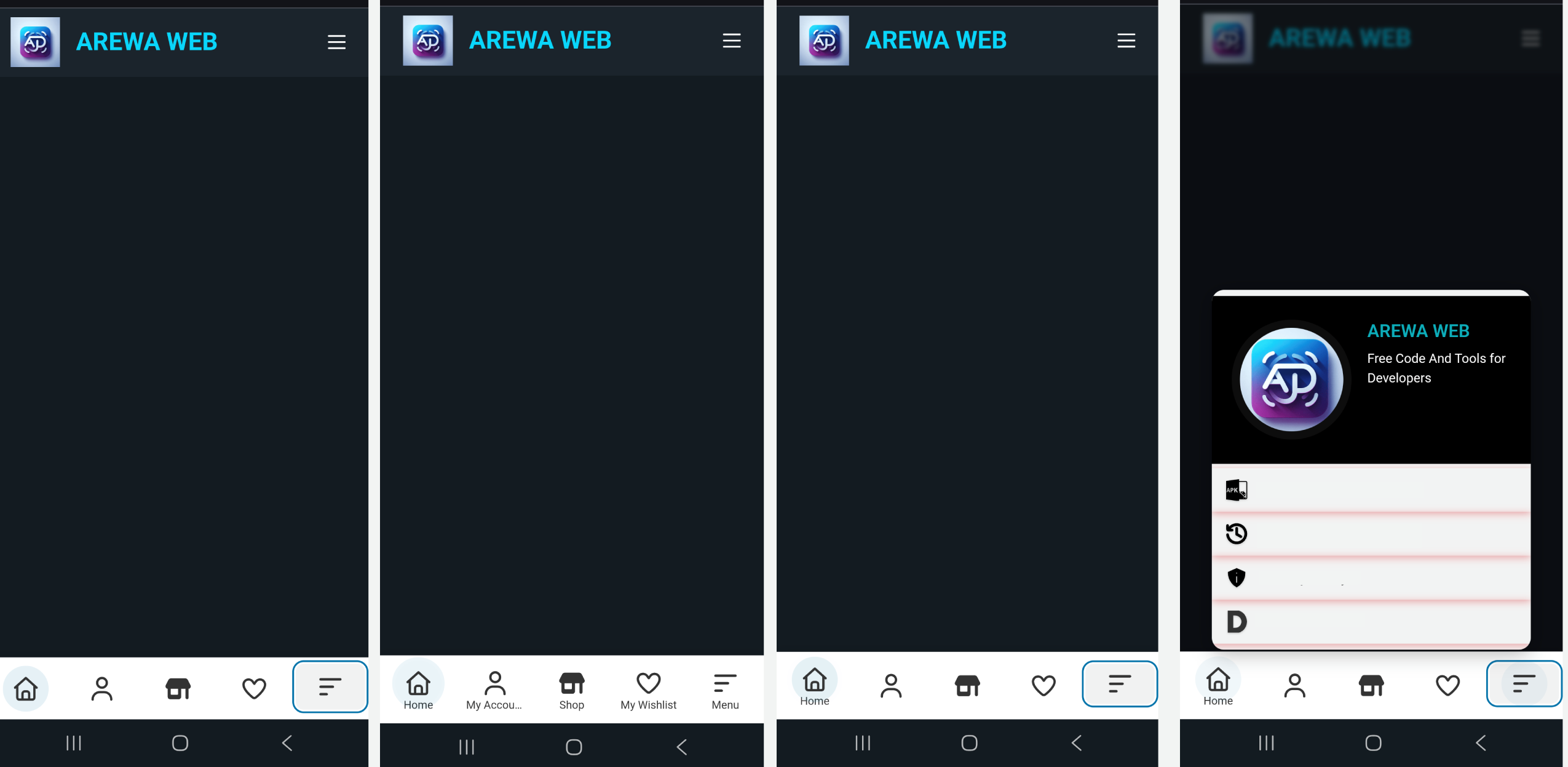
Mobile Navigation Preview – Live preview of the bottom navigation bar on mobile devices.
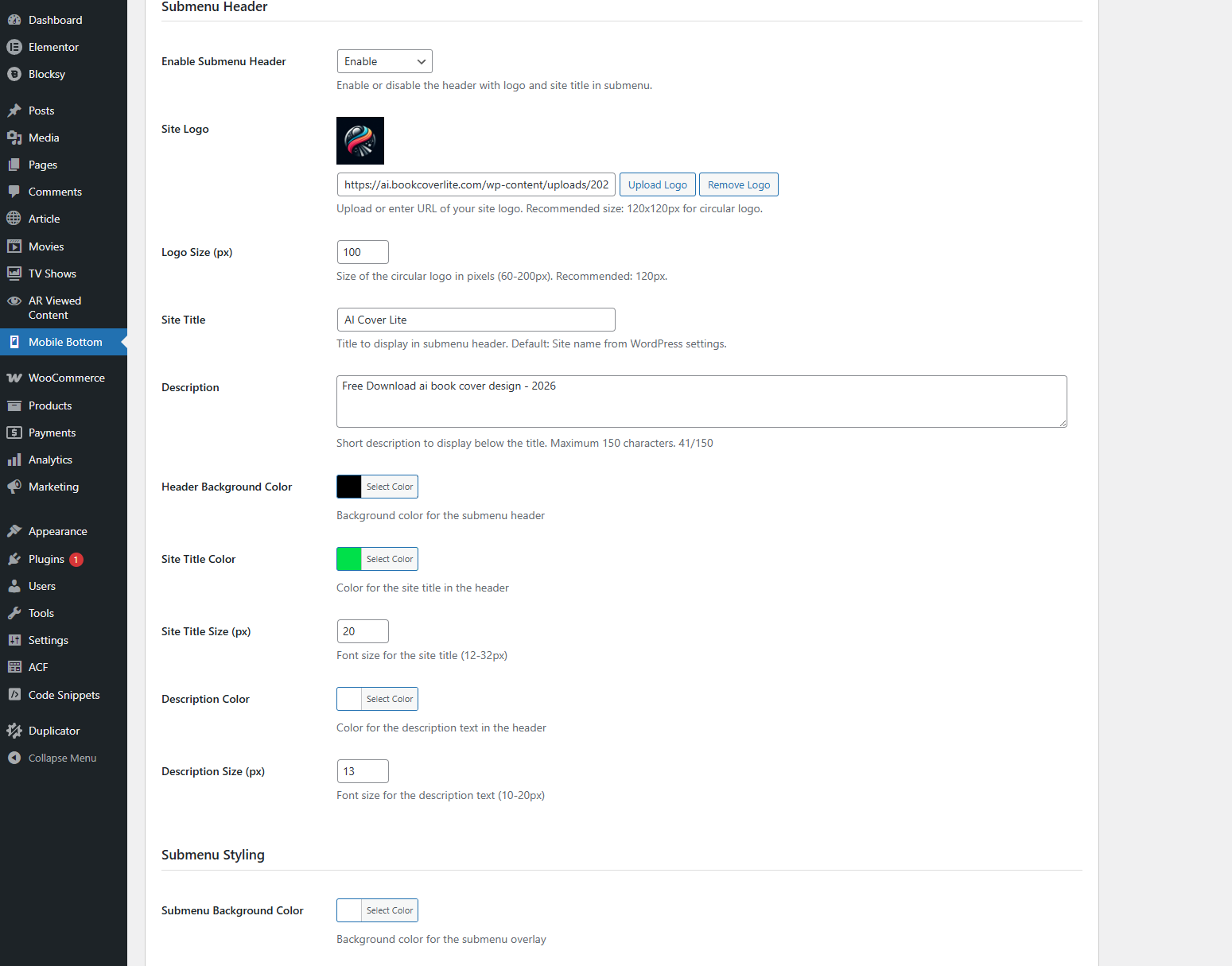
Submenu Overlay – Fullscreen submenu overlay with header and smooth interactions.
Faq
You can add between 2 and 6 navigation buttons.
Yes! You can paste SVG code directly for each button icon.
Yes, the navigation is responsive and works on all devices. You can also configure it to show only on mobile/tablet devices.
Absolutely! The plugin includes advanced visibility controls that let you show or hide navigation on specific pages, posts, categories, or post types.
Yes! Each button can have its own submenu with unlimited items.
No, the plugin is lightweight and optimized for performance. It only loads on the frontend when enabled.
Yes, you have full control over all colors including background, text, icons, active states, and submenu colors.
Yes, the plugin works with all WordPress themes and page builders including Elementor, Gutenberg, and others.
Yes, the plugin is fully compatible with WooCommerce and all other WordPress plugins.
Visit our documentation at https://arewa.dev/arewa-mobile-bottom-navigation-bar/ or contact us through the plugin page.
Reviews
Changelog
1.3.3
- FIXED: Cache conflict causing mobile bottom navigation to disappear after a few hours
- IMPROVED: Vary: User-Agent header now sent when device visibility is mobile/tablet (prevents wrong cached version)
- IMPROVED: Full-page cache purge on settings update (LiteSpeed, WP Rocket, W3TC, and more)
- IMPROVED: Visibility cache versioning for proper invalidation when settings change
- Code: Refactored third-party cache hooks to comply with WordPress.org naming conventions
1.3.1
- Security: Improved sanitization, validation, and escaping to fully align with WordPress.org guidelines
- Security: Proper nonce verification and capability checks added to all save handlers
- Security: SVG output restricted via wp_kses; all dynamic output properly escaped
- Code: Removed all phpcs:ignore directives and reviewed for WordPress Coding Standards compliance
- Code: Moved new-button HTML template to PHP via wp_localize_script to resolve admin.js lint issues
- Code: Updated Contributors list (arewadev) and adjusted visibility validation logic
1.3.0 – 2026-02-09
- IMPROVED: Better color picker initialization for dynamic fields
- FIXED: Color picker compatibility issues with WordPress admin
- FIXED: Critical error with duplicate wp_localize_script calls
- FIXED: Color values not displaying correctly in admin panel
- UPDATED: All color fields now use modern Pickr color picker
- UPDATED: Color values stored as RGBA for better transparency support
1.2.0
- NEW: WebView/App Detection – Control navigation visibility within mobile apps using User-Agent detection
- NEW: Advanced Cache Management – Smart caching system prevents visibility issues and ensures consistent behavior
- NEW: User-Agent Configuration – Define custom User-Agent strings to detect specific apps or WebViews
- NEW: Flexible Visibility Modes – Show only in apps, hide only in apps, or show everywhere
- NEW: Cache-Busting Headers – Adds Vary: User-Agent header to prevent caching conflicts
- IMPROVED: Performance – Optimized visibility checks with intelligent caching
- IMPROVED: Admin Interface – Enhanced visibility conditions section with WebView settings
- FIXED: Cache Issues – Resolved problems where visibility conditions weren’t applied consistently
- FIXED: Settings Persistence – Improved settings saving and validation
- Security enhancements and code optimization
1.1.1
- Enhanced visibility controls with multi-select display modes
- Improved dropdown selection interface with Select2
- Fixed settings save functionality for all select fields
- Added documentation button in admin interface
- Updated plugin metadata (Author, Plugin URI, Text Domain)
- Improved default values (all options default to Enable)
- Better error handling and validation
- Performance optimizations
1.1.0
- Added submenu header with logo support
- Enhanced visibility conditions
- Improved admin interface
- Better mobile responsiveness
- Bug fixes and improvements
1.0.0
- Initial release
- Basic navigation functionality
- Button configuration
- Styling options
- Visibility controls