AI Provider for Grok

AI Provider for Grok
Description
This plugin provides Grok (by xAI) integration for the WP AI Client SDK. It enables WordPress sites to use Grok models for text generation and related AI capabilities.
Features:
- Text generation with Grok models
- Function calling support
- Vision input support (for compatible models)
- Automatic provider registration
Available models are dynamically discovered from the Grok API.
Requirements:
- PHP 7.4 or higher
- WP AI Client plugin must be installed and activated
- Grok API key from xAI
- Purchased API tokens from x.ai — a valid token balance is required for API requests to work
Usage
The provider automatically registers itself on the init hook. Once both plugins are active and your API key is configured, you can start generating text:
Basic Text Generation
$text = AI_Client::prompt( 'Explain quantum computing.' )->using_provider( 'grok' )->generate_text();
With System Instructions
$text = AI_Client::prompt( 'Summarize the history of WordPress.' )->using_provider( 'grok' )->using_system_instruction( 'Be concise and accurate.' )->using_temperature( 0.2 )->using_max_tokens( 500 )->generate_text();
Vision (Image Input)
$text = AI_Client::prompt( 'Describe this image.' )->using_provider( 'grok' )->with_file( 'https://example.com/photo.jpg', 'image/jpeg' )->generate_text();
Requires a Grok model with vision capabilities.
JSON Output
$json = AI_Client::prompt( 'Analyze this topic: WordPress plugins' )->using_provider( 'grok' )->as_json_response( $schema )->generate_text();
For full usage examples including chat history, function calling, and feature detection, see the README on GitHub.
External services
This plugin connects to the xAI Grok API to provide AI-powered text generation capabilities within WordPress. The xAI Grok API is a third-party service operated by xAI Corp.
What data is sent and when
- API key: Your xAI API key is sent with every request for authentication.
- Model listing: When the plugin checks provider availability or lists available models, it sends a request to the xAI API to retrieve the current list of Grok models.
- Text generation prompts: When your site uses the plugin to generate text, the prompt text (and any attached images or files, system instructions, and conversation history) is sent to the xAI API for processing.
All communication is sent to: https://api.x.ai/v1
Data is only sent when the plugin is actively used to generate text or when checking model availability. No data is sent passively or in the background.
Service links
- xAI website: https://x.ai
- xAI API documentation: https://docs.x.ai/developers/models
- xAI Terms of Service: https://x.ai/legal/terms-of-service
- xAI Privacy Policy: https://x.ai/legal/privacy-policy
Contributing
We welcome contributions! You can help by:
- Reporting bugs or suggesting features via GitHub Issues
- Submitting pull requests on GitHub
Please read our Contributing Guide before submitting a pull request.
Installation
- Purchase API tokens from x.ai if you haven’t already
- Ensure the WP AI Client plugin is installed and activated
- Upload the plugin files to
/wp-content/plugins/ai-provider-for-grok/ - Activate the plugin through the ‘Plugins’ menu in WordPress
- Go to Settings > AI Credentials and enter your Grok (xAI) API key
Screenshots
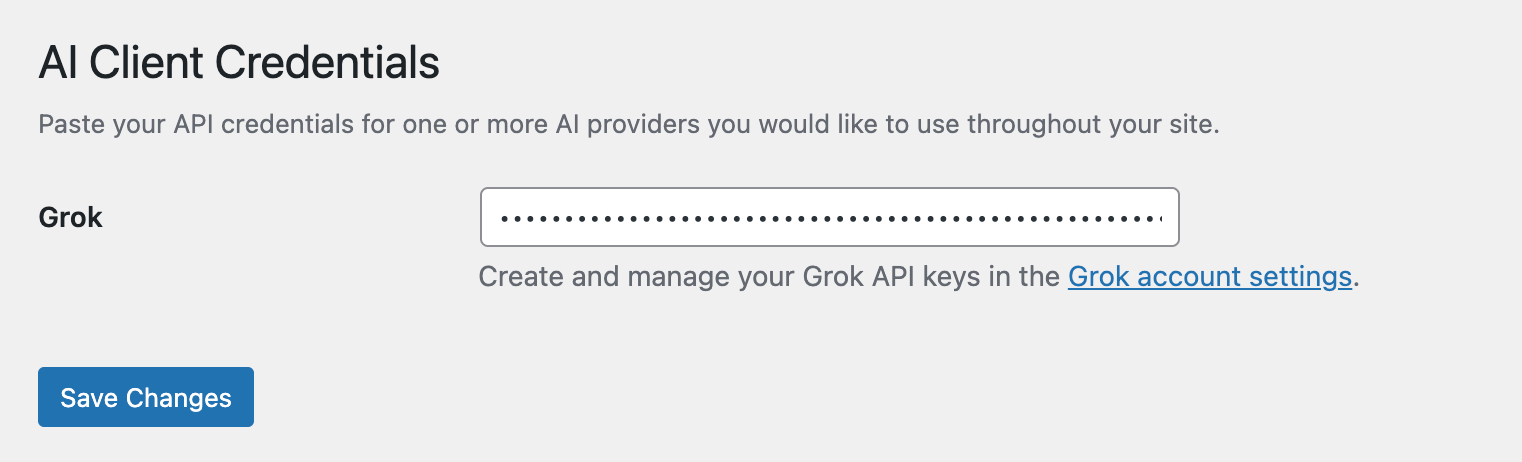
AI Client Credentials settings page where you enter your Grok (xAI) API key.
Faq
Visit the xAI Console to create an account and generate an API key.
No, this plugin requires the WP AI Client plugin to be installed and activated. It provides the Grok-specific implementation that the WP AI Client uses.
Reviews
Changelog
1.0.3
- Updated plugin assets with revised icons and banners
1.0.2
- Renamed plugin to “AI Provider for Grok”
- Restored WordPress.org plugin slug
- Added ‘connector’ tag to readme.txt
1.0.1
- Updated banner images with WordPress + Grok logos
- Added contribution guide, issue templates, and PR template
- Internal tooling improvements
1.0.0
- Initial release
- Support for Grok text generation models
- Function calling support
- Vision input support for compatible models