Asset Queue Manager

Asset Queue Manager
Description
This tool allows you to monitor, dequeue and requeue scripts and styles that are enqueued on your site. It is designed for frontend performance engineers who want to view and manage all assets enqueued on any page and control the minification and concatenation themselves.
For background, please read Chris Coyier’s initial request.
Warning: This plugin makes it easy to break your site. Don’t use this unless you know what you’re doing.
How to use
Once the plugin is activated, browse to any page on the front of your site. An Assets link will appear on the top right of the admin bar. Click that to view and manage all assets.
Developers
Development takes place on GitHub. Patches welcome.
Installation
- Unzip
asset-queue-manager.zip - Upload the contents of
asset-queue-manager.zipto the/wp-content/plugins/directory - Activate the plugin through the ‘Plugins’ menu in WordPress
Screenshots
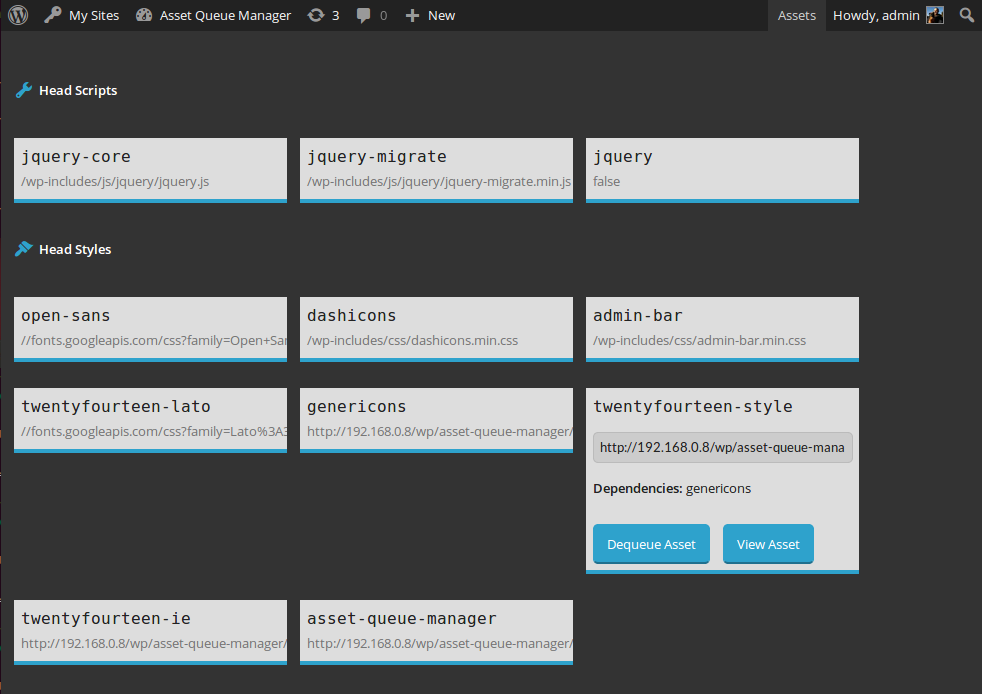
View details about assets enqueued in the head or footer. Dequeue them or view them for copying and minifying on your own.

View details about assets that are being dequeued by this plugin. Requeue them or view them for copying and minifying on your own.
Faq
I dequeued jQuery (or something I shouldn’t have) and now my site is broken
Go to the list of plugins in your admin panel. Find the Asset Queue Manager and click the “Restore Dequeued Assets” link.
Reviews
Too bad this isn't updated.
By 
Brilliant Plugin
By 
Great Plugin
By 
Very Nice
By 
That's what I'm looking for!
By 
Best way to dequeue scripts or css.
I can never thank you enough!
Translated plugin into Russian.
issue with dots assets
By 
assets with dots cannot be managed
Wo !
By 
I was just looking for a way to see what assets were loaded, to determine what plugins to desactivate on certain custom post type using Plugin Organize.
This plugin do that, but it can also do more, like let you show the source, the dependencies, the source link and even provide you a way to disable certain resources.
Maybe a simple list or assets would have been more readable than the actual GUI, but it is nice anyway 🙂
It is somehow close to what the Gonzales (not free) WordPress plugin has to offer, but Gonzales has a bit more rules to offer for de-queing the resources.
Anyway, this plugin is nice, and is a good complement to more complex plugins such as Plugin Organizer (for which you can define rules on post level).
Fantastic
By 
Took ages to find this amazing plugin because of its odd title, and it was so helpful to finally find out what scripts were being loaded on each page. For example, woocommerce loads of lot of unnecessary scripts, so whatever plugins you are using, if your site is slow this plugin will magically help you find out what scripts you can dequeue.
Changelog
1.0.3 (2016-03-10)
- Fix #5: issues with third-party code which extends native types. h/t @AndiDittrich of https://wordpress.org/plugins/enlighter/
1.0.2 (2016-02-17)
- Fix #4: allow assets with dots in the handle to be managed
1.0.1 (2014-12-17)
- Fix critical bug where assets were only dequeued for logged in users with the admin bar present
1.0 (2014-10-23)
- Initial release