Auditizer – AI Website Audit & Optimization

Auditizer – AI Website Audit & Optimization
Description
Auditizer gives you professional-grade SEO and accessibility auditing powered by artificial intelligence. Scan your entire WordPress site, identify critical issues, and apply AI-generated fixes automatically — all with full backup and one-click rollback protection.
Perfect for content creators, agencies, and businesses that want to improve search rankings and web accessibility without hiring expensive consultants.
🚀 Core Features
- AI-Powered Fixes – Generate intelligent fix suggestions using OpenAI GPT-4 or Anthropic Claude
- Bulk Site Scanning – Scan all posts and pages at once with live progress tracking
- Automatic Backups – Every fix creates a full backup with one-click rollback
- Advanced Filtering – Filter by status, severity, category, and auto-fixable issues
- Training Mode – Teach the AI your brand voice and writing style
- Cost Tracking – Monitor AI usage and costs over the last 30 days
- Export Reports – Download issues as CSV for client reporting
📊 What Gets Scanned
SEO Issues:
* Missing or duplicate meta titles and descriptions
* H1 tag problems (missing, duplicate, or mismatched)
* Thin content detection
* Image alt text optimization
* Broken internal links
* Keyword density and placement
* Open Graph and Twitter Card tags
* Canonical URL issues
* Schema markup detection
SGE (AI Search Optimization):
* Content structure for AI search engines
* Direct answer formatting
* Topic authority signals
* FAQ and Q&A detection
* Entity coverage and relevance
* Content freshness indicators
Accessibility (WCAG 2.1):
* Missing or empty alt attributes
* Color contrast compliance (AA standard)
* Form label associations
* ARIA landmarks and roles
* Keyboard navigation support
* Heading hierarchy validation
* Document language attributes
🎯 How It Works
- Run a Scan – Use bulk scan from the dashboard or scan individual posts
- Review Issues – See all detected problems with severity ratings and descriptions
- Get AI Fixes – Click “Get AI Fix” to generate intelligent solutions
- Apply Automatically – One-click to apply fixes with automatic backup
- Rollback if Needed – Restore original content instantly from any backup
🔒 Privacy & Security
- Only post content is sent to AI providers for fix generation
- No personal data, usernames, or emails are transmitted
- API keys stored securely in WordPress database
- All database operations use prepared statements
- Nonce verification on all actions
- Capability checks enforce proper permissions
🔧 Page Builder Compatibility
Works seamlessly with:
* Gutenberg (Block Editor)
* Classic Editor
* Elementor
* Divi Builder
* Beaver Builder
* Bricks Builder
* WPBakery
* Any builder using standard post content storage
💡 Use Cases
- Bloggers – Improve SEO scores and reader accessibility
- Agencies – Audit client sites and generate fix reports
- E-commerce – Optimize product pages for better rankings
- Publishers – Maintain content quality across large sites
- Developers – Add professional auditing to client deliverables
External Services
This plugin connects to third-party AI services to generate content improvements. Connections only occur when you configure an API key and explicitly trigger a scan or fix.
OpenAI API
- Purpose: Generate SEO and accessibility fix suggestions
- Data Sent: Post content, meta fields, issue context
- Service: https://platform.openai.com/
- Terms: https://openai.com/policies/terms-of-use
- Privacy: https://openai.com/policies/privacy-policy
Anthropic Claude API
- Purpose: Generate SEO and accessibility fix suggestions
- Data Sent: Post content, meta fields, issue context
- Service: https://www.anthropic.com/
- Terms: https://www.anthropic.com/legal/consumer-terms
- Privacy: https://www.anthropic.com/legal/privacy
No personal user data (usernames, emails, passwords) is ever transmitted to these services.
Support
For support, feature requests, or bug reports:
- WordPress.org Forum: https://wordpress.org/support/plugin/auditizer/
- Documentation: https://teamjuh.com/auditizer-docs/
- Website: https://teamjuh.com
Credits
Developed by TeamJUH – WordPress development and AI integration specialists.
Installation
Automatic Installation
- Log in to your WordPress admin panel
- Navigate to Plugins > Add New
- Search for “Auditizer”
- Click Install Now and then Activate
Manual Installation
- Download the plugin zip file
- Go to Plugins > Add New > Upload Plugin
- Choose the zip file and click Install Now
- Click Activate Plugin
Configuration
- Go to Auditizer > Settings
- Choose your AI provider (OpenAI or Anthropic)
- Enter your API key
- Configure scan preferences
- Visit Auditizer > Dashboard to run your first scan
Getting an API Key
For OpenAI:
Visit https://platform.openai.com/api-keys and create a new API key. GPT-4 or GPT-4o recommended.
For Anthropic Claude:
Visit https://console.anthropic.com/ and generate an API key. Claude Sonnet or Opus models supported.
Screenshots
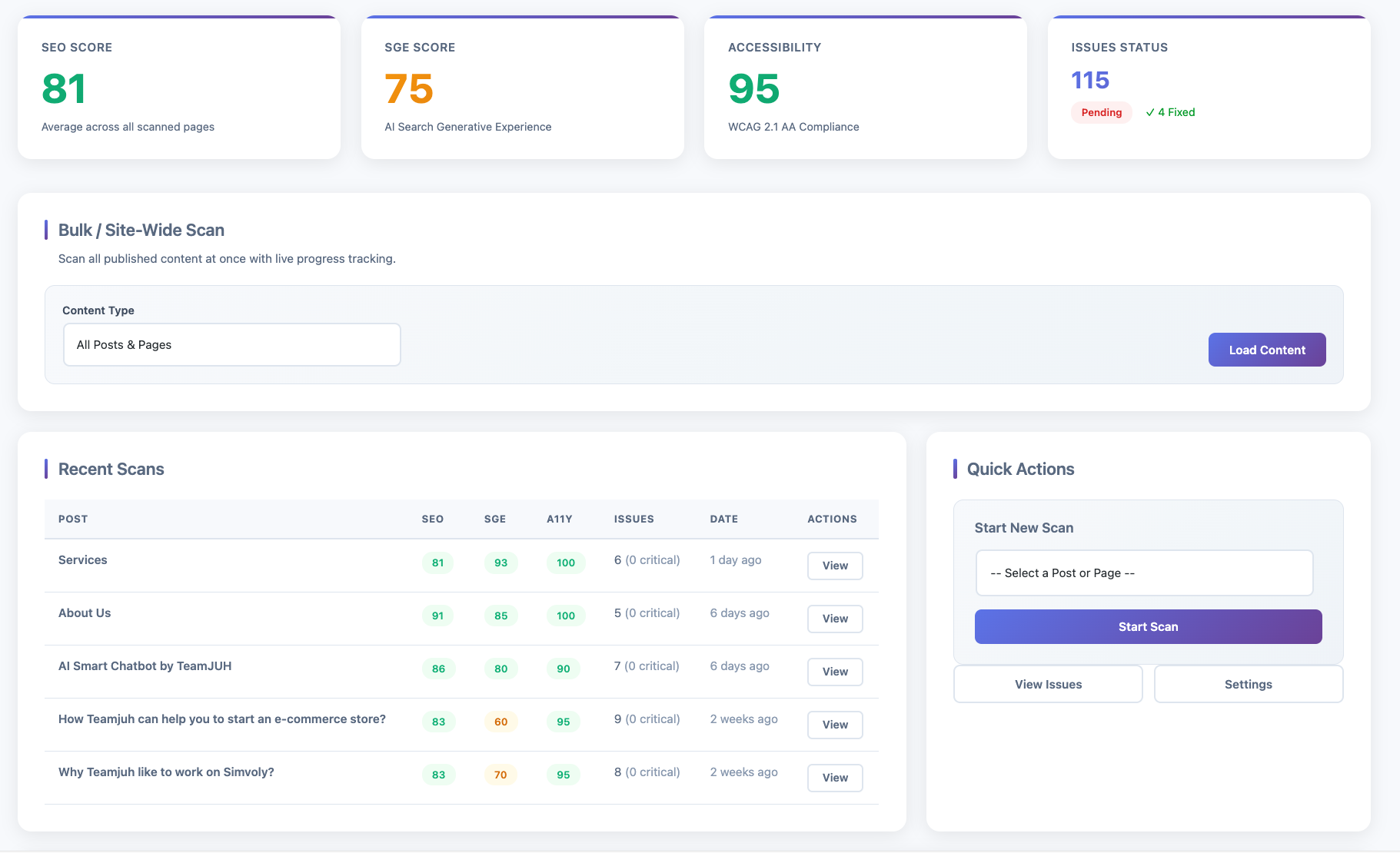
Dashboard with score overview, bulk scan, and recent scans
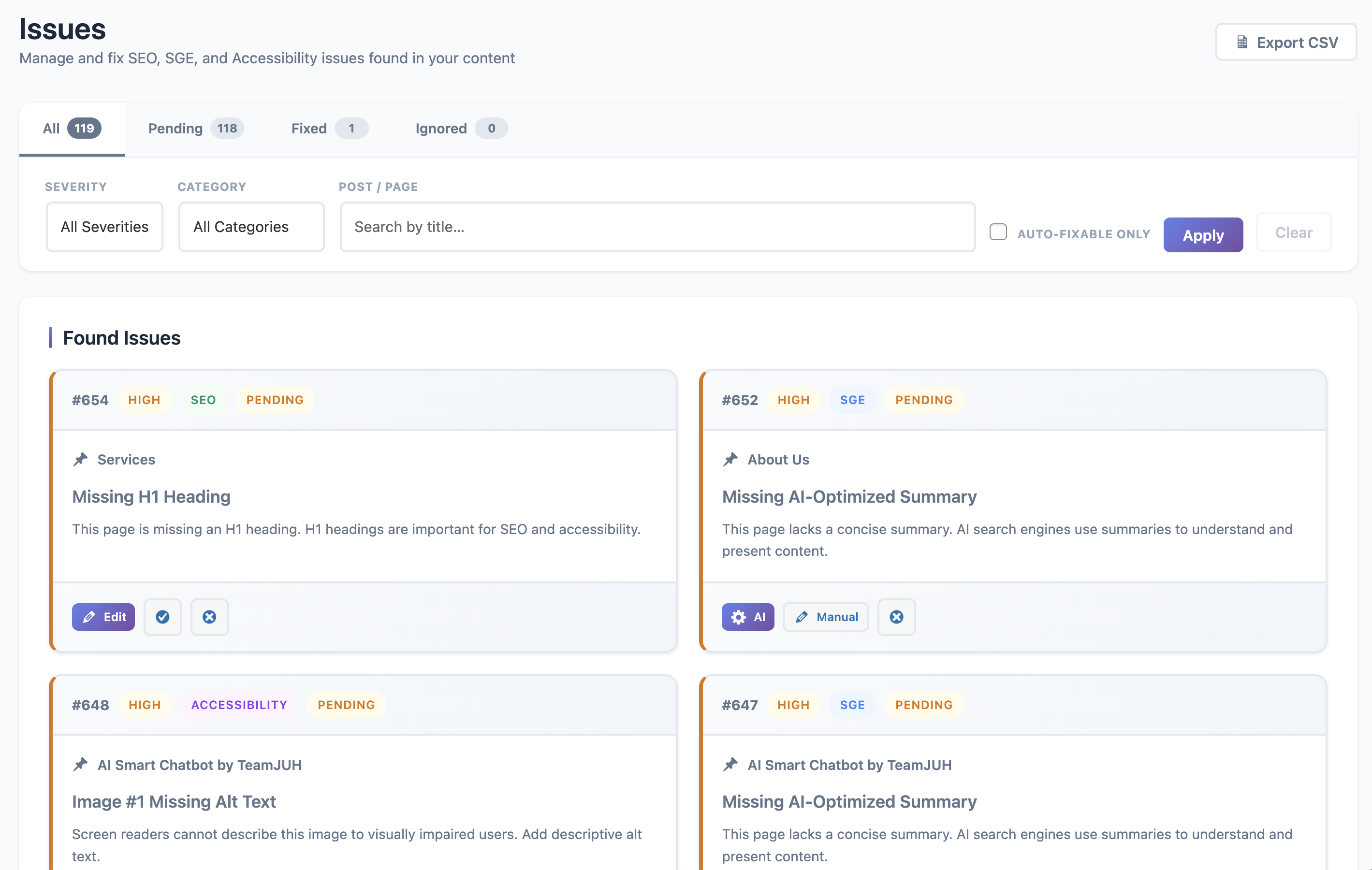
Issues list with advanced filtering and live status counts
AI-generated fix suggestions with apply and rollback actions
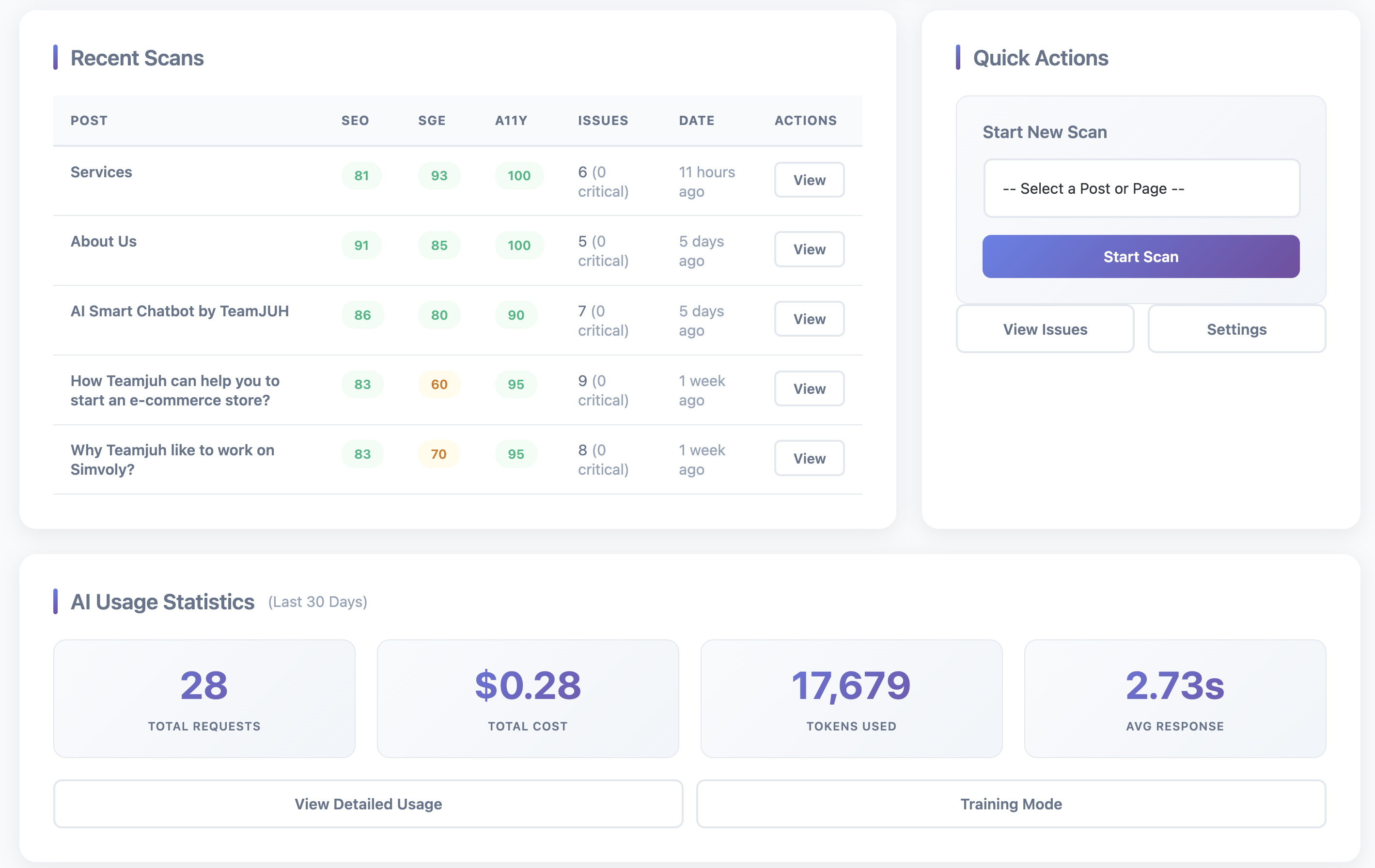
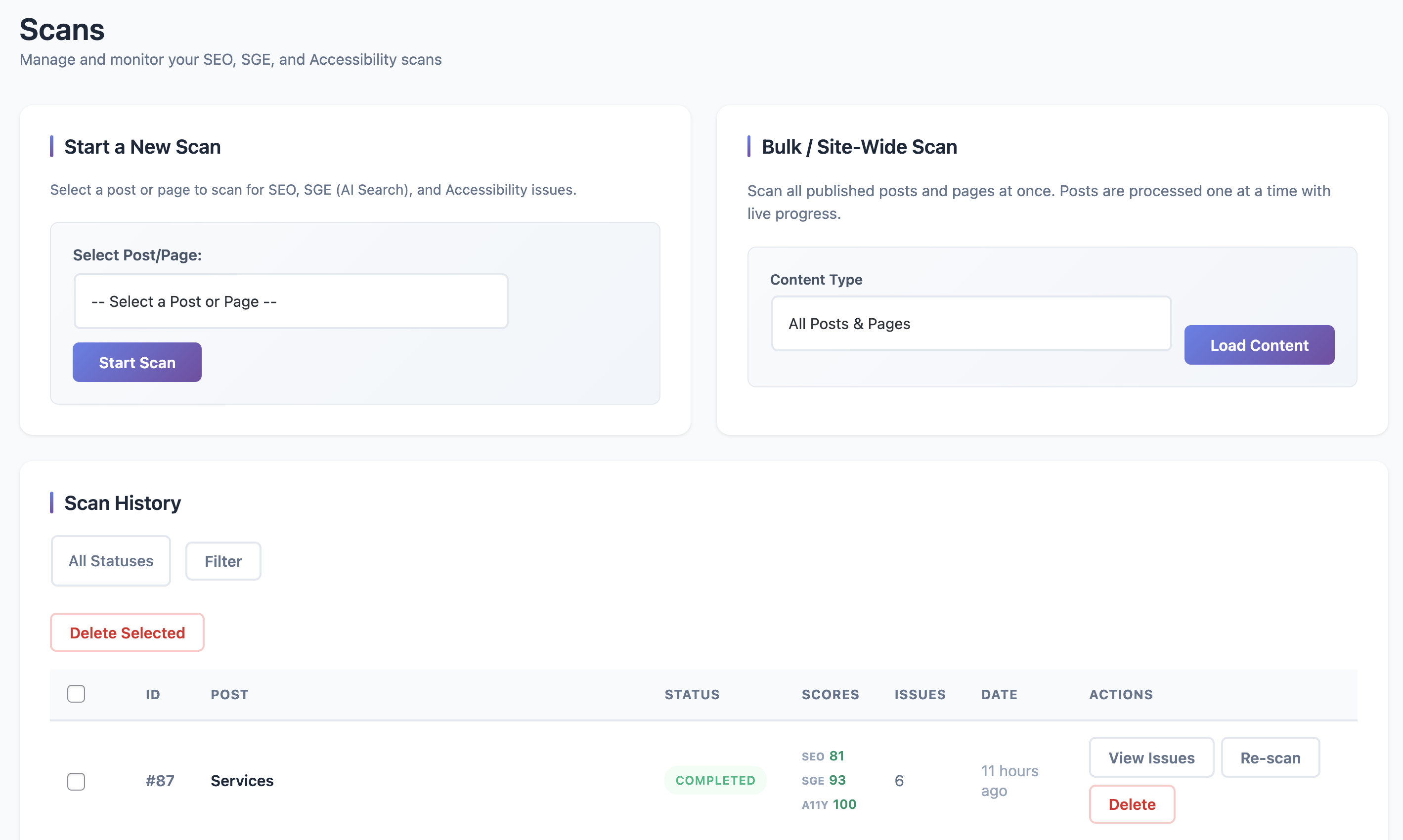
Scan management with two-column card layout
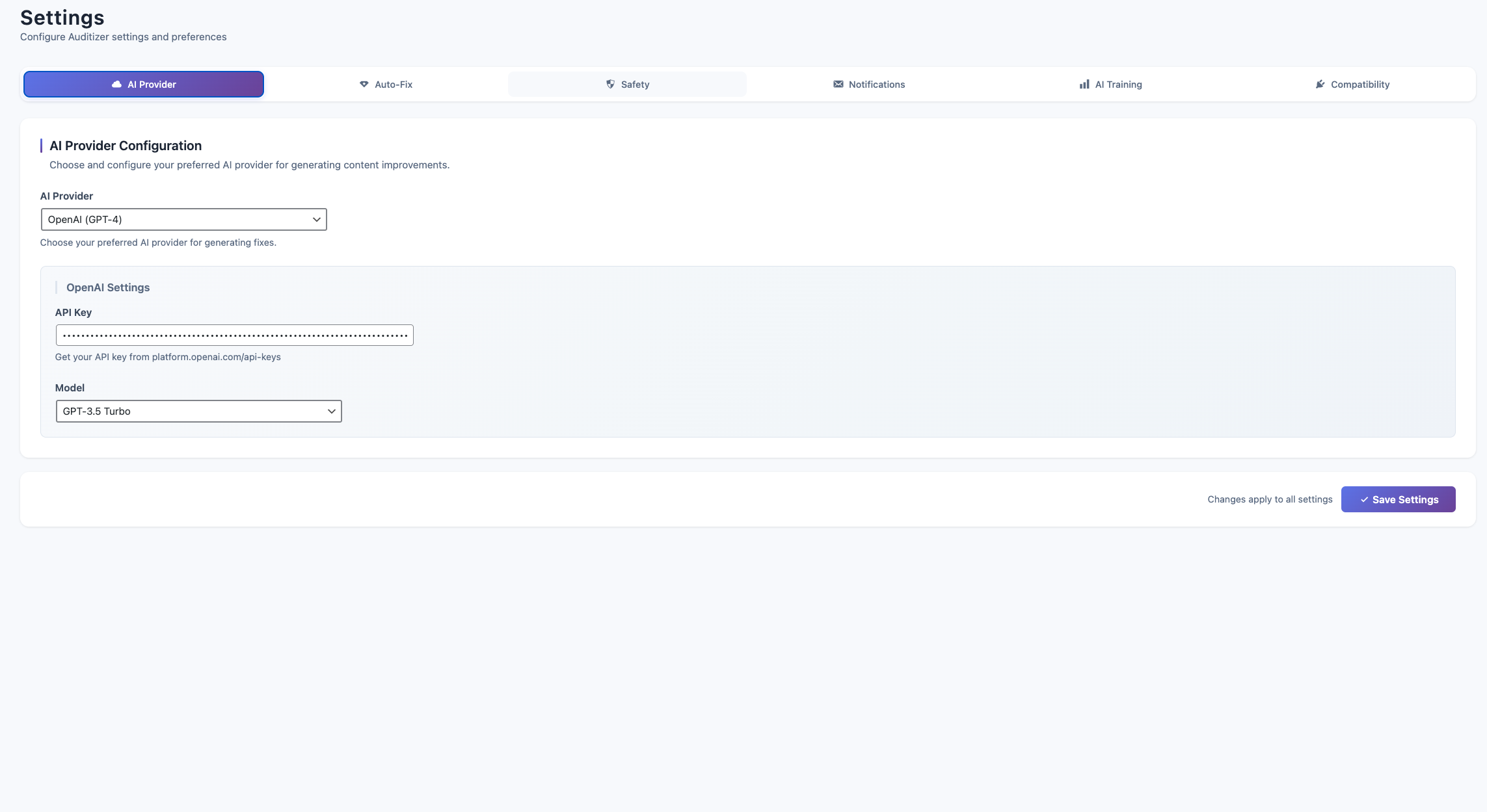
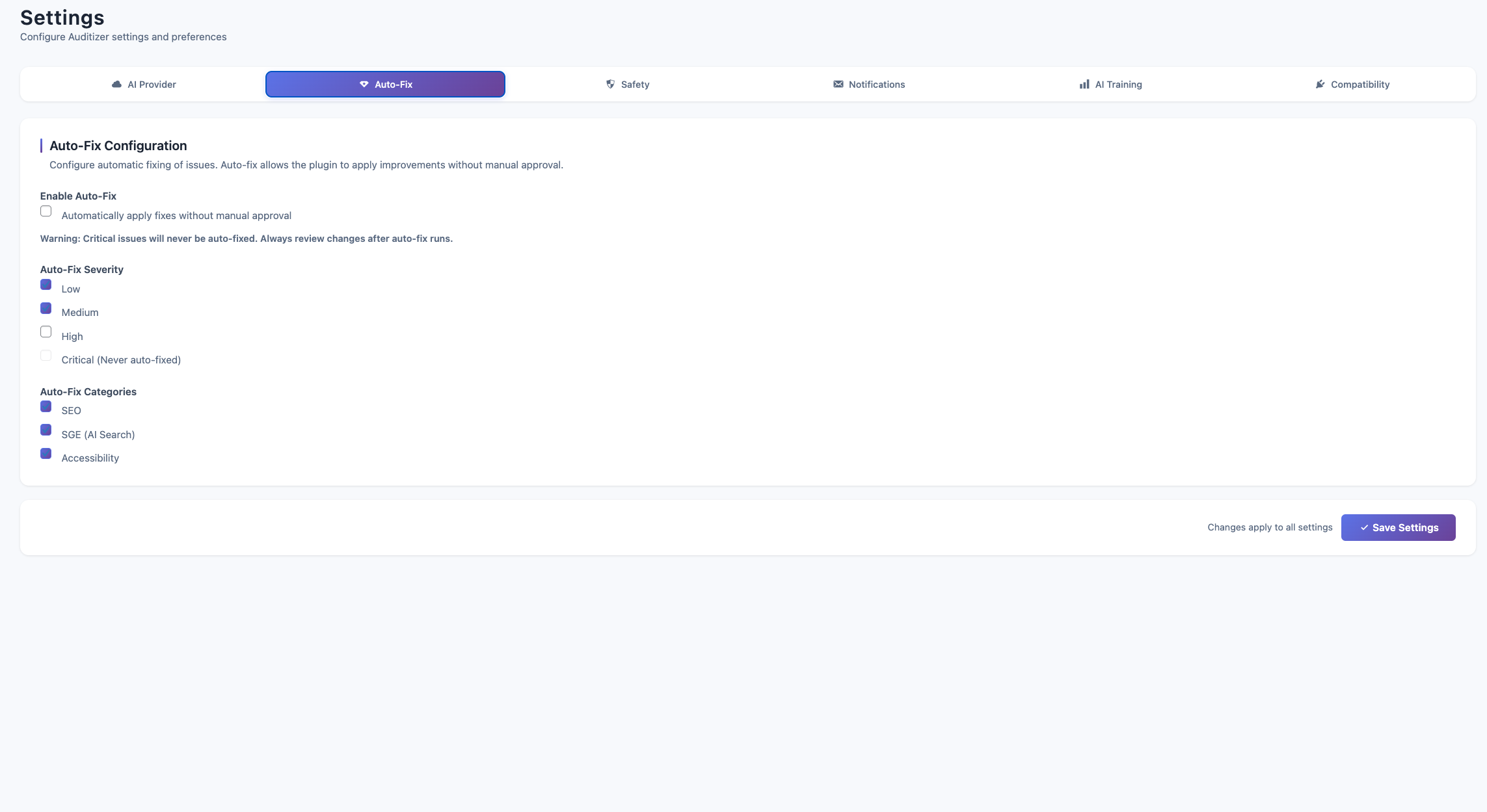
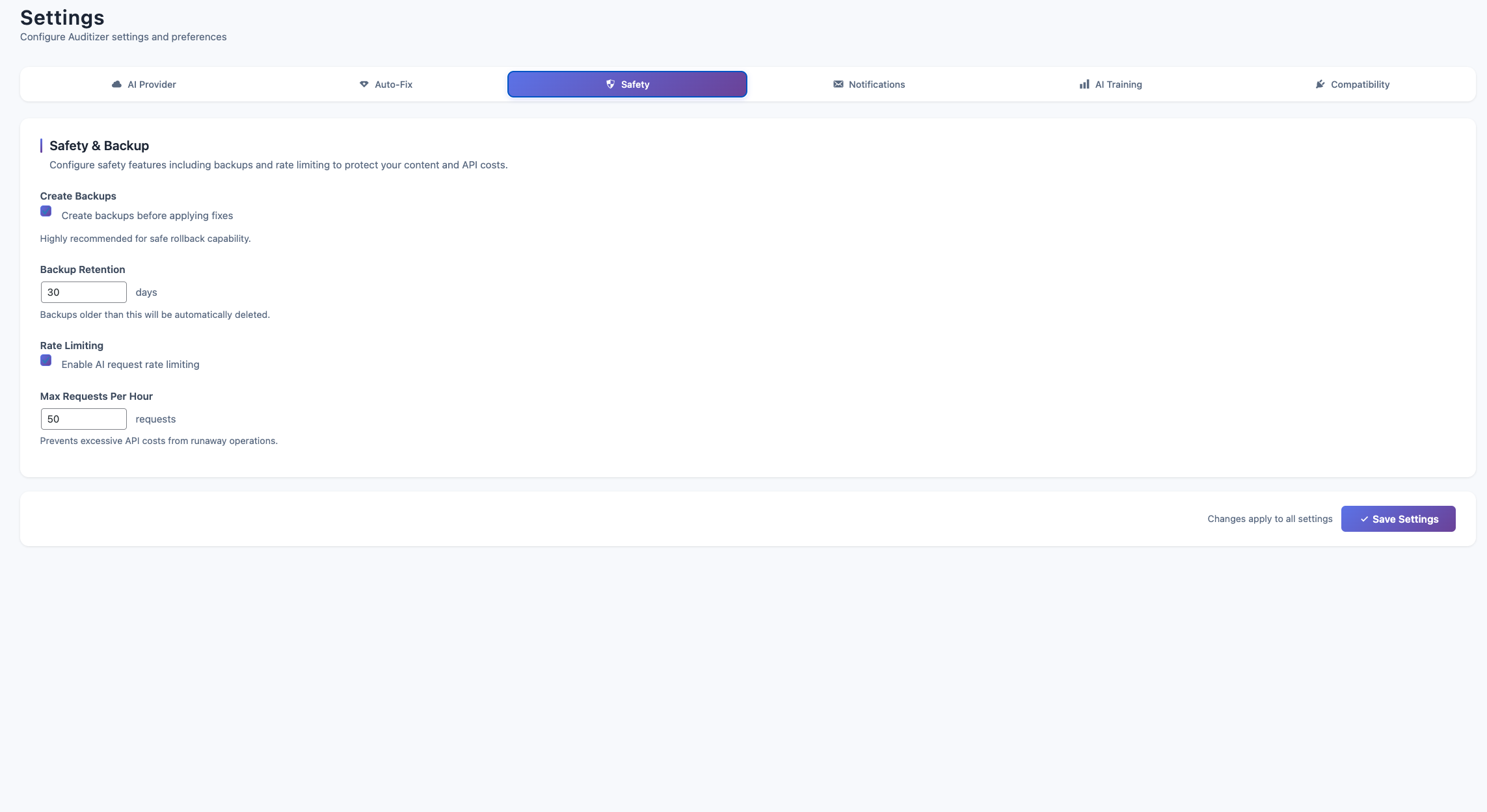
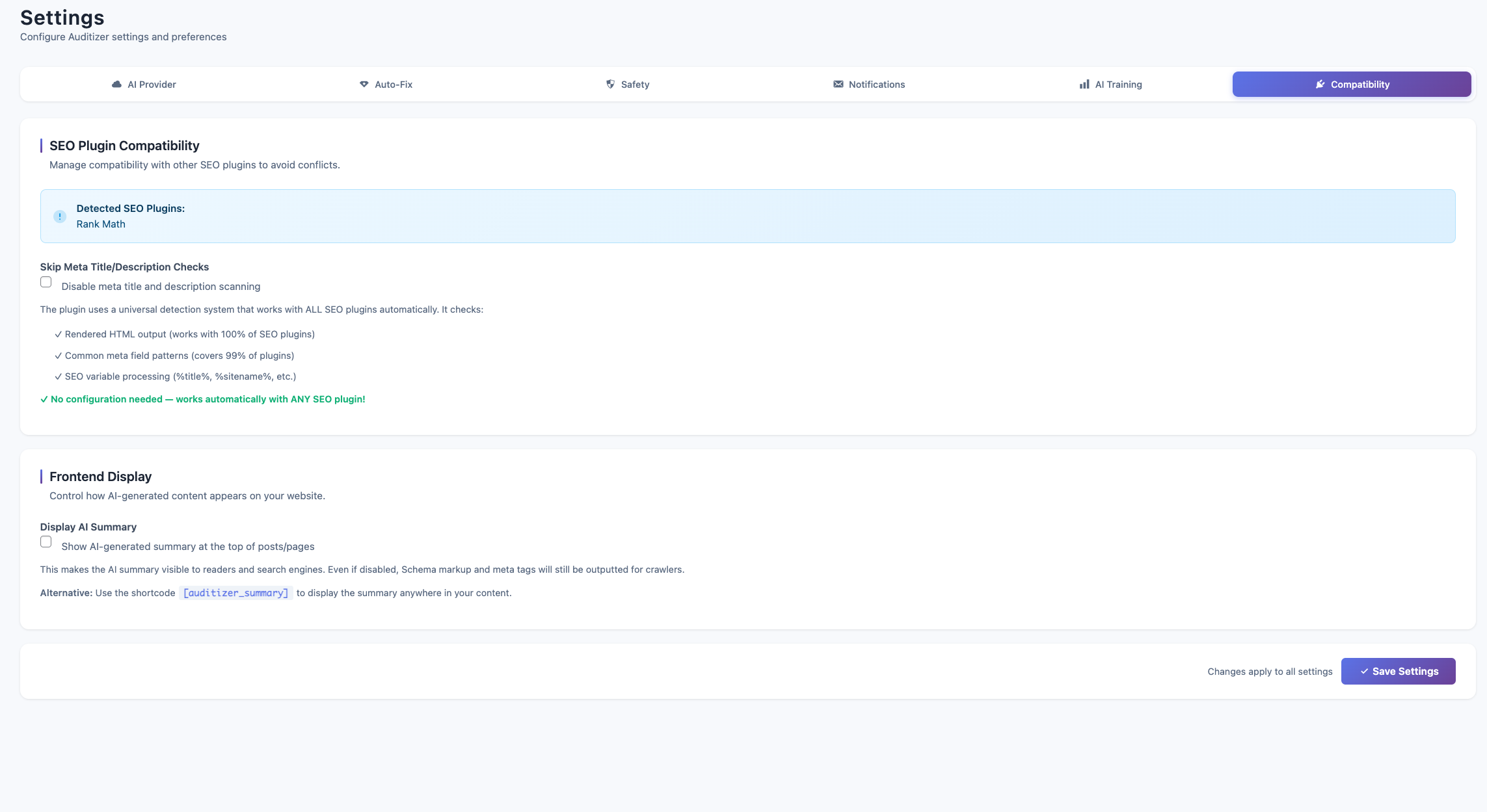
Settings page with AI provider configuration
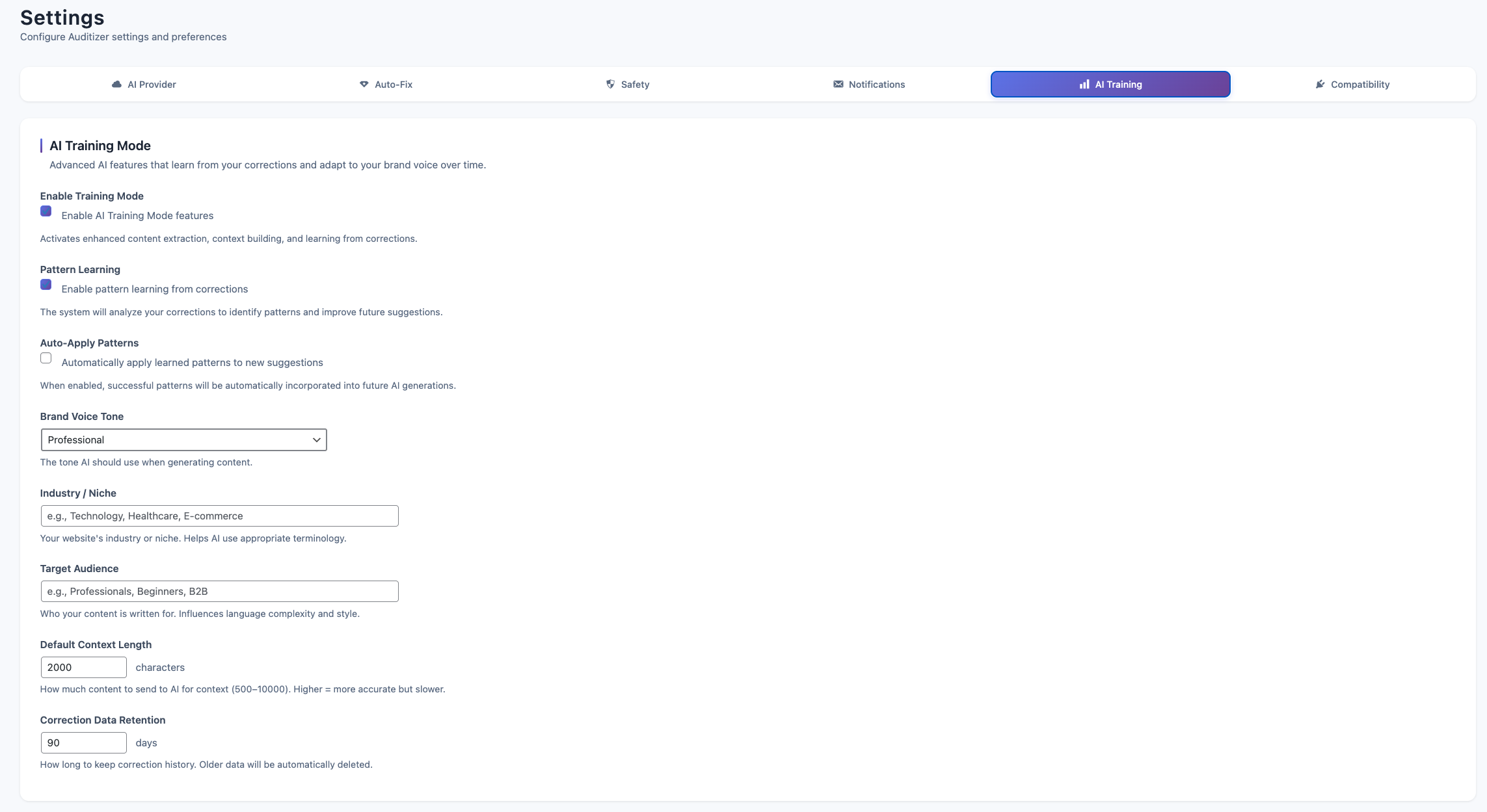
Training mode to teach AI your writing style
AI usage statistics and cost tracking dashboard
Faq
No. Scanning and issue detection work without an API key. You’ll see all problems, severities, and descriptions. AI-powered fix suggestions and auto-fix require an API key from OpenAI or Anthropic.
Both OpenAI (GPT-4) and Anthropic (Claude) produce excellent results. Claude tends to be slightly more cost-effective for large volumes. Try both and see which fits your workflow and budget.
Yes. Only the text content of posts/pages is sent to the AI provider to generate fixes. No user data, passwords, emails, or WordPress credentials are ever transmitted. All data is sent over encrypted HTTPS connections.
Absolutely. Every auto-fix creates a complete backup including post content, title, excerpt, and all meta fields. Click Rollback on any fixed issue to restore the original instantly.
Costs vary by provider and content length. OpenAI GPT-4 costs approximately $0.03 per 1,000 tokens. Claude costs approximately $0.015 per 1,000 tokens. The Usage page tracks your spending over 30 days. A typical fix costs $0.01-0.05.
Yes. The Dashboard has a Bulk Scan feature that scans all published posts and pages. A progress bar shows real-time status. Large sites (100+ posts) may take several minutes.
Issues are rated as Critical, High, Medium, or Low. Critical issues severely impact SEO or accessibility. Low issues are minor optimizations. Focus on Critical and High issues first for maximum impact.
Yes. Auditizer reads the final rendered content, so it works with any page builder that stores content in WordPress’s standard post content field. Elementor, Divi, Beaver Builder, Bricks, and WPBakery are all supported.
Yes. Go to Auditizer > Training and submit examples of your preferred writing style. The AI uses these examples as context when generating fixes, matching your brand voice and tone.
The Issues page has multiple filters:
* Status tabs – Pending, Fixed, Ignored (with live counts)
* Severity dropdown – Critical, High, Medium, Low
* Category dropdown – SEO, SGE, Accessibility
* Post title search – Find issues by post name
* Auto-fixable checkbox – Show only AI-fixable issues
Active filters appear as dismissible chips above the table.
Yes. Click Export CSV on the Issues page to download a spreadsheet with all current issues (or filtered results). Includes post title, type, severity, category, status, and description.
Not currently. Auditizer is designed for single WordPress installations. Multisite support may be added in a future release.
Please open a support thread in the WordPress.org plugin forum. We monitor it daily and respond quickly.
Reviews
Changelog
1.5
- Fixed: PHP timeout on large AI Fix All batches (increased time limit)
- Fixed: AI Fix All modal showed false success when no fixes were applied
- Fixed: “All” issues tab was incorrectly showing fixed issues
- Improved: AI Fix All now reports server-confirmed fix count
1.4
- New: Added Claude 4 models (Opus 4.5, Sonnet 4.5) and Claude 3.7 Sonnet support
- New: Grouped model selector with Claude 3.5 Haiku and Claude 3 Haiku options
- Updated: Default AI model changed to Claude Sonnet 4.5
- New: AI Fix All button on Issues page — generates AI fixes for eligible issue types, shows a preview with checkboxes before applying
1.3
- Security: Updated nonce verification across all view pages
- Security: Enhanced sanitization for AI suggestion inputs
- Security: Improved training data validation
- Code quality: Cleaned up for WordPress.org standards
- Code quality: Removed debug output and development comments
1.0.36
- Cleaned all files for WordPress.org submission
- Security: Verified nonce checks across all actions
- Security: Added capability checks on all admin endpoints
- Security: Validated output escaping in all view templates
- Fixed: Backup manager redundant unserialization on JSON data
1.0.35
- New: Status tabs with live issue counts
- New: Post title search filter
- New: Auto-fixable issues filter
- New: Active filter chips with one-click removal
- Improved: Severity and category dropdowns now show counts
- Security: Hardened array input sanitization in settings
1.0.34
- New: Two-column grid layout for scan cards
- Fixed: Trailing comma syntax error in JS export
1.0.33
- New: Bulk Scan widget on Dashboard with live progress
- Changed: “Load Posts” button renamed to “Load Content”
1.0.31
- New: AI Usage Statistics page
- New: Cost tracking with 30-day breakdown
- New: Per-provider usage charts (OpenAI vs Claude)
- New: Cost projection calculator
1.0.30
- New: Training Mode for AI customization
- New: Submit sample content to shape AI output
- New: Training example management with delete
1.0.29
- New: Export Issues to CSV
- New: CSV respects active filters
- Includes: Post title, type, severity, category, status, description
1.0.28
- New: One-click rollback for auto-fixes
- New: Automatic backup before every fix
- New: Rollback button on fixed issues
1.0.27
- New: One-click auto-fix applies AI suggestions directly
- New: Auto-fix supports title, meta, content, and alt text
- New: Auto-fixable flag for filtering
1.0.26
- New: AI-powered fix suggestions via OpenAI GPT-4
- New: Anthropic Claude as alternative AI provider
- New: API key configuration in Settings
1.0.25
- New: Issue detail modal with full context
- New: Ignore button to dismiss false positives
- Improved: Ignored issues hidden by default
1.0.24
- New: Pagination on Issues page
- New: Per-page selector (25/50/100)
- Performance: Optimized issues query with indexes
1.0.23
- New: Accessibility scanning (WCAG 2.1)
- New: Alt text, form labels, heading order checks
- New: ARIA roles and color contrast validation
- New: Accessibility score on Dashboard
1.0.22
- New: SGE (Search Generative Experience) scanning
- New: Content clarity and structure checks
- New: SGE score on Dashboard and scan detail
1.0.21
- New: Bulk actions for issues (ignore/delete)
- New: Select-all checkbox in table header
1.0.20
- New: Dashboard score cards (SEO/SGE/Accessibility)
- New: Pending and fixed issue counts
- New: Recent Scans table with issue links
1.0.19
- New: Scans management page
- New: Delete scan action
- New: Per-scan issue count and critical count
1.0.18
- New: Severity levels (Critical/High/Medium/Low)
- New: Color-coded severity badges
- New: Severity filter dropdown
1.0.17
- New: Category filter (SEO/SGE/Accessibility)
- New: Status filter (Pending/Fixed/Ignored)
- Improved: Filters update URL for sharing
1.0.16
- New: Open Graph tag validation
- New: Twitter Card meta checks
- New: Canonical tag detection
1.0.15
- New: Broken internal link detection
- New: Duplicate title detection
- Improved: Scan results stored in issues table
1.0.14
- New: Schema/structured data detection
- New: Article and WebPage schema checks
- New: BreadcrumbList schema validation
1.0.13
- New: Keyword density analysis
- New: Keyword placement checks (title/H1/first paragraph)
- New: Configurable focus keyword per scan
1.0.12
- New: Image alt text validation
- New: Empty/missing alt attribute detection
- Improved: Image URLs in issue descriptions
1.0.11
- New: H1 tag validation (missing/multiple/mismatch)
- New: Heading hierarchy checks
- New: Thin content detection with threshold
1.0.10
- New: Meta description validation
- New: Meta title validation
- New: Configurable character limits
1.0.9
- New: Quick Scan from Dashboard
- New: Inline progress indicator
- Improved: Direct link to filtered results
1.0.8
- New: Settings page with tabbed interface
- New: Auto-fix severity threshold
- New: Auto-fix category selection
1.0.7
- New: Issues management page
- New: Issue list with filtering
- New: Direct links to post editor
1.0.6
- New: Scans page with AJAX scanning
- New: Live status updates
- New: SEO score calculation
1.0.5
- New: Custom database tables
- New: Database version tracking
- Technical: dbDelta implementation
1.0.4
- New: Admin menu structure
- New: Plugin action links
- Technical: Asset enqueuing optimization
1.0.3
- New: AJAX handlers
- Security: Nonce verification
- Security: Capability checks
1.0.2
- Technical: Plugin architecture
- Technical: Settings management
- Technical: AI Manager abstraction
1.0.1
- Initial release