Multi Page Auto Advance for Gravity Forms

Multi Page Auto Advance for Gravity Forms
Description
Multi Page Auto Advance helps you create faster, easier Gravity Forms multi-page forms by moving visitors to the next page after they answer a trigger field.
Instead of making users answer a question, find the Next button, click again, and wait for the next step, this Gravity Forms add-on can automatically advance the form after a radio button or dropdown selection.
Use it for lead forms, intake forms, quizzes, surveys, quote forms, onboarding forms, and any Gravity Forms workflow where fewer clicks can improve completion.
What the free plugin does
- Auto-advance Gravity Forms pages after radio button choices
- Auto-advance Gravity Forms pages after dropdown selections
- Create a smoother one-question-at-a-time form experience
- Reduce extra Next button clicks in multi-page forms
- Configure auto-advance from the Gravity Forms field settings panel
- Keep your forms built in Gravity Forms instead of moving to a separate form builder
Common use cases
- Gravity Forms auto next after a radio button answer
- Gravity Forms auto advance after a dropdown choice
- Multi-step lead generation forms
- Client intake forms with fewer clicks
- Quiz and survey flows
- Quote request forms
- Typeform-style WordPress forms built with Gravity Forms
Pro ($39.99/year)
Upgrade to Pro when your Gravity Forms workflow needs more field types and richer multi-page behavior.
Everything from Free, plus:
- Product field support
- Poll and quiz support
- Checkbox field auto-advance
- Text and number field support
- Conditional logic support
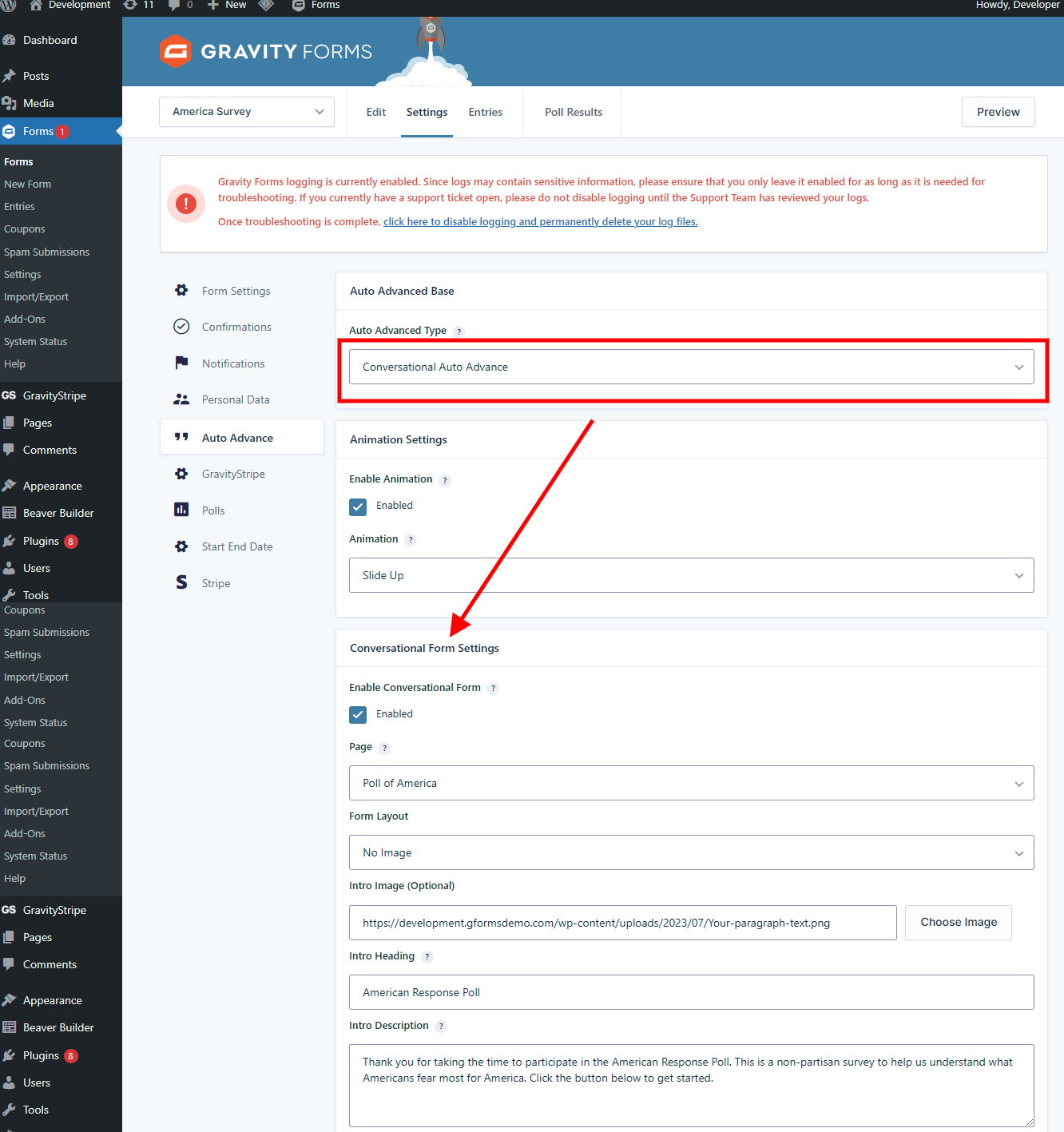
- Gravity Forms Conversational Forms Add-On support
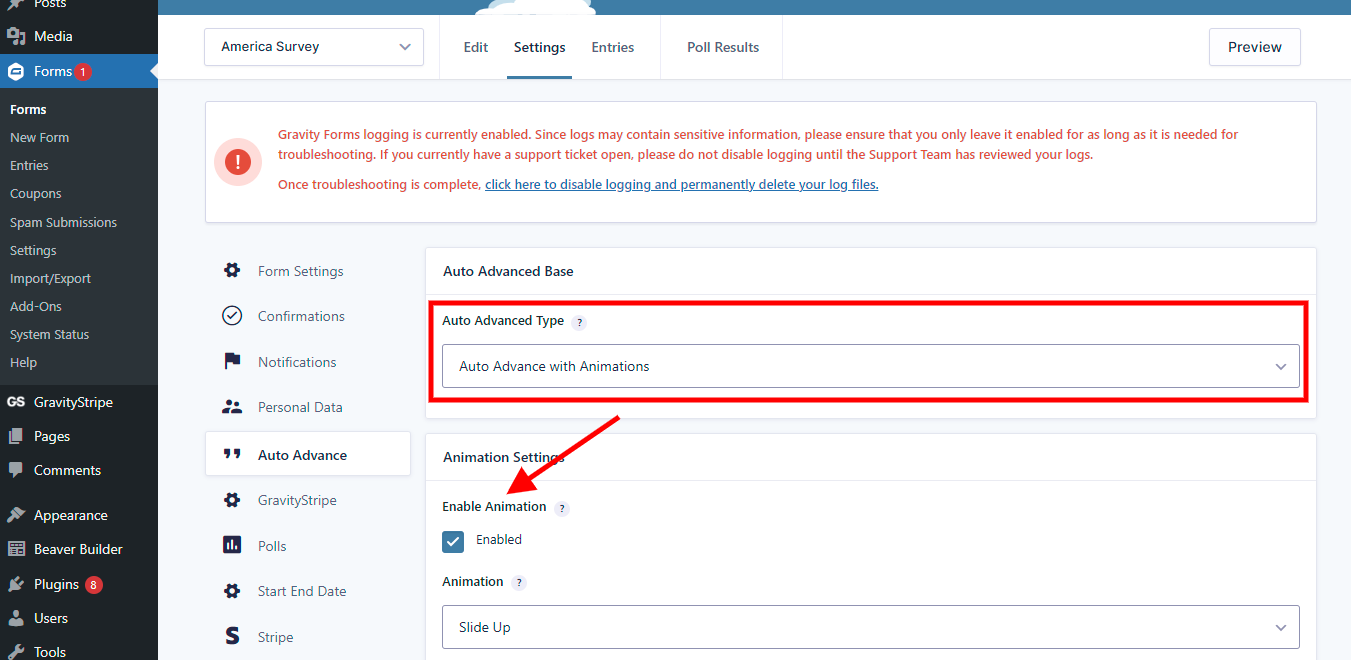
- Transition animations
- Step color controls
Plus ($59/year or $225 lifetime)
Everything from Pro, plus upgraded conversational form functionality for more advanced one-question-at-a-time experiences.
Watch the conversational settings video
Resources
- Live demos: https://multipagepro.com/demo/
- Feature overview: https://multipagepro.com/features/
- Pricing and FAQ: https://multipagepro.com/pricing/
- Documentation: https://multipagepro.com/docs/
- Support: https://multipagepro.com/support/
Videos
- Overview and features: https://youtu.be/bZlvWOlgtLw
- Conversational settings: https://youtu.be/LUk1OwOZb-0
- Text and number fields: https://youtu.be/CXPq4270kA4
- Checkbox fields: https://youtu.be/C66gjrMBaRw
Changelog:
02/16/2025
Version @5.0.5
– Updated SDK
01/26/2025
Version @5.0.4
– Updated SDK
– Fixed issue with disabled button for hide next button.
– Added loader on conversational form
– Other minor bug fixes.
12/22/2024
Version @5.0.3
– Added vendor support for upgrading.
– Fixed quiz and poll field issue.
12/12/2024
Version @5.0.2
– Fixed latest submission issue with auto submitting.
09/18/2024
Version @5.0
– Free version features being limited to radio button and drop down only.
09/05/2024
Version @4.7
– added notice for free users to upgrade to paid pro or plus at 50% discount. Free version features being limited to radio button and drop down only.
02/25/2024
Version @4.6.3
– Fixed gform post render issue
– conversational pagination to follow settings inside the form
10/15/2023
Version @4.6.2
– Fixed auto advanced crash issue on some scenarios for free version.
10/13/2023
Version @4.6.1
– Updated resources and info
– Fixed minor bugs related in form editor
10/12/2022
Version @4.6 (Mega release)
– Compatibility added for php 8.0
– Latest wordpress support added
– Fixed warnings and bugs
– Added conversational form for plus version
– Added support for Gravity Forms Conversational addon for pro version
– Added coloring steps
– Added animations.
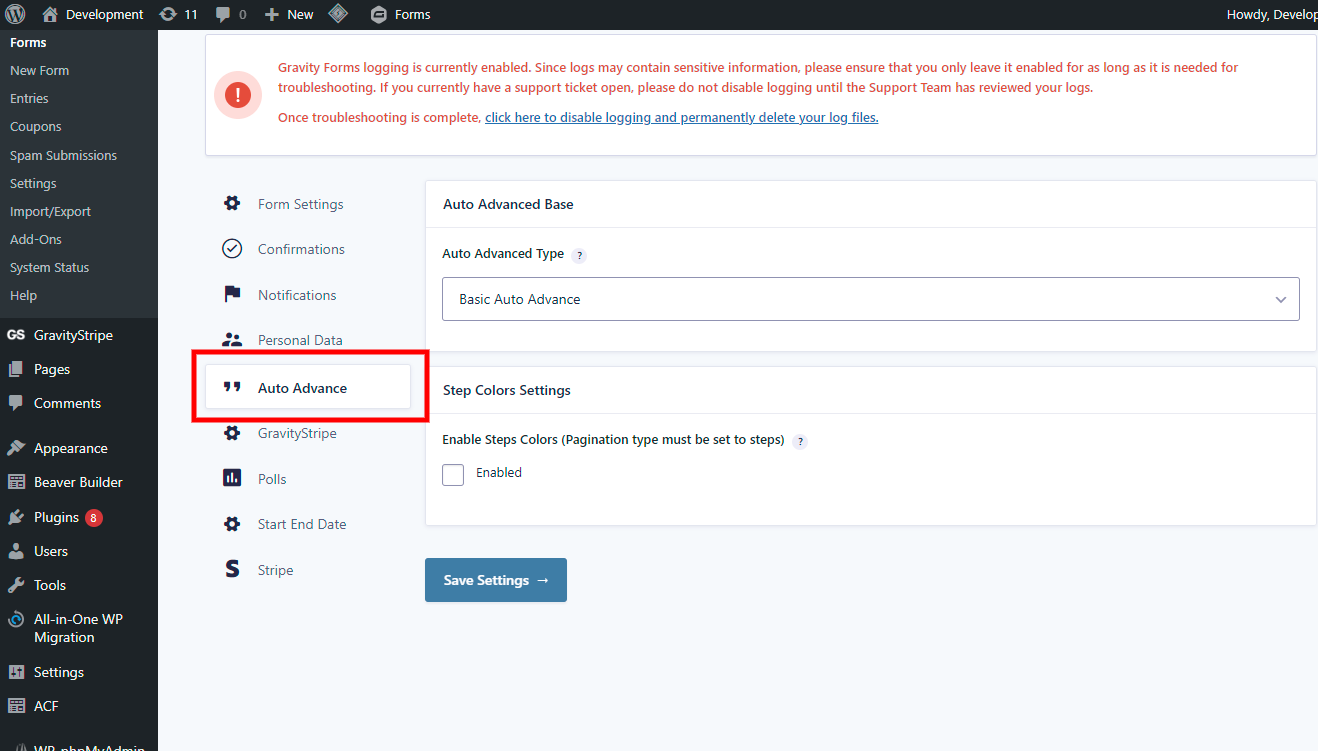
– New settings area
Installation
- Upload the plugin files to the
/wp-content/plugins/multipage-auto-advancedirectory, or install the plugin through the WordPress plugins screen directly. - Activate the plugin through the Plugins screen in WordPress.
- Open or create a Gravity Forms multi-page form.
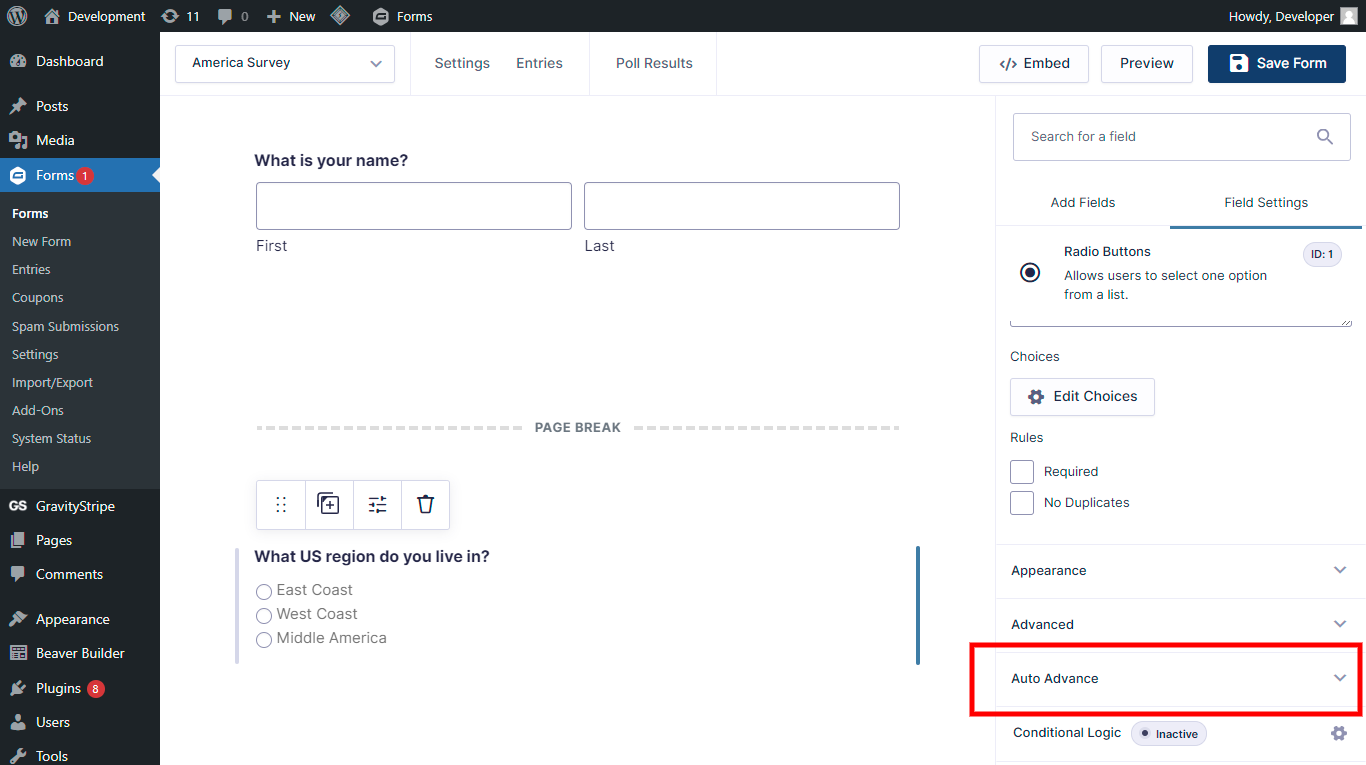
- Add a Radio Button or Dropdown field.
- Open the field settings and enable Auto Advance.
- Save the form and test the frontend flow.
Once enabled, the selected field can trigger Gravity Forms to move to the next page automatically.
Screenshots
http://nimb.ws/2q3sna
http://nimb.ws/sX2IVP
Faq
The free version supports radio button fields and dropdown fields.
Pro adds support for additional field types, including checkboxes, text fields, number fields, products, polls, quizzes, conditional logic, animations, and Gravity Forms Conversational Forms Add-On workflows.
Yes. Multi Page Auto Advance is built for Gravity Forms multi-page forms. It helps move visitors from one page or step to the next after they answer a supported trigger field.
Yes. The plugin includes settings for hiding manual navigation buttons where appropriate, so visitors can move through the form by answering questions instead of clicking Next after every step.
- Create a new form or open an existing one
- Click any Radio Button or Dropdown question that you want to be a trigger.
- Check the box for Auto Advance in the settings for the question.
- Save the form and test it on the frontend.
Yes. Multi Page Auto Advance can help create a more conversational, one-question-at-a-time Gravity Forms experience. The free version supports basic radio and dropdown auto-advance, while Pro and Plus add more advanced field and conversational form support.
No. This is an add-on for Gravity Forms. You still build and manage your forms in Gravity Forms, and this plugin adds auto-advance behavior to supported fields.
Yes, as long as both are not set as “required”. If both are ‘required’ then the form will not advance to the next page and an error message will show.
Reviews
Fast and very effective support
By 
We've been using Auto Advance on a client site for a number of years now, but something happened recently that disrupted the flow of a certain part of the site, David was very friendly, very helpful and managed to sort out our issue and updated the plugin code to fix the issue and resupplied all within a day of reporting/asking for assistance.
This plugin is the only one we've found that successfully allows for the auto advancing of Gravity Forms fields, the Free version now does what is required for our clients site saving them a little money and every little helps since they are a charity organisation, highly recommend David and this product.
Thank you
Scott
Fast and friendly support.
By 
We ran into an issue related to updates and David was fast and friendly with an effective response and resolution. Huge help.
Horrendous nag and security risk
By 
This is the worst plugin you could ever install. It has a constant and horrendous nag in the admin area. This has also been flagged as a serious security risk by our hosting. AVOID!!
Just instal, set and go!
By 
Works fine and is very user friendly.
Plug-in Doesn't work
By 
Warning: Undefined variable $input_type in /homepages/40/d689953319/htdocs/clickandbuilds/Moiz/wp-content/plugins/auto-advance-for-gravity-forms/class-gfautoadvancedaddon.php on line 239
This kind of error held on form page when I active plug-in.
Great Plugin, Even Better Support
By 
Great plugin
By 
Great developer, Wonderful Plugin
By 
Nice Plugin - easy to handle
By 
Too much invitation to the PRO version of the plugin
By 