Auto Delete Post – Ultimate plugin for deleting a post automatically

Auto Delete Post – Ultimate plugin for deleting a post automatically
Description
Auto Delete Post is a comprehensive WordPress plugin that automatically deletes posts, pages, and custom post types after a specified time. Set a deletion date and time when publishing content, and the plugin will automatically remove it when the specified time arrives. Perfect for time-sensitive content, temporary posts, or automatically cleaning up outdated material.
Key Features:
* Schedule automatic deletion for any post, page, or custom post type
* Choose between moving posts to trash or permanent deletion
* Support for all public post types in WordPress
* Dedicated settings page to configure which post types to include
* Custom meta box on post edit screen to set deletion time
* Quick edit functionality for bulk scheduling
* Custom column showing scheduled deletion times
* Real-time reliable deletion processing
* Automatic removal of deletion schedule when posts are restored from trash
* Set post redirection option trying to visit deleted post/page
* Delete attached media files while deleting any post
Installation
The easy way.
Go to your WordPress Dashboard. Navigate to Plugins > Add New and then search for “Auto Delete Post”. Click on Install and then Activate the Plugin.
That’s it, Auto Delete Post Plugin is now activated on your site!
The hard way..
Download “Auto Delete Post WordPress Plugin” and then extract the zip file and just drop the contents in the wp-content/plugins/ directory of your WordPress installation and then activate the Plugin from Plugins page.
Screenshots
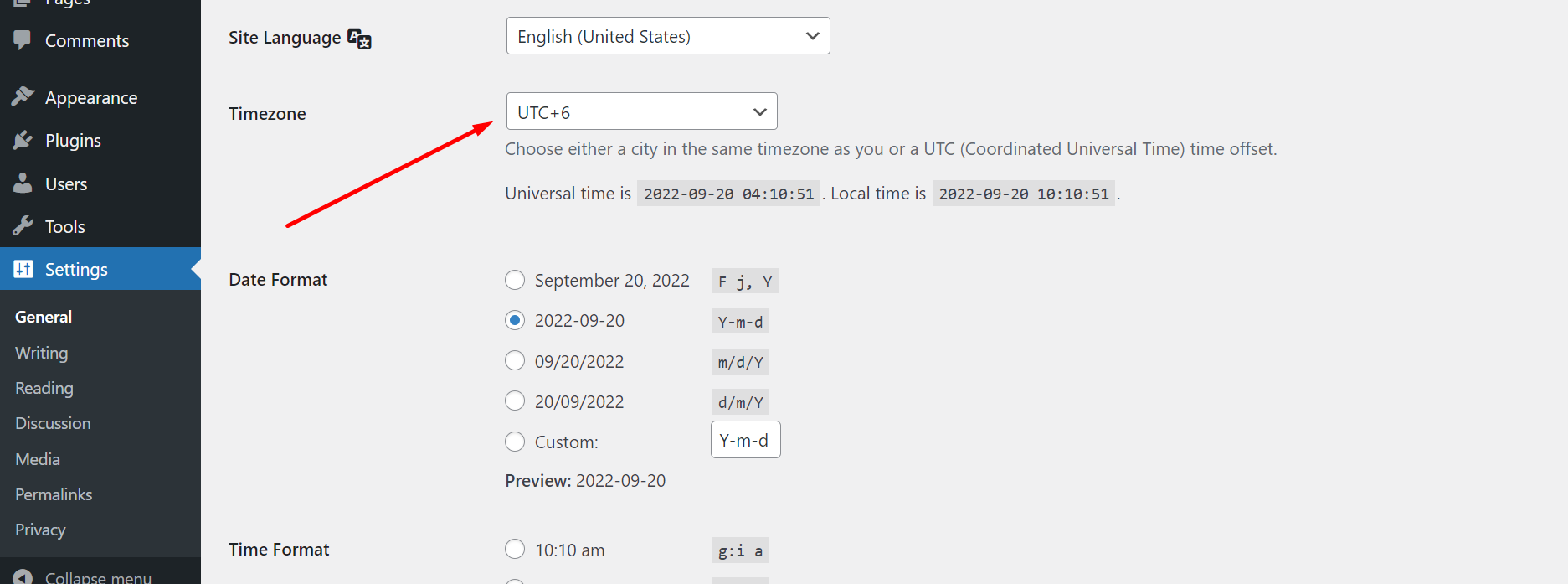
Set the default time zone from the WordPress settings option to work correctly according to your timezone
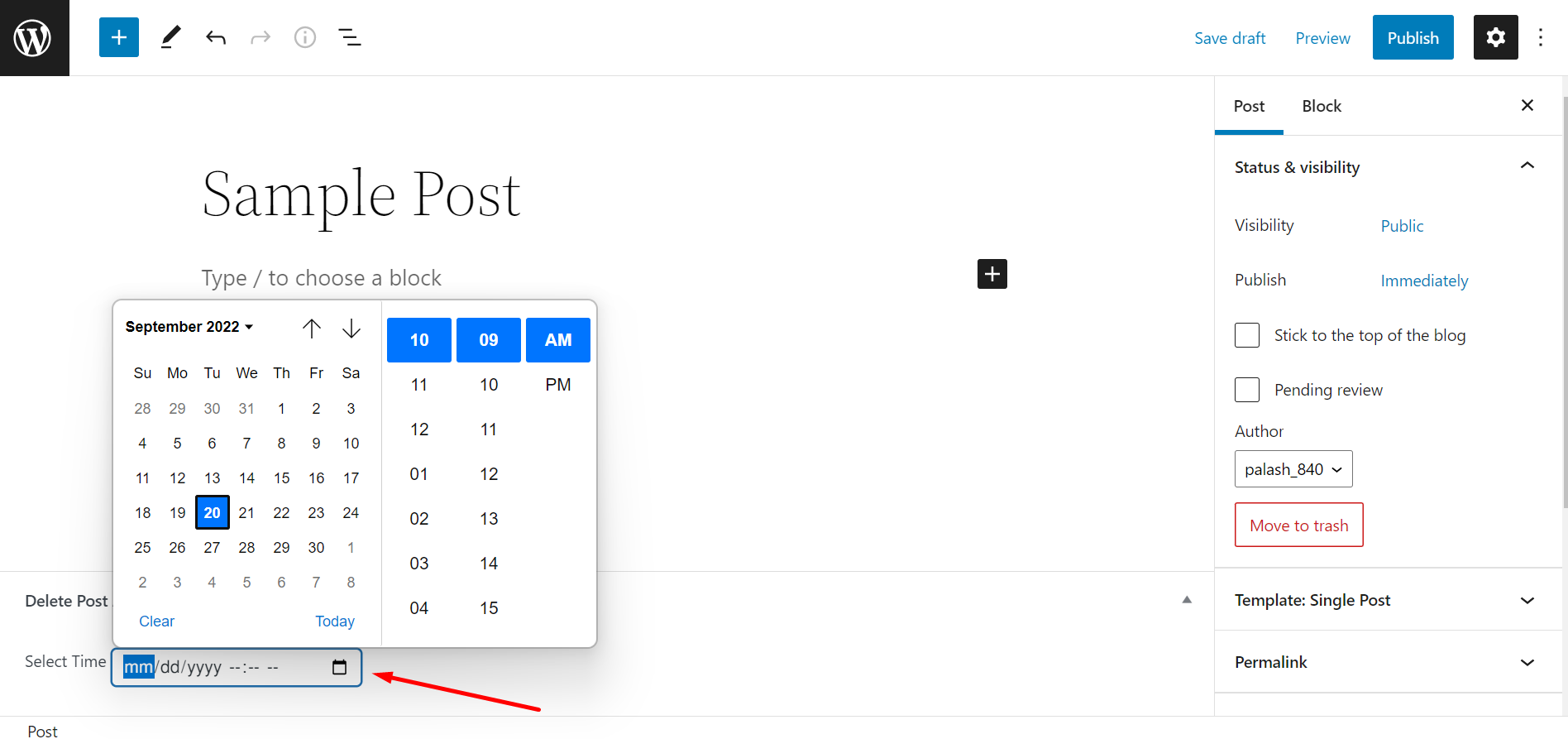
Select a time and date from the custom meta box field of this plugin on the post edit screen
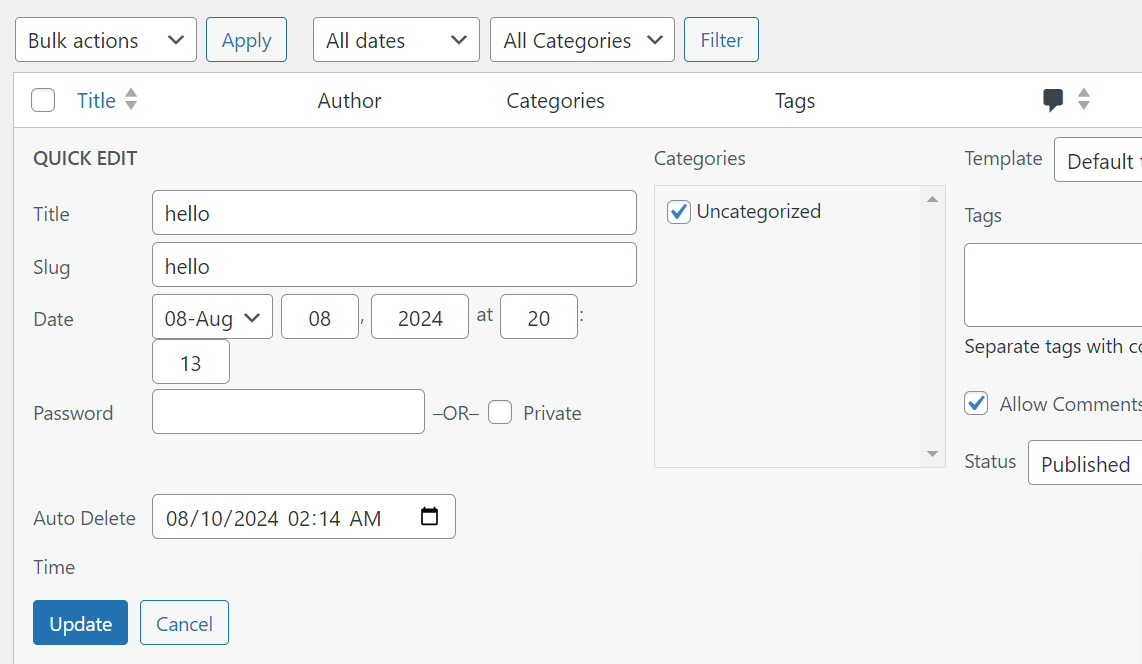
You can also select the time from the quick edit option, no need to go to the edit section of any post.
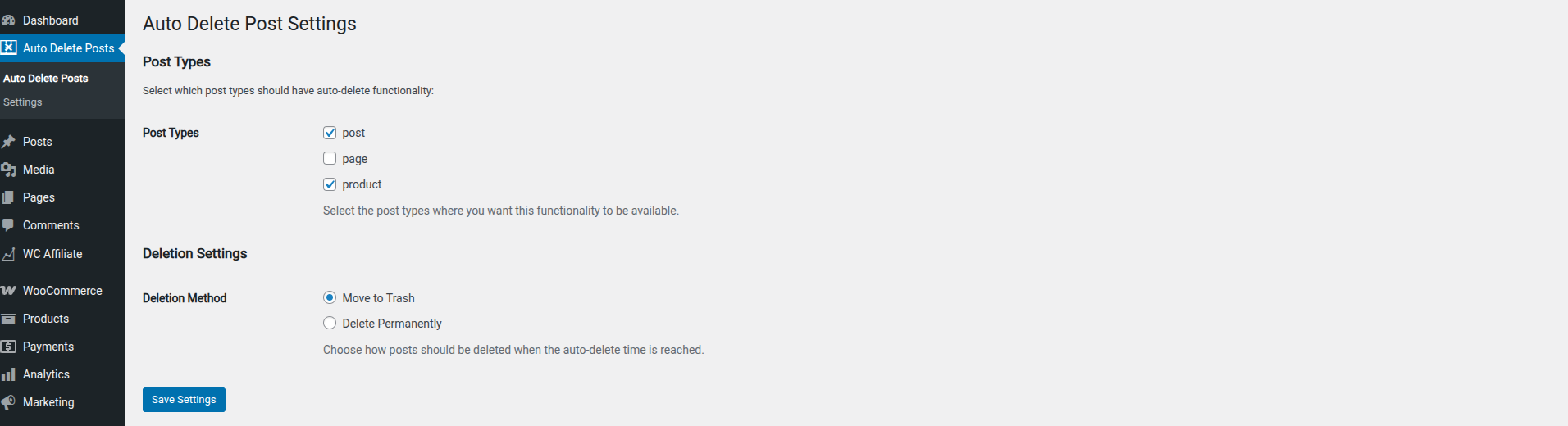
Select any post types where you want to enable this functionality and choose between moving to trash or permanent deletion in the plugin settings.

View post deletion time in the right column of all post list page.
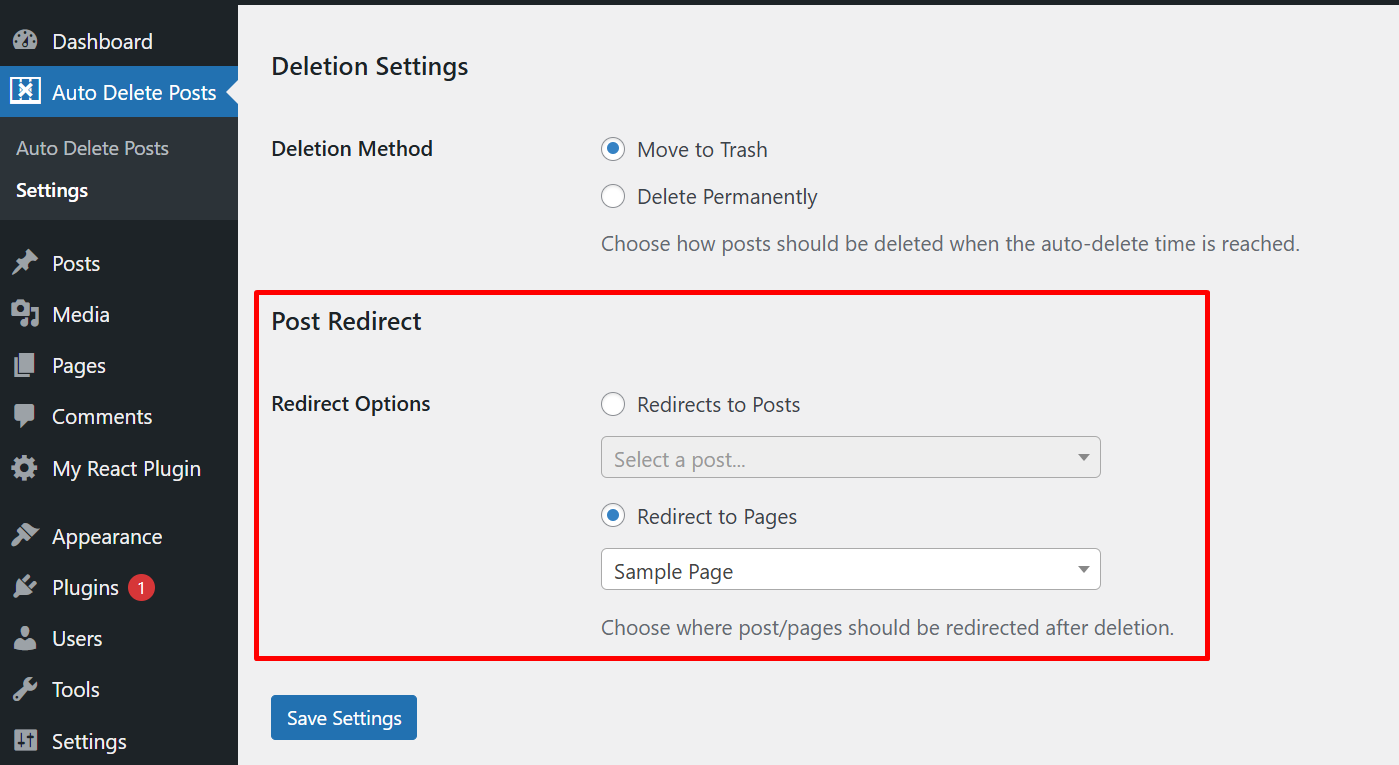
Select any post or page that you may want to set as post redirection.

Enable "Delete Attached Media" to automatically remove unused attachments when a post is permanently deleted.
Faq
Yes
Yes, you can select which post types should have the auto-deletion functionality available via the plugin’s Settings page under the “Auto Delete Posts” menu.
You can choose whether posts should be moved to trash or permanently deleted when the scheduled time arrives. This is configured in the plugin’s Settings page.
Yes, you can use the quick edit functionality on the posts list page to set deletion times for multiple posts quickly.
Yes, you can cancel an auto-deletion by removing the scheduled time from the post’s edit screen or clearing the field in quick edit.
Yes, you can set a specific post or page for post redirection when user tries to visit deleted post/page.
Yes, enable the “Delete Attached Media” option in settings. When a post is permanently deleted, its attached media files (featured image and any files attached to that post, of any file type) will also be deleted — but only if they aren’t still in use by another post, page, or public post type.
Reviews
Great plugin for scheduled cleanup
By 
Auto Delete Post works perfectly for scheduling automatic deletion of posts and pages. Easy to use, reliable, and really helpful for keeping site clean. Highly recommended!
Perfect for my niche need
By 
No clutter, does what it promises, author is quick to reply (and fix) issues. What else you could possible need?
Good plugin. Working well with any custom field frontend submission.
By 
Awesome, I have tested this plugin with Jetform Builder for frontend submission form. It's working well.
just use this field name adp-time .
Thanks for developed this plugin for free.
Works great!
By 
Love this plugin. Always wanted a simple way to create a retention cycle for my old posts. This just fit the bill perfectly.
Good job!
Funciona Excelente!!
By 
Después de probar infinidades de plugins, encontre este que funciona excelentemente bien, lo recomiendo! muchas gracias sigan adelante
Good idea but....
By 
Its a good idea to create such plugin and could be useful but when i try to activate, my website become dead. A message shown "There has been a critical error on this website. Please check your site admin email inbox for instructions."
Only way to fix it , was to login to server and rename the folder of plugin.Then website start to work again and logged to wordpress admin .Then renamed again folder to original name and on plugins of admin i clicked button to delete.
Not work on 6.2 version wordpress . (I have PHP 7.4 and mysql 8.0)
i can set time to automatic delate posts
By 
Changelog
2.0.2
- Updated readme.txt file for correct documentation
- Added new “Delete Attached Media” option to automatically remove unused media files (all file types) when a post is permanently deleted.
- Media is only deleted if it’s not still in use by another post, page, or public post type.
2.0.1
- Checked compatibility with latest version of WP
- Added new “Delete Attached Media” option to automatically remove unused media files (all file types) when a post is permanently deleted.
- Media is only deleted if it’s not still in use by another post, page, or public post type.
- Fixed translation issue with untranslated strings in settings screens.
2.0.0
- Checked compatibility with latest version of WP
- Solved translation issue of some text and added Bangla translation ready file.
- Added general settings time date format support in the all post column.
1.1.9
- Solved post direction select field only displaying last 5 posts issue.
- Fixed post does not match when typing the post name in the redirect input field.
1.1.8
- Added post redirection option for deleted post/page
1.1.7
- Updated the banner image
1.1.6
- Fixed fatal error caused by missing main class initialization.
1.1.6
- Fixed fatal error caused by missing main class initialization.
1.1.5
- Checked compatibility with latest version of WP
- Updated tested up to version to 6.7.2
1.1.4
- Added date time field in the quick edit section of post
1.1.3
- Solved unable to restore post from trash issue.