Auto Parts 4 Less Marketplace Sync

Auto Parts 4 Less Marketplace Sync
Description
This plugin will list your WooCommerce products to Auto Parts 4 Less marketplace.
Installation
Installing the plugin
- This plugin depends on the WooCommerce plugin, so if you do not have WooCommerce plugin installed, then first install WooCommerce plugin and setup your products.
- In your WordPress admin panel, go to Plugins > Add New, search for Auto Parts 4 Less Marketplace Sync and click Install now.
- Alternatively, download the plugin and upload the contents of ap4l.zip to your plugins directory, which usually is /wp-content/plugins/.
- Activate the plugin.
Configuration
- All the sections of the plugin have comments for how to use the plugin, however you can go through below steps to configure the plugin.
- You need to create your seller account on Auto Parts 4 Less – Seller Registration and add your email and auth_token, you got from the seller panel, in Accounts section.
- Map you WooCommerce Categories to AP4L Categories in Categories section.
- Create your policies. i.e. Shipping, Selling, Synchronization
- Create your listings and add your products to the listing.
- Bingo! your products will be listed on Auto Parts 4 Less.
Screenshots

Accounts section

Policies section
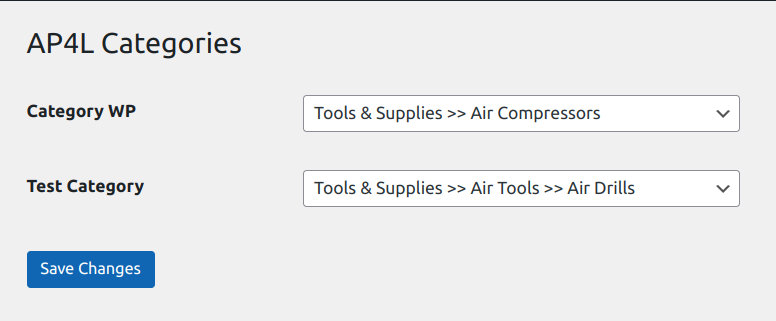
Categories section

Listings section

Listing Logs section

Orders section

Order Logs section

Log Settings section
Faq
Yes, plugin is dependent on WooCommerce plugin.
Yes, the very first step to sell your products on Auto Parts 4 Less is to create a seller account.
We have APIs set in cron/scripts, which will executes in background and list your products to AP4L and fetch your orders from AP4L marketplace.
Yes, we are storing logs to identify API messages and errors, if any.
By default we are storing logs for last 60 days, which is recommended to investigate any issue you face ragarding listings and orders. You are free to modify that to any other number of days in Log Settings section.
Reviews
Changelog
1.0.0
First version of the plugin released.