PixelShift: Auto WebP Converter

PixelShift: Auto WebP Converter
Description
PixelShift (formerly Auto WebP Converter) is the smartest, safest way to serve next-gen images on WordPress.
Most optimization plugins slow down your site with external API calls or crash your server by processing huge files. PixelShift is different. It runs entirely on your server using the native PHP GD library, featuring a unique Smart Memory Guard that calculates available RAM before processing to prevent crashes.
🚀 Why PixelShift?
- Boost Core Web Vitals: Serving WebP images significantly reduces page load size.
- Zero API Fees: No subscriptions, no credits, no data sharing. It’s 100% free.
- Server Safety First: Detects low memory and conflicting plugins (like Smush/EWWW) to prevent errors.
- Set & Forget: Auto-converts JPGs and PNGs immediately upon upload.
⚡ Feature Highlights
- Smart Conversion: Converts the main image AND all thumbnails (Media Library, WooCommerce, etc.).
- Self-Cleaning Logs: Detailed conversion history with auto-delete (Cron) to keep your database clean.
- MIME Sync: Automatically updates WordPress metadata so browsers recognize the
.webpformat. - Privacy Focused: Your images never leave your server.
Installation
- Upload the plugin folder to
/wp-content/plugins/auto-webp-converter-logger. - Activate PixelShift through the ‘Plugins’ menu in WordPress.
- Go to Settings > PixelShift (Images to WebP).
- Save your preferences. (Default: Quality 85, Logging Disabled).
Note: If upgrading from version 1.4, please check your settings as they have been reset to defaults for the new security engine.
Screenshots
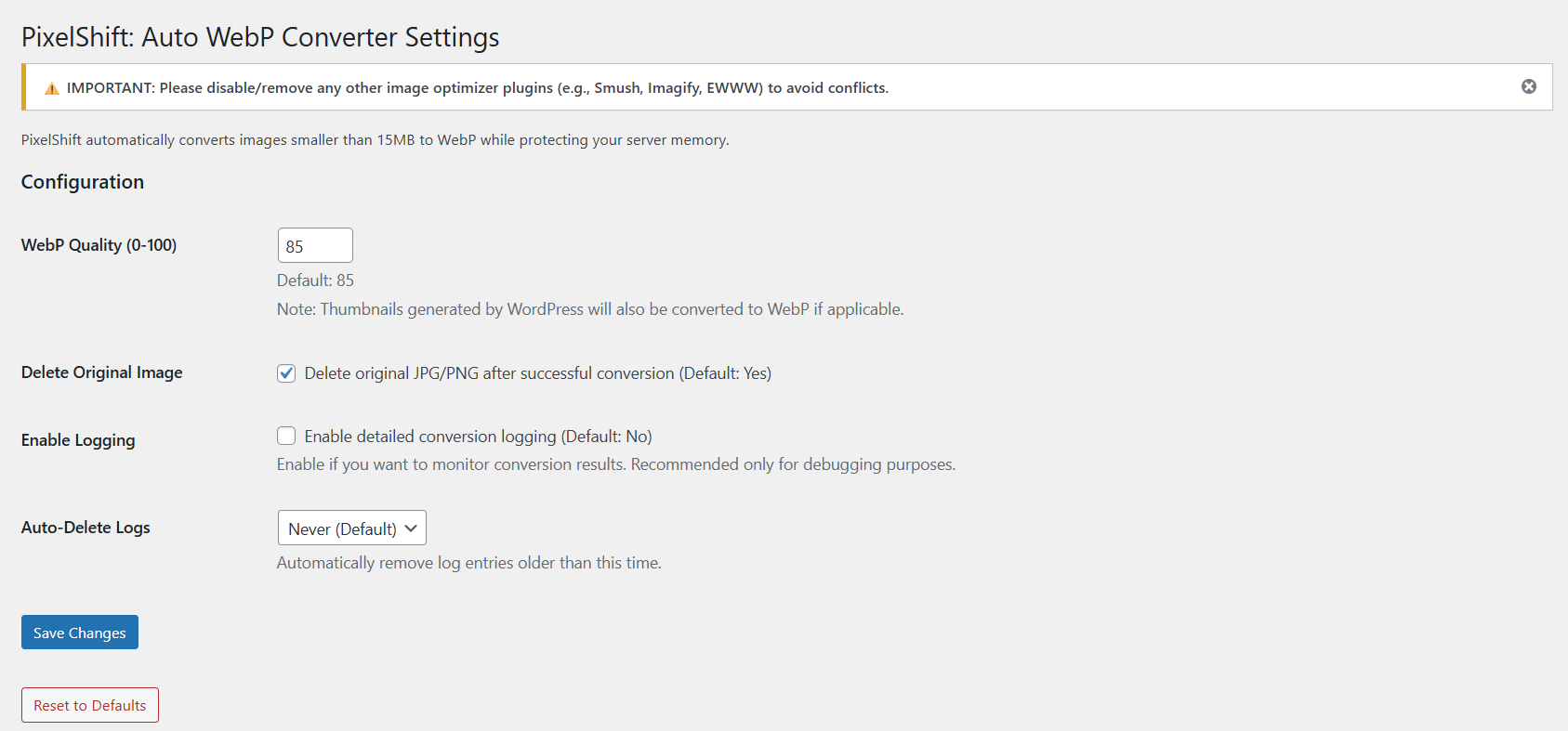
PixelShift Dashboard: Simple, clean settings for Quality and Log Retention.

Smart Logging: Real-time visibility into conversion success and memory usage.
Faq
No. PixelShift processes new uploads only. We focus on optimizing your future workflow without overwhelming your server with bulk operations.
PixelShift currently supports JPG, JPEG, and PNG images.
Yes. In the settings, you can check “Delete Original Image”. If checked, the original JPG/PNG is removed to save disk space. If unchecked, both the original and the WebP version are kept.
Yes! PixelShift does not use APIs. It uses your server’s built-in image processor (GD Library).
For server stability, images larger than 15MB are automatically skipped. The event is logged if you have logging enabled.
Logs are stored in a secure folder: /wp-content/uploads/auto-webp-converter-logger/. This folder is protected via .htaccess to prevent public access.
Yes. PixelShift hooks into the core WordPress upload process, so it generally works with plugins like Instant Images or frontend uploader forms, ensuring the correct MIME type is saved.
Your images stay safe! PixelShift generates standard WebP files. If you uninstall the plugin, your existing WebP images remain on your site and continue to work.
Yes. PixelShift is fully compatible with Multisite networks. Each site in the network gets its own isolated log folder.
- Check GD: Ensure your host has
php-gdenabled. - Check Logs: Enable logging in settings. If an image requires more RAM than your server allows, PixelShift skips it to prevent a crash.
- Check Conflicts: If you have Smush or EWWW active, PixelShift pauses to avoid double-compression issues.
No. The folder must remain auto-webp-converter-logger to ensure you receive future updates from the WordPress repository.
Reviews
Changelog
2.0
- REBRAND: Relaunched as PixelShift.
- New: Smart Memory Protection (prevents “White Screen of Death”).
- New: Cron-based Log Retention (auto-deletes old logs).
- New: Conflict Detection for 3rd party plugins.
- Security: Hardened log directory with
.htaccessand traversal checks. - Fix: Resolved thumbnail conversion inconsistencies.
1.4
- Fixed MIME type handling for external uploaders.
- Improved metadata synchronization.
1.3
- Updated log file paths for repository compliance.
- Minor code cleanup.
1.2
- Added GD library admin notices.
- Improved permission checks.
1.0
- Initial release.