Autocomplete field for Elementor Pro Forms

Autocomplete field for Elementor Pro Forms
Description
Autocomplete Select Field for Elementor Pro Forms is an add-on for Elementor Pro that introduces a new field type in the Form widget called “Select Autocomplete”.
This field allows you to load a predefined list of valid options and display them through an autocomplete interface, making it easier for users to quickly find and select the correct value, even when dealing with long or structured lists.
In addition to improving usability, the field ensures data integrity by validating that the submitted value matches one of the allowed options. This prevents invalid, altered, or unexpected values from being passed through the form submission process.
From a technical perspective, this approach creates a reliable connection between the frontend form and backend logic. Every selection is checked against a controlled set of values, which makes it particularly suitable for workflows where accuracy is critical, such as product customization, WooCommerce integrations, conditional logic, and structured data collection.
Overall, the Select Autocomplete field combines ease of use with strict validation, helping maintain clean and consistent data while enhancing the form-filling experience.
Contribute and credits
Autocomplete field for Elementor Pro Forms is developed and mantained by GH S.R.L.
Installation
Minimum Requirements
-
PHP 7.1 or higher
-
MySQL 5.6 or higher
Autocomplete field for Elementor Pro Forms can be installed directly through your WordPress Plugin Board.
-
Click “Add New” and search for “Autocomplete field for Elementor Pro Forms”.
-
Install and activate.
Alternatively you can download the plugin using the download button on this page and then upload the “autocomplete-field-for-elementor-pro-forms” folder to the / wp-content / plugins / directory then activate through the WordPress plugins page.
Screenshots
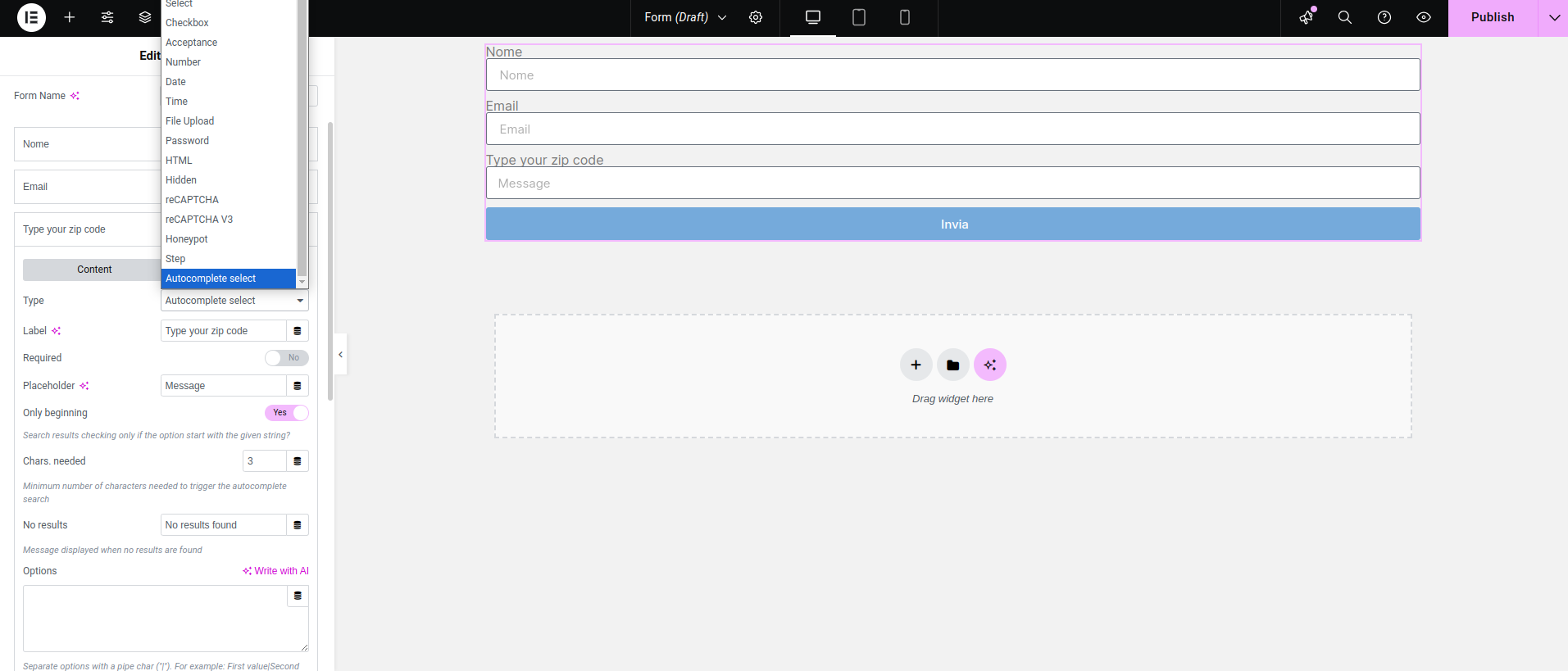
Add a form field and choose "Autocomplete select"
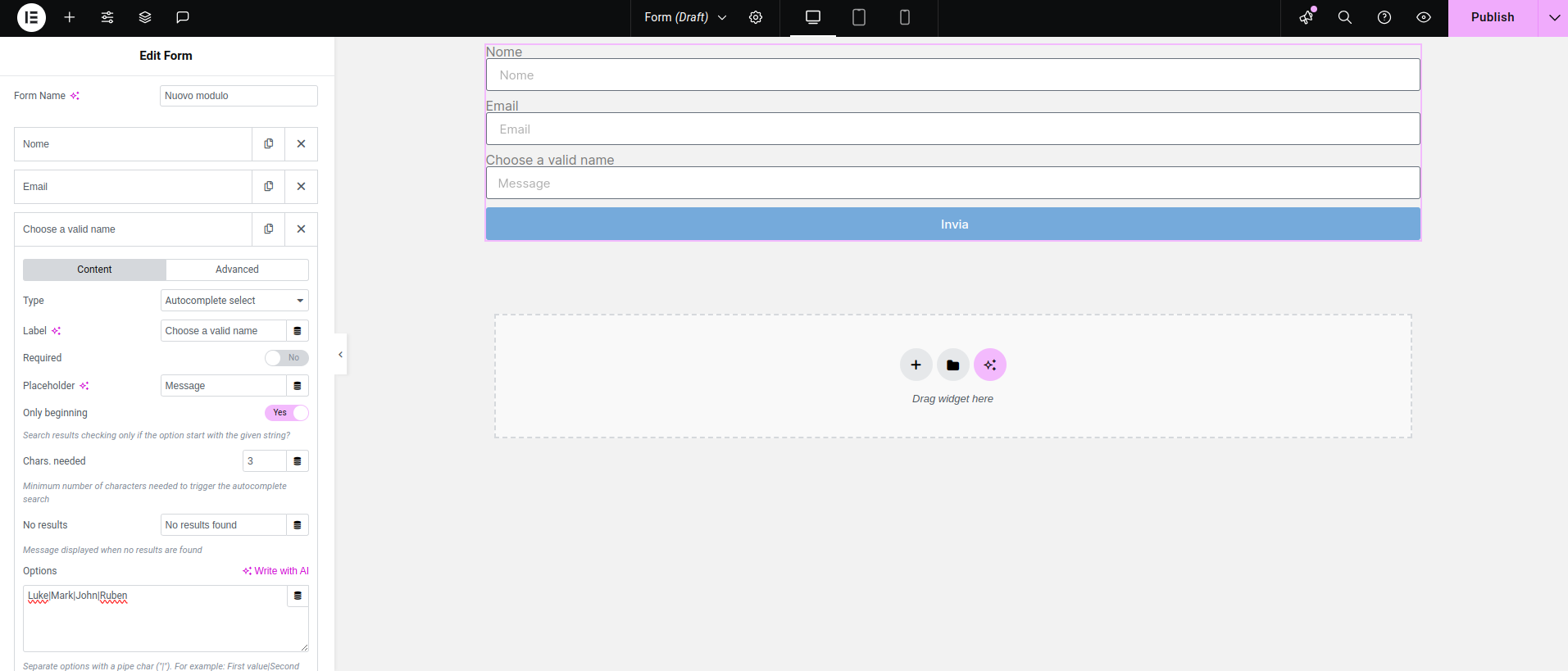
Fill the options textarea with your options, separated by a pipe character
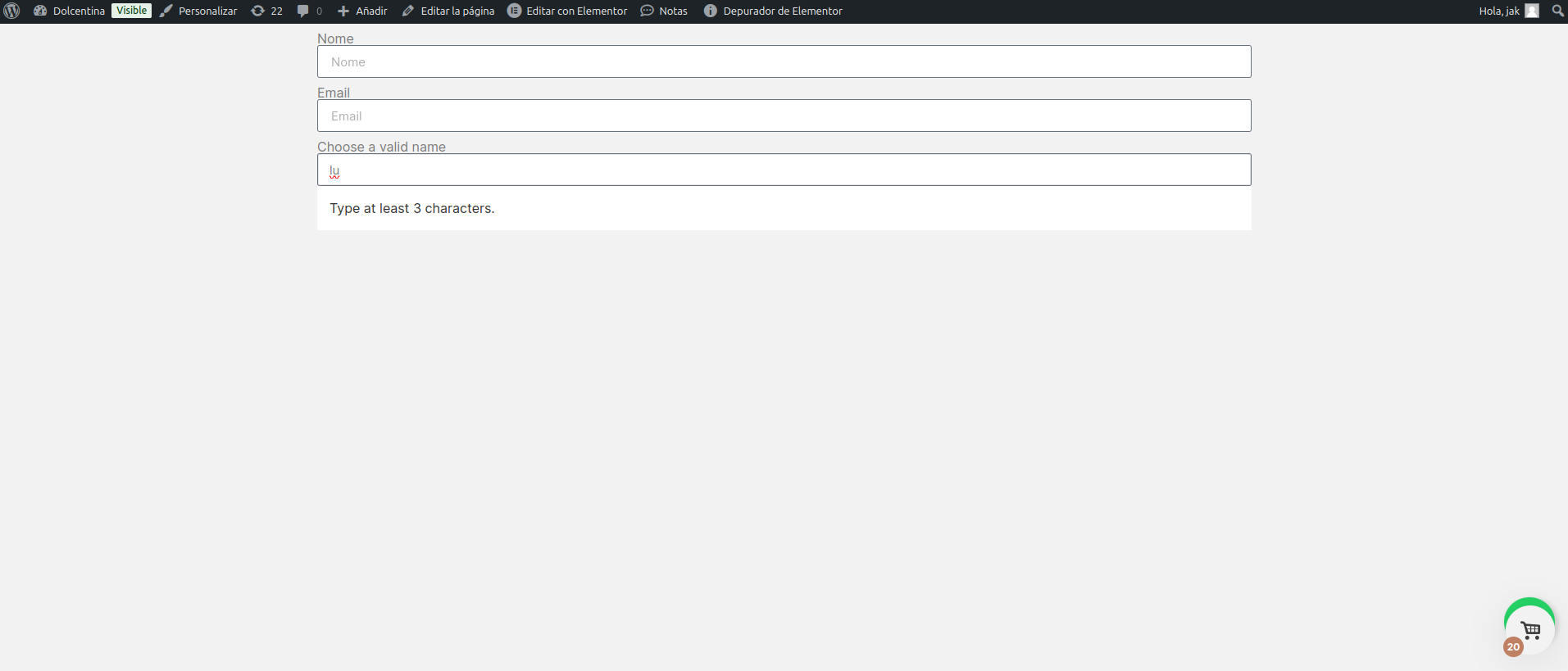
Typing less characters than what you have set triggers the "type at least..." message
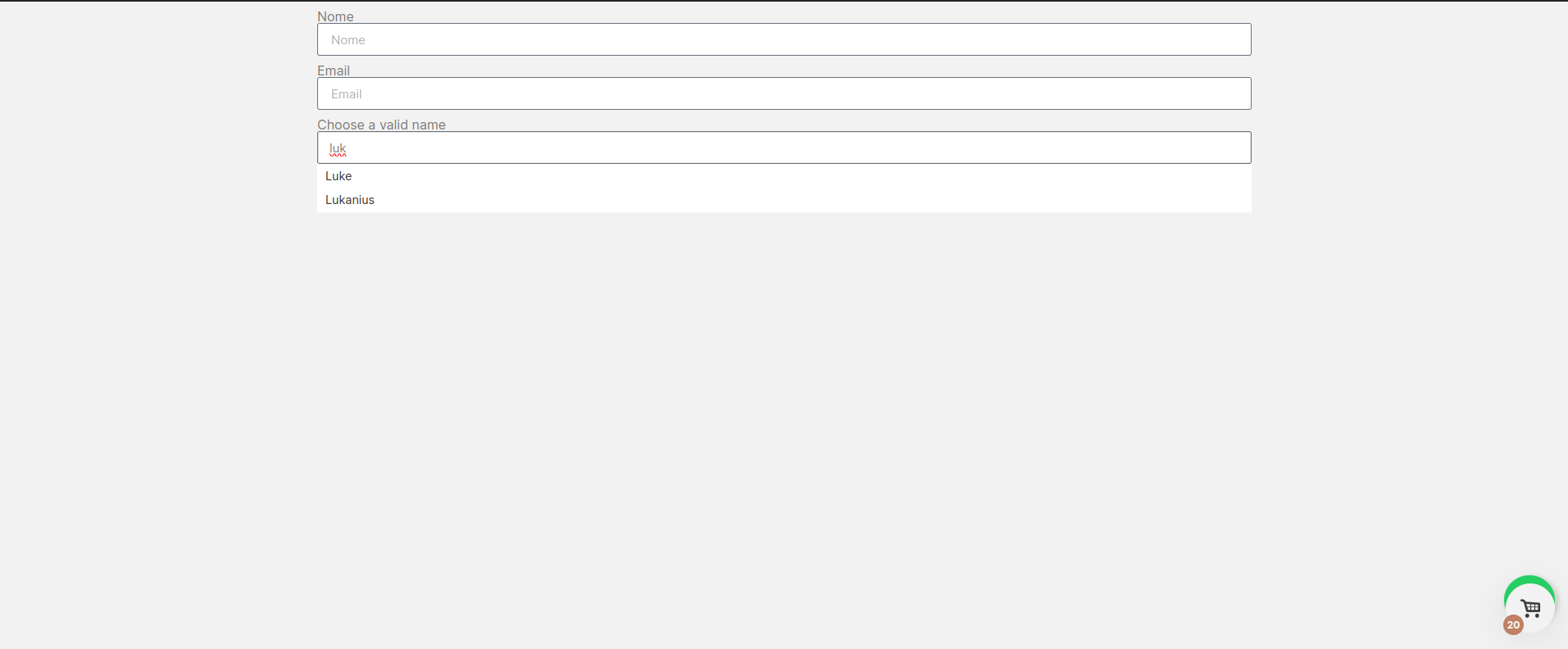
If matches are found, they are displayed and the customer can choose one of them
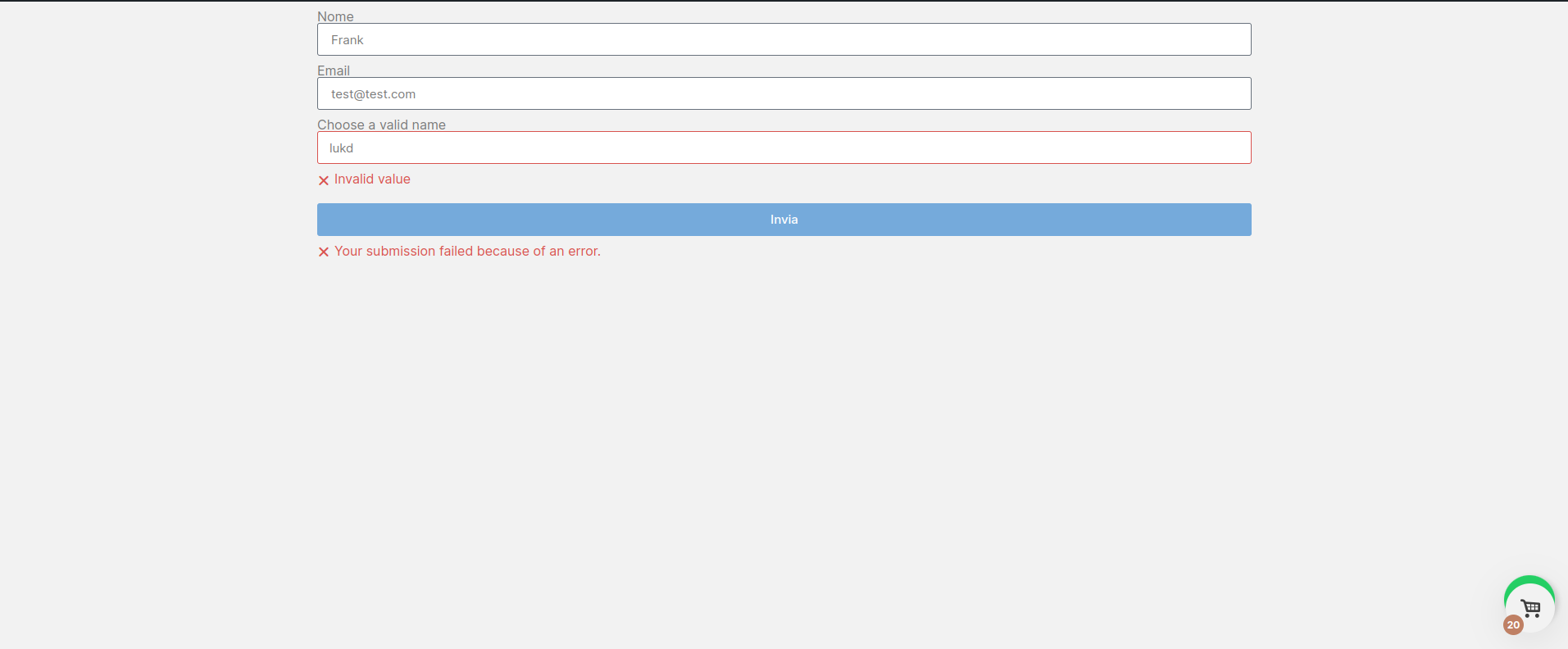
The submitted value is checked again: an error is triggered if it doesn't match one of the options you have set
Faq
Yes, this plugin is totally free.