Autocomplete Location Field for Contact Form 7

Autocomplete Location Field for Contact Form 7
Description
Autocomplete Location Field for Contact Form 7 is the easiest way to add a smart Google Address Autocomplete field to any Contact Form 7 form on your WordPress website.
Powered by the Google Places API, this plugin delivers real-time address suggestions as users type — reducing typos, incomplete submissions, and user frustration. Whether you run a delivery service, real estate agency, booking platform, or local business, this plugin helps you collect accurate location data effortlessly.
🔗 Pro Version | Support | Get a Google Places API Key
Why Use Autocomplete Location Field for Contact Form 7?
Manually typed addresses are prone to errors. This plugin eliminates that problem by integrating Google’s powerful address intelligence directly into your CF7 forms. Users get instant, accurate suggestions — and you get clean, reliable data.
Perfect for:
– 📦 Delivery and shipping address forms
– 🏠 Real estate and property listing sites
– 📅 Booking and appointment forms
– 🛠️ Service area and local business websites
– 📬 Business contact and inquiry forms
✅ Key Features (Free)
- Google Address Autocomplete — Real-time suggestions powered by Google Places API
- Seamless CF7 Integration — Works natively inside the Contact Form 7 editor
- Simple API Key Setup — Connect your Google API key in minutes
- Lightweight & Optimized — Minimal impact on page load speed
- Easy Field Insertion — Add the autocomplete field with a single click in the CF7 editor
🚀 Pro Features
Upgrade to Pro for advanced location control:
- 🌍 Country Restriction — Limit autocomplete suggestions to specific countries (e.g. US, UK, AU)
- 🗺️ Google Map Display — Show an interactive map when a location is selected
- 🧩 Separate Address Components — Capture Street, City, State, Country, and Postcode in individual fields
- 🏷️ Place Type Filtering — Restrict suggestions by type (e.g. establishments, geocodes, art galleries)
- 🌐 Custom Placeholder Translation — Localize your field placeholder text
- ⚡ Priority Support — Get fast, dedicated help from our team
How It Works
- Install and activate the plugin.
- Navigate to Contact Google Place API in your WordPress admin.
- Paste your Google Places API Key.
- Open any Contact Form 7 form editor.
- Click “Field Autocomplete” to insert the location field shortcode.
- Save the form and publish your page.
That’s it — your form now has intelligent address autocomplete!
Get your free Google API Key: Step-by-step guide | Official Google Docs
Additional Information
- Support: codesmade.com/contact-us
- Pro Version: codesmade.com/store
- API Key Guide: codesmade.com/create-google-map-place-api-key
Installation
Option 1: Install via WordPress Admin (Recommended)
- Go to Plugins Add New in your WordPress dashboard.
- Search for “Autocomplete Location Field for Contact Form 7”.
- Click Install Now, then Activate.
- Navigate to Contact Google Place API and enter your API key.
Option 2: Manual Installation
- Download the plugin
.zipfile. - Upload the extracted folder to
/wp-content/plugins/. - Activate the plugin from Plugins Installed Plugins.
- Add your Google API key under Contact Google Place API.
- Open a Contact Form 7 form and insert the Field Autocomplete tag.
Screenshots
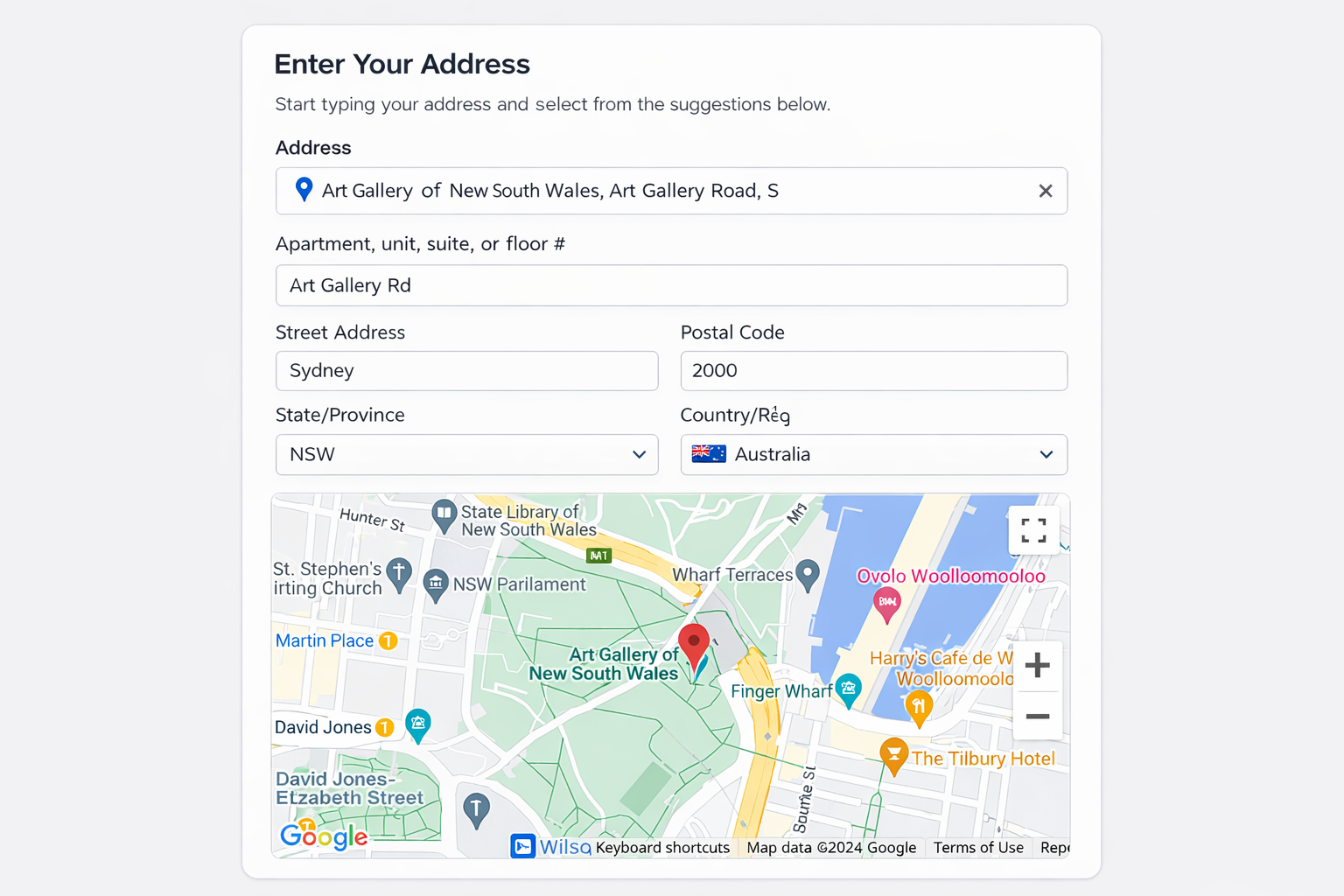
Address Suggestions in Frontend Form — Real-time Google Places suggestions as users type.
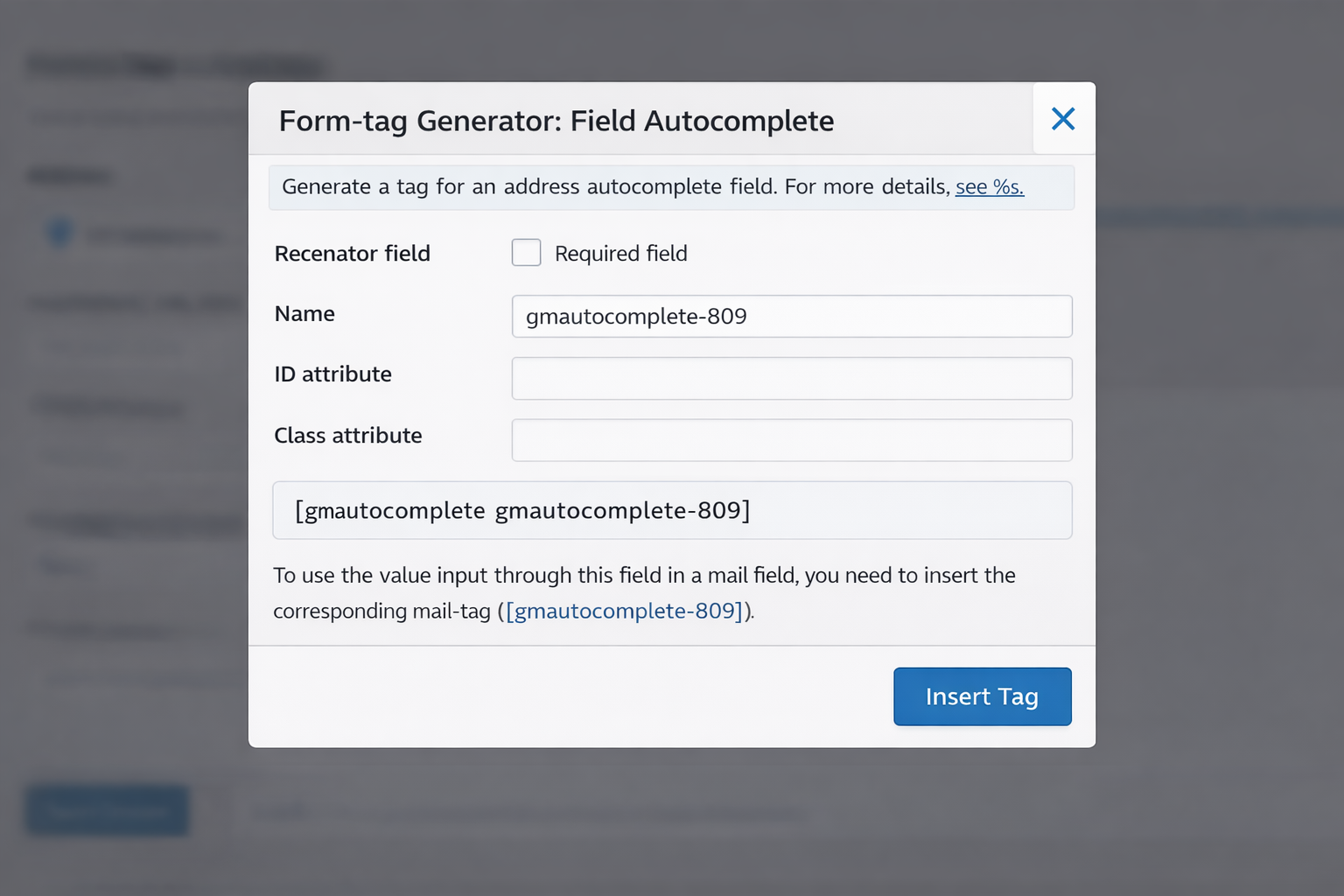
Autocomplete Field in CF7 Editor — Insert the location field directly from the form builder.
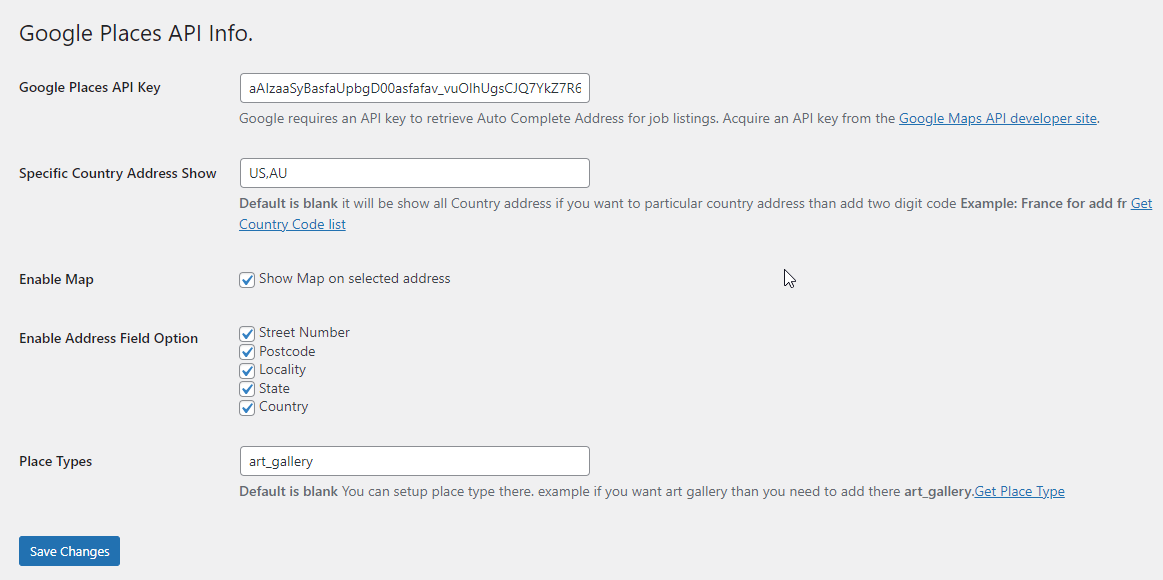
Google API Key Settings Page — Simple settings screen to connect your Google Places API key.
Faq
Yes. A valid Google Places API key is required. You can generate one for free at Google Cloud Console. Make sure the Places API is enabled and billing is set up in your project.
Open your Contact Form 7 form editor and click the “Field Autocomplete” button in the tag generator toolbar. The shortcode will be inserted automatically.
Open your browser’s developer tools (F12) and check the Console tab for errors. Common causes include:
– Incorrect or missing API key
– Places API not enabled in Google Cloud Console
– Billing not activated on your Google Cloud account
Yes — country restriction is available in the Pro version.
Yes — separate address components are a Pro feature.
Yes. The plugin is tested up to WordPress 6.9.1 and actively maintained.
Visit our support page at codesmade.com/contact-us or post in the WordPress support forum.
Reviews
Great plugin, does the job!
By 
The developper was very helpful and quick adding a function.
Amazing - Thank You!
By 
This plugin is AMAZING, thank you for creating it 🙂
The only thing is that it doesn't work with conditional fields, but it's totally fine!
Great Support with plugin
By 
It was really a great experience with plugin support. The plugin feature also very good. Highly recommended!
Great plugin, does what it says it will!
By 
I used the free version for a little while, and decided to upgrade to premium for the additional functionality. It was also easy to code up a little modification of my own to further customise it. Great plugin!
good support
By 
Good post sales support
Awesome PlugIn and support is outstanding.
By 
I would 100% recommend this plugin, It does exactly what I need it to do and other custom features that I specifically needed they added it in a matter of hours thanks to their awesome customer support. Thanks a lot!
Good plugin, Great support
By 
Good plugin, Great support
powerful plugin that meets the need
By 
Great support also
Great Support
By 
Recommend this author! Very quickly to help out and in case you need customization he can also do it fast.
Get the PRO version
By 
The developer was very helpful with my questions, and I am happy to use PRO version. Worth it ! Only one thing to note : address input has to start with address number, not street.
Changelog
4.0
- Compatibility update for WordPress 6.9.1
- Performance improvements and code optimizations
1.0.0
- Initial release
- Google Places Autocomplete integration
- Contact Form 7 custom tag support