AutoPoly – AI Translation For Polylang
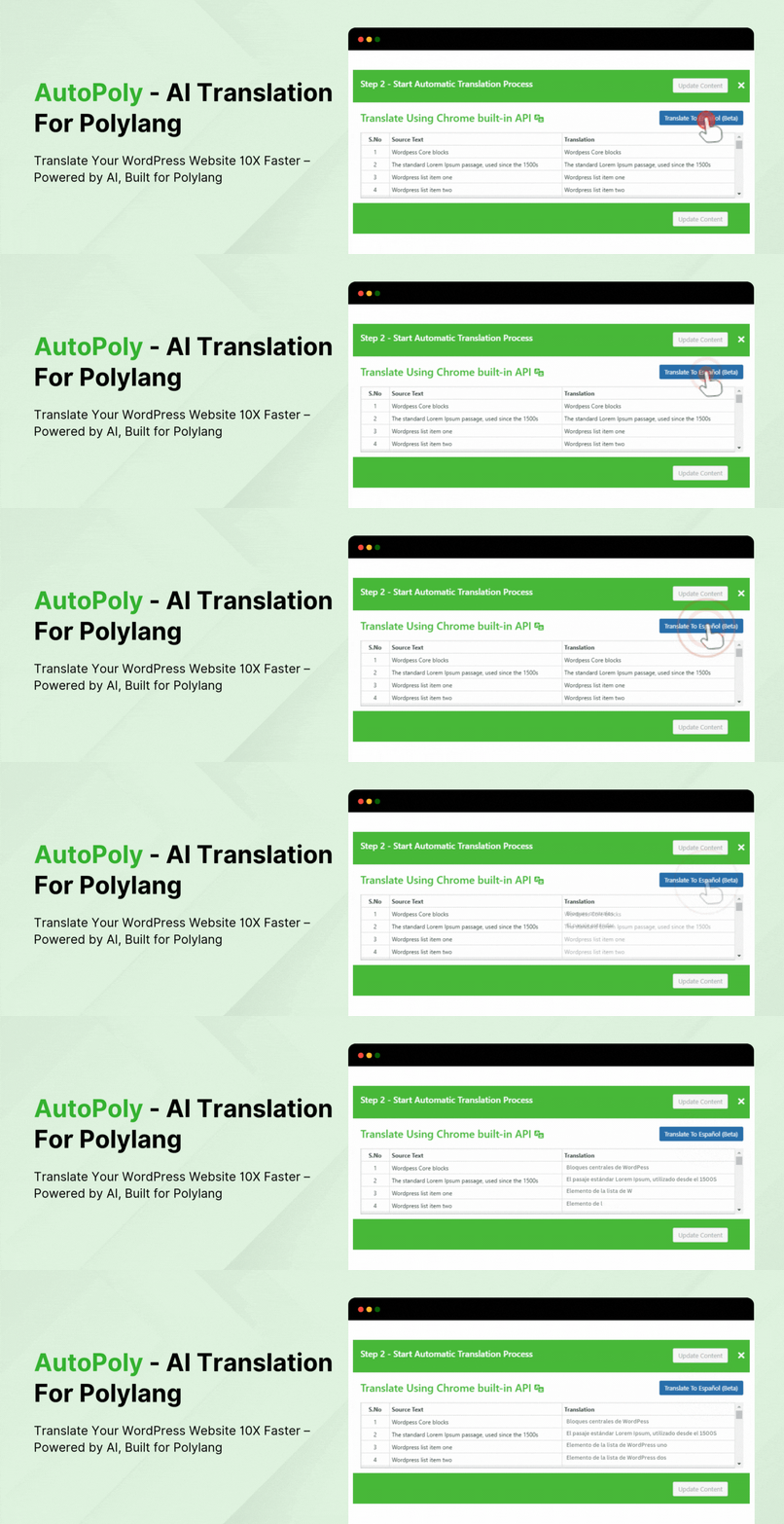
AutoPoly – AI Translation For Polylang
Description
Translate Your WordPress Website 10X Faster – Powered by AI, Built for Polylang.
AutoPoly – AI Translation For Polylang reduces your translation workload by 90%. With this powerful addon, you can translate your sections, modules and widgets of Gutenberg, Divi, and Elementor pages within a few clicks.
This addon works by duplicating and translating page/post titles, content, images, galleries, and meta fields, eliminating the need to manually adjust featured images, layouts, and other elements.
Compatibility
AutoPoly – AI Translation For Polylang is compatible with popular WordPress editors, page builders, plugins, and custom fields, making it easier to create and manage multilingual websites.
- Elementor: Translate Elementor pages, sections, widgets, templates, and supported content while preserving the original layout and styling.
- Gutenberg: Translate WordPress block-based content, including core blocks and supported third-party blocks such as Spectra, Kadence Blocks, Stackable, Otter Blocks, and Essential Blocks.
- Divi: Translate content created with the Divi Builder, including pages and layouts.
- Classic Editor: Translate content created with the WordPress Classic Editor.
- WPBakery: Translate supported content created using the WPBakery Page Builder.
- WooCommerce: Translate WooCommerce content such as product titles, descriptions, and other supported product fields using Polylang’s multilingual setup.
- ACF (Advanced Custom Fields): Translate supported ACF fields, including Text, Textarea, and WYSIWYG fields in Gutenberg pages.
Key Features
- AI Automatic Translation – Translate your Elementor & Gutenberg website content using Chrome built-in AI or Edge built-in AI. This feature enables real-time translation directly within the browser, without any paid API services.
- Elementor Page Translation – Translate entire Elementor pages, including all sections, widgets, and content, without losing styles or design.
- Gutenberg Block Compatibility – Automatically translate content within Gutenberg blocks, including core blocks and popular third-party blocks like Spectra, Kadence, Stackable, Otter, and Essential.
- Automatic Content Translation – Effortlessly translate post titles, content, images, galleries, and meta fields from one language to another using Machine & AI Translations.
- ACF Fields Translation – Translate ACF fields only with type(text, textarea & wysiwyg) in Gutenberg pages.
- One-Click Duplication – Easily duplicate your original or default language content into other languages, saving time and reducing manual work.
- Style and Format Preservation – The plugin maintains all styles, formats, and layouts from the original post, ensuring that your translated content maintains a consistent appearance.
- Multilingual Management – Simplifies the process of managing a multilingual website by automating translation and reducing the need for repetitive actions.
- Custom Block Support – While optimized for Gutenberg blocks, the plugin also works with several third-party block plugins, extending its versatility.
- Easy to Use – Designed with a user-friendly interface, making it accessible even for those with limited technical knowledge.
FREE v/s Premium Addon Comparison
Free License
- ✅ Yandex Translate Widget Support: Available
- ✅ Chrome Built-in AI Translation Support: Available
- ✅ Edge Built-in AI Translation Support: Available
- ✅ API Key Required: Not Required (Yandex Widget & Chrome Built-in AI)
- ✅ Gutenberg Block Compatibility
- ✅ Inline Translation
- ❌ Taxonomy Translation: Not Available
- ❌ Classic Editor Translation: Not Available
- ❌ Divi 5 Page Translation: Not Available
- ❌ Google Translate Widget Support: Not Available
- ❌ OpenAI Translation Support: Not Available
- ❌ Gemini Translation Support: Not Available
- ❌ DeepL Translation Support: Not Available
- ❌ Bulk Translation: Not Available
- ❌ Re Translation: Not Available
- ❌ Premium Support: Not Available
Premium License
- ✅ Bulk Translation: Translate multiple posts, pages, or products at once to save time.
- ✅ Classic Editor Translation: Easily translate all content created with the Classic WordPress Editor.
- ✅ Divi 5 Page Translation: Easily translate all content created with the Divi 5 WordPress Editor.
- ✅ Re Translation: Re translate or Update the translated content for applied latest changes.
- ✅ Taxonomy Translation: Easily translate all taxonomies and custom taxonomies.
- ✅ Inline Translation: Translate specific text blocks or widgets directly on the front end.
- ✅ Gutenberg Block Compatibility: Fully compatible with Gutenberg, this plugin allow you to translate block-based layouts.
- ✅ Chrome Built-in AI Translation Support: Instantly translate content directly inside browser using Chrome’s built-in AI translator.
- ✅ Edge Built-in AI Translation Support: Automatically translate content in real-time inside Microsoft Edge.
- ✅ Gemini Translation Support: Use Gemini AI to generate high-quality, context-aware translations.
- ✅ Google Translate Widget Support: Automate the translation process using the Google Translate Widget.
- ✅ OpenAI Translation Support: Access OpenAI’s advanced language models for more natural translations.
- ✅ Premium Support: Quick Support
(Support time:- 24-48 hours)
Our Advanced Language Switcher Plugins
- Language Switcher for Polylang – Elementor, Gutenberg, & Divi: Add a customizable language switcher block, widget or module to your Gutenberg, Elementor, or Divi Pages.
The plugin also includes a Floating Language Switcher, allowing visitors to switch languages from anywhere on your website without adding a switcher to your header, menu, or page content.
Check out our advanced Automatic Translate Addon for Loco Translate
- Automatic Translate Addon for Loco Translate is an addon that enhances the functionality of the Loco Translate plugin by enabling the automatic translation of WordPress themes and plugins. This addon connects with sources like Google, Yandex, DeepL, or AI-powered sources like ChatGPT, Gemini AI and Chrome AI to provide instant and automated translations.
- AI Translation for TranslatePress is a powerful addon that enhances the functionality of the TranslatePress plugin. This addon uses advanced translation services, like Google Translate, Yandex, and Chrome AI translator, to provide accurate and instant translations for your web pages automatically.
Important Notice: This plugin serves as an AI translation extension for the official Polylang plugin.
Use of 3rd Party Services: This plugin connects to the Cool Plugins feedback server only for optional usage data sharing and voluntary feedback submission (for example, during plugin deactivation). Data is transmitted solely after explicit user consent. No hidden tracking is performed, and no frontend visitor or site user data is collected. For more details, please review our Data Usage Policy, TOS, and Privacy Policy.
Disclaimer: This plugin is not developed by or affiliated with the Polylang developers. It is a third-party addon that offers automatic translation functionality, enabling you to quickly translate your posts while maintaining the same styles in other languages.
Custom Blocks Support
To make your custom blocks translation-ready, follow these steps:
- Go to the Support Blocks Page:
Navigate to the languages page in your WordPress admin.
Find the Support Blocks page. - Identify Your Blocks:
Check the list of supported and unsupported blocks.
Search or filter to find your desired blocks. - Add Blocks for Translation:
Click the “Edit” or “Add” button next to the block you want to translate.
The block will appear in the Gutenberg editor with the “Make This Content Available for Translation” text. - Enable Translation for Missing Sections:
If a section is missing, click the “Click Here” button.
Copy the translation text and paste it into the desired block. - Update Your Page:
Save your changes to the page. - Translate Your Content:
Use Polylang’s translation tools to translate your content.
Your custom blocks will be automatically translated using the AutoPoly – AI Translation For Polylang.
By following these steps, you can ensure that your custom blocks are ready for translation and can be easily translated into multiple languages. For a visual guide, check out our demo video on how to add custom blocks for translation.
Special Thanks
A special thanks to the authors of the Polylang plugin for creating an outstanding tool for multilingual management.
Service Provider
This plugin provides automatic translation services for Polylang using the Yandex Translate API.
- Service Description:
The plugin uses the Yandex Translate API to translate content in real-time, allowing you to easily manage multilingual content on your WordPress site. - Servers Being Called:
The plugin makes API calls to the following server:
https://translate.yandex.net/api/v1/tr.json/translate - Account Requirements:
No Yandex Translate account is required to use this plugin. However, please note that API usage is subject to Yandex Translate’s terms of service and usage limits. - Benefits:
By using the Yandex Translate API, you can enjoy improved translation accuracy and efficiency, making it easier to manage your multilingual content.
Important Links & Information
Installation
To install and set up AutoPoly – AI Translation For Polylang, please follow these steps:
- Ensure Compatibility:
Confirm that your website is running WordPress version 5.0 or higher. - Install and Activate Polylang:
- Navigate to your WordPress dashboard.
- Go to Plugins > Add New.
- Search for “Polylang“.
- Click Install Now and then Activate the Polylang plugin.
- Install AutoPoly – AI Translation For Polylang:
- In the WordPress dashboard, go to Plugins > Add New.
- Search for “AutoPoly – AI Translation For Polylang“.
- Click Install Now next to the plugin.
- Activate the Plugin:
- After installation, click Activate to enable AutoPoly – AI Translation For Polylang on your site.
Your plugin is now ready to use. You can access its settings and begin translating your content automatically.
Screenshots

AutoPoly Auto Translate Button & Translation modal.

Elementor Page Translation.

AutoPoly - AI Translation For Polylang Preview.

Gutenberg Block inline Translation.
Faq
This plugin automatically copies and translates your posts, including titles, content, images, galleries, and meta fields, from one language to another using Chrome AI. It works with Elementor and Gutenberg blocks, replicating the original content and styles across different languages.
No, this plugin is not developed by or affiliated with the Polylang developers. It is a third-party addon designed to extend Polylang’s functionality by adding automatic translation capabilities.
No, this plugin does not require an API key. It uses Chrome built-in AI to provide automatic translations.
This plugin works with Gutenberg blocks and several popular third-party blocks (e.g., Spectra, Kadence, Stackable, Otter, and Essential). While it may work with custom blocks or themes, compatibility is not guaranteed, so we recommend doing testing.
The plugin automatically translates the entire content within your Elementor widgets and Gutenberg blocks. It does not translate content outside of these blocks or widgets, such as custom widgets, shortcodes, or other plugins’ content that doesn’t utilize Gutenberg blocks or Elementor widgets.
Currently, our plugin does not support automatic synchronization of pages and posts across multiple languages. This means updates made to the original content will not automatically appear in the translated versions.
However, you can manually copy the original content into the translated page, and then use our inline translation feature to translate that content.
We’re considering adding sync support in future updates based on user feedback.
The translated content is managed within the WordPress editor, just like your original content. The plugin duplicates your content into other languages, which you can then later review and adjust as needed.
Yes, you can manually edit or remove the translated content in the WordPress editor after it has been automatically translated.
Yes. AutoPoly supports Elementor page translation, including Elementor pages, sections, widgets, and templates. It translates supported content while preserving the original layout and styling.
Yes. AutoPoly supports Gutenberg and can translate content within WordPress core blocks and supported third-party blocks, including Spectra, Kadence Blocks, Stackable, Otter Blocks, and Essential Blocks.
Yes. AutoPoly supports Divi page translation. Divi 5 Page Translation is available in the Pro version. Your translated content keeps the original Divi layout and styling.
Yes. Classic Editor Translation is available in the Pro version. You can translate content created using the WordPress Classic Editor.
Yes. AutoPoly can translate supported WPBakery content. However, compatibility may vary depending on the elements and third-party addons used on your site. We recommend testing your WPBakery pages before translating your entire website.
Yes. AutoPoly can translate supported WooCommerce content, including products, when used with Polylang. Bulk Translation Pro also allows you to translate multiple products at once.
Yes. AutoPoly supports ACF fields with Text, Textarea, and WYSIWYG field types in Gutenberg pages.
Yes. AutoPoly supports several popular third-party Gutenberg block libraries, including Spectra, Kadence Blocks, Stackable, Otter Blocks, and Essential Blocks. For custom or unsupported blocks, you can add them through the plugin’s supported blocks settings.
Yes. You can use AutoPoly on a WordPress website that contains content created with different supported editors and page builders, such as Gutenberg, Elementor, Divi, and Classic Editor. Some editor-specific features, such as Divi 5 and Classic Editor translation, are available only in the Pro version.
AutoPoly supports several third-party Gutenberg blocks and provides a Supported Blocks section for making unsupported custom blocks available for translation. However, compatibility with every custom block, widget, shortcode, or third-party plugin cannot be guaranteed. We recommend testing custom content before translating your complete website.
While the plugin uses Chrome AI for automatic translations, you can manually adjust the translated content within the WordPress editor to ensure accuracy.
Yes! The pro version of the plugin includes a Bulk Translate feature that lets you automatically duplicate and translate multiple posts, pages, or custom post types in one click. Simply select the source language and target languages, and the plugin will process them all at once
You can update the plugin through the WordPress dashboard like any other plugin. Regular updates will ensure you have the latest features and security improvements.
The plugin is optimized for performance, but the speed impact may vary depending on your hosting environment and the size of your content. The automatic translation process occurs in the background to minimize any potential impact on site performance.
Yes, this plugin supports automatic translations for content created with the Classic Editor only in the pro version.
You can report security bugs through the Patchstack Vulnerability Disclosure Program. The Patchstack team help validate, triage and handle any security vulnerabilities.Report a security vulnerability
Reviews
A great plugin
By 
Autopoly is a very good plugin—possibly the best one—for translating websites.
It is highly accessible, intuitive, and, above all, very easy to use.
But there is something even better than the plugin itself: the support team. They are highly committed professionals who provide quick, effective responses—and, most importantly, their messages are very easy to understand, especially for native speakers like me.
gameteahouse
By 
great!!!
Works perfectly with elementor
By 
Works perfectly with elementor. I am very satisfied with this product.
very good plugin
By 
very good plugin
Best Auto translation plugin for Polylang
By 
Thanks for the great work !
Great, but stay concentrated
By 
The plugin works great. But you have to be very concentrated when using it, and check translations if you want them to be perfect. For everyday use it's amazingly accurate and simple to use.
Tech support is great, though they can't solve every problem due to the structure of WordPress like translating headers and widgets. They offer great work-arounds, which is quite OK.
Ottimo plugin
By 
Plugin molto stabile e funzionante. Mi trovo bene.
Eficient i amb possibilitats sense pagament
By 
Estalvia molt de temps usant dins de "Polylang Duplicate Content" i enllaçant amb el traductor Yandex Translate (també amb Chrome però té principalment de l'anglès a altres llegües) pots traduir sense cost.
Good, but not as smooth as I hoped
By 
What's good is that there are many options to choose from regarding which service you want to use to automatically translate your content. What's also good is that AutoPoly handles the duplicating (and then translating) and of course the bulk translation is awesome... if it works.
The biggest problem were the non-supported blocks from the commercial block library I used. I assume these caused the errors when bulk translating. Not sure, hard to tell what caused the errors, but the result in such case was 0% translation. I needed to translate Dutch content into English and French and for some reason I got consistently much more errors for English than for French. Would have been nice to know exactly where it goes wrong or that the translation procees is able to skip problematic blocks and tries to translate as much as possible.
Small detail, but nowhere on the AutoPoly page (June 18th 2026) is mentioned that for any of these fancy API's (OpenAI, DeePL API, Gemini API) you need a separate paid plan which is a cost that comes on top of the cost of this plugin. This could and should be mentioned.
This extra cost wasn't much of a dealbreaker though. (No support for Claude yet?)
Simple et efficace,
By 
Fais exactement ce que ça promet, une traduction automatique en 2 clics.
Un de mes clients à rencontré des difficultés sur la traduction automatique, mais moi, jamais.
Changelog
Version 1.6.3 | 08 October 2026
- Fixed: Added missing permission checks in translation linking and overwrite.
Version 1.6.2 | 05 October 2026
- Added: Introduced a unified Toolkit for Polylang dashboard to manage Polylang addons.
- Fixed: Resolved an issue where media uploads were saving to incorrect month folders by preventing a global $post override in the helper class.
- Tested Up to: WordPress 7.1.2 and Polylang 3.8.10.
Version 1.6.1 | 17 September 2026
- Added: Support for translation rules defined in wpml-config.xml files.
- Improved: Block content translation for more reliable and accurate handling of WordPress blocks.
Version 1.6.0 | 02 September 2026
- Added: AI Translate button to the Posts and Pages list for starting translations directly without opening the editor.
- Added: Translate row action alongside Edit and Quick Edit for quickly translating individual posts and pages.
- Added: Setup guide for Chrome and Edge built-in AI, including language pack installation instructions within the AutoPoly dashboard.
- Added: Option to select and configure a default translation provider from the AutoPoly dashboard.
- Improved: Error handling for Chrome and Edge built-in AI when required language models are unavailable or cannot be downloaded.
- Improved: AutoPoly dashboard with a redesigned interface for translation provider selection, configuration, and translation modals.
- Fixed: Google Translate widget not loading on the post editor screen in newer WordPress versions.
- Fixed: Translation Settings modal not loading correctly in Microsoft Edge.
Version 1.5.0 | 28 July 2026
- Added: Edge local built-in AI translator API support.
- Added: Translation support for old page which are created before activation of this plugin.
- Fixed: Elementor page and template languages linking issue.
- Fixed: Elementor content internal links translation issue.
- Fixed: Empty block added in gutenberg after translation.
- Fixed: In elementor template post_content widget not updated after translation before refreshing the page.
Version 1.4.16 | 06 July 2026
- Fixed: Fixed page translation issue with editor role users.
Version 1.4.15 | 24 June 2026
- Fixed: Block translation issue with block Show templates.
Version 1.4.14 | 15 June 2026
- Improved: Cleaned up the notice registration logic for better readability.
Version 1.4.13 | 03 June 2026
- Fixed: Fixed JS error with ACF fields translation.
- Fixed: Fixed AutoPoly Custom Block post showing in search query and archive pages.
- Improved: Code improvements and optimization.
Version 1.4.12 | 21 May 2026
- Added: Newly available core icon block arial label attribute translation support.
- Added: Core accordion heading block translation support.
- Added: Core file block download button text attribute translation support.
- Added: Core search block button text attribute translation support.
- Tested up to: WordPress 7.0.
Version 1.4.11 | 05 May 2026
- Added: Elementor Atomic Widget translation support.
- Tweaks: Update readme screenshots.
Version 1.4.10 | 20 April 2026
- Fixed: Fixed yandex translation not working.
- Improved: Improve Dashboard and Provider modal UI improvements.
- Tweaks: Removed beta text from Chrome Local AI provider.
Version 1.4.9 | 03 April 2026
- Added: Chrome Local AI configuration notice and setup guide in AutoPoly settings dashboard.
- Added: Provider visibility toggle in AutoPoly dashboard for hide unused providers during translation.
- Improved: Dashboard and Translation modal overall design.
Version 1.4.8 | 10 February 2026
- Fixed: Fixed issues reported by “Plugin Check” plugin.
- Fixed: Text domain loading issue in notice.
- Minor: textual changes in links.
Version 1.4.7 | 03 December 2025
- Fixed: Translation modal not working with wordpress latest version 6.9.
- Tested up to: WordPress 6.9.
Version 1.4.6 | 03 November 2025
- Added: Support for translating Rank Math SEO table blocks and core table headers and footers.
- Added: Confirmation box when translating in a different editor but the page is made with Elementor.
- Fixed: Issue with Elementor HTML tags not rendering correctly after translation.
- Fixed: Translation now works for ACF repeater fields in Gutenberg.
- Fixed: Missing translations for some fields in Elementor testimonial widget.
- Fixed: JavaScript error when updating Gutenberg content.
- Fixed: Fixed line break formatting in WYSIWYG content.
- Improved: Added animation to the update button for long updates.
- Improved: Optimized performance of inline translation and smaller file size.
- Improved: Improved the block content update process.
Version 1.4.5 | 21 August 2025
- Fixed: Addressed security vulnerabilities.
Version 1.4.4 | 24 July 2025
- Fixed: Fixed Chrome Local AI translation not working.
Version 1.4.3 | 10 July 2025
- Added: Enhanced user opt-in options for better customization.
- Improved: Update screenshots.
Version 1.4.2 | 03 July 2025
- Tweaks: Rebranded from AI Translation for Polylang to AutoPoly – AI Translation For Polylang.
- Fixed: Content format issue after translation.
- Added: Bulk Translation Pro button & pro version AI providers buttons.
- Improved: Settings modal styling and content.
- Improved: Dashboard pages styling and content.
- Improved: Text domain same as plugin name.
- Tested up to: WordPress 6.8.1.
- Tested up to: Elementor 3.30.1 & Elementor Pro 3.30.0.
Version 1.4.1 | 09 June 2025
- Fixed: Fixed inline translation issue with browser latest version.
- Improved: Chrome Local AI translation Error message & step by step guide.
- Improved: Dashboard page title to AI Translation.
- Improved: Improve string modal box footer styling.
- Improved: Get started page content & styling.
Version 1.4.0 | 29 May 2025
- Added: Added language filter links with post counts.
- Added: Added Auto Translate Addon dashboard and Get start page.
- Fixed: Fixed translation of post tags and custom taxonomies.
- Fixed: Fixed Elementor content formatting and button visibility issues.
- Fixed: Fixed errors with Gutenberg blocks.
Version 1.3.7 | 08 May 2025
- Fixed: Fixed Chrome Local AI translation not working with latest version.
Version 1.3.6 | 10 April 2025
- Added: SEO fields translation support on elementor pages.
- Added: Elementor inline translation feature.
- Added: WordPress core image block caption translation support.
- Fixed: Fixed Chrome Local AI translation not working with latest version.
- Fixed: Elementor translation button visibility issue.
- Tested up to: WordPress 6.8.
Version 1.3.5 | 02 April 2025
- Enhanced: Added FAQ section for Page/Post sync for better user support.
- Minor: Textual changes.
Version 1.3.4 | 27 March 2025
- Fixed: Fixed shortcode translation issue.
- Fixed: Removed extra spaces after translations.
- Fixed: Fixed kadence infoBox block translation issue.
- Improved: String modal box overlay styling.
Version 1.3.3 | 17 March 2025
- Added: Message to let users know that the Classic Editor is not supported.
- Added: New Error Modal box to make it easier to see translation errors.
- Fixed: Fixed the problem where Yandex translation would freeze when scrolling through long content.
- Improved: Made the settings modal look better and more user-friendly.
Version 1.3.2 | 06 March 2025
- Added: Added support for ACF fields translation only with type(text, textarea & wysiwyg).
- Added: Added notice message in string modal body for better user experience.
- Improved: String modal box styling.
Version 1.3.1 | 27 February 2025
- Fixed: Popup modal not appearing and the translate button not working properly in Gutenberg.
Version 1.3.0 | 26 February 2025
- Added: Elementor Page translation.
- Added: Gutenberg block inline translation feature.
- Added: Review Notice.
- Fixed: Translated text conflict issue with yandex & local ai translation.
- Improved: Improved Modal box styling.
- Improved: Improved String Modal box.
Version 1.2.0 | 30 December 2024
- Added: Translation support for the Classic Paragraph Block (Automattic).
- Added: Translation support for YOST SEO plugin, Rank Math SEO plugin, and SEOPress plugin.
Version 1.1.1 | 11 December 2024
- Improved: Renamed plugin to “AI Automatic Translations For Polylang”.
- Minor: Minor textual changes.
Version 1.1.0 | 09 December 2024
- Added: Chrome built-in Translator API using local AI modal.
- Tested up to: Added support for WordPress 6.7.1.
Version 1.0.4 | 15 November 2024
- Added: Supported Blocks Page for easily adding custom blocks for translation.
- Fixed: Permalinks translation issue.
- Fixed: Load text domain issue.
- Tested up to: Added support for WordPress 6.7.
Version 1.0.3 | 21 August 2024
- Tested up to: Tested with WordPress 6.6.
Version 1.0.2 | 20 August 2024
- Fixed: Minor bug fixes.
Version 1.0.1 | 07 August 2024
- Added: Service provider details to the README file for easier access.
- Fixed: Resolved security issues by adding escaping functions in all necessary places.
- Improved: Code improvements for better performance and maintainability.
Version 1.0.0 | 02 July 2024
- New: Initial Plugin Release