Awesome Car Rental & Booking

Awesome Car Rental & Booking
Description
Awesome Car Rental Booking is a professional-grade ERP solution for vehicle rental businesses. Designed for high-volume agencies and luxury car hire services, this plugin provides a seamless bridge between complex fleet logistics and a conversion-optimized WordPress frontend.
Built with a Performance-First philosophy, the system ensures your booking funnels are lightning-fast, mobile-responsive, and SEO-ready out of the box. From managing a diverse fleet to tracking multi-currency revenue in £, this plugin is the only tool your rental business needs.
Key Modules & Features
📊 Dashboard: Business Intelligence Overview
Get an instant pulse on your business. The centralized overview shows:
* Real-time reservation stats.
* Revenue snapshots and active rental counts.
* Quick-action shortcuts for daily operations.
🚗 Fleet Management (Cars)
Full lifecycle management of your vehicles.
* All Cars: A comprehensive grid view with status tracking.
* Add Car: Intuitive interface for technical specs, pricing, and galleries.
📅 Booking Control Center
Manage the heart of your business with precision.
* All Bookings: Track every reservation from initial inquiry to vehicle return.
* Dynamic Status: Instantly update statuses to trigger customer notifications.
🏷️ Smart Categories
Advanced taxonomy management to help users find the right ride.
* Add & Manage Categories: Group by Luxury, Economy, SUV, Electric, or custom tags.
* SEO Optimized: Category pages are structured for maximum search visibility.
➕ Revenue-Boosting Extras
Maximize your Average Order Value (AOV).
* Manage Extras: Add GPS, Child Seats, Full Insurance, or Chauffeur services.
* Per-Car Assignment: Link specific extras to specific vehicle types.
📈 Reports & Analytics
Detailed financial and performance tracking.
* Details Car Report: Deep-dive into individual vehicle performance.
* Utilization Tracking: See which cars are earning the most revenue.
👥 Customer CRM
A dedicated database for your growing clientele.
* Customer Info: Detailed profiles including contact data and rental history.
* Lifetime Value: Track your most loyal customers for targeted marketing.
⚙️ Global Settings Engine
Tailor the software to your specific brand requirements.
* General: Configure your site identity and currency (Full £ support with Left/Right positioning).
* Payment: Manage gateways and checkout logic.
* Email: Automated templates for booking confirmations and status updates.
⌨️ Shortcode Library
Deploy a professional rental site in minutes using our advanced shortcode suite:
[acrb_header_auth]– Dynamic login/register toggle for your site header.[acrb_search_form]– A conversion-focused car availability search bar.[acrb_all_cars]– Display your entire fleet in a premium, responsive grid.[acrb_thanks]– A professional post-booking confirmation page.[acrb_login]– Custom-styled customer login portal.[acrb_register]– User-friendly registration form for new clients.[acrb_account]– The elite customer dashboard for managing history and receipts.
Installation
- Upload the
awesome-car-rentalfolder to the/wp-content/plugins/directory. - Activate the plugin through the ‘Plugins’ menu in WordPress.
- Navigate to Car Rental > Settings to set your currency (£) and email templates.
- Use the shortcodes above to build your frontend pages.
Screenshots

Dashboard: Business Intelligence Overview - A high-level command center showing real-time revenue snapshots, active booking stats, and fleet utilization metrics.
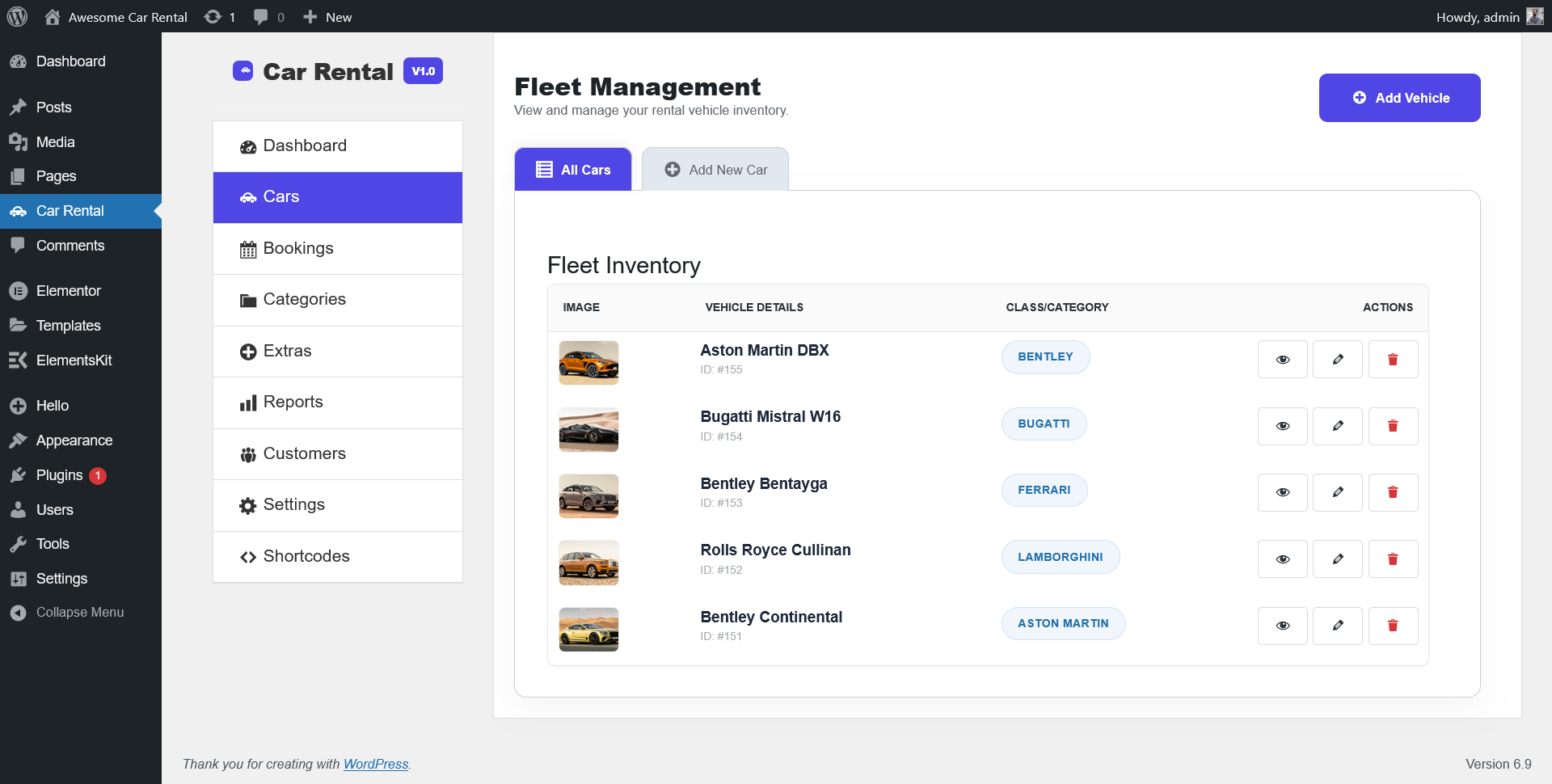
Cars: Fleet Inventory & Add/Edit Car - The advanced vehicle manager where you control technical specifications, high-res galleries, and NYC pickup locations.
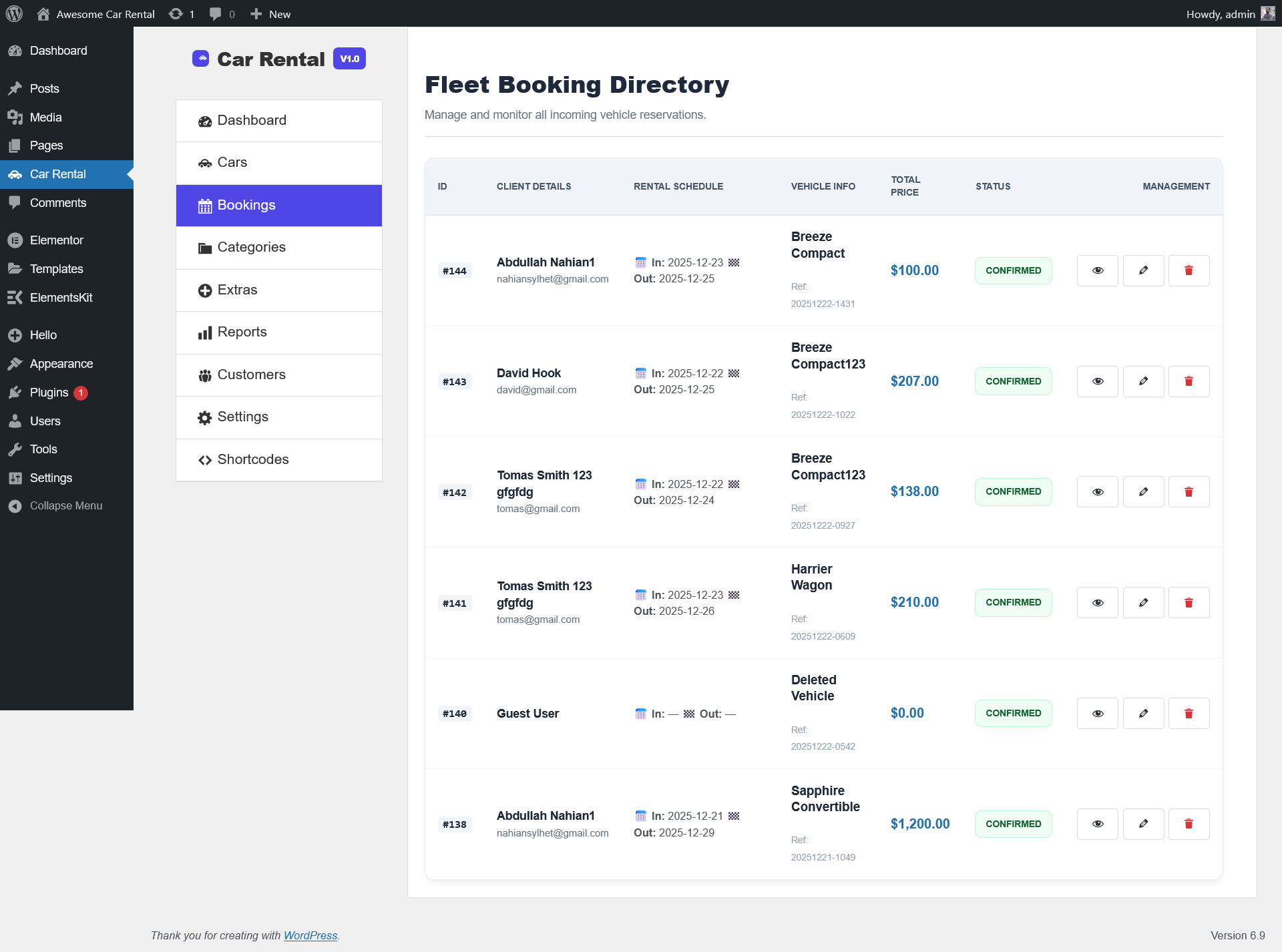
Bookings: Reservation Control Center - The master log for tracking all rental orders, managing customer pickup schedules, and updating live status labels.

Categories: Smart Taxonomy Logic - Organize your fleet into Luxury, SUV, or Electric groups to enhance user navigation and boost SEO rankings.
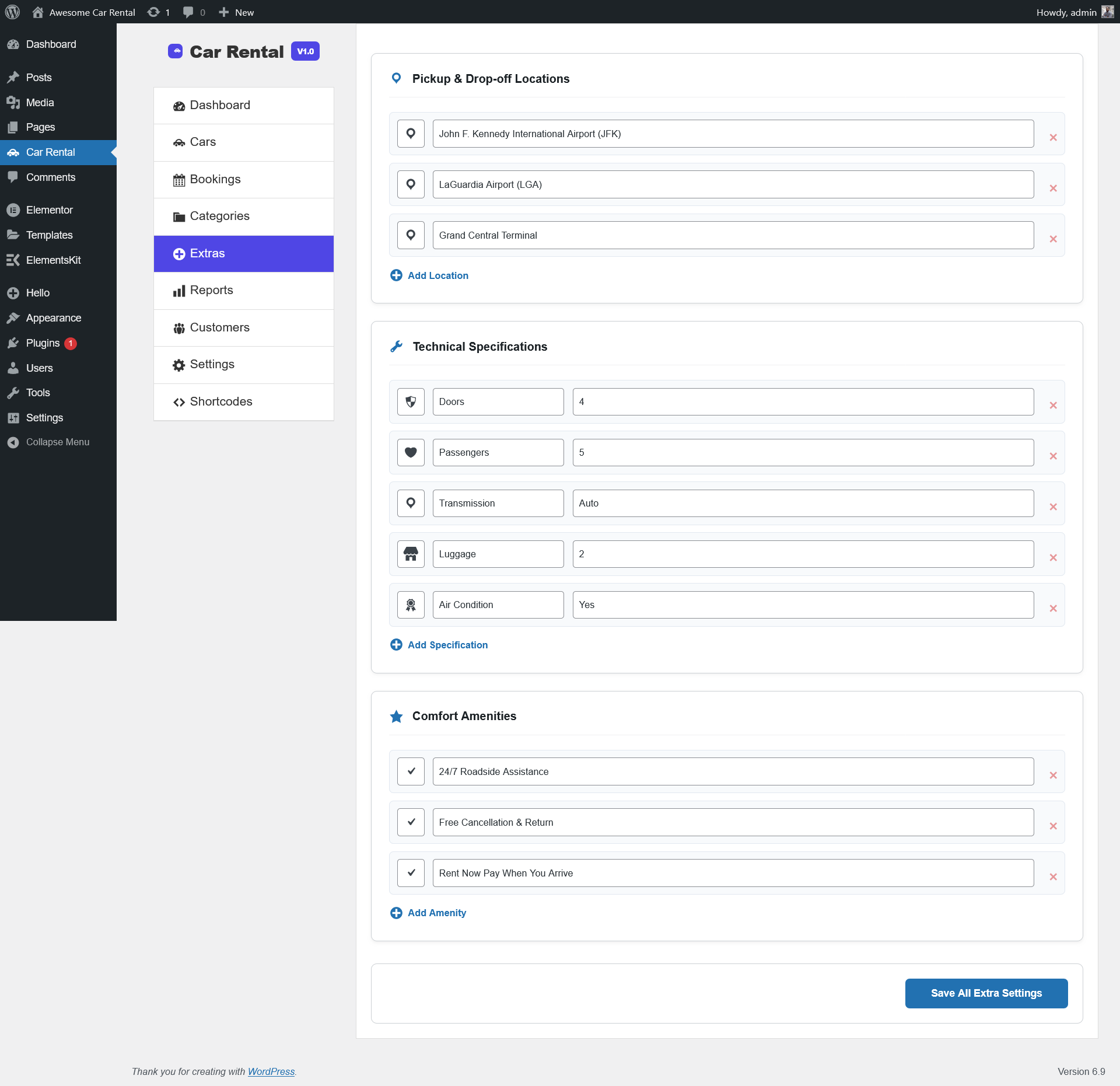
Extras: Profitable Upsell Module - Create and manage high-margin add-ons like GPS, Child Seats, and Insurance packages tailored for specific vehicle types.

Reports: Performance Analytics - Deep-dive financial reporting that calculates total revenue, monthly growth, and individual vehicle ROI.
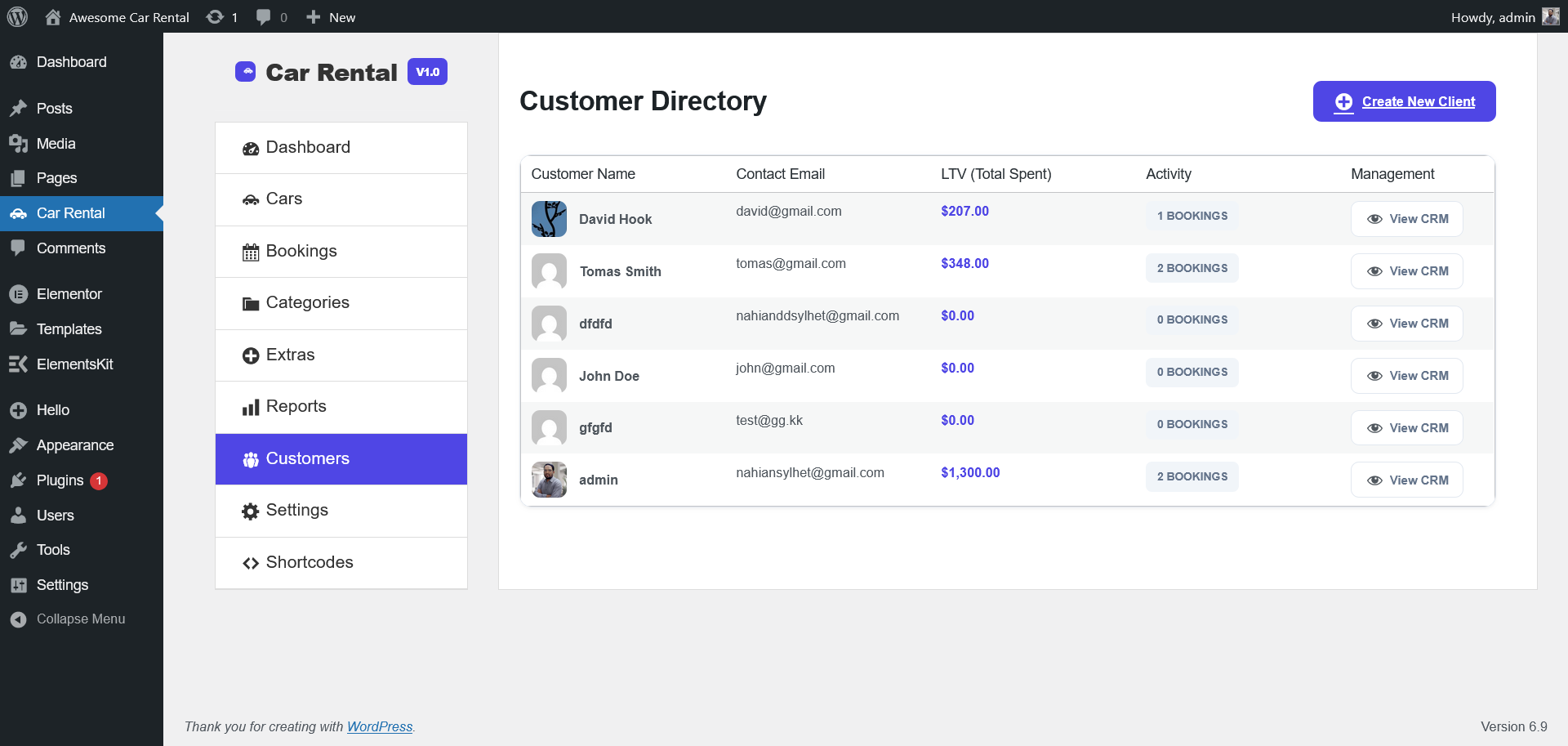
Customers: Advanced CRM Profiles - Access detailed customer database info, including contact details, billing addresses, and full lifetime rental history.
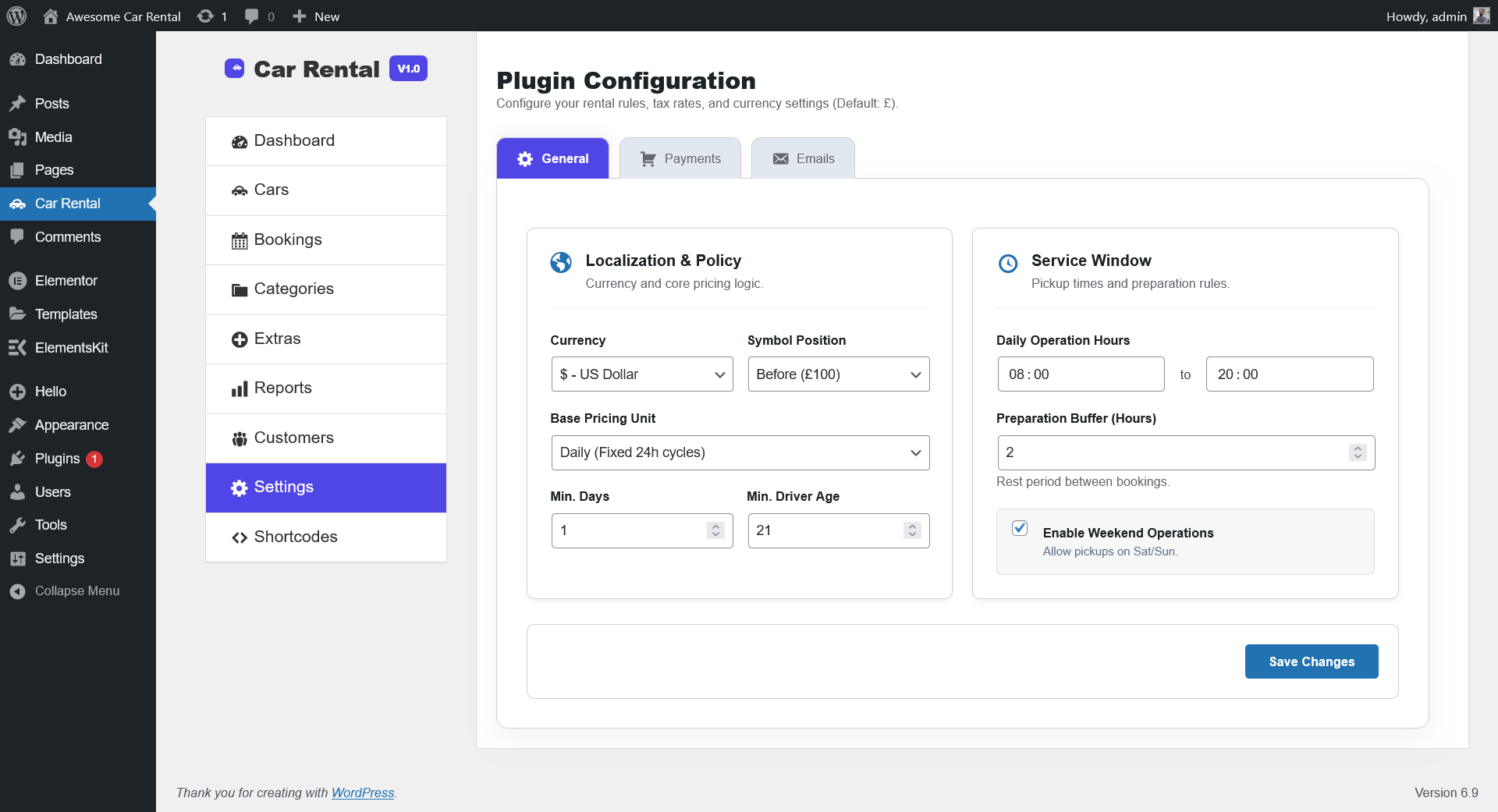
Settings: Global Localization & Payment - Configure site identity, set the currency to £, manage tax rates, and customize automated email templates.
![<strong>Shortcodes: Frontend Deployment Guide</strong> - A quick-reference library for implementing the [acrb_account] portal, search forms, and responsive car grids.](https://ps.w.org/awesome-car-rental/assets/screenshot-9.png?rev=3425473)
Shortcodes: Frontend Deployment Guide - A quick-reference library for implementing the [acrb_account] portal, search forms, and responsive car grids.
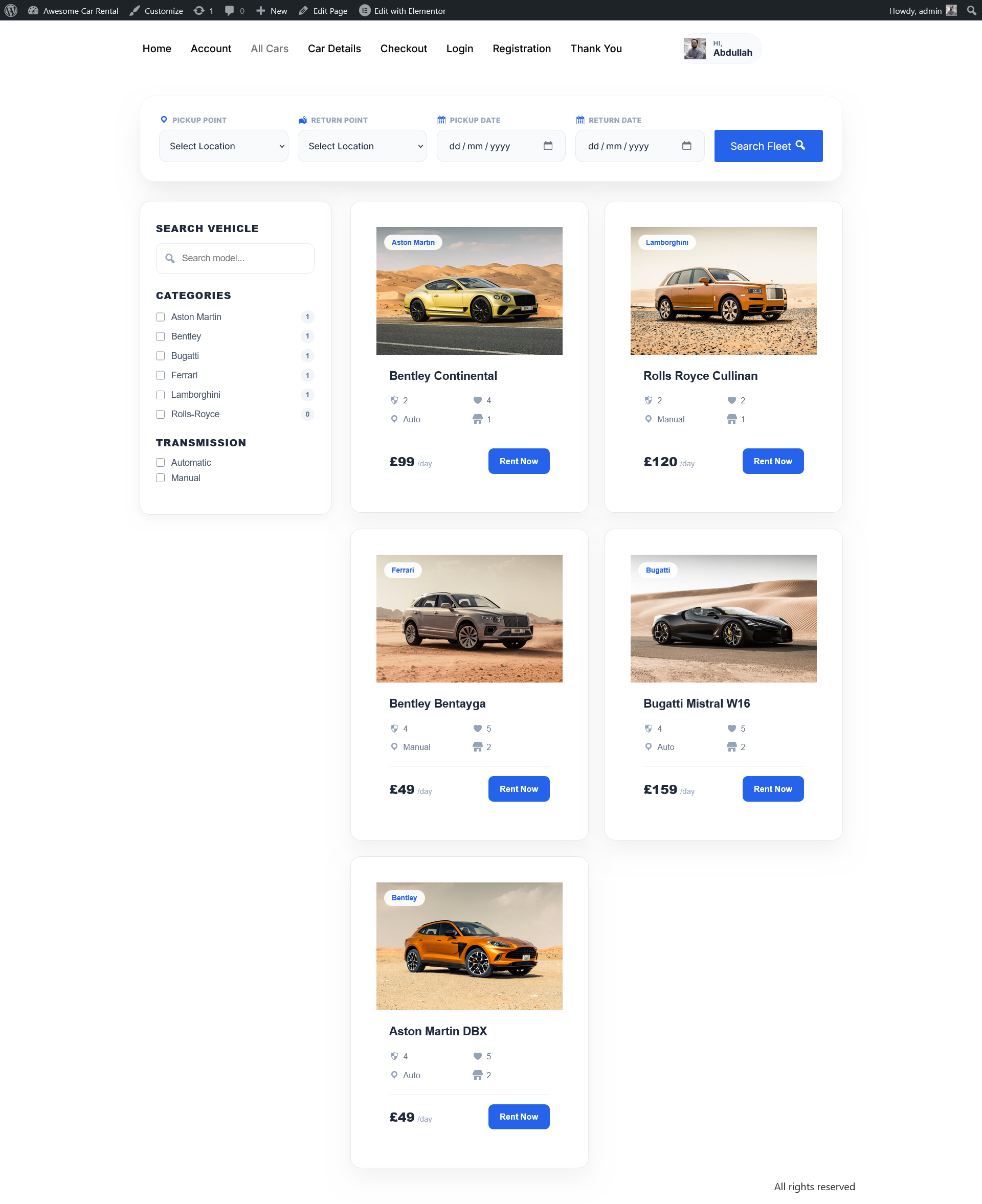
All Cars: Luxury Fleet Directory - A high-conversion grid showcasing your entire New York City fleet with real-time price badges in £ and filterable categories.

Single Car: Precision Booking Page - A detailed vehicle view featuring technical specifications (AWD, 360° Camera), comfort amenities, and a high-performance booking widget.
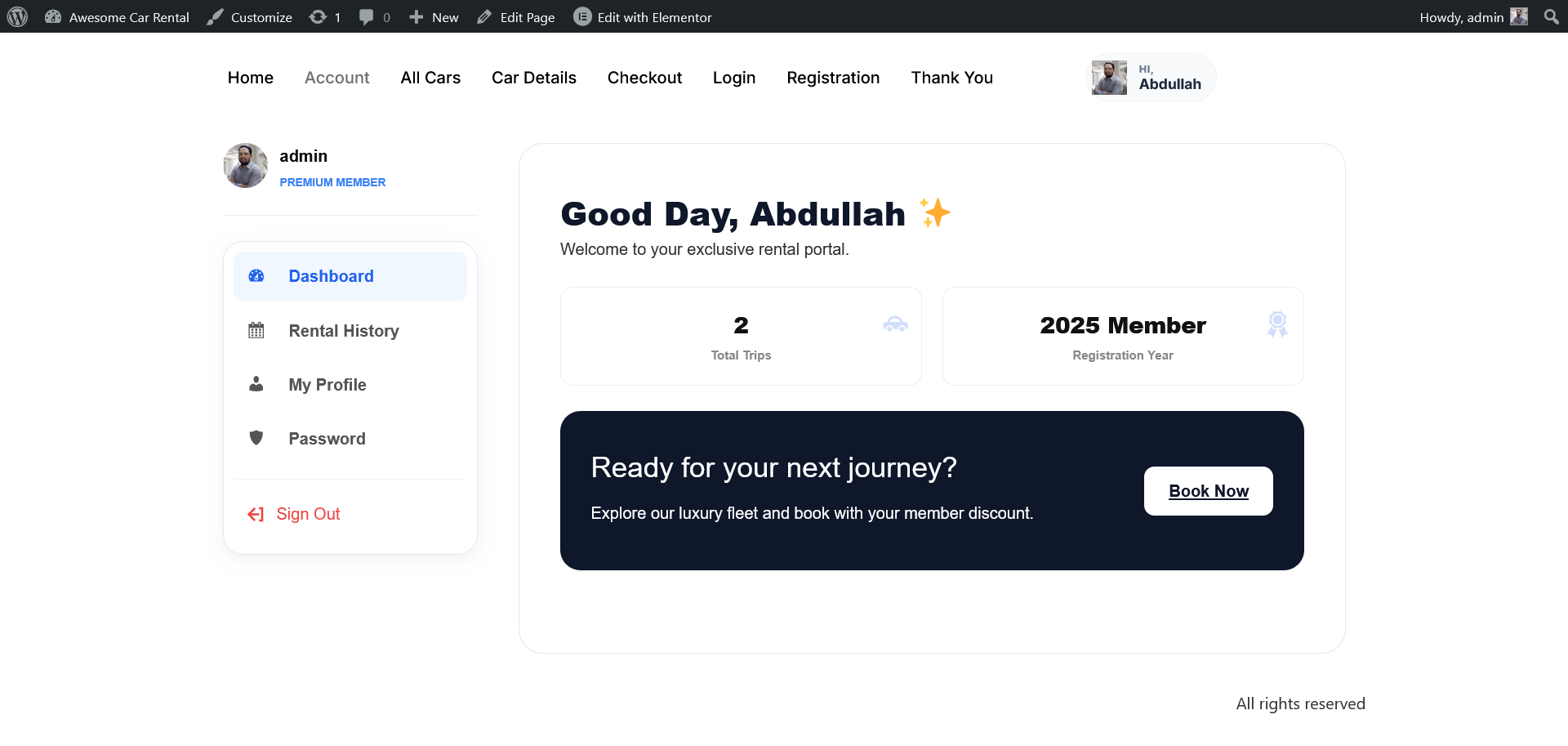
Account: The Elite Customer Dashboard - A private, AJAX-powered portal where clients can track active rentals, download receipts, and manage their NYC pickup preferences.
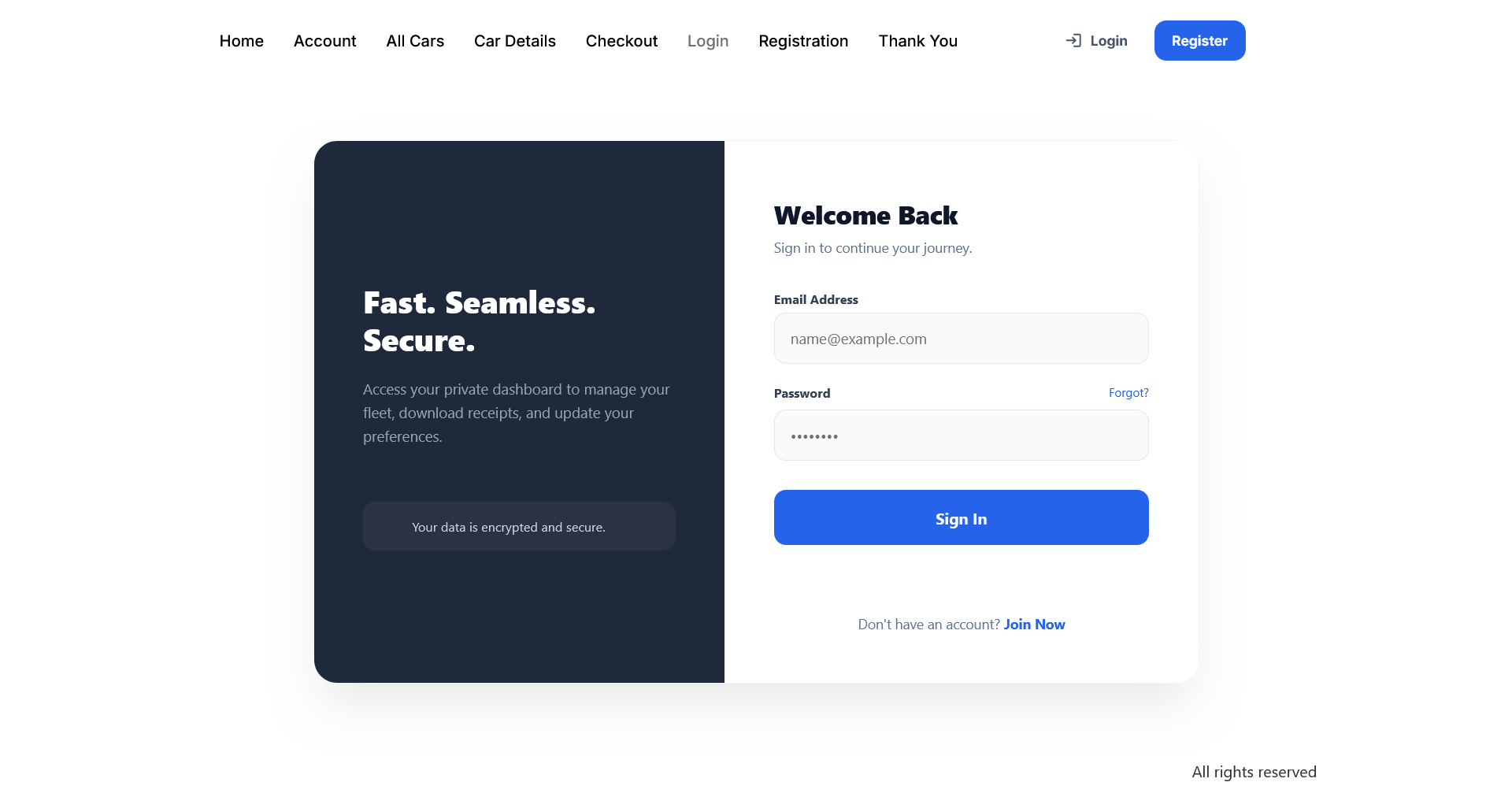
Login: Secure Member Access - A sleek, brand-integrated login interface designed for high security and a seamless user experience.
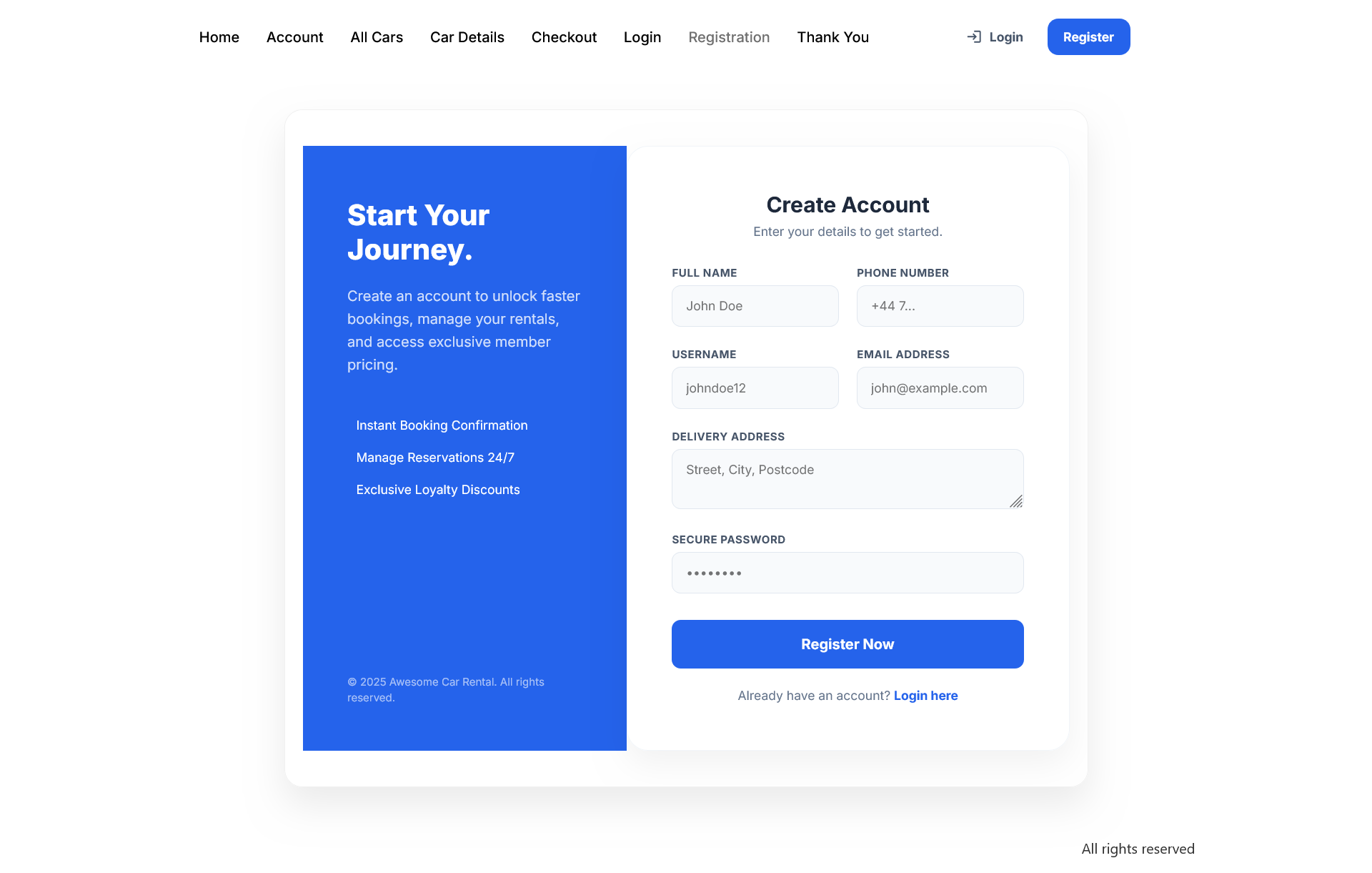
Registration: New Client Onboarding - A streamlined, mobile-optimized form to convert visitors into loyal customers in just a few clicks.
Faq
Yes! Navigate to the General Settings to set £ as your symbol and choose the position.
Absolutely. Every shortcode, including the search form and account dashboard, is 100% responsive.
Go to the Extras menu, add “Insurance,” set the price, and assign it to your fleet.
Reviews
Changelog
1.0.0
- Initial stable release with full module suite.
- Premium AJAX Customer Dashboard.
- Advanced Multi-Currency support.